
Top 5 LLM optimization tools
- Profound: Best for LLM-optimized content generation
- Peec AI: Best for tracking international LLM mentions
- Otterly.AI: Best for low-cost LLM tracking and optimization
- RankPrompt: Best for brands focused on local AI searches
- Hall: Best for tracking when chatbots visit your website
A 2025 poll from the Associated Press found that 60 percent of US adults and 70 percent of people under the age of 30 use AI to search for information. And in terms of search behavior, WebFX research found that generative AI delivers a 23 percent higher conversion rate compared to traditional engines. That’s great news…if you’re showing up in AI searches.
Legacy search engine optimization (SEO), while still important, no longer provides an accurate picture of how people are finding you online. They are seeing your brand recommended by AI tools like ChatGPT, Claude, Gemini, and others. Many of these conversations include links to your products and blog articles — some accurate, some hallucinated. And worse, AI is referencing your competitors over you.
AI and large language model (LLM) visibility tools can fill in the gaps in discovery data, helping you measure and monitor how well your content and product details are retrieved and repeated in AI conversations. In some cases, platforms can also turn that data into suggestions for improving and optimizing your website for more accurate, positive citations by generative AI tools.
This article highlights the five leading tools for AI visibility and generative engine optimization (GEO). Each tool helps you monitor brand mentions made by LLMs and make content updates to enhance those mentions. You’ll learn what these platforms do well, where they fall short, and how they work in real-world situations.
What to look for in LLM optimization and AI visibility tools
Like any software category, different GEO platforms target different use cases, budgets, technical requirements, geographical coverage, and several other differentiators. Understanding both where you sit in the market and what the differences are when it comes to generative AI vs LLMs makes it much simpler to narrow your list of options and pick the one that will deliver the best results.
You’ll want to consider criteria like
- Multi-model tracking: See data, metrics, and responses across ChatGPT, Gemini, Claude, Perplexity, and other AI engines.
- Citation and source tracking accuracy: Identify when models use your content and how faithfully they represent it.
- Daily monitoring and alerting: Surface changes in visibility, sudden performance dips, or shifts in output patterns as quickly as possible.
- Actionable GEO suggestions: Get specific recommendations for improving your website content and structure.
- Pricing and scalability: Explore plans with tiers for teams of all sizes and trajectories.
- Data security and compliance: Ensure SOC 2 and GDPR compliance as well as control over data retention and privacy.
- Model behavior benchmarking: Compare model outputs over time, across versions, or between providers to avoid silent regressions.
Even with so many criteria, the list of AI visibility tools is growing absurdly fast. In only a few searches, I found 40+ options, many of which were so new that they had zero reviews or testimonials. I whittled down the list to 16 platforms worth looking at, eventually picking the five best based on my experiences testing them. The rest of this article includes my key takeaways, along with some walk-throughs of how to use these tools.
5 best LLM optimization and visibility tools (with how-to guides)
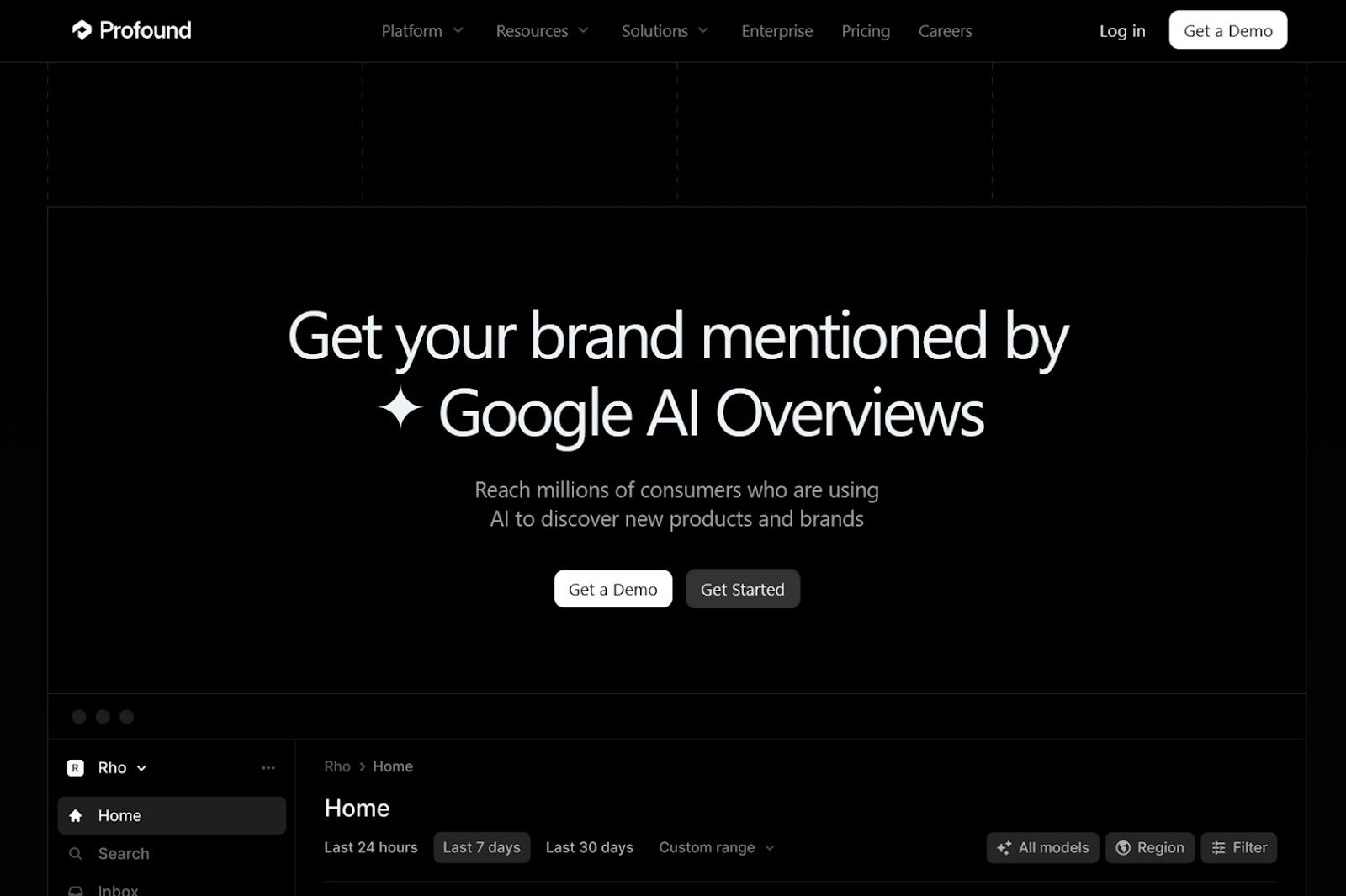
1. Profound: Best for LLM-optimized content generation
G2 rating: 4.6/5
Easily the most enterprise-level tool on this list, Profound provides everything you need to monitor and improve when and how LLMs reference your brand. The platform’s cheapest plan tracks tens of thousands of chatbot answers every month across as many domains as you want, but it’s still more expensive than most. If you’re on the highest-tier plan, you can monitor a whopping 10 different LLMs, including DeepSeek, Grok, Meta AI, and others.
Key features
- Heavy focus on GEO recommendations
- Lots of platform integrations
- Unbeatable model selection on highest plan
Benefits
Profound is far and away the best platform for GEO recommendations, based on my tests. Within minutes of getting started, it suggests articles you should create from scratch, existing content you should apply specific updates to, and a list of Reddit threads you should weigh in on. That, along with website analytics and tracking, makes it one of the best all-around tools on this list.
Does Profound meet all the criteria?
Aside from being the most expensive platform per tracked prompt that I tested, Profound aces every AI visibility criterion. It covers the most important models, tracks daily mentions and citations, provides a ton of optimization suggestions, and offers plenty of security assurances, whether using one of its integrations or not.
Plans/Pricing
- The Starter plan ($99 per month) includes 50 tracked prompts on ChatGPT only, along with email support.
- The Growth plan ($399 per month) includes 100 tracked prompts across ChatGPT, Perplexity, and Google AI Overviews plus three AI-generated and three AI-optimized articles.
- Enterprise plans require a sales call but give you custom prompt ceilings for tracking across 10 LLMs, as well as negotiated AI content generation and optimization.
How to use Profound
The Overview tab is more sparse than you’d expect, with only two charts after I finished my tests. But there’s a lot more info to dig into — like sentiment analysis, regional differences, and persona tracking — inside the Answer Engine Insights tab. The Overview page did, however, provide helpful notifications for actions I could take to improve my standings.
One of the first things Profound recommends is content generation and optimization, which it makes incredibly easy. One-question-at-a-time forms start with a few broad prompts, then become increasingly more specific. Finishing that flow will spit out a content brief. Click the Generate article button if you want to use one of your monthly allotments on that topic. And, if you’ve set up an integration with your website in the Agent Analytics tab, you can publish the article without ever leaving the app.
You’ll probably want to set up a brand kit and audience segments before generating or optimizing any content, though. Go to the Brand Hub tab, hit the Create new Brand Kit button, and enter your domain URL to have Profound create one for you. Then go through everything that it wrote and make tweaks to things like writing style, CTA URLs, and competitors. The Audience Segment form isn’t nearly as detailed but works to provide natural language guidance for AI-generated content.
Arguably the flashiest of Profound’s features is the Opportunities tab. It highlights topics your competitors have content for but you don’t, content you have that needs to be updated, and social media posts related to your brand and what it offers.
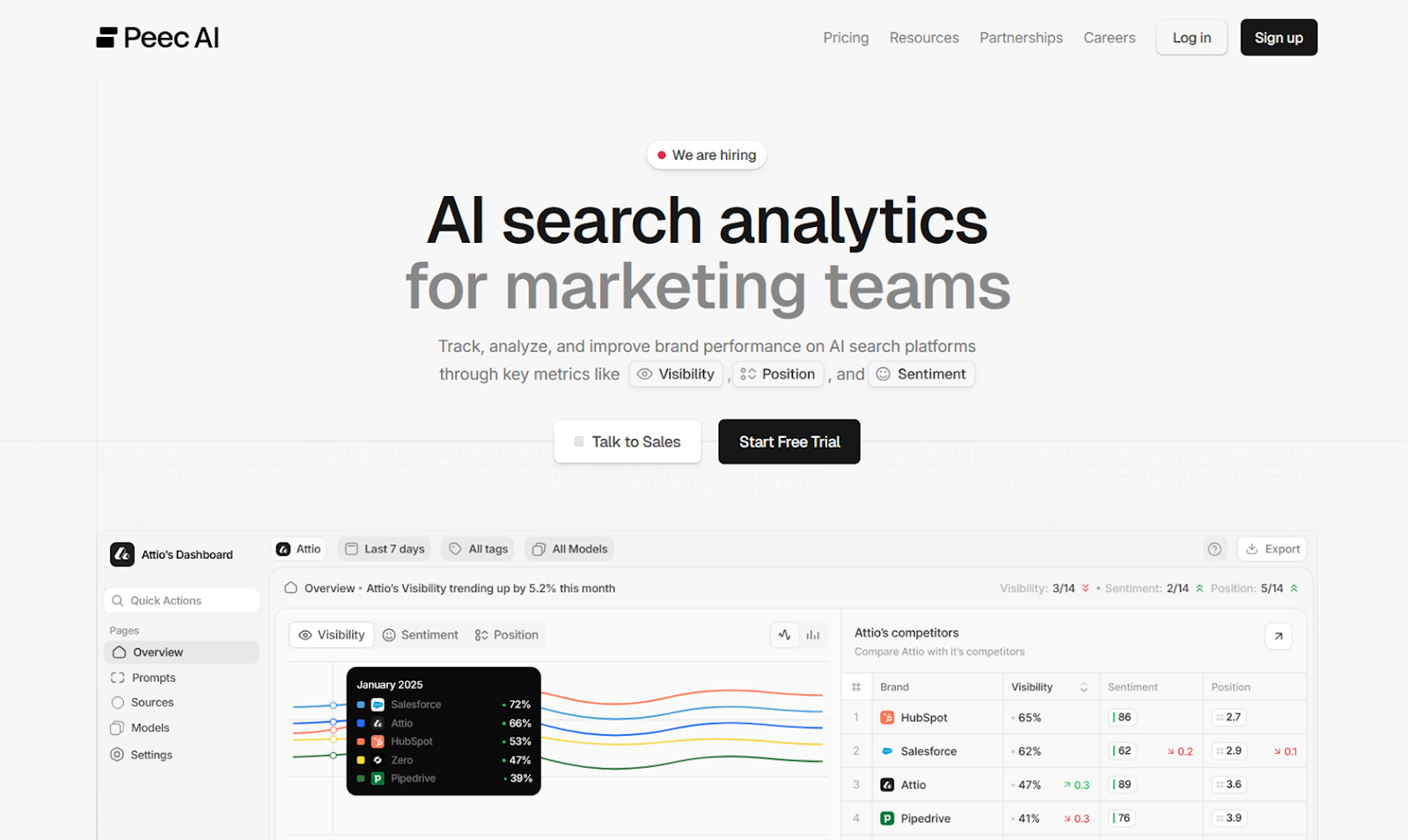
2. Peec AI: Best for tracking international LLM mentions
G2 rating: 5/5
Peec AI measures brand visibility in AI-generated responses across ChatGPT, Perplexity, and Google AI Overviews by sending each model your saved prompts every day and tracking changes over time. Based on what it sees, Peec AI then calculates and consolidates visibility, sentiment, and competitor scores into an info-packed dashboard.
Key features
- Great AI generated topics and prompts
- Above-average selection of model choices
- Multi-model sentiment tracking
- Bulk upload prompts
Benefits
Although it looks similar to other AI visibility tools, Peec AI stands out for letting you track prompts in unlimited countries (as long as your total prompts are under the monthly allotment) and add unlimited users to your account. Combined with its bulk prompt uploads and unrestricted exports, this feature makes for an AI visibility tool best suited for larger, more mature content teams that don’t want to invest the amount of money that Profound requires.
Does Peec AI meet all the criteria?
The biggest drawback of Peec AI is its lack of actionable content recommendations. While it gives you superb data about what LLMs are saying about your brand, it doesn’t tell you how to improve your standing. Personally, I don’t think that’s a deal-breaker though — especially given what Peec AI does provide.
If your visibility score is low for a certain topic or prompt, you need to create more content around those queries and get more backlinks. If the sentiment score is low, you should focus on testimonials and positive mentions on platforms like YouTube and Reddit. But for those who have less time and experience in content optimization, the lack of suggestions might be a bigger problem.
Plans/Pricing
- The Starter plan (€89 per month, or about $104 per month) includes 25 daily prompts sent to ChatGPT, Perplexity, and Google AI Overviews, as well as unlimited users and regions.
- The Pro plan (€199 per month, or about $233 per month) increases the daily prompts to 100 and adds support via Slack.
- Enterprise plans (€499+ per month, or about $585+ per month) include 300+ daily prompts and a dedicated account representative.
- Tracking prompts in Gemini, AI Mode, Claude, DeepSeek, Llama, Grok, and other models are available as add-ons.
How to use Peec AI
The onboarding here is solid, covering a fair amount of ground in only a couple of questions. First, you put in your brand’s URL, name, and country. That information generates a list of suggested topics for grouping your tracked prompts, which Peec AI also generates for you if you don’t want to write your own. And that’s it! You’ll then be dropped straight into a dashboard that’s pre-populated with data based on the info you provided during onboarding.
One of the first things you’ll want to do after onboarding is head to the Brands tab and add any competitors that you’d like to track alongside your own mentions. And, if you want to bulk upload your own prompts, go to the Prompts tab, click Add Prompt, open the Bulk Upload tab, and upload a CSV file that uses the required formatting.
The Peec interface does take a while to get used to, unfortunately. The Overview page shows you metrics — like visibility, URL citations, and competitor mentions — across all of your topics. You can then drill down to topic-level metrics in the Prompts tab or prompt-level metrics by clicking a prompt listed under one of your topics. If that’s still too much to manage or if you want to group two or more prompts that appear in different topics, you can create tags, add them to individual prompts, and view metrics solely for tagged prompts by applying the filter on the Overview page.
Exports are located in the Project tab and available on all plans. You get a CSV with one row for each prompt sent to each model. The row lists the entire response, region, brand and competitor mentions, citations, and sentiment score. And if you need to update your domain URL, region, or tracked models, those can be found under the Project tab as well.
3. Otterly.AI: Best for low-cost LLM tracking and optimization
G2 rating: 4.9/5
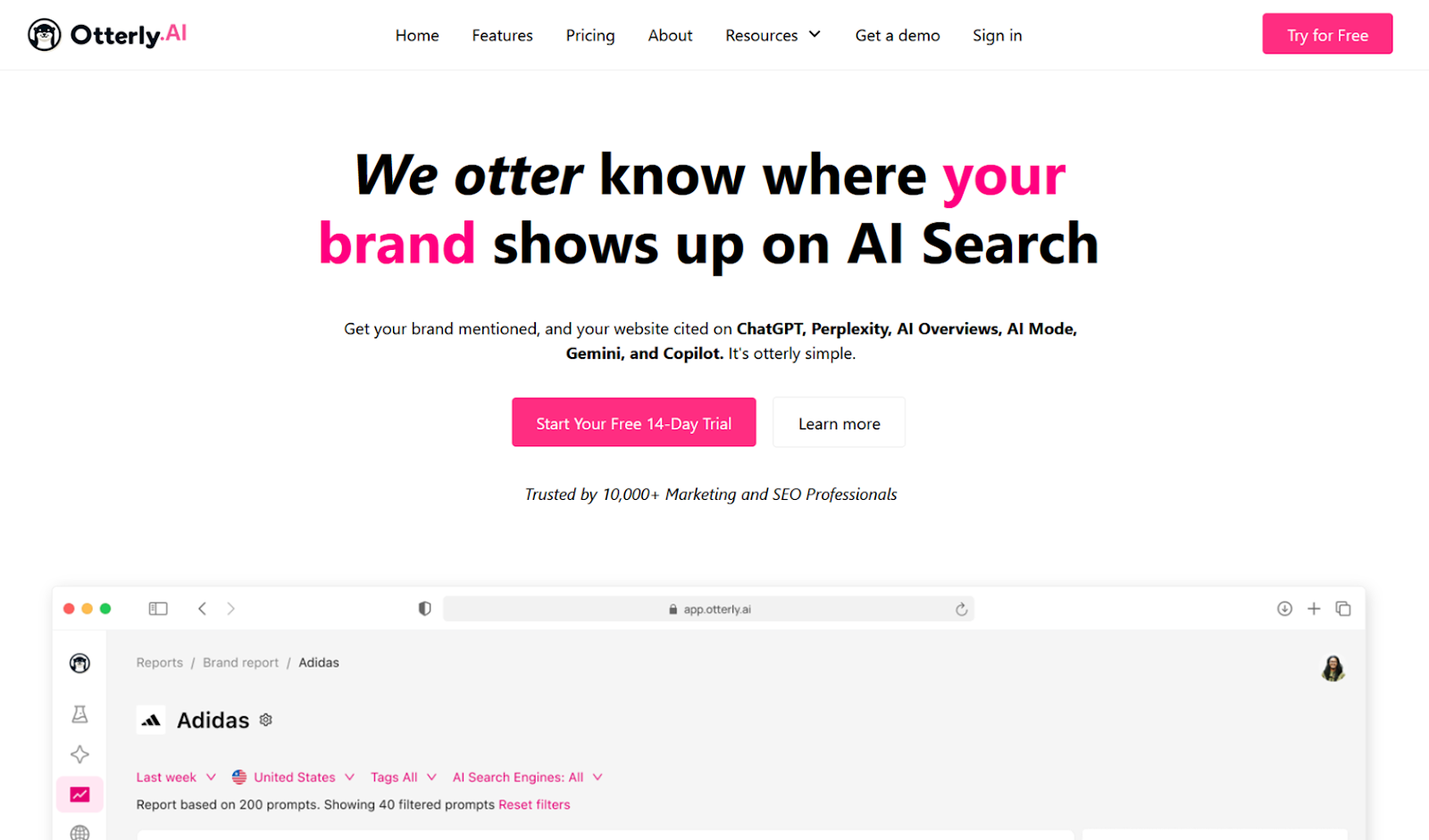
Otterly.AI began helping marketing teams track mentions by LLMs before Google AI Overviews was even a thing. It was one of the first platforms in this space and offers the most affordable paid plans on this list. Every day, Otterly.AI sends your saved prompts to ChatGPT, Google AI Overviews, Perplexity, and Microsoft Copilot to see how responses compare to those from previous days. Using that data, it creates domain- and page-level AI readiness audits to help brands generate more mentions in chatbot conversations.
Key features
- Copilot available on all plans
- Detailed URL-based AI visibility audits
- Tools for finding similar prompts to iterate what you track
Benefits
Two things immediately stuck out to me when testing Otterly.AI: its simplicity and its affordability. It would be hard to get lost or confused by any of Otterly’s reports or dashboards. But that doesn’t mean they are too basic or vague. There’s enough data tracking and AI visibility audits on the lowest-tier plan for most small- or medium-sized brands, and you can export everything if you decide it’s not worth the ongoing investment.
Does Otterly.AI meet all the criteria?
Otterly.AI meets the minimums for all of the criteria I listed in the introduction of this list. The AI-generated prompts can be hit or miss, with some feeling robotic and unlikely to ever be used by a real human. The GEO suggestions are better than platforms that don’t offer any at all, but they’re not all that friendly to people who are new to LLM optimization. Considering the entry price, though, it’s still a great option.
Plans/Pricing
- The Lite plan ($29 per month) gets you 15 prompts tracked in ChatGPT, Google AI Overviews, Perplexity, and Microsoft Copilot; unlimited brand reports and users; and 1,000 GEO URL audits.
- The Standard plan ($189 per month) bumps the account limits up to 100 prompts and 5,000 GEO URL audits.
- The Premium plan ($489 per month) has the highest ceilings with up to 400 prompts and 10,000 GEO URL audits.
- Google Gemini and AI Mode are available as paid add-ons.
How to use Otterly.AI
Like most AI visibility platforms, Otterly.AI helps you get almost entirely up and running with just a few setup questions. First, it lets you choose between uploading your own prompts, providing SEO keywords that will be turned into prompts, or putting in your website’s URL to generate prompts. That will seed your list of tracked prompts as well as an AI-generated list of competitors to track in your reports.
For many, Otterly.AI’s onboarding process gets you far enough to simply sit back and wait for the key performance indicators (KPIs) to start streaming in. You can quickly add or tweak prompts from the Search Prompts tab, however, by rerunning either the SEO keywords or website URL prompt generator. There’s also a super useful but easy-to-miss Find similar prompts icon (next to the trash can icon) on every line of your Prompts dashboard. And the Tags dashboard lets you create prompt categories that you can use to organize long, unwieldy lists.
While you wait for prompts to generate enough daily data to be meaningful, the GEO Audit tab will likely provide more than enough information to keep you busy. A domain audit grades how easily your website and all of its pages can be read by LLMs. It provides clear scores for things like page speed, structured data, and llms.txt files but not much guidance on how to improve those scores. A URL audit, which grades a single page, provides more details on what you do or don’t have in terms of LLM-optimized content.
The only way to export data out of Otterly.AI — whether it’s for sharing with colleagues or migrating to another AI visibility platform — is by opening a specific report from the Brand Report dashboard and clicking Export report.
4. RankPrompt: Best for brands focused on local AI searches
G2 rating: 4.5/5
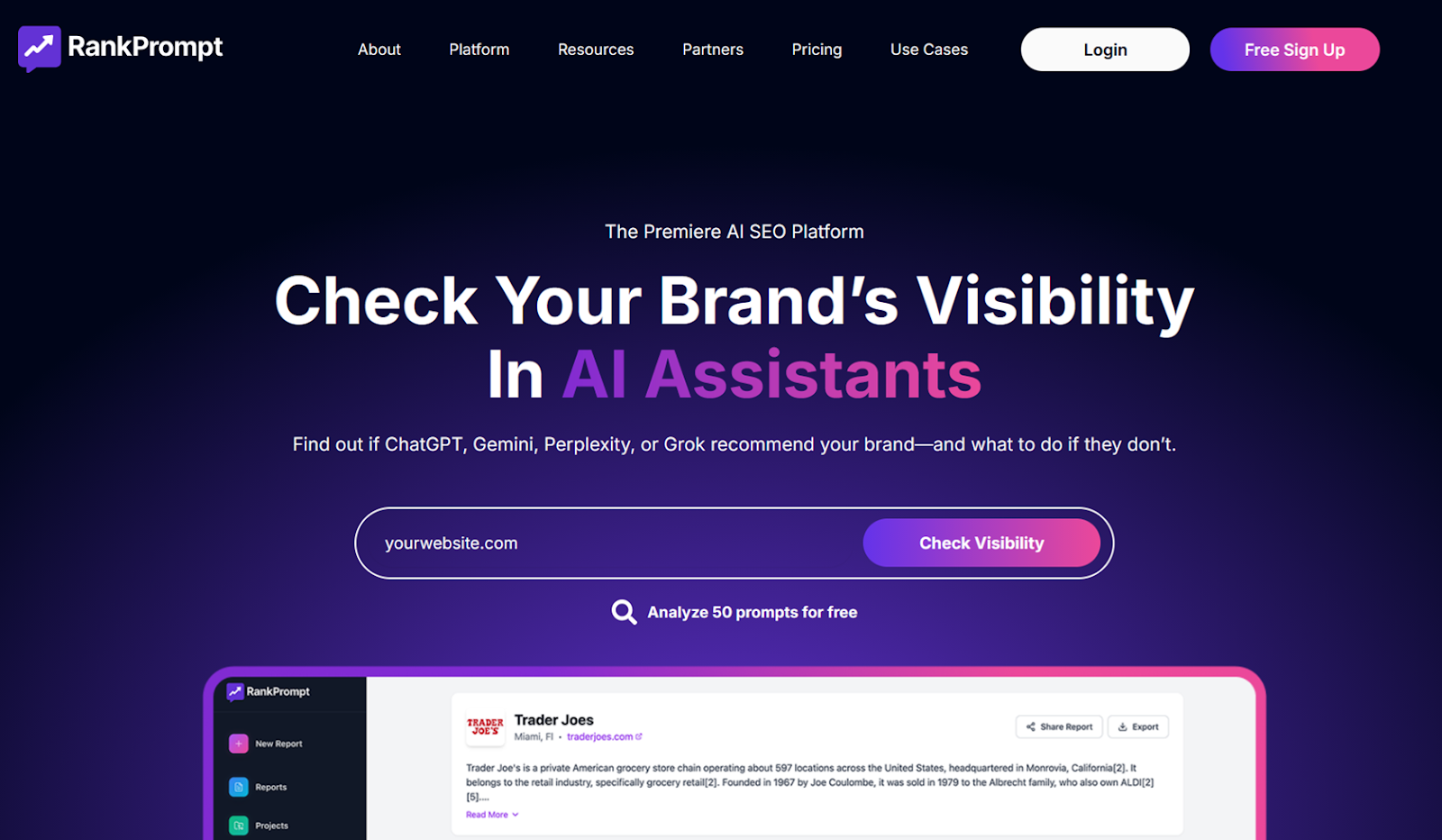
RankPrompt functions as both an AI visibility tool and a content optimization platform. Beyond monitoring mentions of your brand in conversations with Perplexity, ChatGPT, and Google AI Overviews, RankPrompt also helps tackle LLM optimization efforts with SEO audits and AI content generation that are baked directly into the platform.
Key features
- Ability to publish directly to WordPress
- A/B test prompt performance
- Local search monitoring and tracking
Benefits
RankPrompt is making a name for itself with its volume-based pricing and content optimization features. So while it’s not as cheap as Otterly.AI, RankPrompt puts a credit cost on every report so you can budget to get the most of your plan. Its other noteworthy feature, content generation, will only be a benefit to teams that are comfortable with a lot of hallucinations and hand-wavey writing that’s more vibes than details.
Does RankPrompt meet all the criteria?
Notably, RankPrompt does not have a dedicated landing page outlining their security commitments. That and its relatively short list of trackable AI models are the two biggest things keeping the platform from being a better all-around AI visibility tool. Neither are necessarily deal-breakers, though. If you only need to track Perplexity, ChatGPT, and Google AI Overviews, and you aren’t worried about your prompts leaking, RankPrompt is a great option.
Plans/Pricing
- The Starter plan ($49 per month) includes 150 credits per month, up to six visibility reports, and access to ChatGPT, Gemini, and Perplexity.
- The Pro plan ($89 per month) offers the same features with more allowances: 500 credits per month and up to 20 visibility reports.
- The Agency plan ($149 per month) hikes limits up to 1,000 credits and 40 visibility reports per month while also adding priority support and export functionality.
How to use RankPrompt
Getting started with RankPrompt felt slower than some of the other platforms I tested. In addition to the standard questions around your brand name, URL, and location, it does give you the option to optimize for local or national search, which is incredibly useful. But even when you pick national search, the suggested AI prompts are awkwardly over-indexed for location (e.g. “What’s the best form builder in the United States?”), which was a little time-consuming to fix.
Onboarding creates a report that runs only once. So the first thing you’ll need to do is head to the Scheduled Reports tab and set up a recurring report by clicking Create Scheduled Report. You can pick either the one generated by your onboarding session or make a new one, setting it to run daily, weekly, or monthly. RankPrompt will then send your prompts to Perplexity, Google AI Overviews, and ChatGPT at specific intervals so you can see how their responses evolve over time.
The Performance Summary tab provides a big-picture overview of how everything is performing, while more specific KPIs are covered in other tabs. The Prompts page lets you read exactly how an LLM responded to a question, Citations & Sources includes all of the external links that chatbots included in their responses, Competitors shows which brands RankPrompt thinks you are up against (based on AI responses), and Prompt Trends provides a sort of A/B testing space for your prompts. If that sounds like a lot, keep in mind that the Reports page is the only place where you actually tweak settings; everything else is essentially just a dashboard.
Head over to the Articles tab, pick from the list of content types, and provide a bit of context to have RankPrompt write LLM-optimized articles about your brand. Then, in the Integrations tab, connect your website via WordPress integration or a subdomain via domain records to have RankPrompt automatically publish AI-generated articles. Finally, see how technically optimized AI- or human-generated pages are in the On Page tab.
5. Hall: Best for tracking when chatbots visit your website
G2 rating: 4.8/5
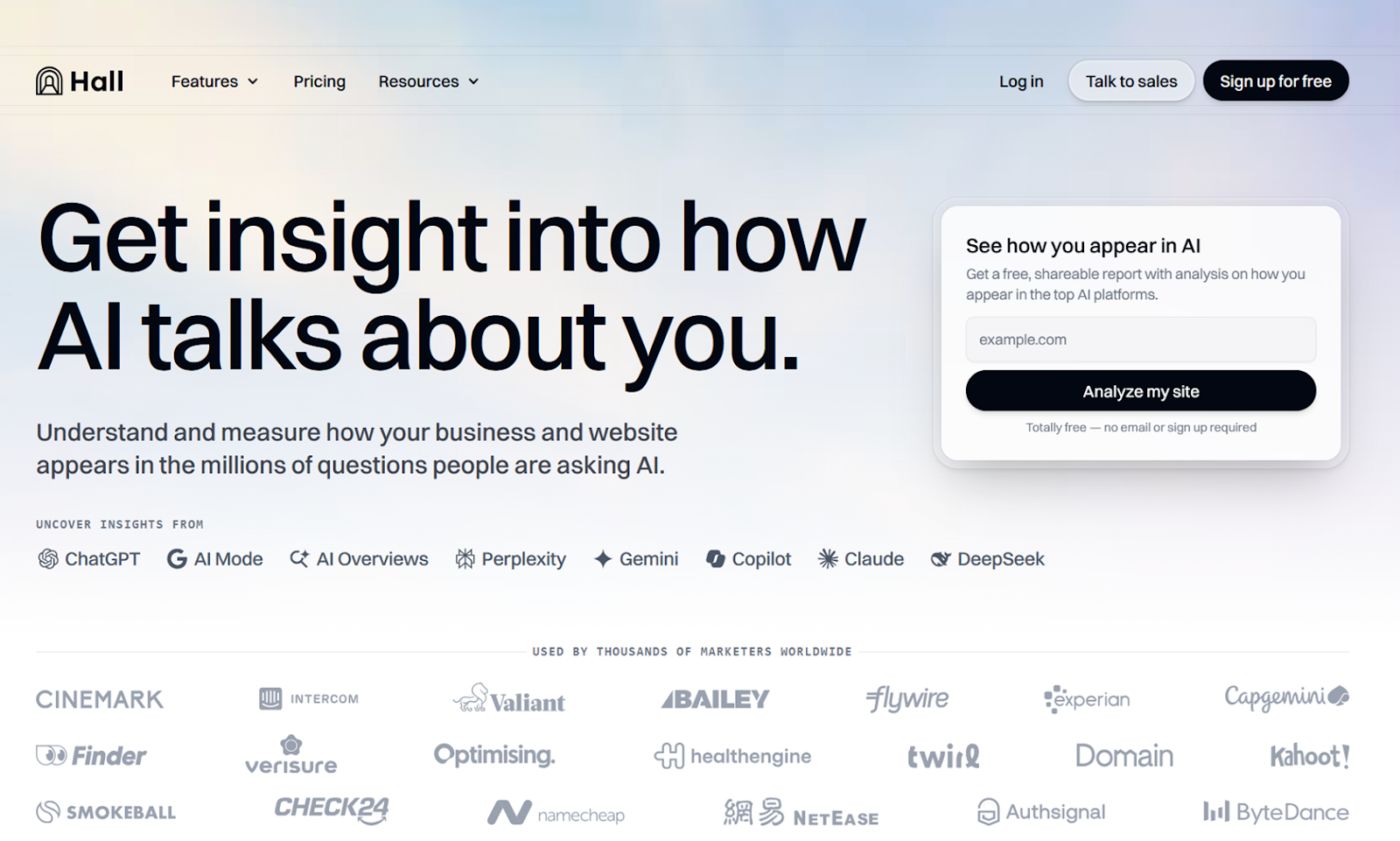
On paper, Hall looks very similar to other AI visibility tools: You give it prompts, and it reviews responses from ChatGPT, Perplexity, and Google AI Overviews for mentions of your brand. But Hall’s onboarding, user interface, and free-forever plan make it much more approachable and accessible than many of its competitors
Key features
- AI website analytics
- Excellent AI-generated prompts
- Ability to see prompts citing your domain from other accounts
Benefits
Hall’s minimalist interface is a refreshing change from overcrowded dashboards, and its AI-generated prompts are quite a bit better than the competition’s. But the main reasons I’d recommend choosing this app would be its site analytics features (for tracking LLM visits to your domain) and access to its broader database of chatbot responses and citations. None of the other tools that offer website analytics for LLM could match the detail of Hall’s data. And no other platform lets you see responses to prompts that aren’t associated with your account.
Does Hall meet all the criteria?
Hall is an excellent entry-level monitoring platform. There are no content recommendations or suggestions, aside from those that might be on the Opportunities page (under Projects). I wasn’t able to get them working, though, and couldn’t find any related documentation from Hall. Other than that, the platform offers good multi-model daily tracking for both brand mentions and URL citations, plenty of security assurances, and pricing that is on par with other tools on this list.
Plans/Pricing
- The Lite plan is free forever, covering one project, 25 tracked questions, 300 analyzed responses, weekly updates, and three months of historical data.
- The Starter plan ($239 per month) gets you 20 projects, 500 tracked questions, 45,000 analyzed responses, daily updates, and six months of historical data.
- The Business plan ($599 per month) includes 50 projects, 1,000 tracked questions, 120,000 analyzed answers, 12 months of historical data, and advanced security.
- An Enterprise plan (starting at $1,499 per month) involves negotiating custom plan limits but always includes unlimited historical data and a dedicated account manager.
How to use Hall
For better or for worse, Hall almost completely skips the onboarding steps that other platforms rely on so heavily. It drops you straight into a blank dashboard with two options: Set up analytics or Create a project. With the former, you’ll add code to your website that logs LLM visits and referrals, forwarding the data to your Hall account via API call. Once analytics are set up, you can view which bots are visiting your site and whether they’re there for one-off user queries or for training and indexing.
Creating a project to track brand mentions in AI conversations is super easy. All you need to provide is your brand name, URL, region, and the LLMs you want to monitor. Next, you can manually add prompts, upload them in bulk with a CSV, or have Hall suggest some prompts for you. I found the AI-generated prompts in Hall to be noticeably more human than other platforms I tested, as Hall’s suggestions used short, incomplete sentences instead of overly formal or wordy questions.
After setting up your analytics and tracked prompts, Hall feels far more minimal than other visibility tools. There are only three tabs in the sidebar: AI site analytics, Site explorer, and Projects. When clicking on a project, the Overview page summarizes all of your data, the Reports page lets you drill down on specific metrics, and the Questions page works towards adding or editing prompts and their associated topics. The only thing that’s a little tough to find is the Competitor mentions page, which you’ll probably want to tweak — it’s buried in the Project settings window under Mentions.
While I didn’t notice any nudges to try out the Site explorer tab, it ended up being one of the most interesting things I found on the platform. Put in your URL or a competitor’s, and it will show you all of the prompts associated with that domain across Hall’s entire dataset, not just your tracked prompts. What you see there won’t be charted the same as what’s in your project’s Overview page, but it will help you surface new prompts where you’re excelling or falling behind.
Which AI visibility platform is best for you?
Since you have no control over how or when chatbots visit your website (or which LLM guardrails model makers use), your sales, content, and developer teams need to track what AI is saying about your brand. For now, the only economical way to do that is with an AI visibility or LLM optimization tool.
If you’ve got a large budget and writing team, Profound stands out for its model coverage, security, and content suggestions. On the other end of the spectrum, RankPrompt and Otterly.AI are more affordable and less overwhelming while still providing a ton of GEO data. For those who find themselves somewhere in the middle, Peec AI’s international visibility tracking and Hall’s website analytics bring something a little different to the table.
At the end of the day, every tool on this list provides dozens of data points and threads to pull on. In many cases, choosing the right one comes down to little more than how it feels, to you, to use each tool. Different people have different preferences for interface design, customization, and technical requirements. Most of these products offer free trials, and along with the information shared in this article, that should be all you need to find the one you like the most. Try them out and start measuring your AI visibility today!
This article is for digital marketers, SEO strategists, developers working with AI systems, and content teams who want to optimize large language model (LLM) outputs for greater visibility across AI platforms and ensure performance, safety, and discoverability in the evolving landscape of AI-driven search.







































































































Send Comment: