# Shopify AI Agents for 2026: Smarter Customer Support & Sales

**Shopify AI Agents**

# Your Shopify store just got smarter

Add instant, AI-powered customer service to your Shopify store. From order tracking to product recommendations, your smart assistant handles it all.
[**Get the App** — It’s Free](https://apps.shopify.com/jotform-ai-chatbot?jfNext=1)[Try Demo Store](https://store.jotform.com/?jfNext=1)

![Image 1: Jotform Shopify AI Agents Hero Image](https://cdn.jotfor.ms/image/r/aHR0cHM6Ly9jZG4uam90Zm9yLm1zL3AvYWkvc2hvcGlmeS1hZ2VudC9hc3NldHMvaW1nLW1pbi9ob21lcGFnZS9oZXJvLnBuZz92PTAuMQ==/hero.png?w=1024&t=1)

## Faster customer service, happier customers

Our powerful tool is designed to streamline support, boost sales, and elevate every customer interaction.

![Image 2: Shopping Bag Icon](https://cdn.jotfor.ms/p/ai/shopify-agent/assets/img-min/homepage/channels/icon-1.svg?v=0.4)
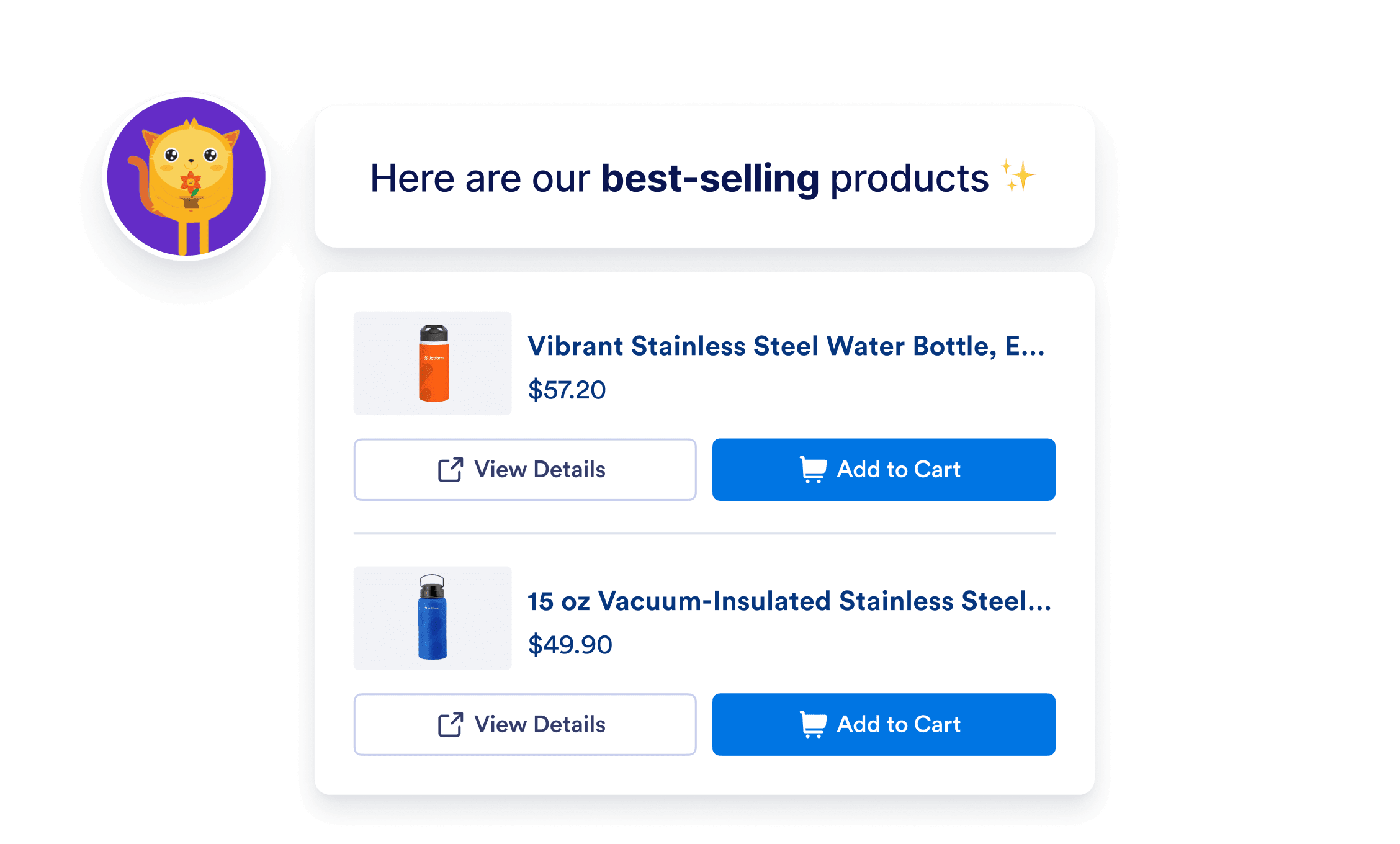
### Product discovery

Help customers quickly find the products they’re looking for. Boost sales and delight customers with smart product discovery.
![Image 3: Product discovery](https://cdn.jotfor.ms/image/r/aHR0cHM6Ly9jZG4uam90Zm9yLm1zL3AvYWkvc2hvcGlmeS1hZ2VudC9hc3NldHMvaW1nLW1pbi9ob21lcGFnZS9jaGFubmVscy8xLnBuZz92PTAuNA==/1.png?w=40&t=1)

![Image 4: Box Icon](https://cdn.jotfor.ms/p/ai/shopify-agent/assets/img-min/homepage/channels/icon-2.svg?v=0.4)
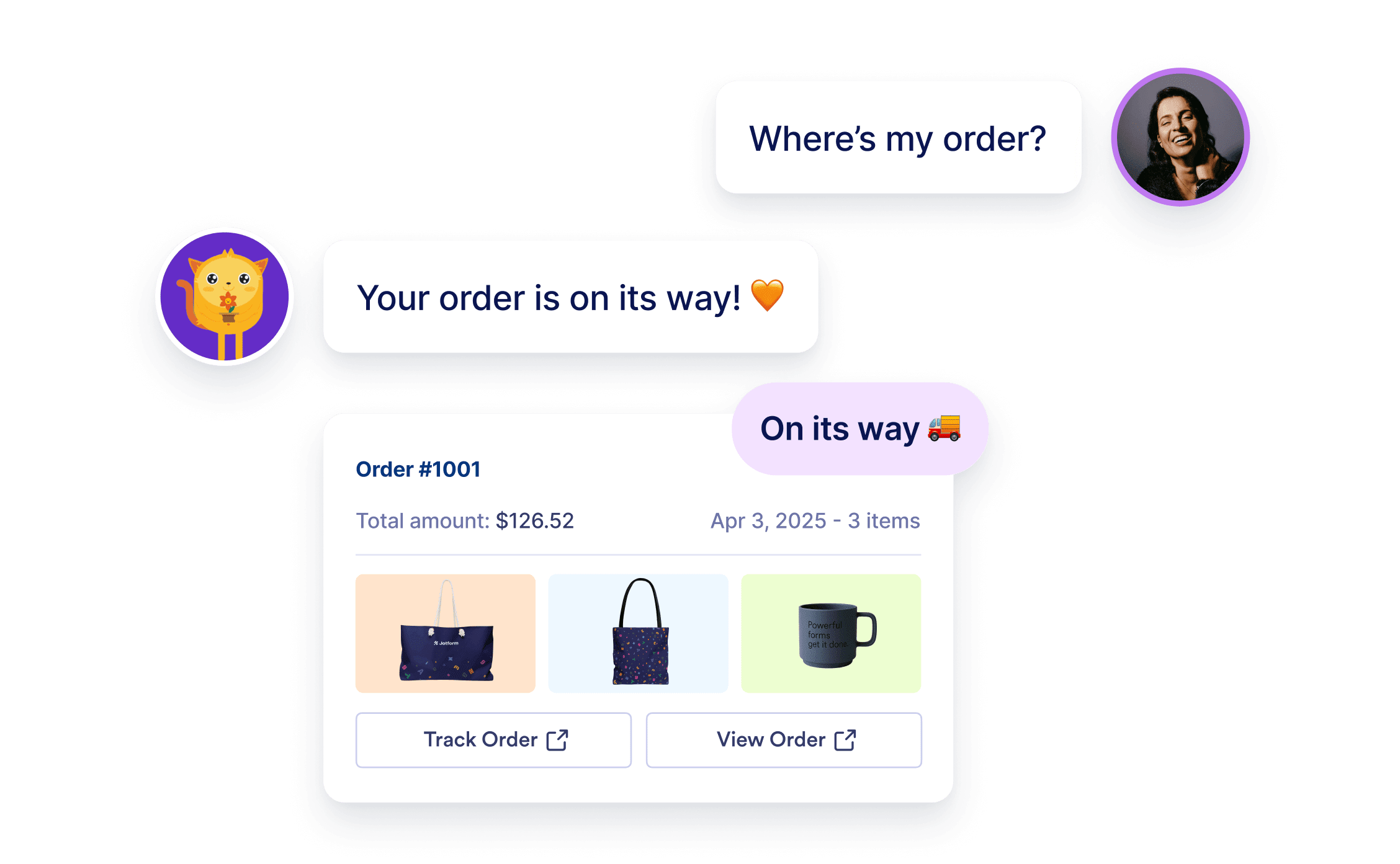
### Order tracking

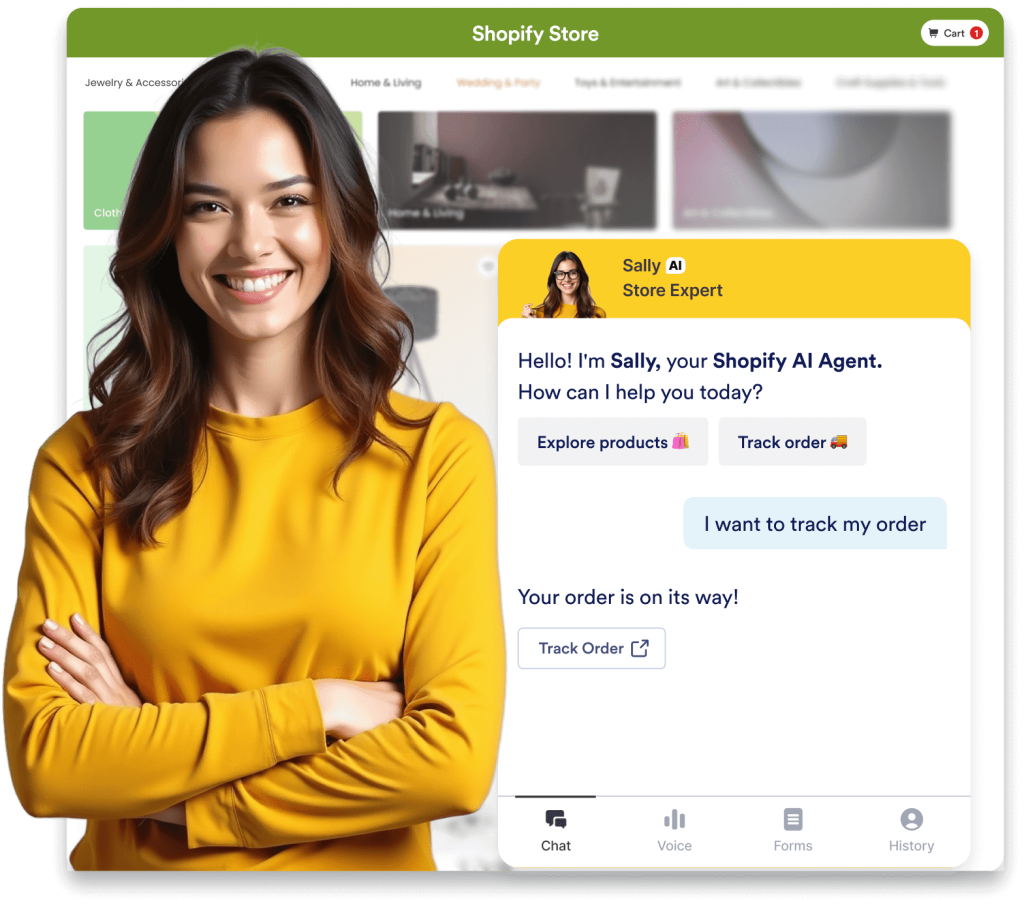
Keep customers informed with real-time order tracking updates. Automate updates so your team can focus on other tasks.
![Image 5: Order tracking](https://cdn.jotfor.ms/image/r/aHR0cHM6Ly9jZG4uam90Zm9yLm1zL3AvYWkvc2hvcGlmeS1hZ2VudC9hc3NldHMvaW1nLW1pbi9ob21lcGFnZS9jaGFubmVscy8yLnBuZz92PTAuNA==/2.png?w=40&t=1)

![Image 6: Speech Baloon Icon](https://cdn.jotfor.ms/p/ai/shopify-agent/assets/img-min/homepage/channels/icon-3.svg?v=0.4)
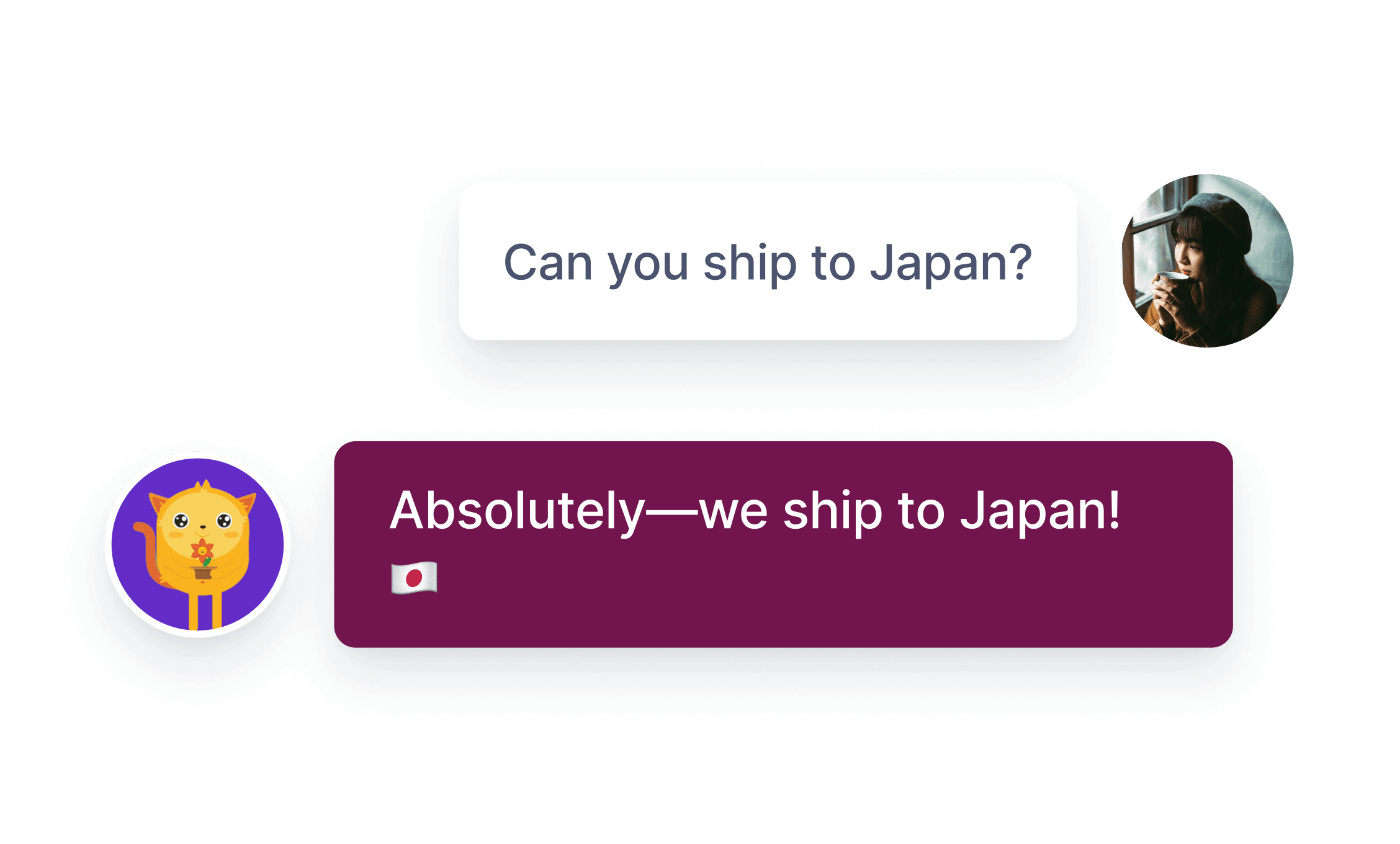
### 24/7 customer support

Answer customer questions instantly. Improve your shop's reliability with nonstop, AI-powered support.
![Image 7: 24/7 customer support](https://cdn.jotfor.ms/image/r/aHR0cHM6Ly9jZG4uam90Zm9yLm1zL3AvYWkvc2hvcGlmeS1hZ2VudC9hc3NldHMvaW1nLW1pbi9ob21lcGFnZS9jaGFubmVscy8zLnBuZz92PTAuNA==/3.png?w=40&t=1)

![Image 8: Shopping Cart Icon](https://cdn.jotfor.ms/p/ai/shopify-agent/assets/img-min/homepage/channels/icon-4.svg?v=0.4)
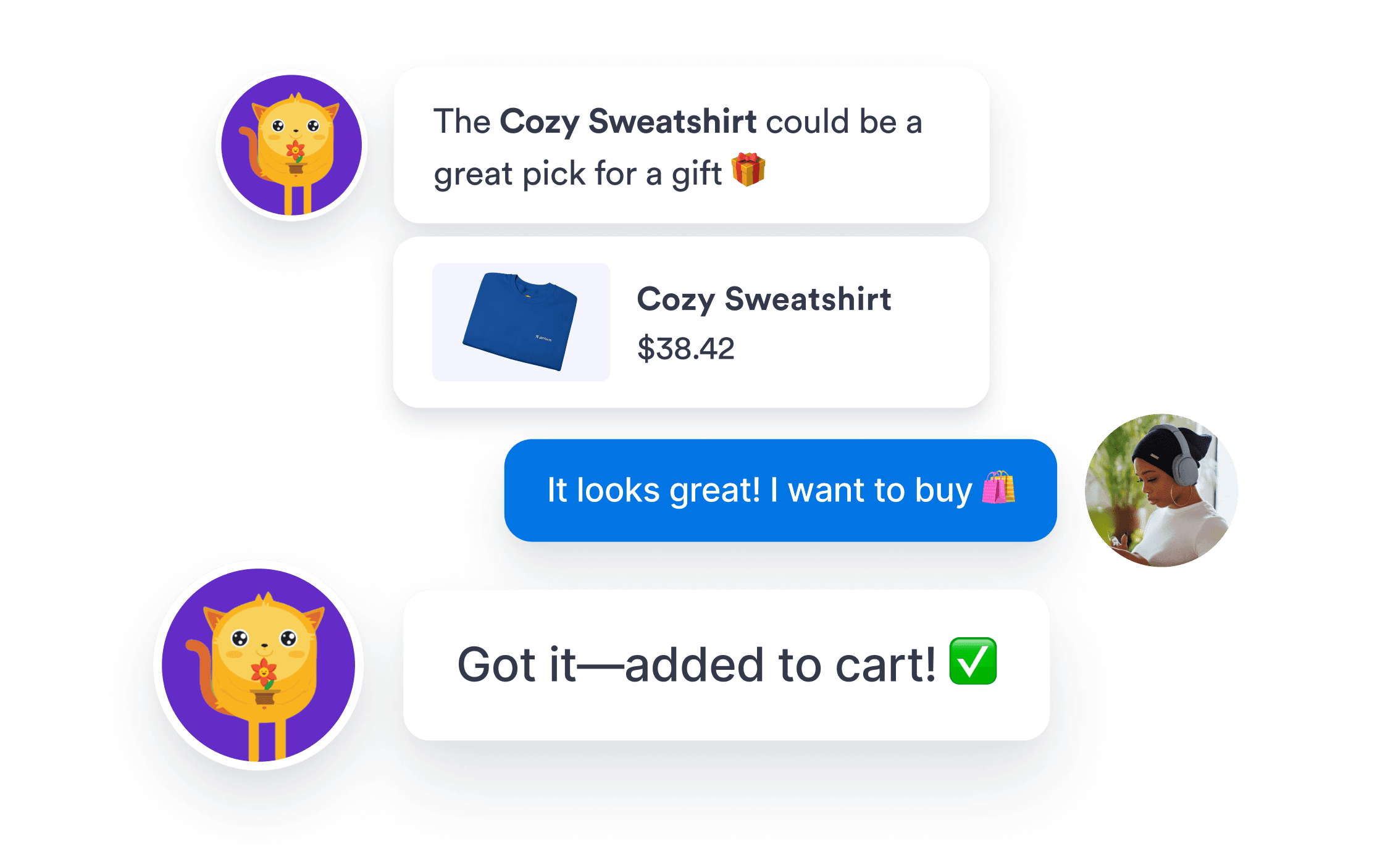
### Update shopping carts

Shoppers can now manage their carts by chatting with your AI Agent. Update items and quantities in one place.
![Image 9: Update shopping carts](https://cdn.jotfor.ms/image/r/aHR0cHM6Ly9jZG4uam90Zm9yLm1zL3AvYWkvc2hvcGlmeS1hZ2VudC9hc3NldHMvaW1nLW1pbi9ob21lcGFnZS9jaGFubmVscy80LnBuZz92PTAuNA==/4.png?w=40&t=1)

![Image 10: Shine Icon](https://cdn.jotfor.ms/p/ai/shopify-agent/assets/img-min/homepage/channels/icon-5.svg?v=0.4)
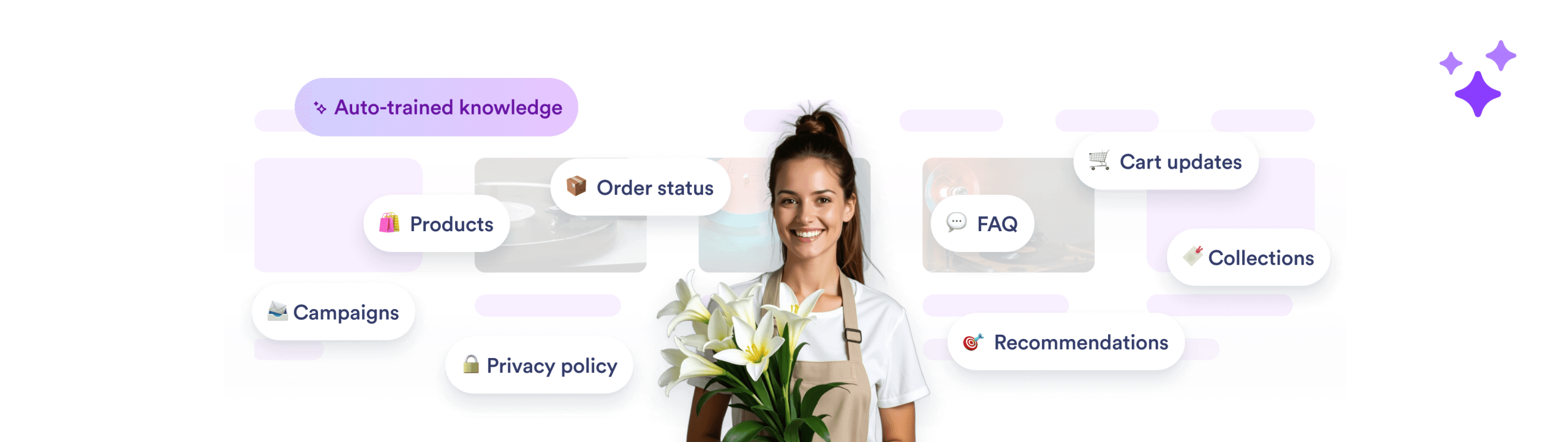
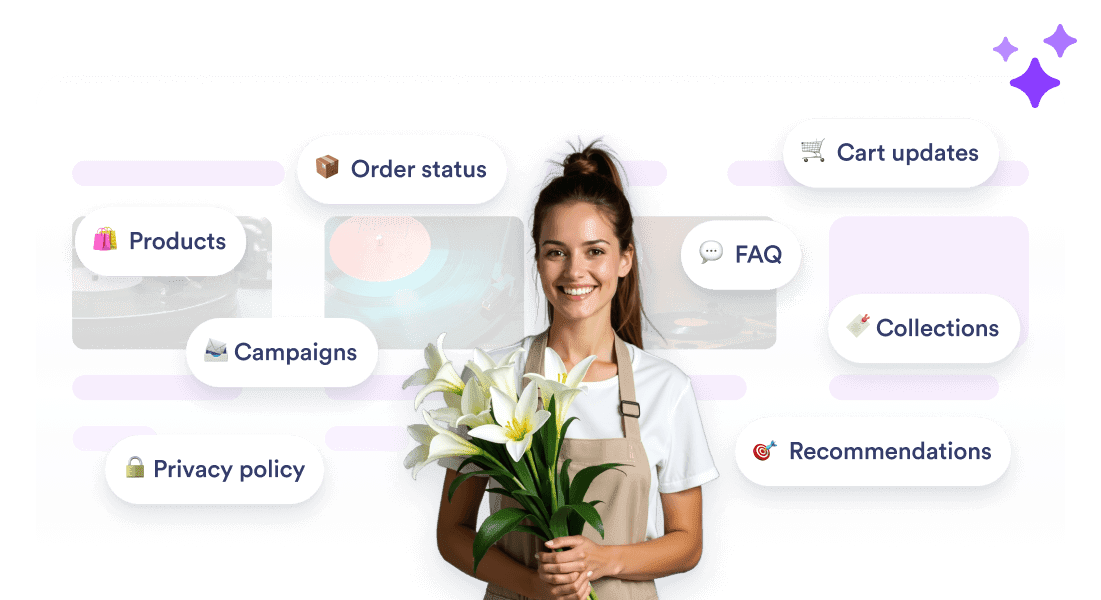
### Auto-trained with your store’s data

Products, categories, and orders sync instantly. Your AI Agent learns your store in seconds to assist customers accurately — no coding required.
![Image 11: Auto-trained with your store’s data](https://cdn.jotfor.ms/image/r/aHR0cHM6Ly9jZG4uam90Zm9yLm1zL3AvYWkvc2hvcGlmeS1hZ2VudC9hc3NldHMvaW1nLW1pbi9ob21lcGFnZS9jaGFubmVscy81LnBuZz92PTAuNA==/5.png?w=40&t=1)

![Image 12: Auto-trained with your store’s data](https://cdn.jotfor.ms/image/r/aHR0cHM6Ly9jZG4uam90Zm9yLm1zL3AvYWkvc2hvcGlmeS1hZ2VudC9hc3NldHMvaW1nLW1pbi9ob21lcGFnZS9jaGFubmVscy81LW1vYmlsZS5wbmc/dj0wLjQ=/5-mobile.png?w=40&t=1)

![Image 13: Pen Icon](https://cdn.jotfor.ms/p/ai/shopify-agent/assets/img-min/homepage/channels/icon-6.svg?v=0.4)
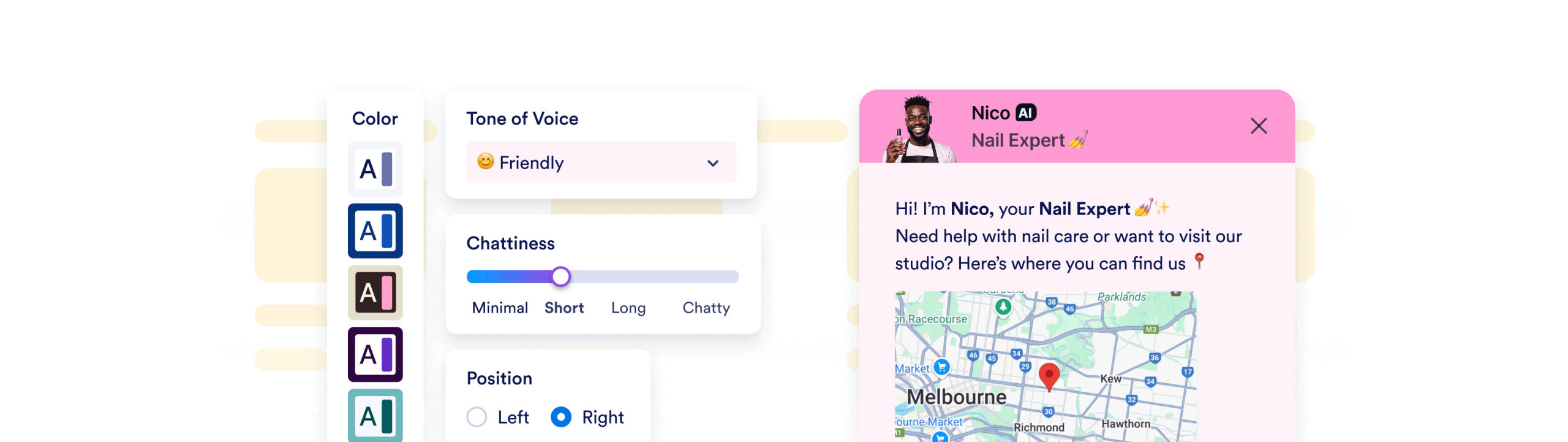
### Matches your brand perfectly

Customize your Shopify AI Agent's name, look, and behavior to perfectly represent your brand.
![Image 14: Matches your brand perfectly](https://cdn.jotfor.ms/image/r/aHR0cHM6Ly9jZG4uam90Zm9yLm1zL3AvYWkvc2hvcGlmeS1hZ2VudC9hc3NldHMvaW1nLW1pbi9ob21lcGFnZS9jaGFubmVscy82LnBuZz92PTAuNA==/6.png?w=40&t=1)

![Image 15: Matches your brand perfectly](https://cdn.jotfor.ms/image/r/aHR0cHM6Ly9jZG4uam90Zm9yLm1zL3AvYWkvc2hvcGlmeS1hZ2VudC9hc3NldHMvaW1nLW1pbi9ob21lcGFnZS9jaGFubmVscy82LW1vYmlsZS5wbmc/dj0wLjQ=/6-mobile.png?w=40&t=1)

## Introducing **Shopify AI Agents**

![Image 16: Introducing Shopify AI Agents](https://cdn.jotfor.ms/image/r/aHR0cHM6Ly9jZG4uam90Zm9yLm1zL3AvYWkvc2hvcGlmeS1hZ2VudC9hc3NldHMvaW1nLW1pbi9ob21lcGFnZS95dC10aHVtYm5haWwucG5n/yt-thumbnail.png?w=40&t=1)

[**Get the App** — It’s Free](https://apps.shopify.com/jotform-ai-chatbot?jfNext=1)

## Boost your AI Agent with powerful tools

Automate tasks effortlessly — manage orders, send updates, answer questions, and more in just a few clicks.

[**Get the App** — It’s Free](https://apps.shopify.com/jotform-ai-chatbot?jfNext=1)

Show list of items Allow your agent to provide a list of helpful links.

Send Slack messages Stay updated in real time with automated Slack alerts from your AI Agent.

Show images Use images to show steps, offers, or campaign graphics, promotions, or troubleshooting.

Set appointment in Google Calendar Let your AI agent manage customer reservations based on your availability.

Send email notifications Allow your agent to compose and send emails as needed.

Find in website Set up your agent to search your site and deliver helpful content to customers.

Get consent Enable your AI agent to request customer consent during conversations.

Forms Allow your agent complete forms to gather customer feedback and data.

Show list of items Allow your agent to provide a list of helpful links.

Send Slack messages Stay updated in real time with automated Slack alerts from your AI Agent.

Show images Use images to show steps, offers, or campaign graphics, promotions, or troubleshooting.

Set appointment in Google Calendar Let your AI agent manage customer reservations based on your availability.

Send email notifications Allow your agent to compose and send emails as needed.

Find in website Set up your agent to search your site and deliver helpful content to customers.

Get consent Enable your AI agent to request customer consent during conversations.

Forms Allow your agent complete forms to gather customer feedback and data.

Trigger workflow Automatically launch workflows the moment a customer completes a purchase.

Take photo Let customers snap and send photos directly in the chat.

Set appointment Let your agent schedule customer appointments based on your availability.

Show video Bring your storefront to life with smart, in-chat video responses.

Send to Google Drive Allow your agent to collect documents, images or videos and send it to Google Drive.

![Image 17: Google Maps Icon](https://cdn.jotfor.ms/p/ai/shopify-agent/assets/img-min/homepage/maps-icon.svg)

Show location Allow your agent to display your store location using Google Maps.

Ask for information Allow your agent to collect information, values, or data from customers during chat.

Show checklist Allow your agent to display a checklist and guide customers through each step.

Trigger workflow Automatically launch workflows the moment a customer completes a purchase.

Take photo Let customers snap and send photos directly in the chat.

Set appointment Let your agent schedule customer appointments based on your availability.

Show video Bring your storefront to life with smart, in-chat video responses.

Send to Google Drive Allow your agent to collect documents, images or videos and send it to Google Drive.

![Image 18: Google Maps Icon](https://cdn.jotfor.ms/p/ai/shopify-agent/assets/img-min/homepage/maps-icon.svg)

Show location Allow your agent to display your store location using Google Maps.

Ask for information Allow your agent to collect information, values, or data from customers during chat.

Show checklist Allow your agent to display a checklist and guide customers through each step.

Show list of items

Send Slack messages

Show images

Set appointment in Google Calendar

Send email notifications

Find in website

Show list of items

Send Slack messages

Get consent

Forms

Trigger workflow

Take photo

Set appointment

Get consent

Forms

Get consent

Forms

Trigger workflow

Take photo

Show video

Send to Google Drive

![Image 19: Google Maps Icon](https://cdn.jotfor.ms/p/ai/shopify-agent/assets/img-min/homepage/maps-icon.svg)

Show location

Ask for information

Show checklist

Show video

Send to Google Drive

Show video

Send to Google Drive

## Reach customers effortlessly

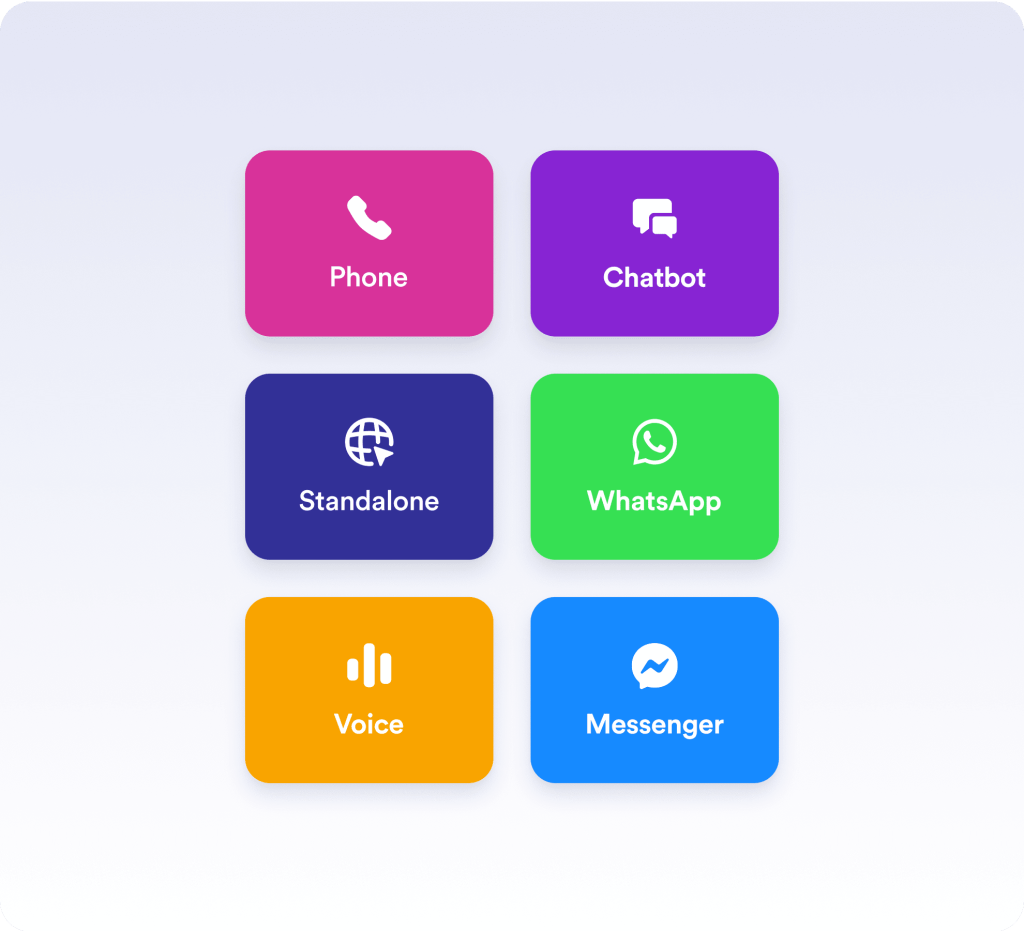
Connect with customers wherever they are — over your website, SMS, WhatsApp, Messenger, email, and phone. Easily embed your agent in your store to engage shoppers anytime, anywhere.

[**Get the App** — It’s Free](https://apps.shopify.com/jotform-ai-chatbot?jfNext=1)

![Image 20: Reach customers effortlessly](https://cdn.jotfor.ms/image/r/aHR0cHM6Ly9jZG4uam90Zm9yLm1zL3AvYWkvc2hvcGlmeS1hZ2VudC9hc3NldHMvaW1nLW1pbi9ob21lcGFnZS9yZWFjaC5wbmc=/reach.png?w=40&t=1)

## What our users are saying

“The chatbot was very easy to use and customize. It came with a default configuration that helped us deploy the chatbot quickly.”

**FARMISTORE**

“It was very easy to set up, it is user friendly and is a very responsive AI agent.”

**The Beautree**

“Excellent app, great AI chat features.”

**Vibe Home**

## Ready to take your store to the next level?

[**Get the App** — It’s Free](https://apps.shopify.com/jotform-ai-chatbot?jfNext=1)[Watch the Live Event](https://www.jotform.com/ai/shopify-agent/webinar/)

## FAQ

*    
### What are Shopify AI Agents? Shopify AI Agents are AI-powered chatbots designed for Shopify store owners. They provide 24/7 customer support directly from your Shopify store by answering common questions, showing order statuses, recommending products, and even triggering Jotform forms directly through the chat interface — all without any coding required.   
*    
### Why should I use Shopify AI Agents? Shopify AI Agents help you reduce manual customer service workload, save on support costs, and offer round-the-clock assistance to your shoppers. They improve conversion rates by offering personalized help, streamlining repetitive inquiries about things like order tracking and return policies, and giving your brand a consistent, helpful presence available by chat or voice conversation.   
*    
### Can I install Shopify AI Agents from the Shopify App Store? Yes. Simply search for “Jotform AI Chatbot & Live Chat” in the Shopify App Store, install it, and connect it to your store.   
*   
 
### What types of questions can the AI Agent answer? 

The Shopify AI Agent can answer a wide range of customer questions, including:

    *   Shipping and return policies
    *   Order status and tracking
    *   Product details and availability
    *   Store hours and contact information
    *   Discounts and promotions
    *   FAQs

*    
### Can Shopify AI Agents recommend products? Yes! The agent provides smart product recommendations based on your store’s catalog. It can display product options, send direct product links, and help guide shoppers to complete their purchases.   
*    
### Can Shopify AI Agents show my customers their order status? Absolutely. Once connected to your Shopify store, the agent can look up and share order status based on customer input.   
*    
### Can customers talk to a real human if needed? Yes. You can take over a Shopify AI Agent’s chat from Jotform’s Conversations interface. This hybrid approach offers both speed and a personal touch. Open your Shopify AI Agent’s Conversations page in Shopify and select **View** next to a particular conversation to open Jotform’s interface, which allows you to take over the chat yourself if you wish.   
*    
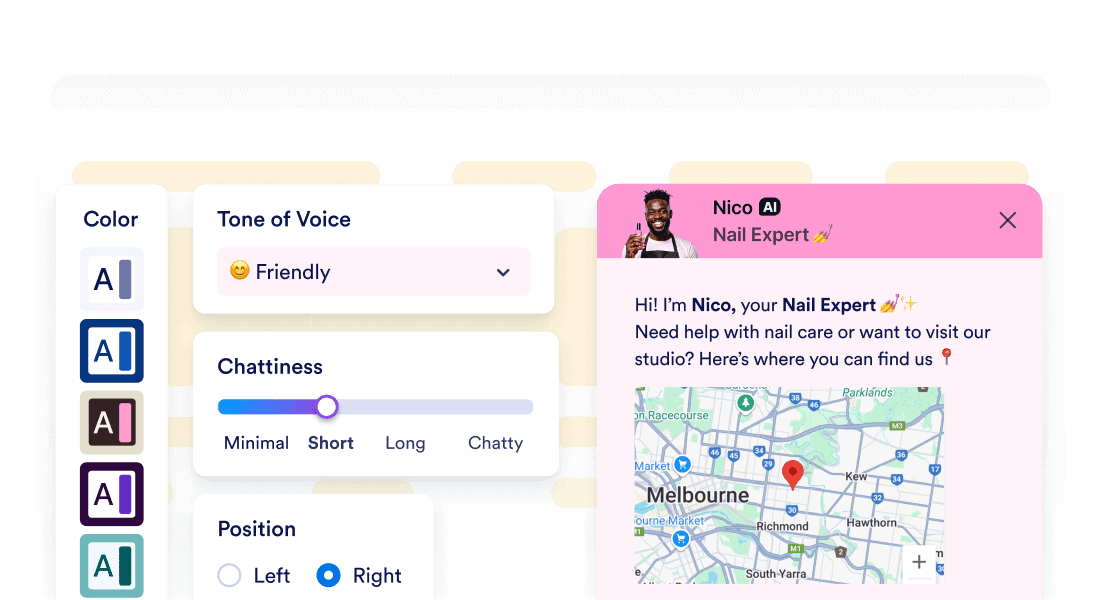
### Can I customize the AI Agent’s tone and appearance? Yes. You can test and tune your agent’s responses before going live to ensure they reflect your brand’s voice. You can also match the chat window’s appearance to your store’s branding for a seamless experience.   
*    
### Does it support channels beyond website chat? Shopify AI Agents can communicate with customers via chat or voice conversations.   
*   
 
### Can I customize the look and feel of my AI Agent to match my store’s branding? 

Absolutely! With your agent’s style settings, you can fully personalize your chatbot’s appearance to seamlessly align with your store’s visual identity.

Here’s how:

    *   Color customization: Set your own brand colors or create a custom gradient to perfectly match your store’s theme.
    *   Font and text styling: Choose fonts and text colors to keep your agent’s messages visually consistent with your site.
    *   Chat window positioning: Decide whether the chat window appears on the left or right side of the screen — ideal for adapting to your layout and design preferences.
    *   Avatar animation: Add a subtle pulsing animation to your AI Agent’s avatar to gently catch visitors’ attention and increase chat engagement.

*   
 
### How does my AI Agent learn about my store and products? 

Your AI Agent is automatically trained on your store’s real Shopify data as soon as you connect it — no manual setup required. This ensures accurate, brand-aligned responses from day one.

Here’s what happens:

    *   Auto-sync on setup: The moment you link your Shopify store, your product catalog, collections, FAQs, policies, and other content are added to the AI Agent’s knowledge base.
    *   Product and collection awareness: Your agent can instantly answer questions about products, availability, and collections using your full inventory data.
    *   Campaign and promotion knowledge: The AI Agent is aware of active discounts, campaigns, and featured items. This means it can share timely offers with customers.
    *   Always on-brand responses: Because it’s trained on your store’s content and tone, every response feels like it’s coming from your team.

*   
 
### How can I track customer conversations with my AI Agent? 

The Conversations page in Shopify allows you to track every interaction your AI Agent has with customers, giving you easy access to chat history, insights, and more — all from within your Shopify dashboard. Here’s what you can do:

    *   Real-time chat log: Monitor recent conversations as they happen, including timestamps and actions like product inquiries and order tracking.
    *   Customer insights: Identify returning users and review their past inquiries, helping you personalize future interactions and improve customer service.
    *   Quick navigation to Jotform: By selecting **View** next to a particular conversation, you can jump to Jotform’s Conversations page, allowing you to take over the chat yourself, rate the conversation to improve your agent, and more.

*    
### How does live chat work with my AI Agent? Shopify AI Agents offer live chat support. You can also take over agent conversations from Jotform’s Conversations page. This hybrid approach combines the speed of AI with the personal touch of human support, ensuring a smooth customer experience every time.   
*    
### How do I add the AI Agent to my Shopify store? Install the Jotform AI Chatbot & Live Chat app from Shopify’s App Store, then create an agent and publish it to add it to your store. In the Shopify theme editor’s App embeds panel, you can enable or disable the chatbot with a single toggle — no coding required.   
*    
### What tools and integrations do the Shopify AI Agents support? Your AI Agent comes equipped with a powerful set of tools and integrations designed to enhance the customer experience and streamline operations. These include showing images, taking photos, triggering workflows, sending emails, connecting with tools like Slack, Google Drive, Box, and much more. From the app’s Shopify page, select **Go to Jotform** to open your agent in the Jotform AI Agent Builder and view the full range of options and actions.   

View More