

Inventarvorlagen

Restaurant Inventur Vorlage
Eine Inventurliste für Restaurants erfasst und überwacht die für die Zubereitung von Mahlzeiten benötigten Vorräte. Ganz gleich, ob Sie ein gehobenes Restaurant oder einen Taco-Truck leiten, unsere Vorlage für eine Inventurliste für Restaurants hilft Ihnen, den Überblick über Ihre Vorräte zu behalten. Um loszulegen, geben Sie einfach Details zu den Zutaten in Ihrer Speisekammer und den Geräten ein, die Sie derzeit vorrätig haben - unsere Vorlage für das Restaurantinventar verfügt sogar über separate Tabs für eine Lebensmittelinventur und eine Geräteinventur, damit Sie besser organisiert bleiben. Wenn Sie alles in unserer Vorlage für eine Inventurliste für Restaurants erfasst haben, erhalten Sie eine aussagekräftige Tabelle, die Sie problemlos auf jedem Gerät anzeigen können. Sie können Ihre Inventurdaten auch in einer übersichtlichen Kalenderansicht anzeigen lassen, um zu verfolgen, wann Sie welche Vorräte erhalten haben. Um die Tabelle in den Unterlagen Ihres Restaurants zu speichern oder sie an Ihre Mitarbeiter weiterzugeben, laden Sie die Tabelle einfach als CSV-Datei, Excel-Tabelle oder druckbare PDF-Datei herunter. Servieren Sie ein köstliches Gericht der Organisation mit unserer kostenlosen Vorlage für eine Inventurliste für Restaurants - mit Jotform ist das ein Kinderspiel!
Zur Kategorie:Inventarvorlagen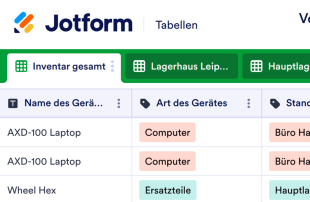
Vorlage Geräte-Inventar
Sorgen Sie mit der kostenlosen Jotform-Vorlage für das Geräte-Inventar für Ordnung in Ihrem Bestand. Egal, ob Sie Kleinunternehmer mit verschiedenen Schränken oder ein Großbetrieb mit Lagerhäusern an unterschiedlichen Standorten sind. Sie können die Daten Ihrer Geräte, die Kaufbeträge und passenden Dateien sowie den Standort des Gerätes nahtlos verwalten und benutzerdefinierte Listen für die einzelnen Standorte oder Geräte in einer professionellen Online-Tabelle pflegen. Erfassens Sie Kaufdatum und Menge, Preis und mehr über das zugehörige Formular und lassen Sie Ihren Bestand so pflegen. Mit der benutzerfreundlichen Oberfläche von Jotform können Sie schnell neue Zeilen und Spalten hinzufügen, zusätzliche Tabs zur Trennung von Informationen für verschiedene Büros einfügen oder die Namen und Farben der Etiketten für eine persönliche Note aktualisieren. Sie können Ihre Inventarliste sogar mit einem einzigen Klick als PDF-, CSV- oder Excel-Datei herunterladen oder Ihre Tabellenkalkulation automatisch mit anderen Konten wie Google Drive, Dropbox und anderen synchronisieren. Mit einer kostenlosen Vorlage für Geräte-Inventar können Sie die Bestände und Produkte online besser verwalten - und Sie haben mehr Zeit, sich auf die Führung Ihres Geschäfts zu konzentrieren.
Zur Kategorie:Inventarvorlagen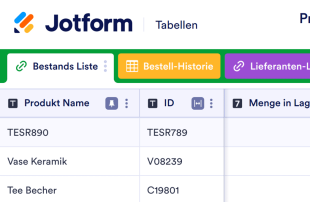
Produktbestand Vorlage
Der Produktbestand dient der Erfassung von Informationen über die Menge der verfügbaren Waren und Produkte, die Ihr Unternehmen anbietet. Beginnen Sie mit der Eingabe von Produktname, Bestands-ID-Nummer, Beschreibung, Lieferant, Lagerort, Stückpreis und Menge. Sobald Sie alle erforderlichen Informationen zu Ihrer Produktbestandsvorlage hinzugefügt haben, werden sie sicher in Ihrem sicheren Jotform-Konto gespeichert. Sie können dann überall und jederzeit – auch ohne Internet-Zugang – auf wichtige Bestandsdaten zugreifen und diese bearbeiten. Diese vorgefertigte Produktbestand-Vorlage enthält zusätzliche Registerkarten für Lieferanten und Bestellhistorie – Sie können sie aber auch gerne zu Ihrer eigenen Vorlage machen, indem Sie so viele Zeilen, Spalten und Registerkarten wie nötig hinzufügen, um eine effizientere Bestandsverwaltung zu ermöglichen. Ganz gleich, welche Art von Waren Sie verkaufen, verfolgen Sie jeden Artikel in Ihrem Bestand mit einer benutzerdefinierten Produktbestand-Vorlage, die genauso hochwertig ist wie Ihr Unternehmen.
Zur Kategorie:Inventarvorlagen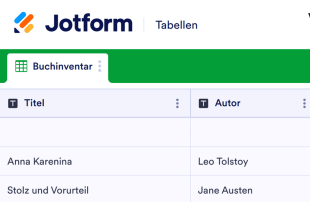
Vorlage Buchinventar
Eine Buchinventur erfasst die Anzahl der Bücher, die in einem Geschäft, einer Bibliothek oder einer Sammlung vorrätig sind. Ganz gleich, ob Sie ein unabhängiger Buchhändler, ein Schulbibliothekar oder ein Bücherwurm mit einer großen persönlichen Sammlung sind, unsere kostenlose Buchinventarvorlage hilft Ihnen, einen besseren Überblick über jeden verfügbaren Titel zu behalten. Geben Sie einfach Details zu jedem Buch - wie Titel, Autor, Standort und Menge - in Ihre Buchbestandsvorlage ein, um eine optisch ansprechende Tabelle mit allen benötigten Informationen zu erstellen. Diese können Sie dann auf jedem beliebigen Gerät anzeigen und als CSV-, Excel- oder PDF-Datei für Ihre Unterlagen herunterladen. Jotform bietet alle erdenklichen Tricks, um Ihnen zu helfen, organisiert zu bleiben und Ihren Arbeitsablauf zu automatisieren. Müssen Sie Buchbestellungen und Reservierungen im Auge behalten? Sie möchten Bücher nicht nur nach Genre kennzeichnen? Fügen Sie einfach so viele Zeilen, Spalten, Register und Etiketten hinzu, wie Sie benötigen - ganz ohne Programmierkenntnisse! Mit unserer Buchbestandsvorlage, die alle wichtigen Informationen in einem einzigen, nahtlosen System zusammenfasst, müssen Sie nie wieder die Seiten Ihrer Papierinventarblätter durchblättern.
Zur Kategorie:Inventarvorlagen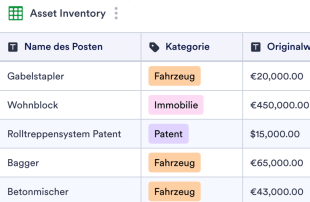
Inventurvorlage für Vermögenswerte
Verbessern Sie Ihr System zur Verwaltung Vermögenswerte mit einer Online-Inventarvorlage für Vermögenswerte. Zeigen Sie alle Gegenstände in einer professionellen Tabelle an. Anpassbar in Sekunden.
Zur Kategorie:InventarvorlagenÜber Inventarvorlagen
Inventarvorlagen sind spezielle Tabellenvorlagen, die Formularbesitzern und Teams dabei helfen, die über Jotform-Formulare erfassten Datensätze zu organisieren und zu verwalten. Diese Vorlagen eignen sich ideal für die Erfassung einer Vielzahl kategoriespezifischer Informationen, wie beispielsweise Bestandsaufnahmen, Produktdetails, Lagerbestände und Lieferantendaten, die für Unternehmen, den Einzelhandel und das Lieferkettenmanagement von entscheidender Bedeutung sind. Mit Jotform-Formularen erfassen Formularinhaber Anfragen, Rückmeldungen, Bestellungen oder Prüfberichte von Befragten. So optimieren sie die Datenerfassung und -verwaltung. Diese Tabellen sind ein wertvolles Hilfsmittel für Lagerleiter, Beschaffungsteams und Vertriebsabteilungen, da sie alle erfassten Informationen systematisch verwalten und leicht zugänglich machen, ohne dass es zu Verwechslungen mit Formularen, Apps oder Aufgabennachverfolgungssystemen kommt.
Jotform Tabellen wurden als leistungsstarke Plattform konzipiert, auf der die Antworten aus verbundenen Jotform-Formularen automatisch angezeigt werden, was eine effiziente Verwaltung ermöglicht. Jede Formularantwort wird direkt in einen Eintrag in der verbundenen Tabelle umgewandelt. Sie können den Eintrag in der Tabellenansicht oder in der Detailansicht überprüfen. Nutzer können Daten mühelos organisieren und analysieren, zum Beispiel mit den Funktionen Suche, Filter und Datengruppierung oder mit Ansichten wie Kalenderansicht und Berichtsansicht. Manuelle Eingaben oder Dateiimporte aus CSV- und Excel-Dateien ergänzen bestehende Daten. Der Schwerpunkt liegt auf dem Workflow vom Absenden des Formulars bis zur Tabellenverwaltung. So bleiben die Daten stets aktuell und übersichtlich organisiert.
Why Use Inventory Templates?
- Managing form submissions in Jotform Tables eliminates the need for manual data transfer, ensuring that all responses are automatically captured and neatly organized in one place. This reduces errors and saves time for businesses that handle large volumes of data.
- Keeping all submissions together in a centralized location makes it easier for form owners to monitor and access collected data. This centralization is particularly beneficial for inventory management, where quick access to updated stock levels is crucial.
- With powerful search and filter options, users can easily locate specific records within the table, enhancing efficiency and productivity. This feature is invaluable for teams needing to quickly find and act on particular inventory items or supplier information.
- Reviewing complete submission details is streamlined, as each entry can be expanded to show all associated data and uploads. This comprehensive view aids in thorough analysis and informed decision-making regarding stock and supplier management.
- Coordinating follow-up actions with integrated forms and tables ensures that staff can track changes and updates in real-time. This capability is essential for maintaining accurate inventory counts and timely reorder processes.
Common Problems Solved by Inventory Templates
- Manual copying of submissions into spreadsheets is a time-consuming and error-prone process. Jotform Tables automatically captures form responses, eliminating the need for redundant data entry tasks and reducing the potential for mistakes.
- Scattered responses across different platforms can lead to data inconsistencies and oversight. By centralizing submissions within a connected table, all data is uniformly organized, ensuring easy access and consistency.
- Locating specific records can be challenging when dealing with large volumes of data. Jotform Tables' search and filter capabilities allow users to quickly find the necessary information, significantly improving the efficiency of inventory management tasks.
- Inconsistent review processes can lead to missed updates or errors. With the ability to view detailed submission data and uploads within the table, users can ensure that all relevant information is consistently accounted for and reviewed.
- Slow reporting can delay critical business decisions. By using Jotform Tables to generate reports directly from collected data, businesses can expedite reporting processes and make timely, informed decisions.
Anwendungsfälle und passende Funktionen von Jotform Tabellen
- When new inventory data is collected via connected Jotform Forms, the responses automatically appear in the linked table. This seamless integration ensures that inventory levels are always up-to-date and readily accessible for review.
- Reviewing submissions is simplified using Table View and Detail View, where users can sort, filter, and group data to match specific inventory management needs. This organization aids in identifying trends and making inventory adjustments.
- For team management, access settings and assignees allow for clear responsibility assignments and collaborative efforts. This ensures that each team member knows their role in managing inventory data and can effectively contribute to the process.
- Data reporting is enhanced with the Report View, enabling users to create detailed reports based on the collected data. This facilitates better communication and decision-making regarding stock management and supplier relations.
- For submissions that require immediate action, action buttons can be configured to trigger specific tasks or notifications directly from the table, streamlining workflow and enhancing operational efficiency.
How to Use Inventory Templates with Jotform Forms
- Start with a relevant Jotform Tables template or create a blank table connected to an existing Jotform Form. The form collects inventory-specific information, and new responses automatically populate the connected table, ensuring that data is continuously updated.
- Configure the table for submission review by naming columns and choosing appropriate column types, such as text or number, and selecting relevant views like Table View, Detail View, or Calendar View. This setup ensures that data is organized and easily accessible for analysis.
- Manage submissions using features like search, filters, data grouping, and formulas to analyze inventory data. Utilize access settings, assignees, or linked tables to coordinate team efforts and use action buttons to facilitate quick responses or generate reports as needed.
Top Use Cases for Inventory Templates
- For Form Owners: Form owners can efficiently review incoming responses by accessing organized entries in Jotform Tables. They have the ability to edit submission data and check details or uploads to ensure accuracy. Keeping records organized within this structured environment simplifies data management and supports better decision-making for inventory control.
- For Teams: Authorized team members can easily find and maintain entries in Jotform Tables, ensuring that inventory data remains up-to-date. They can coordinate responsibilities with assignees and use access settings or revision history to track changes and support collaborative efforts. This shared workspace enhances team productivity and accountability.
- For Managers: Managers can monitor collected data and review category-specific patterns in inventory submissions. They can use views like Report View to gain insights into stock levels, check progress, and ensure timely reorder processes. This oversight supports strategic planning and efficient inventory management.
Summarizing Inventory Templates
Inventory Templates offer significant value by streamlining the process of collecting and managing information through Jotform Forms and Jotform Tables. They ensure that all submissions related to inventory management are automatically organized and accessible, facilitating efficient data analysis and decision-making. By leveraging the capabilities of Jotform Tables, businesses can maintain accurate inventory records and enhance their operational workflows.
Häufig gestellte Fragen
1) Is it free to use Inventory Templates with Jotform Tables?
Jotform offers a Starter plan that allows users to access Inventory Templates. This plan provides essential features for managing submissions and organizing data without incurring initial costs. Users can explore the capabilities of Jotform Tables and decide if additional features are needed as their requirements evolve.
2) How do submissions from Jotform Forms appear in Inventory Templates?
Submissions from Jotform Forms are seamlessly integrated into Inventory Templates through connected forms. Once a form is submitted, the data automatically appears as a new entry or row in the linked table. This auto-population ensures that future responses continue to populate the table, keeping the data current and organized.
3) Can I edit, search, filter, group, and calculate data in Inventory Templates?
Yes, you can edit data directly within Inventory Templates to ensure accuracy. The tables support search and filter functions, allowing users to locate specific entries quickly. You can also group data by categories and use formulas for calculations, enhancing the analysis of inventory data without relying on automated decisions.
4) Kann ich die Daten aus den Tabellen als CSV- oder Excel-Datei exportieren?
Absolutely, Jotform Tables allows you to export data as CSV or Excel files. This feature enables users to integrate existing information with connected-form submissions, providing a comprehensive view of inventory data. Exporting data is a convenient way to share information or conduct further analysis outside the platform.
5) Which Jotform Tables views can I use with Inventory Templates?
Inventory Templates can be reviewed using several views, including Table View, Detail View, Calendar View, and Report View. Table View provides a structured layout for entries, while Detail View allows for in-depth review of each submission. Calendar View helps in tracking timelines, and Report View facilitates the creation of comprehensive reports for analysis.
6) Can teams collaborate on submissions in Inventory Templates?
Yes, teams can effectively collaborate on submissions using Inventory Templates. Access settings ensure that only authorized members can view or edit data, while assignees can be designated to manage specific entries. Real-time tracking and revision history enhance collaborative efforts by providing insights into changes and updates.
7) Can I connect Inventory Templates to related data or other applications?
You can connect Inventory Templates to related data through linked tables, enabling users to draw insights from multiple sources. Additionally, integrations with other applications can be set up using action buttons, facilitating seamless workflows without specifying unsupported integrations.
8) Can I create reports, PDFs, and manage files from Inventory Templates?
Yes, you can create reports using the Report View, which allows for in-depth data analysis. PDF generation is available for converting table data into easily shareable documents. Uploads View helps manage files associated with inventory entries, and signed documents can be associated when relevant to the category.