

Vorlagen für Aufgabenlisten

Mitarbeiter Aufgabenliste
Eine Vorlage für eine Mitarbeiter-Aufgabenliste ist eine Online-Tabelle, mit der Sie die Aufgaben Ihrer Mitarbeiter im Auge behalten können. Mit dieser kostenlosen Vorlage für eine Aufgabenliste für Mitarbeiter können Sie Ihren Mitarbeitern Aufgaben zuweisen, Fristen setzen und ihren Fortschritt überwachen - fügen Sie einfach Ihre Mitarbeiter und Aufgaben hinzu und aktualisieren Sie das Arbeitsblatt nach und nach! Informationen können von jedem Gerät aus hinzugefügt werden, und Sie können Ihre Aufgaben sogar in einer Kalenderansicht betrachten, um die Fristen leichter im Auge zu behalten. Fügen Sie eindeutige Farben für den Aufgabenstatus hinzu, stellen Sie Ihre Fristen in einen Kalender oder fügen Sie neue Zeilen und Spalten hinzu, um neue Mitarbeiter aufzunehmen. Mit nur wenigen Klicks können Sie diese Vorlage für Mitarbeiter-Aufgabenlisten nach Ihren Wünschen anpassen! Unabhängig von der Größe des Teams, für das Sie verantwortlich sind, kann die Verwendung einer Online-Tabelle Ihrem Team helfen, den Überblick zu behalten - verwenden Sie also die kostenlose Jotform-Vorlage für Mitarbeiter-Aufgabenlisten, um die Aufgaben Ihrer Mitarbeiter zu verwalten und die Produktivität zu steigern.
Zur Kategorie:Vorlagen für Aufgabenlisten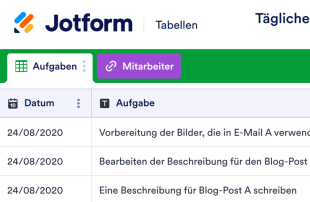
Tägliche Aufgabenliste mit Prioritäten
Halten Sie die Projekte Ihres Teams organisiert und bleiben Sie mit einer täglichen Aufgabenliste mit Prioritäten auf dem Laufenden! Unabhängig davon, welcher Branche Ihr Unternehmen angehört, können Sie sicherstellen, dass die täglichen Aufgaben Ihres Teams in einer professionellen Online-Tabelle fachkundig zugewiesen und priorisiert werden – oder Sie können zwischen den Ansichtsformaten wechseln, um die Fälligkeitsdaten der Aufgaben in einem Kalender anzuzeigen! Sie können Ihre Aufgabenliste auf jedem Gerät einfach aktualisieren oder sogar mit einem einzigen Klick als PDF-, CSV- oder Excel-Datei herunterladen. Die benutzerfreundliche Oberfläche von Jotform macht es Ihnen leicht, diese kostenlose Vorlage für eine priorisierte tägliche Aufgabenliste anzupassen. Halten Sie zusätzliche Informationen in neuen Registern, aktualisieren Sie Etikettennamen und Farben, um schnell die Prioritätsstufen zu überprüfen, und fügen Sie Zeilen und Spalten hinzu, um das Layout neu zu ordnen und Ihre Aufgabendetails fachkundig zu organisieren. Mit unserer Liste der priorisierten täglichen Aufgaben können Sie den Teammitgliedern ganz einfach Aufgaben zuweisen und ihren Fortschritt online überwachen.
Zur Kategorie:Vorlagen für Aufgabenlisten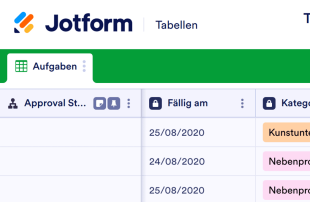
Tägliche Aufgabenliste
Verfolgen Sie Ihre täglichen Aufgaben mit diesem kostenlosen Online-Tabellenformular. Einfaches Anzeigen und Ausfüllen auf jedem Gerät. Anpassen, herunterladen, weitergeben und ausdrucken in Sekunden. Keine Programmierkenntnisse erforderlich.
Zur Kategorie:Vorlagen für AufgabenlistenÜber Vorlagen für Aufgabenlisten
Vorlagen für Aufgabenlisten in Jotform Tabellen sind anpassbare Tabellenvorlagen. Sie sind speziell dafür entwickelt, Datensätze zu organisieren und zu verwalten, die über Jotform-Formulare erfasst werden. Diese Vorlagen sind wichtig, um kategoriespezifische Informationen wie Projektanfragen, Mitarbeiterbeurteilungsformulare, Kundenfeedback oder Produktbestellformulare zu erfassen und zu bearbeiten. Formularinhaber in verschiedenen Branchen wie dem Bildungswesen, dem Gesundheitswesen oder der Unternehmensführung nutzen diese Vorlagen, um Eingaben systematisch zu verwalten. Die Tabellen organisieren die über Jotform-Formulare gesammelten Informationen automatisch. So prüfen Formularinhaber und ihre Teams die Daten effizient und reagieren schnell – in einem strukturierten und leicht zugänglichen Format.
Jotform Tabellen ist die zentrale Plattform, auf der die Antworten aus verbundenen Jotform-Formularen automatisch erscheinen. So verwalten Sie jede einzelne Antwort effizient. Jede Übermittlung wird in einen Datensatz umgewandelt. In der Tabellenansicht erscheint er als Zeile. In der Detailansicht prüfen Sie ihn. Benutzer nutzen Organisationstools wie Suchfunktionen, Filter und Datengruppierungen. Anzeigeoptionen wie Kalenderansicht und Berichtsansicht verbessern den Überprüfungsprozess. Manuelle Eingaben und der Import aus CSV- oder Excel-Dateien sind möglich. Der Schwerpunkt liegt jedoch auf dem automatisierten Workflow für die Übermittlung von Formularen in Tabellen. Er ist entscheidend für die effiziente Verwaltung eingehender Daten.
Why Use Task List Templates?
- Streamlining the management of form submissions is a key benefit, as Task List Templates eliminate the need for manual data transfer from forms to tables, ensuring all responses are captured in one centralized location.
- By utilizing these templates, form owners can keep all collected responses organized, making it easier to find and access records quickly when needed, which enhances efficiency and productivity.
- Task List Templates allow for comprehensive review and analysis of submission details, enabling users to coordinate follow-up actions effectively and maintain continuity in workflows.
- With the ability to track changes and report on collected data, these tables provide form owners with the tools needed to monitor trends and make informed decisions based on real-time information.
- The capability to search and filter submissions by specific criteria means that users can quickly locate specific entries, reducing the time spent sifting through large volumes of data.
Common Problems Solved by Task List Templates
- Many users struggle with manually copying submissions from forms into spreadsheets, a time-consuming process that Task List Templates resolve by automatically capturing responses in the connected table.
- Responses scattered across different systems or documents can lead to inefficiencies, which these tables address by centralizing all incoming data in one accessible location.
- Locating specific records can be challenging when dealing with a high volume of submissions, but the search and filter capabilities in Jotform Tables make this task straightforward and efficient.
- Inconsistent review processes can lead to errors or overlooked information. Task List Templates provide a structured format for reviewing each submission, ensuring thorough and consistent evaluation.
- Submissions that include uploads can be difficult to review without the proper tools, but with Uploads View, users can easily manage and access attached files alongside other submission data.
Anwendungsfälle und passende Funktionen von Jotform Tabellen
- When form owners collect data through Jotform Forms, the responses automatically populate the connected table, streamlining data entry and ensuring that all submissions are captured efficiently.
- Reviewing and organizing submissions is made simple with Table View and Detail View, allowing users to examine each entry thoroughly and categorize data using column types or grouping.
- For teams managing shared responsibilities, access settings and assignees enable effective collaboration, ensuring that each team member can contribute to the workflow while maintaining data integrity.
- Reporting on collected data is facilitated by Report View, which allows users to generate insights and share findings, enhancing decision-making processes based on analyzed data.
- Utilizing search and filter functions, form owners can efficiently sift through submissions to identify specific entries, reducing the time spent managing large datasets and improving overall productivity.
How to Use Task List Templates with Jotform Forms
- Begin by selecting a category-relevant Jotform Tables template, a blank table, or the table connected to an existing Jotform Form. The Jotform Form will collect the necessary category-specific information, and new responses will automatically appear in the connected table.
- Configure the table for submission review by naming columns, choosing appropriate column types, and selecting relevant views such as Table View, Detail View, Calendar View, or Uploads View to suit the specific data management needs.
- Manage submissions effectively using search, filters, data grouping, formulas, access settings, and assignees. Use revision history to track changes and linked tables or action buttons for advanced data management tasks.
Top Use Cases for Task List Templates
- For Form Owners: Form owners play a crucial role in reviewing incoming responses collected via Jotform Forms. They utilize Jotform Tables to edit submission data, check detailed information or uploads, and ensure that records remain organized. By leveraging the various views and organizational tools available, form owners can maintain an efficient workflow and ensure that all submissions are accurately processed and stored.
- For Teams: Authorized team members benefit from the collaborative features within Jotform Tables, allowing them to find and maintain entries effectively. With access settings and assignees, teams can coordinate responsibilities and ensure that all members are working from the same set of data. Revision history supports shared work by providing a clear record of changes, enabling teams to track progress and maintain consistency.
- For Managers: Managers use Jotform Tables to monitor collected data and review category-specific patterns. They can check the progress of submissions and ownership using real-time tracking and access various views like Report View for oversight. This allows managers to make informed decisions based on comprehensive and up-to-date information, enhancing overall organizational efficiency.
Summarizing Task List Templates
Task List Templates in Jotform Tables provide a robust solution for collecting and managing category-specific information through Jotform Forms. By automatically capturing and organizing submissions in one central location, these tables facilitate efficient review and data management. Jotform Tables empower form owners, teams, and managers to collaborate effectively, gain insights, and take action based on reliable data, making them an essential tool for various professional settings.
Häufig gestellte Fragen
1) Is it free to use Task List Templates with Jotform Tables?
Jotform offers a Starter plan that provides access to Task List Templates and Jotform Tables. This plan allows users to explore the features and capabilities of Jotform Tables without an initial investment. It is a useful option for those who want to test the waters and see how these templates can benefit their workflow.
2) How do submissions from Jotform Forms appear in Task List Templates?
Submissions from Jotform Forms automatically appear in Task List Templates through a connected process. Once a respondent submits a form, the data becomes an entry in the linked table, typically as a row in Table View. This auto-population ensures that future responses will continue to populate the table seamlessly.
3) Can I edit, search, filter, group, and calculate data in Task List Templates?
Yes, you can edit submissions, search through entries, apply filters, group data, and perform calculations within Task List Templates. Each column can be customized with various column types to organize data effectively. These capabilities allow users to manage and analyze their data thoroughly without relying on external systems.
4) Kann ich die Daten aus den Tabellen als CSV- oder Excel-Datei exportieren?
Data from Task List Templates can be exported as CSV or Excel files, which is particularly useful for adding existing information alongside connected-form submissions. This feature allows users to integrate their data with other systems or create backups for offline analysis, enhancing data accessibility and flexibility.
5) Which Jotform Tables views can I use with Task List Templates?
Task List Templates support several views, including Table View, Detail View, Calendar View, and Report View. Table View provides an overarching look at all entries, while Detail View allows for in-depth examination of each submission. Calendar View is ideal for date-specific tracking, and Report View aids in creating visual representations of collected data.
6) Can teams collaborate on submissions in Task List Templates?
Teams can collaborate effectively using Task List Templates through features like access settings and assignees. Real-time tracking ensures that team members can monitor changes and progress, while revision history allows for a clear view of all modifications. This collaborative environment supports efficient teamwork and data management.
7) Can I connect Task List Templates to related data or other applications?
Task List Templates can be connected to related data through linked tables and integrated with other applications using action buttons. This connectivity allows users to streamline workflows and ensure that all necessary information is available within the Jotform Tables ecosystem, enhancing operational efficiency.
8) Can I create reports, PDFs, and manage files from Task List Templates?
Yes, you can create reports and PDFs from Task List Templates, as well as manage files using Uploads View. These features enable users to document and share their findings, ensuring that all data is effectively communicated and stored. Signed documents can also be associated with table data when relevant to the category.