

Tabellenvorlagen für Tierarztpraxen

Tracker für Tierarztbesuche
Ein Tracker für Tierarztbesuche dient dazu, aufzuzeichnen und zu überwachen, wann ein Tier zur medizinischen Behandlung zum Tierarzt gebracht wird. Unabhängig davon, ob Sie Tierarzt oder Mitarbeiter eines Tierheims sind, verwenden Sie unseren kostenlosen Tracker für Tierarztbesuche, damit Sie die Tierarztbesuche besser verfolgen können. Geben Sie einfach Informationen über jedes Tier ein, z. B. Name, Art und Rasse, Geschlecht, Kastrations- oder Sterilisationsstatus, Geburtsdatum und Besitzerinformationen – Sie können sogar Fotos hochladen! Alle wichtigen Informationen werden in einem beeindruckenden Tabellenkalkulationsformat angezeigt. Lassen Sie sich nicht vom Namen täuschen – mit unserem Tracker für Tierarztbesuche können Sie viel mehr tun, als nur Tierarztbesuche zu verfolgen! Wir haben diese Vorlage mit zusätzlichen Registerkarten für Tierarztnotizen und Terminerinnerungen gestaltet, aber Sie können so viele organisatorische Registerkarten wie nötig hinzufügen – z. B. für Medikamente oder Impfungen –, um alle Ihre Informationen an einem Ort zu speichern. Sobald Sie jedes wichtige Detail in Ihrem benutzerdefinierten Tracker für Tierarztbesuche erfasst haben, können Sie sich darauf konzentrieren, sicherzustellen, dass Ihre Tiere so glücklich und gesund wie möglich sind.
Zur Kategorie:Tabellenvorlagen für Tierarztpraxen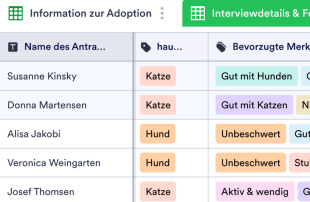
Informationsblatt für Tieradoptionen
Erfassen Sie Adoptionsdaten für Ihr Tierheim online. Zeigen Sie die übermittelten Daten automatisch in visuell beeindruckenden Tabellen und Kalendern an. Keine Programmierkenntnisse erforderlich.
Zur Kategorie:Tabellenvorlagen für TierarztpraxenÜber Tabellenvorlagen für Tierarztpraxen
Tabellenvorlagen für Tierarztpraxen sind spezielle Vorlagen, mit denen Tierarztpraxen, Tierkliniken und andere Fachleute rund um die Tiergesundheit eingehende Angaben ordnen und verwalten. Sie eignen sich besonders, um über Jotform Formulare Patientenakten, Terminbuchungen, Behandlungspläne, Impfpläne und Rückmeldungen von Tierhalterinnen und Tierhaltern zu erfassen. Tierärztinnen und Tierärzte, Tiermedizinische Fachangestellte und die Praxisverwaltung bearbeiten damit ganz unterschiedliche Einsendungen, von der Anmeldung neuer Tierpatienten bis zu ausführlichen Krankengeschichten. Die Vorlagen bilden eine geordnete Ablage, in der alle Angaben leicht zugänglich sind, sodass wichtige Daten nicht nur erfasst, sondern auch systematisch verwaltet werden.
In Jotform Tabellen erscheinen Einsendungen aus verknüpften Jotform Formularen automatisch als Einträge und lassen sich übersichtlich verwalten und prüfen. Jede Antwort, die über ein Formular abgeschickt wird, landet als Zeile in der verknüpften Tabelle und kann in der Tabellen- oder Detailansicht geprüft werden. Mit Suche, Filtern und Gruppierung ordnen Sie die Einträge, und passende Spaltentypen helfen, die Angaben zu gliedern. Weitere Ansichten wie die Kalenderansicht für die Terminplanung oder die Berichtsansicht für Auswertungen erleichtern die Verwaltung zusätzlich. Einträge lassen sich auch von Hand anlegen oder per CSV- und Excel-Datei importieren, im Mittelpunkt steht aber der automatische Weg vom Formular in die Tabelle.
Warum Tabellenvorlagen für Tierarztpraxen?
- Tabellenvorlagen für Tierarztpraxen vereinfachen die Verwaltung von Einsendungen, weil das Übertragen von Hand entfällt. Da Einsendungen automatisch in Jotform Tabellen landen, kann sich das Praxisteam auf die Tiere konzentrieren statt auf die Dateneingabe.
- Die Tabellen bündeln alle Antworten an einem Ort, sodass wichtige Angaben wie Impfnachweise oder Terminanfragen leicht zugänglich sind und nicht mehr in verstreuten Dateien oder E-Mails untergehen.
- Einzelne Einträge sind deutlich schneller gefunden: Über Suche und Filter finden Sie gezielt einen bestimmten Tierpatienten oder eine Einsendung und können Anfragen von Tierhalterinnen und Tierhaltern schneller beantworten.
- Weil alle Angaben einer Einsendung auf einen Blick vorliegen, können Tierärztinnen und Tierärzte Krankengeschichten und Behandlungsnotizen gründlicher durchsehen und fundiertere Entscheidungen für die Tiere treffen.
- Folgeaufgaben wie die Benachrichtigung von Tierhalterinnen und Tierhaltern über anstehende Termine oder fällige Impfungen lassen sich dank der übersichtlichen Datenstruktur effizienter abstimmen.
- Mit dem Versionsverlauf werden alle Änderungen an Patientenakten dokumentiert. So bleiben die Daten nachvollziehbar und verlässlich.
Diese Probleme lösen Tabellenvorlagen für Tierarztpraxen
- Einsendungen von Hand in Tabellen zu kopieren, kostet Zeit und ist fehleranfällig. Mit den Vorlagen landen Antworten direkt in Jotform Tabellen, das verringert Übertragungsfehler.
- Wenn Antworten über verschiedene Kanäle verstreut sind, gehen leicht Informationen verloren. Eine verknüpfte Tabelle hält alle Einsendungen zusammen, sodass sich Einträge leichter verwalten und wiederfinden lassen.
- Einzelne Einträge zu finden, ist oft mühsam. Mit den integrierten Such- und Filterfunktionen rufen Sie jede Einsendung oder Patientenakte schnell auf, wenn Sie sie prüfen oder nachbearbeiten möchten.
- Uneinheitliche Abläufe bei der Durchsicht führen leicht dazu, dass etwas übersehen wird. Die feste Struktur von Jotform Tabellen erleichtert es, jeden Eintrag nach demselben Schema zu prüfen, und sorgt für mehr Einheitlichkeit in Behandlung und Datenverwaltung.
- Hochgeladene Dateien wie eingescannte Dokumente oder Laborbefunde lassen sich schwer ordnen. In der Uploads-Ansicht liegen sie übersichtlich neben den zugehörigen Einträgen und sind bei Bedarf schnell zur Hand.
Anwendungsfälle und passende Funktionen von Jotform Tabellen
- Tierarztpraxen erhalten oft viele Terminanfragen über Jotform Formulare. Diese Einsendungen landen automatisch in Jotform Tabellen, sodass das Praxisteam Termine effizient vergeben kann und keine Anfrage untergeht.
- Die Durchsicht der Patientenakten ist wichtig für eine sorgfältige Behandlung. Tabellenansicht und Detailansicht geben einen vollständigen Überblick über jede Einsendung, sodass Tierärztinnen und Tierärzte Krankengeschichten und Behandlungspläne gründlich prüfen können.
- Mit der Zuweisung an Zuständige lassen sich Aufgaben in der Patientenversorgung einfach verteilen. So ist klar, wer sich um Nachkontrollen oder weitere Behandlungsschritte kümmert, das schafft klare Zuständigkeiten und eine gute Betreuung.
- Mit Filtern und Gruppierungen ordnet das Praxisteam Einträge nach Kriterien wie Tierart oder Behandlungsart. So lassen sich bestimmte Patientengruppen leichter betreuen und ähnliche Fälle verfolgen.
- Aus den gesammelten Daten erstellen Praxen Auswertungen, etwa zu häufigen Erkrankungen oder saisonalem Impfbedarf. Mit der Berichtsansicht entstehen aussagekräftige Übersichten, die bei der Planung der Praxis helfen.
- Mit Aktionsschaltflächen vereinfachen Praxen ihre Abläufe: Jotform Tabellen lässt sich mit anderen Anwendungen und Prozessen verbinden, sodass Angaben automatisch weitergegeben und Aufgaben automatisiert werden.
- Zugriffseinstellungen und Echtzeit-Nachverfolgung ermöglichen die Zusammenarbeit an Patientenakten. Alle Änderungen werden protokolliert und sind für berechtigte Personen sichtbar.
So nutzen Sie die Vorlagen mit Jotform Formularen
- Wählen Sie eine passende Vorlage für Jotform Tabellen, oder beginnen Sie mit einer leeren Tabelle oder der Tabelle eines bestehenden Jotform Formulars. Das Formular erfasst alle Angaben, die Ihre Praxis braucht, und neue Antworten erscheinen in Echtzeit in der verknüpften Tabelle.
- Der Formularinhaber richtet die Tabelle ein, benennt die Spalten und wählt passende Spaltentypen wie Text, Datum oder Zahl, die das Ordnen und Prüfen der Einsendungen erleichtern. Mit den passenden Ansichten, etwa Tabellen-, Detail-, Kalender- oder Berichtsansicht, passen Sie die Tabelle an die Abläufe Ihrer Praxis an.
- Organisieren Sie Einsendungen mit Suche, Filtern und Gruppierung. Nutzen Sie bei Bedarf Formeln für Berechnungen und legen Sie über die Zugriffseinstellungen fest, wer Einträge sehen oder bearbeiten darf. Weisen Sie Aufgaben über die Zuständigen zu, verfolgen Sie Änderungen im Versionsverlauf und verbinden Sie Daten und Abläufe über verknüpfte Tabellen oder Aktionsschaltflächen.
Die wichtigsten Anwendungsfälle
Für Formularinhaber: Formularinhaber wie Tierärztinnen, Tierärzte oder die Praxisverwaltung prüfen eingehende Einsendungen bequem in Jotform Tabellen. Sie korrigieren Angaben bei Bedarf, prüfen Details und Uploads zu den Patientenakten und halten alle Einträge geordnet. Das hilft, alle Informationen, vom Behandlungsplan bis zum Termin, aktuell und griffbereit zu halten.
Für das Praxisteam: Berechtigte Teammitglieder wie Tiermedizinische Fachangestellte und Empfang profitieren von den Funktionen für die Zusammenarbeit. Sie finden Einträge schnell und pflegen die Angaben zu den Tierpatienten sorgfältig. Über die Zuständigen lässt sich festlegen, wer welche Aufgabe übernimmt. Zugriffseinstellungen und Versionsverlauf erleichtern die gemeinsame Arbeit, weil sie Änderungen dokumentieren und regeln, wer vertrauliche Daten einsehen darf.
Für die Praxisleitung: Die Praxisleitung behält mit Jotform Tabellen die gesammelten Daten effizient im Blick. Aus Mustern wie der Häufigkeit von Besuchen oder den Behandlungsergebnissen gewinnt sie wertvolle Einblicke in den Praxisbetrieb. Sie verfolgt den Stand von Aufgaben und Terminen, sorgt für klare Zuständigkeiten und rechtzeitige Nachfragen. Die Berichtsansicht und weitere Ansichten liefern den Überblick für fundierte Entscheidungen, die die Praxisabläufe verbessern.
Tabellenvorlagen für Tierarztpraxen im Überblick
Tabellenvorlagen für Tierarztpraxen helfen, ausführliche Angaben über Jotform Formulare zu erfassen und die Einsendungen in Jotform Tabellen zu ordnen. Weil Formularantworten automatisch in eine übersichtliche Tabelle übertragen werden, sparen Tierarztpraxen Zeit, arbeiten genauer und führen vollständige Aufzeichnungen. Mit verschiedenen Ansichten und Werkzeugen lassen sich Daten prüfen, bearbeiten und auswerten. Das macht die Abläufe effizienter und schafft mehr Zeit für die Versorgung der Tiere und die Organisation der Praxis.
Häufig gestellte Fragen
1) Kann ich die Tabellenvorlagen für Tierarztpraxen kostenlos mit Jotform Tabellen nutzen?
Mit dem kostenlosen Starter-Tarif von Jotform nutzen Sie die Tabellenvorlagen für Tierarztpraxen und weitere Funktionen. So beginnen Sie ohne Vorabkosten mit der Verwaltung Ihrer Einsendungen, lernen Jotform Tabellen in Ruhe kennen und entscheiden dann, ob Sie zusätzliche Funktionen oder ein Upgrade brauchen.
2) Wie erscheinen Einsendungen aus Jotform Formularen in den Vorlagen?
Einsendungen aus Jotform Formularen erscheinen automatisch als Einträge in der verknüpften Tabelle. Sobald jemand ein Formular abschickt, werden die Angaben in Echtzeit übernommen, jede neue Antwort in einer eigenen Zeile. So werden alle eingehenden Daten ohne Handarbeit erfasst und geordnet, und die Tabelle bleibt laufend aktuell.
3) Kann ich Daten in den Vorlagen bearbeiten, durchsuchen, filtern, gruppieren und berechnen?
Ja, Sie können Daten in den Vorlagen bearbeiten, durchsuchen, filtern, gruppieren und berechnen. Einsendungen lassen sich nachträglich ändern, und Spalten können Sie mit verschiedenen Typen an Ihre Daten anpassen. Suche und Filter helfen, bestimmte Einträge schnell zu finden, Gruppierungen und Formeln erleichtern das Ordnen und Auswerten und damit fundierte Entscheidungen.
4) Kann ich die Daten aus den Tabellen als CSV- oder Excel-Datei exportieren?
Die Daten in den Tabellen lassen sich als CSV- oder Excel-Datei exportieren, um sie weiterzugeben oder in andere Systeme zu übernehmen. So können Sie vorhandene Informationen aus anderen Quellen ergänzend zu den Daten aus den verknüpften Formularen nutzen. Mit dem Export führen Sie vollständige Aufzeichnungen und können Daten auch außerhalb von Jotform Tabellen auswerten.
5) Welche Ansichten von Jotform Tabellen kann ich mit den Vorlagen nutzen?
Mit den Vorlagen stehen Ihnen mehrere Ansichten zur Verfügung: Tabellen-, Detail-, Kalender-, Berichts- und Uploads-Ansicht. Die Tabellenansicht zeigt alle Einträge im Überblick, die Detailansicht einzelne Einsendungen im Detail. Die Kalenderansicht hilft bei der Terminplanung, die Berichtsansicht bei Auswertungen, und die Uploads-Ansicht ordnet angehängte Dateien, damit sie schnell zur Hand sind.
6) Können Teams gemeinsam an Einsendungen arbeiten?
Teams arbeiten über Zugriffseinstellungen, Funktionen für die Zusammenarbeit und Zuständige gemeinsam an Einsendungen. Mit der Echtzeit-Nachverfolgung sehen alle Änderungen sofort, und der Versionsverlauf protokolliert jede Änderung an den Einträgen. So arbeitet das Team effizient zusammen, und die Daten bleiben nachvollziehbar.
7) Kann ich die Vorlagen mit zugehörigen Daten oder anderen Anwendungen verbinden?
Die Vorlagen lassen sich über verknüpfte Tabellen, Integrationen und Aktionsschaltflächen mit zugehörigen Daten oder anderen Anwendungen verbinden. So erweitern Sie die Möglichkeiten Ihrer Tabellen und binden sie in andere Werkzeuge und Abläufe ein. Welche Integrationen Sie nutzen, hängt von Ihrem Bedarf ab; Ihre Daten bleiben so mit Ihren übrigen Systemen verbunden.
8) Kann ich mit den Vorlagen Berichte und PDFs erstellen und Dateien verwalten?
Ja, mit den Vorlagen erstellen Sie Berichte und PDFs und verwalten Dateien. Die Berichtsansicht fasst Daten übersichtlich zusammen und hilft bei der Auswertung, mit der PDF-Erstellung entstehen druckfertige Dokumente aus Ihren Tabelleneinträgen, und in der Uploads-Ansicht verwalten Sie zugehörige Dateien, sodass alle Unterlagen geordnet und griffbereit sind.