

Listen Vorlagen

Vorlage Gästeliste oder Teilnehmerliste
Starten Sie die Party mit einer Online-Vorlage für eine Gästeliste oder Teilnehmerliste! Ganz gleich, ob Sie eine Party, eine Firmenveranstaltung oder eine Familienfeier ausrichten, Sie können die Antworten auf die Einladungen und die Gästedaten in einer professionellen Online-Tabelle organisieren. Beginnen Sie damit, diese Vorlage an Ihre Bedürfnisse anzupassen - füllen Sie oder lassen Sie die Gäste dann das beigefügte Teilnahmeformular ausfüllen, um Ihre Tabelle automatisch mit Gästedaten zu aktualisieren! Alle Antworten können auf jedem beliebigen Gerät angezeigt oder bearbeitet oder als PDF-, CSV- oder Excel-Datei heruntergeladen werden. Ganz gleich, welche Art von Veranstaltung Sie planen, Sie können diese Vorlage für eine Gäste- oder Teilnehmerliste so anpassen, dass sie für Sie funktioniert, indem Sie neue Zeilen und Spalten hinzufügen, Informationen in separate Registerkarten aufteilen oder Ihre eigenen farbcodierten Etiketten wählen. Und wenn Sie das angehängte Formular mit den mehr als 100 beliebten Integrationen von Jotform verknüpfen, können Sie die Rückmeldungen sogar automatisch mit Ihren anderen Konten synchronisieren. Organisieren Sie sich und bereiten Sie sich mithilfe dieser kostenlosen Online-Vorlage für die Gästeliste auf die beste Veranstaltung aller Zeiten vor.
Zur Kategorie:Listen Vorlagen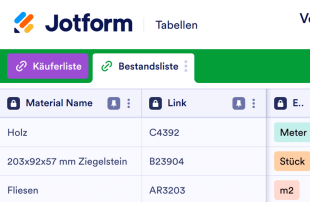
Vorlage für Materialliste
Behalten Sie den Überblick über Projektmaterialien in einer professionellen Online-Tabelle. Leicht anpassbar und gemeinsam nutzbar. Download als CSV-, Excel- oder PDF-Datei.
Zur Kategorie:Listen Vorlagen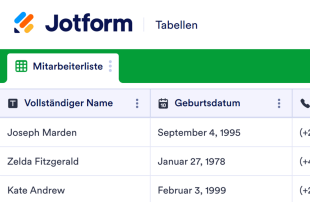
Personaldatenblatt
Eine Vorlage für ein Personaldatenblatt ist ein sehr allgemeines Dokument, das zur Erfassung von Mitarbeiterinformationen verwendet wird. Diese Vorlage für ein Personaldatenblatt enthält Spalten mit allgemeinen Informationen und Kontaktinformationen der Mitarbeiter, das Anfangsdatum, Details zur Position, Gehaltsangaben und Arbeitszeiten. Dieses Dokument, das auch sehr gut für die Personalabteilung geeignet ist, enthält alle Informationen, die Sie über die Mitarbeiter benötigen. Möchten Sie diese Vorlage für ein Personaldatenblatt nach Ihren Wünschen anpassen? Fügen Sie einfach neue Zeilen und Spalten für zusätzliche Informationen hinzu, teilen Sie die Informationen in separate Tabs auf oder kennzeichnen Sie die Informationen mit farbigen Tags. Über die Jotform-Integrationen können Sie die Daten automatisch mit Ihren anderen Konten synchronisieren! Organisieren Sie sich mit Hilfe dieser kostenlosen Online-Vorlage für das Personaldatenblatt.
Zur Kategorie:Listen Vorlagen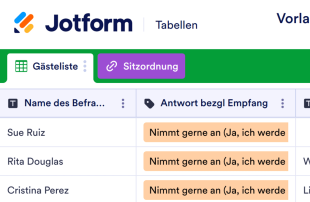
Vorlage für Hochzeitsgästeliste
Machen Sie sich bereit für den großen Tag mit unserer kostenlosen Online-Vorlage für Hochzeitsgästelisten! Ganz gleich, ob Sie Hochzeitsplaner oder selbst für die Einladungen zuständig sind, mit dieser benutzerfreundlichen Tabellenkalkulationsvorlage behalten Sie leicht den Überblick über wichtige Gästeinformationen. Verwenden Sie einfach unseren Form-Builder, um ein Online-Einladungs- oder RSVP-Formular für die Hochzeit zu erstellen - wenn die Gäste es dann von einem beliebigen Desktop- oder Mobilgerät aus ausfüllen, erscheinen ihre Antworten automatisch in der Tabelle. Sie können Kontaktinformationen, die Anzahl der anwesenden Gäste, die Auswahl der Speisen und sogar spezielle Liederwünsche für den Empfang eintragen! Sie haben hart gearbeitet, um sicherzustellen, dass jedes Detail der Hochzeit absolut perfekt ist – daher sollte auch Ihre Gästelistenvorlage für die Hochzeit perfekt sein! Glücklicherweise erfordert das Anpassen der Tabellenkalkulationsvorlage nur ein paar Klicks und keine Programmierung. Ziehen Sie einfach per Drag-and-drop, um Spalten, Zeilen, Beschriftungen und Registerkarten zu Ihrer Tabellenkalkulation hinzuzufügen. Mit einer benutzerdefinierten Gästelistenvorlage für Hochzeiten, bei der alle Kästchen abgehakt sind, können Sie die Gäste leichter verwalten und sicherstellen, dass die Hochzeitsfeier so reibungslos wie möglich abläuft.
Zur Kategorie:Listen Vorlagen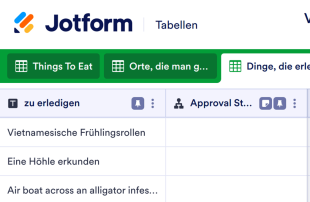
Vorlage für Bucketliste
Das Leben ist kurz. Erfüllen Sie sich Ihre größten Träume mit dieser kostenlosen Bucketliste-Vorlage. Einfach zu organisieren und zu bearbeiten. Zugriff von jedem Gerät aus. Keine Programmierkenntnisse erforderlich.
Zur Kategorie:Listen Vorlagen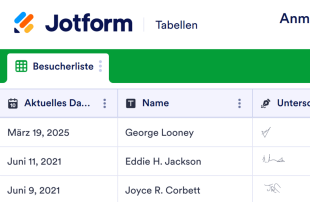
Anmeldeformular für Besucher
Eine Besucherliste dient der Erfassung von Besuchern. Ob Krankenhaus, Schule, Unternehmen oder Organisation – mit der kostenlosen Besucherliste von Jotform behalten Sie Besucherinformationen ganz einfach und geräteunabhängig im Blick! Füllen Sie das beigefügte Formular aus, um Kontaktdaten, Ankunfts- und Abfahrtszeit sowie den Besuchsgrund zu erfassen – oder lassen Sie Ihre Besucher dies selbst auf Tablet, Smartphone oder Computer erledigen! Die Informationen lassen sich anschließend als Tabelle, Kalender oder einzelne Karten anzeigen. Teilen Sie die Informationen in separate Registerkarten auf, fügen Sie Zeilen und Spalten hinzu, verwenden Sie farbcodierte Etiketten und vieles mehr – mit dem benutzerfreundlichen Editor von Jotform gestalten Sie Ihre Besucherliste im Handumdrehen. Passen Sie das beigefügte Formular an Ihre Bedürfnisse und Ihr Branding an, konvertieren Sie Eingaben automatisch in PDFs oder synchronisieren Sie Besucherinformationen mit anderen Apps – dank über 100 kostenloser Integrationen. Steigen Sie von unübersichtlichen Papierformularen auf eine kostenlose Online-Besucherliste um und optimieren Sie Ihren Anmeldeprozess.
Zur Kategorie:Listen VorlagenÜber Listen Vorlagen
Listenvorlagen sind Tabellenvorlagen, mit denen Sie Datensätze aus Jotform-Formularen ordnen und verwalten. Ob Umfrageantworten, Anmeldedaten, Feedback, Bestellungen oder Prüfberichte: Diese Tabellen geben eingehenden Daten eine feste Struktur. Sie richten sich an Formularverantwortliche, Teams, Abteilungen und Fachleute aus unterschiedlichen Branchen und vereinfachen die Verwaltung gesammelter Informationen, sodass Daten geordnet und leicht auffindbar bleiben.
In Jotform Tabellen werden Einsendungen aus verbundenen Jotform-Formularen automatisch übernommen: Jede Antwort wird zu einem Eintrag, den Sie in der Tabellenansicht oder der Detailansicht aufrufen können. Diese Anbindung ermöglicht es, Daten mit Suche, Filtern, Gruppierung und Spaltentypen zu ordnen. Weitere Ansichten wie die Kalender-, Berichts- und Uploads-Ansicht bieten zusätzliche Möglichkeiten, die Daten durchzusehen. Manuelle Eingaben sowie der Import von CSV- oder Excel-Dateien können die Daten ergänzen. Im Mittelpunkt steht jedoch die automatische Übernahme der Einsendungen aus Jotform-Formularen in die verbundene Tabelle – so gelangen Formularantworten ohne Umweg in Ihre Datenverwaltung.
Why Use List Templates?
- By using List Templates, form owners can eliminate the need for manual data transfer, as responses from Jotform Forms automatically populate the connected table. This saves time and reduces the risk of errors associated with manual entry.
- Keeping all responses together in one organized location makes it easier to find specific records quickly. This is particularly beneficial in scenarios where form owners need to access detailed submission information efficiently.
- These tables allow for a comprehensive review of submission details, providing form owners with the ability to edit data, check uploads, and ensure all information is accurate and complete.
- Coordinating follow-up actions becomes streamlined, as form owners can easily track changes and updates to submissions, ensuring that all necessary steps are taken based on the collected data.
- With the ability to generate reports on collected data, List Templates empower form owners to analyze trends and insights, facilitating better decision-making and strategic planning.
Common Problems Solved by List Templates
- Manually copying submissions into spreadsheets is time-consuming and prone to errors. With List Templates, responses automatically populate the connected table, eliminating this tedious task and ensuring accuracy.
- Scattered responses across different platforms can make it difficult to locate specific records. These tables centralize all data, making it easy to search and filter entries to find exactly what you need.
- Inconsistent review processes can lead to missed information or errors. Jotform Tables provide a structured way to review and edit submissions, ensuring all data is consistently evaluated.
- Handling uploads can be challenging if they are hard to review. Uploads View in Jotform Tables offers a convenient way to manage and review all uploaded files associated with submissions.
- Unclear ownership and responsibilities can slow down processes. By using access settings and assignees, teams can clearly define who is responsible for each task, promoting efficient collaboration.
Anwendungsfälle und passende Funktionen von Jotform Tabellen
- When collecting survey responses through Jotform Forms, the automatic appearance of submissions in the connected table allows form owners to efficiently manage and review incoming data.
- Using Table View or Detail View, form owners can organize submissions by applying filters and grouping data, which facilitates easy access to specific information within large datasets.
- Teams can manage access settings and assign responsibilities to different members, ensuring that each team member understands their role in handling submissions.
- For reporting purposes, form owners can utilize Report View to create comprehensive reports based on collected data, providing insights into trends and performance metrics.
- When submissions include uploads, Uploads View allows for easy review and management of all associated files, streamlining the process of handling multimedia data.
- Access settings and revision history enable teams to collaborate effectively, ensuring that all edits and changes are tracked over time, which supports accountability and transparency.
- Integrated action buttons allow form owners to execute necessary actions directly from the table, such as sending follow-up emails or exporting data for further analysis.
How to Use List Templates with Jotform Forms
- Start with a category-relevant Jotform Tables template, a blank table, or the table connected to an existing Jotform Form. The Jotform Form collects the category-specific information, and new responses automatically appear in the connected table, streamlining data collection and management.
- The form owner can configure the table for submission review by naming columns, choosing appropriate column types, and selecting relevant views such as Table View, Detail View, Calendar View, Uploads View, or Report View. This customization ensures that the table meets the specific needs of the category.
- To manage submissions effectively, the form owner or team can use search, filters, grouping, formulas, access settings, assignees, revision history, linked tables, action buttons, or outputs. These capabilities help in organizing data, tracking changes, and taking necessary actions based on the collected information.
Top Use Cases for List Templates
- For Form Owners: Form owners can review incoming responses efficiently as each submission from a connected Jotform Form appears automatically in the table. They have the capability to edit submission data, ensuring accuracy and completeness. By checking details or uploads, they maintain organized records within Jotform Tables, simplifying the data management process.
- For Teams: Authorized team members can quickly find submissions and maintain entries in an organized manner. They coordinate responsibility using assignees when relevant, ensuring tasks are distributed appropriately. Through access settings or revision history, they support shared work, allowing for seamless collaboration and accountability.
- For Managers: Managers have the ability to monitor collected data, gaining insights into category-specific patterns and trends. They can review progress or ownership of tasks, ensuring that operations align with strategic goals. Utilizing Report View or other relevant views, managers have the oversight necessary to make informed decisions and maintain effective control over processes.
Summarizing List Templates
List Templates provide a powerful solution for collecting information through Jotform Forms and managing the resulting submissions in Jotform Tables. By centralizing data collection and management, these templates enable form owners and teams to efficiently review, organize, and act on the information collected. With features tailored to category-specific needs, List Templates streamline workflows and enhance data-driven decision-making.
Häufig gestellte Fragen
1) Is it free to use List Templates with Jotform Tables?
Jotform offers a Starter plan that allows users to access List Templates with Jotform Tables. This plan provides basic features to get started with managing form submissions efficiently. While the Starter plan is available, users can explore additional capabilities by considering other plans offered by Jotform. However, details about limits, quotas, or paid tiers are not specified here.
2) How do submissions from Jotform Forms appear in List Templates?
Submissions from Jotform Forms appear in List Templates through a connected form workflow. When a respondent submits a form, the information automatically appears as an entry or row in the linked table. This process ensures that all responses are auto-populated into the table, allowing for a seamless and continuous data management experience.
3) Can I edit, search, filter, group, and calculate data in List Templates?
Yes, you can perform a variety of data management actions within List Templates. Submission edits can be made to ensure data accuracy, and you can search through the entries using specific criteria. Filters and data grouping help organize information, while formulas and calculations provide insights and analysis, all without promising automated decisions.
4) Kann ich die Daten aus den Tabellen als CSV- oder Excel-Datei exportieren?
Exporting data from List Templates as CSV or Excel is certainly possible. This feature allows you to add existing information alongside submissions collected through connected forms. It provides flexibility in managing and using your data outside the Jotform Tables environment, supporting diverse data applications.
5) Which Jotform Tables views can I use with List Templates?
With List Templates, you can utilize several views such as Table View, Detail View, Report View, Calendar View, and Uploads View. Each view offers unique benefits; for example, Table View provides a structured overview, while Detail View allows in-depth examination of entries. Report View supports insights, Calendar View organizes timelines, and Uploads View manages files.
6) Can teams collaborate on submissions in List Templates?
Teams can collaborate effectively on submissions using List Templates. Access settings ensure the right team members have the necessary permissions, while collaboration features allow for shared input and feedback. Assignees help in distributing tasks, real-time tracking monitors progress, and revision history keeps a record of all changes, promoting accountability.
7) Can I connect List Templates to related data or other applications?
While using List Templates, you have the ability to connect related data through linked tables. Moreover, integrations and action buttons facilitate interactions with other applications, enhancing the functionality and utility of your data management processes without specifying unsupported integration names.
8) Can I create reports, PDFs, and manage files from List Templates?
Yes, List Templates support the creation of reports and PDFs, enhancing the documentation of collected data. Report View provides insights, while PDF generation offers a way to formalize records. Additionally, Uploads View allows for efficient file management, and signed documents can be associated with table data when relevant, depending on the category's needs.