

Vorlagen für Checklisten

Bau-Checkliste
Eine Bau-Checkliste wird verwendet, um den Überblick über bestimmte Bauaufgaben und Aufträge zu behalten. Mit der kostenlosen Bau-Checkliste von Jotform können Sie Bauprojekte in einer professionellen Online-Tabelle professionell verwalten! Ganz gleich, ob Sie ein unabhängiger Auftragnehmer oder der Leiter eines Bauunternehmens sind, geben Sie einfach die Details jedes Auftrags, die verantwortlichen Mitarbeiter und das Zieldatum der Fertigstellung auf einem beliebigen Gerät ein. Anschließend können Sie Ihre Daten anzeigen, aktualisieren oder als CSV-, PDF- oder Excel-Datei herunterladen. Passen Sie Ihre Bau-Checkliste mit ein paar Klicks an, indem Sie neue Registerkarten mit zusätzlichen Informationen wie Kontaktdaten von Mitarbeitern oder Interessenvertretern hinzufügen, das Layout nach Ihren Bedürfnissen neu anordnen oder sogar unterstützende Dokumente hochladen, um alle Ihre Informationen an einem Ort zu speichern. Indem Sie alle Ihre Bauprojekte und -aufgaben in einer benutzerdefinierten Bau-Checkliste überwachen, können Sie Ihre Informationen besser verfolgen und sicherstellen, dass Sie Ihre Termine einhalten.
Zur Kategorie:Vorlagen für Checklisten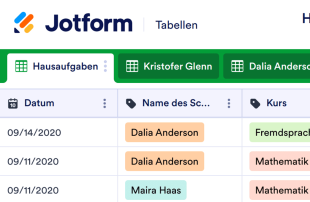
Hausaufgabenkontrolle
Unabhängig von der Größe Ihres Klassenzimmers können Sie mit der kostenlosen Hausaufgabenkontrolle von Jotform die täglichen Hausaufgaben der Schüler in einer professionellen Tabelle nachverfolgen! Um loszulegen, füllen Sie das angehängte Formular mit Schüler- und Aufgabeninformationen aus - und aktualisieren Sie dann die Tabelle nach und nach, indem Sie Abschlussdaten und Aufgabenbeschreibungen überwachen und sogar Datei-Uploads von fertigen Aufgaben direkt in Ihre Tabelle einbeziehen. Mit der benutzerfreundlichen Oberfläche von Jotform können Sie schnell neue Zeilen und Spalten hinzufügen, zusätzliche Tabs einfügen, um Informationen für verschiedene Klassenräume zu trennen, oder Etikettennamen und -farben aktualisieren, um eine persönliche Note zu erhalten. Sie können Ihre Hausaufgabenkontrolle sogar mit einem einzigen Klick als PDF-, CSV- oder Excel-Datei herunterladen oder Ihre Tabelle automatisch mit anderen Konten wie Google Drive, Dropbox und anderen synchronisieren. Verwalten Sie die Aufgaben und Fälligkeitstermine Ihrer Schüler online mit einer kostenlosen Checkliste für tägliche Aufgaben - und genießen Sie mehr Zeit, um sich auf das Unterrichten Ihrer Schüler zu konzentrieren.
Zur Kategorie:Vorlagen für Checklisten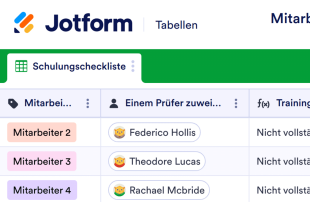
Mitarbeiterschulung Checkliste
Behalten Sie den Überblick über die Ausbildung und den Fortschritt Ihrer Mitarbeiter. Kostenlose Online-Checkliste für Arbeitgeber. Einfaches Anpassen, Herunterladen und Weitergeben. Funktioniert auf allen Geräten. Keine Programmierkenntnisse erforderlich.
Zur Kategorie:Vorlagen für ChecklistenÜber Vorlagen für Checklisten
Checklistenvorlagen sind kategoriespezifische Tabellenvorlagen. Sie optimieren die Organisation und Verwaltung von Datensätzen für verschiedene berufliche Anforderungen. Diese Vorlagen helfen Formularverantwortlichen und Teams, Antworten aus Jotform-Formularen effizient zu bearbeiten. Ob Sie Feedback einholen, Anträge bearbeiten, Bestellungen verwalten oder Inspektionen durchführen – Checklistenvorlagen bieten eine strukturierte Möglichkeit, den Datenstrom zu verwalten. Fachleute aus verschiedenen Branchen, wie beispielsweise dem Bildungswesen, dem Gesundheitswesen oder dem Dienstleistungsmanagement, vertrauen auf diese Vorlagen, um sicherzustellen, dass jede gesammelte Information korrekt erfasst und leicht zugänglich ist. Die Hauptfunktion dieser Tabellen besteht in der Verwaltung der gesammelten Informationen, wodurch Formularinhaber über ein zuverlässiges Tool zur Überwachung ihrer Daten verfügen.
Jotform Tabellen dienen als zentrale Verwaltungsplattform, auf der jede Antwort aus verbundenen Jotform-Formularen automatisch erscheint. Jede Formularantwort wird in einen Eintrag in der Tabelle umgewandelt. Sie können die Einträge in der Tabellenansicht oder in der Detailansicht prüfen. Formularinhaber können ihre Daten mithilfe verschiedener Funktionen wie Suche, Filter und Datengruppierung organisieren oder aus verschiedenen Ansichten wie der Kalenderansicht oder der Berichtsansicht wählen, um die Überprüfung anzupassen. Manuelle Eingabe sowie der Import aus CSV- und Excel-Dateien zum Hinzufügen bestehender Daten stehen zur Verfügung. Im Mittelpunkt steht der Übergang von Formulardaten in Jotform Tabellen für eine effiziente Verwaltung.
Why Use Checklist Templates?
- Checklist Templates eliminate the need for manual data transfer by automatically capturing form responses in Jotform Tables, keeping all submissions together in one organized location. This saves time and reduces the chance of errors associated with manual entry.
- Form owners can quickly locate specific records using powerful search and filter functionalities, ensuring that critical information is always at their fingertips. This capability is essential for efficiently handling large volumes of data.
- With the ability to review complete submission details and perform edits directly within the tables, form owners maintain a high level of data accuracy and integrity. This ensures that all records reflect the most current and correct information.
- These templates facilitate effective coordination for follow-up actions by allowing team members to track changes and updates in real-time. This collaborative feature is particularly useful for teams handling complex workflows.
- Reporting on collected data becomes straightforward with integrated report generation features, helping stakeholders make informed decisions based on up-to-date data insights.
Common Problems Solved by Checklist Templates
- Manual entry of form submissions into spreadsheets is time-consuming and error-prone. With Jotform Tables, submissions are automatically captured, eliminating the need for manual data transfer and reducing the risk of inaccuracies.
- Scattered responses across different platforms can lead to data silos and inefficiencies. Checklist Templates centralize all submissions in one accessible location, ensuring a cohesive data management experience.
- Locating specific records in a sea of data can be challenging. Jotform Tables provide robust search and filter options, making it easy to find and organize entries based on various criteria, streamlining data retrieval processes.
- Inconsistent review processes can lead to oversight and missed information. With the ability to view detailed submission data and history, teams can ensure a consistent and thorough review of each record.
- Unclear ownership of tasks and data can cause confusion and delays. Checklist Templates offer features like access settings and assignees to clarify responsibilities and improve workflow efficiency.
Anwendungsfälle und passende Funktionen von Jotform Tabellen
- Incoming feedback forms can be automatically populated into Jotform Tables, where Table View allows for efficient review and categorization of each response. This ensures that feedback is systematically addressed and managed.
- Organizing data by specific criteria becomes straightforward with the use of filters and grouping capabilities, enabling users to view submissions in ways that suit their specific needs and streamline analysis.
- Assigning team members to specific records is simplified with the assignees feature, allowing for clear delegation of responsibilities and enhancing team collaboration and accountability.
- The Report View feature helps form owners generate comprehensive reports, providing insights into submission patterns and enabling data-driven decision-making for continuous improvement.
- Real-time tracking and revision history ensure that all changes to submissions are monitored and documented, offering transparency and fostering trust among team members.
How to Use Checklist Templates with Jotform Forms
- Start with a category-relevant Jotform Tables template, a blank table, or connect it to an existing Jotform Form to collect category-specific information. As new responses are submitted, they automatically appear in the connected table for streamlined data management.
- The form owner configures the table by naming columns, choosing appropriate column types, and selecting relevant views such as Table View, Detail View, Calendar View, Uploads View, or Report View. This customization ensures that the table is tailored to their specific review needs.
- Managing submissions involves using search, filters, grouping, formulas, access settings, and assignees for efficient data handling. Linked tables and action buttons further enhance management capabilities by providing dynamic and interactive data processing options.
Top Use Cases for Checklist Templates
- For Form Owners: Form owners use Checklist Templates to seamlessly review incoming responses and edit submission data as needed. By checking details or any associated uploads, they ensure that all records are complete and accurate, allowing for well-organized data management within Jotform Tables. This systematic approach helps maintain an orderly database, facilitating easy access to any required information.
- For Teams: Authorized team members leverage Checklist Templates to locate and maintain submissions efficiently. With features like assignees, they can coordinate responsibilities and ensure each team member is accountable for their tasks. Access settings and revision history support shared work by providing transparency and control over the data, enabling collaborative efforts without compromising data integrity.
- For Managers: Managers use Checklist Templates to monitor collected data, review category-specific patterns, and track progress or ownership. By utilizing Report View or other relevant views, they gain oversight into operations, allowing them to make informed decisions and optimize processes. This comprehensive view helps managers ensure that all submissions are handled effectively and meet organizational standards.
Summarizing Checklist Templates
Checklist Templates are invaluable tools for collecting and managing information through Jotform Forms and Jotform Tables. They streamline the process of capturing submissions and organizing them in a coherent manner, ensuring that form owners and teams have a reliable system for data management. By automating data capture and offering various review and organization options, Jotform Tables enhance the efficiency and accuracy of managing collected data.
Häufig gestellte Fragen
1) Is it free to use Checklist Templates with Jotform Tables?
Jotform offers a Starter plan that allows users to access Checklist Templates with Jotform Tables. This plan provides a great starting point for individuals and small teams to experience the benefits of automated data management. Users can explore the features of Jotform Tables without any initial financial commitment.
2) How do submissions from Jotform Forms appear in Checklist Templates?
Submissions from Jotform Forms are seamlessly integrated into Checklist Templates through a connected form setup. Once a respondent submits a form, the data automatically appears as an entry or row within the linked table. This auto-population feature ensures that all future responses are continuously captured in the table for easy management.
3) Can I edit, search, filter, group, and calculate data in Checklist Templates?
Yes, you can edit, search, filter, group, and perform calculations on data within Checklist Templates. These capabilities allow form owners to interact with submission data dynamically, tailoring the table to their specific needs. By utilizing columns and column types, users can customize their tables to enhance data organization and analysis.
4) Kann ich die Daten aus den Tabellen als CSV- oder Excel-Datei exportieren?
Absolutely, Checklist Templates support exporting data as CSV or Excel files, providing flexibility in data management. This feature is particularly useful for integrating existing information alongside connected-form submissions. Exporting data allows for further analysis and sharing outside of Jotform Tables.
5) Which Jotform Tables views can I use with Checklist Templates?
You can utilize several views with Checklist Templates, including Table View, Detail View, Calendar View, Report View, and Uploads View. Each view offers unique advantages, such as organizing data in a tabular format with Table View or generating insights with Report View. These views aid in providing a comprehensive understanding of your submissions.
6) Can teams collaborate on submissions in Checklist Templates?
Teams can indeed collaborate on submissions by using access settings, assigning tasks with assignees, and tracking changes through revision history. These features ensure that team members can work together efficiently, maintaining control over data access and edits. Real-time tracking further enhances collaboration by providing up-to-date information.
7) Can I connect Checklist Templates to related data or other applications?
Yes, Checklist Templates can link to related data through linked tables and integrate with other applications using action buttons. These connections enable a seamless flow of information and enhance the functionality of Jotform Tables. Users can streamline their workflows by integrating necessary tools and data sources.
8) Can I create reports, PDFs, and manage files from Checklist Templates?
Checklist Templates support creating reports with Report View, generating PDFs, and managing files through Uploads View. These features allow for comprehensive data documentation and sharing. Additionally, signed documents can be associated with table data when relevant, ensuring all necessary information is captured and accessible.