

Protokoll-Tabellen

Anruf-Protokoll Vorlage
Ein Anruf-Protokoll ist eine Aufzeichnung von Telefongesprächen, die von Vertriebsteams verwendet wird, um Kundenanrufe und Kontaktinformationen zu verfolgen. Wenn Sie ein Vertriebsteam leiten, können Sie unsere kostenlose Anruf-Protokoll-Vorlage verwenden, um auf einfache Weise Informationen über ein- und ausgehende Anrufe aufzuzeichnen und die leistungsfähigsten Vertriebsmitarbeiter in Ihrem Team zu ermitteln. Alles, was Sie machen müssen, ist, Details wie Kundenname, Anruftyp und Notizen mit einem beliebigen Computer oder Mobilgerät in das Tabellenblatt einzugeben. Ihr Team ist bestrebt, den Kunden auf ihre Bedürfnisse zugeschnittene Lösungen zu bieten – warum also nicht auch Ihr Anruf-Protokoll so anpassen, dass dies auch für Sie gilt? Fügen Sie einfach per Drag-and-drop weitere Spalten, Zeilen, Registerkarten und Beschriftungen zu Ihrer Tabelle hinzu. Sobald es ausgefüllt ist, können Sie diese Informationen mit nur wenigen Klicks anzeigen, bearbeiten und mit anderen Mitgliedern Ihres Vertriebsteams teilen. Mit einem leicht zugänglichen Online-Call-Log, das speziell für Ihr Vertriebsteam erstellt wurde, können Sie alle Vertriebsanrufe besser verfolgen, sicherstellen, dass jeder Lead kontaktiert wird, und die Produktivität Ihrer Mitarbeiter effektiv messen!
Zur Kategorie:Protokoll-Tabellen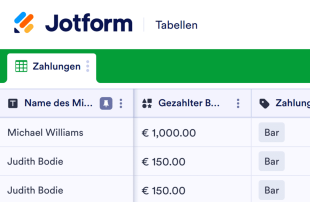
Mietzahlungsbuch
Ein Mietzahlungsbuch ist ein Register, das den Überblick über die Mietzahlungen der Mieter behält. Egal, ob Sie Vermieter, Hausverwalter oder Immobilienbesitzer sind, mit der kostenlosen Vorlage für ein Mietzahlungsbuch von Jotform können Sie die Zahlungsinformationen und Kontaktdaten der Mieter in einer professionellen Online-Datenbank verwalten. Geben Sie Ihre Mietzahlungsdaten einfach manuell ein, laden Sie vorhandene Daten als CSV- oder Excel-Datei hoch, oder verwenden Sie ein Online-Formular, um Mietzahlungen gleichzeitig online zu akzeptieren und Ihre Tabelle automatisch zu aktualisieren! Passen Sie dieses Register für Mietzahlungen an, indem Sie das Layout mit voreingestellten Spaltentypen, farbcodierten Beschriftungen und der Möglichkeit, Informationen in verschiedene Registerkarten aufzuteilen, aktualisieren. Wechseln Sie zwischen Tabellen-, Karten- und Kalenderansicht, um Ihre Mietzahlungsinformationen nach Mieterprofil oder Fälligkeitsdatum zu sehen - oder verwenden Sie sogar unsere Formeln und Berechnungen, um die Gesamtzahlungen, die Sie erhalten, automatisch zu addieren! Organisieren Sie die Mietzahlungen Ihrer Mieter besser mit der kostenlosen Vorlage für das Mietzahlungsbuch von Jotform Tables.
Zur Kategorie:Protokoll-Tabellen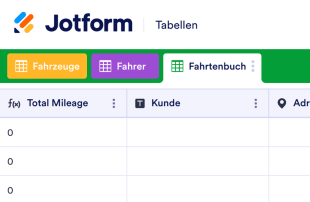
Fahrtenbuch
Behalten Sie den Überblick über die Fahrten Ihres Taxi- oder Fuhrunternehmens mit einem kostenlosen Online-Fahrtenbuchblatt. Erfassen Sie die Kontaktdaten des Fahrers, den Gesamtkilometerstand und mehr.
Zur Kategorie:Protokoll-Tabellen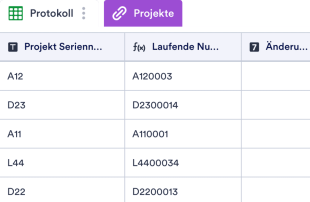
Zeichnungsprotokoll
Verwalten Sie Projektdetails in einem Online-Zeichnungsprotokoll. Füllen Sie es auf jedem Gerät aus. Ideal für Architekten und Ingenieure. Wechseln Sie zwischen Tabellen- und Kalenderansicht.
Zur Kategorie:Protokoll-TabellenÜber Protokoll-Tabellen
Protokollblätter sind kategoriespezifische Tabellenvorlagen, die zur effizienten Organisation und Verwaltung von Datensätzen dienen. Über Jotform-Formulare können Befragte verschiedene Arten von Informationen übermitteln, darunter Bestellungen, Anmeldungen, Rückmeldungen, Inspektionen oder sonstige kategoriespezifische Daten, die für ihre Bedürfnisse relevant sind. Diese Antworten sind für Formularinhaber, darunter Unternehmen, Bildungseinrichtungen, Gesundheitsdienstleister oder Behörden, von entscheidender Bedeutung, da sie einen optimierten Prozess zur Verwaltung dieser Informationen benötigen. Die verknüpfte Tabelle dient als zentrale Verwaltungsstelle für diese gesammelten Daten. So bleiben alle Antworten systematisch organisiert und für Überprüfung sowie weitere Maßnahmen zugänglich.
Jotform Tabellen ist die Plattform, auf der Antworten aus verknüpften Jotform-Formularen automatisch eingehen und verwaltet werden. Sobald eine Person ein Formular absendet, erscheint ihre Antwort als Eintrag in der mit dem Formular verknüpften Tabelle, in der Regel als Zeile in der Tabellenansicht. Formularinhaber können diese Einträge in der Tabellenansicht überprüfen oder mithilfe der Detailansicht weitere Einzelheiten einsehen. Die Organisation und Überprüfung von Antworten erfolgt effizient dank Funktionen wie Suche, Filter, Gruppierung und verschiedenen Spaltentypen. Manuelle Dateneingabe oder Import von Daten über CSV und Excel sind möglich. Der primäre Workflow basiert jedoch auf dem Übergang von Jotform-Formularen zu Jotform Tabellen, wodurch eine reibungslose und übersichtliche Verwaltung der Antworten gewährleistet wird.
Why Use Log Sheets?
- By using Log Sheets, form owners can eliminate the tedious process of manually transferring data from forms to spreadsheets. This not only saves time but also reduces the risk of errors during data entry.
- Keeping all form responses together in one place allows teams to quickly locate and access the information they need without sifting through scattered files or emails.
- Reviewing complete submission details becomes hassle-free, as each entry is automatically populated with all the required information, making it easier to identify any missing data or discrepancies.
- Coordinating follow-ups with respondents is simplified when all the necessary details are available and organized, enabling timely and accurate communication.
- Tracking changes to submissions over time is possible with the revision history feature, ensuring transparency and accountability for any modifications made.
Common Problems Solved by Log Sheets
- Manually copying submissions into spreadsheets can lead to errors and inconsistencies. With Jotform Tables, submissions are automatically captured, ensuring data integrity.
- Responses scattered across multiple platforms make it difficult to have a comprehensive view. Log Sheets consolidate all submissions in one place, streamlining access and review.
- Locating specific records can be challenging within a large volume of data. The search and filter capabilities in Jotform Tables make finding specific entries quick and efficient.
- When context is missing from submissions, it can lead to misunderstandings or delays. By having all related data in one connected table, context is retained, and decisions are better informed.
Anwendungsfälle und passende Funktionen von Jotform Tabellen
- Incoming orders submitted through Jotform Forms are auto-populated into connected tables, allowing form owners to see each order's status and details at a glance.
- Using Table View or Detail View, form owners can review submissions thoroughly, ensuring no critical data is overlooked and all necessary follow-up actions are taken.
- Access settings and assignees help manage team responsibilities by clearly defining who is responsible for each entry, enhancing collaboration and accountability.
- For reporting purposes, the Report View enables the generation of visual summaries, allowing decision-makers to quickly grasp trends and outcomes.
- When dealing with data that requires further analysis, the use of formulas and calculations within Jotform Tables can provide deeper insights and support strategic decisions.
How to Use Log Sheets with Jotform Forms
- Start by selecting a relevant Jotform Tables template, a blank table, or the table connected to an existing Jotform Form. The Jotform Form will collect the category-specific information, and new responses will automatically appear in the connected table.
- The form owner configures the table for submission review by naming columns, choosing appropriate column types, and selecting relevant views such as Table View, Detail View, Calendar View, Uploads View, or Report View to best suit their data management needs.
- Submissions are managed with features like search, filters, and grouping to organize data efficiently. Access settings, assignees, and revision history are utilized to maintain control and collaboration, while action buttons and outputs support execution of necessary tasks.
Top Use Cases for Log Sheets
- For Form Owners: Form owners benefit from using Log Sheets by having a structured method to review and manage incoming responses. They can edit submission data directly within Jotform Tables to ensure accuracy. Checking details or associated uploads is straightforward, and keeping records organized is simplified with the variety of views and filtering options available. This organization facilitates efficient follow-ups and data-driven decision-making.
- For Teams: Teams can easily find and maintain entries using the search and filter features in Jotform Tables. The ability to assign responsibilities through assignees ensures clear accountability, while access settings and revision history support collaborative efforts. This cohesive approach enables teams to work efficiently and maintain consistency across all submissions.
- For Managers: Managers use Log Sheets to monitor collected data and identify category-specific patterns. They review progress and ownership of entries, ensuring that tasks are on track and responsibilities are clear. Utilizing Report View or other relevant views allows managers to gain insights into the data, aiding in strategic planning and oversight.
Summarizing Log Sheets
Log Sheets offer a valuable solution for collecting and managing information through Jotform Forms and Jotform Tables. By automating the transition from form submissions to organized tables, form owners and teams can efficiently handle and analyze data. Jotform Tables provides the tools necessary to review, organize, and act on submissions, making it an indispensable part of the information management process.
Häufig gestellte Fragen
1) Is it free to use Log Sheets with Jotform Tables?
Jotform offers a Starter plan that allows users to access Log Sheets with Jotform Tables. This plan provides a basic level of service that can be useful for those looking to get started with managing form submissions. For more advanced features and higher submission limits, users might consider exploring additional plans offered by Jotform.
2) How do submissions from Jotform Forms appear in Log Sheets?
Submissions from Jotform Forms are directly connected to Jotform Tables through the use of linked forms. When a respondent fills out and submits a form, their information is automatically transferred to the connected table. Each submission appears as a new entry or row, ensuring that future responses are also auto-populated in the same manner.
3) Can I edit, search, filter, group, and calculate data in Log Sheets?
Yes, you can edit submissions directly within Log Sheets, which allows for real-time updates and corrections. The tables feature columns and column types that can be customized to suit your data needs. Additionally, you can use search, filters, and data grouping to organize and find specific records, while formulas and calculations help analyze the data further.
4) Kann ich die Daten aus den Tabellen als CSV- oder Excel-Datei exportieren?
Jotform Tables provides options to export the data as CSV or Excel files. This capability enables users to take their data offline or input it into other systems for further analysis. Exporting complements the main workflow, which is centered around the automatic appearance of form submissions in the connected table.
5) Which Jotform Tables views can I use with Log Sheets?
Log Sheets support several Jotform Tables views, including Table View, Detail View, Calendar View, and Report View. Table View is ideal for a comprehensive look at all submissions, while Detail View allows for in-depth analysis of individual entries. Calendar View is beneficial for tracking time-sensitive submissions, and Report View provides visual summaries of collected data.
6) Can teams collaborate on submissions in Log Sheets?
Teams can collaborate effectively on submissions using features like access settings and assignees. These tools allow for designated responsibilities and controlled access to sensitive data. Real-time tracking and revision history further enhance collaboration by allowing team members to see changes as they happen and maintain a record of all modifications.
7) Can I connect Log Sheets to related data or other applications?
Log Sheets can be connected to related data through linked tables, which allows for a more comprehensive view of related information. Integrations with other applications can also be set up using action buttons, enabling seamless data flow between systems without needing to manually transfer information.
8) Can I create reports, PDFs, and manage files from Log Sheets?
Yes, Jotform Tables provides features like Report View for creating data summaries and generating PDFs for documentation purposes. Uploads View allows you to manage files associated with your submissions, and when relevant, signed documents can be integrated to ensure all necessary documentation is complete and accessible.