

Onboarding Vorlagen

Projekt-Onboarding
Beginnen Sie Ihre neuen Projekte auf dem richtigen Fuß mit dem kostenlosen Projekt-Onboarding-Arbeitsblatt von Jotform! Wenn Sie das angehängte Formular für die Zuweisung von Projektaufgaben auf einem beliebigen Gerät ausfüllen, können Sie automatisch neue Aufgaben- und Projektinformationen direkt an Ihr professionelles Jotform-Online-Konto senden, das durch eine 256-Bit-SSL-Verbindung, GDPR- und CCPA-Konformität geschützt ist. Behalten Sie den Überblick über den Namen, den Status, die Priorität, das Fälligkeitsdatum und die Person, der die Aufgabe zugewiesen ist. Sie können Ihre Tabelle sogar für eine bessere Zusammenarbeit mit Teamkollegen freigeben! Diese Tabelle enthält bereits Tabs für den Projektzeitplan, Tools, Dokumente und Teamdetails. Sie können das Layout jedoch auch neu anordnen, neue Spalten und Tabs hinzufügen oder Dateien hochladen, um alle Ihre Projektinformationen in einem sicheren Konto zu speichern. Wenn Sie Fälligkeitstermine in einem Kalender sehen oder Projektinformationen in separaten Karten anzeigen möchten, können Sie zwischen Tabellen-, Karten- und Kalenderansicht wechseln. Ganz gleich, für welches Projekt Sie verantwortlich sind, stellen Sie sicher, dass alles nach Plan verläuft, indem Sie die Aufgaben mit dieser kostenlosen Vorlage für das Projekt-Onboarding verfolgen.
Zur Kategorie:Onboarding Vorlagen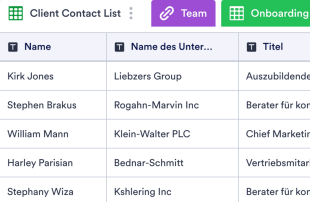
Client-Onboarding-Tabelle-Vorlage
Das Onboarding von Klienten ist der Prozess, bei dem neue Kunden in Ihr Unternehmen eingeführt und auf den neuesten Stand gebracht werden, um bequem mit Ihnen ins Geschäft zu kommen. Unabhängig davon, welche Art von Geschäft Sie führen, können Sie mit unserer Client-Onboarding-Tabellen-Vorlage einen effektiven Prozess des Kunden-Onboardings erstellen! Dieses kostenlose Online-Tabellenblatt wird Ihnen und Ihrem Team helfen, den Onboarding-Prozess leichter unter Kontrolle zu halten. Um anzufangen, geben Sie einfach Informationen über neue Kunden direkt in die Tabelle ein und kreuzen Sie abgeschlossene Onboarding-Schritte an. Die Anpassung dieses Client-Onboarding an Ihren Onboarding-Prozess erfordert keine Programmierung. Ziehen und ordnen Sie einfach Zeilen und Spalten neu an, ändern Sie Etikettennamen und -farben und fügen Sie neue Registerkarten hinzu, um Kundendaten zu organisieren. Sie können sogar zur Kartenansicht wechseln, um Kundeninformationen in leicht lesbare Karten zu trennen. Und mit nur wenigen Mausklicks können Sie Ihre Client-Onboarding-Tabelle herunterladen, ausdrucken, zuweisen und für eine nahtlose Zusammenarbeit im Team mit anderen teilen. Mit einer benutzerdefinierten Client-Onboarding-Tabellen-Vorlage können Sie neue Kunden effizienter in Ihrem Unternehmen willkommen heißen und bessere Kundenbeziehungen fördern!
Zur Kategorie:Onboarding Vorlagen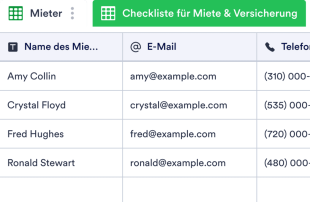
Checkliste für neue Mieter
Sorgen Sie mit der kostenlosen Jotform Checkliste für neue Mieter dafür, dass die Einzugstage Ihrer Mieter so reibungslos wie möglich verlaufen. Ob Sie ein privater Vermieter oder ein Immobilienmakler sind, der mehrere Objekte verwaltet, Sie können die Daten Ihrer neuen Mieter, die Kautions- und Mietbeträge nahtlos verwalten und benutzerdefinierte Checklisten für Miete, Versicherung und Einzugsvorbereitungen in einer professionellen Online-Tabelle ausfüllen. Sie können sogar zur Kalenderansicht wechseln, um Zahlungsfälligkeiten einfacher zu sehen! Diese Checkliste für neue Mieter verfügt bereits über Tabs für den Einzugstag, Kontaktinformationen und die Verfolgung von Miet- und Kautionszahlungen. Sie können jedoch gerne neue Zeilen und Spalten hinzufügen, um weitere Informationen aufzunehmen - oder neue Etikettenfarben oder Namen für eine persönliche Note wählen. Und wenn Sie die Mietsummen addieren müssen, um Ihr monatliches Einkommen zu berechnen, können Sie dies mit der Schnellberechnungsfunktion von Jotform automatisch tun! Bringen Sie Ihre Hausverwaltungsfähigkeiten auf die nächste Stufe mit einer kostenlosen Online-Checkliste für neue Mieter.
Zur Kategorie:Onboarding Vorlagen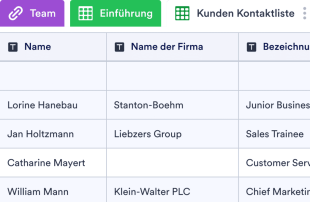
Kundeneinführung
Erstellen und verwalten Sie einen effektiven Kundeneinführungsprozess für Ihr Unternehmen. Kostenloses Online-Tabellenformular. Einfach anzupassen, herunterzuladen, zu drucken und weiterzugeben. Keine Programmierkenntnisse erforderlich.
Zur Kategorie:Onboarding VorlagenÜber Onboarding Vorlagen
Onboarding-Vorlagen sind Tabellenvorlagen in Jotform Tabellen, mit denen Sie Datensätze aus Jotform-Formularen ordnen und verwalten. Sie eignen sich für unterschiedliche Branchen und Abteilungen und helfen Formularverantwortlichen, die jeweils erfassten Informationen effizient zu verwalten. Ob Angaben zu neuen Beschäftigten, Kundenregistrierungen oder Feedback: Die Vorlagen bieten eine feste Struktur für eingehende Einsendungen. Formularverantwortliche, Personalabteilungen und Verwaltungsteams verwalten die erfassten Daten so übersichtlich auf einer Plattform. Die Informationen werden nicht nur erfasst, sondern auch systematisch geordnet und sind leicht zugänglich.
Jotform Tabellen ist das zentrale Werkzeug für die Verwaltung von Einsendungen aus Jotform-Formularen. Sobald jemand ein Formular absendet, erscheinen die Angaben automatisch als Eintrag in der verbundenen Tabelle und können geprüft werden. In der Tabellen- oder der Detailansicht sehen Sie sich jede Einsendung im Einzelnen an. Mit Suche, Filtern und Gruppierung sortieren und analysieren Sie die Daten. Manuelle Eingabe sowie der Import von CSV- oder Excel-Dateien stehen ergänzend zur Verfügung; im Mittelpunkt steht die automatische Übernahme der Formulareinsendungen in die Tabelle – für eine effiziente Datenverwaltung.
Why Use Onboarding Templates?
- Onboarding Templates eliminate the need for manual data transfer by automatically populating the connected table with form submissions, saving time and reducing errors in data entry.
- Keeping all responses in one centralized location ensures that form owners and teams can quickly access all submissions, avoiding the hassle of scattered records across multiple platforms.
- With advanced search and filtering capabilities, locating specific entries becomes a straightforward task, allowing for more efficient data management and quicker retrieval of information.
- Reviewing complete submission details is simplified with customizable columns and views, enabling users to see all necessary information at a glance without needing to open each individual entry.
- Coordinating follow-up actions is streamlined with the use of action buttons and assignees, ensuring timely responses to submissions and effective communication among team members.
- Changes to submissions can be tracked through revision history, providing a clear timeline of updates and ensuring accountability within the team.
Common Problems Solved by Onboarding Templates
- Manually copying submissions from emails or paper forms into spreadsheets is not only time-consuming but also prone to errors, a problem that is resolved by the automatic appearance of responses in Jotform Tables.
- Scattered responses across different platforms can lead to data being overlooked or lost; these tables centralize all submissions, preventing such issues.
- Difficulty locating records due to inconsistent organization is mitigated by using search, filters, and grouping features that streamline data retrieval.
- Inconsistent review and approval processes are addressed by providing a uniform platform to manage all submissions, ensuring that each entry receives the necessary attention.
- Hard-to-review uploads are tackled with specific column types and Uploads View, offering a clear and structured way to handle attachments and files associated with each entry.
Anwendungsfälle und passende Funktionen von Jotform Tabellen
- Incoming employee applications auto-populate into the connected table through Jotform Forms, ensuring that all new submissions are immediately available for review and action.
- Reviewing customer feedback submissions is enhanced by using Table View and Detail View, allowing form owners to examine responses in a format that best suits their needs.
- Organizing entries by department or category is simplified using data grouping and filters, enabling teams to focus on relevant submissions without sifting through all entries.
- Managing team responsibilities is facilitated with access settings and assignees, ensuring that each team member knows their role in handling submissions.
- Generating reports from collected data is streamlined with Report View, allowing form owners to create comprehensive summaries and insights from the submissions.
How to Use Onboarding Templates with Jotform Forms
- Begin with a Jotform Tables template relevant to your category, a blank table, or the table connected to an existing Jotform Form. The Jotform Form will collect the specific information needed, and new responses will automatically populate the connected table.
- Configure the table for submission review by naming columns, choosing appropriate column types, and selecting relevant views such as Table View, Detail View, Calendar View, Uploads View, or Report View to provide the best perspective for data analysis.
- Manage submissions efficiently using search, filters, grouping, formulas, access settings, assignees, revision history, linked tables, and action buttons to ensure data is organized, accessible, and actionable.
Top Use Cases for Onboarding Templates
- For Form Owners: Form owners benefit from using Jotform Tables to review incoming responses promptly and efficiently. They can edit submission data to correct any errors and check details or uploads to ensure completeness. By organizing records using customizable columns and views, form owners maintain a structured and accessible database, allowing them to focus on analyzing and acting on the data collected.
- For Teams: Authorized team members can easily find submissions and maintain entries through the use of features like search and data grouping. They coordinate responsibilities by assigning tasks within the team, ensuring clarity on who manages each submission. Access settings and revision history support shared work, enabling team members to track updates and collaborate effectively on the data.
- For Managers: Managers utilize Jotform Tables to monitor collected data and identify category-specific patterns and trends. They review progress and ownership of entries, ensuring that submissions are handled efficiently and appropriately. With Report View and other relevant views, managers gain valuable insights into the data, supporting decision-making and strategic planning.
Summarizing Onboarding Templates
Onboarding Templates play a crucial role in managing category-specific information collected through Jotform Forms. By seamlessly transitioning submissions into Jotform Tables, these templates provide a reliable framework for reviewing, organizing, and acting on the data. The tables ensure that all entries are systematically managed, enhancing the efficiency of data handling for various professional users. In essence, these templates bridge the gap between data collection and data management, ensuring smooth workflow throughout the process.
Häufig gestellte Fragen
1) Is it free to use Onboarding Templates with Jotform Tables?
Jotform offers a Starter plan, which includes the use of Onboarding Templates within Jotform Tables. While the Starter plan provides access to essential features, users may explore additional options and capabilities through different plans. However, specific limits, quotas, or pricing details are not disclosed here.
2) How do submissions from Jotform Forms appear in Onboarding Templates?
When a form is connected to an Onboarding Template, every submission automatically appears as an entry in the linked table. This process ensures that responses are auto-populated in real-time, allowing form owners to manage incoming data efficiently. Future form submissions will continue to populate the table, providing a seamless flow of information.
3) Can I edit, search, filter, group, and calculate data in Onboarding Templates?
Yes, you can edit entries and customize columns and column types to suit your needs. The search, filter, and data grouping capabilities allow for efficient organization and retrieval of information. Formulas and calculations can be applied to analyze data further, providing valuable insights without automated decision-making.
4) Kann ich die Daten aus den Tabellen als CSV- oder Excel-Datei exportieren?
Data from Onboarding Templates can be exported as CSV or Excel files, making it easy to share information or integrate with other systems. This capability complements the automatic population of submissions from connected forms, allowing for a comprehensive approach to data management.
5) Which Jotform Tables views can I use with Onboarding Templates?
You can utilize several views, including Table View, Detail View, Calendar View, Report View, and Uploads View. Each view offers a unique perspective, helping form owners review submissions in a manner that best fits their analysis needs. These views ensure comprehensive data management without promoting stage-based workflows.
6) Can teams collaborate on submissions in Onboarding Templates?
Teams can collaborate effectively using access settings, which control who can view or edit the data. Assignees, real-time tracking, and revision history further support teamwork, enabling members to coordinate tasks and track changes. These features ensure that collaboration on submissions is efficient and organized.
7) Can I connect Onboarding Templates to related data or other applications?
Onboarding Templates can be linked to related data through linked tables, providing a cohesive data management solution. Integrations and action buttons offer the potential to connect with other applications, enhancing the functionality and utility of the tables without specifying unsupported integrations.
8) Can I create reports, PDFs, and manage files from Onboarding Templates?
Yes, you can create detailed reports using Report View and generate PDFs for submissions. Uploads View facilitates file management, and signed documents can be associated with table data as needed. These capabilities allow for comprehensive data handling and documentation.