Smart PDF Forms let you convert your existing PDF document into an online form. Simply upload your PDF, map the form fields, and start collecting responses. You can then download the completed data directly onto your original PDF document.
Converting your PDF to a fillable form is easy. Here’s what to do:
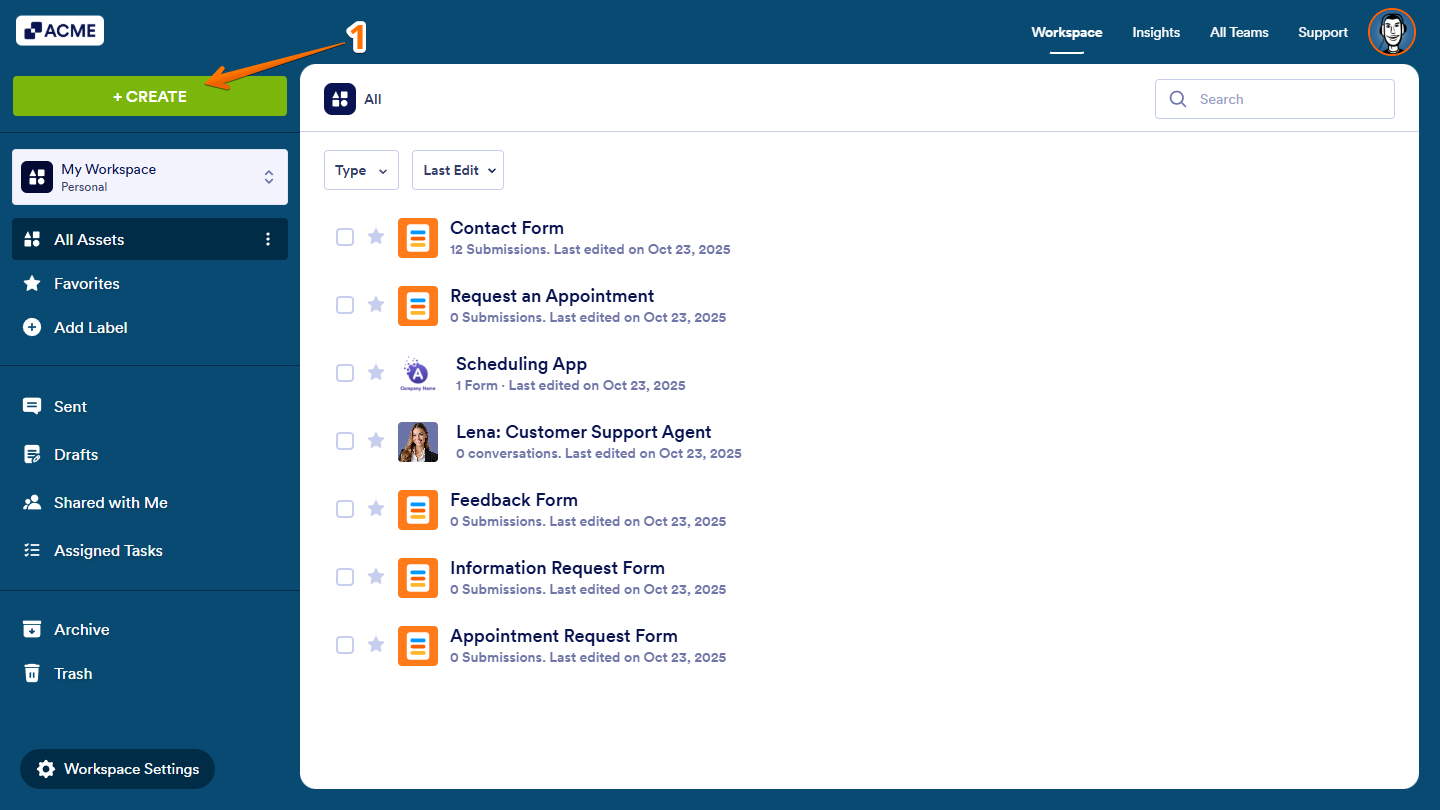
- On your Workspace page, on the top-left side of the screen, click on Create.
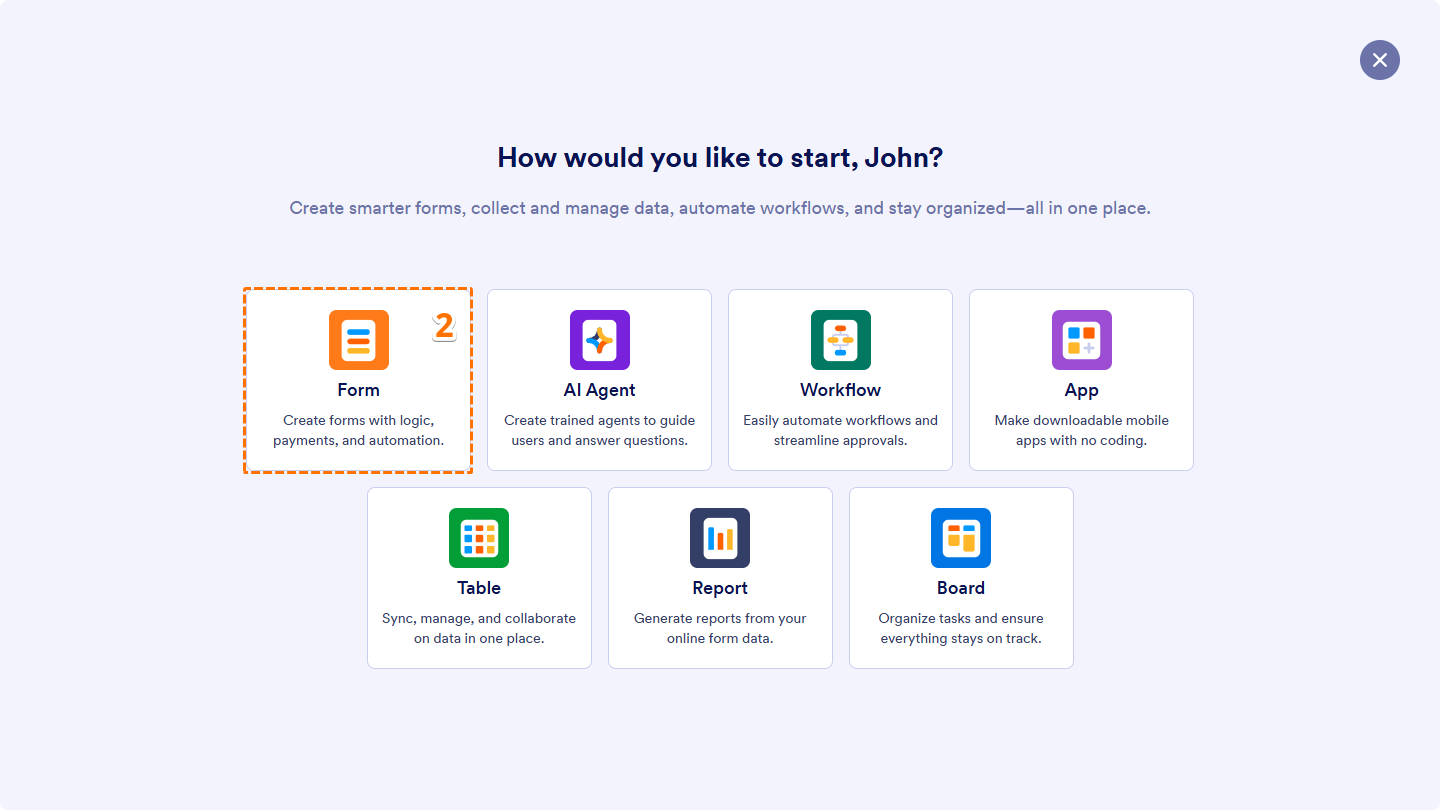
- Then, in the window that comes up, click on Form.
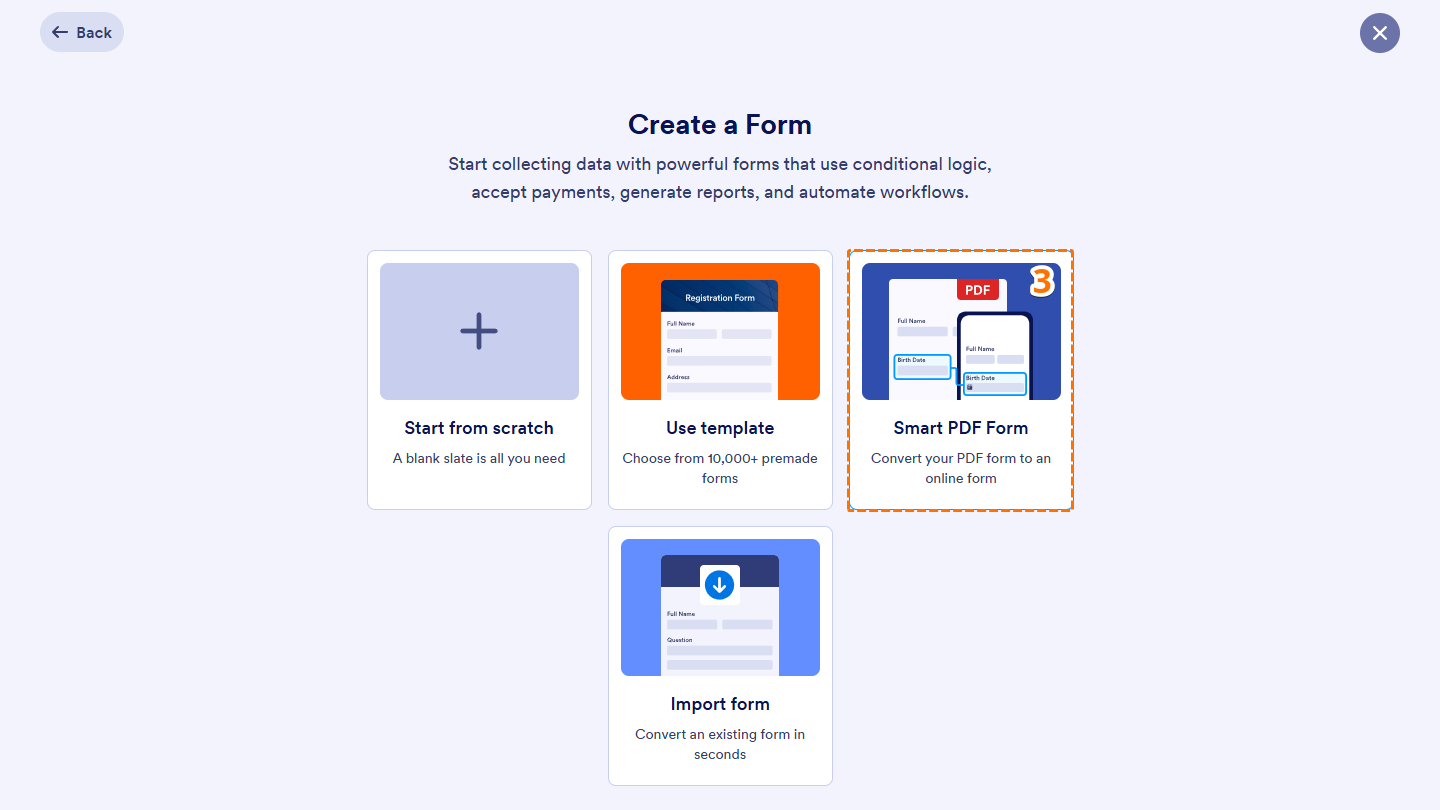
- Next, select Smart PDF Form.
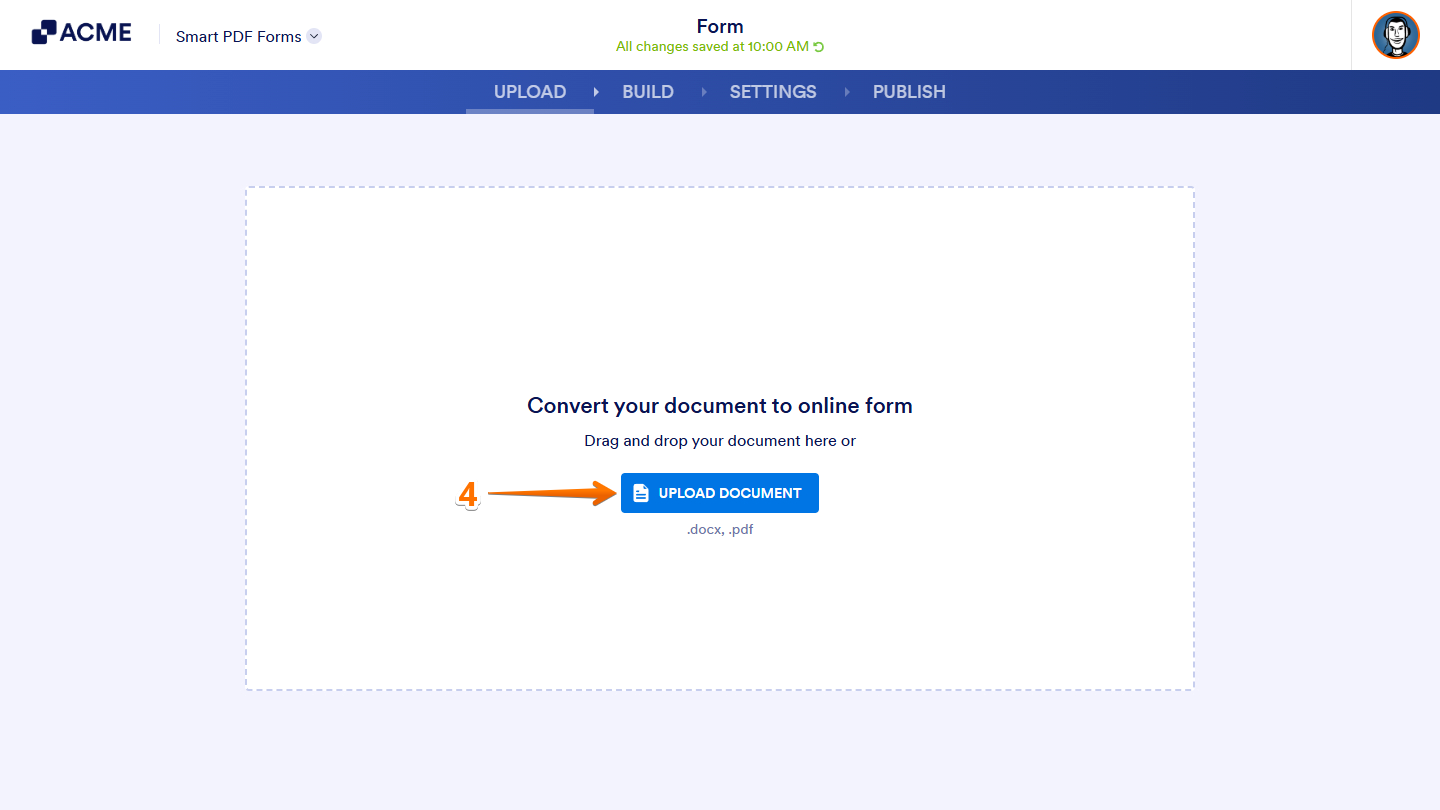
- Now, click on Upload Document and upload your PDF file.
Note: The online form may not look exactly the same as your imported PDF. The system automatically detects and recreates the form fields based on your PDF layout.
Once that’s done, you should see your imported PDF along with the online form created from it. Check out the sample screenshot below:
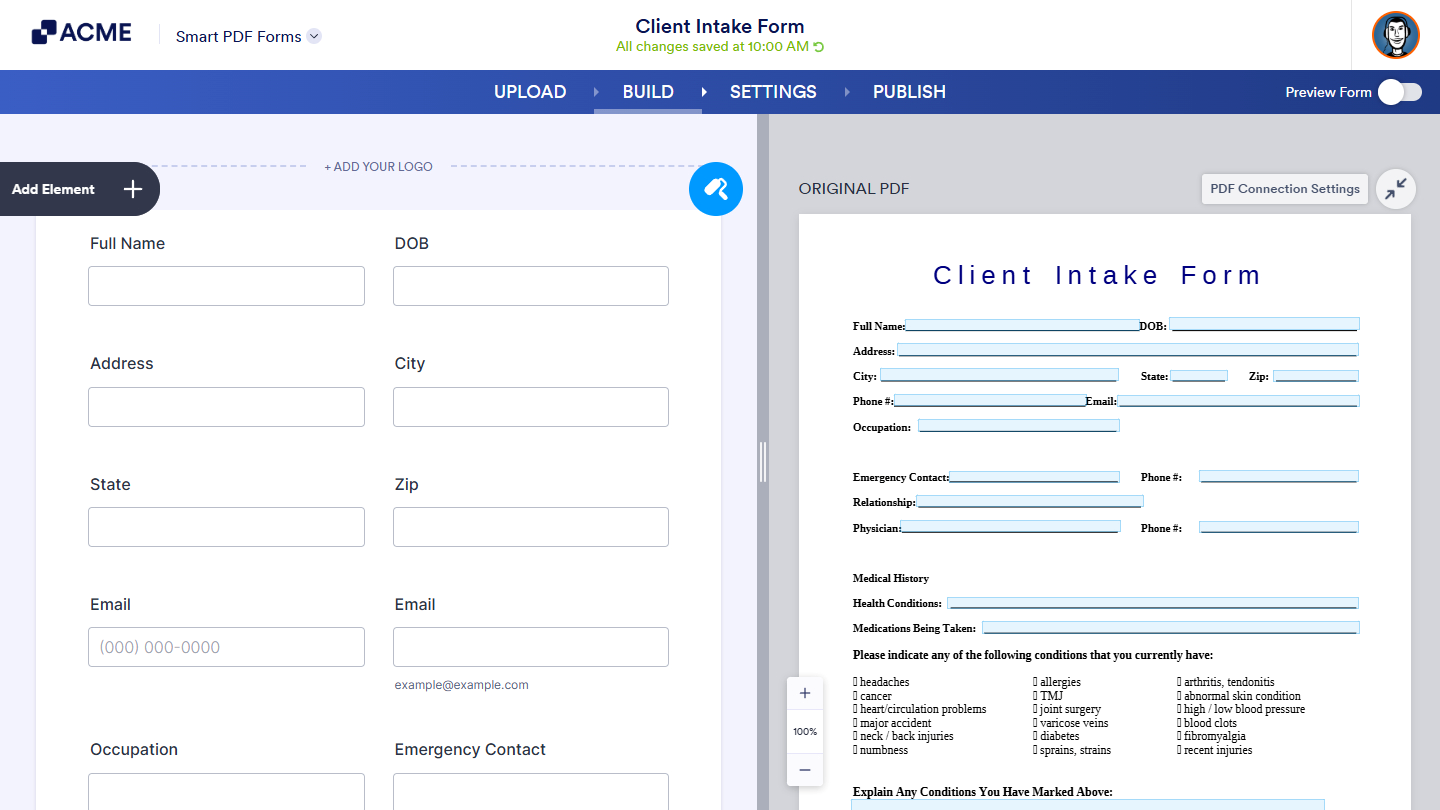
That’s it! You’ve successfully converted your PDF document into an online form using Smart PDF Forms. You can now share it with others and start collecting responses right away.

Send Comment: