How to Assign a Custom Filename to Your PDF Report With PDF Editor

October 23, 2025

The PDF Editor lets you create beautiful PDF templates for your submissions and even make multiple PDF documents. You can use these to send personalized PDFs based on the user’s answers in the form. You can also give each PDF a custom file name using any field from your form.

  1. In the PDF Editor, on the right-side of the page, click on Gear icon.
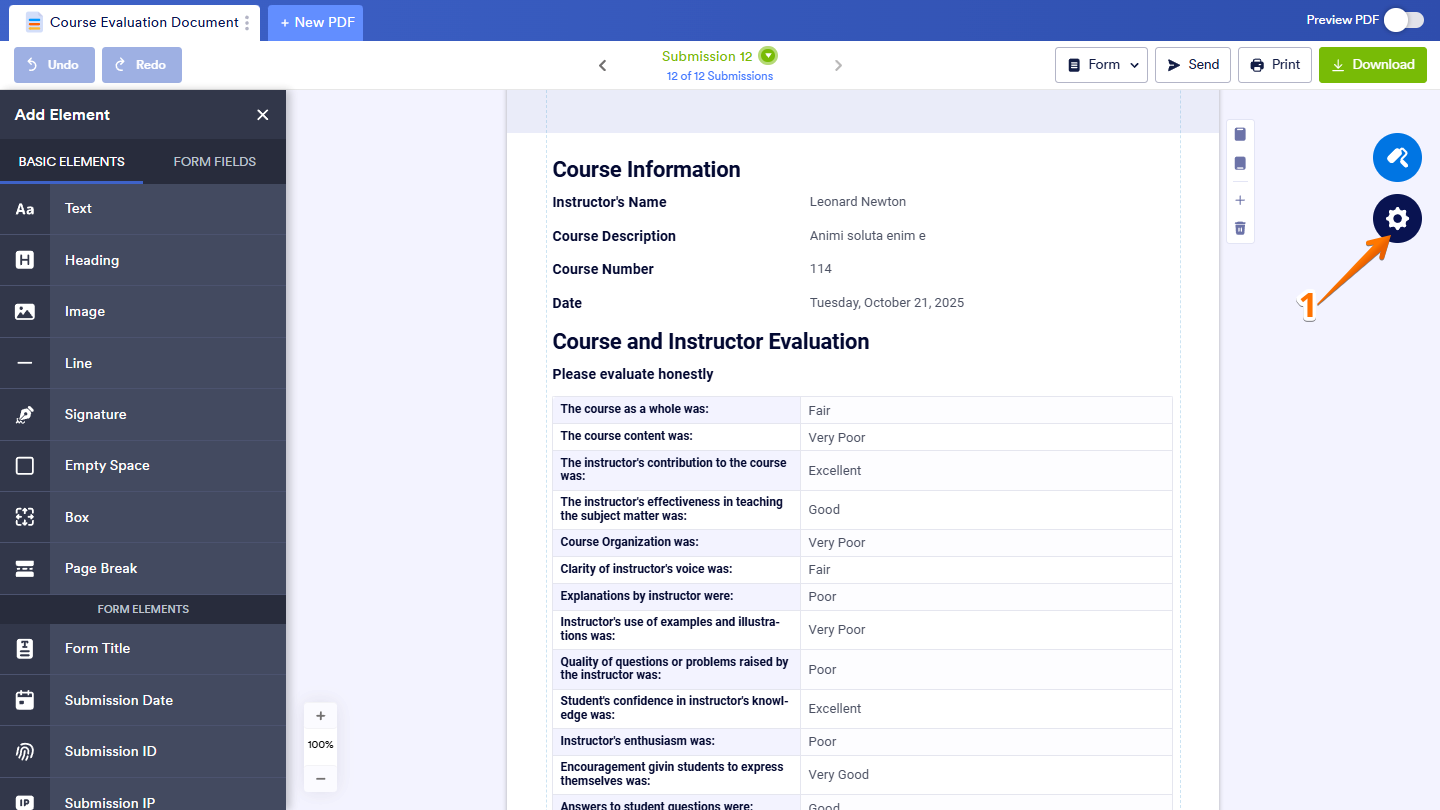
Accessing the PDF Settings by clicking the Gear icon on the right side of the page in the PDF Editor
  1. Then, in the PDF Settings window that comes up, under PDF File Name, click on Pencil icon.
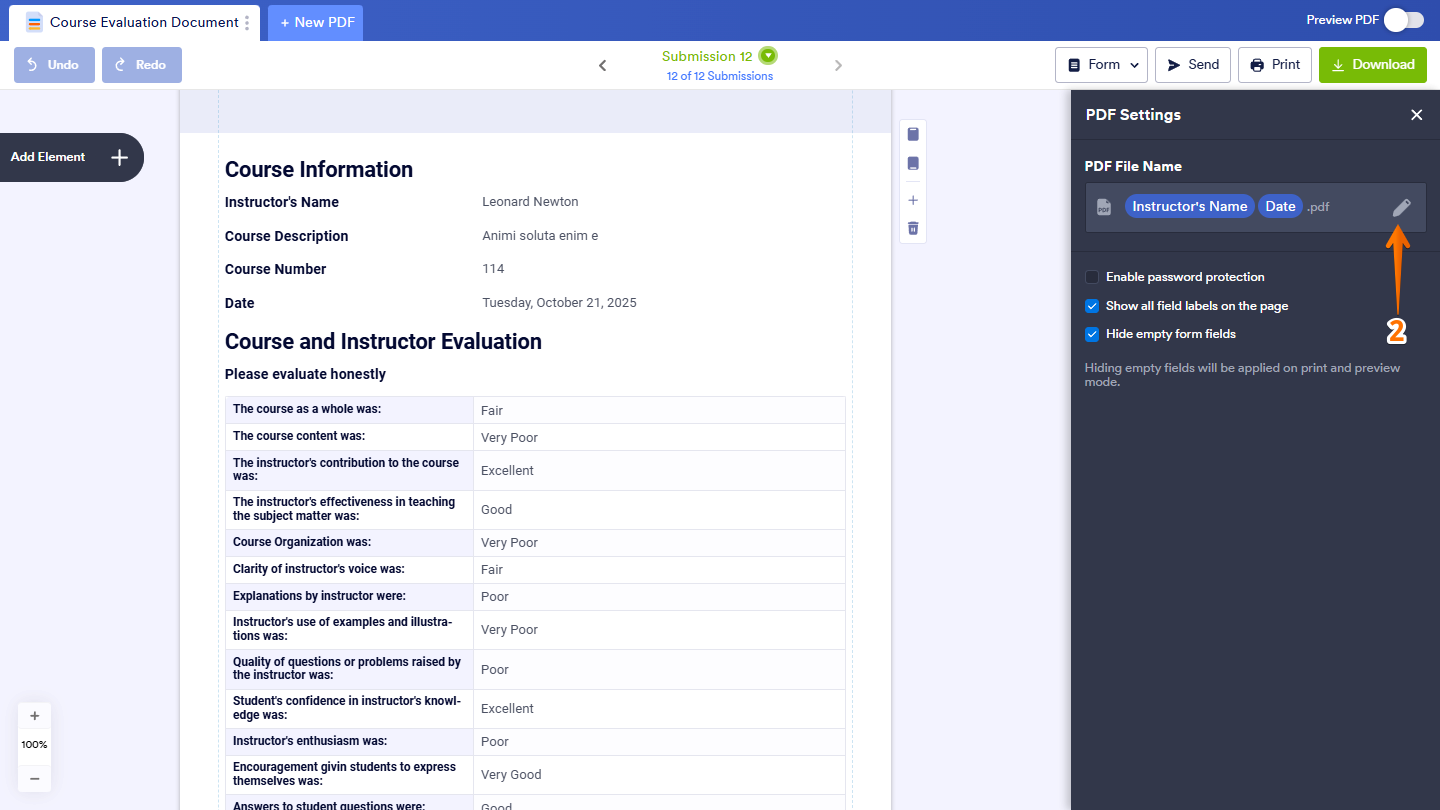
Editing the PDF file name by clicking the Pencil icon under the PDF File Name section in the PDF Settings window in PDF Editor
  1. Now, click on Add Fields to create a custom file name using form fields.
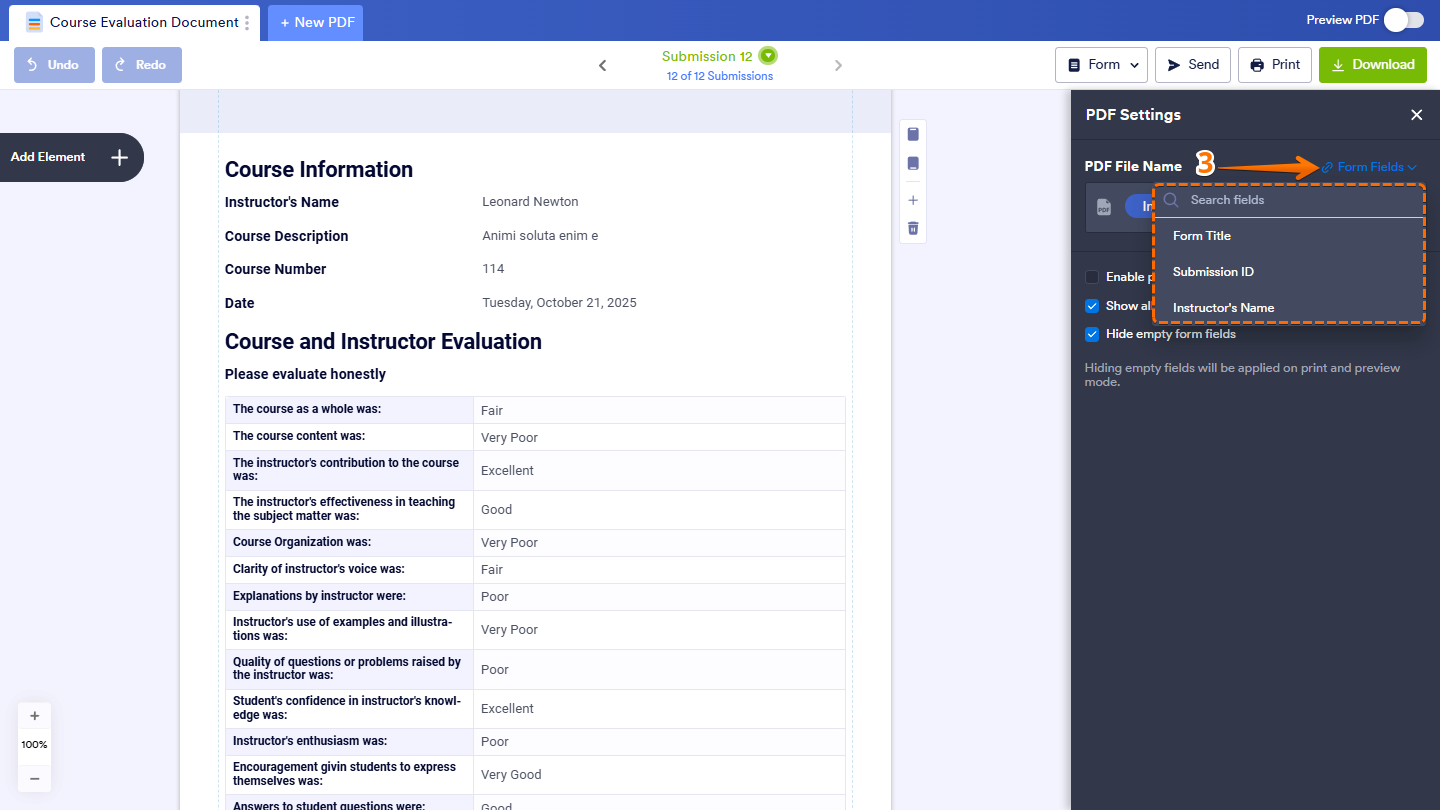
Clicking on Add Fields to insert form fields and create a custom file name under the PDF File Name section in PDF Editor
  1. Or, you can simply type your preferred file name instead, and you’re all set.
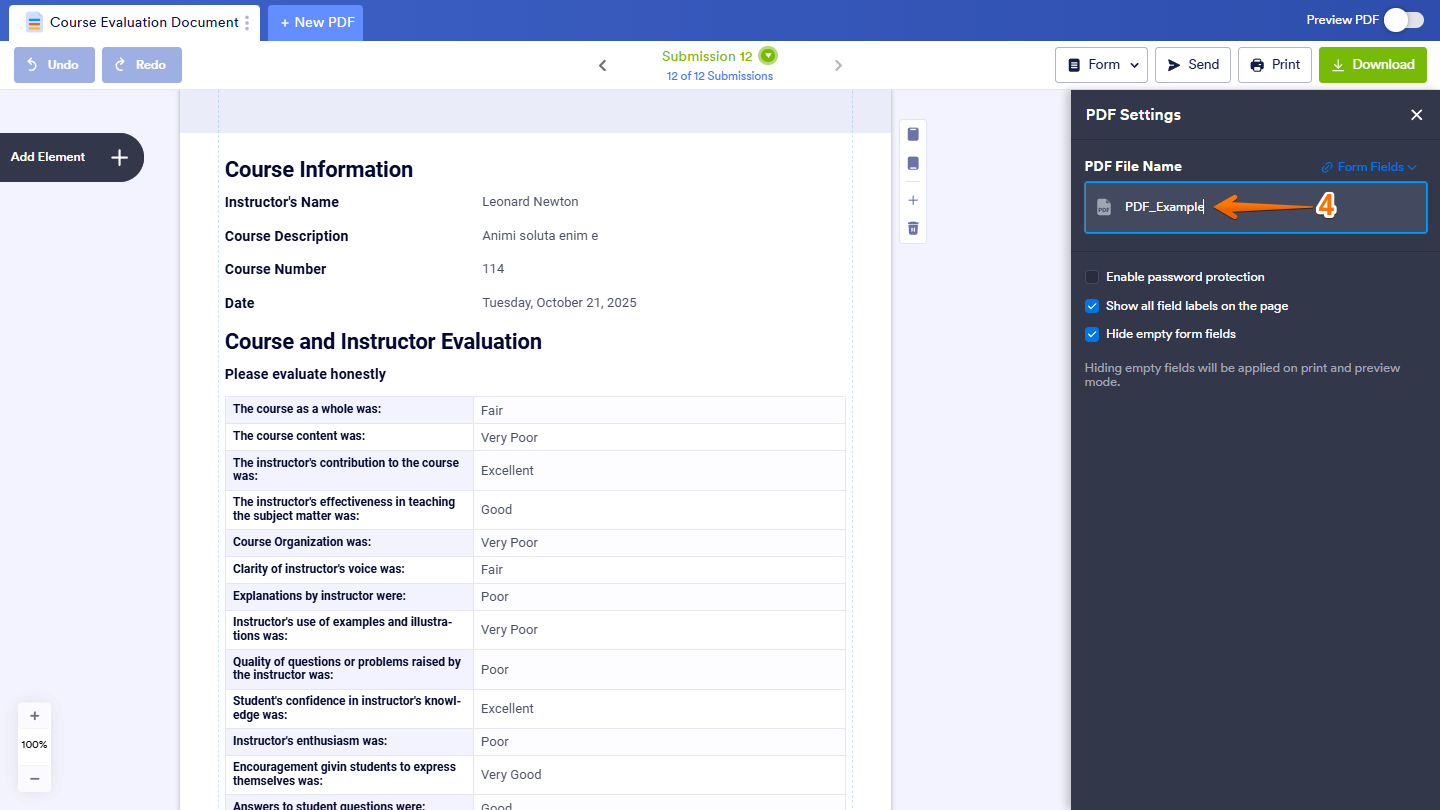
Typing a custom file name directly in the PDF File Name field instead of adding form fields in PDF Editor

Note: Any changes you make are saved automatically.

Send Comment:

Jotform Avatar
This site is protected by reCAPTCHA and the Google Privacy Policy and Terms of Service apply.

Podo Comment Be the first to comment.
Still have unanswered questions?

We’re here for you 24/7, anytime you need us day or night. Have a question or need a hand with something? Our team is always ready to help out.