You can create a Team Workspace either directly from the Workspace menu or through the Admin Console, depending on your role and permissions.
Create a Team Workspace from the Workspace Menu
To create a team from the Workspace menu, the Allow Team Creation setting must be enabled at your organization.
- First, in My Workspace, click on the workspace name above the Create button.
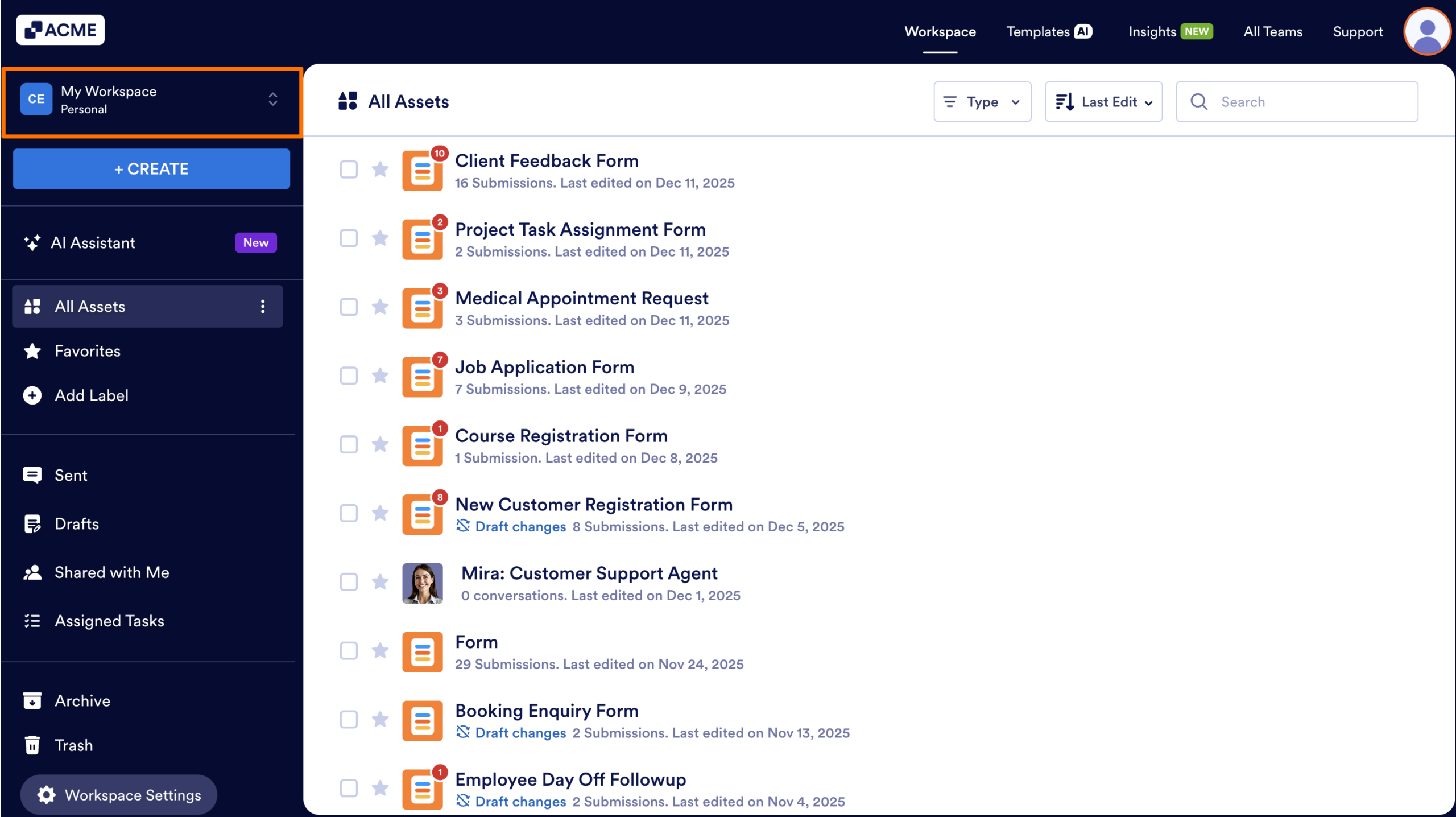
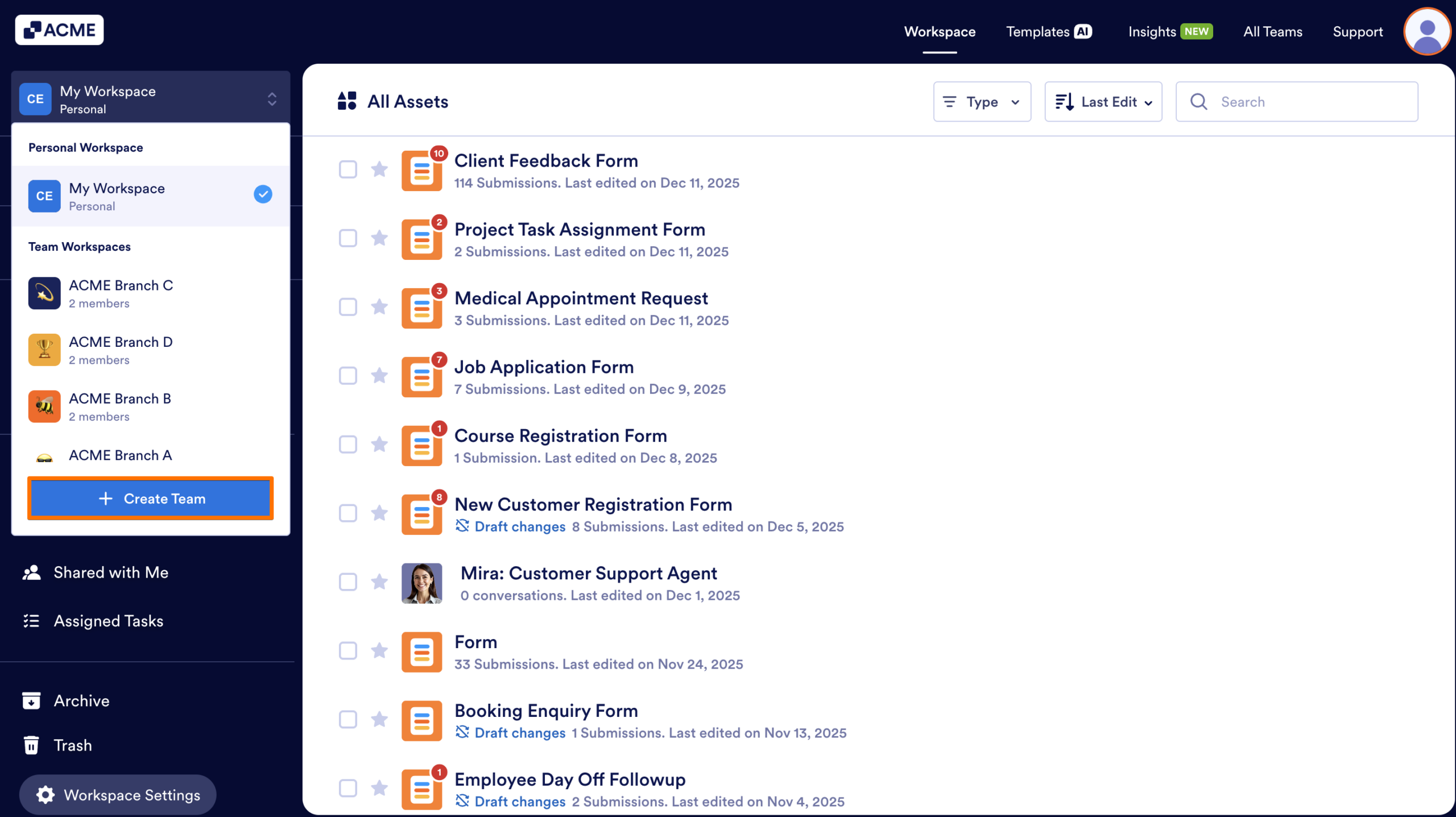
- Next, under Team Workspaces, click on Create Team.
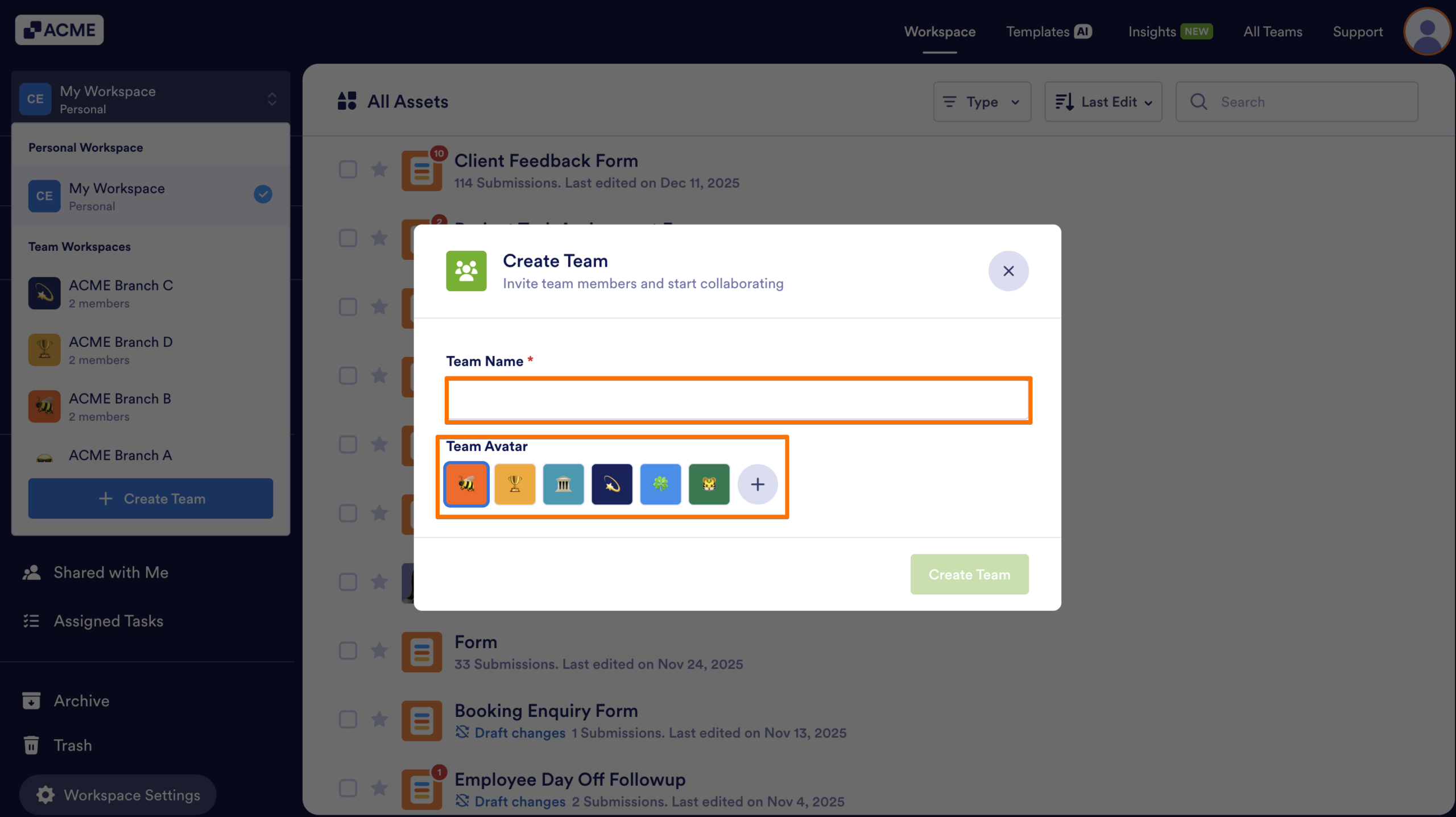
- Then, select a team name and avatar.
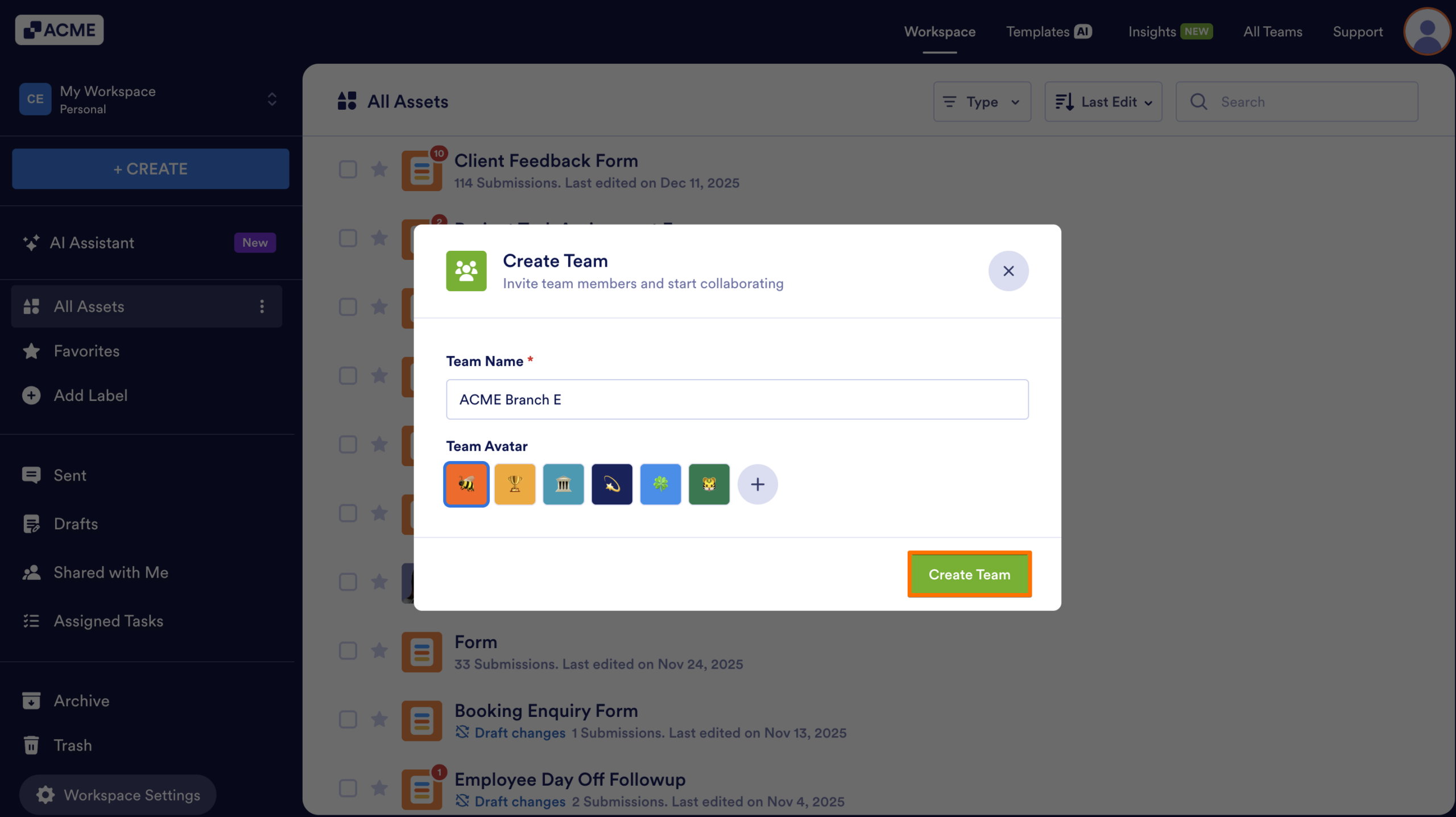
- Click on Create Team.
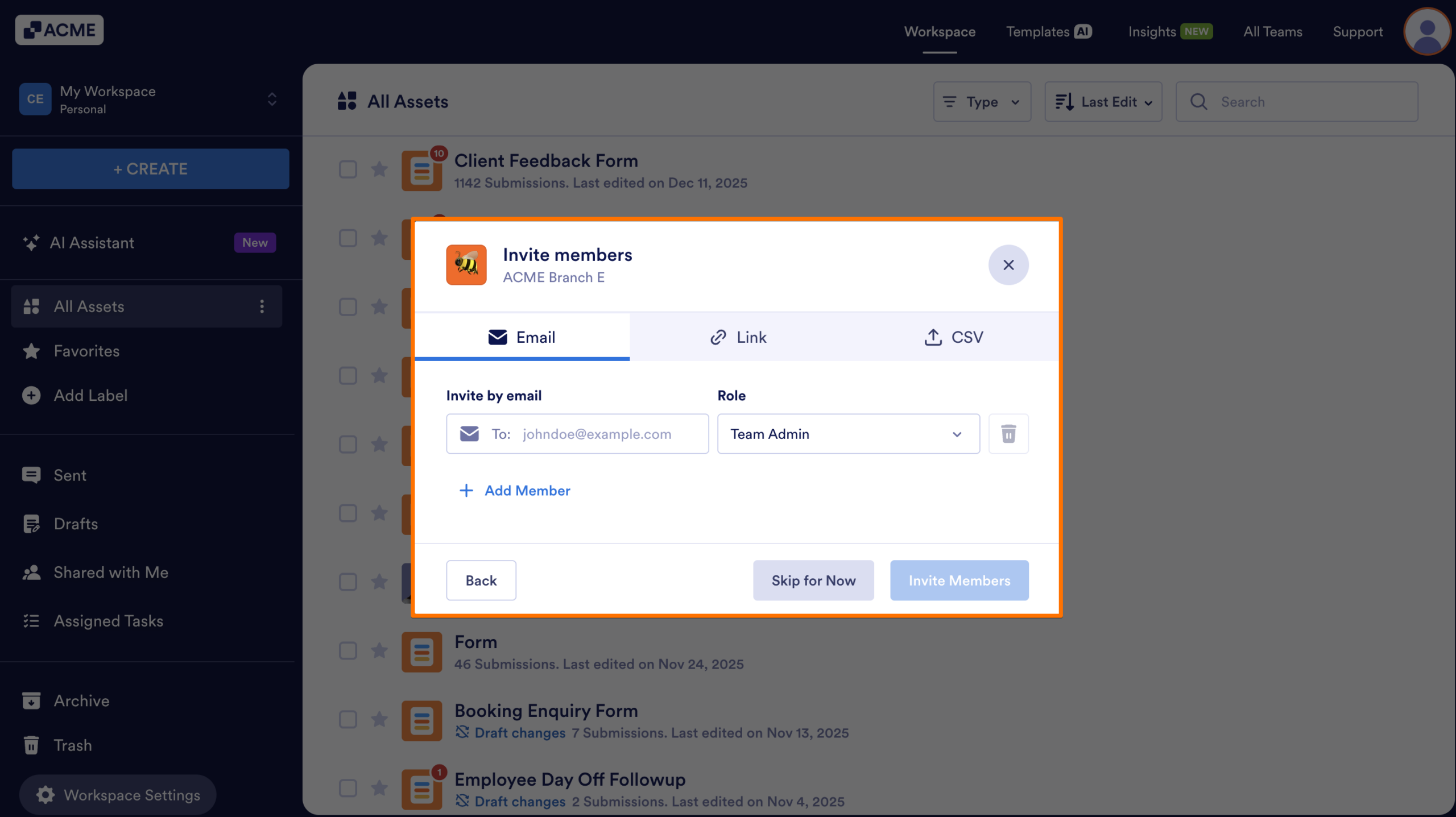
- Finally, invite Members to your team.
Create a Team Workspace from the Admin Console
Administrators can also create teams directly through the admin console.
- First, in the Admin Console, in the sidebar on the left side of the screen, select Teams.
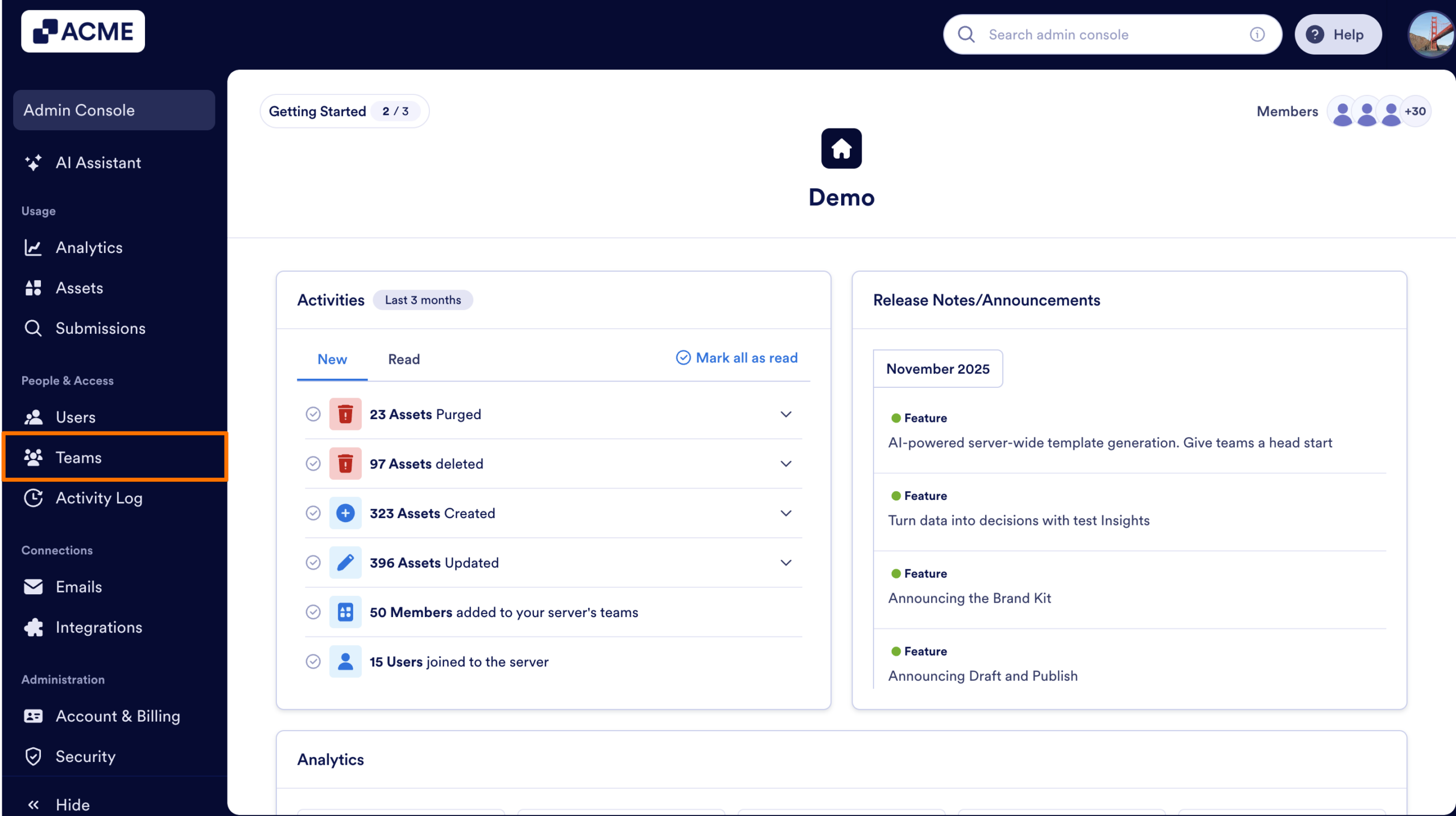
- Next, click on Create Team in the upper right corner, below the Settings buttont.
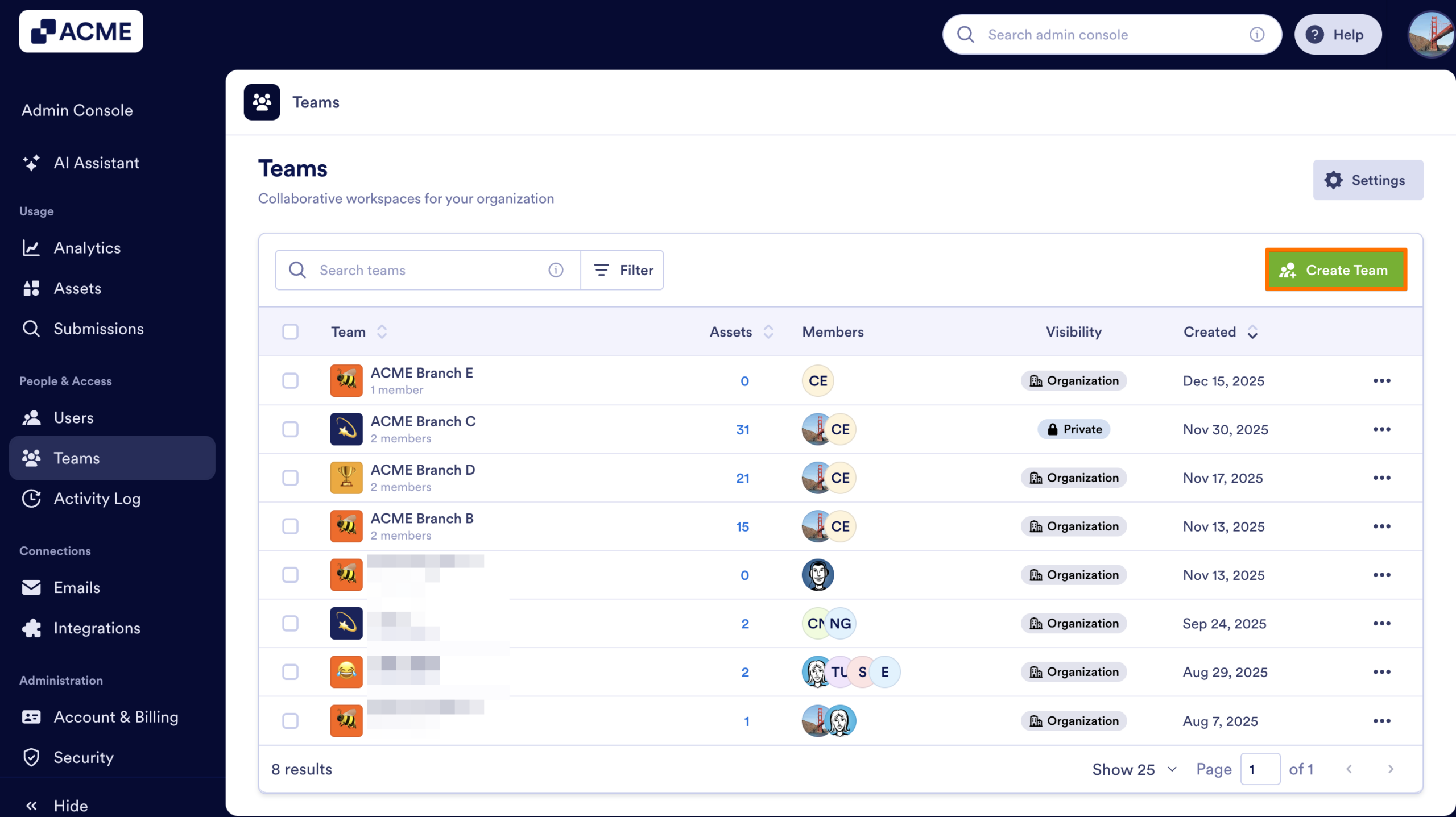
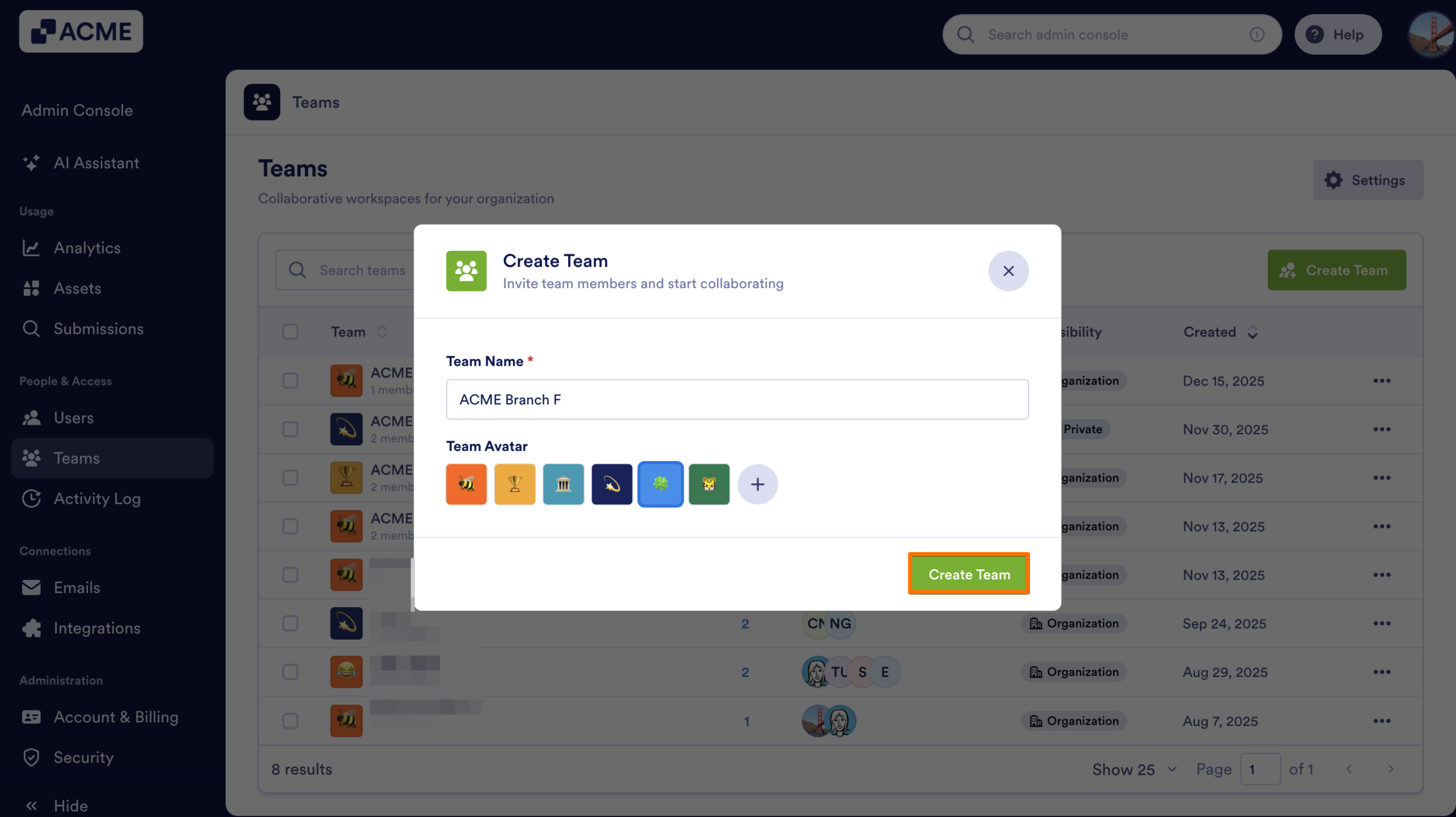
- Then, enter a Team name and select an avatar for the team.
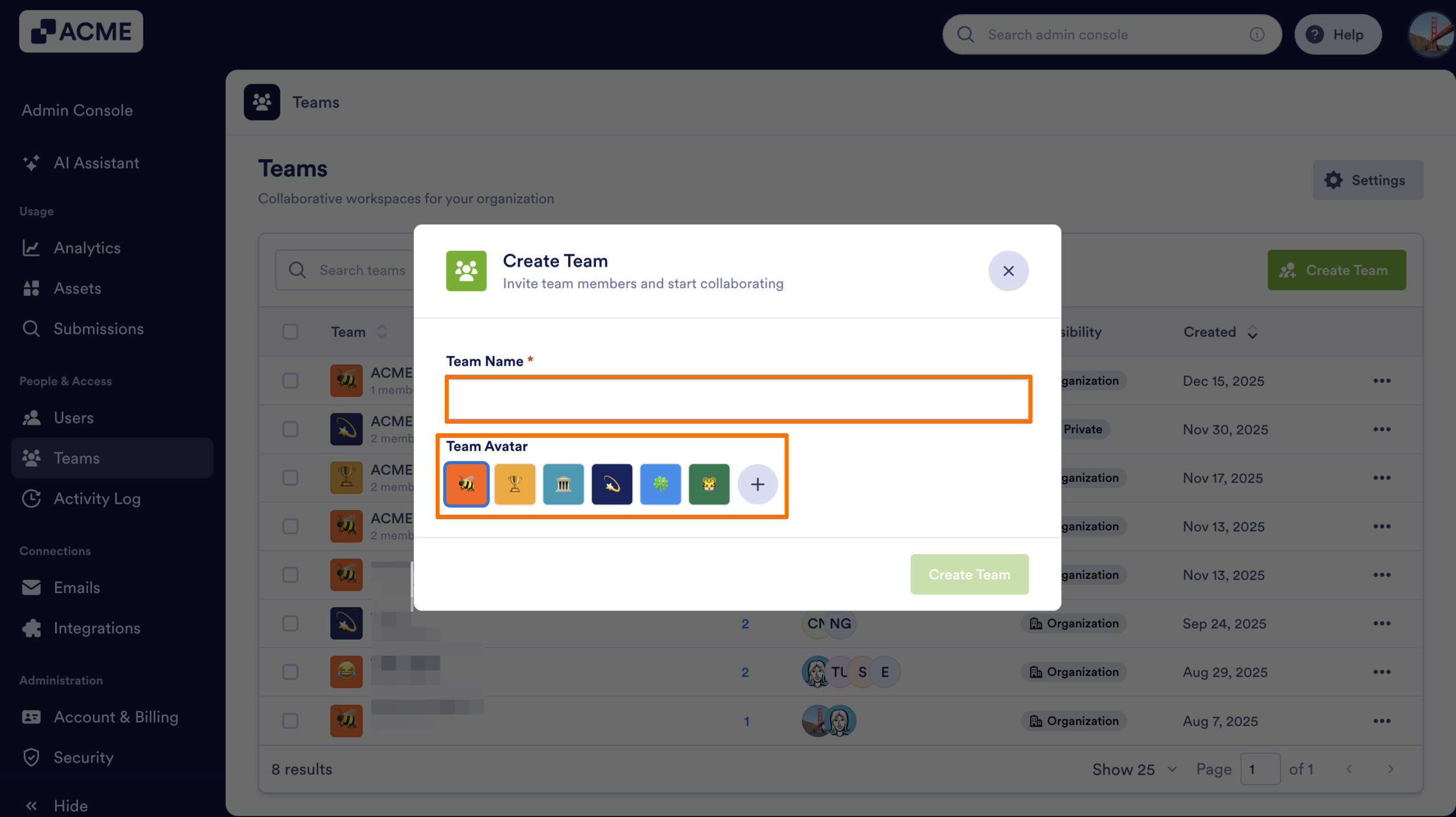
- Next, click on the Create Team button.
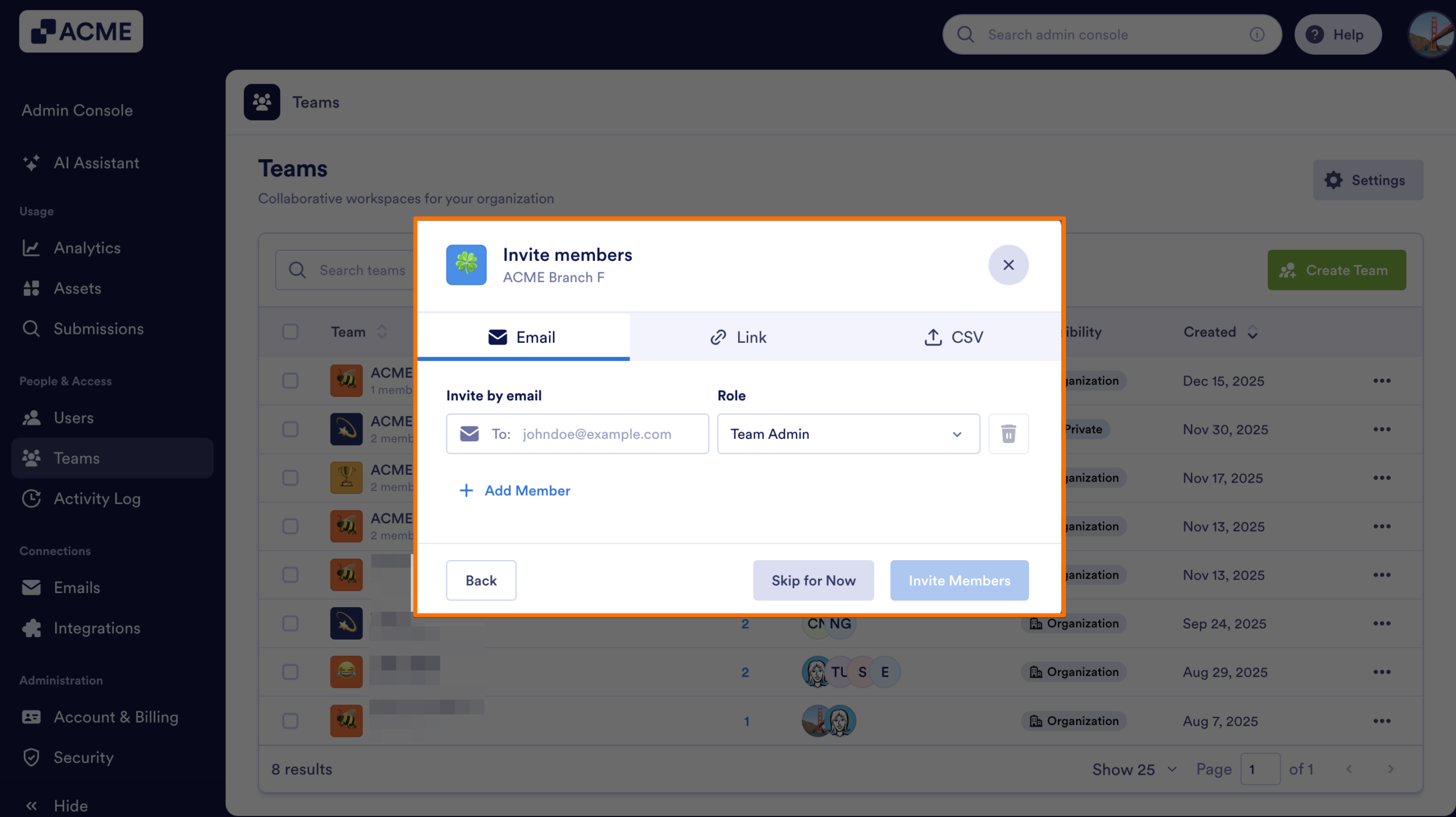
- Finally, invite your teammates using the Email, Link or CSV tabs.

Send Comment: