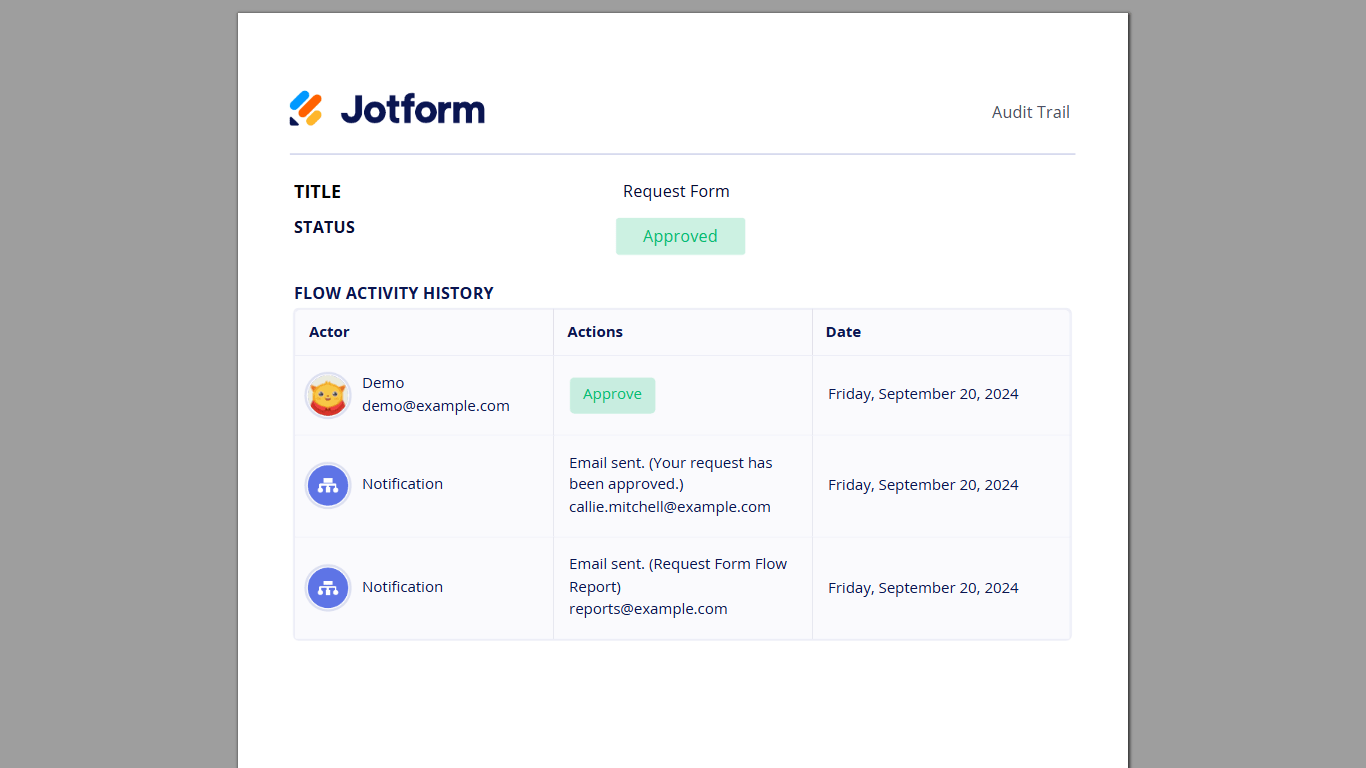
The Flow Report element in Jotform Workflows allows you to generate detailed reports of an ongoing or completed approval process. The reports can be sent to you or any designated recipient via email. This provides a clear record of the approval process, showing who approved or denied requests and any comments made.


To use Approval Report
- In the Workflow Builder, add a Flow Report element to your flow.
- Select your Flow Report’s gear icon to open properties.

- In the properties panel on the right, enter your desired recipient email address. Or select Form Fields to assign the recipient email address dynamically.
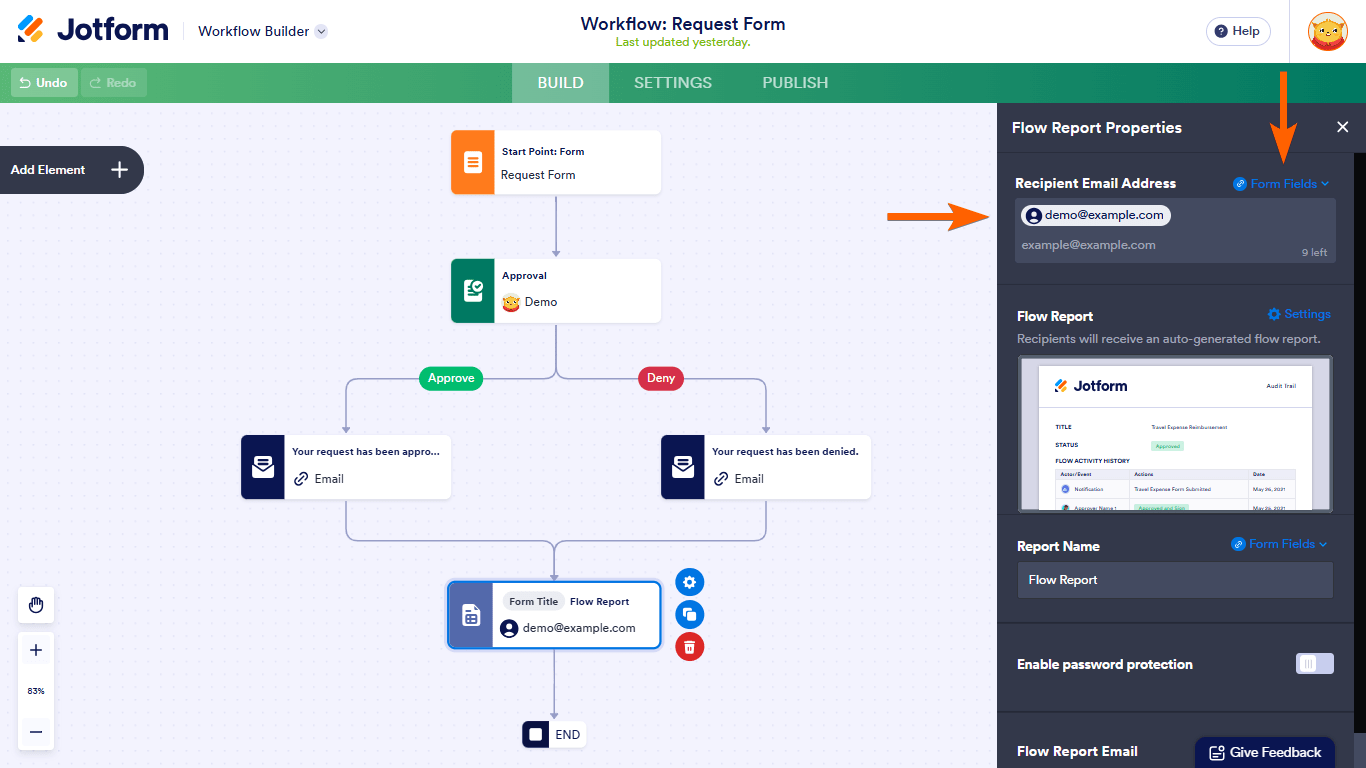
- Select Settings and Edit to customize your PDF and email report respectively. All changes are saved automatically.

You or your defined recipient can now receive email reports of the approvals.

Send Comment:
8 Comments:
January 7, 2024
how can i but my logo in approval report ? insted of Jotform ?
October 25, 2023
Whenever I try to edit the approval report email, the email the requestor receives does not contain the approval PDF. How do I fix that?
August 29, 2023
Hi. Is it possible to edit the approval report. I want to use my own logo.
August 24, 2023
I assume in this example that if the approver Denied the request, then the Approval report will populate the Status field with 'Denied' instead of 'Approved'?
June 20, 2023
Is it possible to for the approval status to be integrated with a form response google sheet.
February 15, 2023
Approval report only showing date and no time?
July 14, 2022
Is this feature available for free accounts?
February 15, 2022
How does the password component work for HIPAA documents?