

Equipment Tracking Forms

Modulo Di Ritiro Attrezzature
Gestisci richieste interne di ritiro e consegna dotazioni con il Modulo di Ritiro Attrezzature, ideale per magazzini, uffici e team tecnici che vogliono coordinare appuntamenti, autorizzazioni e data collection con Jotform.
Vai alla Categoria:Moduli per la gestione delle risorse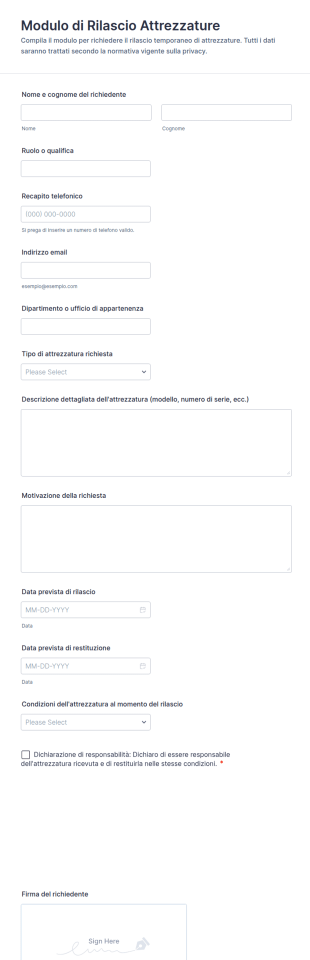
Modulo Di Rilascio Attrezzature
Gestisci consegne e prestiti interni con il Modulo di rilascio attrezzature, utile per aziende e scuole che vogliono organizzare la raccolta dati e ogni invio del modulo con Jotform.
Vai alla Categoria:Moduli per la gestione delle risorse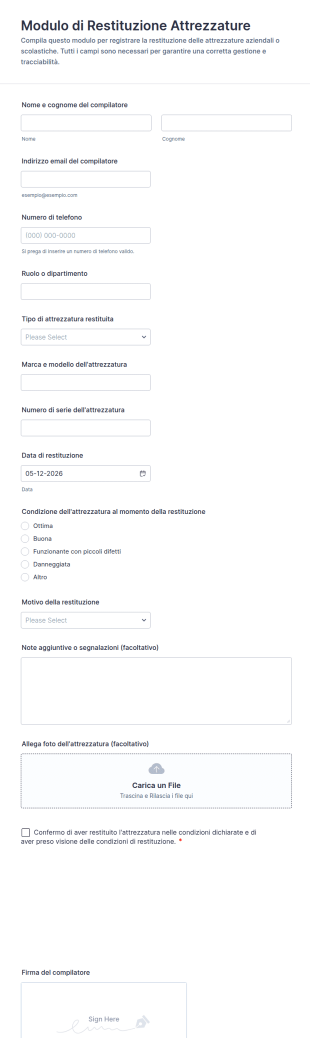
Modulo Di Restituzione Attrezzature
Gestisci la riconsegna di dispositivi e dotazioni con il Modulo di Restituzione Attrezzature Form di Jotform, utile per aziende e reparti tecnici che vogliono tracciare rientri, condizioni dichiarate e data collection in un unico modello di modulo.
Vai alla Categoria:Moduli per la gestione delle risorse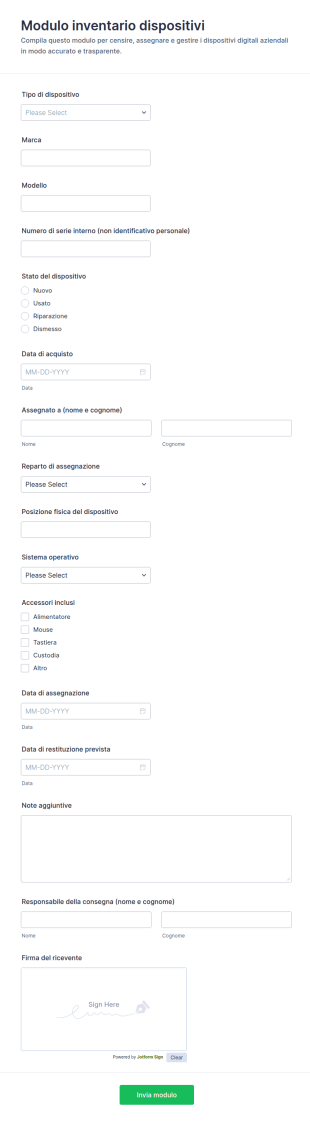
Modulo Di Inventario Dispositivi
Il Modulo inventario dispositivi semplifica la raccolta dati su dotazioni aziendali e assegnazioni, aiutando reparti tecnici e amministrativi a mantenere un inventario aggiornato con Jotform.
Vai alla Categoria:Moduli per il Monitoraggio delle Risorse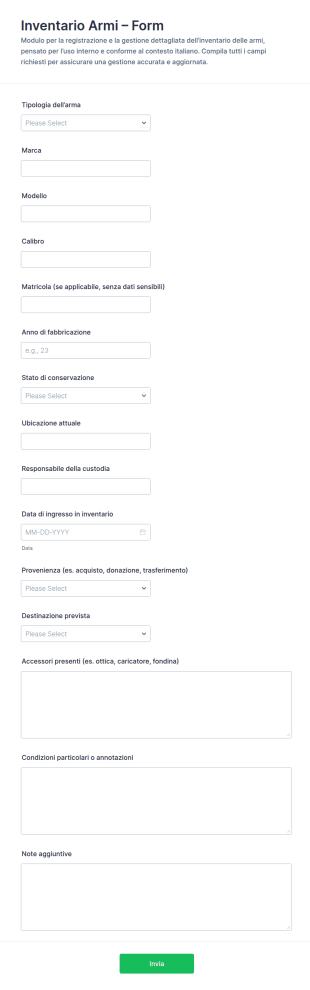
Inventario Armi Checklist
Gestisci la raccolta dati per il tuo inventario interno con il Modulo inventario armi di Jotform, ideale per registrare e aggiornare informazioni operative su dotazioni e custodia in modo ordinato e condivisibile.
Vai alla Categoria:Moduli per il Monitoraggio delle Risorse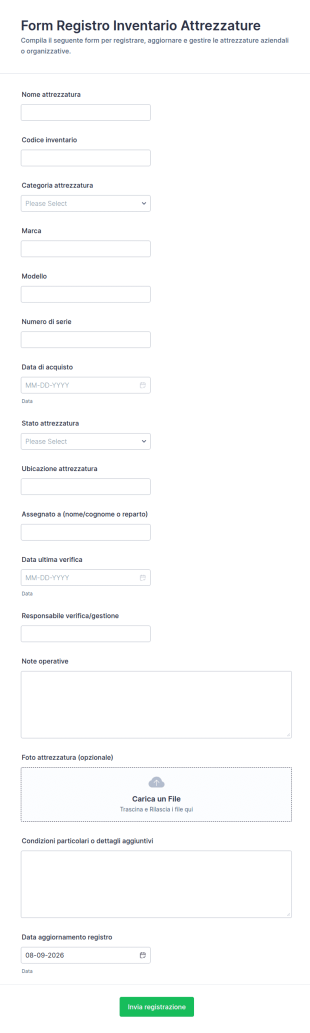
Modulo Di Inventario Attrezzature
Gestisci la raccolta dati per attrezzature aziendali con il Modulo Registro Inventario Attrezzature, utile a registrare e aggiornare l’inventario, monitorare sedi e assegnazioni e organizzare ogni risposta del modulo in Jotform.
Vai alla Categoria:Moduli per il Monitoraggio delle Risorse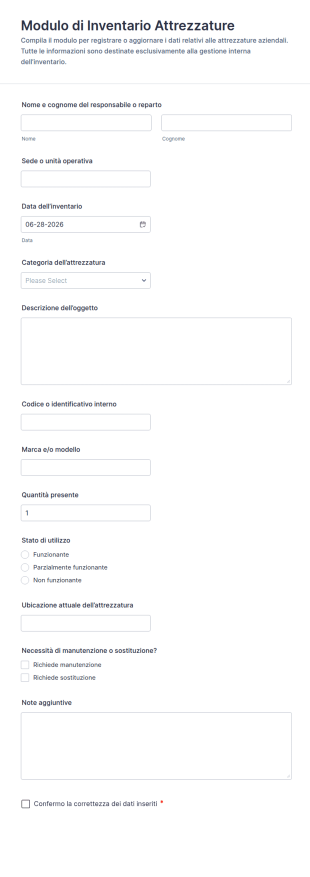
Modulo Inventario Attrezzature
Monitora dotazioni e beni aziendali con il Modulo di Inventario Attrezzature, ideale per sedi multiple, magazzino e manutenzione, con raccolta dati ordinata e risposta gestibili in Jotform.
Vai alla Categoria:Moduli per il Monitoraggio delle Risorse
Modulo Di Trasferimento Di Strumenti E Materiali
Gestisci consegna e restituzione di utensili e materiali tra reparti o sedi con il Modulo di trasferimento utensili e materiali di Jotform, utile per magazzino, manutenzione e logistica per una raccolta dati ordinata.
Vai alla Categoria:Moduli per il Monitoraggio delle Risorse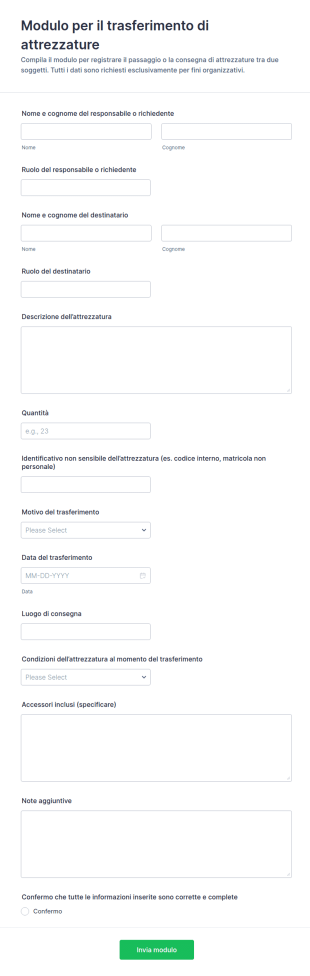
Modulo Di Trasferimento Attrezzature
Gestisci passaggi di attrezzature tra sedi, reparti o persone con il Modulo per il trasferimento di attrezzature Form, utile a team amministrativi e magazzini per tracciare consegne e raccolta dati in modo coerente.
Vai alla Categoria:Moduli per il Monitoraggio delle Risorse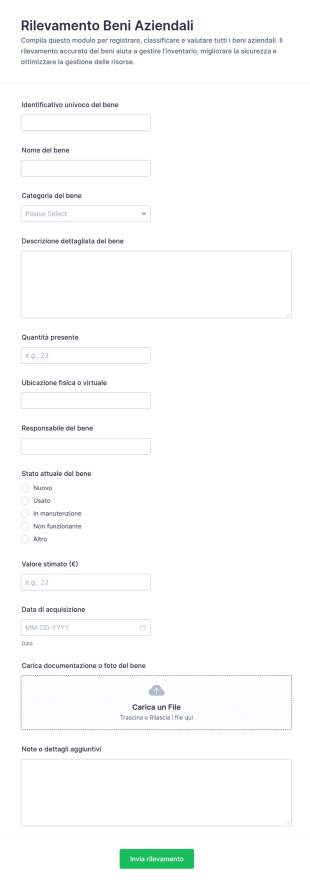
Sondaggio Risorse Asset Form
Gestisci inventari e censimenti interni con il Modulo di Rilevamento Beni Aziendali di Jotform, utile per aziende e uffici che vogliono monitorare dotazioni, ubicazioni e responsabili, migliorando la data collection e la gestione delle risposte.
Vai alla Categoria:Moduli per il Monitoraggio delle Risorse
Modulo Di Richiesta E Rilascio Di Attrezzature
Gestisci richieste, consegne e restituzioni di attrezzature aziendali con il Modulo di richiesta e rilascio attrezzature di Jotform, utile per reparti, magazzino e sedi operative che devono coordinare la raccolta dati.
Vai alla Categoria:Equipment Request Forms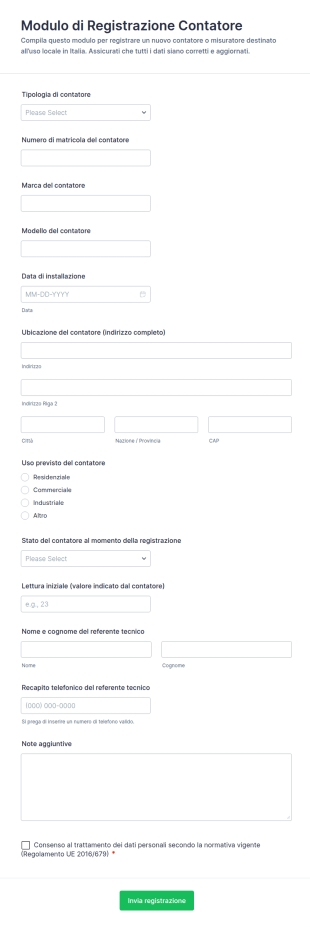
Modulo Di Registrazione Del Contatore
Raccogli e centralizza la registrazione dei contatori con il Modulo di Registrazione del Contatore, ideale per installazioni, sostituzioni e censimenti tecnici in aziende di servizi e gestione immobili con Jotform.
Vai alla Categoria:Moduli di Registrazione
Modulo Di Trasferimento Inventario 📦
Gestisci trasferimenti di beni tra sedi, magazzini e reparti con il Modulo di trasferimento inventario di Jotform, utile per logistica interna e raccolta dati affidabile su consegna e ricezione tramite invio del modulo.
Vai alla Categoria:Equipment Tracking Forms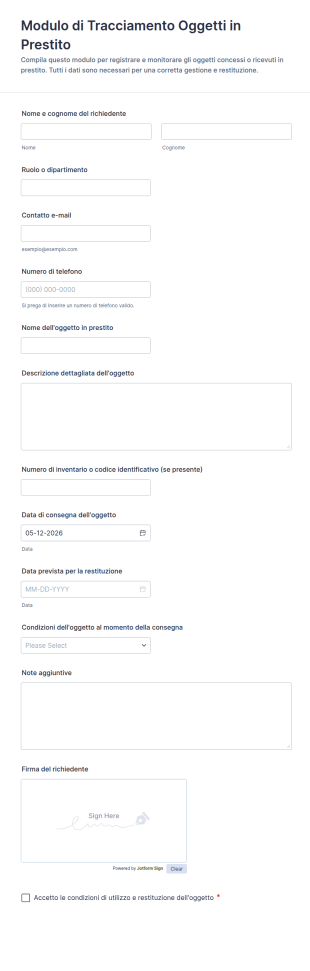
Modulo Di Registrazione Di Oggetti Presi In Prestito 📦
Gestisci prestiti e restituzioni di attrezzature con il Modulo di Tracciamento Oggetti in Prestito di Jotform, utile per uffici, scuole e reparti che vogliono una raccolta dati ordinata e risposte sempre consultabili.
Vai alla Categoria:Moduli Tracciamento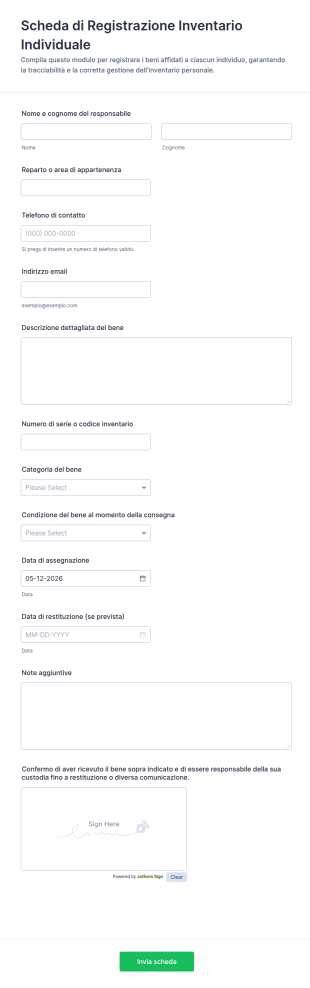
Scheda Di Registrazione Inventario Individuale
Gestisci l’assegnazione e la restituzione dei beni aziendali con la Scheda di Registrazione Inventario Individuale Modulo di Jotform, utile per uffici, magazzini e reparti informatici che vogliono migliorare la raccolta dati.
Vai alla Categoria:Moduli per il Monitoraggio delle Risorse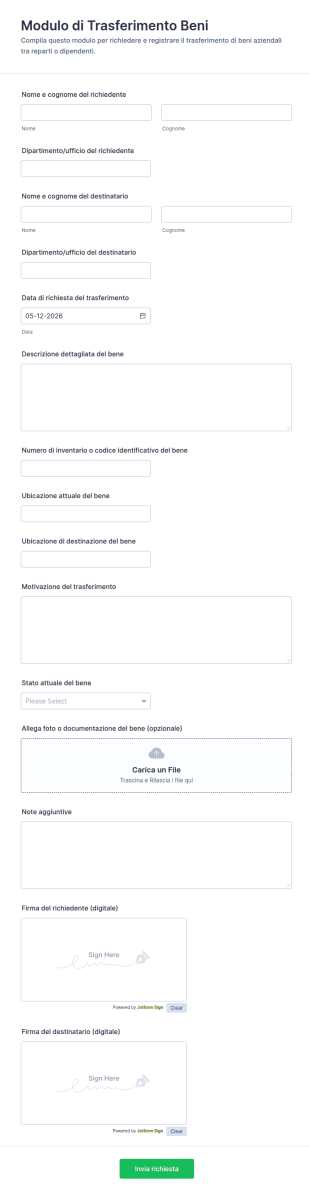
Modulo Di Trasferimento Beni
Gestisci passaggi di inventario tra reparti e sedi con il Modulo di Trasferimento Beni, utile per aziende e uffici che vogliono migliorare la raccolta dati e tenere traccia di ogni invio del modulo in Jotform.
Vai alla Categoria:Moduli per il Monitoraggio delle RisorseInformazioni su Equipment Tracking Forms
Equipment tracking forms are structured documents used to record, monitor, and manage the movement, status, and assignment of equipment across teams, locations, or projects. They help organizations keep accurate records of where equipment is, who is using it, when it was checked out or returned, and what condition it is in. Equipment tracking forms are commonly used in offices, schools, healthcare facilities, warehouses, construction sites, labs, and field service operations to track laptops, tools, devices, instruments, and other shared assets. By standardizing tracking workflows, these forms reduce loss, improve accountability, and make it easier to plan equipment availability.
With Jotform, equipment tracking forms can be built quickly using a no-code, drag-and-drop Form Builder and optimized for fast, repeatable submissions. Conditional logic can adjust fields based on equipment type or action (check-out, transfer, return), and file upload fields can collect photos or condition notes when needed. Submissions are stored in Jotform Tables, making it easy to filter by asset ID, user, location, and status. Teams can also use automated notifications to confirm check-outs, alert managers about overdue returns, or flag damage reports.
Use Cases of Equipment Tracking Forms
Equipment tracking forms support asset accountability, availability planning, and condition reporting. Below are common ways these forms are used and the challenges they help solve.
Possibili utilizzi:
- Registrazione del check-out e del check-in dell'attrezzatura
- Trasferimento di attrezzature tra team, siti o progetti
- Aggiornamenti dell'inventario delle risorse e verifica della posizione
- Segnalazione delle condizioni delle apparecchiature e documentazione dei danni
- Monitoraggio delle attrezzature in prestito per personale o studenti
- Conferme di restituzione delle attrezzature
Vantaggi:
- Riducono la perdita di attrezzature registrando le modifiche di assegnazione e posizione
- Migliorano la responsabilità con registri di check-in e check-out con timestamp
- Aiutano i team a pianificare la disponibilità e a ridurre i conflitti di programmazione
- Creano una cronologia chiara dell'utilizzo delle apparecchiature e dei cambiamenti delle condizioni
Possibili proprietari e utenti:
- Team operativi e di strutture
- Team IT e di gestione patrimoniale
- Personale di magazzino e logistica
- Responsabili di team e coordinatori di progetto
- Dipendenti, studenti o tecnici che effettuano il check-in o il check-out delle apparecchiature
Differenze nei metodi di creazione:
- I moduli di prestito e restituzione delle attrezzature raccolgono l'ID del bene, i dettagli del mutuatario, la data di prestito, la data di restituzione prevista e la conferma della restituzione.
- I moduli di trasferimento delle attrezzature e di aggiornamento della posizione evidenziano la posizione attuale, la nuova posizione, i dettagli del cambio di custodia e la conferma della persona che riceve l'attrezzatura.
- I moduli di segnalazione delle condizioni e dei danni delle apparecchiature danno priorità alle valutazioni delle condizioni, alle descrizioni dei problemi, alle foto allegate e all'eventuale necessità di rimuovere l'apparecchiatura dal servizio.
How to Create an Equipment Tracking Form
Creating an equipment tracking form with Jotform helps you standardize asset tracking while keeping records searchable and easy to manage.
1. Scegli un modello o inizia da zero
Ne Il mio Workspace, fai clic su "Crea" e seleziona "Modulo". Inizia con un modello di monitoraggio o inventario e personalizzalo per il flusso di lavoro delle tue attrezzature.
2. Add Equipment and User Identification Fields
Raccogli ID risorsa, nome/tipo di apparecchiatura, numero di serie (se necessario), nome utente, reparto e posizione. I menù a discesa aiutano a mantenere i dati coerenti.
3. Define the Tracking Action
Aggiungi un campo per selezionare il tipo di azione, ad esempio check-out, reso, trasferimento o aggiornamento inventario. Utilizza la logica condizionale per visualizzare solo i campi richiesti per quell'azione.
4. Capture Timing and Accountability Details
Includi la data di partenza, la data di rientro prevista, le condizioni al momento del check-out e le caselle di conferma. Per i trasferimenti, includi i dettagli della persona che riceverà il trasferimento.
5. Add Attachments When Needed
Utilizzare i campi di caricamento file per le foto delle condizioni o dei danni e allegare ricevute o documentazione, se necessario.
6. Publish and Track Submissions in Jotform Tables
Pubblica e condividi il link al modulo o il QR code. Utilizza le tabelle Jotform per filtrare in base all'attrezzatura, al richiedente, alla posizione e allo stato di restituzione.
Domande Frequenti
1. What are equipment tracking forms?
Equipment tracking forms are documents or online forms used to record equipment assignments, location changes, check-outs, returns, and condition updates.
2. Why are equipment tracking forms important?
They reduce loss, improve accountability, and help teams maintain accurate equipment availability and usage records.
3. What information is typically included in equipment tracking forms?
Common fields include equipment ID, user details, location, action type (check-out/return/transfer), dates, and condition notes.
4. Who uses equipment tracking forms?
Operations teams, IT, warehouse staff, project coordinators, and anyone borrowing or managing shared equipment may use these forms.
5. Can equipment tracking forms include photos?
Yes. File upload fields can collect photos of equipment condition, damage, or proof of return.
6. Can equipment tracking forms be used for inventory audits?
Yes. Many teams use forms to verify asset locations and update inventory records during audits.
7. How do equipment tracking forms help with overdue returns?
They record expected return dates and can support follow-up workflows through notifications and tracking in Tables.
8. Can equipment tracking forms be customized for different asset types?
Yes. Conditional logic and custom fields can tailor the form for IT devices, tools, lab instruments, or specialized equipment.