

Moduli per Ingegneri

Modulo Di Calcolo Del Carico Elettrico
Raccogli i dati necessari per stimare il carico di un impianto elettrico e valutare interventi su abitazioni o attività con il Modulo di Calcolo del Carico Elettrico di Jotform, ideale per elettricisti e studi tecnici.
Vai alla Categoria:Moduli per Elettricisti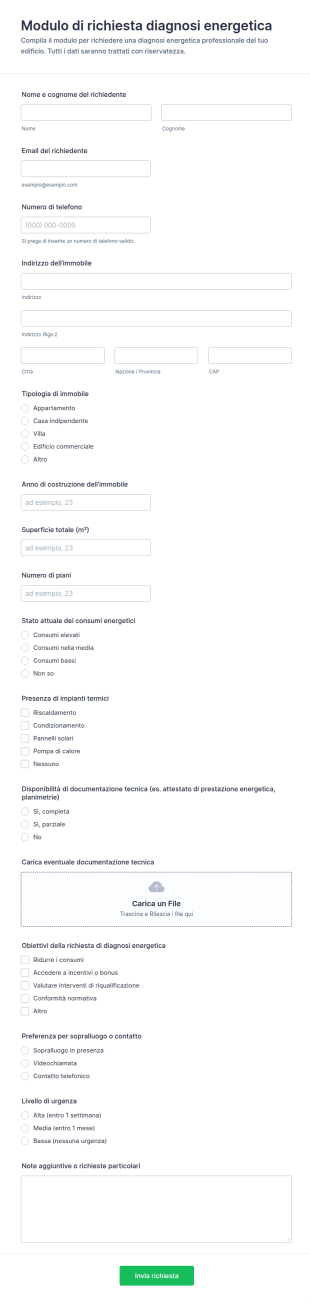
Modulo Di Richiesta Per Audit Energetico
Raccogli richieste di diagnosi energetica per immobili residenziali o commerciali con il Modulo di richiesta diagnosi energetica di Jotform, ideale per studi tecnici e fornitori di servizi che gestiscono la raccolta dati online.
Vai alla Categoria:Moduli di Richiesta
Configurazione Motore Aereo
Raccogli e standardizza i dettagli tecnici per la configurazione di motori aeronautici con il Modulo di configurazione motore aeronautico, ideale per uffici tecnici e manutenzione che gestiscono raccolta dati e priorità tramite Jotform.
Vai alla Categoria:Moduli di Informazione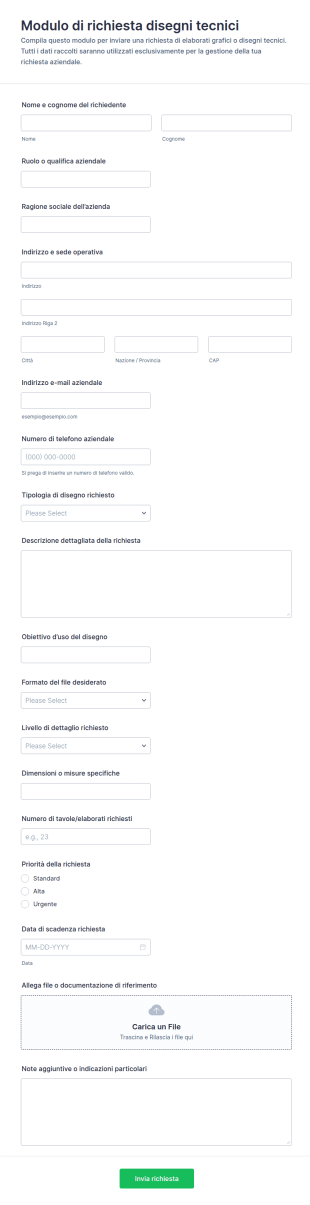
Modulo Di Richiesta Disegno Tecnico
Il Modulo di richiesta disegni tecnici aiuta uffici tecnici, studi di progettazione e aziende a gestire richieste di elaborati, priorità e scadenze con Jotform, migliorando la raccolta dati e l’organizzazione delle risposte del modulo.
Vai alla Categoria:Moduli di Richiesta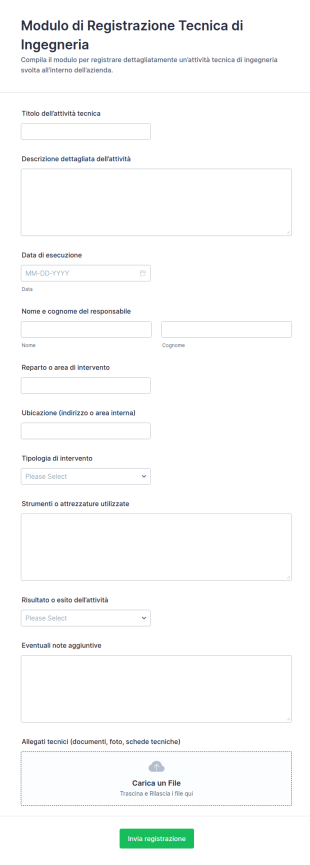
Registro Di Attività Tecniche Form
Documenta interventi e attività di ingegneria con il Modulo di registrazione tecnica di ingegneria, utile a team tecnici e aziende per la raccolta dati, il tracciamento interno e l’archiviazione ordinata delle risposte.
Vai alla Categoria:Moduli per Ingegneri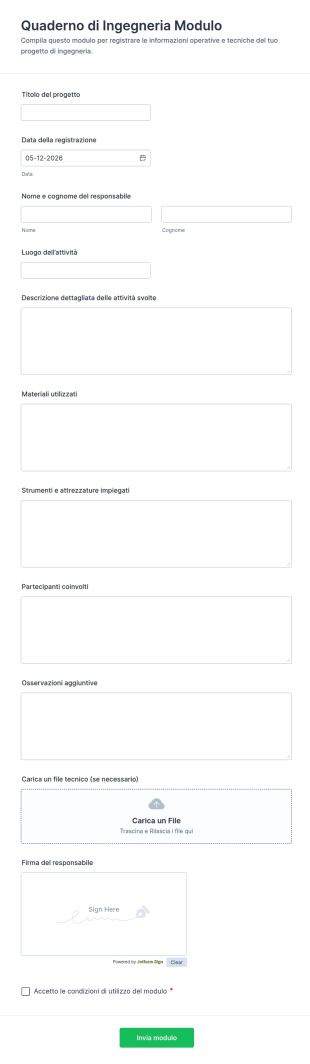
Registro Del Taccuino Tecnico Form
Registra attività, materiali e documentazione tecnica con il Modulo FORM Quaderno di Ingegneria, ideale per studi tecnici, cantieri e reparti di manutenzione che vogliono centralizzare la data collection e le risposte.
Vai alla Categoria:Moduli per Ingegneri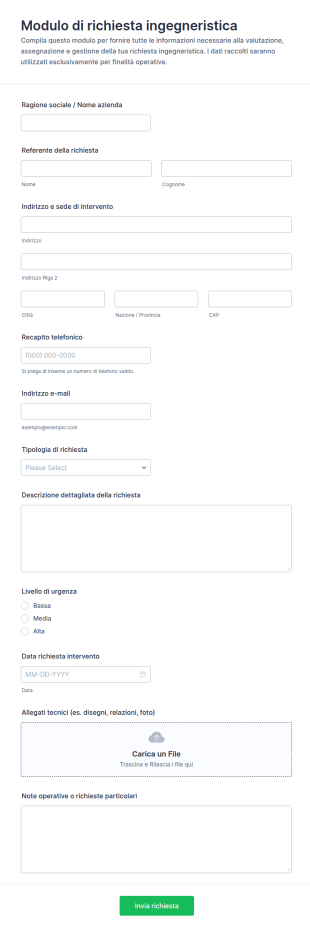
Modulo Di Richiesta Ingegneristica
Gestisci richieste tecniche e interventi con il Modulo di richiesta ingegneristica, utile a imprese e team operativi per raccogliere dati, assegnare priorità e coordinare attività con Jotform.
Vai alla Categoria:Moduli per Ingegneri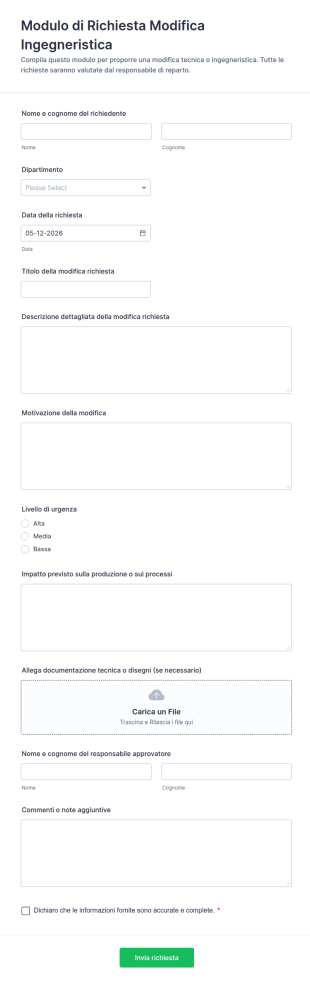
Modulo Di Richiesta Modifica Ingegneristica
Gestisci richieste di modifica a prodotti o processi con il Modulo di Richiesta Modifica Ingegneristica di Jotform, ideale per uffici tecnici e produzione che vogliono centralizzare la raccolta dati e le risposte in un unico flusso.
Vai alla Categoria:Moduli per IngegneriInformazioni sui Moduli per Ingegneri
Con i potenti Moduli Jotform per Ingegneri, potrai ricevere in tutta comodità le richieste dai tuoi clienti — che saranno automaticamente archiviate in modo sicuro sul tuo account Jotform. Scegli uno dei nostri template già pronti all'uso qui in basso, e personalizzalo in base alle tue esigenze con il costruttore di moduli no-code di Jotform. L'intuitiva interfaccia drag-and-drop ti permetterà di scegliere font e colori, aggiungere nuovi campi, widget, e integrazioni, semplicemente trascinando gli elementi sul tuo modulo. Incorpora il modulo sul tuo sito o condividilo con gli utenti via email o inviando loro il link. Abbandona la carta stampata e porta online la tua attività di architettura e ingegneria, offrendo i tuoi servizi tramite questi Moduli Gratuiti per Ingegneri, che funzionano da qualsiasi dispositivo.
Jotform stands out as the premier online form builder for Engineer Forms, offering an intuitive, web-based Drag-and-Drop Form Builder that simplifies the creation and customization of forms. Professionals can effortlessly tailor these forms to fit their specific requirements, enabling seamless integration into their existing workflows. Jotform’s platform not only enhances the ease of customization but also excels in automating data collection processes, thereby reducing manual effort and increasing operational efficiency. With Jotform Tables, all data collected through these forms is managed centrally, allowing for secure and organized data handling. This streamlined data management system ensures that engineering teams can access and utilize information quickly and effectively, leading to more informed decision-making and improved project outcomes.
Why Use Engineer Forms?
- Engineer Forms are essential for ensuring data accuracy across projects, as they provide structured fields that reduce the likelihood of errors during data entry. This is particularly important in engineering, where precise measurements and specifications are critical to project success and safety compliance.
- Speed is a significant advantage of using Engineer Forms. By digitizing data collection, these forms eliminate the delays associated with manual paperwork, enabling faster processing and analysis of information. This efficiency is crucial when engineers are working against tight deadlines.
- Professional data handling is another key benefit, as Engineer Forms support the secure collection and storage of sensitive information. With secure data management features like Jotform Tables, engineers can trust that their data is protected and accessible only to authorized personnel.
- Engineer Forms facilitate seamless collaboration among team members by enabling real-time data sharing. This ensures that all stakeholders have access to the most up-to-date information, fostering better communication and coordination across different departments and project sites.
- These forms are highly customizable, allowing engineers to tailor them according to project-specific needs. With Jotform’s Drag-and-Drop Form Builder, users can easily add or modify fields, integrate conditional logic, and incorporate various data types to suit their unique requirements.
Common Problems Solved by Engineer Forms
- One major issue in engineering is the cumbersome nature of paper-based documentation, which Engineer Forms effectively address by digitizing the entire process. This transition reduces the physical storage requirements and minimizes the risk of lost or misplaced documents.
- Manual data entry is prone to errors, which can lead to costly mistakes in project execution. Engineer Forms mitigate this risk by providing structured fields and automated calculations, ensuring that the data entered is both accurate and consistent.
- Engineers often face challenges with data accessibility, especially when working in remote locations. Engineer Forms can be accessed and submitted offline using Jotform Mobile Forms, ensuring that data collection is uninterrupted regardless of internet connectivity.
- Lost or incomplete data can significantly hamper project progress and lead to compliance issues. By utilizing Engineer Forms, engineers can ensure that all necessary information is captured and stored securely, with automated backups and retrieval options available through Jotform’s platform.
Funzionalità per ogni utilizzo
- For engineers needing to create detailed project reports, the Report Builder feature allows for the generation of comprehensive reports that summarize collected data, enabling clear and informed communication of project status to stakeholders.
- Conditional Logic is particularly useful in instances where form fields need to adapt based on previous responses. This feature helps engineers create dynamic forms that guide users through complex workflows, ensuring that only relevant information is collected.
- The integration of Electronic Signatures (Jotform Sign) is critical for forms that require official approvals, such as safety compliance documents or engineering proposals. This feature streamlines the authorization process, allowing engineers to obtain necessary signatures quickly and securely.
- For projects that involve financial transactions, the 30+ Payment Gateways supported by Jotform, including Stripe and PayPal, facilitate secure and efficient payment collection directly through the forms, simplifying the billing process for engineering services.
- Engineer Forms can be seamlessly integrated with 100+ third-party applications like Google Sheets and Salesforce, allowing for automatic data synchronization and enhanced workflow automation. This integration capability ensures that data collected through forms can be easily transferred to other platforms used by engineering teams.
- The PDF Editor feature is invaluable for generating standardized documents such as contracts and technical specifications. Engineers can automatically convert form submissions into professionally formatted PDFs, which can then be shared or archived as needed.
- Approval Workflows support the structured review and approval of engineering documents, ensuring that all necessary checks are completed before a form is finalized. This feature helps maintain quality control and regulatory compliance in engineering processes.
How to Create a Engineer Form
- Browse the Template List for a Engineers template or start from a blank form. This allows you to either leverage pre-existing template structures or create a custom form tailored to your project’s specific needs.
- Customize the design and fields using the Drag-and-Drop Form Builder. This step enables you to add, remove, or rearrange form elements as required, ensuring that the form collects all necessary information in an intuitive and user-friendly manner.
- Publish and share via Direct Link, Email, or Website Embed. These sharing options provide flexibility in how you distribute your forms, making it easy to reach your intended audience and collect responses efficiently.
Top Use Cases for Engineer Forms
- For Managers: Engineer Forms are instrumental for managers who need to oversee multiple projects simultaneously. These forms provide a centralized platform for monitoring project progress, resource allocation, and compliance with safety regulations. By utilizing real-time data collected from forms, managers can make informed decisions, allocate resources more effectively, and ensure that projects remain on track and within budget.
- For Teams: Team collaboration is significantly enhanced when using Engineer Forms. These forms enable team members to share critical information quickly and accurately, reducing the chances of miscommunication. Engineer Forms also support the assignment of tasks and tracking of project milestones, which fosters a more organized and efficient workflow where every team member is aligned with project objectives.
- For Customers: Customers benefit from using Engineer Forms through improved communication and transparency. These forms can be used to gather customer feedback, manage service requests, and provide updates on project progress. By having a structured way to interact with engineering teams, customers can receive timely responses to their inquiries and gain a clearer understanding of how their projects are progressing.
Summarizing Engineer Forms
Engineer Forms are an invaluable asset for professionals in the engineering industry, addressing the critical need for accurate, efficient, and secure data collection. By leveraging Jotform’s advanced features, engineering teams can streamline their workflows, reduce manual errors, and enhance collaboration across projects. The ability to customize forms to fit specific project needs, coupled with the robust data management capabilities of Jotform Tables, ensures that engineers have all the tools they need to succeed. Ultimately, Engineer Forms empower engineering professionals to focus on what they do best—designing and executing projects with precision and excellence.
Domande Frequenti
1. Che cos'è un modulo per ingegneri?
Un modulo tecnico è un documento digitale utilizzato dai professionisti dell'ingegneria per raccogliere, registrare e gestire i dati relativi ai progetti, quali ispezioni, manutenzione, relazioni sullo stato di avanzamento e checklist di conformità.
2. Perché i moduli per ingegneri sono importanti nei progetti di ingegneria?
I moduli per ingegneri standardizzano la raccolta dati, riducono gli errori manuali e garantiscono che le informazioni critiche vengano acquisite in modo coerente, supportando un migliore processo decisionale e contribuendo alla conformità normativa.
3. Quali informazioni sono solitamente richieste con un modulo per ingegneri?
I campi comuni includono dettagli del progetto, checklist di ispezione, informazioni sulle apparecchiature, azioni di manutenzione, osservazioni sulla sicurezza, campi per il caricamento di file (foto o documenti) e firme.
4. Esistono diversi tipi di moduli per ingegneri?
Sì, i moduli per ingegneri possono variare notevolmente, tra cui moduli per le ispezioni in loco, registri di manutenzione, report sullo stato di avanzamento dei progetti, moduli di revisione della progettazione e checklist di audit di sicurezza, ciascuno personalizzato per specifiche attività di ingegneria.
5. Chi può utilizzare i moduli per ingegneri?
I moduli per ingegneri vengono utilizzati da società di ingegneria, project manager, ingegneri sul campo, team di manutenzione, personale addetto al controllo qualità e clienti coinvolti in progetti di ingegneria.
6. In che modo i moduli per ingegneri contribuiscono alla conformità e alla sicurezza?
Grazie alle checklist e ai campi obbligatori, i moduli per ingegneri aiutano a documentare e rispettare tutti i protocolli di sicurezza e i requisiti normativi.
7. I moduli per ingegneri possono essere personalizzati per diversi campi dell'ingegneria?
Assolutamente sì. Jotform consente agli utenti di personalizzare i moduli per i settori dell'ingegneria civile, meccanica, elettrica, del software e altri ancora, aggiungendo campi e sezioni pertinenti.
8. I dati raccolti tramite i moduli per ingegneri sono sicuri e privati?
Sì, Jotform utilizza un archivio dati sicuro e offre controlli sulla privacy, tra cui crittografia, autorizzazioni di accesso e supporto alla conformità con gli standard di settore per proteggere i dati sensibili dei progetti di ingegneria.