

Moduli per lo Staff

Checklist Di Servizio Del Personale
Tieni traccia di presenze, mansioni e attività per ogni turno con la Checklist dei Turni del Personale Form di Jotform, utile per ristorazione, negozi, logistica e servizi che gestiscono più operatori e fasce orarie.
Vai alla Categoria:Moduli Liste di Controllo
Sondaggio Sulla Soddisfazione Lavorativa
Raccogli facilmente dati sulla soddisfazione dei dipendenti con il Sondaggio sulla Soddisfazione Lavorativa di Jotform, semplice, personalizzabile e mobile-friendly.
Vai alla Categoria:Moduli Risorse Umane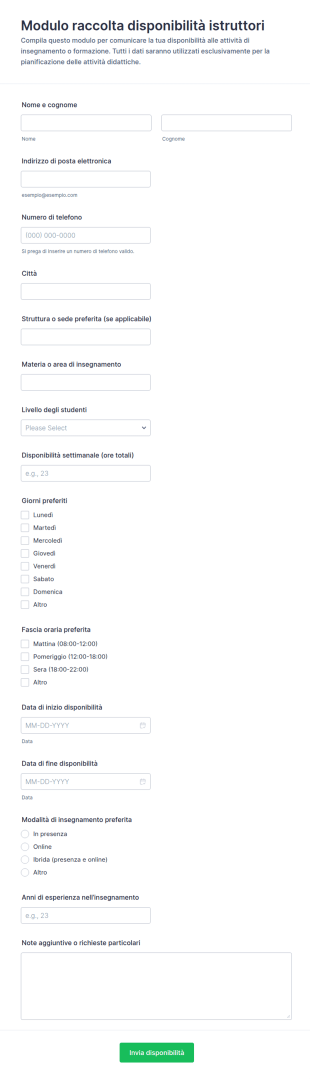
Disponibilità Insegnante Form
Raccogli e organizza le disponibilità di istruttori e docenti per corsi e lezioni con il Modulo di raccolta disponibilità istruttori, ideale per scuole, enti di formazione e associazioni che gestiscono calendari e turni.
Vai alla Categoria:Moduli per Insegnanti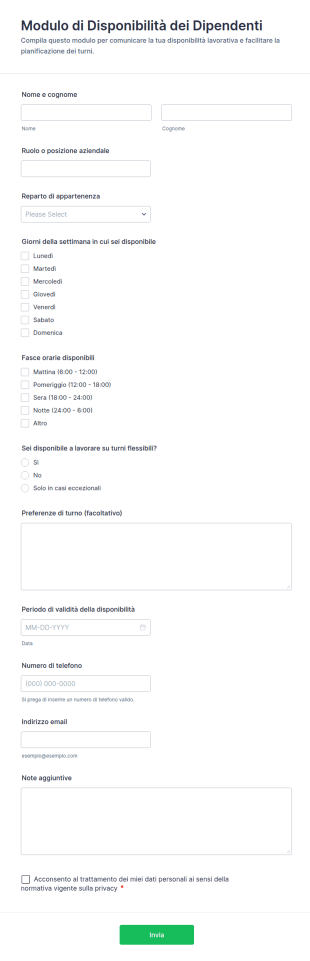
Modulo Di Disponibilità Dei Dipendenti
Raccogli e aggiorna la disponibilità del personale per la pianificazione dei turni con il Modulo di disponibilità dei dipendenti di Jotform, ideale per risorse umane e responsabili di reparto in attività con orari variabili.
Vai alla Categoria:Moduli Risorse UmaneInformazioni sui Moduli per lo Staff
Automatizza le attività del tuo reparto HR con i potenti Moduli online per lo Staff. Sarai in grado di raccogliere i dati dei tuoi dipendenti, le richieste di permesso, i reclami, le referenze, e altro — risparmiando un sacco di tempo a inviare email, che potrai occupare modi più produttivi. Scegli uno dei template qui sotto e personalizzalo tramite la nostra intuitiva interfaccia drag-and-drop, quindi incorporalo sul tuo sito web o condividilo via email. Tutte le risposte saranno archiviate in maniera sicura sul tuo account Jotform, da cui potrai consultarli tramite la tabella delle risposte, la vista calendario, o le tessere. Risparmia tempo e ottimizza il tuo flusso di lavoro con i Moduli per lo Staff.
Jotform stands out as the leading online form builder in the industry for creating Staff Forms due to its innovative features and user-friendly interface. With Jotform, businesses can effortlessly customize forms to fit their specific staff management needs, enabling the automation of data collection processes that save time and reduce the risk of human error. Centralized data management is made possible with Jotform Tables, allowing organizations to store, organize, and analyze staff-related data from a single platform, thereby improving operational efficiency and decision-making.
Why Use Staff Forms?
- Staff Forms significantly enhance the accuracy of data collection by minimizing the risk of human errors often associated with manual entry. This accuracy is crucial for maintaining reliable records and ensuring that all staff-related processes are based on correct information, which is essential for effective decision-making.
- The speed at which data can be collected and processed using Staff Forms is unparalleled. By automating many of the steps involved in data gathering, organizations can respond more quickly to staff needs and inquiries, thereby improving overall responsiveness and service levels within the company.
- Professional data handling is a hallmark of Staff Forms, allowing organizations to present a polished image to employees and stakeholders. With customizable templates, businesses can ensure that all forms maintain a consistent and professional look, enhancing the organization's brand and identity.
- Utilizing Staff Forms allows for streamlined workflows, reducing the time spent on administrative tasks. This efficiency frees up valuable time for staff to focus on more strategic tasks, ultimately boosting productivity and morale across the organization.
- The integration capabilities of Staff Forms with other platforms, such as Google Sheets and Salesforce, allow for seamless data transfer and synchronization. This connectivity ensures that all staff-related data is up-to-date and can be accessed by relevant stakeholders without unnecessary delays or duplications.
Common Problems Solved by Staff Forms
- One of the most significant pain points in staff management is the cumbersome paperwork involved in processes such as onboarding and performance reviews. Staff Forms eliminate this burden by digitizing these processes, making it easier to collect, store, and retrieve information.
- Manual data entry often leads to errors and inconsistencies, which can have detrimental effects on staff records and reporting. By using Staff Forms, organizations can automate data entry, ensuring that information is consistent and accurate across all systems.
- Lost or misplaced data is a common issue when dealing with paper forms. With Staff Forms, all data is stored securely in Jotform’s database, making it easily accessible and reducing the risk of data loss.
- The inefficiencies associated with traditional staff management processes can slow down operations and negatively impact productivity. Staff Forms streamline these processes, allowing for quicker completion and turnaround times, which enhances overall operational efficiency.
Funzionalità per ogni utilizzo
- The Drag-and-Drop Form Builder is perfect for customizing Staff Forms to suit specific company requirements, such as tailoring an employee feedback form to include unique questions that align with organizational goals. This feature ensures that forms are precisely suited to the task, enhancing data relevance and usability.
- Conditional Logic can be employed in Staff Forms to create dynamic forms that adapt based on user responses, simplifying complex processes like performance evaluations by only showing relevant sections to each staff member. This adaptability ensures a smoother user experience and efficient data collection.
- For organizations requiring secure document handling, Electronic Signatures (Jotform Sign) enable legally binding digital signatures on forms such as employment contracts or policy acknowledgments, ensuring compliance and reducing the need for physical paperwork.
- The use of Jotform’s PDF Editor allows for Automated PDF Generation from form submissions, turning collected data into professional documents that can be easily shared or archived, thus streamlining reporting and documentation processes.
- With 100+ Third-party Integrations, Staff Forms can connect with platforms like Slack and Salesforce, enabling real-time notifications and data synchronization, which ensures that all team members are informed and that data is consistently updated across all systems.
- Approval Workflows are ideal for managing processes that require multiple levels of authorization, such as time-off requests or budget approvals, providing a clear and efficient path for decision-making and ensuring that all necessary stakeholders are involved.
- Secure Data Management with Jotform Tables ensures that sensitive staff information is protected and organized, allowing HR departments to manage employee data with confidence and comply with privacy regulations.
How to Create a Staff Form
- Browse the Template List for a Staffs template or start from a blank form to ensure that the form structure aligns with your organization’s specific needs and goals.
- Customize the design and fields using the Drag-and-Drop Form Builder, allowing for the inclusion of specific data points and ensuring that the form meets the precise requirements of the staff management process.
- Publish and share your form via Direct Link, Email, or Website Embed to ensure that it is easily accessible to all intended users, facilitating smooth data collection and communication.
Top Use Cases for Staff Forms
- For Managers: Staff Forms provide managers with an efficient way to handle administrative tasks such as performance appraisals, leave requests, and team feedback. By automating these processes, managers can focus more on strategic initiatives and less on paperwork, leading to better team management and improved outcomes.
- For Teams: Teams can utilize Staff Forms to coordinate activities, track progress, and communicate effectively with one another. Features like conditional logic and integrations with collaborative platforms ensure that teams have the information they need at their fingertips, fostering a more cohesive and productive work environment.
- For Customers: While primarily used internally, Staff Forms can also enhance customer interactions by ensuring that staff members are better organized and informed. For example, quick access to updated schedules and contact information helps staff serve customers more efficiently, improving customer satisfaction and loyalty.
Summarizing Staff Forms
Staff Forms by Jotform offer a comprehensive solution for managing staff-related processes with greater efficiency and accuracy. By leveraging Jotform’s powerful features, organizations can streamline operations, reduce administrative burdens, and focus on strategic objectives. The ability to customize forms, automate workflows, and securely manage data ensures that Staff Forms are an invaluable asset to any organization seeking to optimize its staff management practices.
Domande Frequenti
1. Cos'è un modulo per il personale?
Un modulo del personale è un documento digitale utilizzato per raccogliere, gestire e processare informazioni relative ai dipendenti, come dettagli di assunzione, richieste di congedo, valutazioni delle prestazioni, e segnalazioni di incidenti.
2. Perché i moduli per il personale sono importanti nelle organizzazioni?
I moduli del personale aiutano a standardizzare i processi HR e amministrativi, ridurre la documentazione, garantire la conformità e facilitare una comunicazione efficiente tra i dipendenti e la direzione.
3. Quali informazioni vengono generalmente raccolte tramite i moduli per il personale?
Campi comuni includono dettagli personali, informazioni di contatto, storia lavorativa, date di assenza, feedback, valutazioni delle prestazioni e firme digitali.
4. Esistono diversi tipi di moduli per il personale?
Sì, i moduli per il personale possono includere moduli di onboarding, moduli di richiesta ferie, fogli presenze, valutazioni delle prestazioni, rapporti sugli incidenti, registrazioni ai corsi di formazione e moduli di feedback, ciascuno adattato a specifiche esigenze HR.
5. Chi può utilizzare i moduli per il personale?
I responsabili delle risorse umane, i team leader, i capi dipartimento, gli amministratori d'ufficio e i dipendenti possono tutti utilizzare i moduli del personale per vari processi interni.
6. In che modo i moduli per il personale aiutano con la conformità e l'archiviazione dei dati?
I moduli digitali per il personale garantiscono che tutte le informazioni richieste siano raccolte in modo coerente, archiviate in modo sicuro e facilmente accessibili per audit o reporting, supportando la conformità alle politiche aziendali e ai requisiti di legge.
7. I moduli del personale possono essere personalizzati per diversi dipartimenti e ruoli?
Certamente. I moduli per il personale possono essere personalizzati con campi specifici, flussi di approvazione e logica condizionale per soddisfare le esigenze specifiche dei diversi dipartimenti o ruoli lavorativi.
8. Le risposte ai moduli del personale sono private e sicure?
Sì, Jotform utilizza l'archiviazione sicura dei dati e la crittografia per proteggere le informazioni sensibili del personale, garantendo la privacy e la conformità alle normative sulla protezione dei dati.