

Service Quotation Forms

Preventivo Servizio Di Pulizia Casa Modulo
Raccogli richieste di preventivo per pulizie domestiche con il Modulo per Preventivo Servizio di Pulizia Casa, ideale per imprese di pulizie e professionisti che vogliono gestire la raccolta dati e le risposte online in modo rapido.
Vai alla Categoria:Moduli per Servizi di Pulizie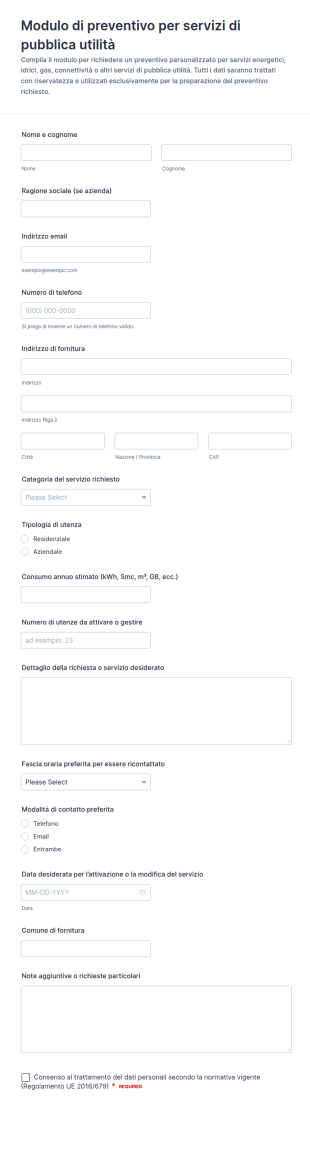
Richiesta Preventivo Servizi Utilità
Gestisci richieste di preventivo per luce, gas, acqua e connettività con il Modulo di preventivo per servizi di pubblica utilità, utile per aziende e privati che vogliono essere ricontattati e ricevere una proposta su misura.
Vai alla Categoria:Moduli Preventivo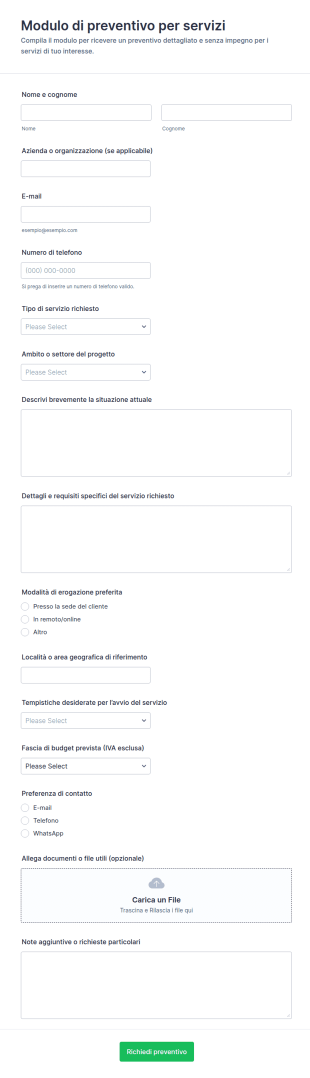
Richiesta Di Stima Dei Servizi Form
Raccogli richieste di preventivo per consulenza, installazione, manutenzione o formazione con il Modulo di preventivo per servizi, ideale per professionisti e aziende che vogliono semplificare la raccolta dati e rispondere più rapidamente.
Vai alla Categoria:Moduli Preventivo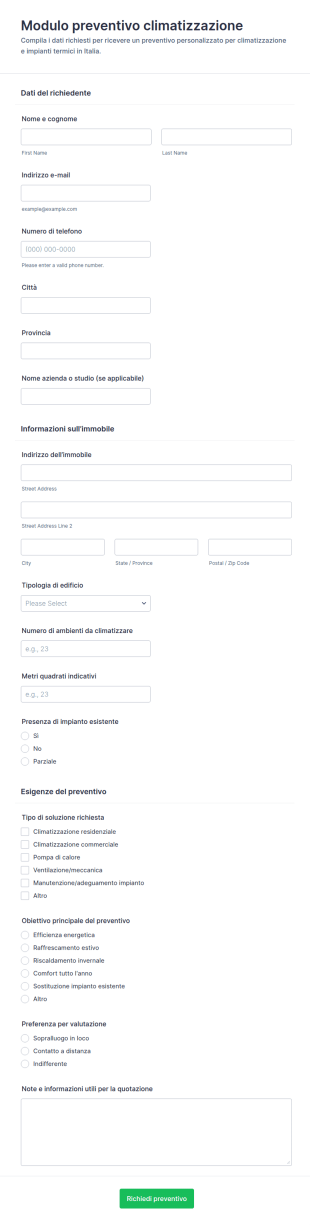
Richiesta Preventivo Impianto Di Riscaldamento E Condizionamento
Raccogli richieste di preventivo per climatizzazione e impianti termici con Jotform e il Modulo Form di preventivo per climatizzazione, ideale per imprese impiantistiche e studi tecnici che vogliono velocizzare la raccolta dati online.
Vai alla Categoria:Moduli Preventivo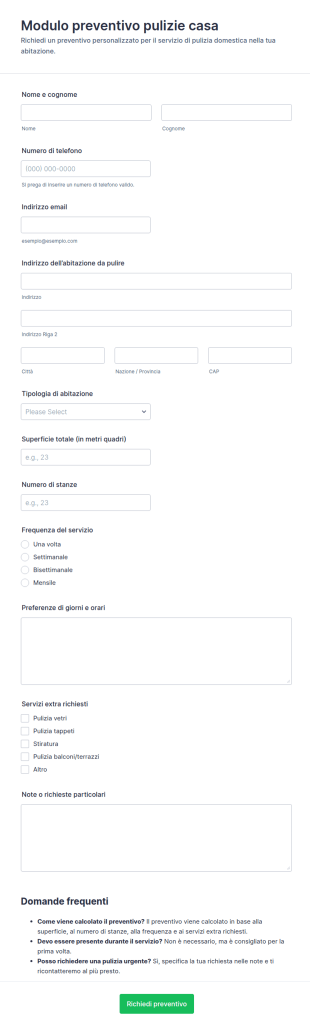
Modulo Di Stima Per Pulizie Domestiche
Raccogli richieste di preventivo per pulizie domestiche con il Modulo Richiesta Preventivo Pulizie Casa, ideale per imprese di pulizie e professionisti che vogliono velocizzare la raccolta dati e la gestione delle risposte.
Vai alla Categoria:Moduli per Servizi di Pulizie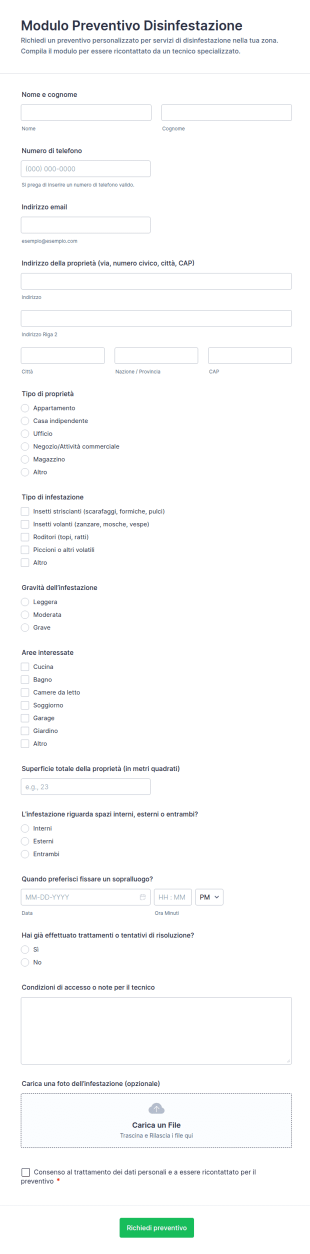
Modulo Preventivo Per Controllo Parassiti
Raccogli richieste di preventivo per disinfestazioni con il Modulo Preventivo Disinfestazione Form di Jotform, utile per imprese e amministratori che vogliono organizzare sopralluoghi e gestire la raccolta dati online.
Vai alla Categoria:Moduli Preventivo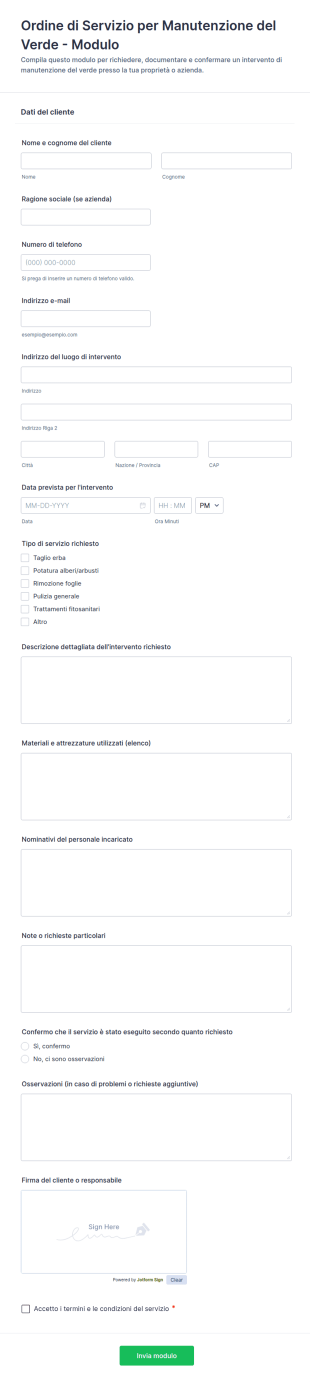
Ordine Di Servizio Per Manutenzione Del Verde Modulo
Gestisci richieste e conferme di interventi di manutenzione del verde con l’Ordine di Servizio per Manutenzione del Verde Form di Jotform, utile per imprese, condomìni e uffici tecnici che vogliono organizzare la raccolta dati online.
Vai alla Categoria:Moduli per ManutenzioniInformazioni su Service Quotation Forms
Service quotation forms are structured documents used to collect the details needed to generate a service quote, estimate, or proposal. They help businesses gather consistent information about the requested service, scope, timelines, location, and customer preferences so pricing can be accurate and comparable. Service quotation forms are commonly used by service businesses such as maintenance providers, cleaning companies, agencies, consultants, event vendors, IT service teams, and contractors for quoting labor based services. By standardizing quote intake, these forms reduce back-and-forth with customers, speed up response time, and improve the quality of estimates.
With Jotform, service quotation forms can be created quickly using a no-code, drag-and-drop Form Builder and customized for different service types and pricing models. Conditional logic can show different questions based on the selected service, and file upload fields can collect photos, requirements documents, or reference files that help build an accurate quote. Submissions are stored in Jotform Tables, making it easy to track incoming quote requests, assign them to a sales or service team member, and follow up. Automated notifications can alert teams when a new request arrives, and autoresponders can confirm receipt to the requester.
Use Cases of Service Quotation Forms
Service quotation forms support lead intake, scoping, and quote generation across many service industries. Below are common ways these forms are used and the challenges they help solve.
Possibili utilizzi:
- Richiesta di preventivo per servizi generali e acquisizione di lead
- Preventivo di assistenza in loco e richieste di programmazione delle visite
- Richieste di proposte di servizi basati su progetti
- Richieste di prezzi di servizi ricorrenti (mensili, settimanali, retainer)
- Selezione del pacchetto di servizi e richieste di preventivo di upsell
- Raccolta delle esigenze del cliente per prezzi di servizi personalizzati
Vantaggi:
- Raccolgono tutti i dettagli di ambito in anticipo per preventivi più accurati
- Riducono il tempo impiegato per chiarire i requisiti di base tramite e-mail
- Aiutano i team a stabilire le priorità dei lead in base all'urgenza e alla complessità
- Creano una pipeline tracciabile di richieste di preventivo e risultati
Possibili proprietari e utenti:
- Team di vendita e assistenza clienti
- Responsabili e stimatori dei servizi
- Visite programmate dai team operativi
- Clienti, committenti o richiedenti interni che inviano richieste di preventivo
Differenze nei metodi di creazione:
- I moduli di richiesta di preventivo per il servizio si concentrano sulle informazioni di contatto del cliente, sulla selezione del tipo di servizio, sulla posizione, sulla tempistica preferita e su una descrizione chiara dell'ambito richiesto.
- I moduli di preventivo e di ispezione in loco evidenziano la disponibilità degli appuntamenti, le condizioni del sito, le istruzioni di accesso e il caricamento di foto o documenti per supportare la determinazione di prezzi accurati.
- I moduli di preventivo per pacchetti di servizi e proposte danno priorità alla selezione del livello di servizio, ai componenti aggiuntivi, all'intervallo di budget, ai risultati e ai campi di approvazione o passaggio successivo del contratto.
How to Create a Service Quotation Form
Creating a service quotation form with Jotform helps you capture quote details consistently and respond to customers faster.
1. Scegli un modello o inizia da zero
In My Workspace, click “Create” and select “Form.” Start with a quote request template and customize it for your services.
2. Add Customer and Service Context Fields
Collect customer name, email, phone, service location, and service category. Use dropdowns for service options.
3. Capture Scope and Pricing Inputs
Add fields for project description, size or quantity, preferred schedule, and any required materials or deliverables.
4. Use Conditional Logic for Different Services
Show different questions depending on the selected service type. For complex work, collect photos, documents, or additional specs.
5. Set Up Notifications and Follow-Ups
Send notifications to your sales or estimating team. Use autoresponder emails to confirm receipt and set expectations.
6. Track Quote Requests in Jotform Tables
Store submissions in Tables to filter by service type, urgency, and status and export data for reporting.
Domande Frequenti
1. What are service quotation forms?
Service quotation forms are documents or online forms used to collect details needed to create a service quote, estimate, or proposal.
2. Why are service quotation forms important?
They reduce back-and-forth, speed up quoting, and improve quote accuracy by collecting scope details upfront.
3. What information is typically included in service quotation forms?
Common fields include customer details, service type, location, timeline, scope description, optional budget range, and attachments like photos or requirements.
4. Who uses service quotation forms?
Service businesses, sales teams, estimators, and customers use these forms to request and generate service quotes.
5. Are service quotation forms only for on-site services?
No. They can be used for on-site, remote, and digital services, including consulting, design, and IT support.
6. Can service quotation forms collect files and photos?
Yes. Jotform file upload fields can collect photos, documents, or reference materials needed for accurate quoting.
7. Can Jotform automate follow-ups for quote requests?
Yes. You can set up notification emails for your team and autoresponder emails to confirm receipt to the requester.
8. Can service quotation forms be customized for different services?
Yes. Jotform’s drag-and-drop builder and conditional logic make it easy to tailor questions for different service categories and pricing models.