Free Lead Generation Quizzes
Jotform’s lead generation quiz builder is an interactive tool designed to help businesses capture and qualify potential customers. Use it to create engaging quizzes that identify key demographics, grow your email lists, and classify leads instantly. The platform allows you to customize designs with your branding and showcase products, helping you turn quiz takers into actionable prospects without any coding.
Templates
Free Lead Generation Quiz Templates
Not sure where to start? Choose one of our free, ready-made form templates — then personalize it however you see fit with our powerful form builder. Drag and drop to customize any element of your quiz without any coding.
Verkoopleadvorming genereren
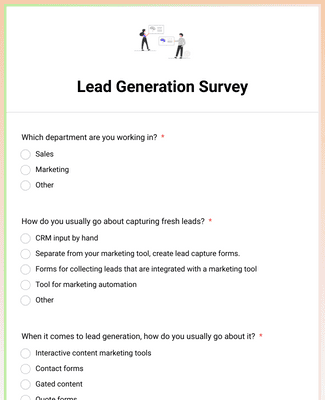
Lead Generation Survey
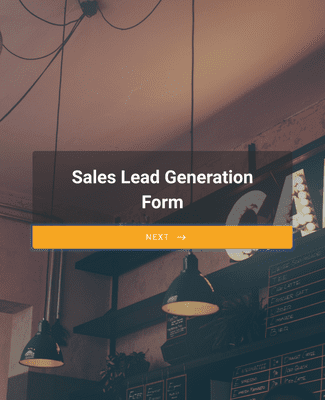
Real Estate Sales Lead Form

Voordelen
Engaging Lead Generation Quizzes
Create Quizzes in Minutes
Build a lead generation quiz with Jotform’s drag-and-drop Form Builder, using a template or starting from scratch. Share the quiz with a link or embed the quiz on a website page so visitors can complete it where they already are. QR code sharing is also available when the quiz needs to be accessed from printed materials or in-person events.
Fully Customize Quizzes
Change the quiz design by uploading a logo and editing fonts and colors to match brand guidelines. Jotform also supports form themes and custom CSS when teams need more control over styling. These options help the quiz look consistent across landing pages and campaigns.
Use Different Question Types
Collect lead details and preferences by mixing question types such as yes/no, single-choice, multiple-choice, image choice, sliders, and fill-in-the-blank. Using varied question formats can make it easier to capture specific qualifiers, because each question type fits a different kind of input. This keeps the quiz focused on the information the team actually needs.
Keep Users Engaged
Show one question per page using a conversational, card-style layout, which can help people stay focused through completion. Jotform Cards is designed for this one question at a time experience. A clearer flow can reduce abandonment, especially when the quiz has multiple steps.
Compile and Manage Quiz Results
Send quiz submissions into Jotform Tables to review responses in a spreadsheet-style workspace and quickly find entries with filters. Use Jotform Report Builder to turn responses into visual reports that can be shared with teammates. Keeping results in Tables and reports makes it easier to act on quiz data without exporting and reformatting it first.
Testimonials
Wat onze gebruikers zeggen over Jotform
Learn More About Lead Generation Quizzes
Al je vragen over Jotform - beantwoord. Bekijk onze veelgestelde vragen voor antwoorden op veelvoorkomende vragen, of neem contact op met ons ondersteuningsteam voor meer informatie.
What is a lead quiz?
Lead quizzes are shared and filled out by customers and potential leads in order to gather useful business data and know your audience better.
How do you make a lead gen quiz?
To create a lead gen quiz, simply choose one of our free quiz templates to start — then drag and drop to add different question types, include images and videos, and upload your own branding.
What are lead generation questions?
Effective lead generation questions help you identify your target customers in order to gain critical insights and make informed business decisions.
What are the 4 steps of the lead generation process?
The 4 steps of the lead generation process are:
- Identify your target customers
- Create engaging content
- Increase traffic across channels
- Convert visitors to leads