
5 best practices for training a custom chatbot
- Start with relevant data
- Define a clear persona and tone
- Test thoroughly and iterate
- Provide an escalation path
- Monitor its performance
Are you completely onboard with using ChatGPT in your business, but dragging your feet over the prospect of having to “train” it? If the idea of training a generative artificial intelligence (AI) chatbot like OpenAI’s ChatGPT has so far deterred you from taking full advantage of this technology, it’s time to reconsider. Chatbot training can be a technical task, but it doesn’t always require coding or architecting AI models.
Training ChatGPT on your own data is all about introducing it to your environment so it can do its best work. By giving it information about your organization — on everything from its products and services to its writing style — you’re transforming it from a generic bot into your company-specific bot. Once complete, its communications will be more accurate and on-point, producing better results. It’ll also be well prepared to handle domain-specific queries, improve customer support, and personalize user experiences.
In this article, we’ll explain the two main approaches for how to train ChatGPT: a no-code method as well as a more technical method for fine-tuning an existing OpenAI model. We’ll also introduce you to a user-friendly, no-code alternative called Jotform AI Agents that makes chatbot creation and training a snap.
How to train ChatGPT on your own data: the methods explained
Depending on your skill level and the resources available to you, choose the method you feel most comfortable with from the options below. Let’s start with the simpler method: the no-code approach.
Method 1: Creating a custom GPT (the no-code approach)
OpenAI offers ChatGPT users the opportunity to create customized chatbots without needing any coding skills. To use this feature, called custom GPT, you must have one of the paid ChatGPT plans.
Follow these steps to create your own specialized version of ChatGPT:
1. Get ChatGPT Plus. This is a requirement to access the custom GPT feature.
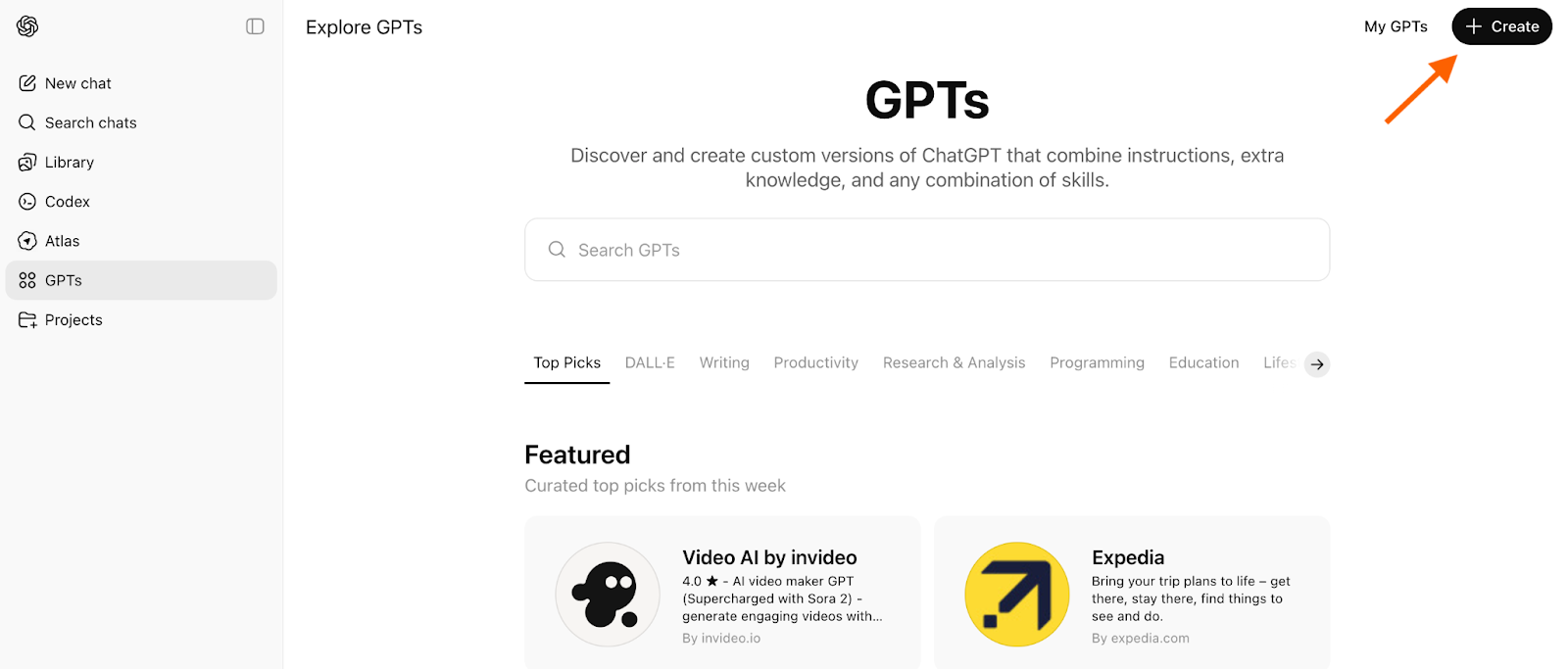
2. Navigate to the GPT Builder. At the top left you’ll see Explore GPTs. This tab features a variety of GPTs built by different creators, brands, and OpenAI itself. They tend to be focused on specialized tasks and provide an easy way to get started (like a template). You can take advantage of any of these and tweak them.
To build your own custom GPT, click the + Create button at the top right.
3. Use the GPT builder interface to start building. Inside the builder, you’ll see two panels. The Create/Configure panel on the left is where you’ll chat with the GPT builder to give instructions about your custom GPT. The Preview/Model panel on the right will display your bot as it’s being built. You can easily communicate with the software using natural language. In this example, we’re creating a booking chatbot.
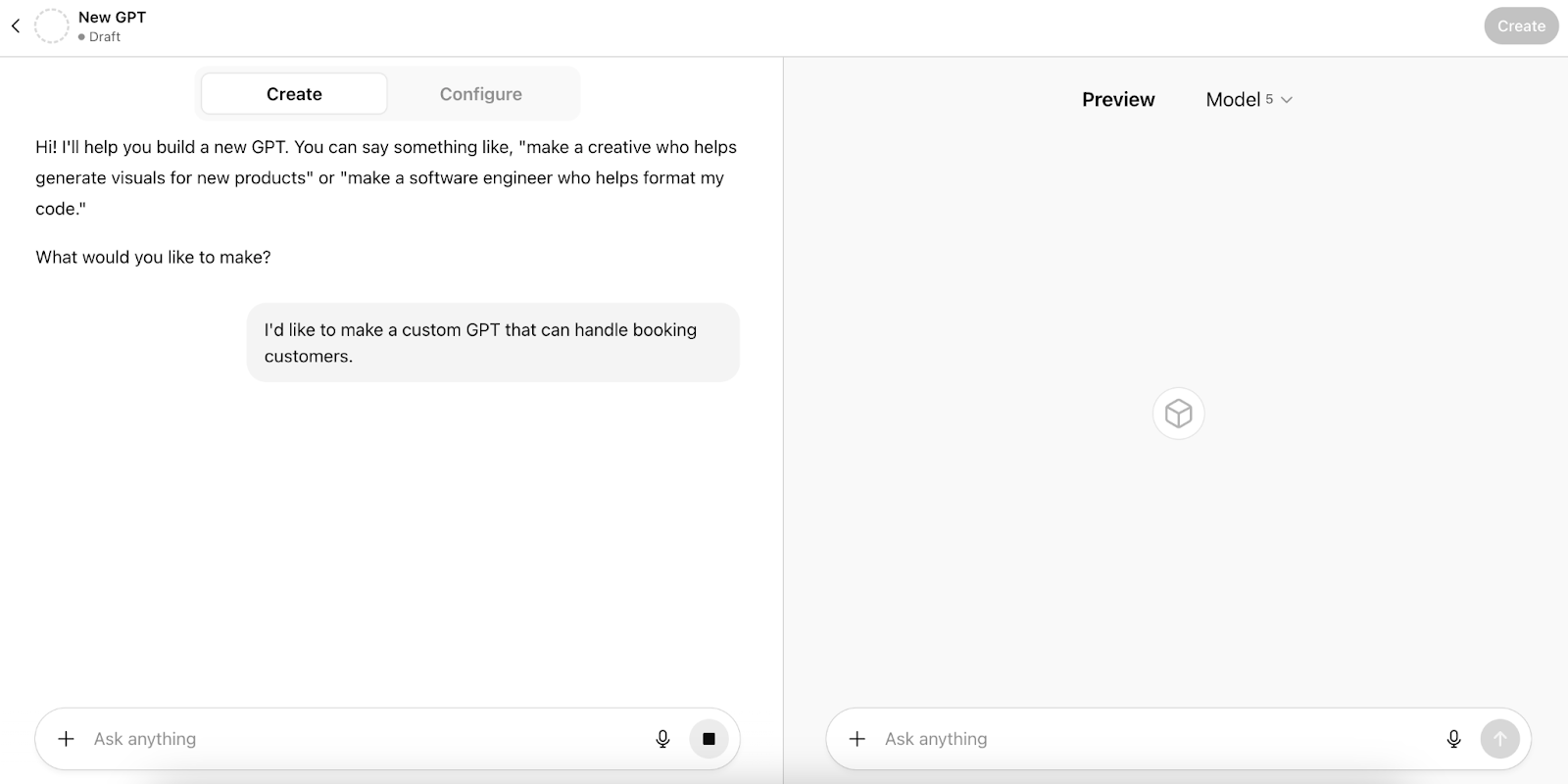
4. Configure your GPT. This is when you start the training process, following the prompts as the software works through creation. Create a name and profile image first, then provide directions regarding the chatbot’s persona and behavior. You’ll also be asked for details about how you want it to communicate (like the tone and style) and information related to its tasks.
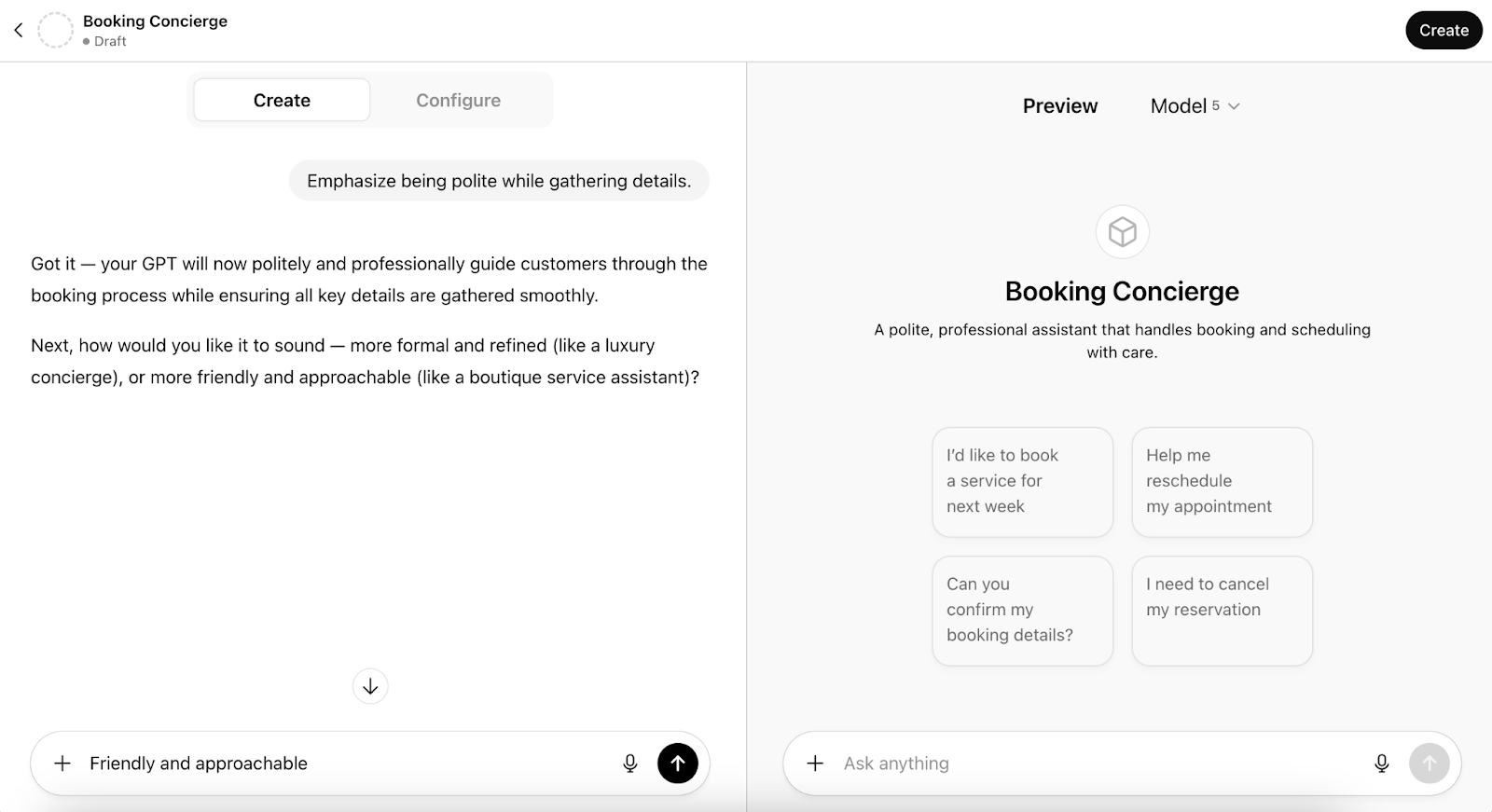
5. To provide even more customization, give the chatbot PDFs, documents, spreadsheets, or message transcripts directly in the chat. For example, for a booking concierge, you might want to upload your service list, prices, policies, and past customer inquiries along with your typical replies. You can also connect it to your Google Drive, so that it’ll automatically have access to the latest versions of documents if they change — no retraining needed.
6. When you’re ready, type a request to test the custom GPT. Try out different queries to ensure it’s using the provided data correctly and that you’re happy with the tone and messaging. Refine the instructions as needed.
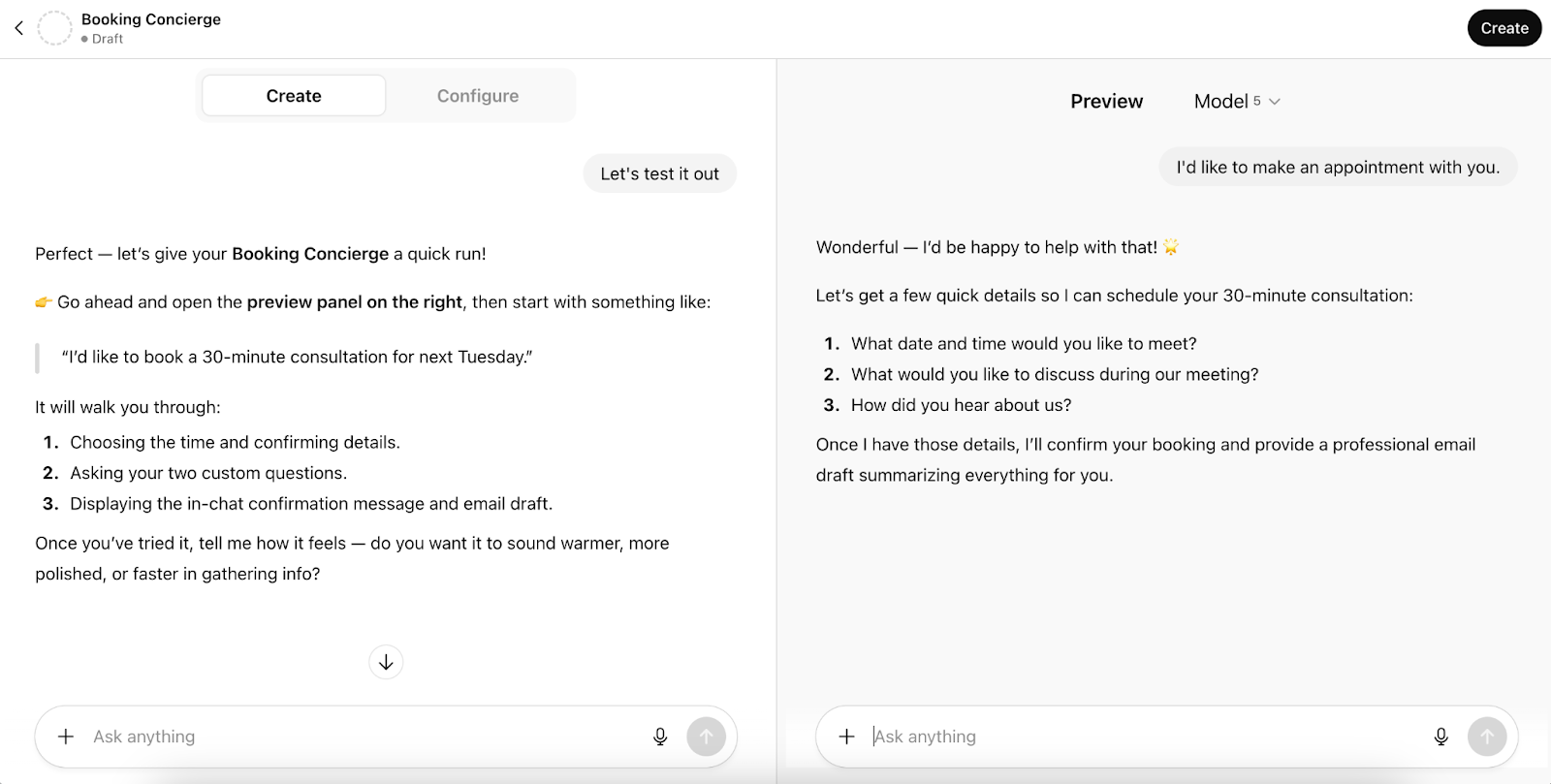
That’s it! Be aware that you’ll have less control over the final product when using this method as opposed to the fine-tuning approach below.
Method 2: Fine-tuning an OpenAI model with the API (the technical approach)
More complicated than the first method, this second approach is to fine-tune a pre-existing OpenAI model on your custom dataset — essentially providing further training to improve its performance on a specific task. This method offers more control over the end product but requires technical knowledge.
If you have the skill — and a need to build highly specialized chatbots that require specific expertise, such as those that provide legal or medical information — this could be a good option. It also works well for situations where you need to integrate the chatbot into a custom application.
Follow these steps to fine-tune a pre-existing OpenAI model:
1. Prepare your data. Performance is dependent on your training data, so it’s imperative to provide accurate, high-quality information.
To do this, first you’ll need to gather hundreds (or even thousands) of good examples that are representative of how you want the chatbot to perform. You’ll then need to format those examples in prompt-completion pairs, with “Prompt” being sample questions, and “Completion” being the ideal response. Keep your questions and answers clear and specific.
This information must be formatted in JSONL, a specific format for storing structured data.

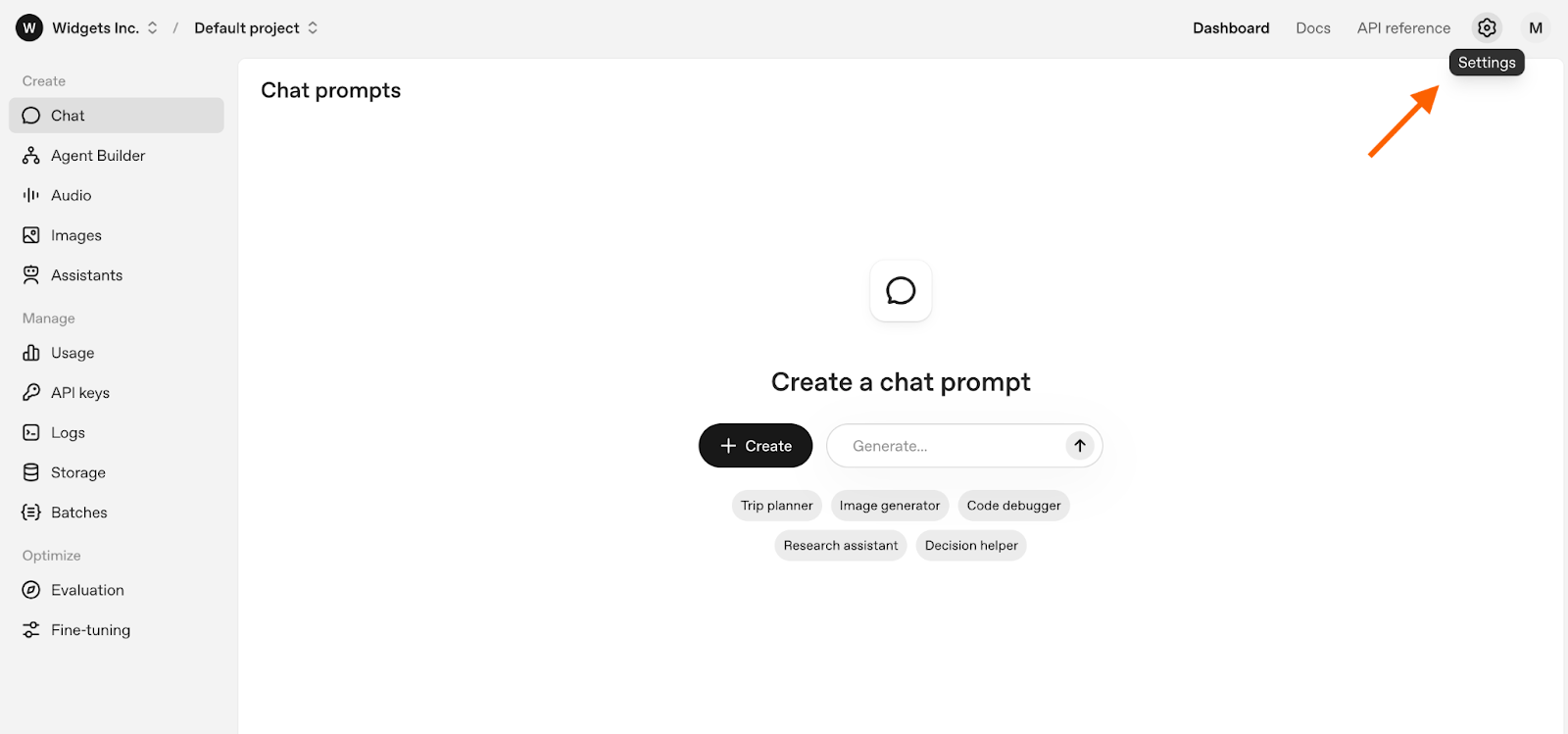
2. Get an OpenAI API key. The fine-tuning process is done through OpenAI’s API, so you’ll need to get access to it by signing in (or creating an account) on the OpenAI platform and then clicking the Settings gear icon at the top right.
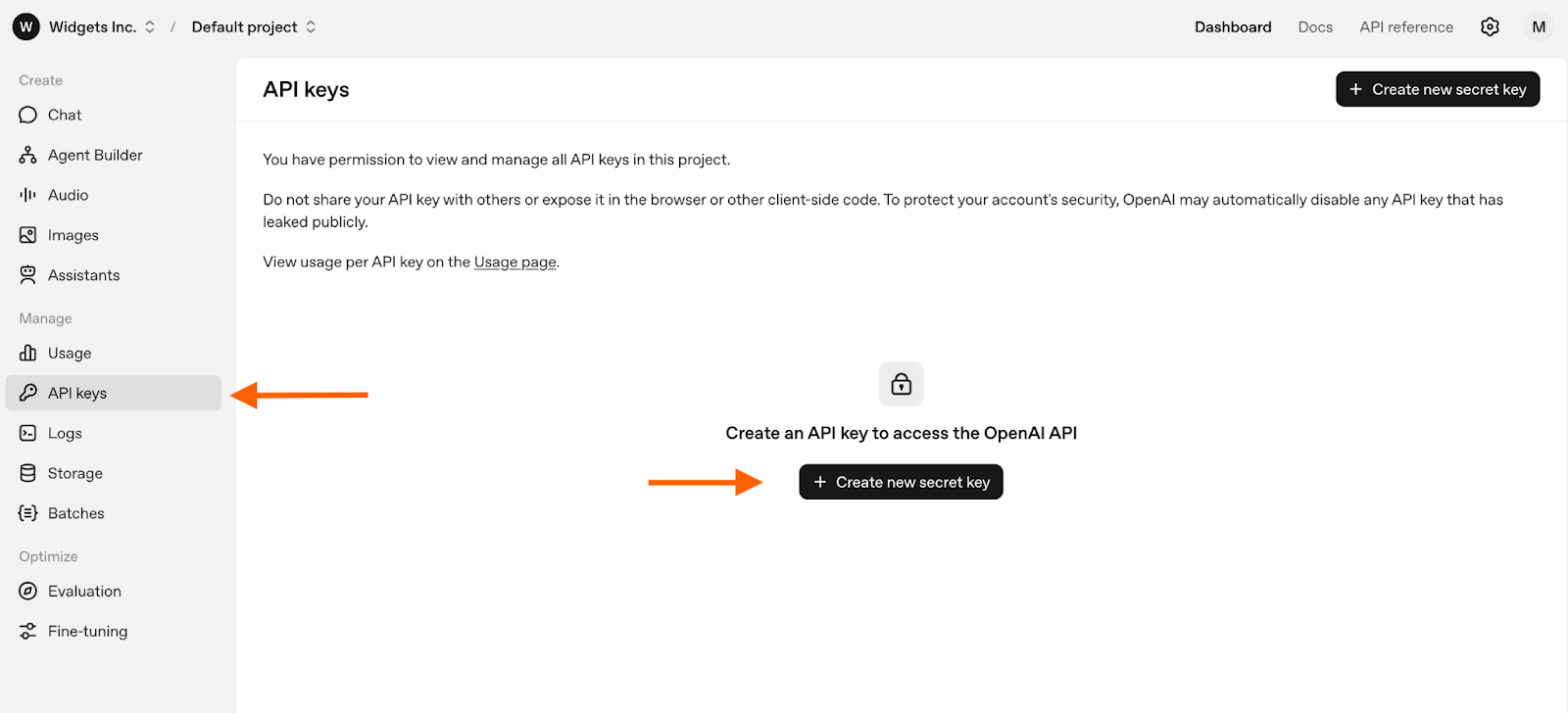
Then click API keys in the left menu. Click + Create new secret key.
3. Upload your dataset. Click Dashboard in the top navigation menu and then Fine-tuning in the left menu. Click + Create and provide answers in the dialog box that appears, including your JSON file of training data.
Note that you’ll have choices to make regarding the method and base model. Supervised fine-tuning is generally recommended for first-time users as it directly teaches the model to follow specific input-output examples. You can read more about the considerations associated with model selection on OpenAI’s website.
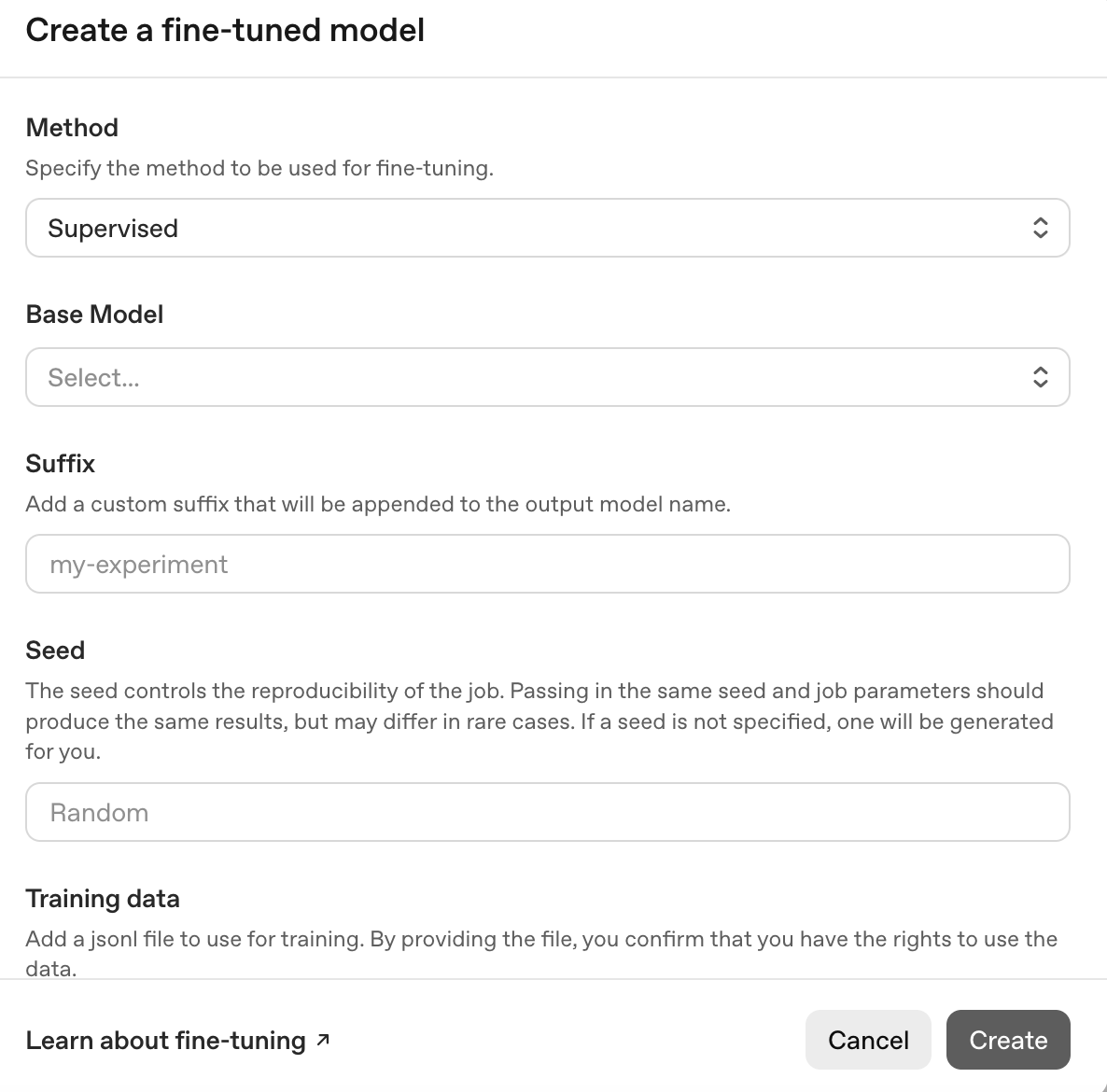
4. Create a fine-tuning job. Click Create at the bottom of the dialogue box to kick off the process, and then monitor the status in the dashboard.
5. Once training is complete, test it out. Go to the dashboard and click on your fine-tuning job to get the model ID. You can then use OpenAI’s Playground to run some prompts and see how it performs. If you’re satisfied with its performance, you can start integrating it into your own application using OpenAI’s API.
Fine-tuning can take a lot of heavy lifting, particularly when it comes to data preparation. There are also costs associated with both training and using the model, as well as the need to maintain your custom GPT on an ongoing basis. You may not want to consider this route for these reasons.
Jotform AI Agents: the simpler alternative to custom ChatGPT training
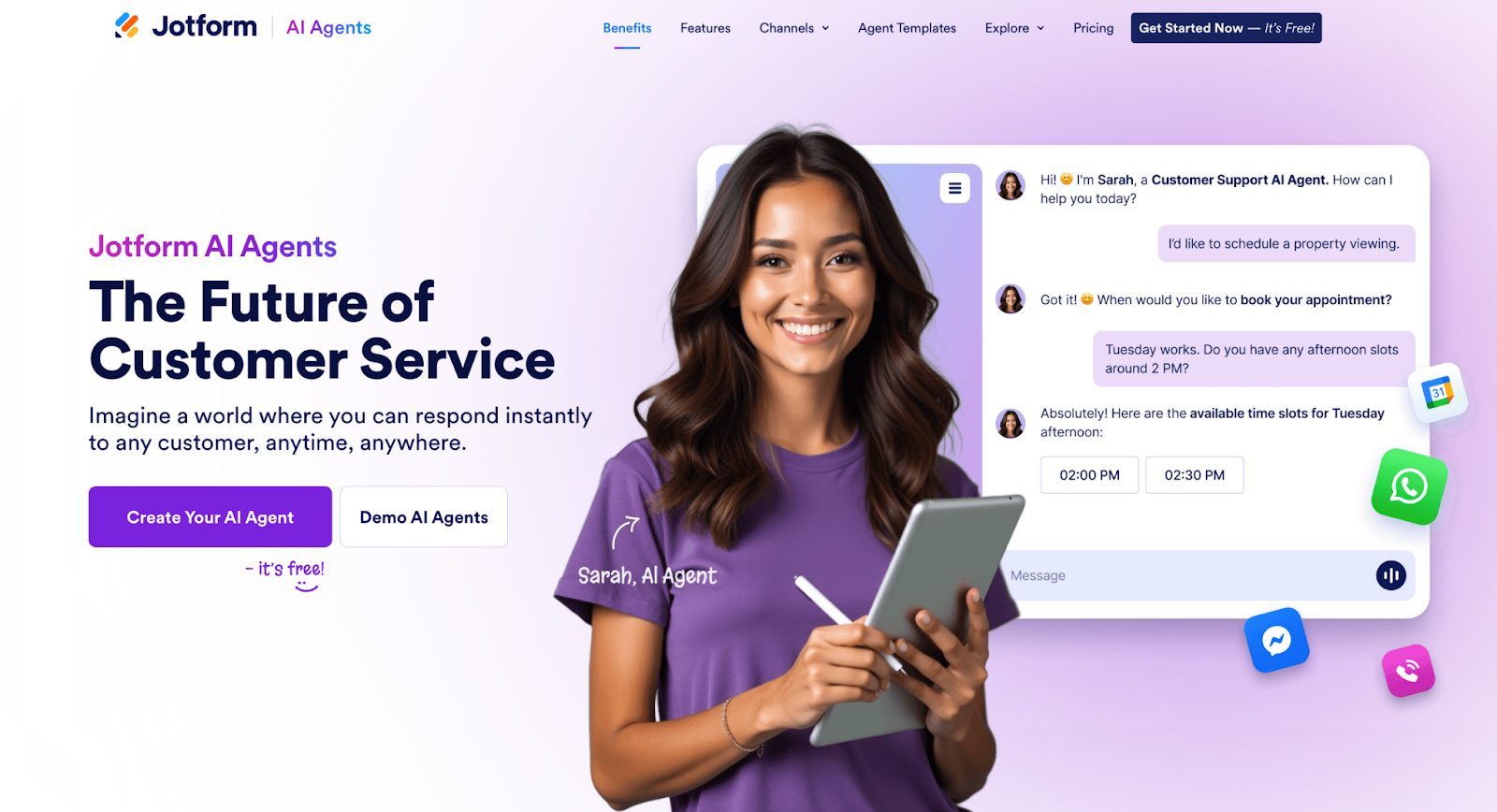
If you’re looking for an even easier way to get — and train — a custom chatbot for your business than the two methods outlined above, here’s a solution: Try Jotform AI Agents. It’s a powerful, user-friendly alternative for creating custom AI chatbots without the complexities of API-based fine-tuning.
Jotform AI Agents are automated customer service tools that can provide real-time assistance, answer user queries, and guide customers through processes like form-filling and troubleshooting. They’re incredibly easy to set up — no coding required — and training them on your own data is a cinch.
Wondering how to train your AI agent? You can use any of these methods:
- Provide relevant URLs: Direct the agent to crawl one or more websites to learn from their content.
- Provide relevant documents: You can upload files like PDFs and documents to build a knowledge base.
- Provide relevant Q&As: You can create a list of frequently asked questions relevant to your business and their ideal answers as teaching material.
- Directly add knowledge: You can input specific text-based information, or even talk directly to the agent for an interactive training experience.
Jotform has a library of AI chatbot templates, all of which are fully customizable. Part of the training process includes modifying the agent’s tone of voice to match your brand. You can choose from a list of options (friendly, professional, casual) or add a custom tone if you like. You can also change its appearance in a way that resonates with your customers, using uploaded images or AI-generated avatars.
Once you’ve created the perfect AI agent, it’s just as easy to deploy. With a simple copy-and-paste code, you can embed the chatbot into your website. You can also share the agent via email or social media to engage customers on their preferred platforms.
If your business uses forms, here’s an even better reason to use Jotform: When you link an agent with a form, that form instantly becomes more dynamic and conversational. The agent guides users through the form-filling process by providing real-time assistance, answering questions, and automatically formatting responses to match a form’s required structure. It can even help out on the back end by automating tasks related to form submissions, such as scheduling meetings or sending emails.
5 best practices for training a custom chatbot
Whether you’re using the no-code option or the more technical method, follow these best practices when you’re ready to train a chatbot on your own data:
1. Start with high-quality, relevant data: Your chatbot will only be as good as the data it’s trained on. Make sure the examples you provide represent ideal exchanges, cover a range of user goals, and include various tones and phrasing styles.
2. Define a clear persona and tone: Define your brand voice (formal or informal, humorous or authoritative, etc.) and integrate that tone and vocabulary into your chatbot training to make sure it represents your brand well.
3. Test thoroughly and iterate: Continuously refine the chatbot’s knowledge and responses based on real user interactions.
4. Provide an escalation path: Always have an option for users to connect with a human agent for complex or sensitive issues. Train your bot to recognize scenarios that call for human support and to make a seamless handoff.
5. Monitor its performance: Regularly check the chatbot’s accuracy and user satisfaction. You can do this by inputting questions in a variety of ways and assessing its responses. You can also have multiple users input questions at once to see how well it handles large workloads. Periodic security testing is also recommended.
Ready to start training your own custom chatbot?
Chatbots can be a boon to your business, but only if you take the time to train them on your own data. Doing so ensures great customer experiences and also helps the chatbot operate more efficiently.
To recap, there are two approaches for how to train ChatGPT: either use OpenAI’s no-code method, or the more technical method it offers for fine-tuning existing models. The former method is fairly simple, while the second approach requires some degree of technical expertise. The benefit of the second option, however, is that you’ll get more control over the end product — preferable if your bot will be navigating complex conversations in a specialized field.
If you’re looking for an even simpler alternative than either of these ChatGPT training options, try Jotform AI Agents instead. They’re just as powerful as ChatGPT bots but easier to use by far. They can do all the same things — answer customer questions, provide real-time assistance, troubleshoot on your behalf, etc. — and more complex tasks as well, like assisting with form completions and automating backend processes.
Jotform is making custom chatbot creation accessible to everyone. See for yourself — start building your own custom chatbot today.
This article is for business owners, marketers, developers, and content creators who want to leverage their own data to create a custom ChatGPT-powered chatbot for their website or internal use. It caters to both non-technical users looking for easier alternatives and technical users interested in the fine-tuning process.








































































Send Comment: