Jotform makes it easy to connect your forms with SendGrid, so contact information updates automatically as soon as someone submits. With this integration, you can quickly sync new leads to your SendGrid Recipient Lists and keep everything organized for email campaigns or follow-ups.
This setup speeds up your workflow and takes the hassle out of manual data entry, helping you stay on top of contacts and communication.
Whether you’re setting up a new form or updating an existing one, setting up your SendGrid on your form takes no time at all—here’s how:
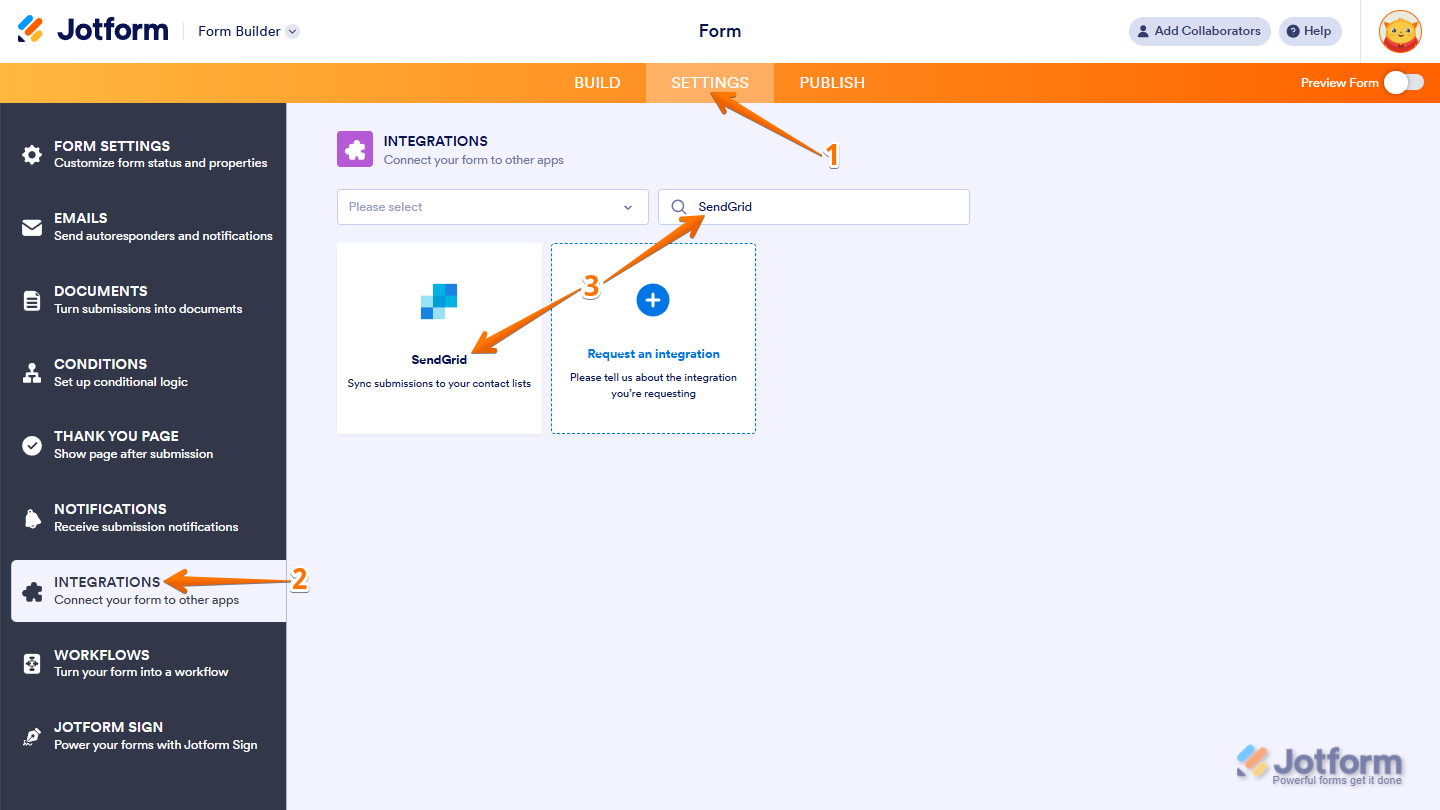
- In Form Builder, in the orange navigation bar at the top of the page, click on Settings.
- Then, in the menu on the left side of the page, click on the Integrations tab.
- Now, search for SendGrid and click on it.
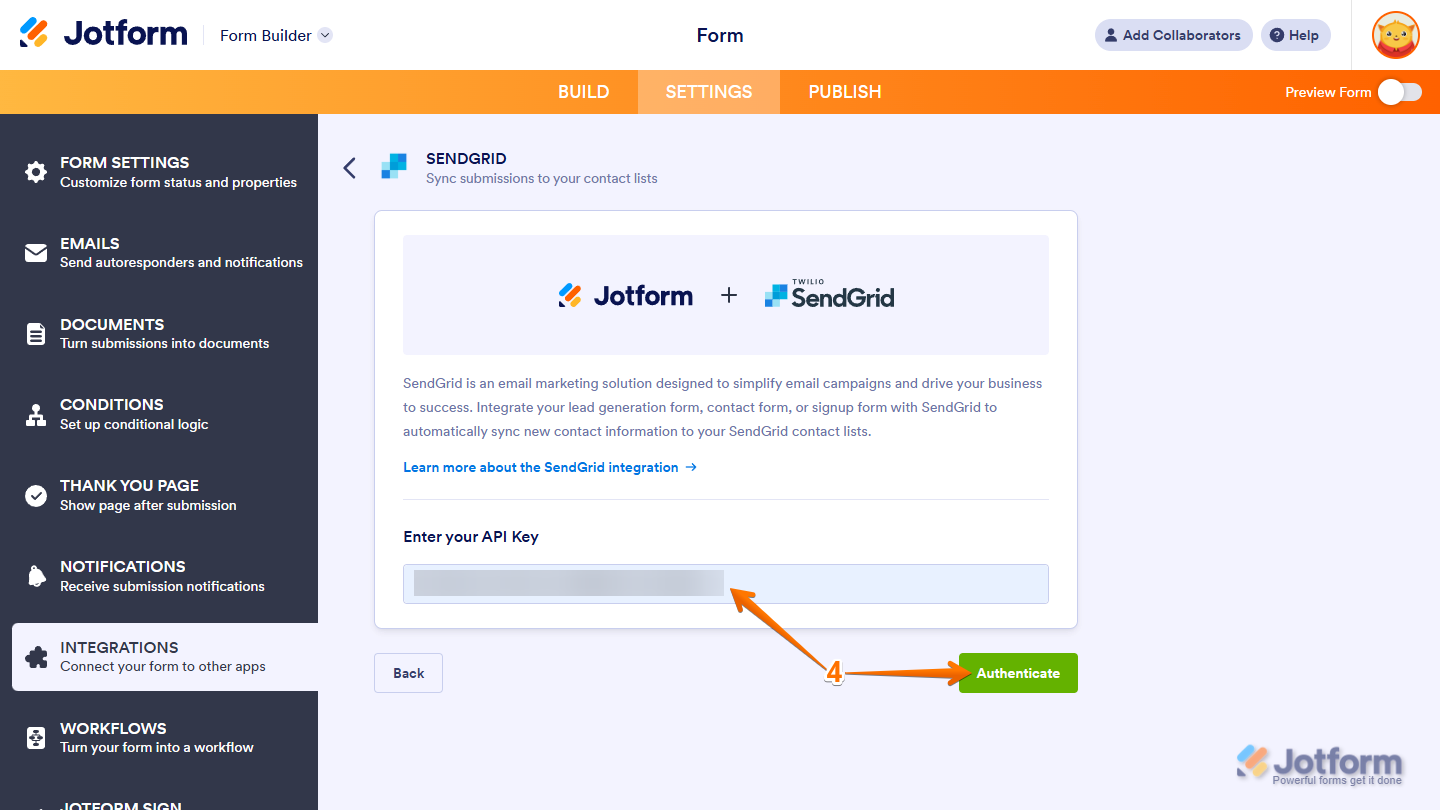
- Next, enter your API Key, and then click on Authenticate. Take a look at this guide about SendGrid—API Keys for more details.
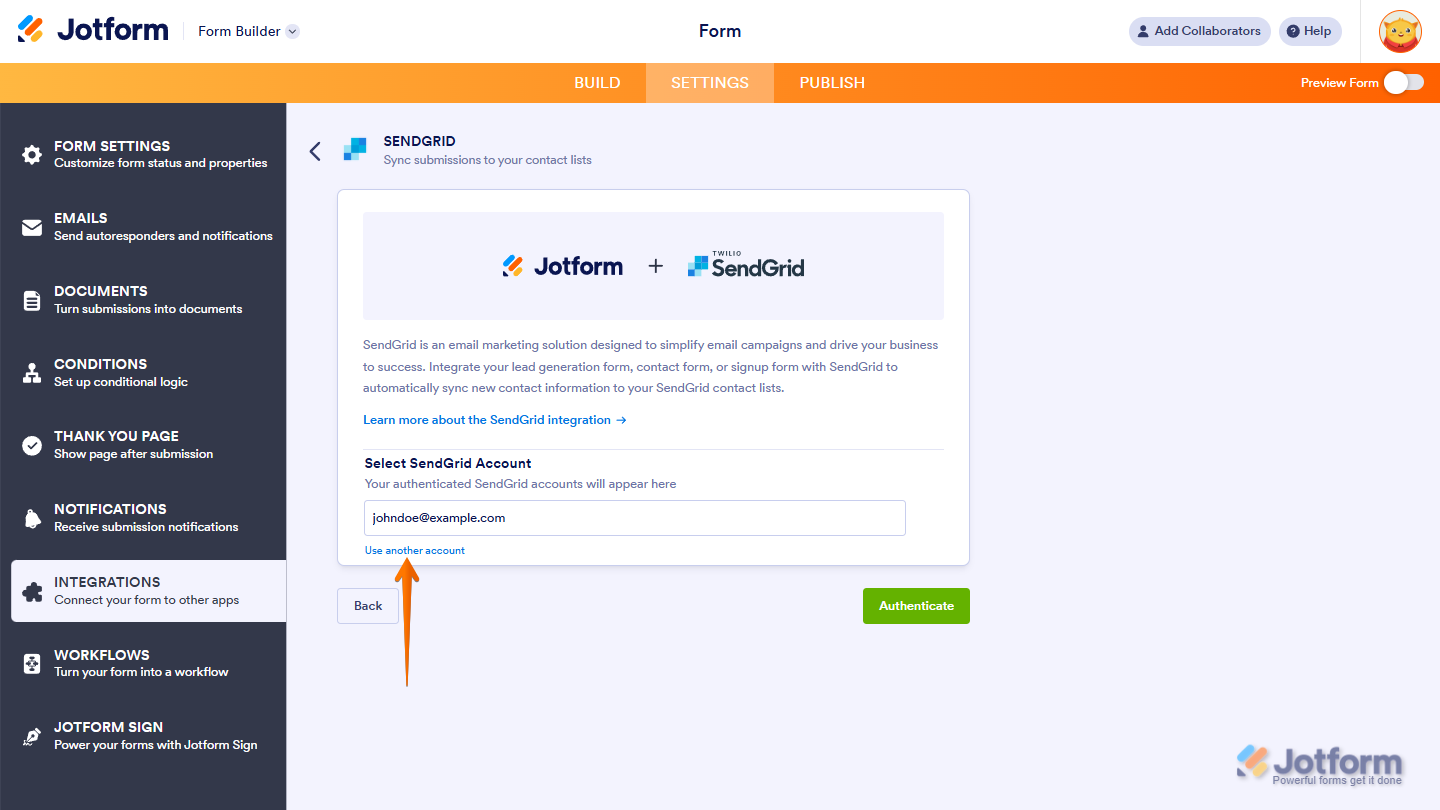
If you’ve logged in before, just pick your SendGrid account from the dropdown. To use a different one, click on Use another account.
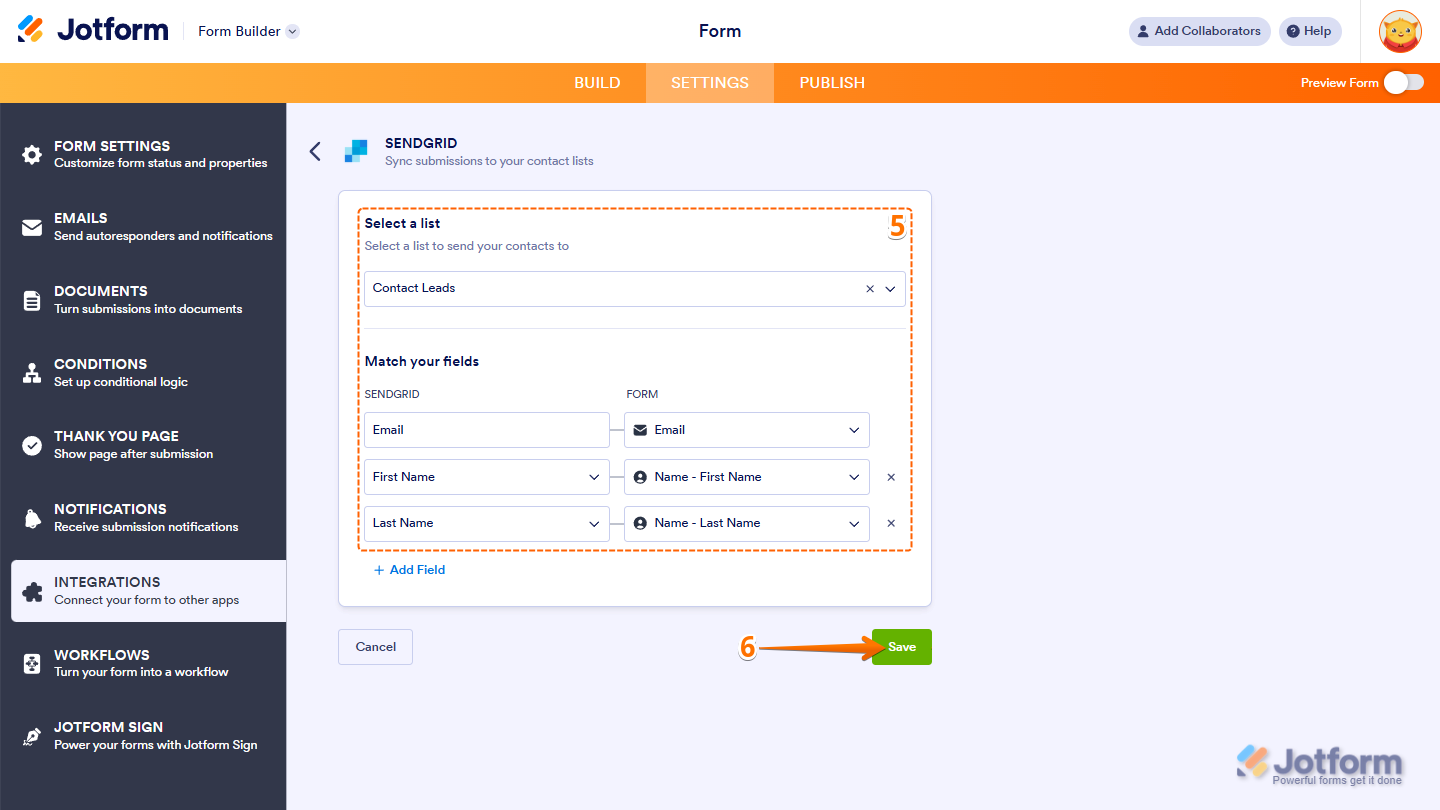
- Now, set up these things:
- Select a List — Select the SendGrid list you want to sync your contacts to.
- Match Your Fields — Map your form fields to SendGrid fields like Email, First Name, or Last Name.
- Once you’re done, click on Save and you’re all set.
Managing SendGrid Action Logs
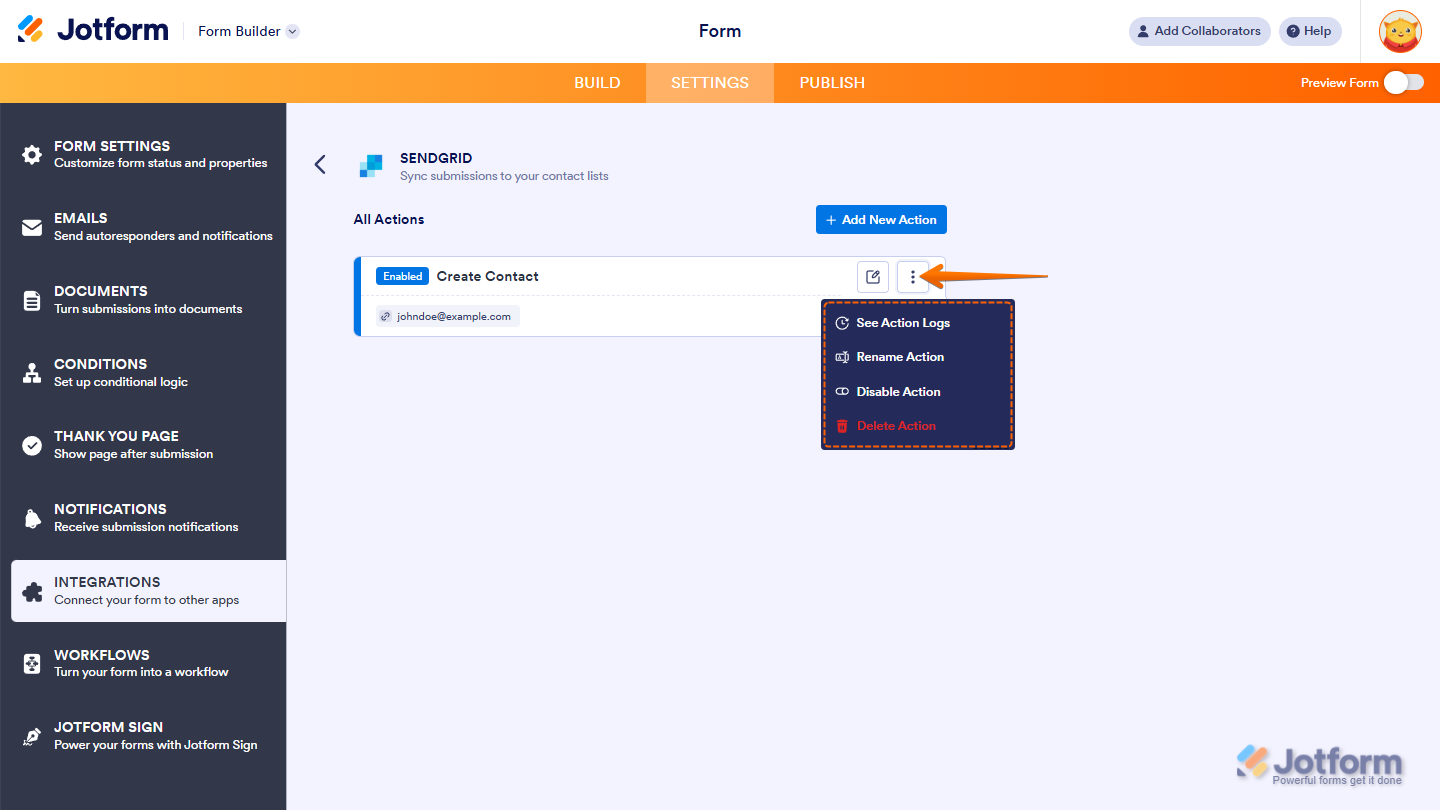
After saving the integration, you’ll see the list of actions you’ve set up and the Add New Action button on the main page. Hover your mouse over an action and click on the Three Dots icon next to it on the right side to access more options:
- See Action Logs — View successful and failed runs, helpful for troubleshooting.
- Rename Action — Change the action’s title.
- Disable Action — Temporarily stop the integration from sending data.
- Delete Action — Remove the action from your form.

Send Comment:
1 Comment:
February 22, 2023
Is there any update on when this will work with the new marketing system instead of the old Legacy one on SendGrid? The integration works to connect to SendGrid and add contacts to the legacy marketing system, but not their new one.