If you want to simplify the way you collect and manage data, integrating your form with Airtable is a smart move. This setup automatically sends your form submissions straight to your Airtable bases, so you can stay organized, track updates effortlessly, and collaborate with your team in real time. By blending the familiarity of spreadsheets with the power of databases, Airtable gives you a flexible and efficient way to work with your Jotform data, all in one place.
Integrating Your Form With Airtable
Easily connect your form with Airtable to automatically send submissions and keep your data organized in one place. To get going, here’s what you’ll do:
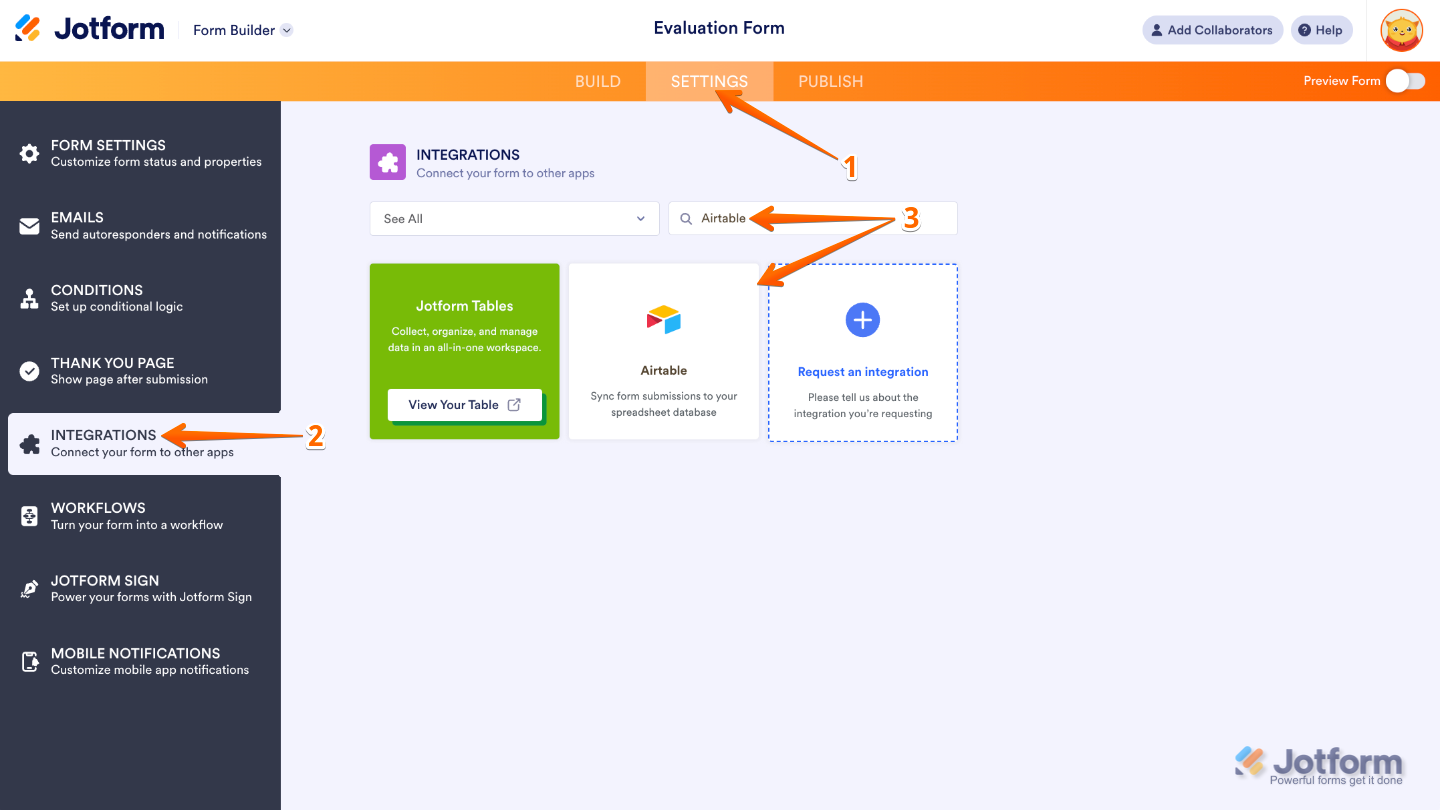
- In Form Builder, in the orange navigation bar at the top of the page, click on Settings.
- Click on Integrations in the menu on the left side of the page.
- Search for Airtable, and then click on it.
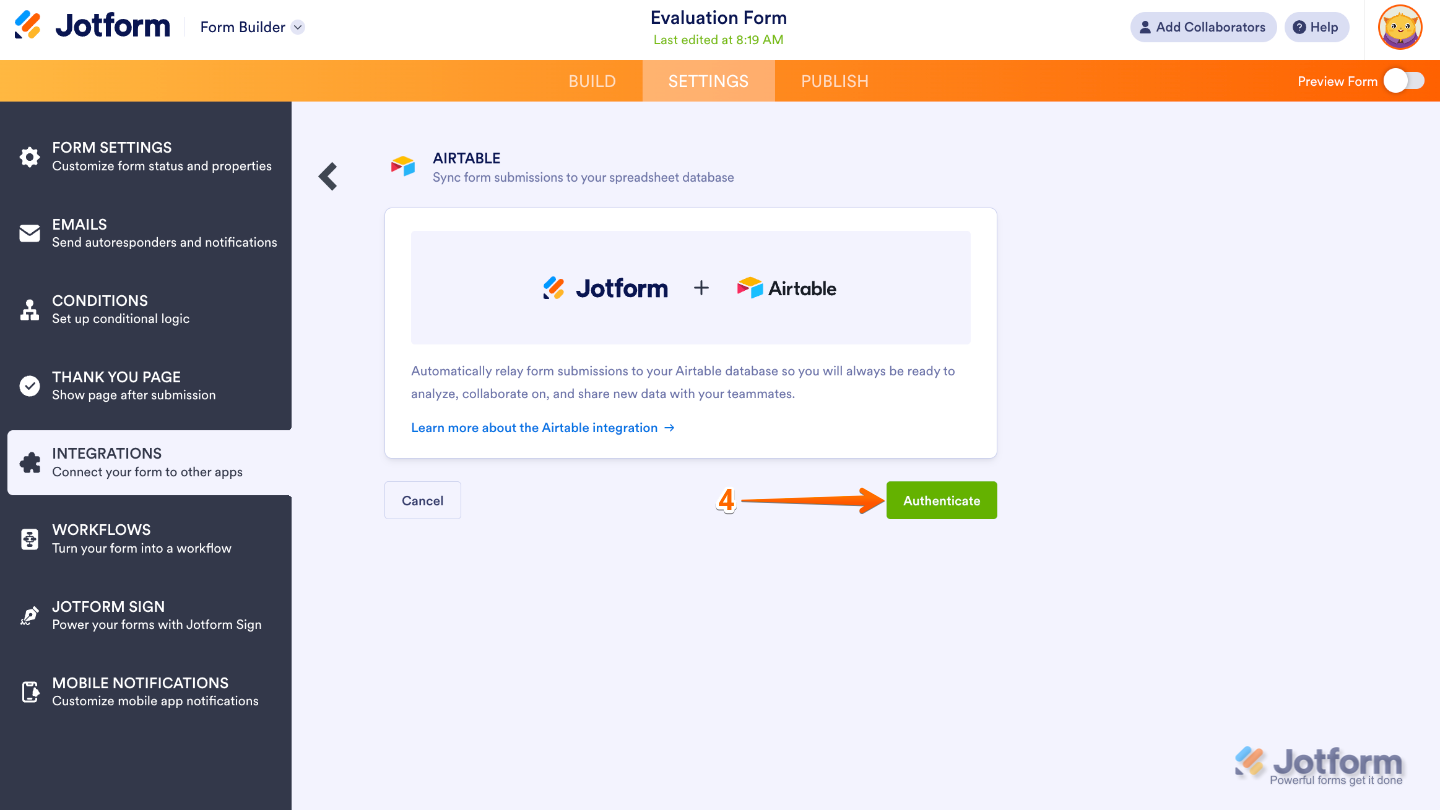
- Then, click on Authenticate.
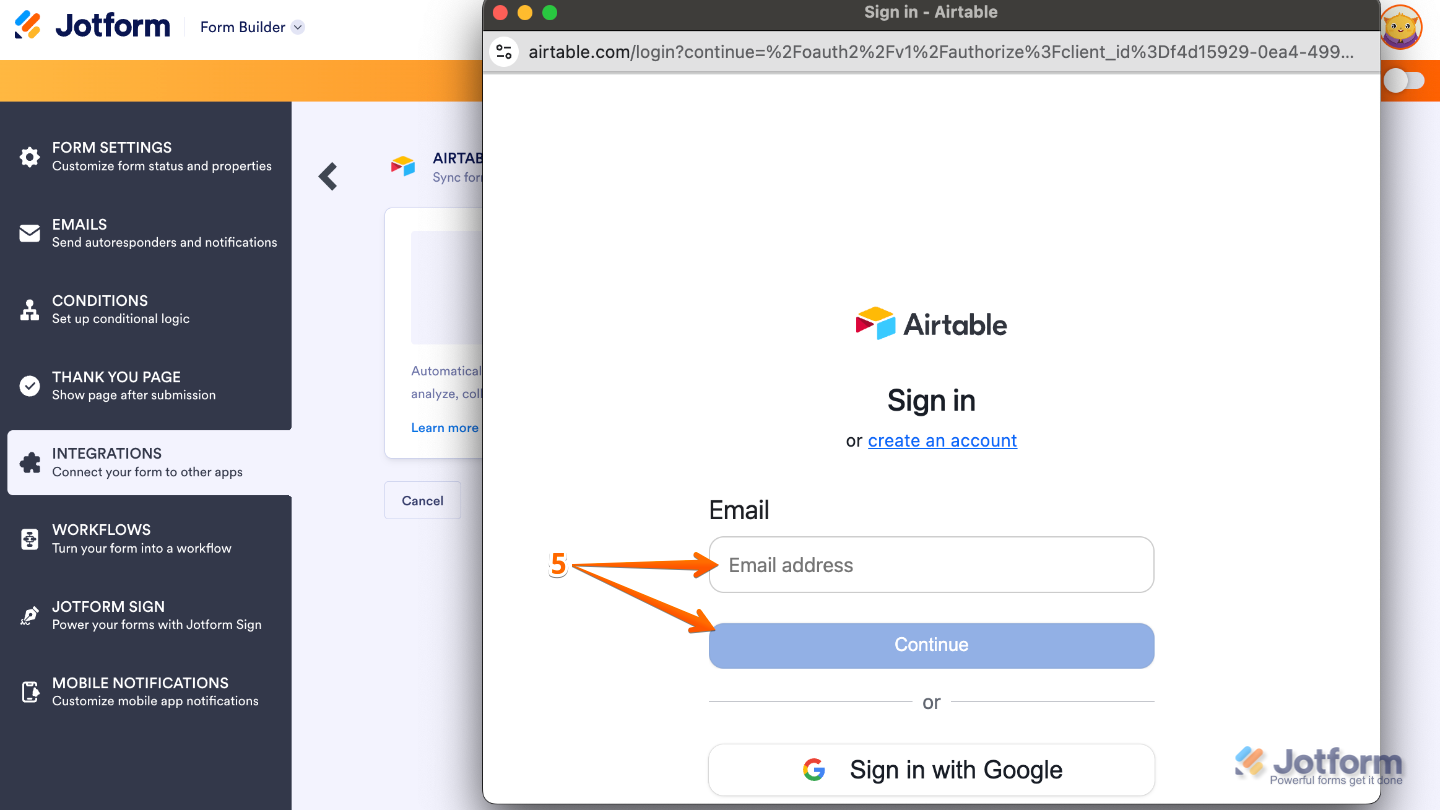
- In the window that pops up, enter the email address for your Airtable account, and then click on Continue.
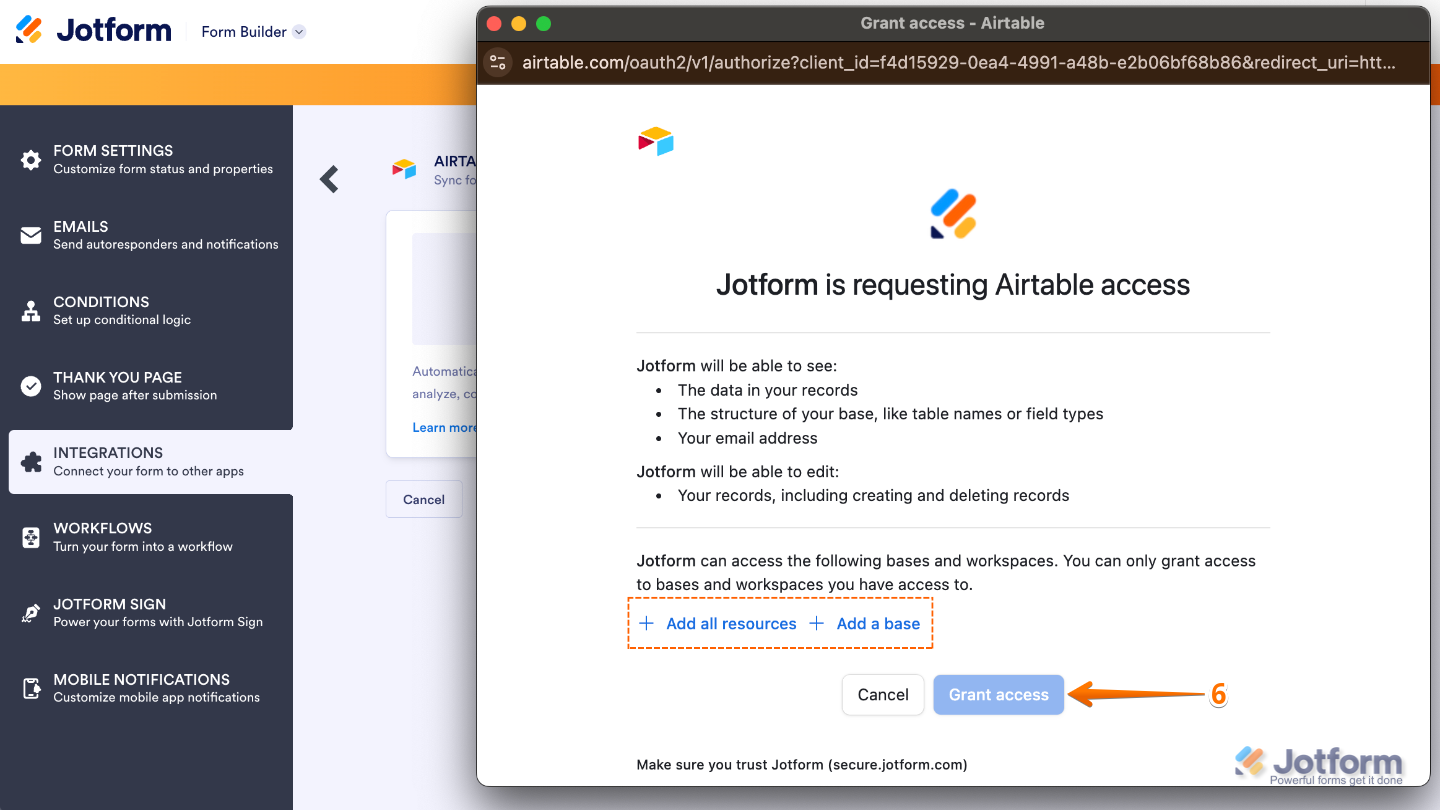
- Once logged in, click on Add All Resources and/or Add a Base to select your Airtable resources and base. And then, click on Grant Access.
- Lastly, edit the Choose a Base, Choose a Table, Match Your Fields sections, and check the Create a New Record When Submission is Edited option. Once you’re done, click on Save.
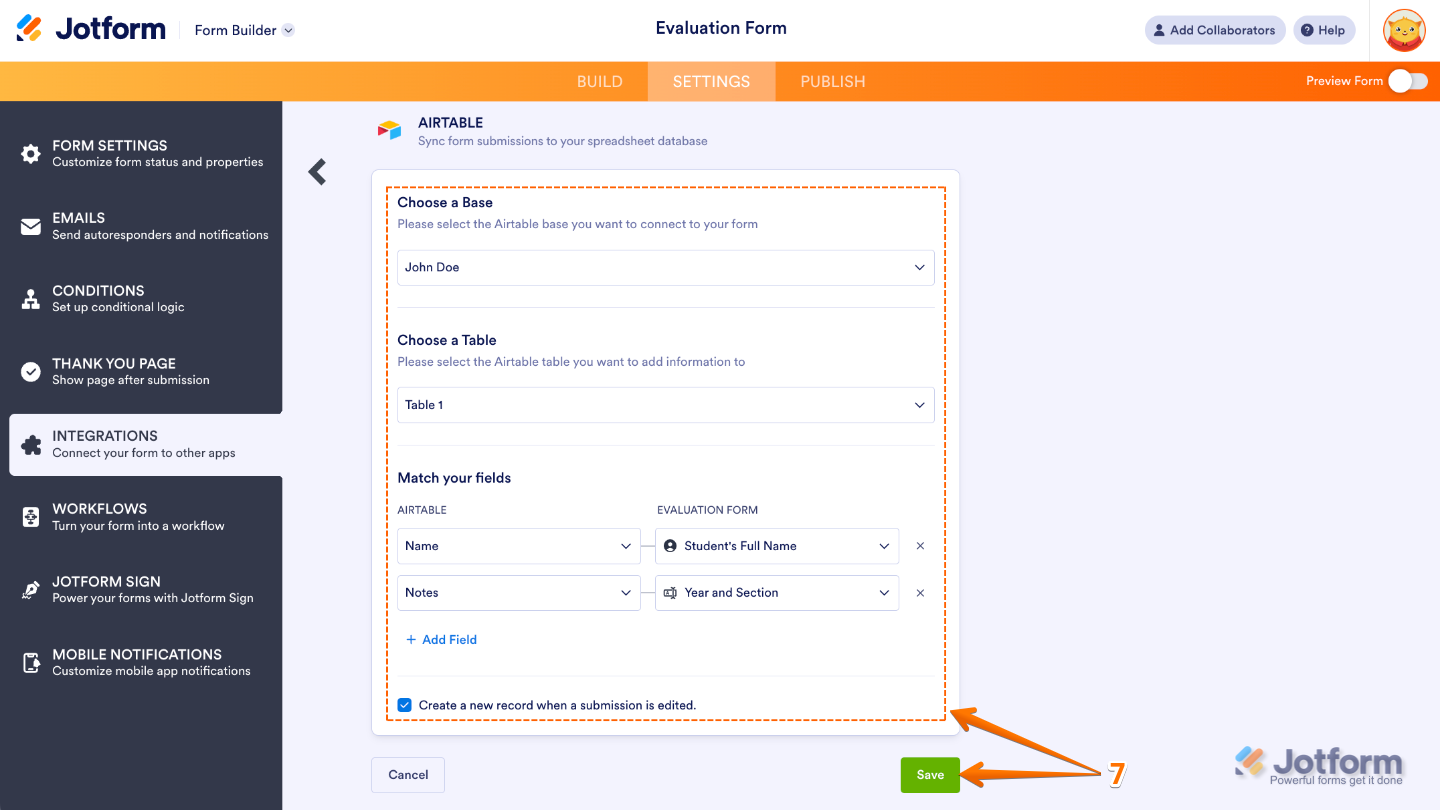
That’s it. Keep in mind, you can connect additional Airtable accounts using the same integration. Just click on Add New Action in the Airtable Integration window, and you’ll be able to send your form submissions to multiple bases at once, keeping all your data synced and organized effortlessly.
Notes
- Jotform remembers the access permissions for the Bases you’ve selected most recently. So when you re-authenticate with Airtable, make sure to add or select the same Bases in the integration to keep everything running smoothly.
- If you don’t select the same Base as in your initial setup during re-authentication, your existing integration may stop working. To avoid any disruptions, always double-check your Base selections.

Send Comment:
17 Comments:
July 9, 2025
Authenticating takes forever. trying to sync jotform and airtable
June 17, 2025
Can we integrate Airtable with Jotform Card format?
March 15, 2025
For the airtable integration, will it bring future updates as well
November 22, 2024
Buenos dias. Al reves es posible? es decir tener una BBDD en Airtable y poder seleccionar de ahi datos para nuestro formulario en Jotform?
Saludos
August 6, 2024
HI! simple question here. What happen whene a customer fil jotform two times and on the second time fills with slightly differet values. Does Jotform update the existing row in airtable or It just creates a new one?
June 5, 2024
Is it possible to auto populate Jotform fields with data from Airtable?
February 7, 2024
I am trying to sync an airtable with form submissions. I did not set up the integration until after I had already received submissions. Is there a way to sync the already received submissions into my airtable?
January 30, 2024
I have 70 questions, and it seems i have to map each one manually, even though they have identical field names (because i created the airtable base using the jotform). Am I missing something, shouldlnt it be able to automatically match fields, and just have me check them?
January 3, 2024
Can you make the creation of a new entry on airtable dependent on the form being approved in the approval flow? Otherwise, anybody could make entries in our database.
August 7, 2023
I had a working Jotform to airtable sync. I needed to add an additional field, and I was forced to re-do the integration with Airtable. Now, it seems I cannot sync attachments from Jotform to Airtable. What is happening?
July 9, 2023
Hi, I also need the information about PAT. Thanks!
June 3, 2023
I also need to know if Jotform will be migrating to support Personal Access Tokens? We need to know by september if this will be a feature for the future or if we need to change away from jotform. Airtable will be getting rid of API support in January.
January 21, 2023
Does Jotform support the new Personal Access Tokens in Airtable? I'm reluctant to delve too far into the integration with an API that is in the process of being deprecated.
January 20, 2023
I cannot get jotform to integrate with Airtable at all. We've followed the instructions, made sure the tables match, tried to submit multiple test forms, refreshed and logged in and out again. No dice. What are the most common mistakes users make to not create a seamless link? Thanks!
January 12, 2023
I've tried to integrate a Jotform with an Airtable base, but some of the fields are grayed out on the mapping and some aren't, so it will only send a few of the field information over to Airtable for each entry. Any ideas about what I'm doing wrong?
December 6, 2022
For some reason, uploads (pictures aren't integrating with the form)?
August 16, 2022
I've tried to integrate a Jotform with an Airtable base, but some of the fields are grayed out on the mapping and some aren't, so it will only send a few of the field information over to Airtable for each entry. Any ideas about what I'm doing wrong?