Jotform makes it easy to keep your assignees on track with automatic reminder emails. Instead of manually following up, you can schedule reminders that notify assignees about pending tasks, upcoming deadlines, or incomplete submissions.
Whether you’re creating a new form or updating an existing one, setting up reminder emails for your assignees only takes a minute. Here’s how:
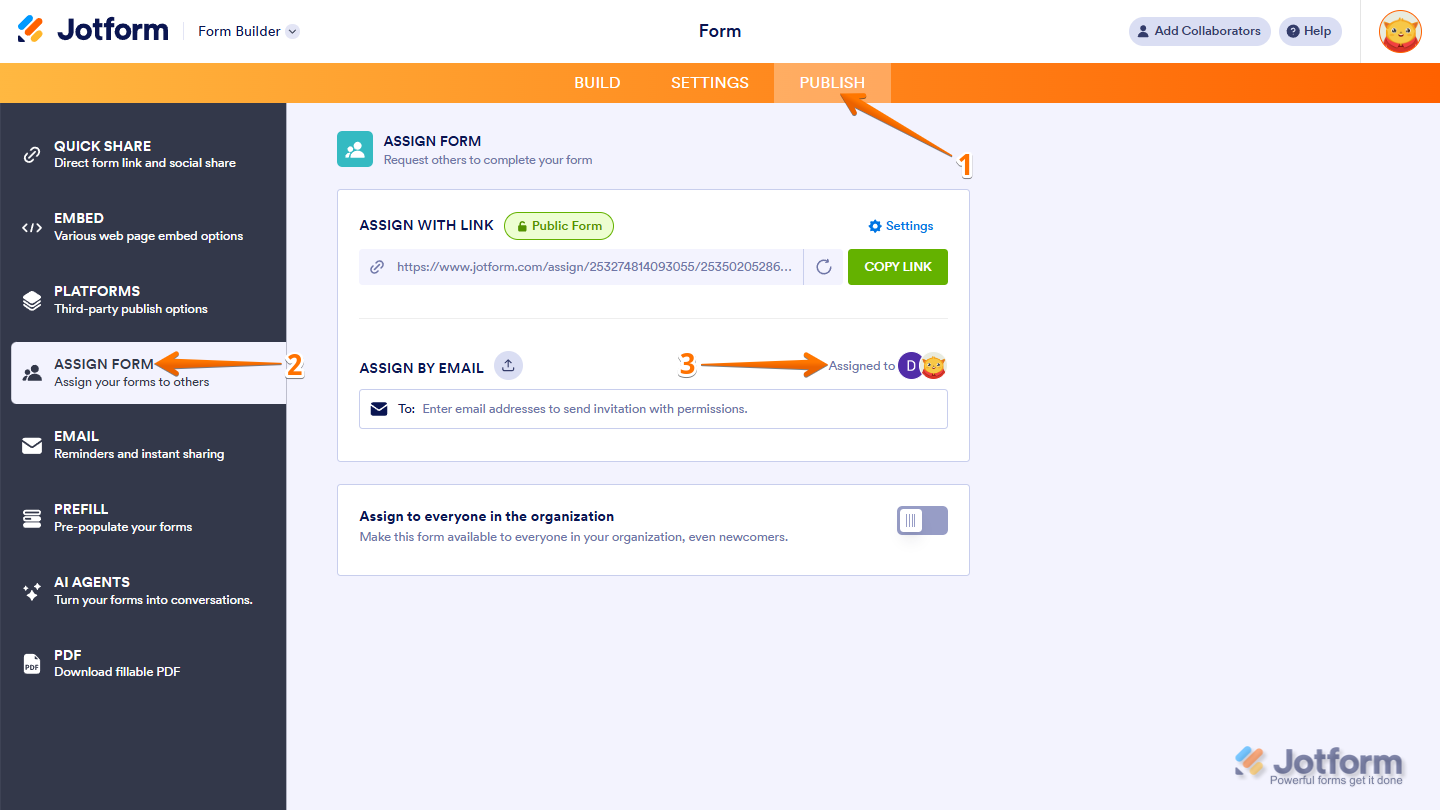
- In Form Builder, in the orange navigation bar at the top of the page, click on Publish.
- Then, click on Assign Form on the left side of the screen.
- Now, in the Assign by Email section, click on Assigned To.
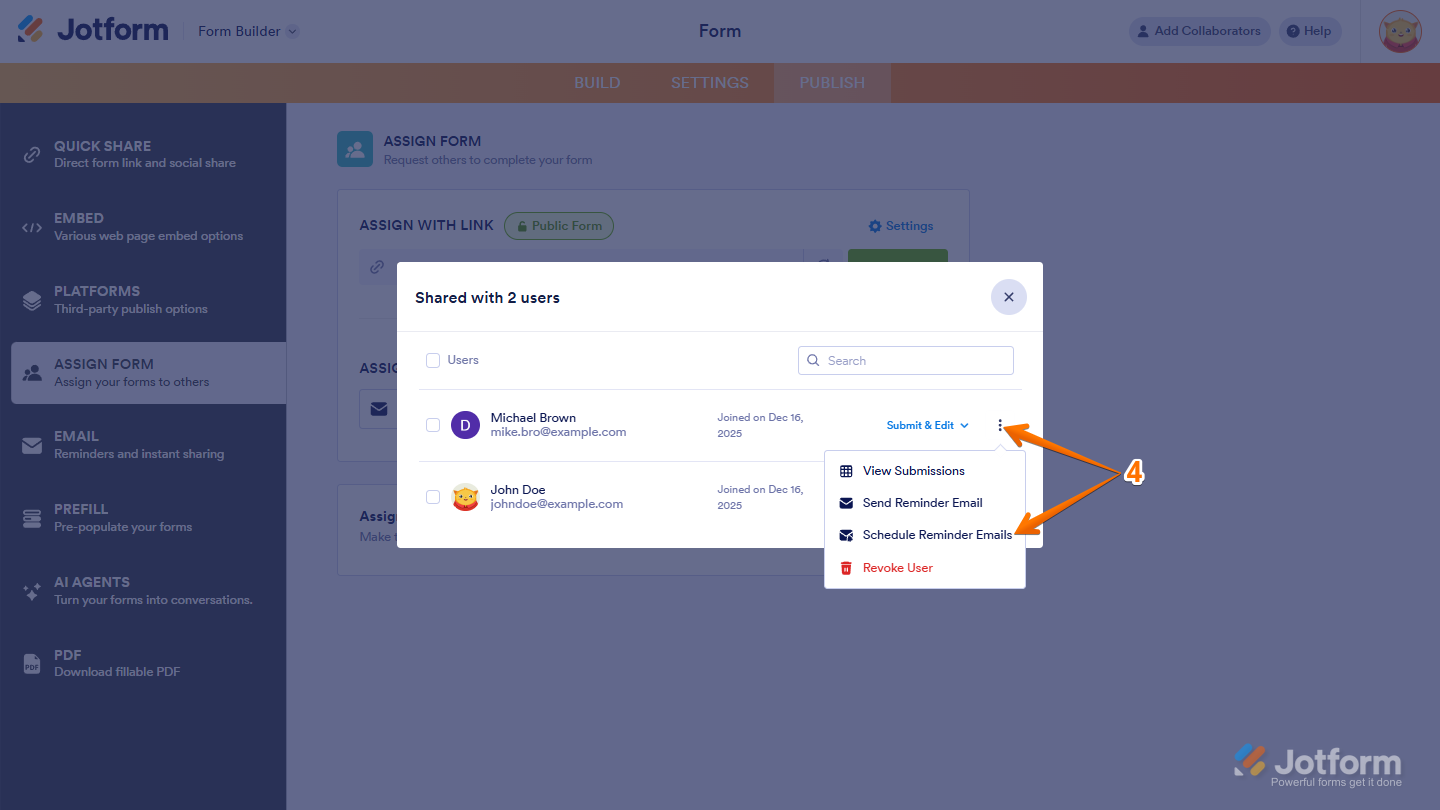
- Next, in the window that comes up, click on the Three Dots icon next to the assignee you want to send a reminder email to, and select Schedule Reminder Emails.
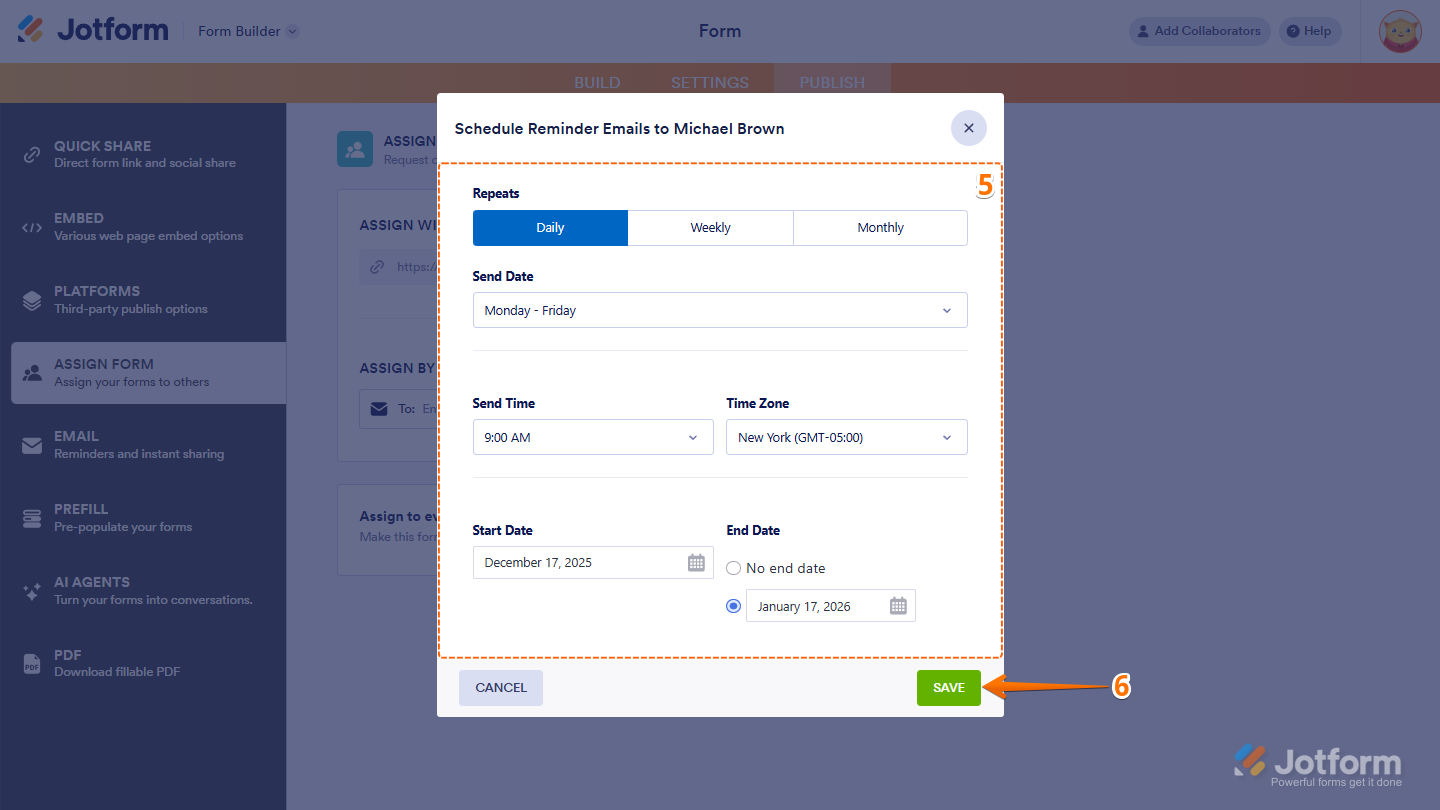
- Then, in the Schedule Reminder Emails window that comes up, configure these things:
- Repeats — Choose how often you want the reminder email to be sent. You can pick Daily, Weekly, or Monthly.
- Send Date — The options here depend on what you selected for Repeats. For example, if you chose Daily, you’ll see options like Weekdays, Weekends, or Every day. If you choose Weekly, you’ll be able to pick specific days of the week.
- Send Time — Choose the time you’d like the reminder email to go out. You can pick from any hourly time slot.
- Timezone — This will default to the timezone set in your account settings.
- Start Date — Select when you want the reminder emails to begin.
- End Date — Select when you want them to stop.
- Finally, click on Save at the bottom of the page, and you’re all set.
Once your reminder emails are set up, Jotform will automatically notify your assignees according to the schedule you defined. This ensures tasks stay on track and deadlines are met—without you having to follow up manually. You’re good to go! Looking for more info? Our guide on How to Set Reminder Email for Your Forms has more details.

Send Comment:
4 Comments:
October 25, 2021
Hi, I need to send a reminder email every 3 days. Will this be possible?
Thank you in advance.
March 7, 2021
why cant i see this feature? is it only in a paid account?
March 17, 2020
Excelente!. Aunque sería interesante a la sección Schedule reminder emails pudieran agregarse campos del formulario de modo que funcione como una agenda.
Por ejemplo: nosotros manejamos los reportes de los técnicos desde jotform y manejamos la agenda en wunderlist y próximamente en to do list, sería fantástico que se asignara a cada técnico sus tareas desde jotform de forma independiente donde el técnico al seleccionar la tarea continúe editando dicha tarea, ya que estaría agregado varios campos del formulario asignado.
March 17, 2020
This is an awesome feature, it will really help my team. Maybe this feature can be also put into mobile notifications for companies that have employees on the move constantly! :) great work guys