Admin Console
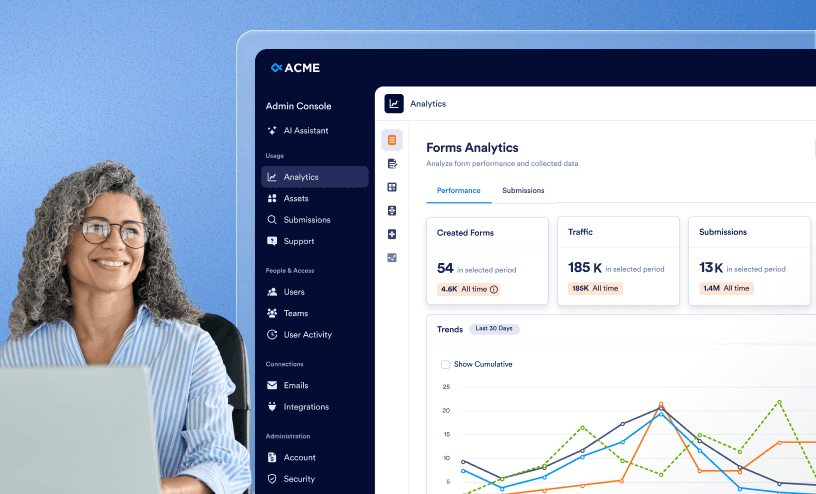
Learn how to manage the Admin Console to control users, teams, assets, security settings, dashboards and emails all in one place.
Guides
How to Trash or Restore Forms in Your Organization from the Admin Console
Managing forms effectively is essential to keeping your organization organized and up to date. Through the Admin Console, you can move forms to the trash when they are no longer needed, helping reduce clutter and ensure that only relevant forms...
How to Archive or Unarchive Workflows in Your Organization from the Admin Console
Workflows can be archived or unarchived one by one or in bulk, giving admins simple control over which workflows are active and visible. Archiving helps keep your workspace organized by hiding workflows that are not currently in use, without...
How to Trash or Restore Workflows in Your Organization from the Admin Console
Learn how to efficiently manage workflows in your organization using the Admin Console. This guide explains how admins can move workflows to the trash, restore previously deleted workflows, and keep workflow management organized while ensuring...
How to Archive or Unarchive Agents in Your Organization from the Admin Console
Agents can be archived or unarchived one by one or in bulk, giving admins simple control over which agents are active and visible. Archiving helps keep your workspace clean by hiding agents that are not currently in use, without deleting them....
How to Trash or Restore Agents in Your Organization from the Admin Console
Agents can be trashed or restored individually or in bulk, giving admins full control over their availability across the organization. By removing Agents that are no longer needed or restoring them when necessary, you can keep your workspace...
How to Archive or Unarchive Apps in Your Organization from the Admin Console
Archiving and unarchiving apps in your organization gives admins flexible control over which tools are active or temporarily hidden. By archiving apps that are no longer in use, you can declutter your workspace and reduce distractions, while...
How to Trash or Restore Apps in Your Organization from the Admin Console
Apps can be trashed or restored individually or in bulk, giving admins full control over their availability across the organization. By removing apps that are no longer needed or restoring them when necessary, you can keep your workspace...
How to Archive or Unarchive Forms in Your Organization from the Admin Console
Archiving forms is a great way to keep your organization organized without permanently deleting important assets. Through the Admin Console, you can archive forms that are not actively in use, keeping them out of your main forms view while...
How to Enable or Disable Forms in your Organization from the Admin Console
Forms can be enabled or disabled individually or in bulk, giving admins full control over their availability across the organization. By enabling or disabling forms as needed, you can ensure that only relevant and approved forms remain active,...
What is the Admin Console?
Managing an organization isn’t an easy task. Between forms, submissions, users, security, and countless other moving parts, you need a single place to keep everything under control. That’s where the Admin Console comes in. The Admin...
How to Create Users in Your Organization from the Admin Console
As an Admin, you can add and create users in your Server. Each added user takes up one of your available user “seats” or “licenses” and will have different permissions based on their user type. Types of Users When you create a user...
How to Update User Information in Your Organization from the Admin Console
As an admin, you can edit existing user profiles in the Admin Console to update their names, email addresses, and other personal information. You can also change their User Type from here, as needed. Updating Users In the Admin Console,...

How to Manage User-Based Two-Factor Authentication (2FA) Settings in Your Organization from the Admin Console
Your organization contains important information — as an Admin, you can set up Two-Factor Authentication (2FA) to help keep that information safe. This additional level of protection can be managed in the Security section of the Admin Console,...
How to Delete Users in Your Organization from the Admin Console
For administrative or security reasons, it may be necessary to remove a user from your organization. As an Admin, you can delete users from the server. This is a permanent action and cannot be undone. Deleting Individual Users In the...
How to Lock Users in Your Organization from the Admin Console
Locking User Accounts As an Admin, you can lock your user's accounts from within the Admin Console. This can be done one of two ways—by either from your User Management screen or within a specific user’s profile. We’ll go through both...
How to Unlock Users in the Organization from the Admin Console
Unlocking User Accounts As an Admin, you can unlock your user's accounts from within the Admin Console. This can be done one of two ways—by either from your User Management screen or within a specific user’s profile. We’ll go through...
How to View Individual User Activities in Your Organization from the Admin Console
As an admin, you can view a detailed history of any user’s actions using the activity logs located in your Admin Console. These detailed logs can help you track changes to your assets and maintain accountability across your organization....
How to Log Users Out in Your Organization from the Admin Console
As an Admin, you can log users out of all active sessions in your organization directly from the Admin Console. This can help ensure account security or quickly end a user’s current session when needed. Logging Users Out Individually...
How to View User-Owned Assets in Your Organization from the Admin Console
As an Admin, you can access and review owned assets of your users within your organization directly from the Admin Console. This guide explains how to locate and view assets associated with your users. Accessing Owned Assets of Your Users...
How to View and Manage Assigned Assets in Your Organization from the Admin Console
As an Admin, you can use the Admin Console to see which assets are assigned to each user and manage those assignments as needed. Viewing and Managing Assigned Assets You can view and manage your organization's assigned assets-from two...
How to View and Manage Shared Assets in Your Organization from the Admin Console
As an Admin, you can use the Admin Console to view and manage all assets that have been shared with specific users in your organization. Viewing and Managing Shared Assets You can view and manage your organization’s shared assets ...
How to Unassign Assets in Your Organization from the Admin Console
As an Admin, you can also unassign assets from users in your organization directly from the Admin Console. This can be useful whenever an employee no longer needs access to a particular asset. Unassigning Assets of Users You can unassign...
How to Revoke Users Access to Assets in Your Organization from the Admin Console
As an Admin, you can revoke a user’s access to assets in your organization from within the Admin Console. This can be useful whenever an employee no longer needs access to a particular asset. Revoking Users Access to Assets Removing a...
How to View Each User’s Teams in Your Organization from the Admin Console
As an Admin, you can view the teams each user belongs to within your organization directly from the Admin Console. This allows you to easily identify which teams users are part of and manage collaboration across your organization. Viewing...
How to Reset User Passwords in Your Organization from the Admin Console
As an Admin, you can reset passwords for users in your organization directly from the Admin Console. This can help when a user forgets their password or is unable to access their account. Resetting User Passwords Individually You can...
How to Update Guest Account Information in Your Organization from the Admin Console
What is a Guest User? A Guest User is an external (and unlicensed) user who’s been granted access to your forms to submit, view, or edit their own responses. Guest User Permissions The actions these users can take, depend on the...

How to Delete Guest Accounts in Your Organization from the Admin Console
What is a Guest User? A Guest User is an external (and unlicensed) user who’s been granted access to your forms to submit, view, or edit their own responses. Deleting Individual Guest Accounts from the User Management Page As an...
How to Lock Guest Accounts in Your Organization from the Admin Console
What is a Guest User? A Guest User is an external (and unlicensed) user who’s been granted access to your forms to submit, view, or edit their own responses. Locking Guest Accounts As an admin, you can lock the guest accounts...
How to Unlock Guest Accounts in Your Organization from the Admin Console
Unlocking Guest Accounts If a guest account has been locked, you can unlock it from within the Admin Console. Unlocking Guest Accounts from the User Management Page Starting in the Admin Console, click on Users in the menu on the...
How to Log Out Guest Accounts in Your Organization from the Admin Console
What is a Guest User? A Guest User is an external (and unlicensed) user who’s been granted access to your forms to submit, view, or edit their own responses. Logging Guest Accounts out of Your Organization As an Admin, you can...
How to Create a Brand Kit for Your Organization from the Admin Console
What is a Brand Kit A Brand Kit gives you a smarter, scalable way to keep every form and workspace visually consistent. Instead of manually adding logos and colors to each form, you can centralize all your brand assets and have them...

How to Manage and Update the Organization’s Brand Kit from the Admin Console
What is a Brand Kit A Brand Kit helps your organization maintain a unified, professional appearance across your Enterprise environment. By storing your logos, colors, and media in one place, you can apply your branding consistently and help...

How to Implement the Brand Kit Across Other Pages from the Admin Console
Once your Brand Kit is set up, it will control the appearance of your Enterprise environment.. Wherever you customize colors, logos, or visual components in your Enterprise environment, you’ll see Brand Kit–based suggestions that will help you...
How to View and Manage Assigned Asset Access for Guest Accounts in Your Organization from the Admin Console
What is a Guest User? A Guest User is an external (and unlicensed) user who’s been granted access to your forms to submit, view, or edit their own responses. Accessing Guest Account’s Assigned Assets As an admin, you can...
How to Revoke Access from Guest Accounts to Assets in Your Organization from the Admin Console
What is a Guest User? A Guest User is an external (and unlicensed) user who’s been granted access to your forms to submit, view, or edit their own responses. Revoking Access of Assets from Guest Accounts As an admin, you can...
How to Manage Team Members in Your Organization from the Admin Console
Overview As an Admin, not only can you create and update Teams in the Admin Console, but you can also manage members of each Team from there. Managing Team Members Roles Within the Team, there are four roles. Server Admins can...
How to Manage Team Settings Organization-Wide from the Admin Console
As an Admin, you can also set limits on what Teams can and can’t do and apply those settings to all Teams on your Server. Controlling Organization-Wide Team Settings Whenever Team settings are set at the Organization level in your...
How to Configure and Enforce Two-Factor Authentication (2FA) Organization-Wide from the Admin Console
Your Enterprise Server contains important information—as an Admin, you can set up Two-Factor Authentication (2FA) to help keep that information safe. This additional level of protection can be managed in the Security section of the Admin...
How to Enable and Manage SSO Organization-Wide from the Admin Console
Overview One of the perks you have is Single Sign On for your organization. Before this can be turned on, make sure to reach out to your Sales Associate. Once SSO is Enabled, Two-Factor Authentication can’t be set up within your organization...
How to Restrict Network Access to the Organization’s System from the Admin Console
Overview As an Admin, you can restrict access to your server based on an IP address. If needed, later on, you can also remove IP addresses from the list of restrictions. However, only IP Addresses listed as “Trusted Networks” will be able...
How to Create Support Tickets from the Admin Console
Accessing Support from your Admin Console As an Admin, you can create and manage Support tickets for your organization from within the Admin Console. You can also schedule Zoom calls with CSMs and allow users to create Support Tickets and...
How to View Your Organization's Integration Logs from the Admin Console
As an admin, you can view your organization’s integration logs from the Admin Console to monitor and track all integration-related activities. Integration logs provide detailed information about connected services, data transfer events, and any...
How to Access and Manage Each Asset’s Integration List in Your Organization from the Admin Console
As an Admin, you can view and manage all integrations connected to assets within your organization directly from the Admin Console. This allows you to monitor which Integrations are in use, manage access, and ensure data connections remain secure...
How to Show or Hide Integrations in Your Organization from the Admin Console
As an admin, you can manage which integrations are visible or hidden for your organization directly from the Admin Console. This helps control which tools your users can connect to and ensures compliance with internal policies or security...
How to Manage Support Ticket Settings in Your Organization from the Admin Console
Overview As an Admin, you can configure and manage Support Ticket settings for your organization directly from the Admin Console. This guide will walk you through adjusting these settings to control how users interact with Support Tickets....
How to View Email-Related Logs in Your Organization from the Admin Console
Do you want to make sure an email got sent successfully? Do you have a user who isn’t sure where their email was sent? Well, as an admin, you can find all of this information in the Email Logs section of the Admin Console. Accessing Email...
How to View Your Organization’s Sender Email List from the Admin Console
Overview All sender emails used organization-wide, within team assets, or added personally can be found in the Emails section of the Admin Console. As an admin, you can also allow or prevent users from adding new sender emails from the Emails...
How to Manage Sender Email Addresses in Your Organization from the Admin Console
As as admin, you can customize the sender email address for notification emails, autoresponders, and more in the Admin Console. To do this, you’ll need to set up a Simple Mail Transfer Protocol (SMTP), and then add the associated email address....

How to Configure Organization-Wide Email Settings from the Admin Console
Overview As an admin, you can manage organization-wide email settings, such as the Default Sender Email, system emails, and adding new sender emails, in the Admin Console. Default Sender Email This email is the default for all emails...
How to Manage Organization-Wide Payment Integration Settings from the Admin Console
Overview In your organization, it is possible to enable a variety of Payment Integrations for use on different assets. As an Admin, you can configure which integrations are visible or hidden and control their availability within the Asset...
How to View Organization-Wide Activity Logs from the Admin Console
Overview All non-email activity on your server is recorded and can be accessed in the Activity Log in the Admin Console. Here, as an admin, you can see who logged in and when, who updated a form, or who purged a submission, along with the...
How to Search Organization-Wide Submissions for a Specific Keyword in the Admin Console
As an admin, you can find all submissions related to an email address, username, or a keyword in the Admin Console by creating a submission search result. Then, you can view, repeat, or delete the search result as needed. These search...
How to Access Highlighted Activities in Your Organization from the Admin Console
Overview As an Admin, a summary of server level activities can be viewed from the Admin Console Homepage. From the summary, you can drill into each activity to review what actions were taken. Highlighted Activities In this section of...
How to Access Enterprise Resources and Release Notes from the Admin Console
Exciting news, whitepapers, features, and release notes from the last three months are now stored in chronological order under Release Notes/Announcements on the Admin Console Landing page. Resources: The Admin Console landing page holds...
How to View and Manage Assets In Your Organization from the Admin Console
Overview As an Admin, you can view your server’s assets directly in the Admin Console. Assets In the Admin Console, you can view all of the following assets, regardless of who created them or if they’re in a Team:...
How to View and Manage Organization-Wide Forms Usage from the Admin Console
The Admin Console provides a centralized view of all forms within your organization. From this page, you can review key details such as Form Name, Status, Submission Count, Last Edit Date, Date Created, Owner, Share Type, and e-Signature status....
How to Show or Hide Form Widgets Organization-Wide from the Admin Console
As an Admin, you have global control over the Form Builder. You can curate a list of approved widgets for your organization or disable the functionality entirely to ensure data compliance and a standardized form structure across your organization....

How to Show or Hide Form Fields Organization-Wide from the Admin Console
As an Admin, you can manage the Form Fields available to your organization to ensure data consistency and security. Use these settings to hide specific inputs—such as File Uploads or signatures—to standardize how your organization collects...

How to Create and Manage Form Theme Organization-Wide from the Admin Console
As an admin, you can create, customize, and manage a unified form theme for your entire organization. This helps ensure visual consistency across all forms your users build. Follow the steps below to set up and control the organization form...

How to View and Manage App Usage in Your Organization from the Admin Console
Your organization’s server supports a wide range of app templates, including ready-to-use options like the Store app, as well as fully customizable apps tailored to your needs. As an admin, you have full control over these applications...
How to Enable or Disable Individual Apps in your Organization from the Admin Console
Apps can be enabled or disabled either one by one or in bulk, giving admins complete control over their availability across the organization. By adjusting app status as needed, you can ensure that only relevant and approved apps are available to...
How to View and Manage Sign Document Usage in Your Organization from the Admin Console
The Admin Console makes it simple to check and manage your organization’s sign document usage. You can quickly see how documents are being used, monitor overall activity, and keep track of limits to avoid unexpected overages. With clear insights...
How to View and Manage Agents Usage in Your Organization from the Admin Console
This guide explains how to view and manage AI Agent usage within your organization through the Admin Console. You’ll learn how to monitor overall activity, track individual Agent performance, review usage metrics, and identify trends to ensure...
How to Enable or Disable Individual Agents in Your Organization from the Admin Console
As an Admin, you can also enable and disable AI Agents from the Admin Console. Disabling the Agent prevents it from being used while also keeping all related information stored on your server. Disabling an Agent In the Admin Console,...
How to View and Manage Workflow Usage in Your Organization from the Admin Console
As an admin, maintaining a high-level view of organizational efficiency is critical. The Admin Console provides a centralized hub where you can monitor, modify, and analyze every workflow within your organization, regardless of the original...
How to Enable or Disable Individual Workflows in Your Organization from the Admin Console
As an admin, you can enable or disable workflows individually or in bulk, giving you full control over their availability across the organization. By adjusting the workflow status as needed, you can ensure that only relevant and approved workflows...
How to Create a Custom App for Your Organization from the Admin Console
Overview Want to white-label the Enterprise app? We’ll create a custom app for your organization! As an admin, you can request this in the Admin Console for your organization. Custom Jotform Enterprise App Requirements Apple...
How to Analyze All Assets Usage in your Organization from the Admin Console
Overview As an Admin, you can view all data related to your assets in the Admin Console. Analytics In the Admin Console, you can view data on all the assets below: Forms Signs Apps Workflows AI Agents Data in the...
How to Analyze Forms Usage in your Organization from the Admin Console
The Admin Console provides access to detailed data and analytics on your Forms. As an admin, you can track both Performance and Submissions through dedicated tabs. Each section gives you specific metrics and visualizations to help monitor form...
How to Analyze Sign Documents Usage in your Organization from the Admin Console
The Admin Console provides access to detailed data and analytics for your Sign Documents. As an admin, you can track both documents and signers through dedicated tabs, allowing you to view key information and monitor activity. Data in the...
How to Analyze Apps Usage in your Organization from the Admin Console
The Admin Console provides access to detailed data and analytics on your Apps. As an admin, you can track both Performance and Traffic through dedicated tabs. Each section gives you specific metrics and visualizations to help monitor app usage and...
How to Analyze Workflow Usage in your Organization from the Admin Console
The Admin Console gives you detailed insights into your workflows. As an admin, you can track all workflows to monitor usage across your organization. Workflow Analytics Data in the Analytics tab updates every 5 minutes. Workflow...
How to Analyze Agents Usage in your Organization from the Admin Console
The Admin Console is home to a lot of information, including data and data analytics on your AI Agents. Here, you can view information on the Performance and Conversations, among other things. AI Agents Analytics Let’s walk through how...
How to Customize Organization-wide Settings in the Admin Console
Overview Want your organization’s server to match your branding? Great news! In the Admin Console, you can customize your login page, error page, Workspace page, and even the Favicon! Customization Settings Let’s walk through the...
How to Manage AI Generated Form Templates Organization-Wide from the Admin Console
AI template creation allows you to generate a new form using AI prompts and then publish it as an organizational template. A server admin needs to enable this in the Admin Console first. Enabling AI Template Creation In the Admin...

How to Disable or Enable AI Agent Creation Organization-wide from the Admin Console
Overview Within the Admin Console, managing AI Agents is straightforward. As an admin, you decide whether users can create them or keep that option turned off. This keeps things flexible letting users build agents when it makes sense or...
How to Enable Phone Agent Creation in Your Enterprise Admin Console
Overview Within the Admin Console, admins can enable Phone Agent creation for their users. Once enabled, everyone in the organization can create AI-powered agents that customers can reach by phone and speak with directly, offering a direct and...
How to Enable SMS Agent Creation Organization-wide from the Admin Console
Overview With Enterprise Admin Console, you can easily enable SMS Agent creation, so your users can build AI-powered assistants that send text messages, answer customer queries, and provide hands-free support through SMS. This allows customers...
How to Purchase Phone Numbers in Your Enterprise Admin Console
Overview Within the Admin Console, you can add phone numbers that users can assign to their Phone and SMS Agents. This makes it possible for agents to handle calls and send texts, giving your team dependable ways to stay connected with the...
How to Enable Voice Agent Creation Organization-wide from the Admin Console
Overview AI Voice Agent helps you take customer interactions to the next level by managing web-based calls alongside chat conversations. It’s useful for teams that want to provide faster, more personalized support, keeping every...
How to Enable Messenger Agent Creation Organization-wide from the Admin Console
Overview Within the Admin Console, admins can easily enable Messenger Agent creation, so users in their organization can build AI-powered assistants that interact with customers directly on Facebook Messenger. These agents can send messages,...
How to Enable WhatsApp Agent Creation Organization-wide from the Admin Console
Overview Within the Admin Console, admins can enable WhatsApp Agent creation, giving their teams access to AI-powered agents that interact directly on WhatsApp. This allows users to build agents that provide seamless, real-time support and...
How to Enable Presentation Agent Creation Organization-wide from the Admin Console
Overview Within the Admin Console, admins can enable Presentation Agent creation for users in their organization, giving their teams access to AI-powered agents that turn static slides into dynamic, voice-guided presentations. Users can create...
How to Enable Gmail Agent Creation Organization-wide from the Admin Console
Overview Within the Admin Console, admins can easily enable Gmail Agent, so users in their organization can create AI-powered assistants that simplify email management. These agents can draft replies, organize the inbox with smart labels, and...

How to Enable Shopify Agent Creation Organization-wide from the Admin Console
Overview Within the Admin Console, admins can easily enable Shopify Agent creation, so users in their organization can build AI-powered assistants for their Shopify stores. These agents can answer customer questions, track orders, recommend...
How to Enable Instagram Agent Creation Organization-wide in the Admin Console
Overview Within the Admin Console, admins can easily enable Instagram Agent, so users in their organization can create AI-powered assistants that handle Instagram DMs, story replies, mentions, and comments automatically. This helps boost...
How to Enable Salesforce Agent Creation Organization-wide from the Admin Console
Use the AI Salesforce Agent to capture leads, create or update records, automate case management, and deliver personalized support — all without writing code. It elevates your customer support operations, acting like a dedicated Salesforce...