

Aplikasi Portal Sumber Daya & Pembelajaran

Aplikasi Bimbingan Belajar
Aplikasi Bimbingan Belajar digunakan oleh lembaga bimbingan belajar untuk merekrut tutor dan menjadwalkan janji temu dengan siswa. Aplikasi Bimbingan Belajar gratis ini mencakup Formulir Permintaan Tutor bagi siswa untuk mengisi informasi kontak umum dan menentukan bidang studi mereka, serta Formulir Janji Temu Tutor untuk menjadwalkan janji temu setelah tutor ditetapkan. Terdapat juga Formulir Aplikasi Tutor untuk merekrut tutor baru, serta Formulir Umpan Balik Sesi E-Learning di mana siswa dapat menilai kinerja tutor. Ingin menyesuaikan aplikasi Anda agar sesuai dengan branding lembaga Anda? Interface seret-dan-lepas Jotform memudahkan untuk menambah atau mengubah elemen formulir, mengunggah logo Anda, mempersonalisasi halaman splash Anda, dan lainnya — tidak diperlukan coding. Bagikan aplikasi Anda dengan tautan dan siswa akan dapat mengakses serta mengunduhnya di smartphone, tablet, atau desktop mana pun. Bantu menghubungkan siswa dengan tutor dalam waktu singkat dengan Aplikasi Bimbingan Belajar yang sepenuhnya dapat disesuaikan ini.
Buka Kategori:Aplikasi Pendaftaran Kursus & Pelatihan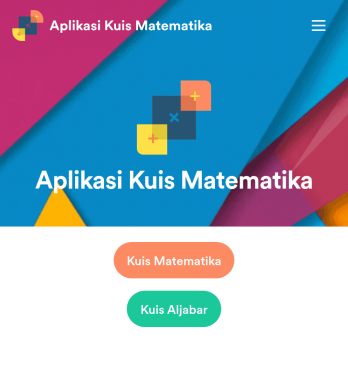
Aplikasi Kuis Matematika
Buat kuis matematika untuk siswa Anda dan bagikan dalam aplikasi gratis yang dapat diunduh dengan Jotform. Baik jika Anda seorang guru matematika atau tutor, buat kuis yang dapat diisi dengan lancar di perangkat apa pun — termasuk komputer, tablet, atau smartphone — untuk mengumpulkan tanggapan secara instan online. Aplikasi siap pakai ini menyediakan kuis yang sudah dibuat sebelumnya, yang secara otomatis menghitung hasil tanggapan. Anda dapat menambahkan kuis Anda sendiri atau mengubah yang sudah ada untuk memulai. Setelah selesai, bagikan aplikasi tersebut kepada peserta kuis Anda. Tanggapan disimpan di akun Anda yang aman dan siap dilihat di Tabel Jotform atau diubah menjadi laporan menggunakan Pembuat Laporan Jotform. Sesuaikan templat Aplikasi Kuis Matematika ini dengan pembuat seret-dan-lepas kami. Ubah ikon aplikasi atau splash screen, tambahkan kuis baru atau perbarui kuis yang sudah ada, dan sertakan tautan, dokumen, dan gambar sebanyak yang Anda suka. Anda bahkan dapat mengatur perhitungan untuk menghitung nilai setiap siswa secara otomatis! Hemat waktu dan kertas dengan Aplikasi Kuis Matematika gratis dari Jotform.
Buka Kategori:Education AppsTentang Aplikasi Portal Sumber Daya & Pembelajaran
Resource & Learning Portal Apps are designed to streamline the processes of managing, distributing, and accessing educational materials and resources within an organization. These apps are pivotal for businesses and educational institutions looking to provide structured learning experiences, manage training programs, and facilitate knowledge sharing among employees or students. Common operational use cases include onboarding new employees, continuous professional development, and delivering training materials across various industries such as corporate training, educational institutions, and non-profit organizations. Real-world workflows often involve integrating these apps into existing systems to ensure seamless access to learning materials and resources.
Jotform Apps serves as the no-code app builder that empowers organizations to create Resource & Learning Portal Apps effortlessly. Leveraging the power of Progressive Web App (PWA) technology, Jotform Apps can be installed directly via a browser, eliminating the need for App Store downloads, and are compatible across iOS, Android, tablet, and desktop devices. This flexibility ensures that your learning resources are accessible anytime, anywhere. Additionally, Jotform Tables offer centralized data management, making it easy to track progress, update content, and ensure all users have the latest information. This approach aligns perfectly with modern workflow demands, focusing on efficiency and accessibility.
Why Use Resource & Learning Portal Apps?
- These apps provide a centralized platform for all educational materials, streamlining the process of accessing and distributing knowledge across the organization. This results in more consistent and efficient training sessions, reducing redundancy and improving the learning curve for employees and students alike.
- Resource & Learning Portal Apps can significantly enhance engagement by providing interactive and multimedia-rich content. This feature enriches the learning experience, making it more appealing and effective, which can lead to higher retention rates and better knowledge assimilation.
- By using these apps, organizations can ensure that their training materials are always up-to-date and consistent across all departments. This consistency is crucial for maintaining quality standards and ensuring that all learners receive the same level of education and training.
- These apps facilitate seamless communication and collaboration among users, enabling peer-to-peer interaction, discussion forums, and feedback loops. Such interactions are vital for fostering a collaborative learning environment, encouraging users to share insights and enhance each other's understanding.
- The ease of customization and scalability of Resource & Learning Portal Apps allows organizations to adapt quickly to changing educational needs and expand their training programs as required. This adaptability ensures that the organization remains agile and responsive to new developments in their field.
Common Problems Solved by Resource & Learning Portal Apps
- Many organizations struggle with outdated training materials that are difficult to update and distribute. Resource & Learning Portal Apps address this issue by providing a centralized hub for content management, ensuring that all users have access to the latest information with minimal administrative effort.
- Inconsistent training delivery is a common problem when using traditional methods. These apps ensure uniformity in training by providing standardized content that can be accessed by all users, reducing discrepancies and improving overall training quality.
- Engagement and retention in training sessions can be challenging, especially with remote or dispersed teams. By incorporating multimedia elements and interactive features, Resource & Learning Portal Apps create a more engaging learning environment that captures users' attention and enhances retention.
- Tracking progress and assessing the effectiveness of training programs can be cumbersome without the right tools. These apps offer analytics and reporting capabilities that provide insights into user progress and program effectiveness, enabling data-driven decisions to improve training outcomes.
Matching Use Cases to Features
- For organizations looking to streamline access to learning materials, the Publish Options feature allows apps to be made public, private, or company-only, ensuring controlled distribution and access management. This feature is critical for maintaining privacy and accessibility as per organizational policies.
- The Drag-and-Drop Interface empowers users to customize their apps easily without any coding knowledge. This feature is particularly beneficial for HR departments or educators who need to tailor educational content to specific audiences quickly and efficiently.
- To enhance user engagement, Push Notifications can be utilized to remind users about upcoming training sessions or new content additions. This feature ensures that users stay informed and engaged with their learning journey, promoting consistent participation.
- Organizations that require payment collection for training programs can use Payment Integrations with options like Stripe or PayPal. This feature simplifies the process of collecting fees, ensuring a smooth transaction experience for both the organization and the user.
- Sharing Methods such as Direct Link, Email, QR Code, and Social Media make it easy to distribute the app to a wide audience. This flexibility ensures that the app can reach users through their preferred channels, increasing accessibility and participation.
- Workflow Automation can be leveraged to streamline routine tasks such as sending reminders, grading assignments, or updating content. This automation reduces manual workload and enhances operational efficiency, allowing educators to focus on more strategic tasks.
How to Create a Resource & Learning Portal App
- Choose a category-relevant template from the Template List or start from scratch.
- Customize using the Drag-and-Drop Interface to tailor the app to your specific needs.
- Share via Link, QR Code, or Embed to reach your audience effectively.
Top Use Cases for Resource & Learning Portal Apps
- For Managers: Resource & Learning Portal Apps provide managers with the tools needed to standardize training across teams, ensuring consistency and compliance with organizational standards. Managers can track employee progress through centralized data, allowing for informed decisions on training needs and resource allocation. The ability to deliver updates and new training materials instantly helps managers keep their teams informed and agile in response to industry changes.
- For Teams: Teams benefit from a collaborative learning environment where knowledge sharing and collective problem-solving are encouraged. These apps enable team members to access the same resources and participate in discussions, fostering a culture of continuous learning. The interactive features support diverse learning styles, ensuring that each team member can engage with the content in a way that suits them best, enhancing overall team performance.
- For Customers: Customers can access tailored educational content through Resource & Learning Portal Apps, improving their understanding of products or services. This access can enhance customer satisfaction by empowering them with the knowledge to make informed decisions and use products effectively. Providing educational resources also positions the company as an industry leader, building trust and loyalty among its customer base.
Summarizing Resource & Learning Portal Apps
Resource & Learning Portal Apps offer substantial value by enhancing the efficiency and effectiveness of educational content delivery. They provide a centralized platform that simplifies content management and distribution, ensuring consistency and accessibility. With features that support customization, engagement, and data-driven insights, these apps are essential for organizations aiming to foster a culture of continuous learning and development. By leveraging Jotform Apps, businesses can create adaptable and scalable learning solutions that meet their evolving needs.
Tanya Jawab
1) Is it free to create and use Resource & Learning Portal apps on Jotform?
Jotform offers a Starter plan that allows users to create and use Resource & Learning Portal apps at no cost. This plan is ideal for individuals or small teams who are just getting started with app building. While the Starter plan provides essential features, upgrading to a paid plan can unlock additional capabilities and higher limits to better support growing organizational needs.
2) Are the data and payments collected through the app secure?
Yes, Jotform prioritizes security and compliance, ensuring that all data and payments collected through the app are protected. Jotform employs encryption and secure connections to safeguard user data, and it complies with GDPR and other data protection regulations. Payment integrations with trusted providers like Stripe and PayPal further ensure that financial transactions are conducted securely.
3) Do I need any coding skills to create a Resource & Learning Portal app with Jotform?
No coding skills are required to create a Resource & Learning Portal app with Jotform. Jotform’s no-code app builder features a Drag-and-Drop Interface, allowing users to customize their apps easily and intuitively. This accessibility enables individuals with varying technical backgrounds to create professional-grade apps without the need for specialized programming knowledge.
4) Can I collect payments for services directly through the app?
Yes, Jotform Apps support payment collection directly through the app using integrations with popular payment processors such as Stripe and PayPal. This feature is particularly useful for organizations that offer paid training programs or require fee collection for educational services. It ensures a smooth and secure transaction process for both the organization and the participants.
5) Does Jotform support offline data collection for Resource & Learning Portal apps?
Jotform supports offline data collection through its Mobile Forms feature, which is particularly beneficial for users who may not always have reliable internet access. This capability allows users to fill out forms and input data offline, which is then synced with the app once an internet connection is restored. This ensures that data collection is continuous and uninterrupted, even in areas with connectivity challenges.
6) Are Jotform Apps compatible with both iOS and Android devices?
Yes, Jotform Apps are fully compatible with both iOS and Android devices. Built using Progressive Web App (PWA) technology, these apps can be installed directly via a browser, making them accessible across different operating systems without the need for App Store downloads. This ensures that users can access the app seamlessly on their preferred devices, enhancing user experience and accessibility.
7) How can Resource & Learning Portal Apps enhance employee onboarding processes?
Resource & Learning Portal Apps can significantly enhance employee onboarding by providing new hires with immediate access to essential training materials and company resources. These apps allow for a standardized onboarding experience, ensuring that all new employees receive the same level of training and information. The interactive and easily accessible nature of the apps also helps new hires to engage with the content actively, speeding up their integration into the organization.
8) How do Resource & Learning Portal Apps support continuous professional development?
Resource & Learning Portal Apps support continuous professional development by offering a scalable platform to deliver ongoing training and educational programs. These apps facilitate the regular updating of content and resources, allowing employees to stay current with industry trends and skills. The ability to track progress and assess learning outcomes also enables organizations to tailor development programs to meet the evolving needs of their workforce, fostering a culture of lifelong learning.