A logistics management app is used by logistic companies to log important company information. With this Logistics Management App from Jotform, managers can keep track of vehicles, drivers, and driver availability information. Drivers can download this app on their mobile devices to record trip information such as truck number, departure date, and total mileage using a Drivers Log Sheet. You can also manage driver job applicants from an easy-to-understand Driver Application Tracking Log.
Making changes to this Logistics Management App is easy with Jotform’s no-code app builder. Simply drag and drop to add or change form elements, edit text fields and checklist items, choose fonts and colors, upload your company’s branding, and much more. Share your custom app with management and other drivers by sending email invites or the app link, where they can then download it on any device. Ditch the paperwork and use this Logistics Management App to keep digital records of all your vehicle and driver information.
Related templates
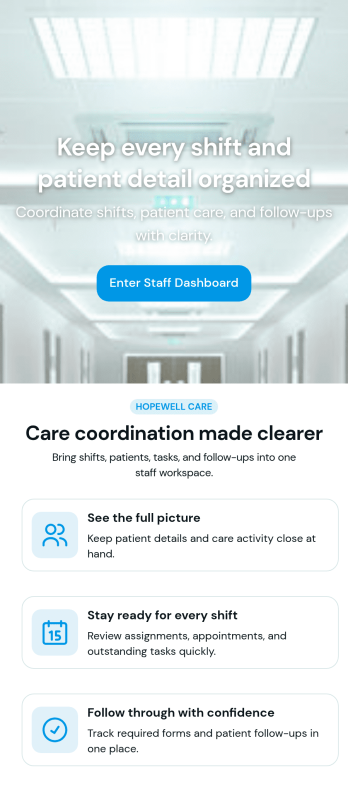
Custom Patient Management App
Patient Management App is an app template designed to streamline the workflows of healthcare providers, clinics, hospitals, and medical practices. By offering a centralized system that manages patient information, appointments, and care plans, the app helps improve operational efficiency. Suitable for healthcare administrators who are tasked with scheduling patients, updating medical records, tracking treatment plans, and facilitating communication throughout the patient care journey, it collects critical data in a structured and consistent manner. The app's value lies in its ability to simplify complex operational tasks, thus reducing the likelihood of errors and enhancing the quality of care provided.Jotform's intuitive design tools make it easy to customize the Patient Management App to match your healthcare practice's branding. Using Jotform's No-Code App Builder, you can quickly adjust forms, pick fonts and colors, and upload your logo without writing a single line of code. Once set up, your patients can access and download the app onto any device; be it a smartphone, tablet, or desktop, through a shareable link. This ease of access maximizes the app's adoption and use, further improving the efficiency of your healthcare practice. The Patient Management App from Jotform embodies the perfect blend of utility and usability, making patient management a breeze.
Go to Category:HIPAA Apps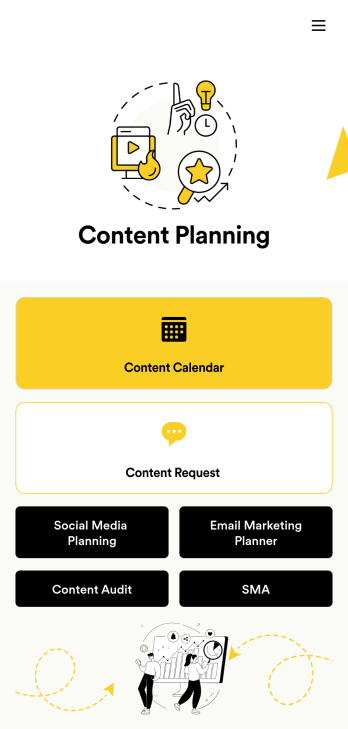
Content Planning App
A content planning app is commonly used by marketing teams to manage content calendars. With Jotform Apps, you can build your own Content Planning App for free. Add a content calendar, brainstorm notes, content audits, and so much more. You can even integrate your app with 250+ platforms to send data straight to your other marketing accounts — all with no coding required.Customizing your Content Planning App is easy and intuitive with Jotform’s drag-and-drop builder. Add or remove forms, switch up fonts and colors, choose a unique app icon, upload branding assets and images, and so much more. Once you’re happy with your app, all you need to do is share it with your team. Embed it in your online workspace or send it via link so your team members can download it to their mobile, tablet, or desktop device.
Go to Category:Company Portal Apps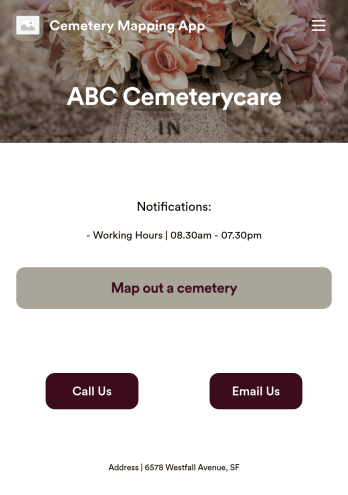
Customizable Cemetery Mapping App
A cemetery mapping app is used by funeral homes to keep track of existing or new plots in their cemetery. Using Jotform’s free Cemetery Mapping App, you can keep track of important information — like plot identification number, date of birth and death, and full name — from any device. App users can even take and upload photos of plots directly from their smartphone or tablet.Want to make changes to this free app template? Add more form fields to gather more information, include your logo and cemetery details, and add links, documents, and more with no coding required. Just drag and drop to get the look you want! Once your app is fully customized and ready to go, share it with a link or via email for members of your team or community to fill out on any device.
Go to Category:Management Apps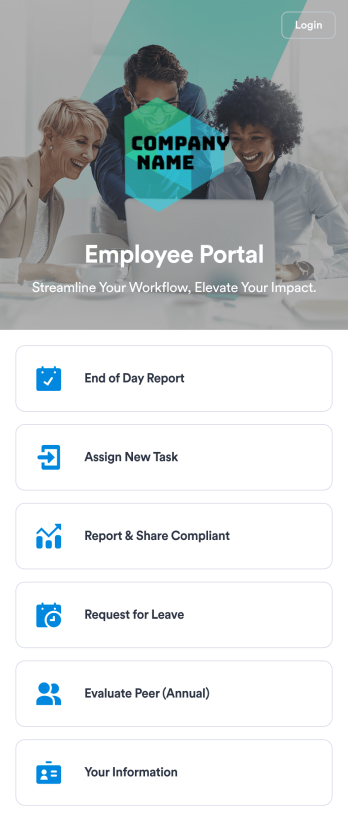
Employee Portal App
An employee portal app allows employees to access all internal company documents and links from any mobile device or computer. Create your own company portal in just a few clicks with Jotform’s free Employee Portal App. This customizable template includes a report form, task form, complaint form, leave request form, evaluation form, and employee information form all in one app. Employees will be able to fill out these forms from any smartphone, tablet, or computer, and submissions will be stored in your secure Jotform account.Customize this Employee Portal App to better meet your company’s needs. Without any coding, you can add forms, documents, links, images, buttons, videos, and much more to the template. You can also change the app icon and name and include your company branding in just a few clicks. When it’s ready to use, send email invites to employees directly or share the app link. With a fully-custom Employee Portal App for your company, your employees will enjoy more organized team collaboration and communication, no matter which device they prefer!
Go to Category:Company Portal Apps
Employee Travel Management App
Employee Travel Management App is an app template designed to transform the way companies and their employees handle business travel. This innovative application provides an all-inclusive platform to streamline trip requests, approval workflows, itinerary management, and expense tracking. The app is ideal for companies of all sizes, enabling employees to submit travel plans and receive approval in a systematic, efficient manner. It offers a central location for tracking all travel-related activities, significantly reducing the time spent on coordinating and managing business trips. The Employee Travel Management App also promotes adherence to travel policies, maintaining compliance while saving time and money. It is best suited for travel coordinators, financial administrators, and operations teams who are tasked with managing and optimizing their company's business travel.With Jotform's no-code app builder, customizing the Employee Travel Management App to fit the specific needs of your organization is effortless. The drag-and-drop interface allows you to tailor the app's features, elements, and layouts to perfectly mirror your company's brand and workflow. Whether it's adding new forms or widgets or adjusting the colors and fonts, Jotform provides a seamless, code-free experience. Furthermore, the app's cross-platform compatibility means it can be accessed and utilized on any device, be it a smartphone, tablet, or desktop, offering convenience and accessibility. The Employee Travel Management App from Jotform delivers a streamlined, efficient solution for business travel management, simplifying processes and enhancing productivity.
Go to Category:Company Portal Apps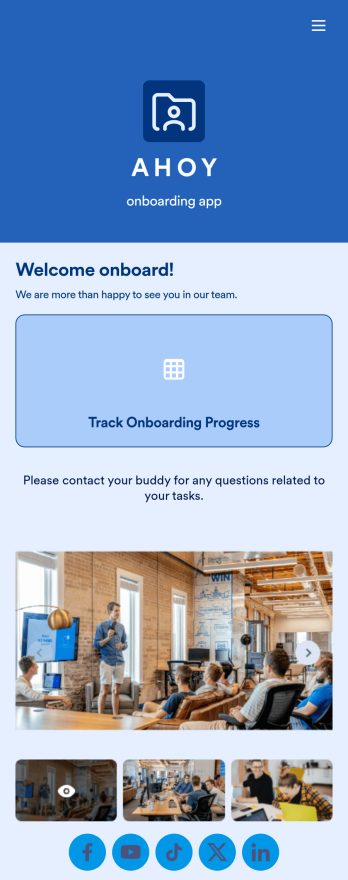
Custom Employee Onboarding App
An employee onboarding app makes it easier to integrate a new employee into your company by making important internal resources available on any device. Simplify the transitional period and successfully onboard new hires with a fully custom Employee Onboard App powered by Jotform. This ready-to-use mobile app includes a table for tracking onboarding progress, company photos and social links, and a separate page with team contact information. New hires can download the app onto their mobile device or computer for easy access at any time.Customize this Employee Onboarding App for your company in just a few clicks. Without coding, you can use our drag-and-drop builder to add forms and tables, embed links, upload documents and training videos, create new pages, update fonts and colors, and much more. When your app is ready to use, it can be sent directly to new hires via email invites or the app link. Successful employee onboarding can be the key to business success — so get started with an efficient, easy-to-use Employee Onboarding App tailored to your company.
Go to Category:Company Portal Apps