

Operations & Logistics Portal Apps

Retail Inventory App
A retail inventory app is used by retail store managers and employees for keeping records of product inventory. This free Retail Inventory App allows you to easily keep track of inventory by recording product name, inventory ID, stock location, unit price, quantity, and more through a Product Inventory Information Record Form. Product entries are stored securely in a Product Inventory Table in your account, which you can sort, filter, and search from any device. You can also share and export an inventory list with just a few clicks.If you’d like to personalize your app, just use our drag-and-drop form builder to add or change form elements, choose fonts and colors, and customize your icon and splash page—no coding required. With Jotform’s Role-based feature, you can control access so tutors, admins, and other users see only the parts of the app relevant to them. Afterwards, you can share your app with managers and employees using a link or embed it in an internal website. Start keeping detailed product inventory records with this customizable Retail Inventory app from Jotform.
Go to Category:Company Portal Apps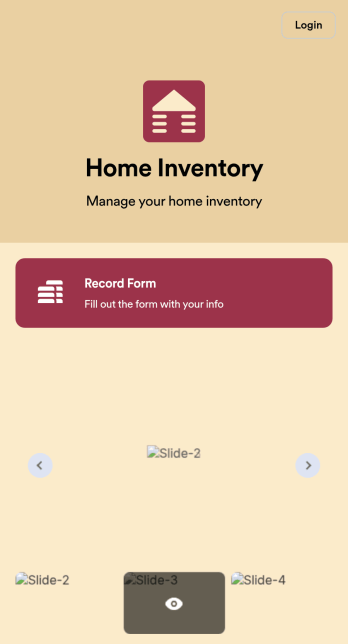
Home Inventory App
Keep track of items in your home with a free Home Inventory App from Jotform. If you’re tracking items for insurance purposes, the app includes a Home Inventory Information Record Form you can use to record details like item name, type, description, year, and more — you can even upload images of items in your home! All submissions through your app are stored securely in your Jotform account, ready to view and access at any time.Need to make changes to this app template? Add more forms, update the app background or icon, and make other design changes with no coding — just drag and drop to get the look you want. Once your app is good to go, download it onto your computer, tablet, or smartphone for quick and easy access. Stop tracking items in your home on paper and enjoy a more efficient way to get it done with this free Home Inventory App.
Go to Category:Inventory Apps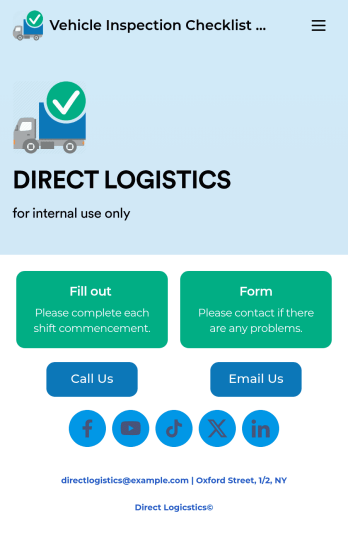
Vehicle Inspection Checklist App
A vehicle inspection checklist app is used by businesses to keep track of vehicle inspection reports for company vehicles. With this free Vehicle Inspection Checklist App, employees can fill out a pre-trip inspection checklist documenting the fuel level and overall condition of a vehicle. Employees can also add notes and attach any relevant pictures using an image upload form. There is a separate contact form employees can use to report issues. Inspection reports are synced automatically to your account, and can be sorted, filtered, and exported from any device.Customize this free app template using Jotform’s drag-and-drop interface. With just a few clicks, you can add or swap out form elements, choose fonts and colors, upload your logo, and more — no coding required. When you’re done, embed a link in an email or on your company website to have employees download your app on any smartphone, tablet, or computer. Create and store vehicle inspection reports in one convenient place with this Vehicle Inspection Checklist App.
Go to Category:Checklist Apps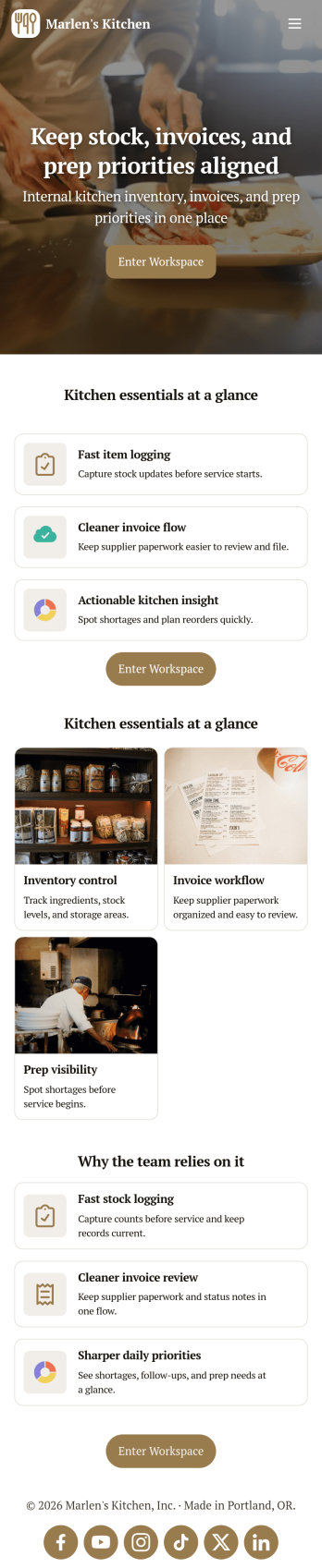
Restaurant Food Inventory App
Restaurant Food Inventory App is an app template designed to optimize the operational workflow of restaurants. It serves as a one-stop solution for restaurant owners, chefs, and kitchen managers to monitor ingredient inventory levels, track usage and expiry dates, manage supplier orders, and optimize food costs through real-time stock visibility. With this app, keeping an eye on food stocks and minimizing waste becomes a hassle-free process. By offering a comprehensive overview of all culinary inventory in one place, it replaces ad-hoc record-keeping practices, leading to more consistent and complete data collection. This app is best suited for those in the food industry who prioritize efficiency, accuracy, and waste reduction in their inventory management.With Jotform's no-code app builder, customizing the Restaurant Food Inventory App to fit your unique requirements is a breeze. The intuitive drag-and-drop interface allows for effortless modifications such as form swapping, font selection, color adjustment, and logo uploading. The result is a tailor-made app that aligns with your restaurant’s branding, without requiring any coding skills. Your app can then be accessed and downloaded onto any smartphone, tablet, or desktop via a shareable link, offering convenient cross-platform compatibility. Furthermore, Jotform Apps provide several publishing options, allowing you to control the accessibility of your app. With Restaurant Food Inventory App from Jotform, streamline your food inventory management and focus on what truly matters: delivering exceptional culinary experiences.
Go to Category:Company Portal Apps
Parts Inventory App
A parts inventory app is used by businesses or individuals who need to record and manage product inventory. Jotform’s Parts Inventory App bundles several forms together, allowing you to record inventory information, vendors, and order history from one convenient app. Track your submissions directly from your app with an easy-to-understand Inventory Tracker spreadsheet, which you can sort, filter, and search from your secure Jotform account.Need to make changes to this app template? Jotform’s drag and drop app builder makes it easy to customize this Parts Inventory App in seconds. You can add form elements, choose fonts and colors, upload your own branding, install widgets and integrations with a single click, and much more — all without any coding. Share your app internally by sending email invites or the app link, and employees can then fill out forms from any device. Start keeping digital records of your company’s inventory, vendor, and order history with this readymade Parts Inventory App.
Go to Category:Inventory Apps
Custom Logistics Management App
A logistics management app is used by logistic companies to log important company information. With this Logistics Management App from Jotform, managers can keep track of vehicles, drivers, and driver availability information. Drivers can download this app on their mobile devices to record trip information such as truck number, departure date, and total mileage using a Drivers Log Sheet. You can also manage driver job applicants from an easy-to-understand Driver Application Tracking Log.Making changes to this Logistics Management App is easy with Jotform’s no-code app builder. Simply drag and drop to add or change form elements, edit text fields and checklist items, choose fonts and colors, upload your company’s branding, and much more. Share your custom app with management and other drivers by sending email invites or the app link, where they can then download it on any device. Ditch the paperwork and use this Logistics Management App to keep digital records of all your vehicle and driver information.
Go to Category:Automotive Apps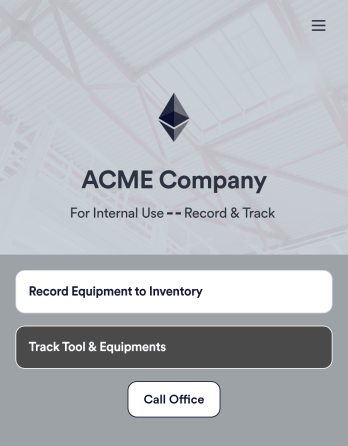
Tool Inventory App
A tool inventory app is used by companies that need to keep track of loaned out tools and equipment. This customizable Tool Inventory App allows you and your employees to record equipment name and type, date of purchase, vendor name, location, number of items, and unit cost. There is also an upload form for attaching pictures and receipts to individual entries. Submissions are stored securely in an easy-to-read database, which you can access directly from your app from any smartphone, tablet, or computer.Looking to personalize this Tool Inventory App? Using our drag-and-drop interface, you can add or change forms, choose fonts and colors, upload your company logo, update the app name, text and splash page, and more — all with zero coding. After you’re done customizing your app can be shared internally via link and then accessed and downloaded on any device. Never lose track of a tool rental again with this Tool Inventory App!
Go to Category:Inventory Apps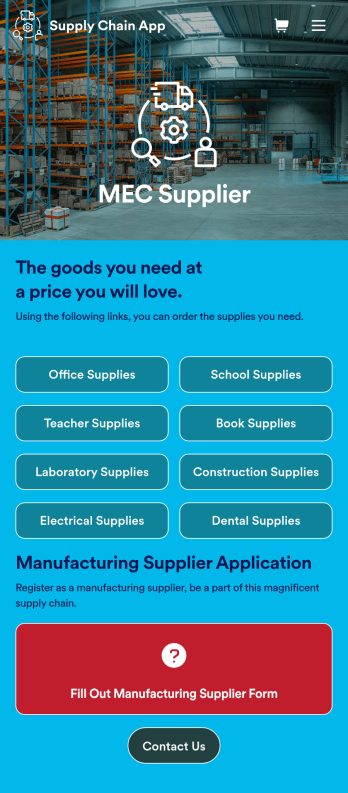
Supply Chain Management App
A supply chain management app is used by wholesale supplier companies for selling products to their customers. Want to learn how to sell your products online? This Supply Chain Management App allows customers to order supplies for offices, schools, labs, dental offices, and more with a simple ordering form. There is also a new customer signup form as well as a contact page. Once an order is placed, it will automatically be sent to your secure Jotform account, where you can see all of your orders at a glance.Making changes to this Supply Chain Management App is easy with Jotform’s no-code app builder. Simply drag and drop to add form elements, create new pages, edit text files and radio buttons, choose fonts and colors, upload images, include your branding, and more. When you’re satisfied with the look and feel of your app, you can share it by embedding it on your website or by sharing email invites with your customers. They can then download your app on any smartphone, tablet, or computer and start placing orders right away. Create an all-in-one supply chain ordering form with this ready-to-use Supply Chain Management App from Jotform.
Go to Category:Online Service Apps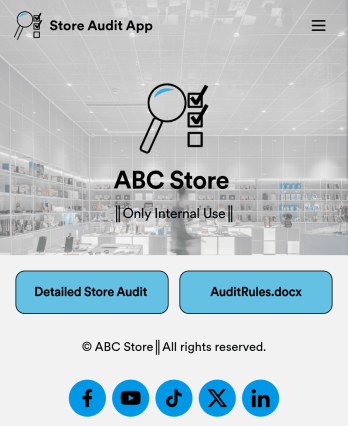
Store Audit App
A store audit app is used by store owners and managers for recording store audits. Jotform’s Store Audit App allows employees to create daily and monthly inspection audits by filling out a form detailing store standards, presentation, and security. Audits are automatically synced to an archive in your secure Jotform account, which you can access from any device for ease of use.Make this app template your own with our intuitive app builder. Drag and drop to add or change form elements, choose color schemes, upload images, and more — no coding required. You can also modify audit headers and textboxes to fit the needs of your store. Once you’re finished, simply download your app onto your store’s tablet or desktop, or share it with employees using a link. Ditch the paperwork and keep all your store audits in one place with this Store Audit App from Jotform.
Go to Category:Checklist Apps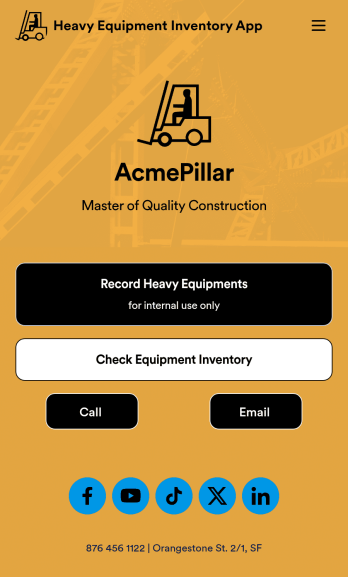
Heavy Equipment Inventory App
A heavy equipment inventory app is used by warehouse companies that need to keep track of incoming equipment purchases. With this customizable Heavy Equipment App, your drivers can record equipment name and type, date of purchase, vendor name, location, number of items, and unit cost. There is also an upload form for attaching pictures and receipts to individual entries. Entries are stored securely in an easy-to-read database, which you can view and manage from any device.This Heavy Equipment Inventory App is fully customizable and doesn’t require any coding. Using our drag-and-drop interface, you can add or change forms, choose fonts and colors, upload your company logo, update the app name, text, splash page, and more. After you’re done customizing, your app can be shared internally via the link and then accessed and downloaded on any device. Record and track warehouse inventory purchases with this Heavy Equipment Inventory App. No coding is required!
Go to Category:Inventory Apps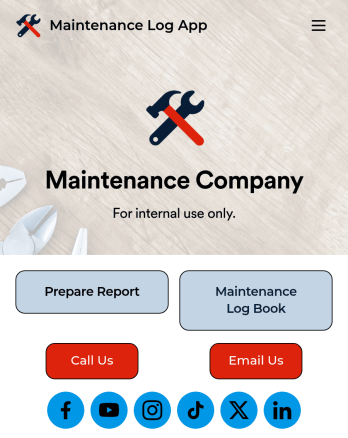
Maintenance Log App
A maintenance log app is used by companies to record and keep track of maintenance records. With our free Maintenance Log App, you can use a Maintenance Report Form to track general personnel information, equipment and building issues, and any repairs performed. There is a digital signature box at the bottom of the form to be signed upon completion. Reports are instantly compiled and stored in an Equipment Maintenance Log, which is accessible from your Jotform account.You can easily customize this app to suit your needs by adding or changing forms, uploading your logo, choosing fonts and colors, and more — no coding required. Share your app with a link or embed it in an internal website, and maintenance staff can begin using it right away on any device. Say goodbye to paperwork and start keeping all your maintenance records online with this free Maintenance Log App.
Go to Category:Engineering Apps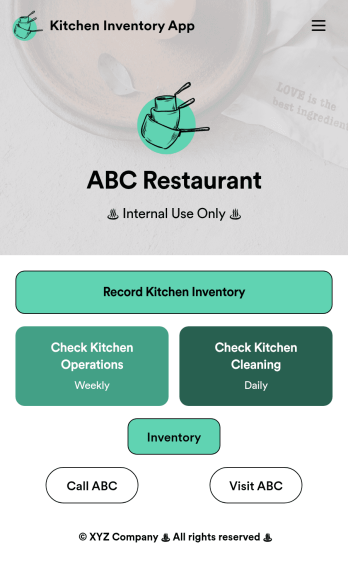
Kitchen Inventory App
Tracking inventory in your kitchen is the key to success for your restaurant. Make inventory a breeze with our free, customizable Kitchen Inventory App! It lets you bundle multiple forms in one app, so you can access our Restaurant Inventory Template and other kitchen forms from anywhere. Supervisors or employees can open the app on any smartphone, tablet, or computer to record stock inventory, report on kitchen operations, and track daily cleaning.This Kitchen Inventory App is ready to use as is, but feel free to make any modifications if necessary. Without any coding, you can add forms, text, images, links, and more. You can even change the name, icon, and splash page for your app for a fully-custom design! Monitor food usage and keep track of your inventory more efficiently with a custom Kitchen Inventory App for your restaurant.
Go to Category:Inventory Apps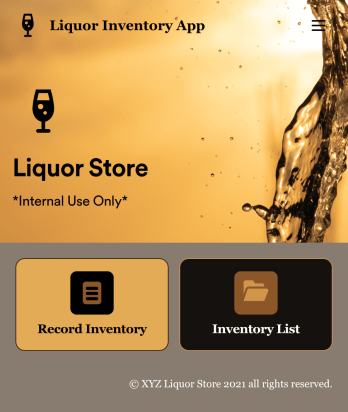
Liquor Inventory App
Whether you own a bar, restaurant, grocery store, or liquor store, keeping an accurate count of your inventory is essential. With this free Liquor Inventory App, you and your employees can easily record and track liquor supplies by type, quantity, price, and proof. Your inventory is then stored in an easy-to-read Liquor Inventory Spreadsheet in your Jotform account.Want to customize your Liquor Inventory App? No problem! Our drag-and-drop interface makes it simple to add or change forms, choose fonts and colors, upload your company’s logo, update the app name or text, and more — no coding necessary. Afterwards, simply download the app onto your device or share the link with your employees and you’re ready to go. Keep every bottle accounted for with this free and fully customizable Liquor Inventory App!
Go to Category:Inventory Apps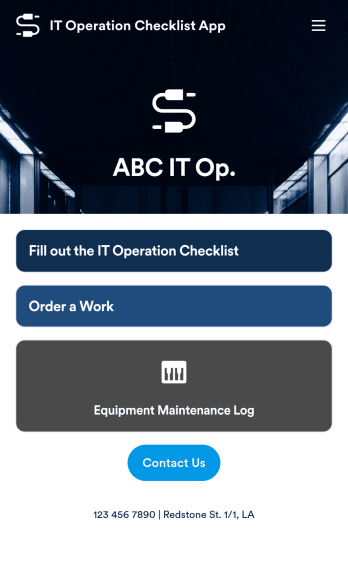
IT Operation Checklist App
An IT operation checklist app is used by IT departments for documenting routine operations and maintenance. This free app template from Jotform is a great way for IT departments to keep track of system servers, network status, and equipment maintenance. With an included IT Operation Checklist Form, IT associates can fill out and digitally sign a daily, weekly, or monthly general operations checklist. Supervisors and employees can also request new IT jobs with a Job Work Order Form, and specify a starting date, tools and requirements, and upload any relevant images and documentation. Equipment maintenance submissions are stored in an Equipment Maintenance Log, which you can sort, filter, and search from your secure Jotform account.You can easily make changes to this IT Operation Checklist App with Jotform’s intuitive app builder. No coding required — simply drag and drop to add or swap out form elements, edit checklist items, choose fonts and colors, create a custom app icon and splash screen, upload your own branding, and much more. Once you’re finished, share your custom app with other IT associates by sending email invites, or by embedding it in an internal website. Create an all-in-one app for routine IT work with this IT Operation Checklist App that works on any device.
Go to Category:Checklist Apps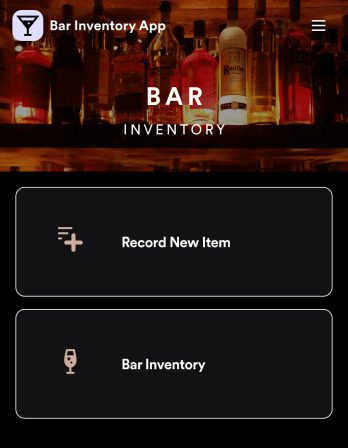
Bar Inventory App
A bar inventory app is used by bar staff to keep track of a bar’s equipment, ingredients, and other beverage information. Stop tracking inventory with pen and paper and enjoy an easier way to do it with a free Bar Inventory App from Jotform. Employees can download the app onto their iOS or Android device and fill it out as they go. All stock take submissions are stored securely in an inventory spreadsheet and viewable directly from the app.Customize this app template using our drag-and-drop app builder. With no coding required you can add your company logo, update forms or spreadsheets, change the background image, and make other design changes in seconds. Help your bar staff save time with a more efficient inventory process using this free Bar Inventory App that downloads onto any computer or mobile device.
Go to Category:Inventory Apps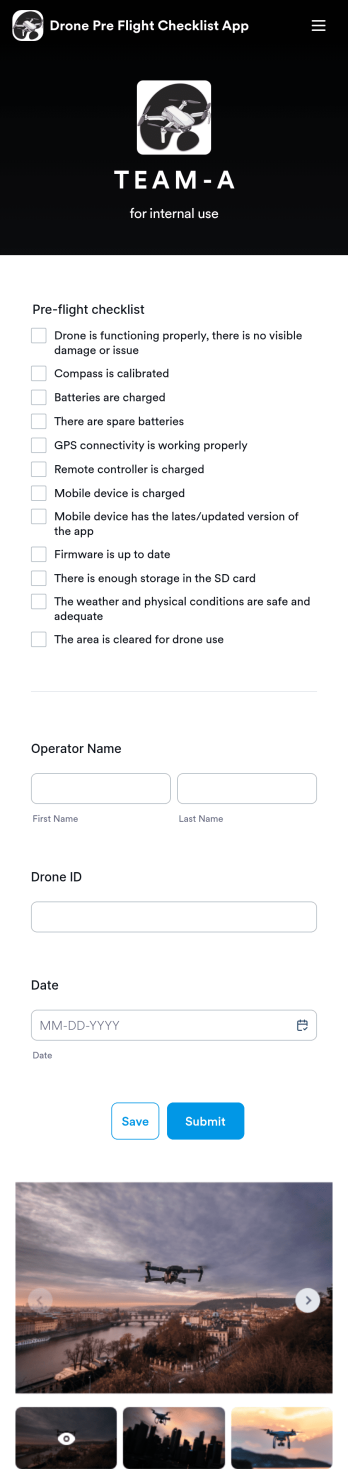
Drone Pre Flight Checklist App
A drone pre-flight checklist app ensures that drone pilots properly follow the right steps to ensure a safe and controlled flight. If you’re a drone inspector or pilot, prepare for your next flight with Jotforms’ free Drone Pre-Flight Checklist App. This prebuilt app includes a comprehensive checklist form that also requires operator name, drone ID, and flight date. You can download the app to fill out the form from any smartphone, tablet, laptop or computer before your drone takes flight. Submissions are securely stored in your Jotfrom account for your records.This Drone Pre-Flight Checklist App is ready to be used as is — but if you’re looking for even more, customize the template in just a few clicks with Jotform’s drag-and-drop builder. You can add more items to the checklist, include new forms and tables, change the fonts and colors, and even update the app name, icon, and splash screen for a more personalized design. When you’re happy with the way it looks and feels, download the app onto your preferred device to open at any time. Check weather conditions, record flight details, and prevent damage to your drone with an easily-accessible Drone Pre-Flight Checklist App on hand.
Go to Category:Checklist Apps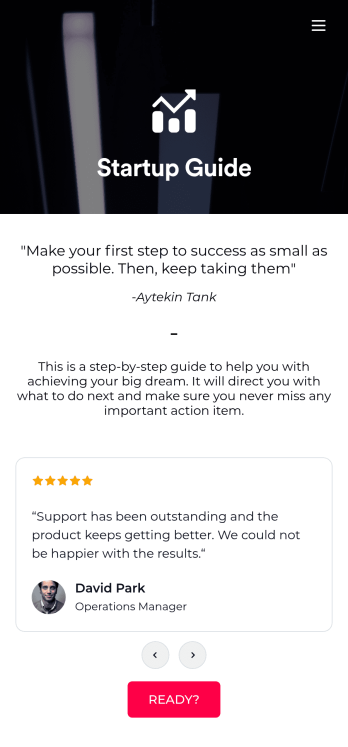
Startup Guide App
Ready to launch your very own startup? Get started with Jotform’s free Startup Guide App designed to help you turn your business vision from idea to reality. This ready-to-use mobile app template includes a link to our bootstrapping guide, inspirational quotes from business leaders, and multiple checklist forms to help guide you through the process of testing your concept and building your business plan. Responses will be synced to your secure Jotform account, which lets you view your data in whatever way works best for you — be it an inbox, spreadsheet, or as easy-to-read cards.This Startup Guide App is ready for you to use as is — but if you’d like even more from it, feel free to customize it using our drag-and-drop builder. With just a drag and drop, you can add or remove forms, include tables and documents, embed links to other websites, upload photos or videos, create new pages and buttons, update fonts and colors to match your branding, and change the app icon and name to better represent your business. When you’re happy with how the app looks, download it onto your favorite device for easy access. You can even share it with other aspiring entrepreneurs via the app link or email invites. Get your business ideas off the ground with a comprehensive and easily-accessible Startup Guide App powered by Jotform.
Go to Category:Checklist Apps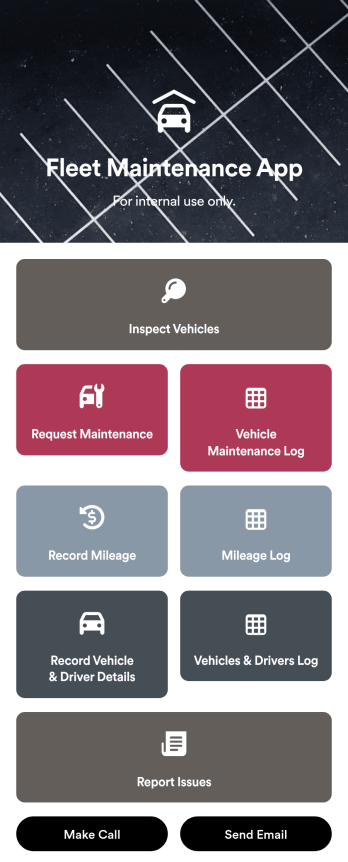
Customizable Fleet Maintenance App
A fleet maintenance app is used by fleet management companies for keeping track of fleet vehicle information. Download this readymade app onto any device to log inspection reports and maintenance requests, and report vehicle mileage and driver details. Form submissions are aggregated in companion spreadsheets with Jotform Tables, which you can search, sort, and filter from your secure Jotform account. From there you can also share reports with your organization or print and export raw data with just a few clicks.Want to make changes to this Fleet Maintenance App? No coding required – just use Jotform’s drag-and-drop app builder to add form elements, edit text fields and checklist items, upload your company’s unique branding, choose fonts and colors, and much more. Once you’re finished, you can share the app by sending email invites or embedding it in an internal website. Streamline your workflow and keep all your online reports in one convenient location with Jotform’s fully-customizable Fleet Maintenance App.
Go to Category:Management Apps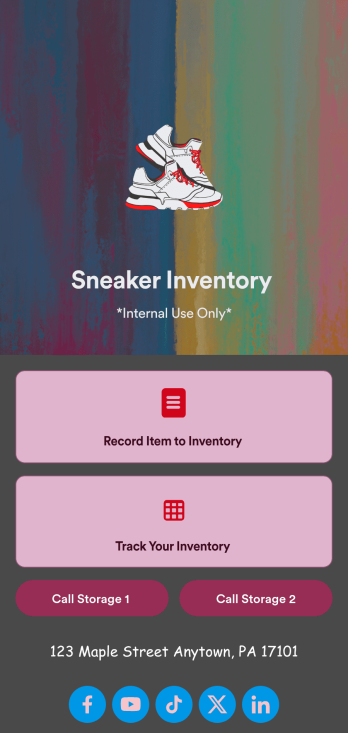
Sneaker Inventory App
Need an organized way to keep track of your shoe store’s stock? Look no further than this customizable Sneaker Inventory App from Jotform. Create an internal app for your sneaker store and include an updated inventory log, supplier delivery information, useful contact information, and much more. Once you’re finished creating your app, send it off to your team members via direct link or embed it in your company’s online portal for easy access.Personalize this Sneaker Inventory App to fit your branding with Jotform’s easy-to-use online app builder. Drag and drop to make changes to letter text, upload item pictures, pick fonts and colors, integrate with helpful widgets, and more! Give your staff an organized way to find sneakers that are in stock with this app from Jotform.
Go to Category:Inventory Apps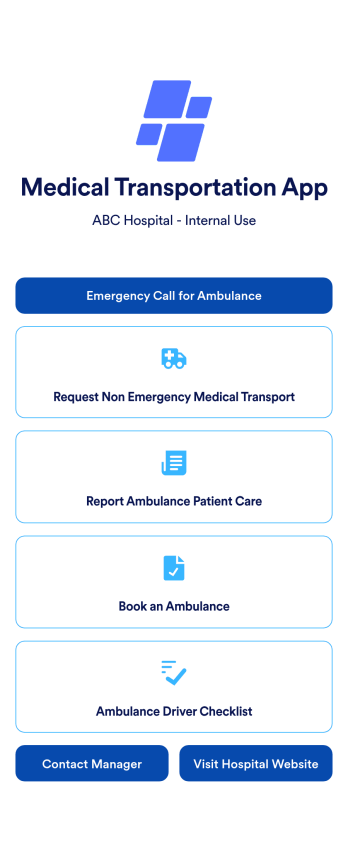
Medical Transportation App
A medical transportation app is a mobile application used by healthcare workers to direct and request ambulances, report medical care, and complete driver checklists. Using Jotform Apps, you can build a custom Medical Transportation App in minutes to streamline ambulance calls and consolidate your checklists. Just choose the template that best suits your needs, customize it to your liking, and share it via link, email, or QR code. Your healthcare workers can then download it onto any iOS or Android device!With Jotform’s drag-and-drop app builder, you can add your hospital logo, change fonts and colors, rearrange app elements, and make other design changes in just a few clicks — no coding required. Plus, integrates with 150+ popular integrations to keep your data in one place, like Google Drive, Slack, or Asana. Keep track of your ambulances with a free Medical Transportation App from Jotform.
Go to Category:Company Portal Apps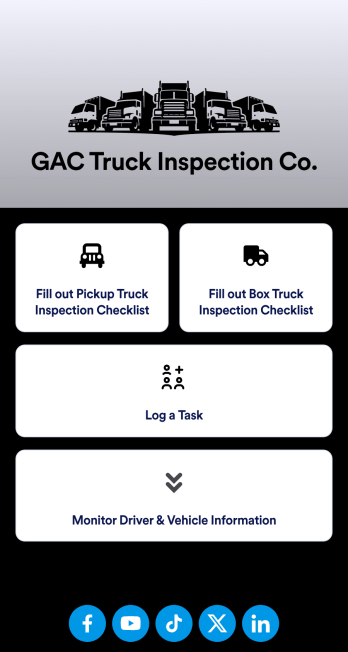
Pre-Operational Truck Inspection App
A pre-operational truck inspection app is used by truck inspection companies to perform inspections prior to a truck being rented or used. With Jotform’s free Pre-Operational Truck Inspection App your company can complete inspections for pickup trucks or box trucks, as well as log tasks and monitor driver and vehicle information. Just download the app onto any iOS or Android device to fill it out on the go.Make changes to this ready-made app with our no-code app builder. Drag and drop to get the look you want by adding a new icon, rearranging the layout, choosing a new font, and more with no coding knowledge needed. Once your custom Pre-Operational Truck Inspection App is good to go, share it with a link for members of your team to use or download it directly onto your personal device.
Go to Category:Inspection Apps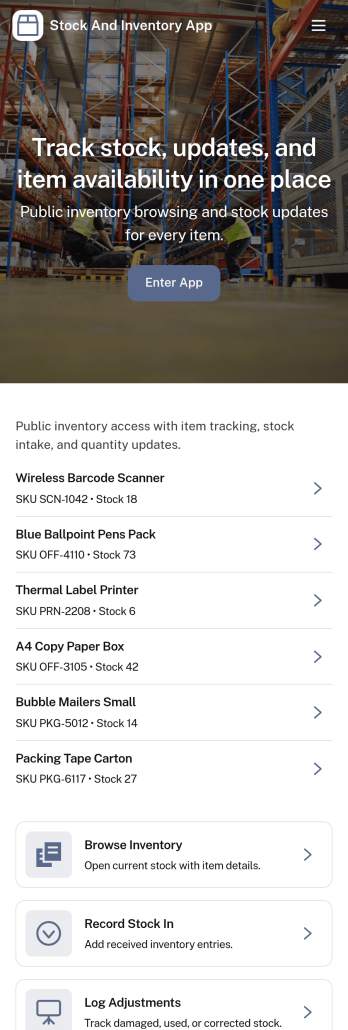
Stock and Inventory App
Stock and Inventory App helps teams track items, monitor stock levels, and document inventory movement in one place. Use it to browse item lists, open item details, add new items, and keep a clear history of stock changes over time. It’s a practical fit for retail shops, warehouses, field operations, studios, and small manufacturers that need a shared source of truth for what’s on hand, what’s running low, and what has recently moved.Built with Jotform App Templates, this app template can be tailored to match your workflow without code. With Jotform’s no-code app builder and drag-and-drop interface, you can connect forms and tables to support data collection, create a self-service experience for staff, and keep inventory workflows organized across pages. Share the app with a link so teammates can review items, record stock in, and check movement history from desktop or mobile.
Go to Category:Inventory Apps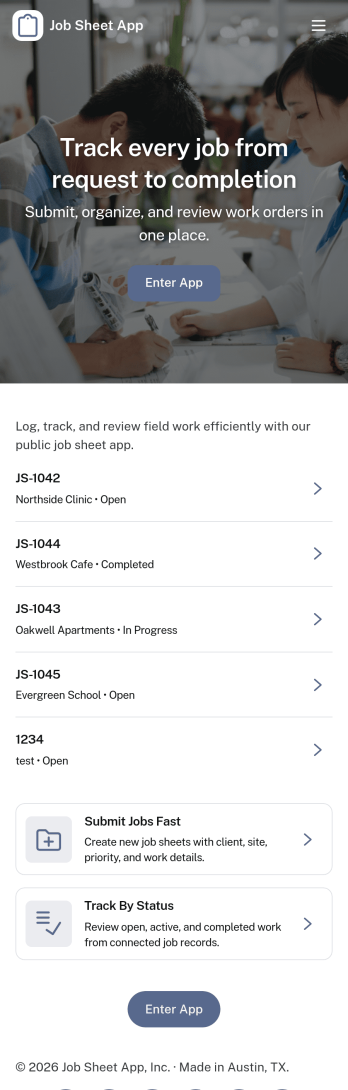
Job Sheet App
A Job Sheet App gives field teams and service businesses a clear place to view open jobs, capture progress updates, and keep work details consistent from start to finish. Use it to reduce missed steps on site visits, standardize job notes across technicians, and keep everyone aligned on what’s next. With quick navigation to Open Jobs and a simple Submit Update path, it works well for contractors, maintenance crews, home services teams, and operations managers who need job information to stay current while work is happening.Jotform makes it easy to publish this kind of job tracking experience without coding using its no-code app builder and drag-and-drop interface. Connect the app to a form for fast data collection, organize job records in a connected workflow, and share a self-service link with your team so updates can be submitted from anywhere. As your process grows, you can adjust pages, add new steps, and keep insights accessible in one mobile-friendly place with Jotform App Templates.
Go to Category:Operations & Logistics Portal Apps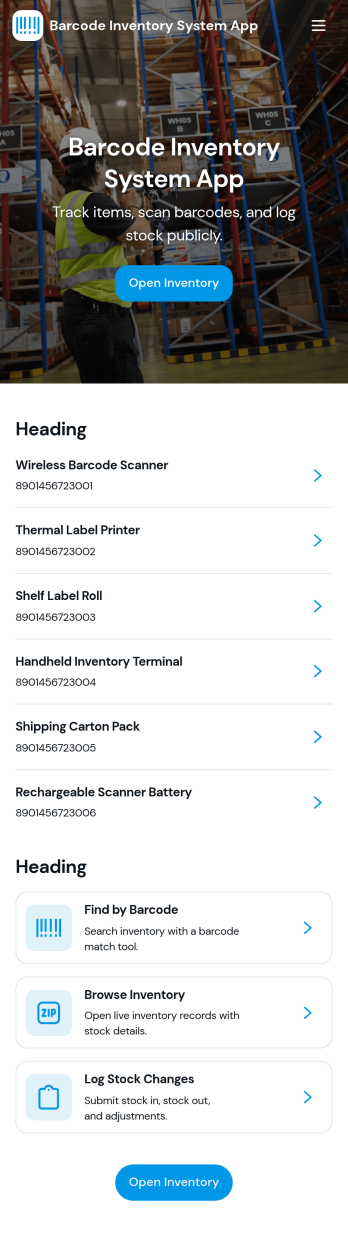
Barcode Inventory System App
Barcode Inventory System App helps teams track stock movement with a simple, scan-first flow that keeps inventory records current without spreadsheets. It’s built for retail shops, warehouses, back offices, and growing operations that need a consistent way to log incoming goods, review on-hand items, and document changes. Staff can scan and record stock receipts, browse inventory lists for quick lookups, and add adjustments when counts change due to damage, transfers, or corrections, making it easier to stay aligned across shifts and locations.Jotform makes it easy to turn this barcode inventory workflow into a shareable self-service experience using its no-code app builder and drag-and-drop interface. Connect buttons and pages to forms and tables to support data collection, keep a running receipt log, and centralize adjustment history in one place. Customize the layout, add your branding, and publish the app as a link or QR code so your team can update inventory from the floor, the loading dock, or the stockroom.
Go to Category:Inventory AppsAbout Operations & Logistics Portal Apps
Operations & Logistics Portal Apps are specialized mobile and web applications designed to streamline and enhance the coordination of various logistical and operational tasks within a business. These apps cater to common use cases such as inventory management, shipment tracking, and workforce coordination, providing a centralized digital hub for these activities. Industries such as transportation, manufacturing, and supply chain management heavily rely on these apps to improve operational efficiency and real-world workflows, minimizing downtimes and enhancing productivity.
Jotform Apps stands out as an exceptional no-code app builder for creating Operations & Logistics Portal Apps. Leveraging Progressive Web App (PWA) technology, these apps can be installed directly via browsers without the need for an App Store, ensuring seamless functionality across iOS, Android, tablets, and desktops. With Jotform Tables, users experience centralized data management, allowing for real-time access and updates to critical information. This workflow-oriented approach aids businesses in maintaining fluid operations and ensures that data-driven decisions can be made swiftly and accurately.
Why Use Operations & Logistics Portal Apps?
- Operations & Logistics Portal Apps significantly streamline business processes by centralizing various operational tasks into a single platform. This centralization reduces the complexity involved in managing multiple systems and enhances the overall efficiency of operations.
- These apps provide real-time data access, which is crucial for making informed decisions quickly. By having updated information readily available, businesses can respond to changes and challenges more effectively, maintaining smooth operations.
- The ability to automate routine tasks through workflow automation features reduces the manual workload for employees, allowing them to focus on more strategic activities. This not only increases productivity but also reduces the margin for error in repetitive tasks.
- Operations & Logistics Portal Apps facilitate better communication and collaboration among team members, ensuring that everyone is on the same page regarding project statuses and deadlines. This improved coordination is essential for maintaining the flow of operations without interruptions.
- By integrating payment processing capabilities, these apps allow businesses to handle transactions directly, streamlining financial operations and improving cash flow management. This integration ensures that payment processes are both secure and efficient.
- Push notifications within these apps keep all stakeholders informed about critical updates and changes. This feature is vital for maintaining operational transparency and ensuring that necessary actions are taken promptly by the relevant parties.
Common Problems Solved by Operations & Logistics Portal Apps
- One of the significant challenges in operations and logistics is managing inventory levels efficiently. These apps provide real-time tracking and reporting, helping businesses maintain optimal stock levels and reduce excess inventory costs.
- Communication breakdowns can severely impact logistics operations. Operations & Logistics Portal Apps enhance communication through centralized platforms, ensuring that updates and instructions are disseminated accurately and promptly.
- The complexity of coordinating various logistical processes often leads to delays and errors. By automating workflows and standardizing processes, these apps minimize human error and improve the speed and reliability of logistics operations.
- Data silos are a common issue in logistics, where information is scattered across different systems. These apps integrate data into a single platform, facilitating better data analysis and decision-making, leading to more strategic and informed business operations.
- Managing workforce schedules and assignments can be challenging without a proper system. These apps offer scheduling features that ensure workforce efficiency and optimal utilization, reducing downtime and improving productivity.
Matching Use Cases to Features
- For businesses looking to enhance real-time collaboration, the Drag-and-Drop Interface is invaluable. It allows users to easily customize apps to fit specific workflows, promoting a seamless flow of information and task management.
- The Store Builder feature is particularly beneficial for companies managing supply chains. It enables businesses to set up and manage virtual inventories efficiently, ensuring that stock levels are always updated and accessible.
- Push Notifications are critical for ensuring that all team members are informed about real-time changes and updates. This feature supports operational continuity by keeping everyone aligned and responsive to current situations.
- With Payment Integrations like Stripe and PayPal, businesses can handle transactions directly within the app, streamlining processes and enhancing customer satisfaction by providing secure and convenient payment options.
- The availability of multiple Publish Options, such as Public and Company-only, ensures that sensitive operational data is shared appropriately, maintaining confidentiality while enabling broad access when necessary.
- Sharing Methods such as Direct Link, Email, and QR Code facilitate easy distribution and access to the app, allowing stakeholders to connect and engage with the app effortlessly, regardless of their location.
- Workflow Automation enhances operational efficiency by automating repetitive tasks, reducing manual labor, and ensuring that processes are executed consistently and accurately.
How to Create Operations & Logistics Portal App
- Choose a category-relevant template from the Template List or start from scratch.
- Customize the app using the Drag-and-Drop Interface, tailoring it to your specific operational needs and workflows.
- Share the app via Link, QR Code, or Embed to ensure it is easily accessible to all stakeholders involved in your logistics operations.
Top Use Cases for Operations & Logistics Portal Apps
- For Managers: Managers benefit immensely from Operations & Logistics Portal Apps as they provide a comprehensive overview of all ongoing operations. These apps allow managers to monitor real-time data, track performance metrics, and make informed decisions to optimize logistics processes. With centralized data and workflow automation, managers can quickly identify bottlenecks and implement solutions to enhance efficiency. Additionally, the ability to oversee inventory levels and workforce assignments ensures that resources are allocated effectively, reducing waste and improving productivity.
- For Teams: Teams operating within logistics and operational frameworks find these apps indispensable for their day-to-day functions. The apps facilitate seamless communication and collaboration, enabling team members to stay updated on tasks and project developments. By centralizing information and automating repetitive tasks, teams can focus on more strategic initiatives, enhancing overall productivity. Furthermore, the real-time data access provided by these apps ensures that team members can quickly adapt to changes, maintaining a high level of performance and efficiency.
- For Customers: Customers experience significant benefits from businesses that utilize Operations & Logistics Portal Apps. These apps streamline the entire logistics process, ensuring faster and more reliable service delivery. With integrated payment systems, customers enjoy a secure and hassle-free transaction experience, enhancing overall satisfaction. Additionally, push notifications keep customers informed about the status of their orders and shipments, providing transparency and building trust in the service provided by the business.
Summarizing Operations & Logistics Portal Apps
Operations & Logistics Portal Apps are vital for businesses looking to enhance their logistical and operational efficiency. By centralizing data and automating workflows, these apps reduce complexity and improve decision-making processes. The integration of various features such as payment processing and real-time notifications ensures that businesses can maintain smooth operations and provide excellent service to their customers. Ultimately, these apps offer significant business value by optimizing resource management and enhancing overall productivity.
Frequently Asked Questions
1) Is it free to create and use Operations & Logistics Portal apps on Jotform?
Yes, Jotform offers a Starter plan that allows users to create and use Operations & Logistics Portal apps for free. This plan provides basic features that are ideal for small businesses and individuals looking to streamline their operations without incurring costs. As your needs grow, Jotform also offers various paid plans with additional features to accommodate larger operations and more complex requirements.
2) Are the data and payments collected through the app secure?
Absolutely, Jotform ensures that all data and payments collected through its apps are secure. The platform complies with GDPR regulations and employs robust security measures, including encryption, to protect sensitive information. Payment transactions processed through integrations like Stripe and PayPal are also safeguarded to ensure the highest level of security for both businesses and their customers.
3) Do I need any coding skills to create an Operations & Logistics Portal App with Jotform?
No, you do not need any coding skills to create an Operations & Logistics Portal app with Jotform. The platform is designed as a no-code app builder, allowing users to create fully functional apps using a simple drag-and-drop interface. This user-friendly approach enables anyone, regardless of technical expertise, to customize and deploy apps tailored to their specific operational needs.
4) Can I collect payments for services directly through the app?
Yes, you can collect payments for services directly through the app using Jotform's payment integrations. The platform supports popular payment gateways such as Stripe and PayPal, allowing you to process transactions securely and efficiently. This feature is particularly beneficial for businesses looking to streamline their payment processes and enhance customer satisfaction with convenient and reliable payment options.
5) Does Jotform support offline data collection for Operations & Logistics Portal apps?
Yes, Jotform supports offline data collection through its Mobile Forms feature. This capability ensures that users can collect and store data even when an internet connection is unavailable, which is essential for operations conducted in remote or connectivity-challenged areas. Once a connection is re-established, the data can be synced seamlessly, ensuring that no information is lost.
6) Are Jotform Apps compatible with both iOS and Android devices?
Yes, Jotform Apps are fully compatible with both iOS and Android devices. As Progressive Web Apps, they can be installed directly from the browser on any device, offering a seamless user experience across different platforms. This compatibility ensures that all users, regardless of their device preference, can access and utilize the app's features effectively.
7) How can Operations & Logistics Portal Apps improve supply chain management?
Operations & Logistics Portal Apps improve supply chain management by providing real-time visibility into inventory levels, shipment tracking, and supplier coordination. They enable businesses to automate routine tasks, reducing the risk of errors and delays. By centralizing data and facilitating better communication, these apps help streamline supply chain processes and enhance overall operational efficiency.
8) What are the benefits of using Operations & Logistics Portal Apps for workforce management?
Using Operations & Logistics Portal Apps for workforce management offers several benefits, including improved scheduling, task allocation, and performance tracking. These apps enable managers to optimize workforce deployment, ensuring that the right resources are in place to meet operational demands. Additionally, they enhance communication and collaboration among team members, fostering a more cohesive and productive work environment.