

Company Portal App Templates

Retail Inventory App
A retail inventory app is used by retail store managers and employees for keeping records of product inventory. This free Retail Inventory App allows you to easily keep track of inventory by recording product name, inventory ID, stock location, unit price, quantity, and more through a Product Inventory Information Record Form. Product entries are stored securely in a Product Inventory Table in your account, which you can sort, filter, and search from any device. You can also share and export an inventory list with just a few clicks.If you’d like to personalize your app, just use our drag-and-drop form builder to add or change form elements, choose fonts and colors, and customize your icon and splash page—no coding required. With Jotform’s Role-based feature, you can control access so tutors, admins, and other users see only the parts of the app relevant to them. Afterwards, you can share your app with managers and employees using a link or embed it in an internal website. Start keeping detailed product inventory records with this customizable Retail Inventory app from Jotform.
Go to Category:Company Portal Apps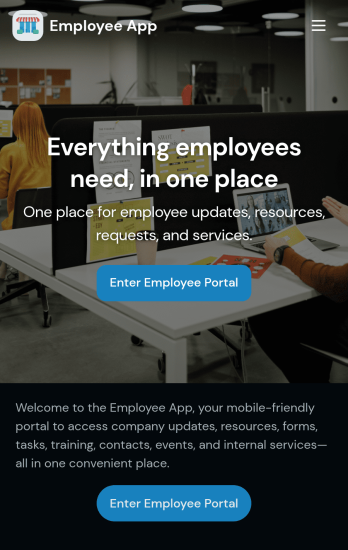
Custom Employee App
An employee app allows employees to access important company information and submit their own data from any device. Create an employee portal for your company with Jotform’s free Employee App. This ready-to-use template includes multiple forms such as employee referral forms, leave request forms, meeting reservation forms, COVID-19 screening forms, expense reimbursement forms, and more. Thanks to the role-based visibility condition, only selected admin users can see certain forms, such as department rotation. Using the app, employees can access and fill out any of the included forms from any smartphone, tablet, laptop, or desktop.Customize your Employee App to match your company in just a few clicks. With our drag-and-drop builder, you can easily add as many forms, links, documents, buttons, pages, and other app elements as you need. Plus, you can update fonts and colors, upload logos, and change the app icon and name to better represent your company. With Jotform’s Role-based feature, you can control access so tutors, admins, and other users see only the parts of the app relevant to them. Share your app with employees to download onto their own devices by sending email invites or the app link. Keep important company forms all in one secure, easily accessible Employee App!
Go to Category:Company Portal Apps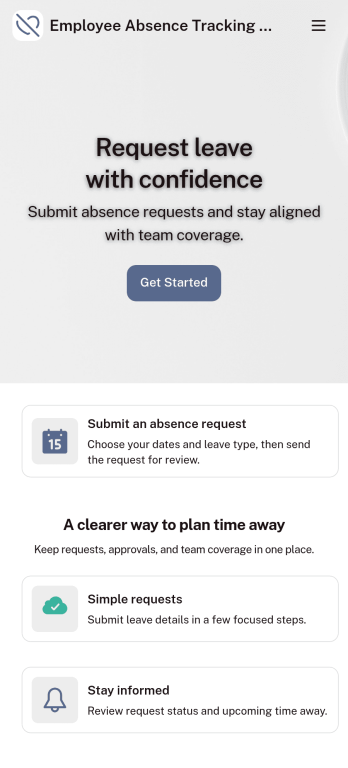
Customizable Employee Absence Tracking App
This Employee Absence Tracking App helps employees request time off and helps HR, managers, and employers track absences from any device. It includes submission tracking, with Admin-only access to view and manage requests and keep information organized and relevant based on the type of leave. All submissions are automatically available in Jotform Tables where admins can review them as a spreadsheet, calendar, or cards for faster follow-up and reporting.The app can be customized with multiple request forms for different leave types, a personalized splash screen or icon, and guidance text to support employees while submitting requests. With Jotform’s Role-based feature, you can control access so tutors, admins, and other users see only the parts of the app relevant to them. For privacy and compliance, sick leave request forms require employee login, ensuring only authenticated users can submit sensitive absence information. Save time and simplify leave management with a secure, streamlined way to handle employee absences.
Go to Category:Company Portal Apps
Employee Travel Management App
Employee Travel Management App is an app template designed to transform the way companies and their employees handle business travel. This innovative application provides an all-inclusive platform to streamline trip requests, approval workflows, itinerary management, and expense tracking. The app is ideal for companies of all sizes, enabling employees to submit travel plans and receive approval in a systematic, efficient manner. It offers a central location for tracking all travel-related activities, significantly reducing the time spent on coordinating and managing business trips. The Employee Travel Management App also promotes adherence to travel policies, maintaining compliance while saving time and money. It is best suited for travel coordinators, financial administrators, and operations teams who are tasked with managing and optimizing their company's business travel.With Jotform's no-code app builder, customizing the Employee Travel Management App to fit the specific needs of your organization is effortless. The drag-and-drop interface allows you to tailor the app's features, elements, and layouts to perfectly mirror your company's brand and workflow. Whether it's adding new forms or widgets or adjusting the colors and fonts, Jotform provides a seamless, code-free experience. Furthermore, the app's cross-platform compatibility means it can be accessed and utilized on any device, be it a smartphone, tablet, or desktop, offering convenience and accessibility. The Employee Travel Management App from Jotform delivers a streamlined, efficient solution for business travel management, simplifying processes and enhancing productivity.
Go to Category:Company Portal Apps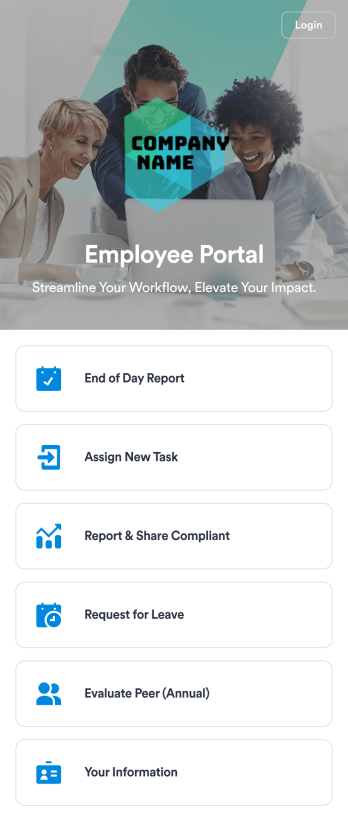
Employee Portal App
An employee portal app allows employees to access all internal company documents and links from any mobile device or computer. Create your own company portal in just a few clicks with Jotform’s free Employee Portal App. This customizable template includes a report form, task form, complaint form, leave request form, evaluation form, and employee information form all in one app. Employees will be able to fill out these forms from any smartphone, tablet, or computer, and submissions will be stored in your secure Jotform account.Customize this Employee Portal App to better meet your company’s needs. Without any coding, you can add forms, documents, links, images, buttons, videos, and much more to the template. You can also change the app icon and name and include your company branding in just a few clicks. When it’s ready to use, send email invites to employees directly or share the app link. With a fully-custom Employee Portal App for your company, your employees will enjoy more organized team collaboration and communication, no matter which device they prefer!
Go to Category:Company Portal Apps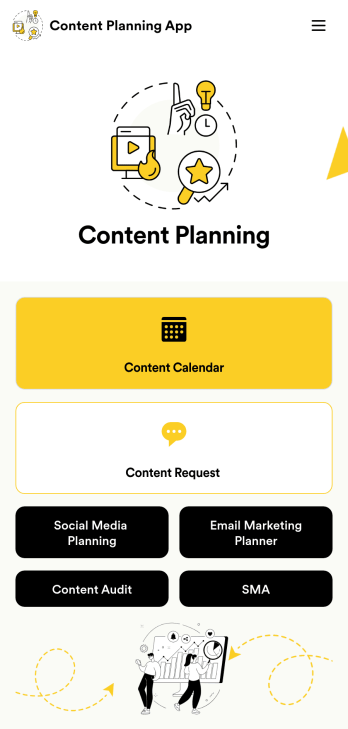
Content Planning App
A content planning app is commonly used by marketing teams to manage content calendars. With Jotform Apps, you can build your own Content Planning App for free. Add a content calendar, brainstorm notes, content audits, and so much more. You can even integrate your app with 250+ platforms to send data straight to your other marketing accounts — all with no coding required.Customizing your Content Planning App is easy and intuitive with Jotform’s drag-and-drop builder. Add or remove forms, switch up fonts and colors, choose a unique app icon, upload branding assets and images, and so much more. Once you’re happy with your app, all you need to do is share it with your team. Embed it in your online workspace or send it via link so your team members can download it to their mobile, tablet, or desktop device.
Go to Category:Company Portal Apps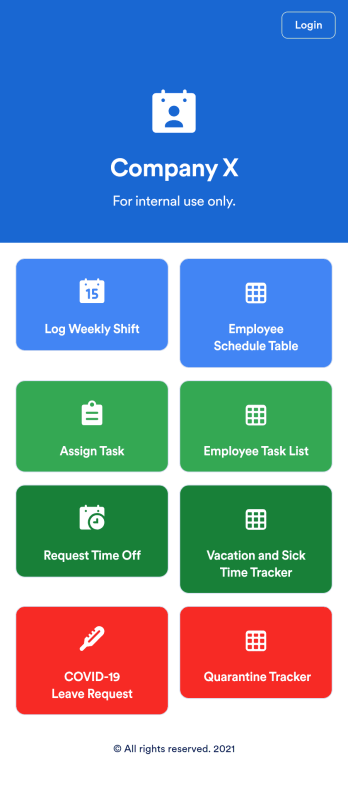
Employee Scheduling App
An employee scheduling app is used by company HR, department managers, and employees for keeping track of employee data. This Employee Scheduling App from Jotform comes bundled with four useful forms, allowing employees to log weekly shifts, view assigned tasks, manage leave requests easily with Leave Request Form, and take time off to quarantine from COVID-19 exposures. Each form includes a companion spreadsheet where employee data is stored — allowing managers to easily sort, filter, and search through entries from any smartphone, tablet, or desktop.Make this app template your own with Jotform’s intuitive app builder. Just drag and drop to add or change form elements, edit the content of individual forms, upload your company’s logo, and more — all without any coding. You can also use your app’s splash screen for things like company-wide announcements or listing HR contact information. Once you’re finished, share your app with employees by attaching a link to an onboarding email or embedding it in an employee portal. Streamline scheduling and time-off requests with this fully-customizable Employee Scheduling app that can be downloaded on any device.
Go to Category:Human Resources Apps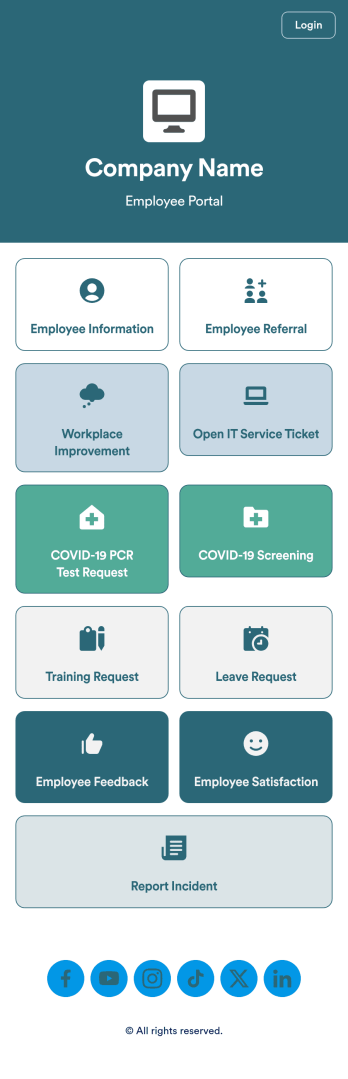
Intranet App
An Intranet App is used for consolidating company forms and documents in one convenient location. This Intranet App bundles nearly a dozen forms for employees to record general contact information, request training or time off, open IT service tickets, and fill out COVID-19 screening checklists. There are also several surveys for employees to submit workplace improvement suggestions and report incidents. Employee data and submissions are stored securely in your Jotform account, which managerial staff can access from any smartphone, tablet, or computer.Make this app template your own with Jotform’s no-code app builder. Just drag and drop to add or change forms, upload documents, create buttons, add external links, and more. You can also customize your splash screen to include your own branding and make company-wide announcements. When you’re finished, you can share your app with a link and employees can then access and download it on any device. Create a one-stop-shop for your company’s forms and documents with this free Intranet App from Jotform.
Go to Category:Company Portal Apps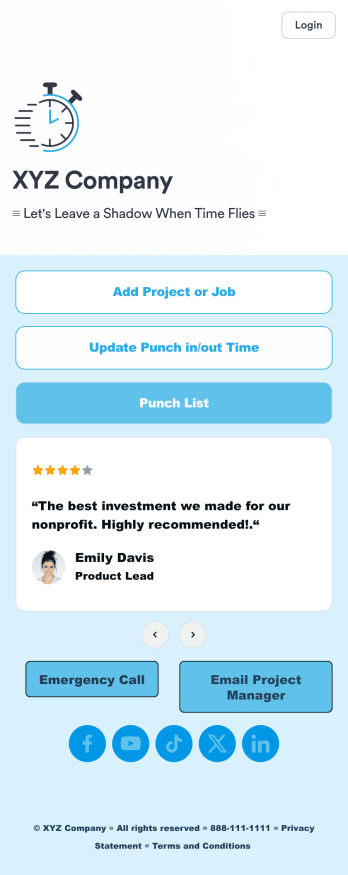
Customizable Punch In Out Timesheet App
Ditch paper timesheets with our free Punch In/Out Timesheet App! Employees can clock in or out for their shifts using the app on a company tablet or computer. As account owner, you’ll receive instant notifications for each new form submission, so you’ll know if any employee is late or leaving before their scheduled time. You can see all entries in spreadsheet, calendar, or card view using the attached Punch List Template for Jotform Tables.Customize your Punch In/Out Timesheet App in just a few minutes. Without any coding, you can use our drag-and-drop interface to add new forms, include a link to your timesheet, update the app text and design, embed links, and more. When your app is ready to use, keep it open on a company device for employees to use as they start their shift. Make employee management a breeze with a Punch In/Out Timesheet App for your company.
Go to Category:Company Portal Apps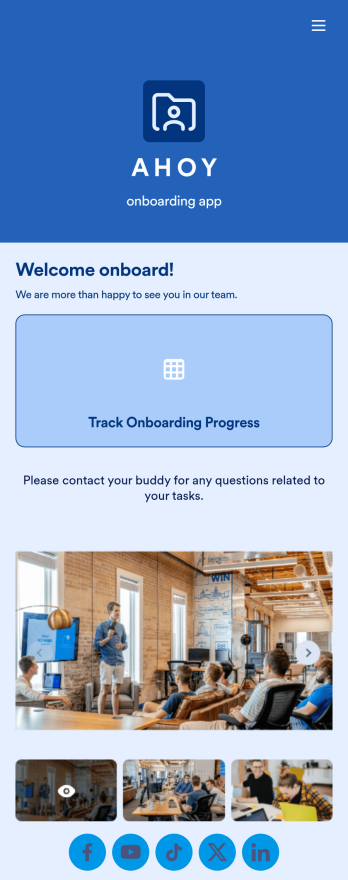
Custom Employee Onboarding App
An employee onboarding app makes it easier to integrate a new employee into your company by making important internal resources available on any device. Simplify the transitional period and successfully onboard new hires with a fully custom Employee Onboard App powered by Jotform. This ready-to-use mobile app includes a table for tracking onboarding progress, company photos and social links, and a separate page with team contact information. New hires can download the app onto their mobile device or computer for easy access at any time.Customize this Employee Onboarding App for your company in just a few clicks. Without coding, you can use our drag-and-drop builder to add forms and tables, embed links, upload documents and training videos, create new pages, update fonts and colors, and much more. When your app is ready to use, it can be sent directly to new hires via email invites or the app link. Successful employee onboarding can be the key to business success — so get started with an efficient, easy-to-use Employee Onboarding App tailored to your company.
Go to Category:Company Portal Apps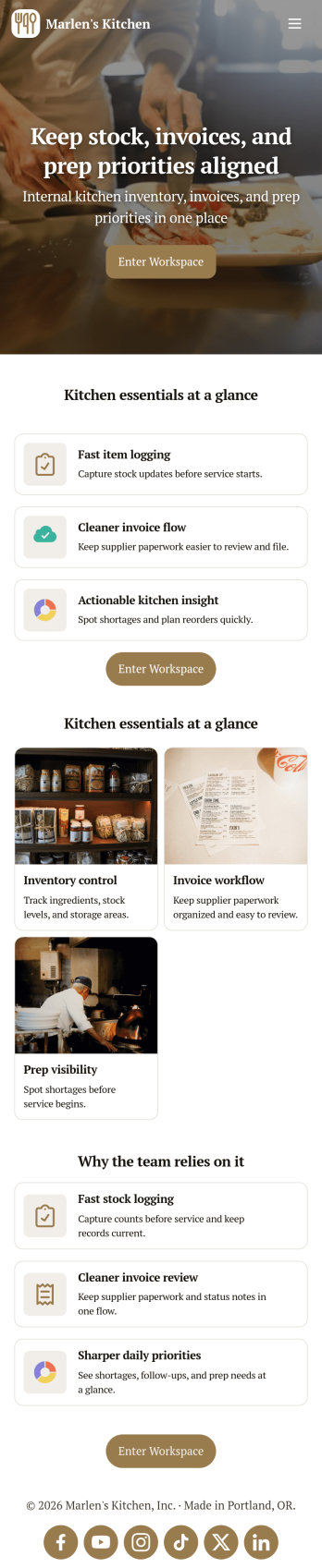
Restaurant Food Inventory App
Restaurant Food Inventory App is an app template designed to optimize the operational workflow of restaurants. It serves as a one-stop solution for restaurant owners, chefs, and kitchen managers to monitor ingredient inventory levels, track usage and expiry dates, manage supplier orders, and optimize food costs through real-time stock visibility. With this app, keeping an eye on food stocks and minimizing waste becomes a hassle-free process. By offering a comprehensive overview of all culinary inventory in one place, it replaces ad-hoc record-keeping practices, leading to more consistent and complete data collection. This app is best suited for those in the food industry who prioritize efficiency, accuracy, and waste reduction in their inventory management.With Jotform's no-code app builder, customizing the Restaurant Food Inventory App to fit your unique requirements is a breeze. The intuitive drag-and-drop interface allows for effortless modifications such as form swapping, font selection, color adjustment, and logo uploading. The result is a tailor-made app that aligns with your restaurant’s branding, without requiring any coding skills. Your app can then be accessed and downloaded onto any smartphone, tablet, or desktop via a shareable link, offering convenient cross-platform compatibility. Furthermore, Jotform Apps provide several publishing options, allowing you to control the accessibility of your app. With Restaurant Food Inventory App from Jotform, streamline your food inventory management and focus on what truly matters: delivering exceptional culinary experiences.
Go to Category:Company Portal Apps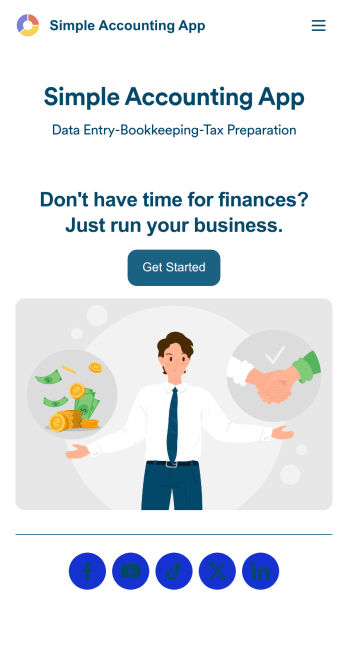
Simple Accounting App
Looking for an easy and convenient way to manage your accounting clients? With Jotform’s Simple Accounting App, you can create a bookkeeping app that works seamlessly for both you and your clients. Build your app from scratch or pick one of our ready-made app templates to spark your creativity. Add pricing information, contact forms, showcase past client reviews, and more.Customize your Simple Account App with Jotform’s easy-to-use app builder. Use our drag-and-drop app builder to change up the look and feel of your app, add powerful app elements, install helpful app widgets, and integrate with one of our 30+ payment processors, including Stripe and Square to collect fees and payments. Share your customized app via email or embed it directly into your own website. Help your clients reach their finance goals with your very own Simple Accounting App.
Go to Category:Company Portal Apps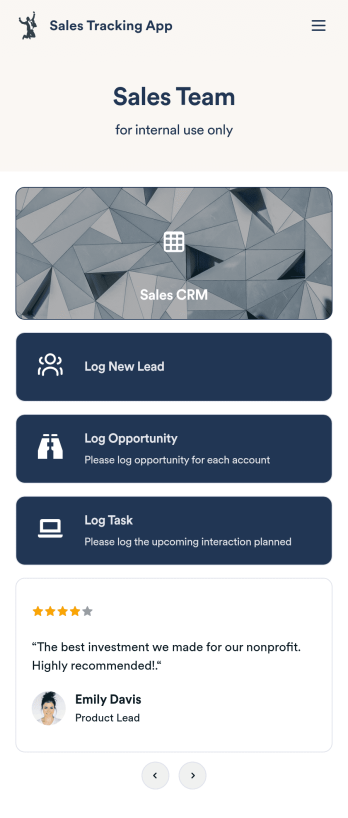
Customizable Sales Tracking App
A sales tracking app enables you to track your sales from any device. Get started with our free Sales Tracking App for businesses of all sizes. This ready-to-use app bundles multiple forms that you can sync to your CRM, so you can create a seamless workflow for generating leads and logging tasks. To get started, customize the template for your company using our drag-and-drop app builder. When you’re satisfied with the look and feel of your app, download it on your smartphone, tablet, or desktop computer, or share it with other members of your sales team to save onto their own devices.Customizing this Sales Tracking App for your sales team won’t require any coding. In just a few clicks, you can create new forms, integrate them with your CRM, embed links, add images and buttons, and change app settings such as name, icon, and splash screen for a fully-custom experience. To share it, just copy and paste the app link in emails or messages to your sales team members. Your Sales Tracking App will be easy to pull up on any device, so you can track and grow sales no matter where you are — even on the go.
Go to Category:Company Portal Apps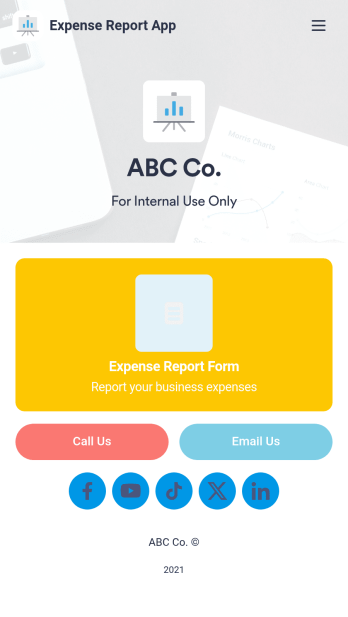
Expense Report App
An expense report app is used by companies for keeping track of employee expenses. This free Expense Report App allows employees to log business expenses by filling out a form with general contact information, cost, description, date and time, and payment and expense type. There is also an upload form for employees to attach any relevant documents and receipts. Expense reports are immediately synced and stored securely in your account, and can be sorted, filtered, and exported from any device.Customize this app template in no time using Jotform’s drag-and-drop form builder. You can easily add or swap out form elements, change text, customize your app icon and splash page, and more — no coding necessary. Share a link to your app in an email or embed it in your website, and employees can access and download it on any smartphone, tablet, or computer for future use. Keep track of all your employees’ business expenses with this Expense Report App.
Go to Category:Company Portal Apps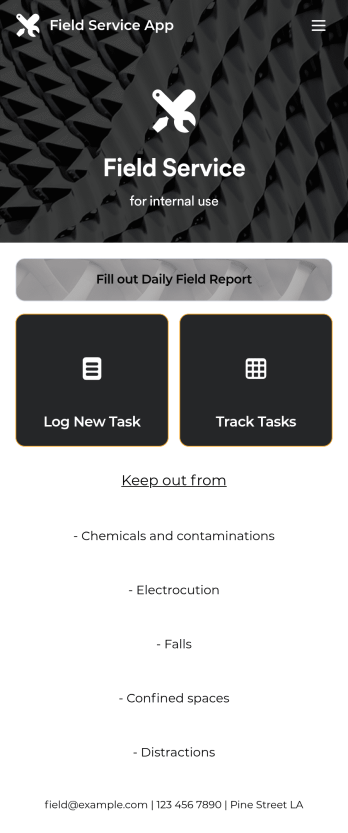
Custom Field Service App
A field service app makes it easier for technicians and other employees who work offsite to submit reports while in the field. Instead of using paper forms or waiting until you’re back at your office computer to submit reports, use this free Field Service App powered by Jotform to work anywhere, anytime. This customizable app template includes forms for submitting daily reports, logging new tasks, and tracking completed tasks. All submissions are instantly synced to your secure Jotform account.Need to modify this Field Service App to meet your needs? Just use our drag-and-drop builder to add forms, links, documents, buttons, pages, text, images, videos, tables, data grids, and much more. When it’s ready to use, download your app onto your smartphone, tablet, laptop, or computer for easy access. You can also share it with others via the app link or email invites. Get work done wherever you are with a custom, easy-to-use Field Service App.
Go to Category:Company Portal Apps
Employee Training App
Monitor your employees’ training progress from a central location with Jotform’s free Employee Training App. Employees can download this app onto any device and document when they’ve completed individual training courses, as well as evaluate the effectiveness of their courses and instructors with a detailed checklist. HR can track employee training statuses and attendance using built-in Jotform Tables spreadsheets.Customize this ready-made app template to match your company’s branding without any coding knowledge. Simply drag and drop to add or change form fields and checklist items, create additional pages, choose fonts and colors, personalize the app icon and splash screen with your unique branding — and much more. After you’re finished, simply embed your app in an internal company website or send out email invites to new employees during the onboarding process. Make sure your employees are getting the training they need with this fully-customizable Employee Training App from Jotform.
Go to Category:Company Portal Apps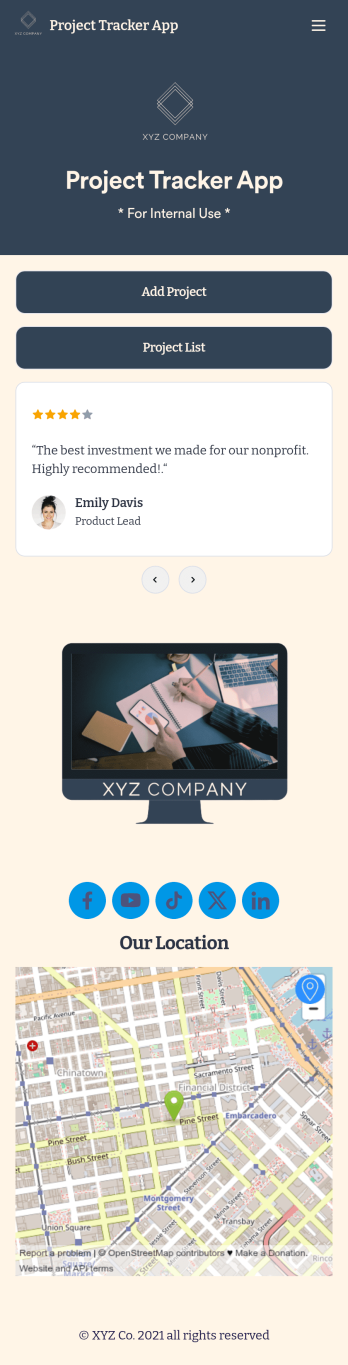
Project Tracker App
A project tracker app is used to keep track of projects on any device. Whether you’re working on personal projects or managing an entire team, use this Project Tracker App to get organized fast! You can add new project details and view all of your projects directly from the app, which is easy to share with a link and download onto your smartphone, tablet, or computer. You can even view projects as a spreadsheet, calendar, or cards with Jotform Tables’ Project Tracker Template.Need to make changes to this app template? Add your logo, choose a new icon, update the background, or include more forms to track other types of information. Once you’ve got your app looking perfect, send it to members of your team so they can start submitting and tracking projects too. Streamline your workflow with a free Project Tracker App for any industry.
Go to Category:Tracker Apps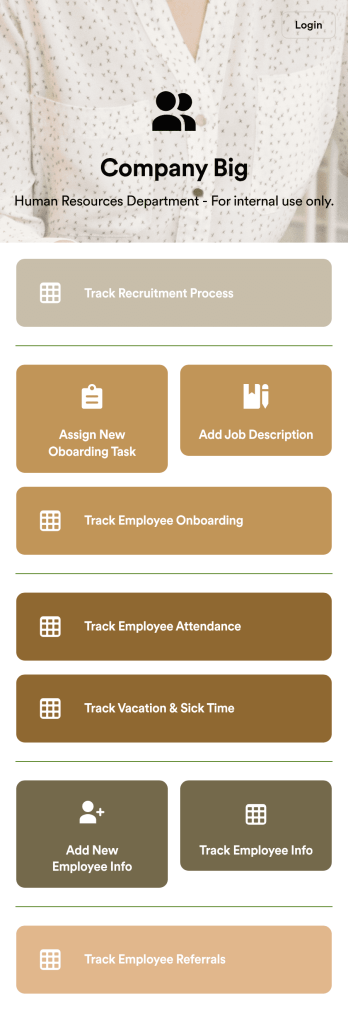
HR Management App
An HR management app keeps all your recruiting tools in one place that can be accessed from any device. Support your human resources team with a fully custom HR Management App powered by Jotform. This ready-to-use template includes multiple HR forms and tables to help you keep all of your data organized in one central location. You and your HR team can download the app onto any smartphone, tablet, or computer for easy access to your forms, tables, and other resources.Want to modify this app template for your company? You won’t need any coding knowledge – with our intuitive builder, all you need to do is drag and drop to add or update forms, tables, links, documents, pages, buttons, and other app elements. You can even change the app name, icon, fonts, colors, and splash screen to match your branding. When it’s ready to use, share it with your HR team by sending email invites or the app link. Manage new and existing employees effectively with a HR Management App built just for your HR team.
Go to Category:Company Portal Apps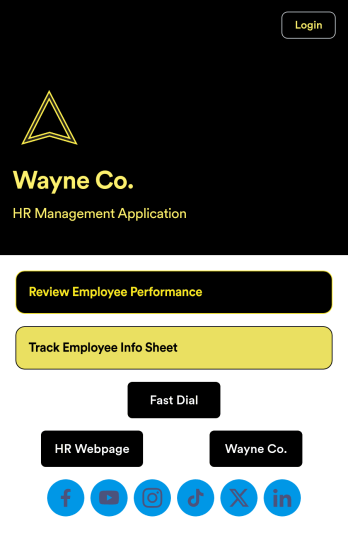
Employee Review App
An employee review app is used by HR professionals or managers to monitor the performance of employees in a company. With this free app that downloads onto any smartphone, tablet, or computer, employee reviews are a breeze! Just share the app with the members of your company who conduct employee reviews or track employee information for a paper-free solution.Without coding, you can personalize this Employee Review App by changing the icon or splash screen, creating and including other online forms, and adding any other information or spreadsheets you may need. All data is kept safe and secure with Jotform’s advanced security measures, and easy to access when you need it in a Human Resources Table. Perform employee reviews more efficiently with a free Employee Review App.
Go to Category:Company Portal Apps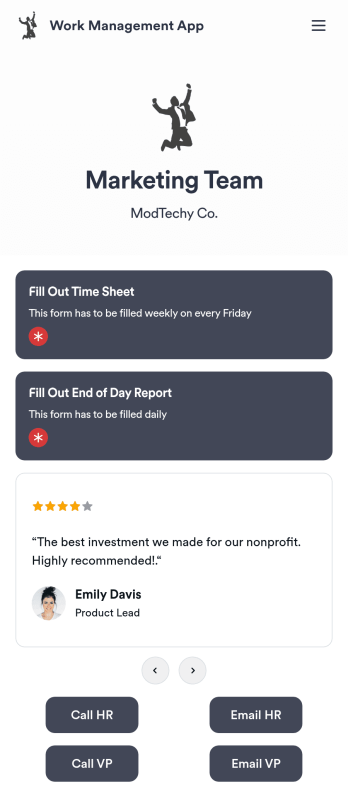
Work Management App
A work management app is used by team managers to assign tasks to others, track employee information, and fill out timesheets and end-of-day reports. Whether you work in marketing, sales, or another department, use this fully-customizable Work Management App to expertly track your team’s work from your computer, smartphone, or other mobile device. Tasks submitted through your Employee Task Assignment Form will be sent straight to your Employee Task List Table, and submissions through your Time Sheet Log Form and Employee Information Form will automatically populate your Employee Timesheet Table — no manual data entry required!Need to make changes like adding more forms, including your logo, or changing fonts and colors? Do it quickly with our drag-and-drop builder, with no coding knowledge needed. Once you’re done, share the app with a link to be saved onto any device, and start securely managing work information in your Jotform account. Get organized with a streamlined Work Management App for your team.
Go to Category:Human Resources Apps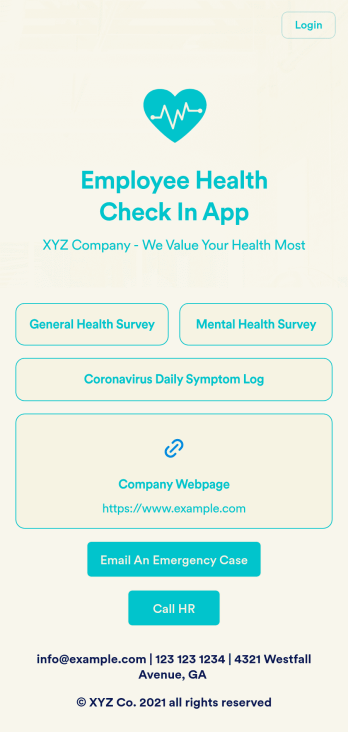
Employee Health Check In App
Screening your employees can help keep your workplace safe and free of contagious diseases. Conduct company health screenings and surveys in one place with our free Employee Health Check In App. Employees will be able to record possible coronavirus symptoms through the COVID-19 Daily Symptom Tracker and answer surveys from any smartphone, tablet, and computer.Customize your Employee Health Check In App for your company in just a few clicks. No coding necessary — simply drag and drop to add forms, surveys, spreadsheets, links, text, images, and more. You’ll even be able to modify the app name, icon, and splash page for a more professional and personalized look. When it’s ready, your app can be shared with employees via link and downloaded onto any device. Take care of your employees’ health and your business with a custom Employee Health Check In App for your company.
Go to Category:Human Resources Apps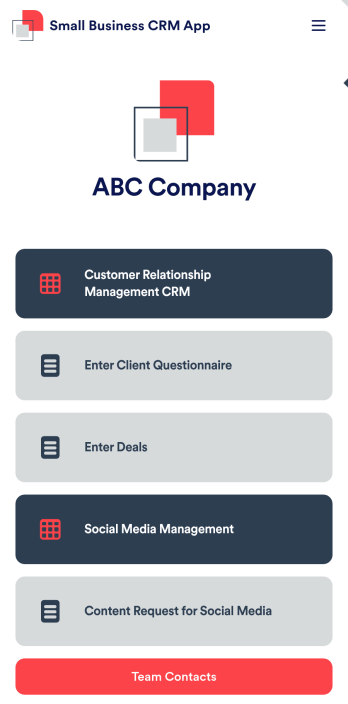
Small Business CRM App
A small business CRM app is used by small businesses for customer relationship management (CRM). This Small Business CRM App lets you receive client questionnaires, track and manage deals, submit content requests for social media, and more. Simply customize the app to perfectly match your needs with no coding required, then share the app to start collecting form submissions.Need to customize this free app template? Drag and drop to get the design you want. Add your company logo and branding, update the included forms, split your app into multiple pages, and make other changes in seconds. You can even integrate the app with 200+ other platforms to automatically sync submissions to your other accounts! Streamline your business’ workflow with a ready-made Small Business CRM App from Jotform.
Go to Category:Company Portal Apps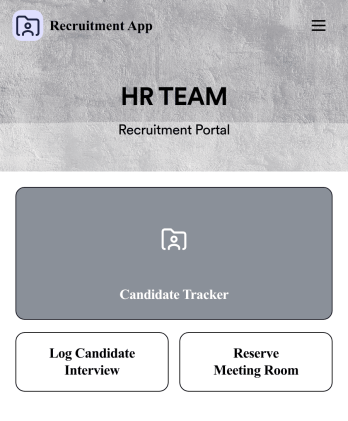
Recruitment App
A recruitment app streamlines the hiring process for HR teams on any device. No matter what roles your team is hiring for, get started with an all-in-one Recruitment App powered by Jotform! This free, ready-to-use app template works hand-in-hand with a Job Application Form and stores submissions in a Candidate Tracker. You and your recruiting team will also be able to schedule and log interviews through the app. All form responses will be securely stored in your Jotform account in a spreadsheet, calendar, or as easy-to-read cards.Customize this app template to match your branding and meet your HR needs. No coding necessary — simply drag and drop to add forms, links, documents, buttons, images, and much more. You can also change the app icon, name, and splash screen to match your branding. When it’s ready to use, share the app link with members of your recruiting team or send email invites. Your Recruitment App can be downloaded onto any smartphone, tablet, laptop, or desktop computer for easy access to your HR team’s tools and resources.
Go to Category:Company Portal Apps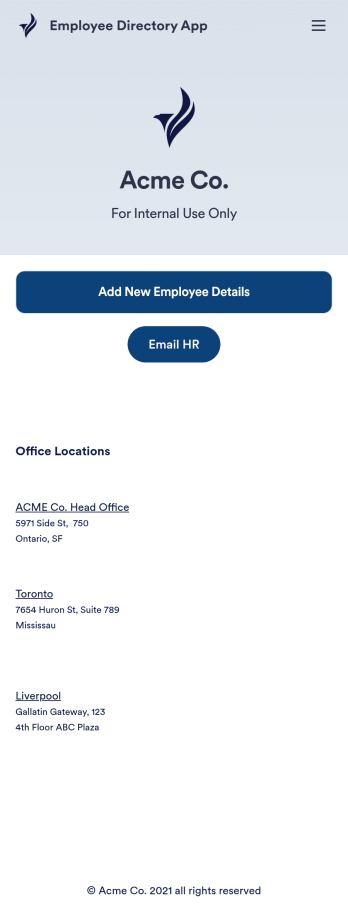
Employee Directory App
An employee directory app is used by businesses to collect information from new employees. Jotform’s Employee Directory App allows new employees to fill out general contact information, position title, manager, days of employment, and start date. If applicable, there is also space to specify an end date for contract workers. Submissions are instantly synced to an Employee Info Sheet in your Jotform account, which you can sort, filter, and search from any device.Customizing this app template to match your business’ branding is a snap. With our drag-and-drop form builder, you can add or change form elements, choose fonts and colors, upload your logo, and more — no coding required. You can also personalize your splash page by adding contact numbers and business address, or any other relevant information that might be useful to new employees. Share your app with a link or embed it in your website and employees can download it on any smartphone, tablet, or desktop. Streamline the onboarding process and keep all your employees’ information in one place with this Employee Directory App.
Go to Category:Human Resources Apps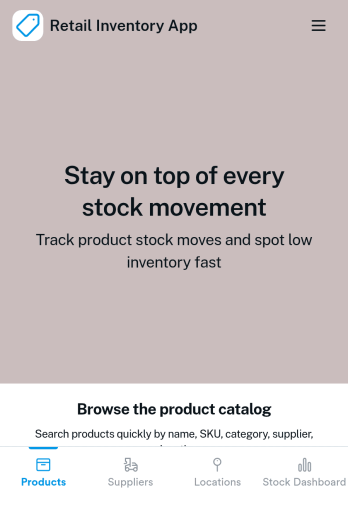
Retail Inventory App
A retail inventory app is used by retail store managers and employees for keeping records of product inventory. This free Retail Inventory App allows you to easily keep track of inventory by recording product name, inventory ID, stock location, unit price, quantity, and more through a Product Inventory Information Record Form. Product entries are stored securely in a Product Inventory Table in your account, which you can sort, filter, and search from any device. You can also share and export an inventory list with just a few clicks.If you’d like to personalize your app, just use our drag-and-drop form builder to add or change form elements, choose fonts and colors, and customize your icon and splash page—no coding required. With Jotform’s Role-based feature, you can control access so tutors, admins, and other users see only the parts of the app relevant to them. Afterwards, you can share your app with managers and employees using a link or embed it in an internal website. Start keeping detailed product inventory records with this customizable Retail Inventory app from Jotform.
Sales Order App
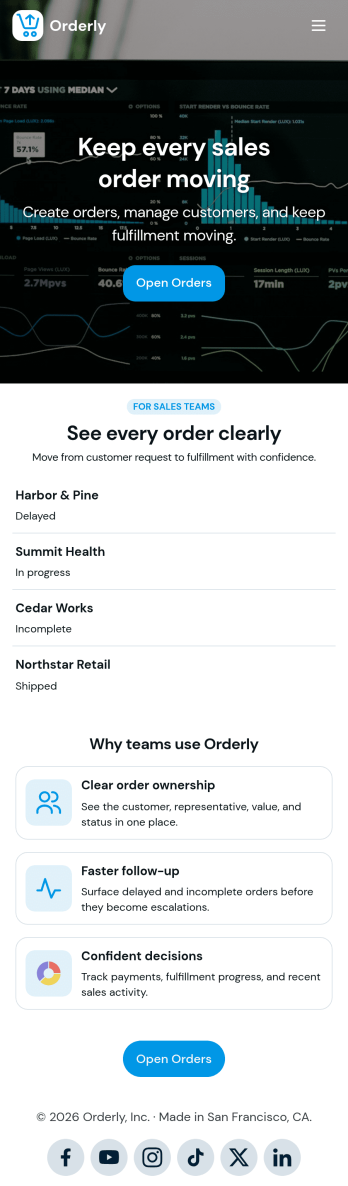
This Sales Order App provides one convenient location for your customers to place and cancel sales orders. From this readymade app, customers can fill out account and shipping information, choose item and quantity numbers, and pay for their orders by card or PayPal. There is also a separate form for leaving feedback, and you can share testimonials on your splash page. Customers can access and download your app to their smartphone, tablet, or desktop computer for future use.Want to change the look of your Sales Order App? Our drag-and-drop interface makes customization a snap! With a few clicks, you can add forms, choose fonts and colors, upload your own logo, update the app icon and splash page, and more—no coding necessary. With Jotform’s Require Login feature, you can secure your app pages by requiring users to sign in before accessing certain content or features. Once you’re satisfied with your app’s design, simply share a link with your customers and they can start making orders from any device. Simplify your ordering process with this free Sales Order App!
Easy Mortgage App
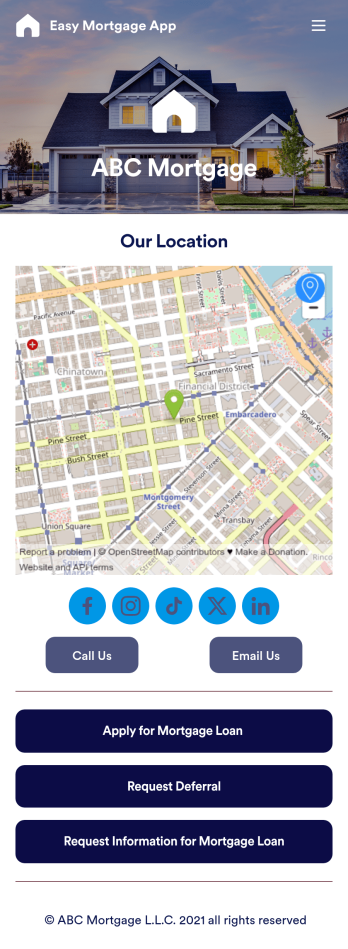
With Jotform’s Easy Mortgage App, members of your mortgage loan company can collect client information in the field from their smartphone or tablet — no messy paperwork required! Once the app is downloaded onto each employee’s device, they can submit mortgage loan requests for new clients, help clients request deferrals, or accept formal mortgage loan applications online.Customizing this Easy Mortgage App is, well, easy. Just drag and drop to rearrange the design, add or remove forms, include your logo for a professional touch, and make other design changes with no coding. Share the app with a link to be saved to any device instantly, and your team will be ready to start collecting information through the Easy Mortgage App and storing it in your secure Jotform account.
Warehouse Management App
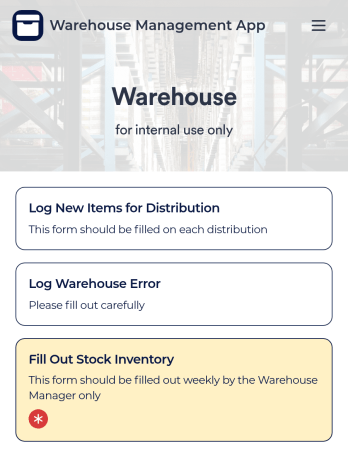
A Warehouse Management App is used by businesses to keep track of new warehouse inventory. With this fully-customizable app, you can record item names, descriptions, quantities, model and serial numbers, as well as account and payment details from the distributor and receiving company. An easy-to-read stock inventory list is stored securely in your online account and can be accessed and downloaded on any device.Want to customize this Warehouse Management App to match your company’s branding? Our drag-and-drop interface makes it easy to add forms, upload your logo, change fonts and colors, create a custom app icon, and more — no coding necessary. When you’re done, employees can download your app on any smartphone, tablet, or desktop for future use. Keep a bird’s eye view on your warehouse inventory with this Warehouse Management App.
Easy Mortgage App
With Jotform’s Easy Mortgage App, members of your mortgage loan company can collect client information in the field from their smartphone or tablet — no messy paperwork required! Once the app is downloaded onto each employee’s device, they can submit mortgage loan requests for new clients, help clients request deferrals, or accept formal mortgage loan applications online.Customizing this Easy Mortgage App is, well, easy. Just drag and drop to rearrange the design, add or remove forms, include your logo for a professional touch, and make other design changes with no coding. Share the app with a link to be saved to any device instantly, and your team will be ready to start collecting information through the Easy Mortgage App and storing it in your secure Jotform account.
Proposal App
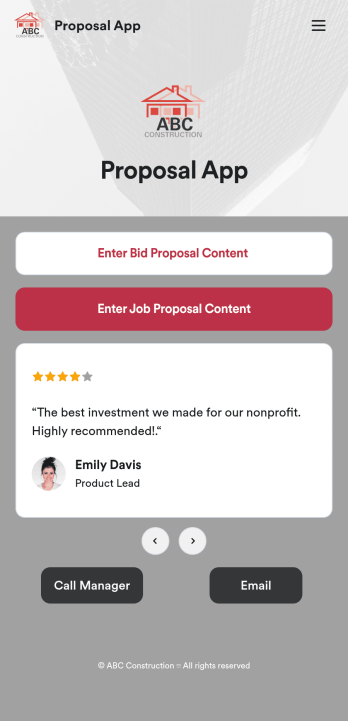
Proposals are necessary for assuring clients that your construction services are the right fit for the job. Share and fill out your proposal forms in one place with our free Proposal App for construction companies and contractors. This ready-made app template includes a bid proposal form and job proposal form where users can enter client, contractor, and project details from any device. Since this app works with our Job Proposal PDF Template, form submissions will automatically turn into professional PDFs!Customizing your Proposal App only takes a few minutes with our drag-and-drop builder. Without any coding, you can create and add new forms, embed links to other pages, include images, and update app details such as name, icon, and splash page for a fully-custom design. When your app is ready to use, it can be downloaded from any smartphone, tablet, or computer. Make a good impression on your clients with a professional and personalized Proposal App for your services!
Personal Finance Management App
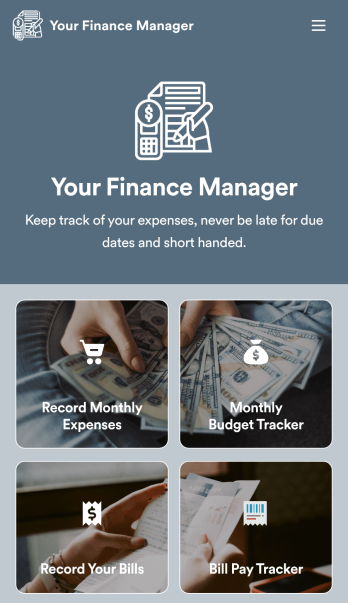
Manage your personal finances with Jotform’s free Personal Finance Management App. This fully customizable mobile app includes a monthly expense form, budget tracker, bill record form, and bill payment log to help you stay on track when it comes to your finances. Once you’ve downloaded the app to your favorite, you can fill out your forms and view your logs at any time. All entries will be synced instantly and automatically, so you can keep all your important finance info in one easily accessible place.Customize your Personal Finance Management App without any coding. Jotform’s drag-and-drop interface makes it easy to add forms, tables, links, documents, and other elements to your app. Then you can save your app onto any computer, tablet, or smartphone for easy access. Take control of your spending with a custom Personal Finance Management App!
Personal Budget App
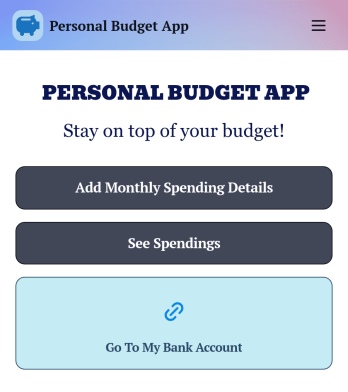
Track your expenses and income in a free Personal Budget App from Jotform! The app includes a Monthly Spending Details Form where you can add your spending information to create a complete record of money you have earned and the items you have bought. All submissions through the app are stored securely in your Jotform account, on an easy to access Personal Budget spreadsheet on any device.Make changes to this free app template with our drag-and-drop builder. Update the app icon, background image, and add as many forms, links, documents, images, and buttons as you’d like. Once your app is looking great, download it onto your computer, smartphone or tablet to start collecting budget details instantly on the go. Save time and track your budget online with a free Personal Budget App.
About Company Portal App Templates
Company Portal Apps are sophisticated mobile and web interfaces designed to centralize and streamline various business operations within a single digital environment. These apps are typically utilized to manage internal communications, project tracking, employee onboarding, and customer service processes. Industries ranging from healthcare and education to retail and manufacturing find immense value in deploying company portals to facilitate real-time data sharing, enhance collaboration, and improve overall productivity. By integrating various workflows into a single platform, Company Portal Apps enable organizations to maintain a cohesive and efficient operational structure.
Jotform Apps, a leading no-code app builder, offers a unique solution for creating Company Portal Apps by leveraging its Progressive Web App (PWA) technology. Unlike traditional apps, Jotform Apps can be installed directly from a browser, eliminating the need for an App Store and ensuring compatibility across iOS, Android, tablets, and desktops. This seamless installation process, combined with the power of centralized data management through Jotform Tables, allows businesses to build and deploy custom apps that are both flexible and robust. Jotform Apps are particularly suited for businesses looking to streamline their workflows and harness the power of digital transformation without the need for extensive coding knowledge.
Why Use Company Portal Apps?
- Company Portal Apps significantly enhance operational efficiency by providing a centralized platform for diverse business processes. They facilitate seamless communication across departments, ensuring that vital information is accessible to all stakeholders in real time.
- These apps empower organizations to maintain consistency in workflows, reducing the time spent on redundant tasks and minimizing errors. They provide a structured environment where processes can be standardized, leading to improved accuracy and reliability.
- By integrating features such as push notifications and centralized data storage, Company Portal Apps enable businesses to keep employees informed and engaged, no matter their location. This connectivity is crucial for maintaining productivity in a remote or hybrid working environment.
- Company Portal Apps support the collection and analysis of data across various business functions, providing valuable insights into operational performance. This data-driven approach allows businesses to make informed decisions that enhance efficiency and drive growth.
- Businesses can customize these apps to align with their unique brand identity and operational needs, ensuring they provide a user-friendly experience that resonates with employees and customers alike. This level of customization fosters a sense of ownership and engagement among users.
Common Problems Solved by Company Portal Apps
- One common challenge businesses face is the siloed nature of departments, which can hinder communication and collaboration. Company Portal Apps address this by providing a unified platform that allows for seamless information sharing and collaboration across departments.
- Managing a large volume of data can be overwhelming and prone to errors. Company Portal Apps solve this by offering centralized data management, where all information is stored, accessed, and analyzed from a single platform, reducing redundancies and improving accuracy.
- Organizations often struggle with maintaining consistent customer engagement. By utilizing features such as push notifications, Company Portal Apps ensure that customers are kept informed and engaged with timely updates and personalized communications.
- In industries where regulatory compliance is crucial, keeping track of relevant documentation and processes is challenging. Company Portal Apps simplify compliance management by integrating workflow automation, ensuring that all necessary steps are completed and documented.
- Employee onboarding and training can be time-consuming and disorganized. Company Portal Apps streamline these processes by providing structured, accessible platforms where new hires can access all necessary materials and training programs efficiently.
Matching Use Cases to Features
- For businesses looking to improve internal communication, the ability to publish apps as public, private, or company-only is invaluable. This feature allows organizations to control who has access to specific information, ensuring that sensitive data is shared only with the relevant parties.
- The drag-and-drop interface of Jotform Apps simplifies the app creation process, enabling users to design and customize their company portals without any coding expertise. This feature is particularly beneficial for HR departments aiming to build intuitive onboarding apps quickly.
- Companies that need to manage remote teams can leverage the offline mode feature, which allows employees to access and input data without an internet connection. This ensures that work can continue uninterrupted, even in areas with limited connectivity.
- Payment integrations with platforms like Stripe and PayPal make it easy for businesses to collect fees for services directly through their apps. This feature is crucial for sectors such as retail or subscription services where seamless payment processing is essential.
- Sharing methods like direct links, QR codes, or social media enable businesses to distribute their apps efficiently to employees and customers. This flexibility in distribution ensures that apps can reach their intended audience promptly and effectively.
- The store builder feature is ideal for organizations looking to create a digital storefront within their company portal, allowing them to showcase and sell products or services directly through the app. This functionality expands the reach and accessibility of the business’s offerings.
- Workflow automation helps businesses streamline complex processes, such as order processing or project management, by automatically triggering actions based on predefined criteria. This ensures that routine tasks are completed efficiently, freeing up time for more strategic activities.
How to Create a Company Portal App
- Choose a category-relevant template from the Template List or start from scratch.
- Customize using the Drag-and-Drop Interface.
- Share via Link, QR Code, or Embed.
Top Use Cases for Company Portal Apps
- For Managers: Company Portal Apps provide managers with a comprehensive platform to monitor and oversee various business functions effortlessly. By centralizing data and automating workflows, managers can focus on strategic decision-making rather than administrative tasks. The ability to track project progress and employee performance in real-time enables managers to make informed decisions swiftly. Furthermore, the integration of communication tools within the app ensures that managers can maintain a direct line of communication with their teams, fostering a collaborative work environment.
- For Teams: Teams benefit immensely from the streamlined communication and collaboration capabilities offered by Company Portal Apps. These apps provide a shared space where team members can access project updates, share files, and communicate in real-time, regardless of their physical location. This level of connectivity ensures that teams remain aligned and focused on their objectives, reducing the likelihood of miscommunication and project delays. Additionally, the integration of workflow automation helps teams manage their tasks more efficiently, allowing them to focus on delivering high-quality work.
- For Customers: Company Portal Apps enhance the customer experience by providing a seamless and engaging platform for interaction with the business. Customers can access product information, make purchases, and receive support through a single app, improving their overall satisfaction and loyalty. Features such as push notifications keep customers informed about new products, promotions, or updates, ensuring they remain engaged with the brand. By providing a user-friendly and interactive platform, businesses can strengthen their relationship with customers and drive long-term loyalty.
Summarizing Company Portal Apps
Company Portal Apps represent a transformative approach to managing business operations, offering a cohesive and integrated platform for various organizational functions. By leveraging Jotform’s no-code app builder, businesses can create customized portals that address their unique needs, enhancing efficiency, collaboration, and customer engagement. The ability to integrate features such as workflow automation, payment processing, and centralized data management ensures that these apps deliver tangible business value. As a result, organizations can achieve greater operational efficiency, improved communication, and a more engaged workforce and customer base.
Frequently Asked Questions
1) Is it free to create and use Company Portal apps on Jotform?
Yes, Jotform offers a free Starter plan that allows users to create and use Company Portal apps without any cost. This plan provides access to a variety of features, enabling businesses to build functional apps suitable for their basic needs. However, for more advanced features and higher usage limits, Jotform offers paid plans that cater to different business requirements.
2) Are the data and payments collected through the app secure?
Absolutely, the security of data and payments is a top priority for Jotform. All data collected through Company Portal apps is protected by robust security measures, including encryption and compliance with GDPR standards. Payment integrations with trusted providers like Stripe and PayPal ensure that financial transactions are conducted securely, safeguarding sensitive information.
3) Do I need any coding skills to create a Company Portal app with Jotform?
No, you do not need any coding skills to create a Company Portal app using Jotform. The platform’s intuitive drag-and-drop interface allows users to design and customize their apps easily, regardless of their technical expertise. This user-friendly approach empowers anyone to build professional-grade apps that meet their specific requirements.
4) Can I collect payments for services directly through the app?
Yes, you can collect payments directly through your Company Portal app by integrating with payment providers such as Stripe and PayPal. These integrations enable you to accept various payment methods securely, facilitating seamless transactions for services or products offered through your app. This feature is particularly beneficial for businesses looking to streamline their payment processes and enhance customer convenience.
5) Does Jotform support offline data collection for Company Portal apps?
Yes, Jotform supports offline data collection, allowing users to access and input data even without an internet connection. This feature is particularly useful for businesses operating in areas with limited connectivity or for employees working remotely. Once the connection is restored, the data is automatically synchronized, ensuring that no information is lost.
6) Are Jotform Apps compatible with both iOS and Android devices?
Indeed, Jotform Apps are compatible with both iOS and Android devices due to their Progressive Web App (PWA) technology. This cross-platform compatibility ensures that users can seamlessly access and use the apps on various devices, including tablets and desktops. The convenience of installing apps directly from a browser further enhances accessibility and user experience.
7) Can Company Portal apps be customized to match our brand identity?
Absolutely, Company Portal apps can be fully customized to align with your brand identity. With Jotform’s drag-and-drop interface, you can easily modify the app's appearance, including colors, logos, and layouts, to reflect your brand’s unique style. This customization ensures that the app provides a cohesive brand experience for both employees and customers.
8) How can Company Portal apps improve employee onboarding processes?
Company Portal apps significantly streamline the employee onboarding process by centralizing all necessary documents, training materials, and communication channels in one accessible location. This organization reduces the time and effort required to onboard new employees and ensures that they have all the resources needed to acclimate quickly and effectively. Additionally, automated workflows can guide new hires through each step of the onboarding process, enhancing efficiency and consistency.