

Tourismus PDF-Vorlagen

Reiseplan Vorlage
Egal, ob Sie ein Reisebüro betreiben oder einfach nur jemand sind, der gerne reist und einen detaillierten Plan dokumentiert haben möchte, eine Vorlage für einen Reiseplan ist immer notwendig. Eine fertige PDF-Vorlage für den Reiseplan hilft Ihnen bei der Planung Ihrer Reisen und maximiert Ihre Zeit und Ausgaben. Probieren Sie diese Mustervorlage für einen Reiseplan von Jotform aus. Diese Vorlage ist für jede Art von Urlaub geeignet, aber Sie können sie gerne ändern. Sie enthält grundlegende Informationen wie das Reiseziel, Datum und Uhrzeit der Ankunft, zu besuchende Orte, geschätzte Kosten und vieles mehr. Sie können diese Informationen ändern oder weitere hinzufügen, wenn Sie möchten.
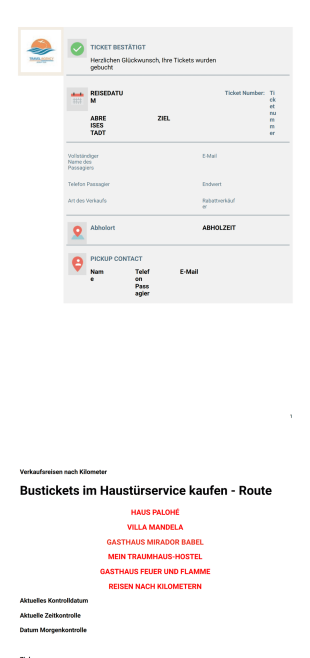
Busreise Ticketvorlage
Sie müssen keine Zeit mit der Vorbereitung von Tickets für Ihre Veranstaltungen verschwenden! Diese PDF-Ticketvorlage hilft Ihnen, Ihre Veranstaltungsanmeldungen in physische Tickets zu verwandeln, die Sie ausdrucken und per Post an die Teilnehmer schicken können, oder in digitale PDFs, die Sie per E-Mail verschicken können.Mit Jotform ist es ganz einfach, Anmeldungen zu erfassen und Zahlungen zu akzeptieren und mit unserem neuen PDF-Editor ist es ganz einfach, diese Anmeldungen in Tickets zu verwandeln. Für die Erfassung von Anmeldungen können Sie dieses Formularmuster sofort verwenden! Dieses Beispielformular enthält persönliche Daten wie Name, Telefonnummer und E-Mail sowie Reiseinformationen wie Reisedatum, Abfahrtsort und Reiseziel.Fügen Sie der Antwort im PDF-Editor von Jotform Ihr eigenes Branding hinzu. Nehmen Sie alle notwendigen Anpassungen oder Formatierungsänderungen vor, und schon ist Ihr PDF zum Drucken oder Versenden per E-Mail bereit.
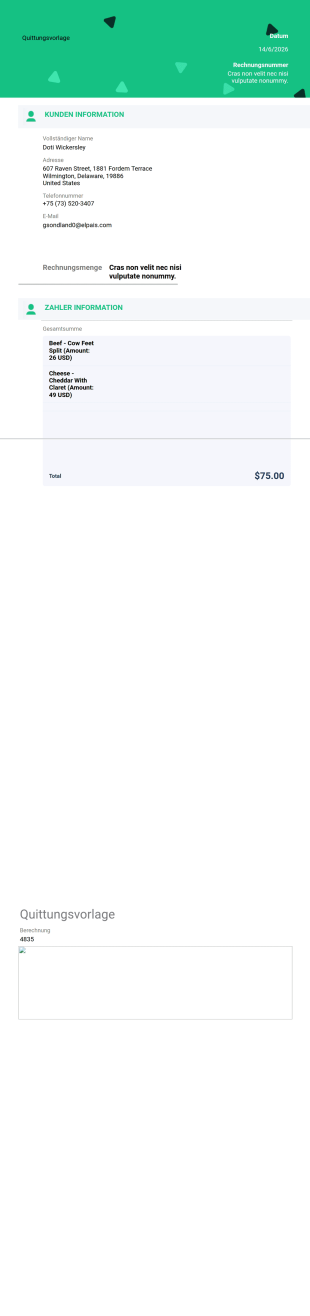
Quittungsvorlage
Ganz gleich, ob Sie Online-Zahlungen für Bestellungen, Veranstaltungsanmeldungen, Mitgliedsbeiträge oder Spenden bestätigen müssen, mit der einfachen PDF-Quittungsvorlage von Jotform können Sie professionelle Quittungen für Ihre Kunden erstellen. Für jeden Online-Kauf generiert Ihre einfache Quittungsvorlage sofort PDF-Quittungen, die die Zahlungsbestätigung jedes Kunden enthalten. Wenn Sie Ihre Quittungen im PDF-Format speichern, können Ihre Kunden sie leichter weitergeben, herunterladen, ausdrucken und auf jedem Gerät abrufen. Nachdem Sie Ihr Zahlungsformular entworfen haben, können Sie Ihre einfache Quittungsvorlage mit unserem Drag & Drop-PDF-Editor anpassen. Fügen Sie das Logo Ihres Unternehmens hinzu, ordnen Sie das Layout der Vorlage neu an, und ändern Sie die Schriftarten oder Farben, um sie an Ihre Marke anzupassen. Anstatt Quittungen manuell per E-Mail an jeden Kunden zu senden, können Sie einen <a href="https://www.jotform.com/help/26-setting-up-an-autoresponder-email/" target="_blank">Autoresponder</a> auf Ihrem Zahlungsformular einrichten, um automatisch PDF-Quittungen für jede Zahlungsübermittlung zu senden. Wenn ein Kunde eine Zahlung über Ihr sicheres Online-Formular einreicht, wandelt Ihre einfache Quittungsvorlage seine Informationen sofort in eine offizielle Quittung für Ihr Unternehmen um.
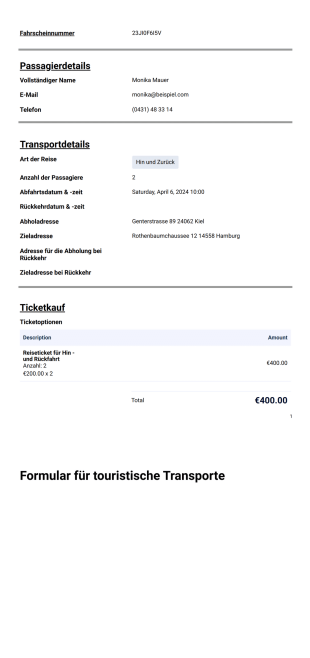
Vorlage für ein touristisches Transportticket
Sie müssen keine Zeit mit der Vorbereitung von Tickets für Ihre Veranstaltungen verschwenden! Diese PDF-Ticketvorlage hilft Ihnen, Ihre Veranstaltungsanmeldungen in physische Tickets zu verwandeln, die Sie ausdrucken und per Post an die Teilnehmer schicken können, oder in digitale PDFs, die Sie per E-Mail verschicken können.Mit Jotform ist es ganz einfach, Anmeldungen zu erfassen und Zahlungen zu akzeptieren und mit unserem neuen PDF-Editor ist es ganz einfach, diese Anmeldungen in Tickets zu verwandeln. Für die Erfassung von Anmeldungen können Sie dieses Formularmuster sofort verwenden! Dieses Beispielformular enthält persönliche Daten wie Name, Telefonnummer und E-Mail sowie Reiseinformationen wie Reisedatum, Abfahrtsort und Reiseziel.Fügen Sie der Antwort im PDF-Editor von Jotform Ihr eigenes Branding hinzu. Nehmen Sie alle notwendigen Anpassungen oder Formatierungsänderungen vor, und schon ist Ihr PDF zum Drucken oder Versenden per E-Mail bereit.
Über Tourismus PDF-Vorlagen
PDF-Vorlagen für den Tourismus sind vorgefertigte, wiederverwendbare Layouts, die speziell auf die Anforderungen der Tourismusbranche zugeschnitten sind. Diese Vorlagen optimieren Prozesse wie Buchungsbestätigungen, Reisepläne, Reisevereinbarungen und Feedback-Formulare. Mit diesen digitalen Vorlagen verwalten Unternehmen der Tourismusbranche ihre Abläufe effizient und erstellen alle erforderlichen Unterlagen präzise und professionell. In der Praxis automatisieren und standardisieren Unternehmen damit die Dokumentenerstellung, was bei hohem Transaktionsaufkommen und im Umgang mit Kunden Einheitlichkeit gewährleistet.
Jotform stands out as the premier online form builder for creating and managing Tourism PDF Templates. Its user-friendly interface allows for easy customization, enabling businesses to tailor each template to their specific needs. With Jotform, data collection is automated, making it possible to gather and organize information efficiently. Furthermore, centralized data management is facilitated through Jotform Tables, allowing users to handle and analyze their data seamlessly, thus enhancing decision-making and operational efficiency. This integrated approach helps businesses in the tourism industry maintain a streamlined workflow and ensures that all documents are up-to-date and accessible.
Why Use Tourism PDF Templates?
- PDF-Vorlagen für die Tourismusbranche beschleunigen die Dokumentenbearbeitung und erhöhen ihre Genauigkeit. In der schnelllebigen Tourismusbranche ist das entscheidend. Durch die Automatisierung der Erstellung von Dokumenten wie Reiseplänen und Buchungsbestätigungen verringern diese Vorlagen das Risiko menschlicher Fehler. So erhalten Kunden korrekte und zeitnahe Informationen. Das verbessert die Customer Experience und stärkt die Glaubwürdigkeit sowie Zuverlässigkeit des Unternehmens.
- Professionelle Datenverarbeitung ist ein weiterer Vorteil von Tourismus-PDF-Vorlagen. Nutzen Sie die automatisierte PDF-Erstellung von Jotform, um alle Dokumente einheitlich und professionell zu formatieren. Diese Einheitlichkeit stärkt Ihr Markenimage. Ein klares Markenimage baut Kundenvertrauen auf und erhöht die Kundenzufriedenheit in einem wettbewerbsintensiven Markt.
- Die Verwendung von PDF-Vorlagen für die Tourismusbranche ermöglicht effizientes Data Management und schnelle Datenabfragen. Dank der Möglichkeit, Vorlagen automatisch mit Echtzeit-Antworten zu füllen, können Unternehmen problemlos auf Kundeninformationen zugreifen und diese organisieren. Dieser optimierte Ansatz bei der Datenverarbeitung erleichtert eine schnelle Entscheidungsfindung und steigert die Gesamteffizienz der Geschäftsabläufe.
- PDF-Vorlagen für den Tourismus fördern die Kommunikation und Zusammenarbeit zwischen Teammitgliedern. Durch ein standardisiertes Dokumentformat sorgen diese Vorlagen dafür, dass alle Teammitglieder auf dem gleichen Stand sind und Zugriff auf dieselben Informationen haben. Diese Einheitlichkeit ist vorteilhaft für Unternehmen mit mehreren Standorten oder Remote-Teams, da sie die Konsistenz in allen Geschäftsabläufen gewährleistet.
- Die Nutzung von PDF-Vorlagen für die Tourismusbranche reduziert den Verwaltungsaufwand, der mit der manuellen Erstellung von Dokumenten verbunden ist. Durch die Automatisierung des Prozesses mit dem Online-Formulargenerator von Jotform sparen Unternehmen Zeit und Ressourcen. So können sich Teammitglieder auf strategischere Aufgaben konzentrieren, die das Unternehmenswachstum vorantreiben und die Kundenzufriedenheit verbessern.
Common Problems Solved by Tourism PDF Templates
- Übermäßige Abhängigkeit von Papierdokumenten ist ein Hauptproblem der Tourismusbranche. Sie führt zu Ineffizienzen und Fehlern. PDF-Vorlagen für den Tourismus lösen dieses Problem, indem sie Dokumente digitalisieren. Dadurch lassen sich die Unterlagen leichter verwalten und der Bedarf an physischer Aufbewahrung sinkt. Dieser Übergang spart Platz und minimiert das Risiko, wichtige Dokumente zu verlieren.
- Manuelle Dateneingabe ist ein Schwachpunkt in der Tourismusbranche. Sie führt oft zu Fehlern und Inkonsistenzen. Unternehmen automatisieren die Dateneingabe mit PDF-Vorlagen für die Tourismusbranche. So erfassen sie alle Informationen in verschiedenen Dokumenten präzise und einheitlich. Diese Automatisierung verbessert die Datenintegrität. Sie verschafft Mitarbeitern Zeit für Aufgaben mit höherem Mehrwert.
- Datenverlust gefährdet Tourismusunternehmen, besonders beim Umgang mit großen Mengen an Kundendaten. PDF-Vorlagen für die Tourismusbranche lösen dieses Problem. Sie nutzen Jotform für sicheres Datenmanagement. Die digitale Speicherung und der einfache Zugriff für autorisierte Nutzer verhindern Datenverluste. So stehen alle Informationen bei Bedarf sofort zur Verfügung.
- PDF-Vorlagen für die Tourismusbranche helfen, ein einheitliches Branding in der gesamten Kundenkommunikation durchzusetzen. Sie bieten vorgefertigte Layouts. So entsprechen alle Dokumente den Markenrichtlinien des Unternehmens, einschließlich Logos, Farbschemata und Schriftarten. Diese Einheitlichkeit stärkt die Markenidentität und fördert die Kundenbindung.
Passende Anwendungsfälle für Features
- Unternehmen in der Tourismusbranche benötigen häufig eine optimierte Methode zur Erfassung und Bearbeitung von Buchungen. Durch die Nutzung des Drag-and-Drop-Formulargenerators von Jotform können Unternehmen maßgeschneiderte Buchungsformulare erstellen. Diese Formulare generieren automatisch PDF-Bestätigungen und sorgen für mehr Effizienz und Kundenzufriedenheit.
- For whose who need to collect signatures for travel agreements or waivers, the integration of Electronic Signatures (Jotform Sign) within Tourism PDF Templates is invaluable. This feature simplifies the signing process, ensuring that all necessary documents are signed quickly and securely.
- Der Einsatz von bedingter Logik in PDF-Vorlagen für die Tourismusbranche verbessert die Customer Experience. Die in den Dokumenten angezeigten Informationen werden auf der Grundlage der Nutzerantworten personalisiert. So passen Sie Dokumente präzise an die Bedürfnisse Ihrer Kunden an und erreichen mehr Kundenbindung und -zufriedenheit.
- Der PDF Editor von Jotform bietet eine automatisierte PDF-Erstellung, die sich besonders für die Erstellung standardisierter Dokumente wie Reisepläne oder Rechnungen eignet. Mit dieser Automatisierung formatieren Sie jedes Dokument korrekt und stellen es zeitnah bereit. So verringert sich der Verwaltungsaufwand, und die betriebliche Effizienz steigt.
- Mit dem Berichtgenerator erstellen Tourismusunternehmen Berichte, die erfasste Daten analysieren. So gewinnen sie Erkenntnisse über Kundenpräferenzen und die Geschäftsleistung und treffen datengestützte Entscheidungen.
- Approval Workflows integrated within Tourism PDF Templates facilitate smooth internal communication by ensuring that all necessary approvals are obtained before a document is finalized. This feature helps maintain accountability and transparency, streamlining the document management process.
- Secure Data Management through Jotform Tables ensures that all customer data is stored safely and can be accessed easily by authorized personnel. This feature is crucial for maintaining data integrity and privacy, especially in an industry that handles sensitive customer information.
How to Create a Tourism PDF Template
- Browse the Template List for a Tourism PDF template or start from a blank Template.
- Passen Sie das Design und die Felder mit dem Drag-and-Drop-Formulargenerator an.
- Veröffentlichen und teilen Sie den Inhalt über einen Direktlink, per E-Mail oder durch Einbettung in eine Website.
Top Use Cases for Tourism PDF Templates
- For Managers: Tourism PDF Templates provide managers with a reliable tool to streamline document creation and management processes. By using these templates, managers can ensure that all documentation is consistent and compliant with company standards, allowing them to focus on strategic planning and improving overall business operations. The automation and organization of data also aid in better resource allocation and performance monitoring.
- For Teams: Teams within the tourism industry benefit from Tourism PDF Templates through enhanced collaboration and efficiency. With standardized templates, team members can easily access and share information, ensuring that everyone is aligned and informed. This consistency helps reduce errors and miscommunications, fostering a more cohesive and productive work environment.
- For Customers: Tourism PDF Templates offer customers a seamless and professional experience. By receiving timely and well-organized documents such as itineraries and booking confirmations, customers gain confidence in the business's reliability and attention to detail. This positive experience not only enhances customer satisfaction but also encourages repeat business and positive word-of-mouth referrals.
Summarizing Tourism PDF Templates
PDF-Vorlagen für die Tourismusbranche sind für Unternehmen in diesem Sektor von unschätzbarem Wert, da sie eine strukturierte und effiziente Möglichkeit zur Erstellung von Dokumenten und zum Data Management bieten. Durch die Nutzung der Funktionen von Jotform können Unternehmen Prozesse automatisieren, Fehler reduzieren und die Konsistenz in der gesamten Kundenkommunikation gewährleisten. Diese Vorlagen optimieren nicht nur die Abläufe, sondern verbessern auch die Customer Experience insgesamt, was sie zu einem wesentlichen Bestandteil einer erfolgreichen Geschäftsstrategie in der Tourismusbranche macht.
Die zur Verfügung gestellten Vorlagen dienen lediglich als Anregung. Sollten Sie beabsichtigen, diese Vorlagen für Verträge, die Erhebung personen- oder gesundheitsbezogener Daten oder andere rechtlich relevante Zwecke zu verwenden, empfehlen wir Ihnen, sich fachkundig beraten zu lassen. In solchen Fällen sollten Sie anwaltlichen Rat einholen, um sicherzustellen, dass die Formulare allen rechtlichen Anforderungen entsprechen, bevor Sie sie verwenden.
Häufig gestellte Fragen
1) Ist die Erstellung von PDF-Vorlagen für den Tourismus auf Jotform kostenlos?
Ja, Sie können auf Jotform kostenlos PDF-Vorlagen für den Tourismus erstellen. Die Plattform bietet viele Funktionen kostenlos an. Einige erweiterte Funktionen erfordern jedoch ein kostenpflichtiges Abonnement.
2) Sind Vorlagen und übermittelte Daten sicher?
Jotform gewährleistet die Sicherheit aller Vorlagen und übermittelten Daten durch den Einsatz von Verschlüsselung nach Industriestandard. Dieses Engagement für Sicherheit schützt sensible Kundendaten vor unbefugtem Zugriff.
3) Benötige ich Programmierkenntnisse, um eine PDF-Vorlage für den Tourismus zu erstellen?
Nein, Sie benötigen keinerlei Programmierkenntnisse, um auf Jotform eine PDF-Vorlage für den Tourismus zu erstellen. Die Plattform ist benutzerfreundlich gestaltet und verfügt über eine Drag-and-Drop-Oberfläche, mit der Sie Vorlagen ganz einfach anpassen können.
4) Was sind dynamische Elemente (Formularfelder) im Zusammenhang mit einer PDF-Vorlage?
Dynamische Elemente, auch Formularfelder genannt, sind Platzhalter in einer PDF-Vorlage. Sie füllen sich automatisch mit den aus Formularantworten erfassten Daten. So enthält jede generierte PDF-Datei personalisierte Informationen, die für den Absender relevant sind.
5) Können diese Vorlagen auf mobilen Geräten verwendet werden?
Ja, Sie können die PDF-Vorlagen für den Tourismus auf mobilen Geräten aufrufen und verwenden. Die Jotform-Plattform ist für die mobile Nutzung optimiert. So verwalten Sie Vorlagen und die Datenerfassung auch unterwegs.
6) Was bedeutet „Feldzuordnung“ im Zusammenhang mit PDF-Vorlagen?
Feldzuordnung ordnet einzelne Eingabefelder eines Web-Formulars bestimmten Positionen in einem PDF-Layout zu. So erscheinen die erfassten Daten korrekt im erstellten PDF-Dokument.
7) Wie funktioniert der PDF-Anhang in der automatischen Antwort?
Die Funktion „PDF-Anhang in automatischen Antworten“ sendet dem Absender des Formulars automatisch eine Kopie des erstellten PDF-Dokuments per E-Mail zu. So erhält der Absender umgehend eine Bestätigung und einen Nachweis über seine Formularantwort.
8) Was bewirkt die Einstellung „Leere Felder ausblenden“ in einer PDF-Vorlage?
Mit der Einstellung „Leere Felder ausblenden“ blenden Sie unbeantwortete Formularfragen automatisch im endgültigen PDF-Dokument aus. So bleiben Dokumente übersichtlich und enthalten keine unnötigen Leerzeichen.