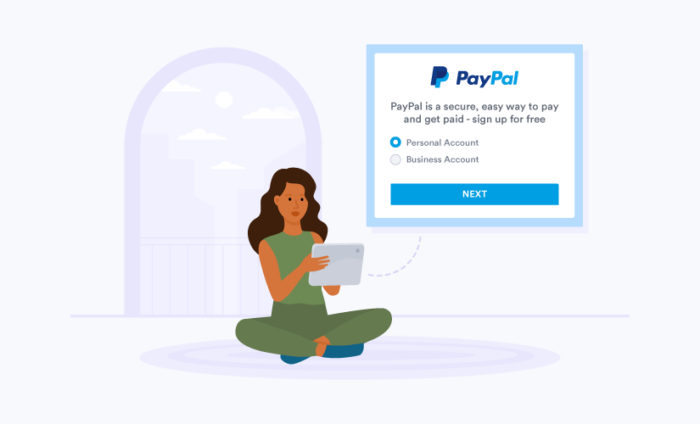

Whether you’re launching a startup or turning your passion into a small business on Etsy, you need to give customers an easy way to pay you.
PayPal has been a go-to payment processing solution for small to medium-sized business (SMB) owners because of its ease of use and ability to facilitate international transactions.
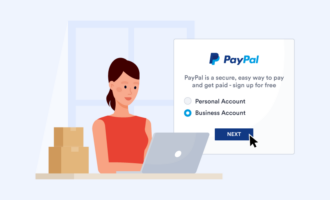
But should you choose a personal account or a business account? Here, we break down the differences between both PayPal account types to help you decide which is best for you.
(For a comprehensive look at the platform’s features, security, and ratings, check out our full PayPal review.)


Why your PayPal account type really matters
Choosing the wrong PayPal account isn’t just a minor detail — it can create friction for your business, including leaving your hard-earned sales unprotected.
Your decision between a PayPal Personal and PayPal Business account affects
- Identity protection: Business accounts show a registered business or trading name instead of your legal name.
- Transaction protection: Business accounts process payments under Goods & Services (G&S), which protects transactions if there’s a dispute.
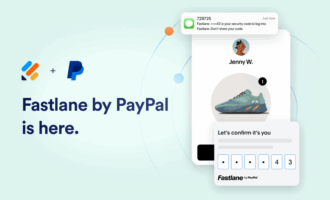
- Optimized checkout: Guest checkout is standard for business accounts, allowing customers to use a credit card without a PayPal account. You can even leverage Fastlane by PayPal, which recognizes returning guest shoppers and autofills their details.
- Scalable access: Business accounts support multiuser access with granular, role-based permissions for up to 200 users to scale access without handing out your main password.
- In-person sales enablement: Business accounts seamlessly integrate with PayPal’s point-of-sale (POS) solutions.
PayPal Business vs PayPal Personal: Which one should you choose?
The ideal choice between a business vs personal PayPal account comes down to how you plan on using your account. Consider these scenarios:
For the casual seller
- Your scenario: You sell casually and prioritize the simplest setup.
- The solution: PayPal Personal with PayPal Payments Standard (redirected to PayPal for payment).
- Key benefit: Fastest setup. It’s ideal for low-volume, hobbyist sellers who don’t need advanced features.
For conversion-focused sellers
- Your scenario: You need cart payments made directly in form, with no redirect.
- The solution: PayPal Business with commerce platform integration.
- Key benefit: Maximized conversions. Buyers complete the entire transaction without leaving your form or website.
For the privacy-conscious brand
- Your scenario: You want to prevent buyers from seeing your personal legal name or private details during a transaction.
- The solution: PayPal Business with a custom business or trading name configured.
- Key benefit: Enhanced brand credibility and privacy. Transactions occur under your company name rather than your personal identity.
For frictionless checkout
- Your scenario: You want to offer a guest checkout option so customers can pay by card without being forced to log in.
- The solution: PayPal Business account with the Guest Checkout feature enabled.
- Key benefit: Seamless experience for all. This removes a major barrier for customers who do not have a PayPal account, leading to a smoother, faster payment experience.
For the growing team
- Your scenario: You have partners or employees and require role-based permissions and robust financial reporting.
- The solution: PayPal Business with multiuser access.
- Key benefit: Scalability and security. You can delegate tasks to up to 200 users without ever sharing your main account credentials.
For the in-person vendor
- Your scenario: You sell products at physical locations such as markets, pop-up events, or storefronts.
- The solution: PayPal Business integrated with PayPal Point of Sale system.
- Key benefit: True omnichannel sales. You can seamlessly connect your physical sales data to your digital PayPal tracking and reports.
PayPal Business vs PayPal Personal: Key differences
| PayPal Business | PayPal Personal | |
|---|---|---|
| Identity shown to buyers | The business or trading name on the account | Account holder’s legal name |
| Payment type for sales | Goods & Services | Goods & Services |
| Friends & Family eligibility | Can send Friends & Family payments to a personal account; cannot receive them | Can both send and receive Friends & Family transactions |
Guest checkout (pay without logging in) | Available by selecting “PayPal account optional” in settings | Available by selecting “PayPal account optional” in settings |
In-form card acceptance | Yes, cards accepted in form with a form builder integration (e.g., Jotform) | Not available — redirects to a PayPal-hosted page |
| Multiuser access and roles | Up to 200 users with customizable roles and access | Not available |
In-person and POS | Available using a QR code or PayPal POS system, including card reader payments | Available using a QR code or PayPal.me link via phones or devices. No POS support |
| Typical use cases | Businesses of all sizes, from freelancers to SMBs to enterprises | Personal payments or small hobby businesses |
| Jotform pick | PayPal Business Account | PayPal Standard |
PayPal Business: When it’s worth it
When your side hustle turns into a full-blown business, PayPal’s business account provides the tools needed for privacy, professionalism, and scale.
Best for: Scaling businesses, teams, and maximizing professional checkout options
Standout features
- Professional identity: Transactions show under your registered business or trading name. You can also generate professional, branded invoices to allow clients to pay with one click.
- Frictionless checkout: An in-form checkout is available, allowing users to stay on one page.
- Team access: You can grant multiuser access with distinct roles and permissions to up to 200 team members.
- Omnichannel ready: This allows you to seamlessly connect to PayPal’s POS tools for in-person transactions.
Why it’s a good fit
- Policy alignment: It supports proper sales and governance by exclusively using G&S payments.
- Scalability: It is designed to handle high transaction volumes and provides robust reporting for easier tax preparation.
- Optimal checkout: It offers a richer variety of payment methods (e.g., Pay Later, Apple Pay/Google Pay) directly within your forms, boosting conversion.
Trade-offs to know
- Commercial fees: Commercial transaction fees apply to most payments received (unlike free person-to-person transfers on Personal accounts).
- Downgrade complexity: Moving back to a personal account is difficult. It’s typically advised to open a new personal account instead.
How it works with Jotform
Choose the PayPal Business PayPal Commerce Platform (PPCP). This is the advanced integration that lets you accept card payments directly within Jotform as well as digital wallets like PayPal and Pay Later options. You can embed PayPal payments into your website including a PayPal form for WordPress. Nonprofit organizations can also use the Donation PayPal Checkout AI Agent to make giving quick and easy.
PayPal Personal: When it makes sense
Paypal’s personal account is the ultimate tool for simplicity and peer-to-peer money management.
Best for: Casual, occasional, or hobbyist sellers and peer-to-peer transactions
Standout features
- Quickest setup: You’ll get immediate access for online shopping and sending money to friends and family.
- Simple selling: You can accept G&S payments for the occasional sale of used or minor items.
- Effortless checkout: Your customers get a simple redirect checkout experience via the PayPal Standard integration.
Why it’s a good fit
- Simplicity: This is ideal if you sell infrequently and don’t want the hassle of managing detailed business reports and settings.
- Zero Friends & Family fees: If you send money to friends and family from your bank or PayPal balance, it is typically free.
- Privacy control: You don’t need to link a public-facing business name to your account.
Trade-offs to know
- Public name: Buyers making G&S payments will see your legal name on invoices and transaction details.
- No scale: You can’t grant multiuser access for partners, assistants, or team members.
- No POS integration: You won’t be able to take card reader payments.
How it works with Jotform
Use the PayPal Standard integration. This option is the fastest way to add payment processing to a form, sending the user to the PayPal site to complete the payment before redirecting them back.
Pro tip: Know the difference: Friends & Family payments vs Goods & Services payments
The transaction type makes a difference in terms of fees, transaction purpose, and eligibility for protection.
Friends & Family: The core purpose is personal transfers. These are free if funded from a PayPal account or a linked bank account. Transactions have no buyer or seller protections. For this reason, you should never use this option to pay a stranger for goods or services, as you will have zero recourse if the item is never shipped or is fraudulent.
Goods & Services: The core purpose is commercial transactions. The seller pays a fee, and both buyers and sellers are eligible for protections if the criteria are met.
Fees: How to read them and where to check live rates
Both PayPal personal and business accounts are free to set up, maintain, and cancel. You only pay when you transact commercially.
However, fee structures can be complex and are constantly updated. To ensure you always get the most accurate cost for every transaction, you need to understand why fees change and where to look.
Look beyond the single fee rate
Don’t assume the “standard” 2.99 percent + fixed fee is your final cost. Your actual fee can depend on any or all of these four factors:
- Payment channel: Different payment channels — online forms, in-person POS systems, charitable donations — have different rate structures.
- Funding source: Did the buyer pay with their PayPal balance, a bank account, or a credit/debit card? Different rates may apply.
- Currency and cross-border transactions: Fees increase if the transaction involves currency conversion or if the buyer is paying you from another country, incurring international or cross-border fees.
- Transaction type: Compare lower rates for micropayments (small-value items) and dedicated donations with standard commercial transaction rates.
How to check live rates
For typical online G&S payments, the base rates may look similar across account types. However, your actual fee depends on the variables above, and only PayPal’s official fee pages have the current, definitive numbers.
Pro tip: Standard transfers vs instant transfers
When you withdraw money from your PayPal balance to your bank account, you have a choice:
- Standard transfer: Typically takes one to three business days and is free
- Instant transfer: Transfers money to your bank account or eligible debit card in minutes, but usually involves a small fee (often a percentage of the amount transferred)
Always check the current rate within your account dashboard before selecting the instant transfer option.
Accepting PayPal payments with Jotform
Ready to set up and accept PayPal payments with Jotform? Setup is quick and easy:
- Determine which type of PayPal account you need. Choose PPCP when you predominantly need commercial payments for your business, or PayPal Payments Standard when you need mostly personal transactions or infrequent side-hustle payments.
- Follow the Jotform guide for setting up your choice of PayPal account with Jotform:
Frequently asked questions about PayPal Business vs PayPal Personal accounts
Yes. You can generally have one Personal and one Business account with unique emails. PayPal may make exceptions where someone has more than one business and requires additional Business accounts.
You can add up to 200 users to a Business account, with role-based permissions for each.
Your legal name will be shown on invoices if you use a personal account. If you use a business account, you can use a business or trading name instead.
Fees vary by channel and by region, so it’s best to check the live fee page for your particular region.
PayPal issues a 1099-K to users who meet the tax threshold. This can vary, though, so check PayPal’s tax information for the most up-to-date information.
- What we checked: Account features, policy notes (including rules for transaction types), guest checkout enablement, multiuser access, POS, switching/downgrades
- Sources: Official PayPal Help Center and fees pages + Jotform integration docs
- Pricing note: We link to fees (no static numbers), since rates change regularly
This guide is designed for early-stage founders, online sellers, and growing teams evaluating PayPal account types to improve checkout experience, privacy, and scalability.









Send Comment:
8 Comments:
More than a year ago
How to get many by paypal ?
More than a year ago
Please my personal account me my is account accept and business
More than a year ago
One drawback of a PayPal Account (Personal) is that the buyer will see your full name on each purchase. What’s more, you won’t be able to accept as many forms of payment as you could with a business account (e.g., you can’t allow people to pay via invoicing) or take advantage of many of the other features a PayPal business account offers.
More than a year ago
The Pro's of Personal account says:
-There is no charge for transfers made from a linked bank account, PayPal Cash, or a balance from PayPal Cash Plus.
However, no where in the Business account there is mentioning about this. So, does it mean there is a charge in the business account, or not?
Thank You.
More than a year ago
Great article learn a lot it was simple and easy to understand, as i am trying to use paypal to receive money online through website. Thank you
More than a year ago
I'm planning to use my Personal account to sell my services, but I have a couple questions, please help.
1) Is there a limit to how many times I can sell? If so, how many transactions do I get?
2) Is there a limit to how much I can receive by selling? If so, how much?
More than a year ago
Great article! I do want to point out a couple of things though as I have recently been using PP exclusively when I sell as it offers both buyer AND seller protection. While using my personal account (trying to decide if a business account would better suit my needs), I am able to send out invoices to customers that include detailed info on item as well as being about to choose a shipping method and print the labels- all from a personal account. True, it does not give you as much privacy concerning some things (such as your name) however those are things that are not just exclusive to a business account.
More than a year ago
Business accounts cannot do Money Pools like personal can