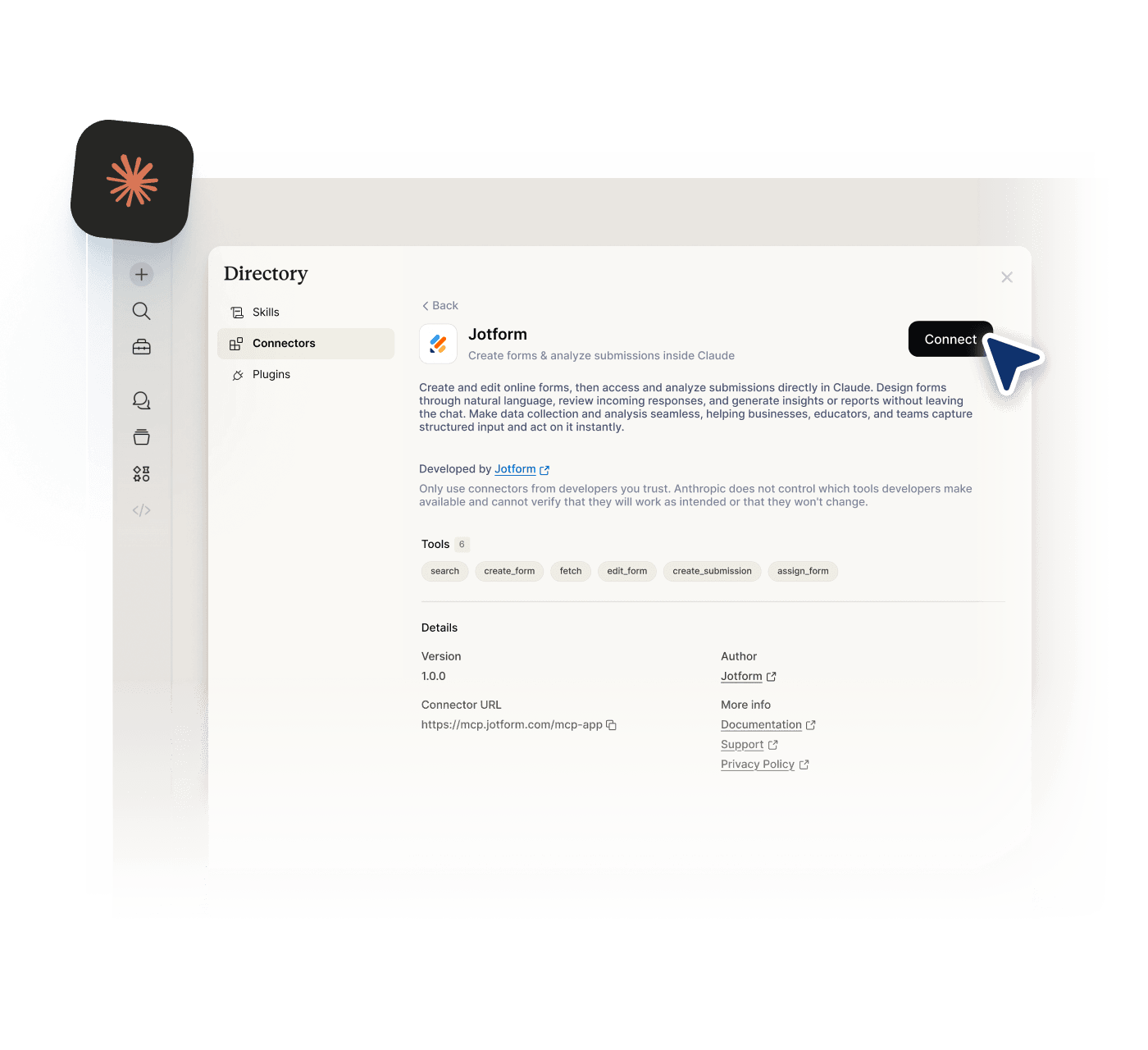
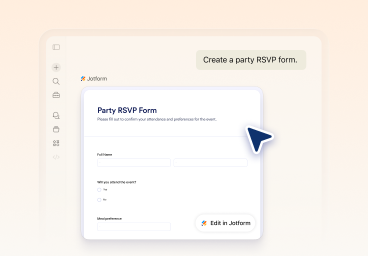
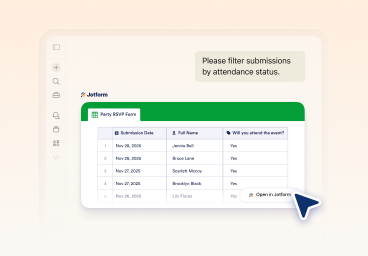
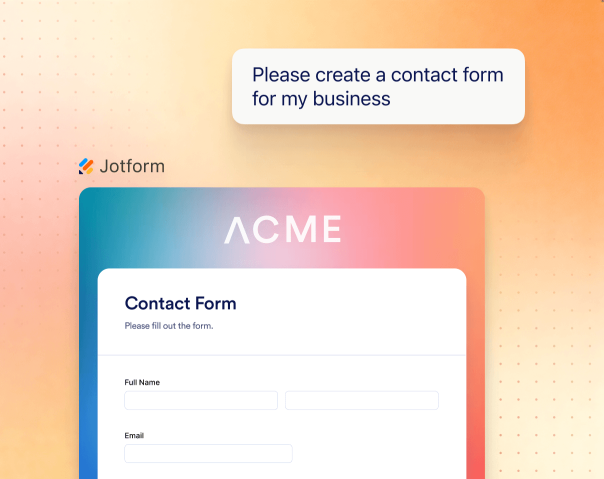
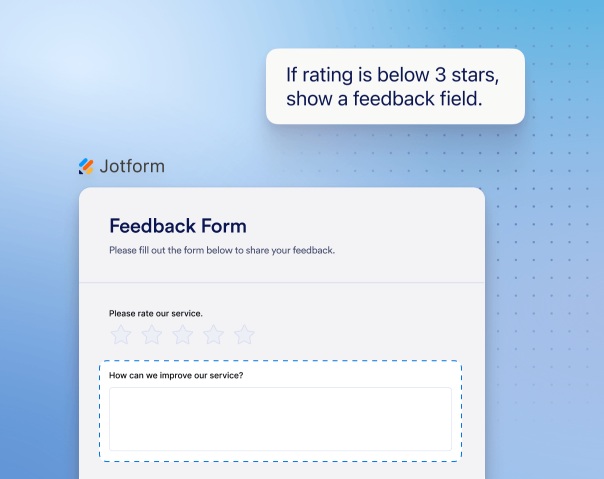
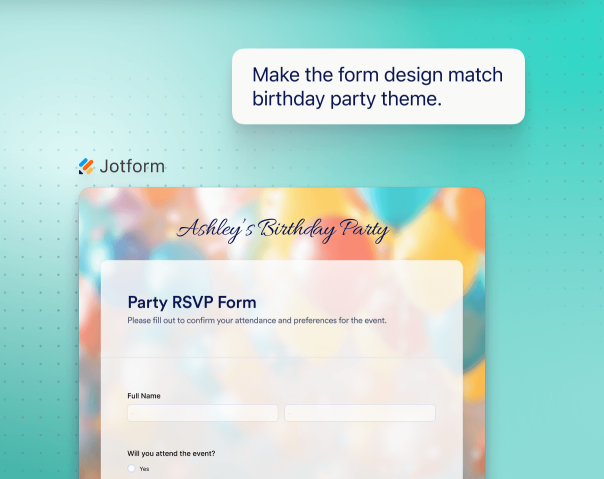
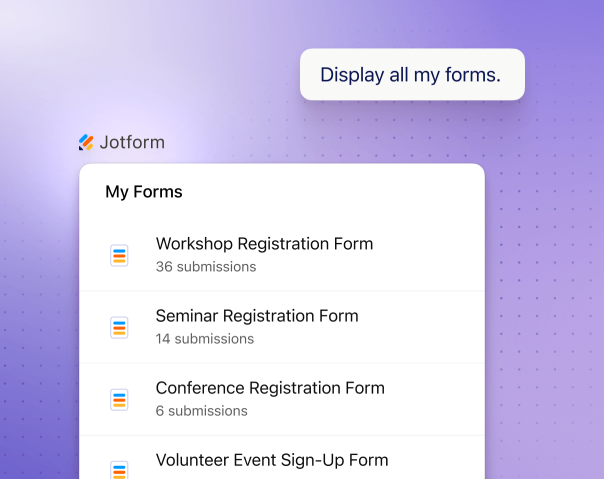
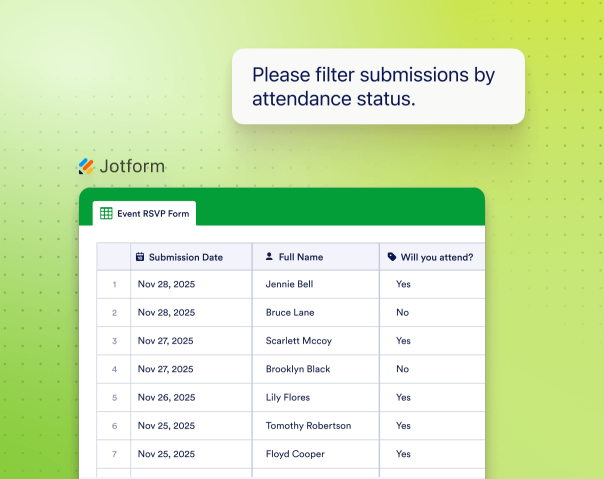
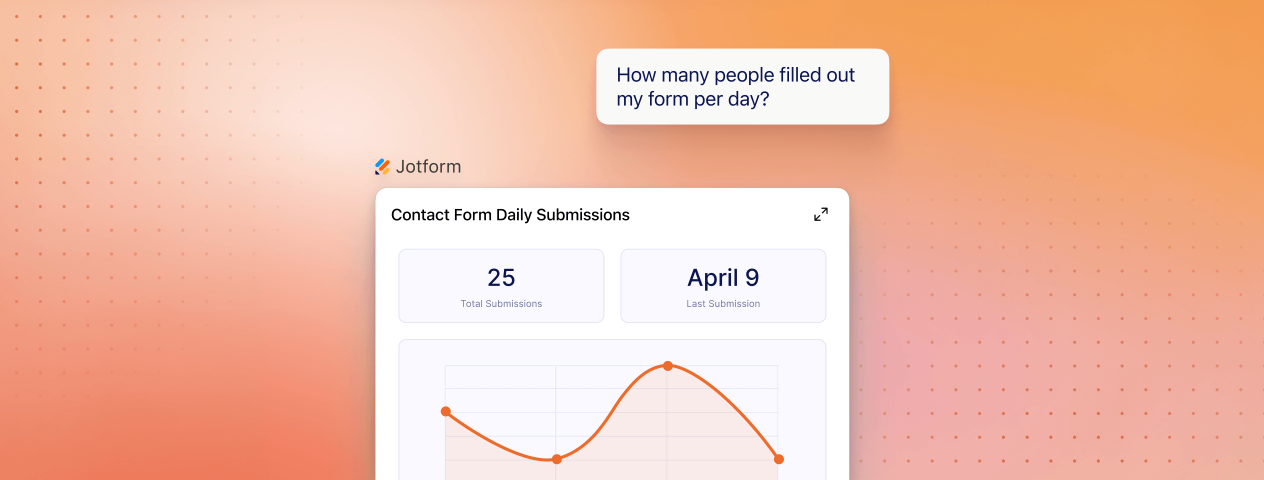
# Jotform Claude Connector | Build Forms in Claude # Jotform Claude Connector Create forms directly in Claude using Jotform. The Claude Jotform integration connects your forms to Claude so you can generate, edit, and manage them using simple prompts. With support for Jotform MCP, you can also use a more visual interface while retaining full control over your forms and submissions. [Use Jotform in Claude](https://claude.ai/directory/connectors/aed7e2be-868e-4046-9e12-5c917b4e6b97) ![Image 1: Jotform Claude Integration preview image](https://cdn.jotfor.ms/image/r/aHR0cHM6Ly9jZG4uam90Zm9yLm1zL3AvY2xhdWRlL2Fzc2V0cy9pbWctbWluLy9ob21lcGFnZS9oZXJvLWltZy5wbmc=/hero-img.png?w=1024&t=1) ## How to use Jotform with Claude ![Image 2: Connect Jotform to Claude](https://cdn.jotfor.ms/image/r/aHR0cHM6Ly9jZG4uam90Zm9yLm1zL3AvY2xhdWRlL2Fzc2V0cy9pbWcvaG9tZXBhZ2UvaG93LWl0LTEucG5n/how-it-1.png?w=1024&t=1) ### Connect Jotform to Claude Log in to Claude and connect your account through the Claude Jotform integration by activating Jotform in the “Connect your Tools” settings. ![Image 3: Create and refine your form in chat](https://cdn.jotfor.ms/image/r/aHR0cHM6Ly9jZG4uam90Zm9yLm1zL3AvY2xhdWRlL2Fzc2V0cy9pbWcvaG9tZXBhZ2UvaG93LWl0LTIucG5n/how-it-2.png?w=1024&t=1) ### Create and refine your form in chat Start with a prompt to generate a form, then add, remove, or reorder fields, update questions, settings, layout, and styling in Claude. ![Image 4: Analyze submissions and improve outcomes](https://cdn.jotfor.ms/image/r/aHR0cHM6Ly9jZG4uam90Zm9yLm1zL3AvY2xhdWRlL2Fzc2V0cy9pbWcvaG9tZXBhZ2UvaG93LWl0LTMucG5n/how-it-3.png?w=1024&t=1) ### Analyze submissions and improve outcomes Use Claude Jotform integration to list forms, filter submissions by date, status, or fields, and summarize insights to improve results. ## What you can do with Jotform in Claude ### Generate forms from prompts Create complete forms by describing what you need. Jotform builds the structure automatically through the Claude Jotform integration. ![Image 5: Generate forms from prompts](https://cdn.jotfor.ms/image/r/aHR0cHM6Ly9jZG4uam90Zm9yLm1zL3AvY2xhdWRlL2Fzc2V0cy9pbWctbWluL2ZlYXR1cmVzLzEucG5n/1.png?w=40&t=1) ### Create clear and relevant questions Claude suggests questions based on your goal and helps you collect better data. Update questions, settings, and structure with a single ask, without rebuilding your form. ![Image 6: Create clear and relevant questions](https://cdn.jotfor.ms/image/r/aHR0cHM6Ly9jZG4uam90Zm9yLm1zL3AvY2xhdWRlL2Fzc2V0cy9pbWctbWluL2ZlYXR1cmVzLzIucG5n/2.png?w=40&t=1) ### Design forms visually Design forms visually without leaving the conversation. Change themes, layouts, and styling directly in Claude as you build your form. ![Image 7: Design forms visually](https://cdn.jotfor.ms/image/r/aHR0cHM6Ly9jZG4uam90Zm9yLm1zL3AvY2xhdWRlL2Fzc2V0cy9pbWctbWluL2ZlYXR1cmVzLzMucG5n/3.png?w=40&t=1) ### Add, remove, and reorder fields Add, remove, and reorder fields at any time. Refine your form structure as your needs change without starting over. ![Image 8: Add, remove, and reorder fields](https://cdn.jotfor.ms/image/r/aHR0cHM6Ly9jZG4uam90Zm9yLm1zL3AvY2xhdWRlL2Fzc2V0cy9pbWctbWluL2ZlYXR1cmVzLzQucG5n/4.png?w=40&t=1) ### List and manage your forms List and manage your forms in one place. View all your forms and select one to update or continue working on instantly. ![Image 9: List and manage your forms](https://cdn.jotfor.ms/image/r/aHR0cHM6Ly9jZG4uam90Zm9yLm1zL3AvY2xhdWRlL2Fzc2V0cy9pbWctbWluL2ZlYXR1cmVzLzUucG5n/5.png?w=40&t=1) ### View and filter submissions View and filter submissions to focus on what matters. Pull response data and filter by date, status, keywords, or field values. ![Image 10: View and filter submissions](https://cdn.jotfor.ms/image/r/aHR0cHM6Ly9jZG4uam90Zm9yLm1zL3AvY2xhdWRlL2Fzc2V0cy9pbWctbWluL2ZlYXR1cmVzLzYucG5n/6.png?w=40&t=1) ### Analyze form responses with AI Analyze form responses with AI to understand your data. Summarize submissions, identify trends, and get recommendations based on real responses. ![Image 11: Analyze form responses with AI](https://cdn.jotfor.ms/image/r/aHR0cHM6Ly9jZG4uam90Zm9yLm1zL3AvY2xhdWRlL2Fzc2V0cy9pbWctbWluL2ZlYXR1cmVzLzcucG5n/7.png?w=40&t=1)![Image 12: Analyze form responses with AI](https://cdn.jotfor.ms/image/r/aHR0cHM6Ly9jZG4uam90Zm9yLm1zL3AvY2xhdWRlL2Fzc2V0cy9pbWctbWluL2ZlYXR1cmVzLzctbW9iaWxlLnBuZw==/7-mobile.png?w=40&t=1) ## Do more with the Jotform Claude Integration See how the Jotform Claude integration works in real scenarios. Each example starts with a simple prompt and continues through creation, refinement, and analysis. Lead generation Event management Customer feedback Order forms **Create the form** Create a lead generation form with name, email, company size, budget, and project details [Try now](https://claude.ai/directory/connectors/aed7e2be-868e-4046-9e12-5c917b4e6b97) **Qualify leads** Add questions to qualify leads based on budget range, timeline, and service needs. [Try now](https://claude.ai/directory/connectors/aed7e2be-868e-4046-9e12-5c917b4e6b97) **Send to CRM** Connect this form to my CRM and send a follow-up email after each submission. [Try now](https://claude.ai/directory/connectors/aed7e2be-868e-4046-9e12-5c917b4e6b97) **Create the form** Create an RSVP form for a company event with name, email, guest count, dietary restrictions, and arrival time. [Try now](https://claude.ai/directory/connectors/aed7e2be-868e-4046-9e12-5c917b4e6b97) **Adjust questions** Show additional questions if the attendee is bringing a guest. [Try now](https://claude.ai/directory/connectors/aed7e2be-868e-4046-9e12-5c917b4e6b97) **Track attendees** List all responses and group attendees by guest count and preferences. [Try now](https://claude.ai/directory/connectors/aed7e2be-868e-4046-9e12-5c917b4e6b97) **Create the form** Create a customer feedback survey with a rating scale, comments, and suggestions. [Try now](https://claude.ai/directory/connectors/aed7e2be-868e-4046-9e12-5c917b4e6b97) **Structure responses** Update the form to include multiple-choice and scale questions for easier analysis. [Try now](https://claude.ai/directory/connectors/aed7e2be-868e-4046-9e12-5c917b4e6b97) **Analyze feedback** Summarize responses and identify common issues and trends. [Try now](https://claude.ai/directory/connectors/aed7e2be-868e-4046-9e12-5c917b4e6b97) **Create the form** Create an order form with product selection, quantity, delivery details, and payment. [Try now](https://claude.ai/directory/connectors/aed7e2be-868e-4046-9e12-5c917b4e6b97) **Add pricing logic** Calculate total price based on selected products and quantities. [Try now](https://claude.ai/directory/connectors/aed7e2be-868e-4046-9e12-5c917b4e6b97) **Manage orders** Show all orders from the last 7 days and group them by status. [Try now](https://claude.ai/directory/connectors/aed7e2be-868e-4046-9e12-5c917b4e6b97) ## FAQ * ### What is Claude Jotform integration? Claude Jotform integration connects your Jotform account to Claude. It allows you to create forms, edit fields, and manage submissions directly in chat using natural language. * ### How do I connect Jotform to Claude? You can connect Jotform to Claude through the “Connect your Tools” settings. You can also use Jotform MCP for a more visual connection and interaction. * ### How do I set up Jotform MCP with Claude? You can set up Jotform MCP by connecting it through Claude’s tools or server configuration. Once connected, you can access forms, manage submissions, and interact with your data using both prompts and a visual interface. * ### Can I create forms in Claude using Jotform? Yes. With Claude Jotform integration, you can create forms by describing what you need. Claude generates the form with fields, structure, and basic logic. * ### Can I edit forms after creating them in Claude? Yes. You can update fields, change questions, adjust structure, and refine logic by continuing the conversation in Claude. * ### Can I view and manage submissions in Claude? Yes. You can list forms, access submissions, and filter responses by date, status, keywords, or field values directly in Claude. * ### Can Claude analyze form responses? Yes. Claude can summarize submissions, identify trends, and provide insights based on your form data. * ### Does Claude store or manage my form data? No. Your form data is stored in Jotform. Claude accesses and processes the data through integration but does not store it independently. * ### What types of forms can I create with Claude Jotform integration? You can create lead forms, surveys, feedback forms, registration forms, job applications, and order forms based on your prompt. * ### Do I need coding skills to use Jotform with Claude? No. You can create and manage forms using natural language without coding. View More ## Start using the Jotform Claude Integration Create forms, edit them in chat, and manage submissions without leaving Claude. [Use Jotform in Claude](https://claude.ai/directory/connectors/aed7e2be-868e-4046-9e12-5c917b4e6b97)