Net Promoter Score Widget for your website
Add a Give feedback button to your website so guests can open your NPS form, answer custom questions, and send feedback directly to the website owner.
Create Now — It’s Free!

How to create a Net Promoter Score widget
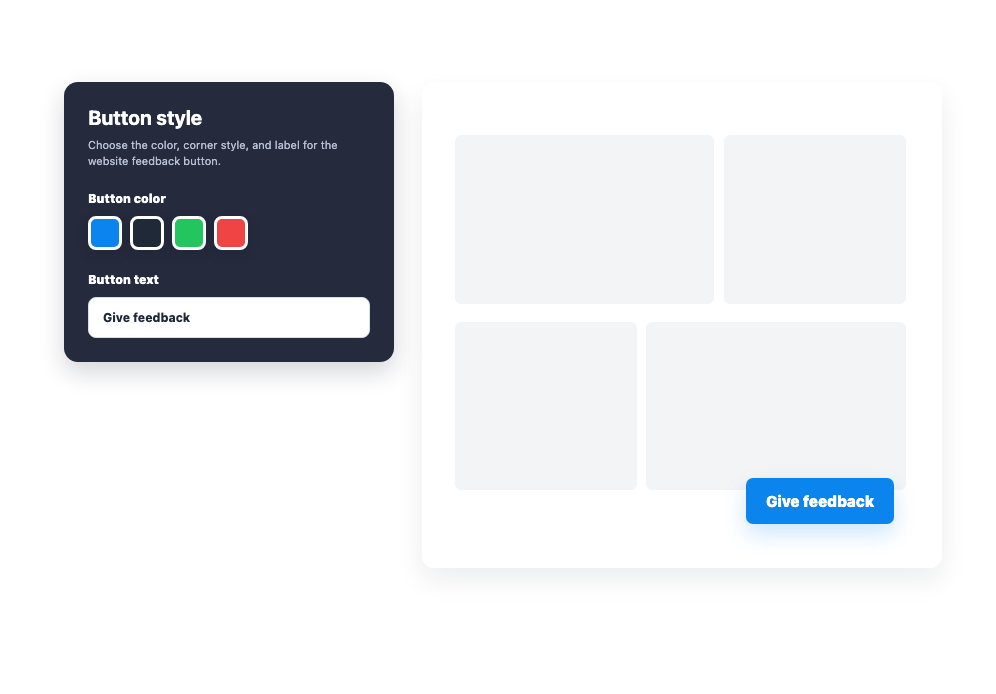
Customize the feedback button
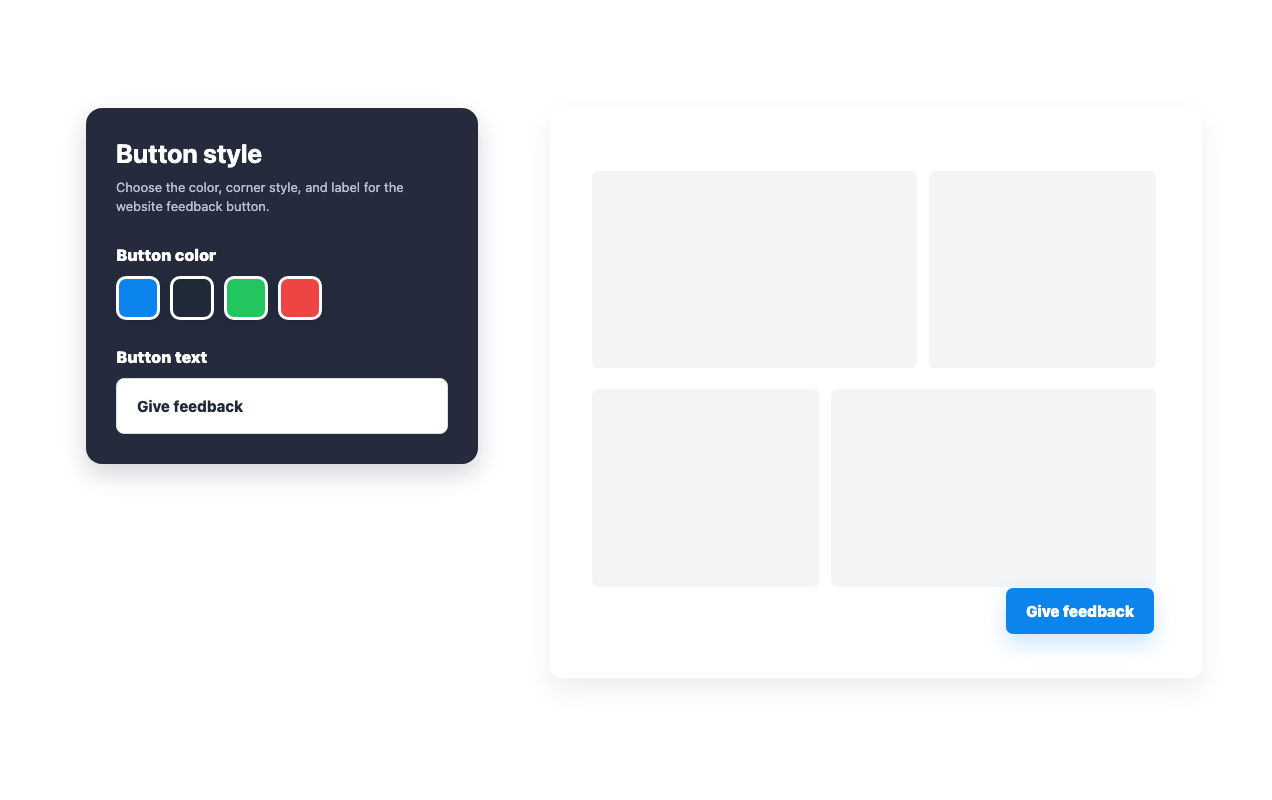
Choose the button text, color, corner style, position, and device visibility before embedding it.
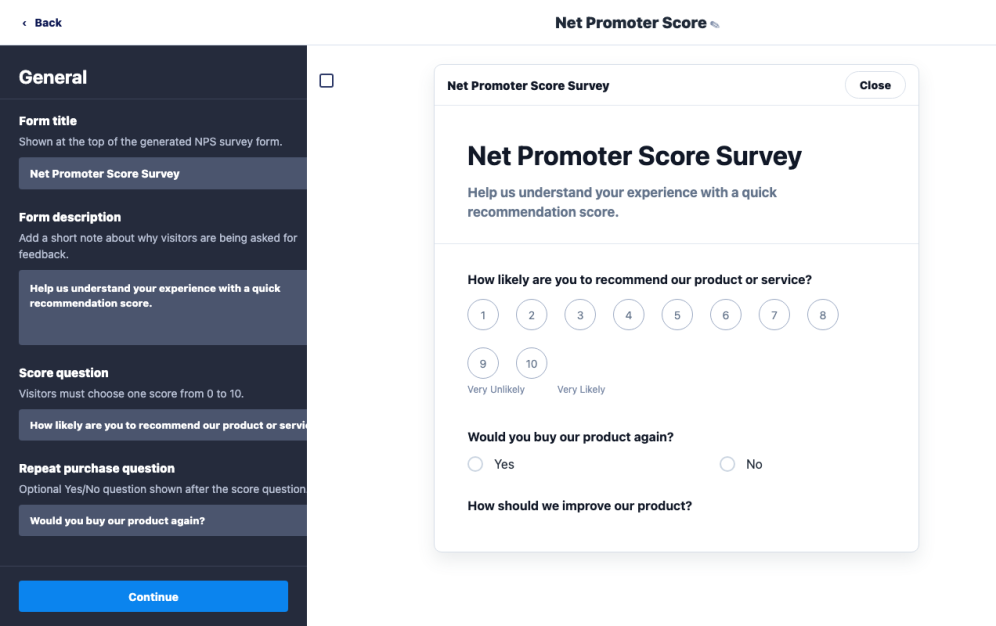
Edit the feedback form
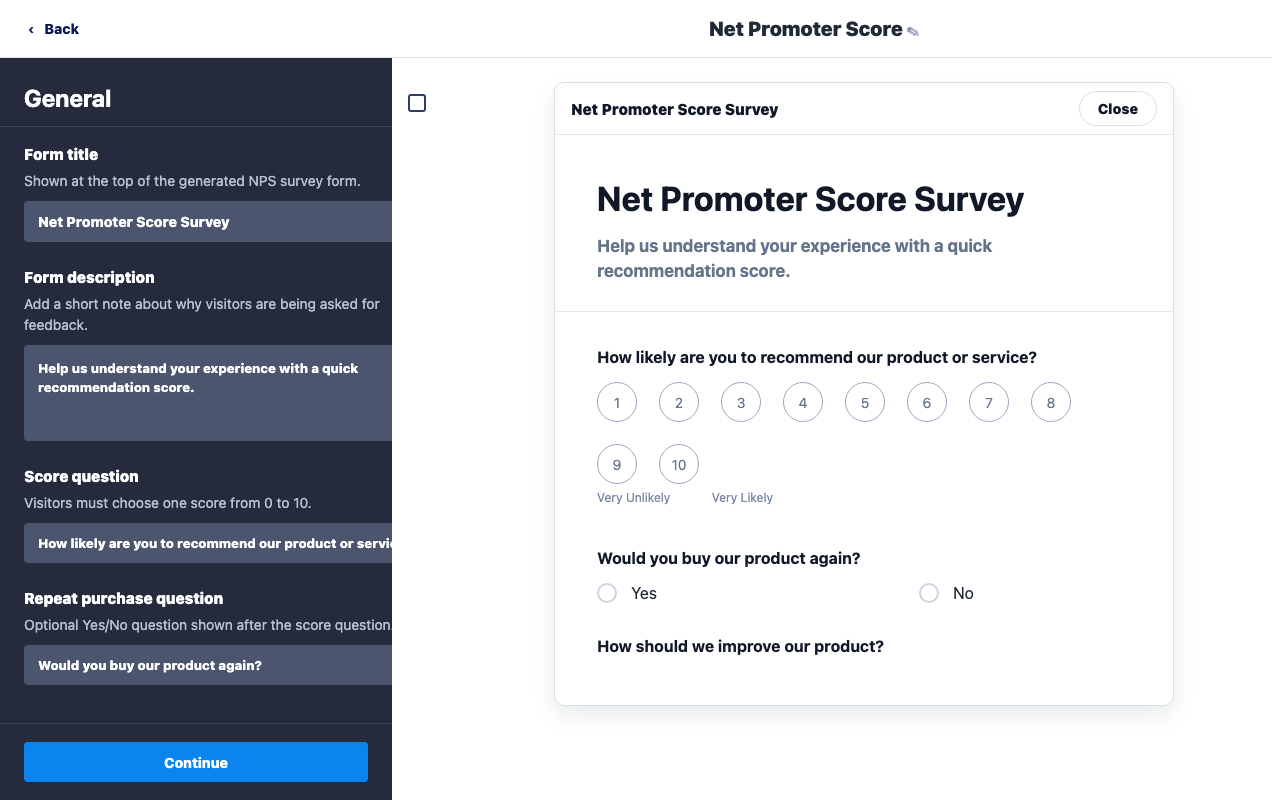
Update the form title, recommendation question, follow-up questions, and submit text to fit your website.

Review client responses
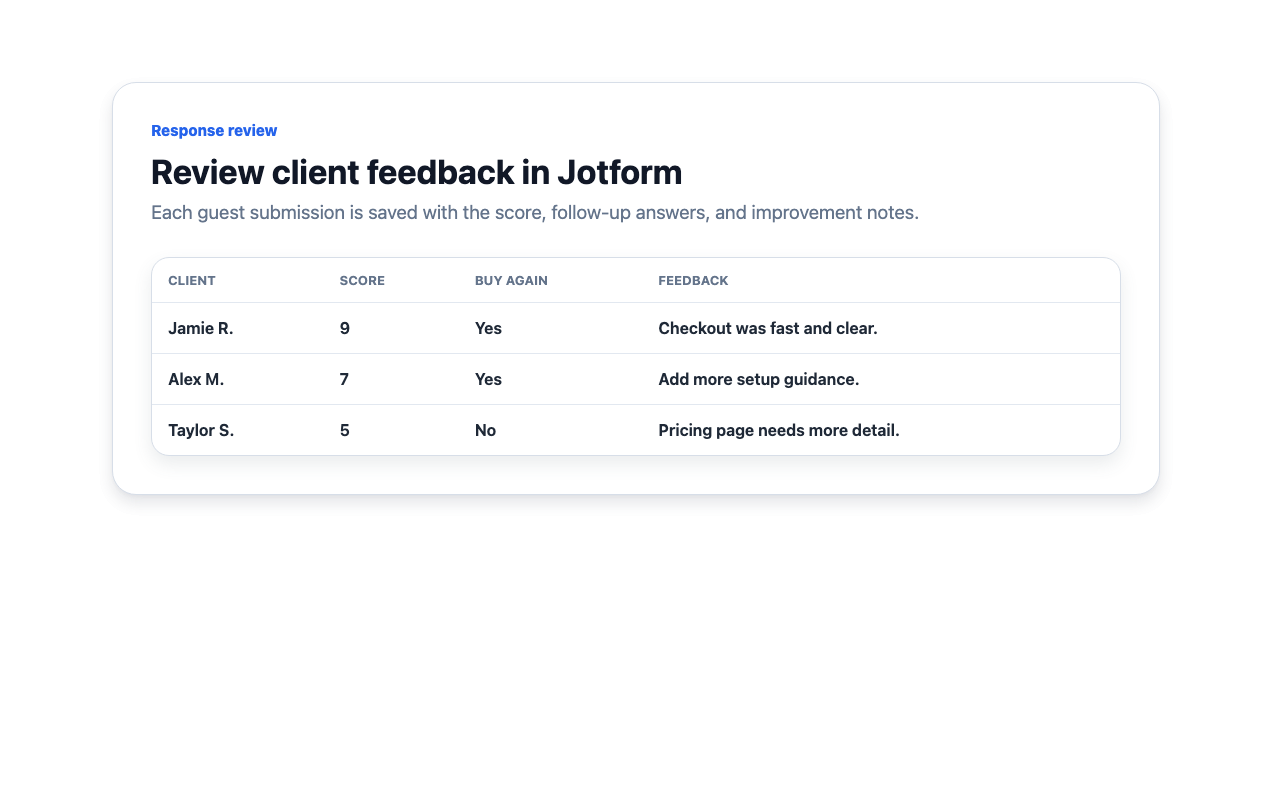
Guests submit feedback from your site, and the website owner can review the saved response data in Jotform.
Collect client feedback from a customizable website button
Place the Give feedback button where it fits
Set the button position, edge spacing, and desktop or mobile visibility so guests can find it without interrupting the page.
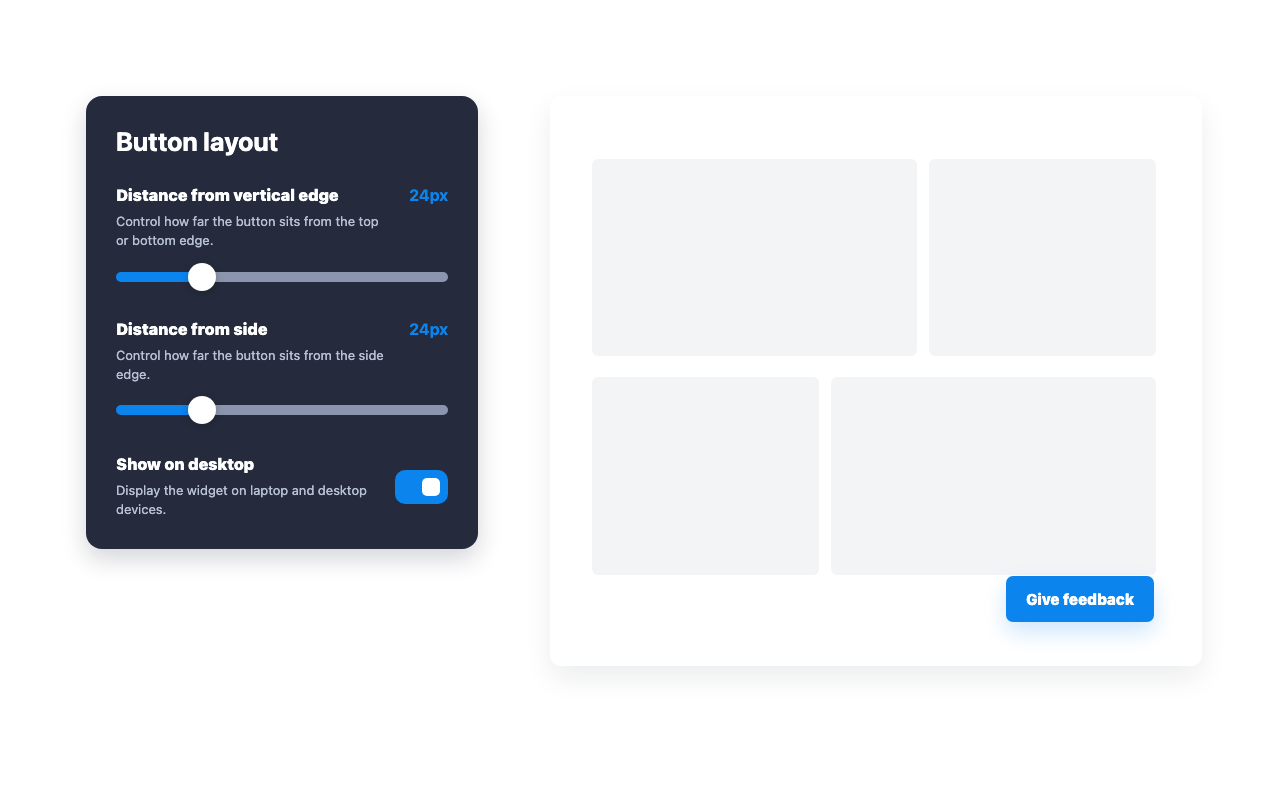
Match the button to your website
Update the button color, label, and corner style to keep the feedback entry point consistent with your site.
Customize the questions guests answer
Change the NPS question, buy-again question, improvement prompt, and other form text from the widget builder.
Review the feedback clients submit
View saved scores, follow-up answers, and written feedback in Jotform after guests submit the form.
Why Jotform Website Widgets stand out
Jotform’s widgets make your website more interactive and increase conversions. There are many tools available, from star ratings and testimonial sliders to social proof popups and media embeds. Add widgets to your forms or landing pages to collect data, display proof, and capture leads — no coding required.
Add Jotform widgets to your website with a simple embed code. Customize the widget, preview how it looks, and paste it into any page that supports custom HTML or embed blocks, all without a developer.
Use Jotform Website Widgets to collect leads, show customer feedback, display social proof, embed media, or add helpful web page tools. Each widget helps visitors interact with your business directly from your website.
If you need help setting up, customizing, embedding, or troubleshooting your widget, Jotform’s customer support team is available 24-7. You can move forward with confidence, knowing that help is there when you need it.
Where to use your Net Promoter Score widget
Place an NPS survey wherever direct customer feedback can help your team improve the experience.
Product pages to learn whether customers would recommend a product after reviewing details or completing a purchase.
Customer portals to measure loyalty after account activity, support interactions, or onboarding milestones.
Help centers to collect satisfaction feedback after visitors read documentation or resolve an issue.
SaaS dashboards to ask active users for quick loyalty signals without sending them to a separate page.
Post-purchase pages to understand what influenced a buyer while the experience is still fresh.
Internal tools to measure employee satisfaction with services, resources, or workflows.
Convert leads into paying customers with the Jotform Form Builder
Turn engagement into action with Jotform. Create powerful forms that capture leads, collect payments, and automate responses, all in one place. Every submission lands in your Jotform Inbox, where you can follow up or connect with your favorite apps.
Get Started — It’s Free!
FAQ
What is a Net Promoter Score widget?
A Net Promoter Score widget adds a Give feedback button to your website so guests can open and submit an NPS form.
What fields does the widget create?
How can I review NPS responses?
What follow-up questions are included?
Can I manage the form and submissions in Jotform?
Can I customize the widget?
Do I need to code anything?