
If you’re trying to compete with leaders in your industry, you already know that automation is a necessity. Instagram is a great way to grow your brand and business, but manually engaging with followers is time-consuming, costly, and repetitive.
What if you could automate Instagram engagement while converting followers into loyal customers?
That’s where Manychat comes in.
In this article, you’ll learn how to use Manychat on Instagram, so you can automate messaging, increase follower engagement, and turn Instagram into a conversion engine. We’ll also introduce you to the Jotform Instagram Agent, an excellent alternative to Manychat.
What is Manychat, and how does it work with Instagram?
Manychat, a chat marketing software, automates conversations on social media platforms like Instagram, Facebook Messenger, and TikTok. With it, businesses can automatically respond to direct messages (DMs), answering FAQs about products, services, pricing, and more. Manychat enables businesses to engage followers, capture lead information, and increase conversion rates.
There are several ways to use this Instagram automation tool:
- Automate DM replies: When a user sends your business a DM, tags you in a Story, or comments on a post, you can set up Manychat flows to respond to the user via DM.
- Capture and qualify leads: Manychat can collect names, email addresses, and phone numbers from users, so your team can nurture leads toward a sale.
- Initiate chats from Stories or mentions: If a user replies to your Instagram Story or mentions your account in a comment, you can use Manychat to thank them in a DM for engaging with you.
Manychat can connect to your Instagram business account using Instagram’s Messenger API. As an official Instagram Messenger API partner, Manychat fully complies with Instagram’s (and thereby Meta’s) API and user rules, so you don’t get flagged for misuse. All messages go through Meta’s infrastructure, ensuring security and transparency.
Why use Manychat on Instagram?
Instagram chatbot tools like Manychat offer businesses several advantages. For example, they help your team save time, improve customer satisfaction, optimize resources, and close leads.
Here are some of the key reasons organizations use Instagram business automation tools like Manychat:
- Increased productivity: By using automation, even without human resources, your business can instantly respond to users and DM people who mention your brand. And your team can instead focus on higher-level tasks, like planning strategic social campaigns.
- Higher engagement: When you use Manychat to instantly respond to users who show interest in your business, you increase the potential for them to continue engaging with your page. For example, if a user responds to your Instagram Story and you send them a DM to say thanks, the user may then go to your Instagram page and browse your posts.
- Stronger relationships at scale: Manychat for Instagram DM helps you create deeper, more meaningful connections with interested users, and develop a relationship with thousands (or more!) at once.
- More lead information: Collecting user names, emails, and phone numbers is a time-consuming manual task. However, Manychat can gather these details automatically from DMs, helping you build your nurture list.
While Manychat enables businesses to increase metrics like user engagement, response time, and conversion rates, it can also help businesses grow their followers by sending speedy replies to questions.
However, there are some Instagram metrics Manychat cannot influence, such as organic reach, post engagement (likes, shares, comments), and Reels and Story views.
Step-by-step: How to set up Manychat for Instagram
Ready to automate conversations? Follow these steps for how to use Manychat on Instagram.
Note that you will need to have a professional Instagram account (either Business or Creator) to connect to Manychat. To get the most out of Instagram’s tools, Meta recommends also connecting Instagram to a business Facebook page.
1. Go to Manychat.
2. Click Get Started, located in the top right corner.

3. From the list of channels, choose Instagram.

4. Sign up using your Google or Facebook account.
If you’re using your Google account to sign up to Manychat, select your Google account from the list and follow the prompts.
If you’re using your Facebook account to sign up to Manychat, you will need to log in with your Facebook credentials at this step. Then, Facebook will prompt you to provide access to Manychat. Follow the prompts to complete signing in with Facebook.
You may also be prompted to verify your email address: Manychat may send a verification code to your email, and you will have to copy and paste it into Manychat. Manychat may then ask you to answer questions about yourself, such as what type of work you do.

5. Next, click Go to Instagram.
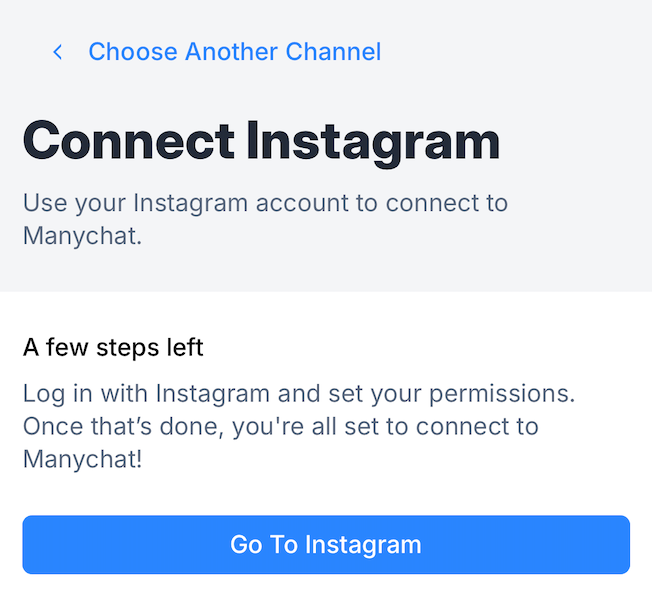
6. Log in to Instagram.
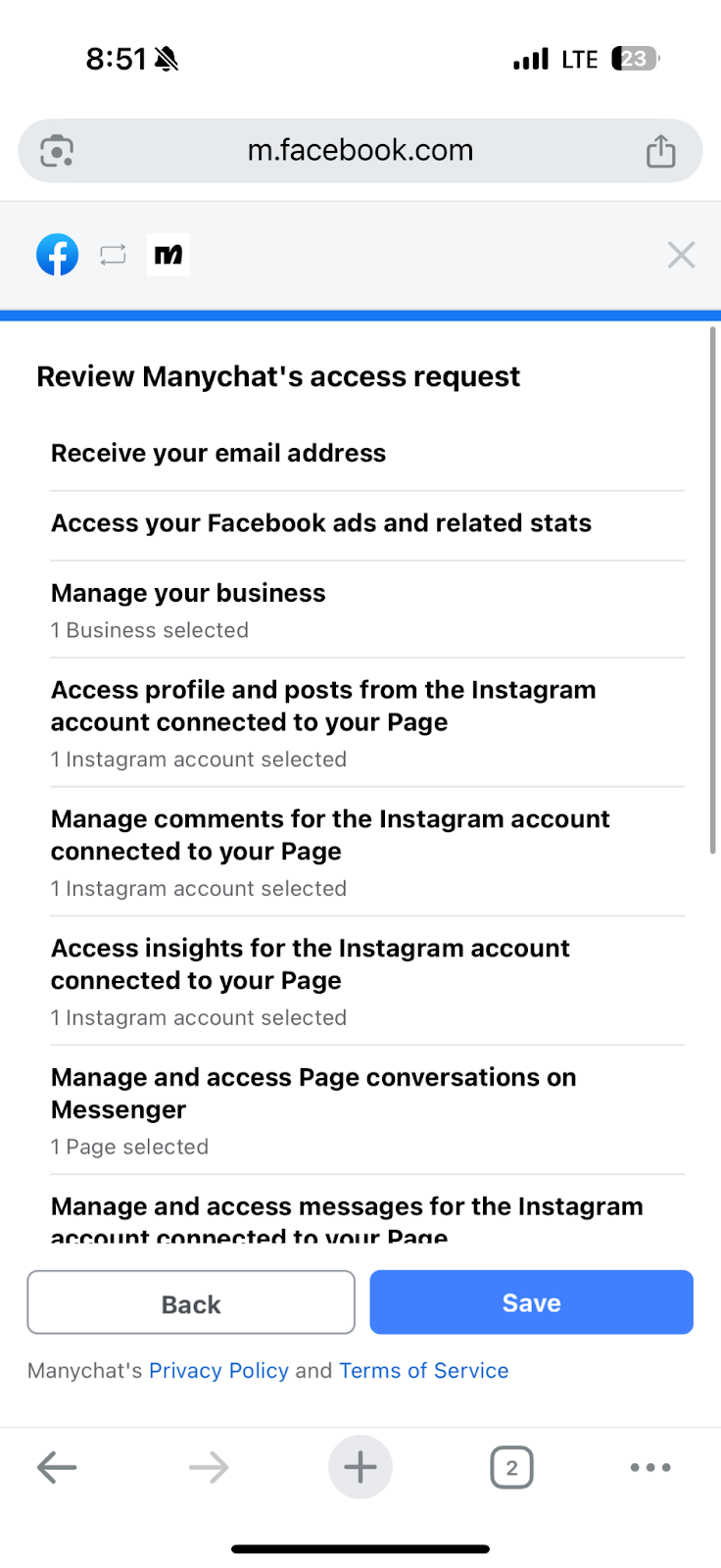
7. Manychat will request permission to access Instagram. Select or deselect what Manychat can access, according to your needs. Click Allow or Save, based on the options available.
8. Choose the right professional Instagram account, to finalize the integration.
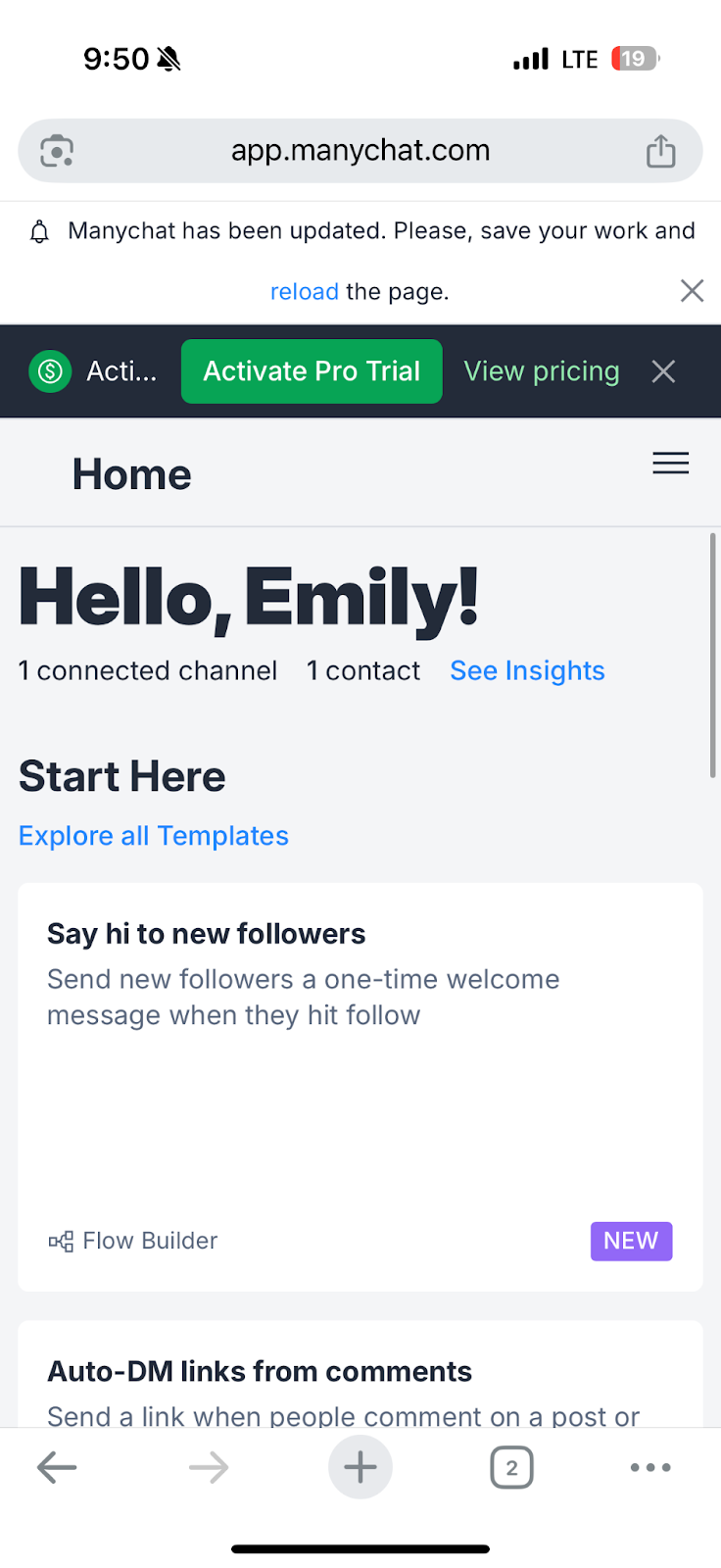
Once you have connected Manychat to Instagram, you can begin creating Manychat flows (that is, automations).
On the Manychat home dashboard, go to Automation. If you want to create a DM flow, choose a trigger word. When a user sends you a message with that word, Manychat will send the automated DM.
For example, if a user sends you a message that mentions pricing and “pricing” is your trigger word, Manychat will respond with your price details. Once your automation is set up, click Preview to test the flow, and then click Publish to make it live.
Manychat offers several resources to guide you through different processes and answer FAQs. Check out its help center, how-to guides, and webinars if you need help.
Limitations of using Manychat on Instagram
Manychat is a useful tool for Instagram DM automation. However, it does come with several limitations to consider:
- Instagram API restrictions: Manychat enforces Instagram’s API rules, one of which states that you can send automated messages only to users who have interacted with your professional Instagram account within the last 24 hours. After that, Manychat will not send any messages unless the user interacts with you again. There are work-arounds, such as using a special message tag or running a paid messaging campaign.
- No trigger-word support for carousel posts or Reels: With Manychat, you can set automations for Story replies, post comments, DMs, and mentions. However, it does not enable automation support for carousel posts or Reels. If your business uses carousels or Reels frequently, this limitation can be a major issue.
- Limitations on personal account use: You must have a professional Instagram account (either Business or Creator) to connect Instagram to Manychat. The connection does not work for personal Instagram accounts.
- Possible shadow-ban risks from overuse: If you go overboard with Manychat’s Instagram business automation, you may face a shadow ban, an unofficial reduction in content visibility. Avoid sending too many repetitive messages or overusing content automation.
Jotform’s Instagram Agent: An excellent alternative to Manychat
Not sure whether Manychat is quite right for your business needs? Check out Jotform’s Instagram Agent, a leading alternative to Manychat.
The Jotform Instagram Agent is AI-powered software that enables businesses to respond to Instagram DMs, Story replies, and comments automatically. With it, your business will feel like it’s everywhere all at once without actually having to do any heavy lifting. Jotform’s Instagram Agent ensures you’re responsive even when your entire team is offline.

Here’s why businesses choose Jotform Instagram Agent over other Instagram automation tools:
- DM to Story replies or comments: Keep your DMs and comments active with Jotform Instagram Agent. It automatically sends DMs to Story replies or comments, welcomes new followers, answers common questions, and handles your conversations with speed.
- Automated responses: You don’t need to create specific responses for conversation flows. Jotform Instagram Agent develops context-aware replies based on your knowledge base, training materials, and rules.
- Customized automated workflows: Jotform Instagram Agent adapts to your business workflows. You can customize automated responses, choose which audiences to engage, and determine when to use the tool. With rules-based automations, it’s easy to set up workflows aligned with your business processes.
- Unified brand voice: All conversations with users should have the same tone and feel. Jotform Instagram Agent uses brand-aligned replies, so every conversation feels like it’s coming directly from a team member who knows your brand, not a generic chatbot.
- Intelligent conversation filters: Jotform’s AI technology considers different conditions (like follower type, message content, and user sentiment) to determine responses. It can even escalate users to a human agent.
- Around-the-clock availability: You determine when the Jotform Instagram Agent is live. You can use it 24-7 or just during peak periods. It can align with your team’s schedule, so you’re responsive at just the right moments to keep users engaged.
Plus, you can access Jotform Instagram Agent for free. Sign up today and see how easy it is to automate conversations with Instagram users at scale.
This article is for marketing agencies, social media managers, and anyone who wants to automate Instagram engagement, streamline DM responses, and boost customer interactions using ManyChat.























Send Comment: