With Jotform Teams, it’s easy to see who’s in your workspace, view their roles, and stay organized. Whether you’re managing tasks or adjusting access, you’ll save time by knowing exactly where to go.
Viewing Your Team Members Through the Team Workspace
You can easily view your Team Members through your Team’s Workspace. Here’s how to do it:
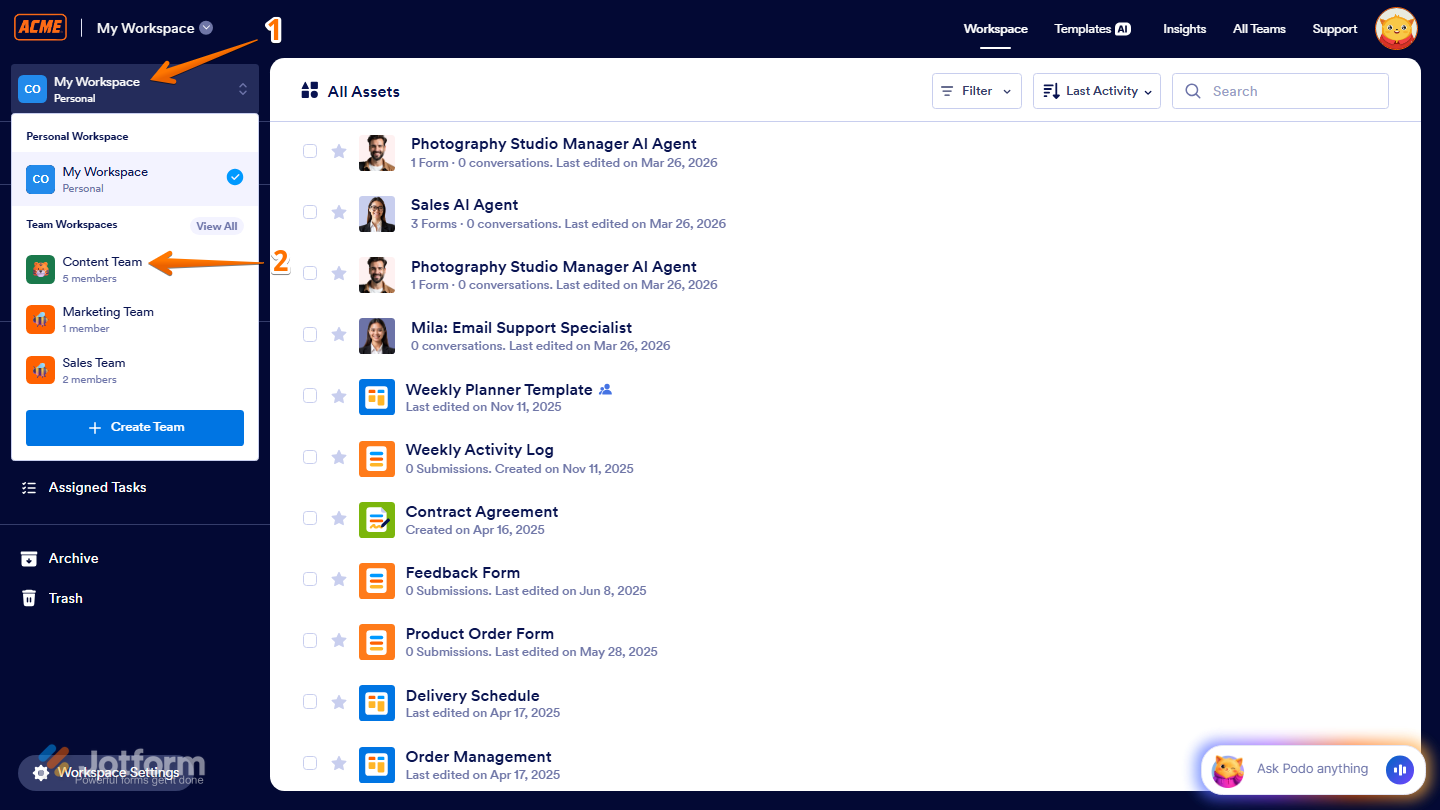
- On the left side of your Workspace page, click on My Workspace.
- Then, in the menu that comes up, under Team Workspaces, select the team with the members you want to view. For example, the Content Team.
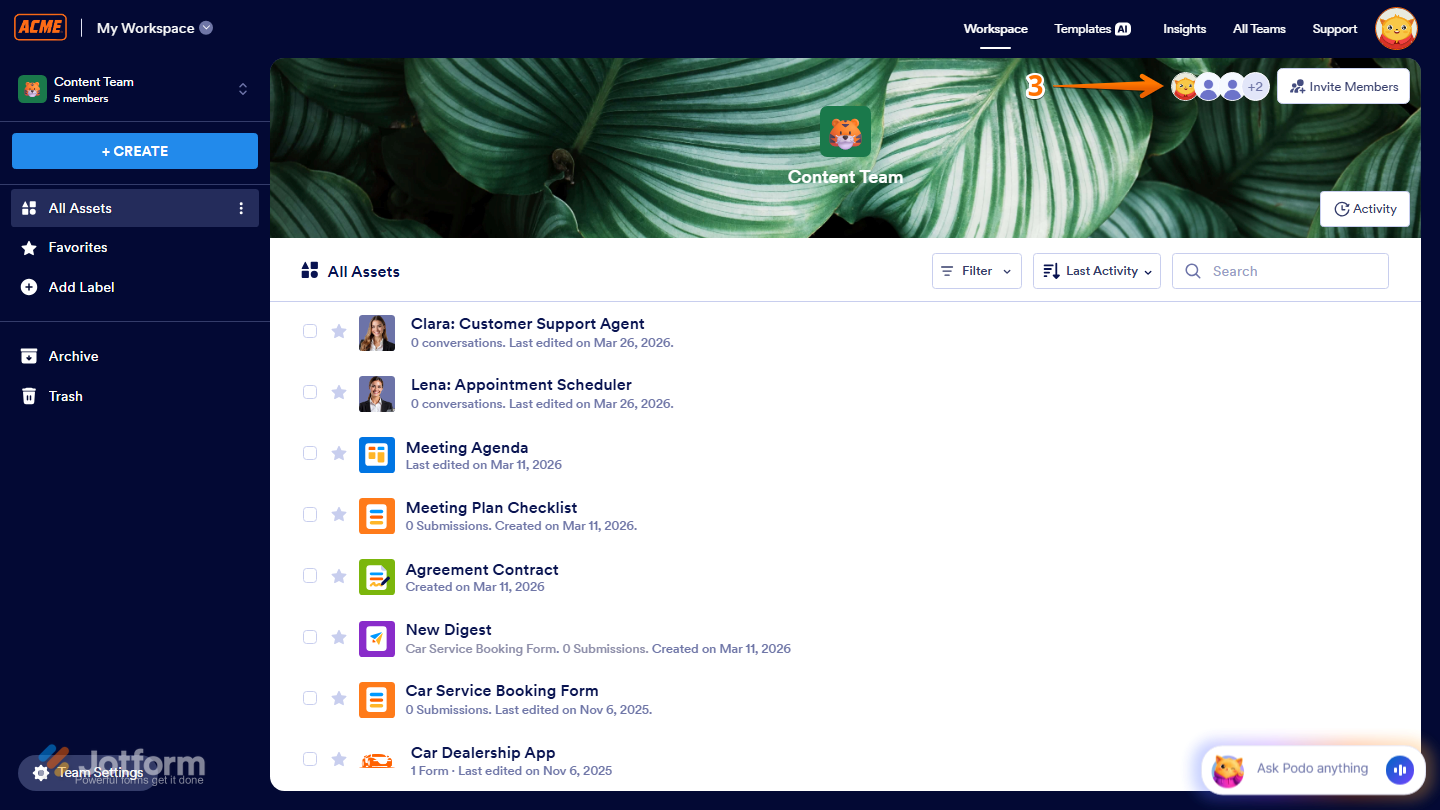
- Next, on the Team Workspace page for the team you selected, click on the Members icon in the top-right corner of the page.
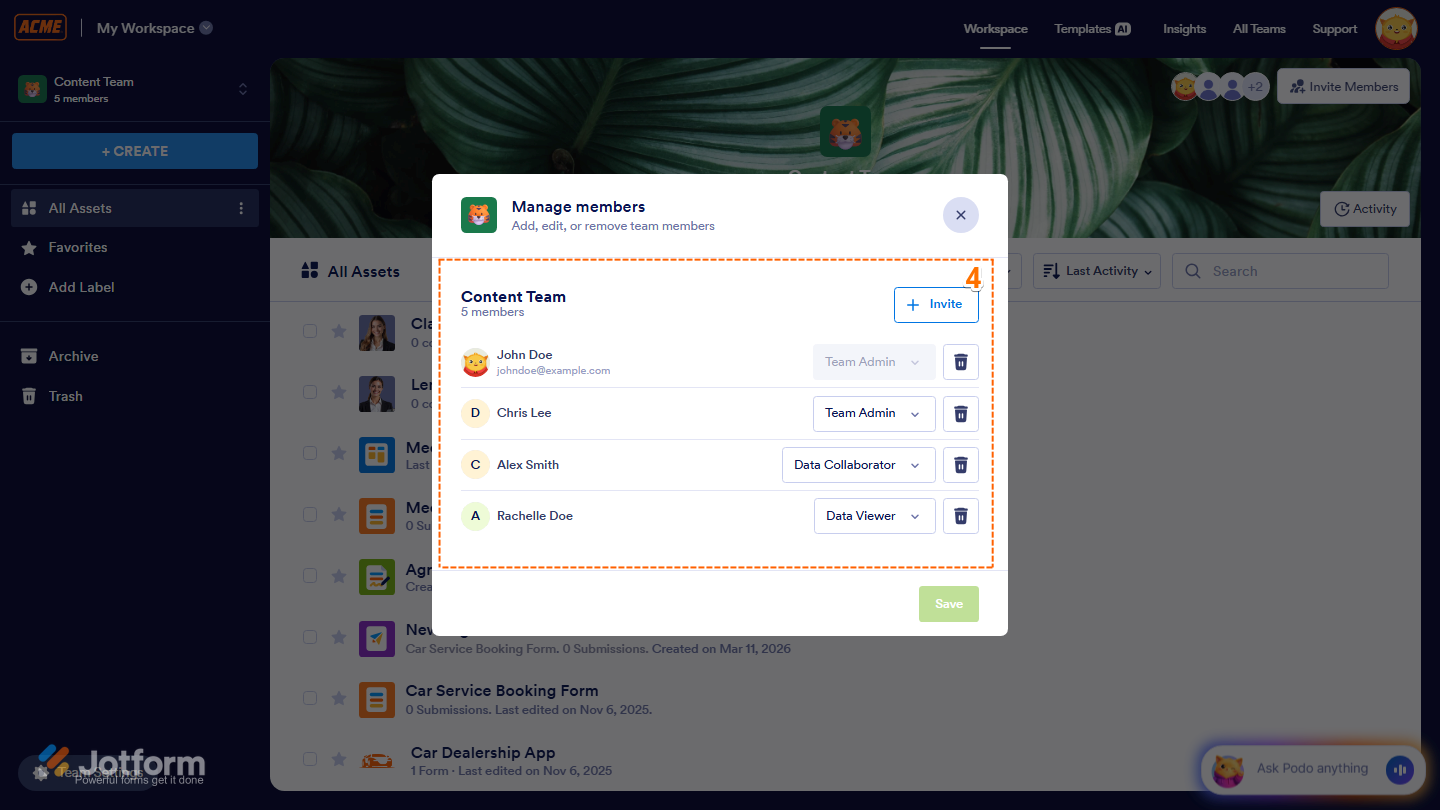
- Now, in the window that opens, you’ll see a list of your team members along with their names and email addresses.
Viewing Your Team Members through the Organization Teams Tab
You can also view your Team Members through the Organization Teams Tab. This is how it’s done:
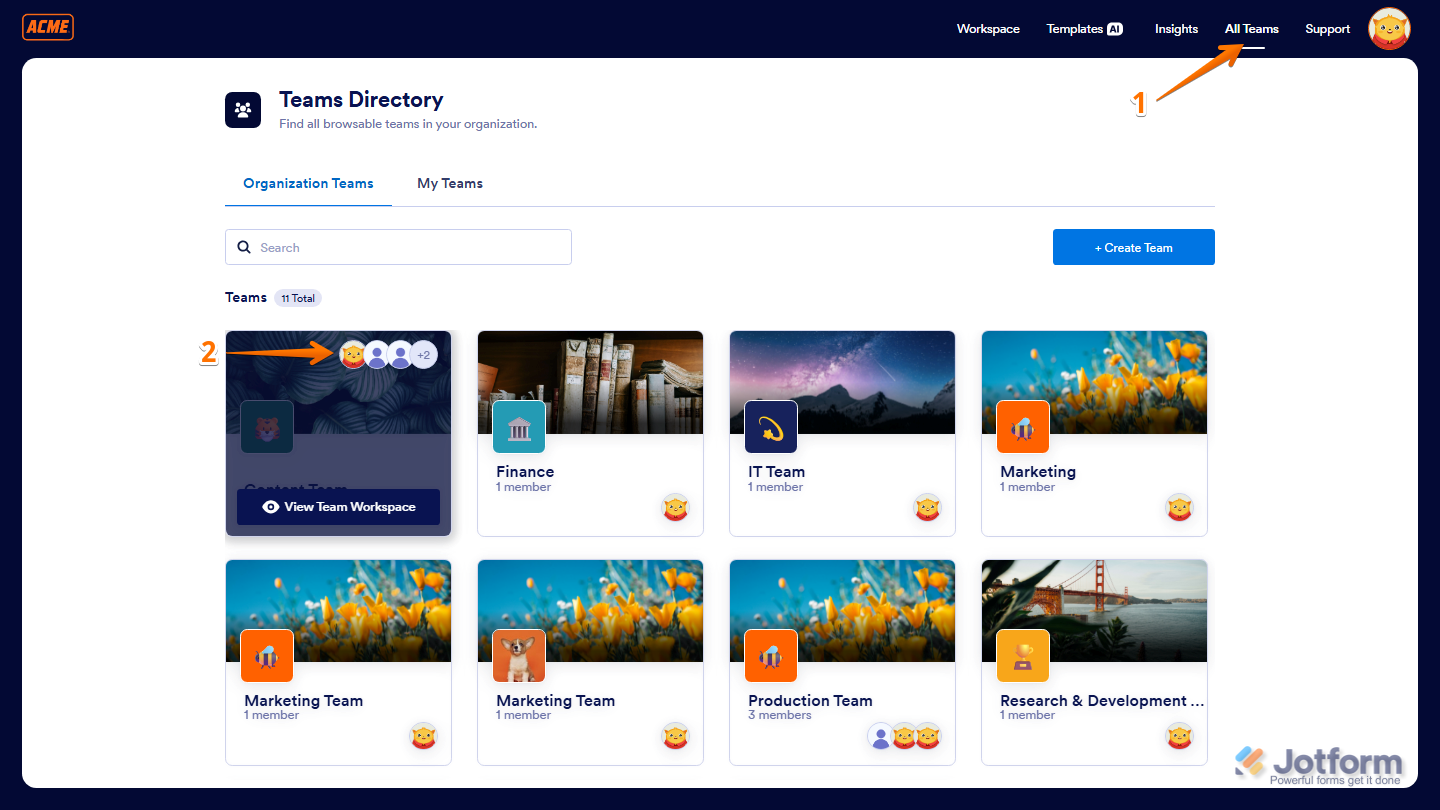
- On your Workspace page, click on All Teams in the top-right corner of your screen.
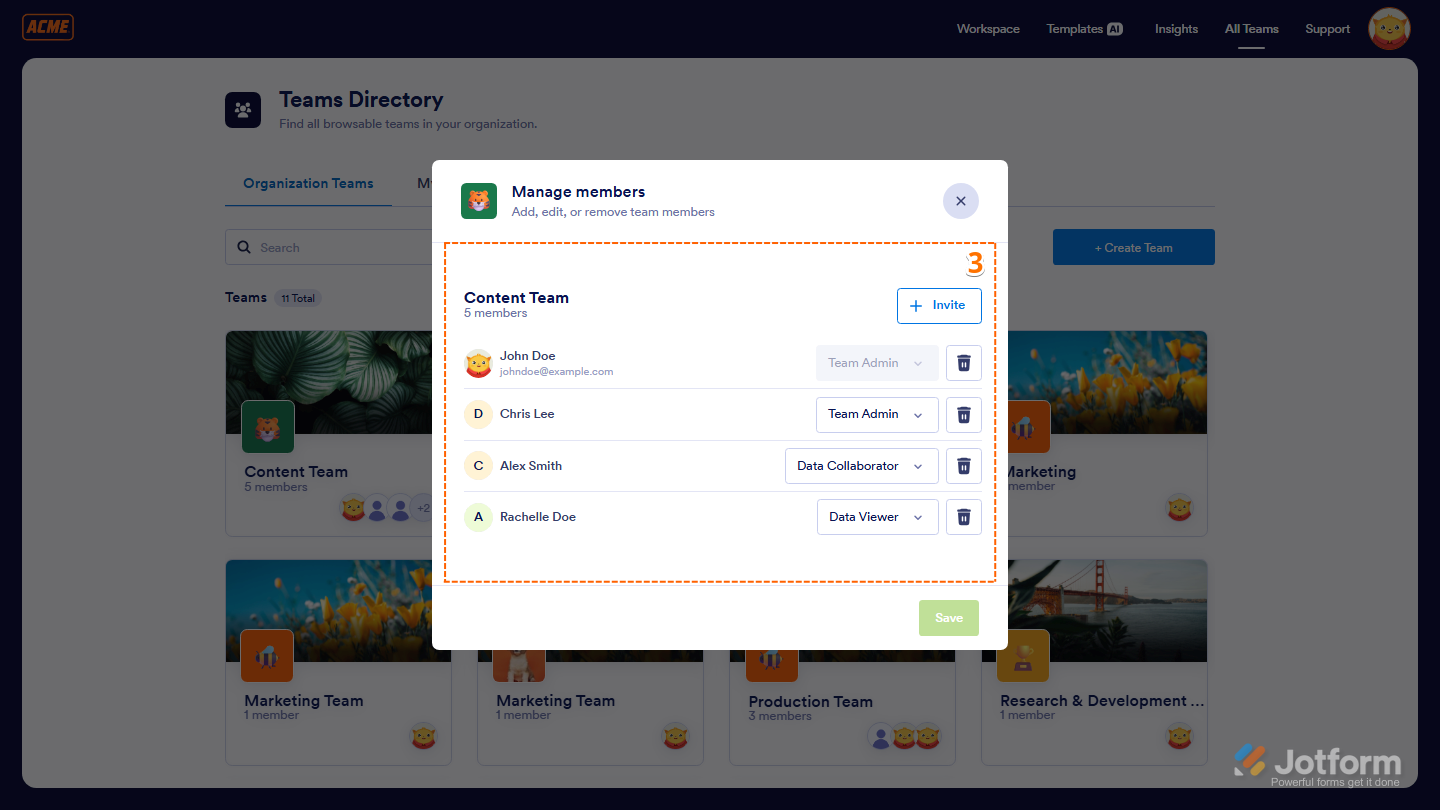
- Then, hover your mouse over the team you want to manage, for example, the Content Creation Team, and click on the Members icon.
- Now, in the window that opens, you’ll see a list of your team members along with their names and email addresses.
And you’re all set! Whether through your Workspace or Organization Teams view, Jotform Teams makes it easy to see who’s on board. You can also check out this guide about How to Give Roles to Team Members.

Send Comment: