Accordion Slider Widget
Create Your Own Accordion Slider in Seconds for Your Website
Build a responsive accordion slider for portfolios, galleries, product features, restaurant menus, travel highlights, and homepage showcases. Add panel media, optional content and buttons, interaction behavior, transitions, alignment, colors, typography, and scoped CSS in a no-code builder.
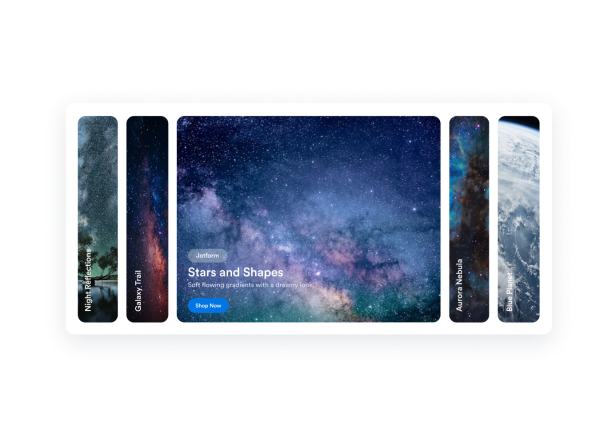

Create Flexible Panels With Media and Optional Content
Build each panel as its own content block, keep it even when media is empty, and duplicate it with its image, video, or poster intact.
Panel fields include:

Switch Between Horizontal and Vertical Accordion Layouts
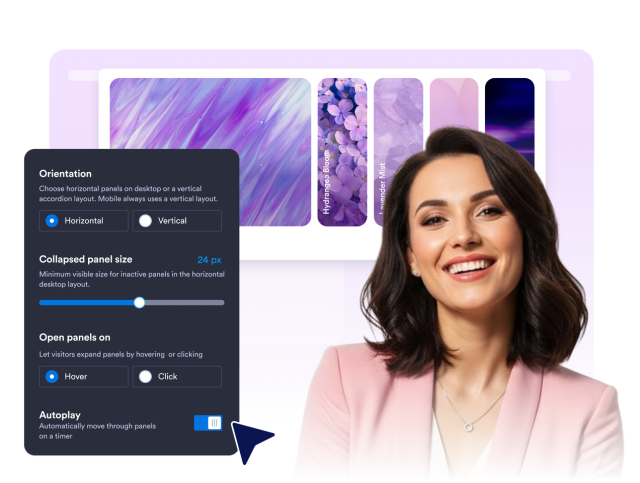
Use a wide horizontal accordion on desktop or a vertical version for compact editorial sections. Mobile automatically uses a readable stacked layout.
Layout controls include:

Control Interaction, Transitions, and Autoplay
Choose how panels open, how quickly content transitions, and whether the accordion advances automatically.
Interaction controls include:
Style the Accordion Slider to Match Your Page
Start with the preset style or edit the complete color set, then apply one corner radius, choose a font, control branding, and add scoped CSS.
Style controls include:
