Calculator Widget

Build an Interactive Price Calculator for Your Website

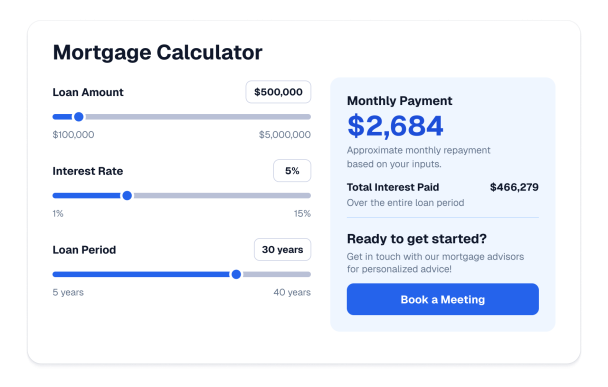
Create a calculator that estimates prices, costs, and quotes from your own inputs and rates. Configure fields, per-option pricing, tax, discount, currency, colors, and a call-to-action without code.

Create Your Calculator Widget - It's Free!
Build an Interactive Price Calculator for Your Website Hero Bg Image

How to embed Calculator Widget to WordPress

1Get your embed code

After customizing your Jotform website widget, click Try it on your website for free, and copy the generated embed code.

2Open the page editor

Go to the WordPress post or page where you want to display the widget, then add a new block.

3Add a Custom HTML block

Select Custom HTML and paste your Jotform Website widget embed code into the HTML field.

4Update and view

Click Update or Publish, then open the page to check your embedded widget.

Configure Priced Input Fields

Add number, slider, checkbox, and dropdown inputs, each with a label and a price per unit or per selected option.

Input controls include:

NumberSliderCheckboxDropdownPer-unit price
Build Your Fields
Configure Priced Input Fields

Calculate a Live Total

Start from a base price, add each input's contribution, and apply optional discount and tax so the total updates instantly.

Calculation options:

Base priceLive totalPercentage taxPercent or fixed discountCurrency symbol
Set Up Pricing
Calculate a Live Total

Style the Calculator to Match Your Brand

Tune presets, surface colors, input colors, the result panel, button colors, corner radius, and custom CSS from the builder.

Style controls include:

PresetsColorsResult panelCorner radiusCustom CSS
Style Your Widget
Style the Calculator to Match Your Brand

Add a Call-to-Action and Control Display

Send visitors to a booking or contact page with an optional button, use one- or two-column layouts, and set desktop and mobile visibility.

Layout controls include:

CTA buttonOne or two columnsResult positionWidthDevice visibility
Choose Layout
Add a Call-to-Action and Control Display