Flipbook Widget

Build a Polished PDF Flipbook for Any Website

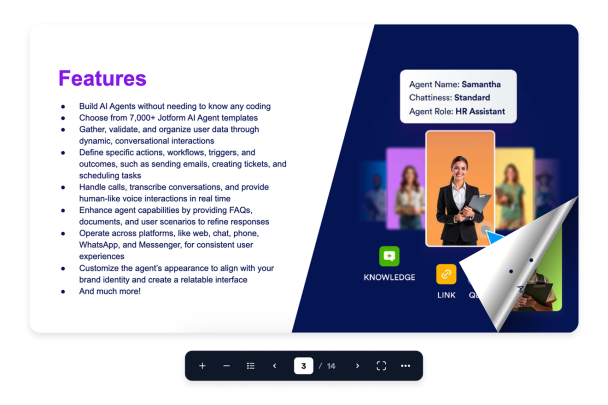
Create a responsive reader with PDF upload or URL sources, single or double page mode, animated page turns, thumbnail navigation, zoom, fullscreen, download, print, theme controls, and embed-ready behavior.

Create Your Flipbook Widget - It's Free!
Build a Polished PDF Flipbook for Any Website Hero Bg Image

How to embed Flipbook Widget to WordPress

1Get your embed code

After customizing your Jotform website widget, click Try it on your website for free, and copy the generated embed code.

2Open the page editor

Go to the WordPress post or page where you want to display the widget, then add a new block.

3Add a Custom HTML block

Select Custom HTML and paste your Jotform Website widget embed code into the HTML field.

4Update and view

Click Update or Publish, then open the page to check your embedded widget.

Add PDFs by Upload or Link

Upload a PDF file or paste a direct PDF URL, then validate the source and edit the document title visitors see in the reader.

Source controls include:

PDF uploadPDF URLDocument titleValidation
Add Your PDF
Add PDFs by Upload or Link

Give PDFs Real Page-Turn Motion

Let readers flip pages with animated book-style movement, click zones, drag navigation, and an optional page flip sound.

Reader motion includes:

Page turnsDrag navigationClick zonesFlip sound
Preview Page Turns
Give PDFs Real Page-Turn Motion

Use a Clean Floating Toolbar

Keep reader actions compact with zoom, thumbnail previews, previous and next page controls, fullscreen, download, print, and page mode actions.

Toolbar actions include:

ZoomThumbnailsFullscreenDownload/Print
Preview Controls
Use a Clean Floating Toolbar

Tune Layout and Theme

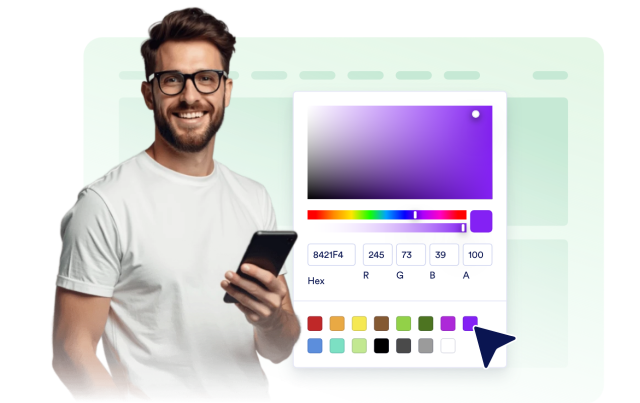
Set padding, margin, page mode, initial zoom, theme presets, branding visibility, custom backgrounds, and scoped CSS.

Design options include:
PaddingMarginsThemesScoped CSS
Style Your Flipbook
Tune Layout and Theme