News Widget
Build a Polished News Feed for Any Website
Create a responsive news section from public RSS, WordPress, Ghost, Medium, or Dev.to sources. Customize layouts, article details, keyword filtering, and styling without code.


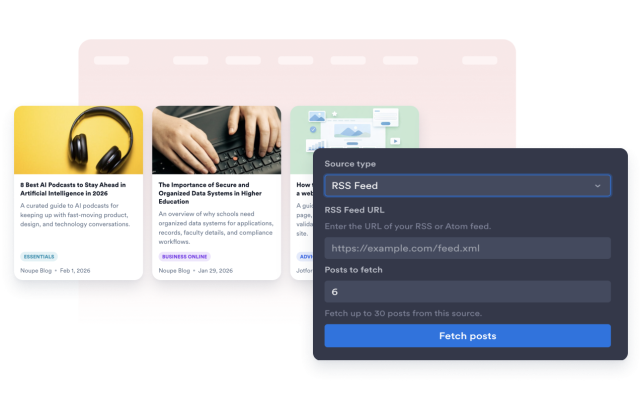
Connect the News Sources You Already Publish
Add public feeds or supported publishing sources, then turn articles into a structured website feed with titles, dates, excerpts, images, categories, and source links.
Supported sources include:
Fit News Layouts to Each Page
Choose a compact list, visual grid, masonry board, carousel, slider, or collage-style display. Then adjust item count, columns, image position, and title size.
Layouts include:

Control Article Details and Clicks
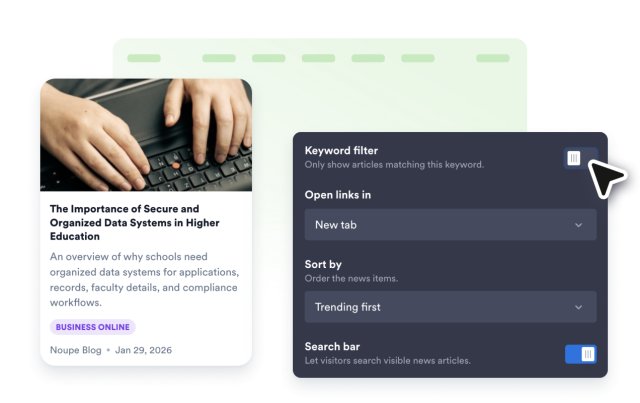
Choose which article details appear on each card, filter articles by keyword, sort the feed, and choose whether article links open in the same tab or a new tab.
Article controls include:
Style the Feed to Match Your Website
Tune the visual details that make a news section feel native to your page. Set the corner radius, card shadow, and title size from the widget builder.
Style controls include: