Reels Widget Features
Create Your Own Instagram Reels Widget in Seconds for Your Website
Display short-form video content in a responsive website feed. Add reel sources, customize layouts, control video details, adjust popup behavior, and style the widget to match your site without code.
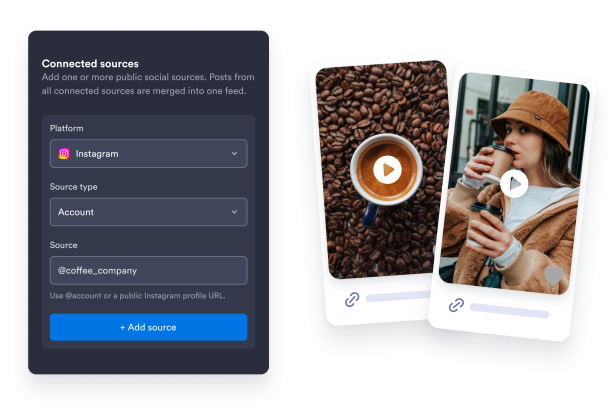

Connect a public source & display website-friendly reels
Pull short-form videos from your selected provider and display them in a responsive feed visitors can browse without leaving your site. Use the widget for creator portfolios, product videos, campaign pages, event highlights, and visual social proof.

Choose a responsive layout
Fit vertical videos into any section of your site with flexible layouts built for desktop and mobile. Choose a grid, masonry, list, carousel, or slider layout to create a clean gallery, enable swipe-friendly browsing, or spotlight featured reels without cluttering the page.

Control Video Details and Popup Behavior
Decide how much context each reel shows before visitors open it. Display captions, dates, source labels, links, and video detail views so your feed supports browsing without cluttering the page.

Style the Feed, Cards, Popup, and Navigation
Match the Reels Widget to your website design with flexible styling options. Adjust themes, accent colors, card styling, popup colors, navigation controls, corner radius, and custom CSS from the no-code builder.