


Booking.com Reviews Widget for your website
Add Booking.com guest reviews to your website and show travelers the feedback that matters before they reserve. Connect your property link, choose a layout, customize the look, and embed the widget with no code.
How to add the Booking.com Reviews widget
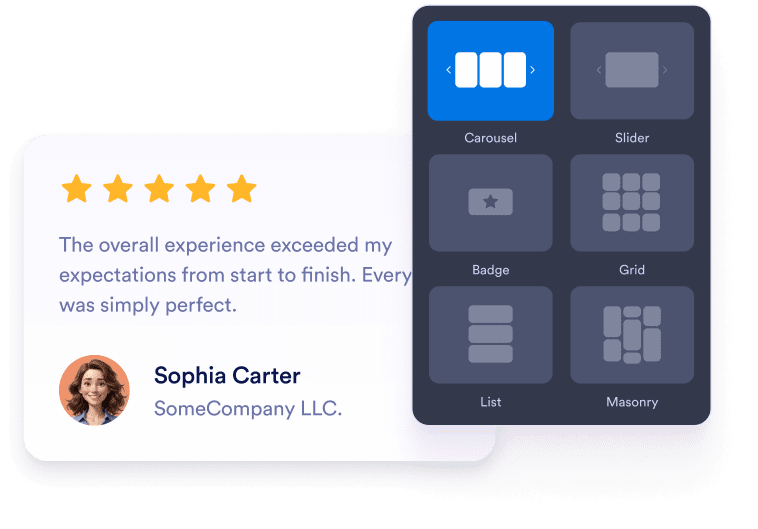
Customize your widget
Choose your preferred layout, colors, and overall appearance to match your website’s design.
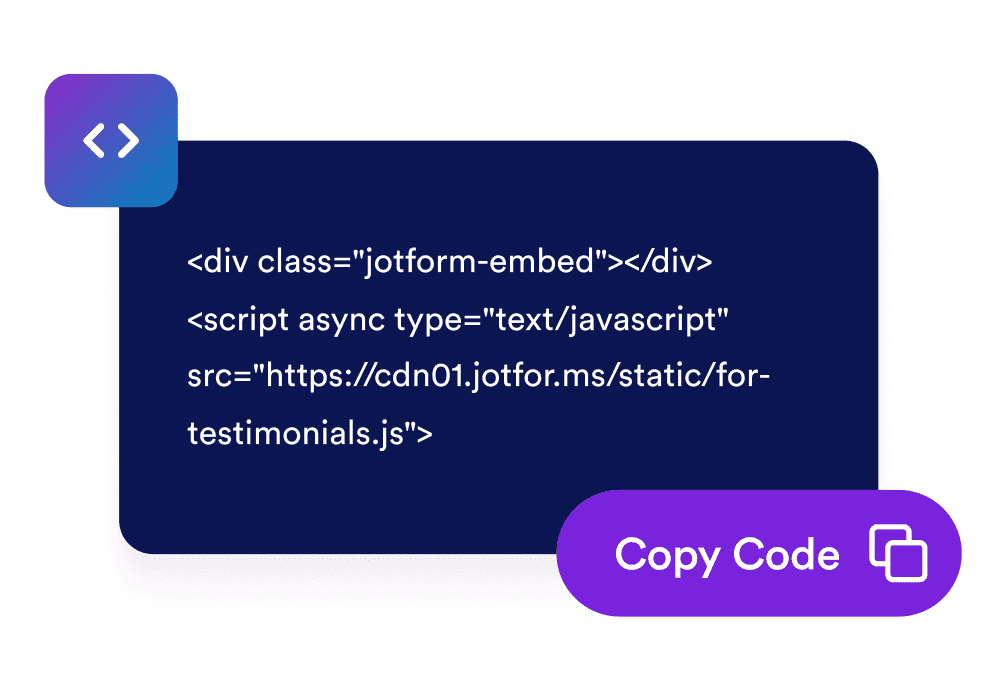
Get the embed code
Copy the automatically generated embed code and paste it anywhere on your website.

Embed it anywhere
Publish real customer feedback across your site in seconds, no technical setup needed.
Turn Booking.com guest feedback into more confident reservations
Build trust with guest reviews
Show real-looking guest feedback, ratings, names, and review text in a familiar review layout so visitors can feel confident about your property.

Highlight your property rating
Display your overall Booking.com rating and total review count in the widget header to make trust signals visible at a glance.

Choose the right layout for each page
Use carousel, slider, grid, list, masonry, or badge layouts to fit reviews into homepages, room pages, landing pages, and compact sidebars.

Match your website style
Customize dark mode, titles, buttons, rating details, review fields, width, and colors so the widget feels native to your site.

Why Jotform Widgets stand out
Jotform’s widgets make your website more interactive and conversion-ready. From star ratings and testimonial sliders to social proof pop-ups and media embeds, you can combine tools inside your forms or landing pages to collect data, display proof, and capture leads without writing code.
Explore all Jotform WidgetsWhere to use your Booking.com Reviews Widget
Place Booking.com reviews on the pages where travelers compare options, check trust signals, and decide whether to book.
Homepage trust sections to show rating highlights as soon as visitors arrive.
Room or property detail pages to answer booking hesitation with guest feedback.
Reservation and inquiry pages to reinforce confidence near your main CTA.
Local SEO landing pages to add review-rich content for travelers comparing stays.
Campaign landing pages to support ads and promotions with recognizable social proof.
Sidebar or footer areas to keep a compact rating badge visible without taking over the page.
Convert leads into paying customers with Jotform Form Builder
Turn engagement into action with Jotform. Create powerful forms that capture leads, collect payments, and automate responses, all in one place. Every submission lands in your Jotform Inbox, ready to follow up or connect with your favorite apps.
Get Started - It’s Free!
FAQ
What is a Booking.com Reviews Widget?
A Booking.com Reviews Widget displays guest ratings and review content from a Booking.com property in a customizable website widget. It helps hotels, rentals, and accommodation businesses show social proof on their own websites.
Can I customize how Booking.com reviews appear?
Does the widget work on mobile?
Can visitors leave a new Booking.com review from the widget?
Can I use a compact Booking.com rating badge?
Is the Booking.com Reviews Widget free to use?