

Social Feed Widget
Create Your Own Social Feed Widget in Seconds for Your Website
Display posts from connected public social sources in a responsive feed. Customize source tabs, layouts, post details, popups, colors, and mobile behavior without code.
Create Your Social Feed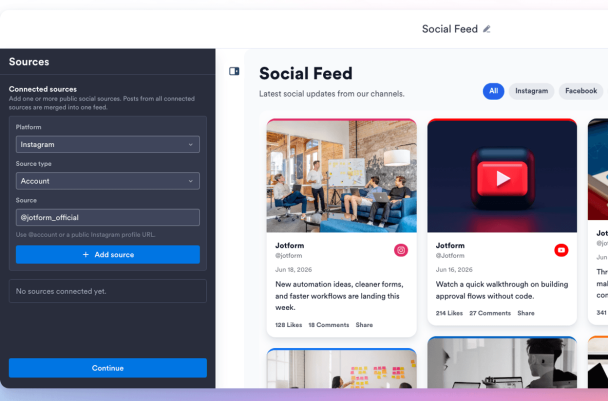

Fetch Social Posts from Multiple Platforms
Build a feed from connected public sources with platform labels, author names, usernames, post dates, images, captions, links, likes, and comments.
Source labels include:

Choose Grid, Masonry, List, Carousel, or Slider Layouts
Control columns, rows, spacing, item limits, source tabs, sort order, pagination, arrows, swipe navigation, and RTL display.
Layout controls include:

Control Post Details and Popup Behavior
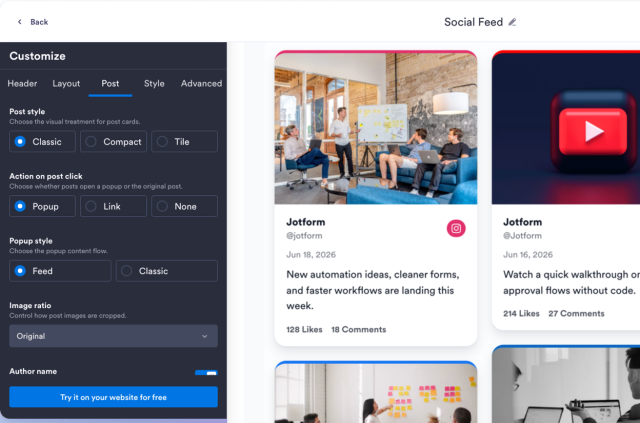
Show or hide author details, avatars, dates, captions, source badges, engagement counts, links, and popup detail views.
Post options include:
Style the Feed, Cards, Popup, and Navigation
Use light or dark themes, set accent colors, customize card and popup colors, tune text size and corner radius, and add custom CSS.
Style options include: