Telegram Feed Widget

Customize your Telegram Feed for any page

Control source content, layouts, post cards, popups, links, colors, and responsive behavior.
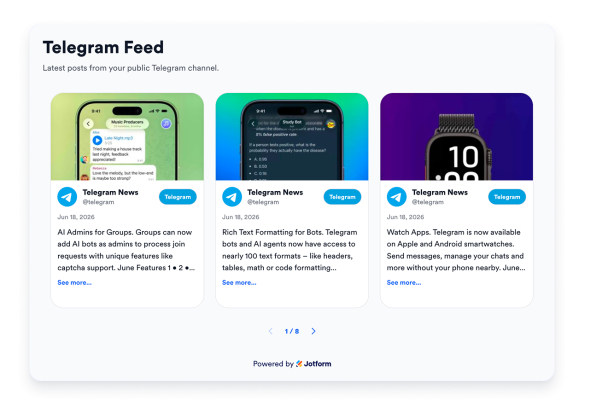
Create Your Telegram Feed Widget — It’s Free!
Customize your Telegram Feed for any page Hero Bg Image

How to embed Telegram Feed Widget to WordPress

1Get your embed code

After customizing your Jotform website widget, click Try it on your website for free, and copy the generated embed code.

2Open the page editor

Go to the WordPress post or page where you want to display the widget, then add a new block.

3Add a Custom HTML block

Select Custom HTML and paste your Jotform Website widget embed code into the HTML field.

4Update and view

Click Update or Publish, then open the page to check your embedded widget.

Show any public channel

Display posts from any public Telegram channel by adding its username or link. No bot, API key, or channel ownership required.

Best for:

News channelsCommunity updatesAnnouncementsProduct updates
Add Your Telegram Channel
Show any public channel

Keep your latest posts on your site

The widget surfaces your channel's most recent posts, so visitors see current content without you editing your page each time.

Post types include:

Text postsImagesVideosLink previews
Create Your Telegram Feed
Keep your latest posts on your site

Multiple layouts

Present posts as masonry, grid, list, carousel, or slider to fit any section of your site, from a wide feed to a compact sidebar.

Available layouts include:

GridMasonryTimelineCarouselSliderSmall widget
Try These Layouts
Multiple layouts

Match your brand

Customize accent colors, card styling, and the feed header, switch between light and dark themes, control which post details show, and toggle Jotform branding to blend the feed into your design.

Styling controls include:

Light & dark themesAccent colorsCard stylingFeed headerBranding toggle
Customize Your Feed
Match your brand
