YouTube Gallery Widget
YouTube Gallery Widget Features for Websites
Turn YouTube channels, playlists, or individual videos into a responsive website gallery. Choose how visitors browse and play videos, customize the gallery design, and enable privacy-enhanced embeds without coding.
Create Your YouTube Gallery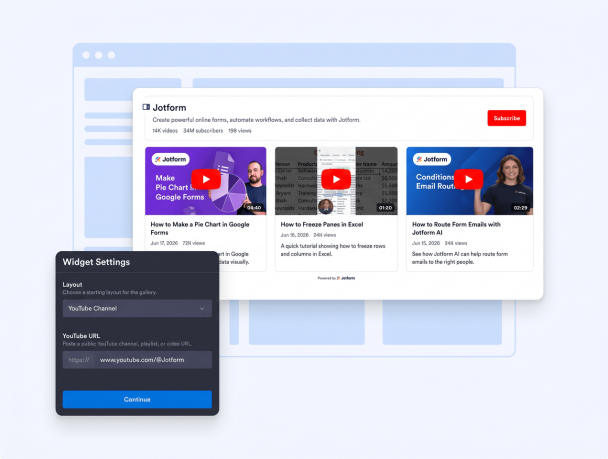

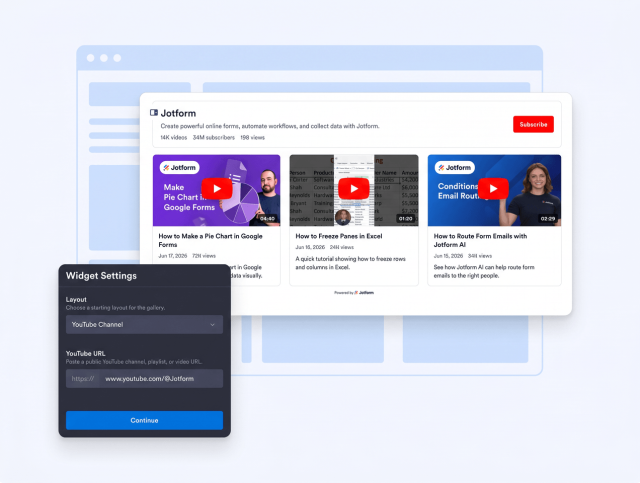
Connect YouTube Channels, Playlists, and Videos
Build your gallery around the YouTube content you want visitors to discover. Paste a public channel, playlist, or individual video URL to feature a complete video library, a curated collection, or one focused video on your website.
YouTube sources include:
Control Gallery Layouts and Video Playback
Shape how visitors browse and watch your YouTube content. Show a channel header, adjust columns and rows, create a slider or single-video display, and choose whether videos open in a popup player, play inline, or open on YouTube.
Layout and playback controls include:

Match Video Galleries to Your Website
Create a consistent viewing experience by styling each part of the gallery. Customize the channel header, video cards, popup player, slider controls, titles, duration labels, counters, and play button, or use custom CSS for additional design control.
Style options include:

Use Privacy-Enhanced YouTube Embeds
Offer a more privacy-conscious viewing option by enabling YouTube’s privacy-enhanced mode. Videos use youtube-nocookie.com embeds when played, while responsive behavior helps the gallery, cards, and player adapt across desktop and mobile screens.
Advanced options include: