Vimeo Video Gallery Features
Vimeo Video Gallery Widget Features
Build a responsive Vimeo gallery from a public user, channel, showcase, group, or video URL. Customize layouts, video cards, popup behavior, links, colors, and mobile display without code.
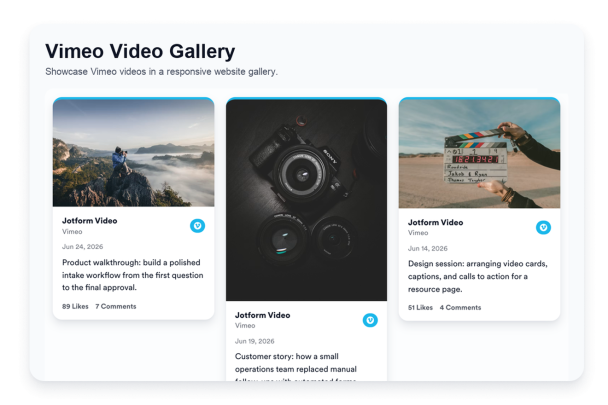

Connect public Vimeo sources
Add a public Vimeo user, channel, showcase, group, or video URL to bring video content into your website gallery. This keeps the widget focused on the Vimeo source visitors need to browse.

Fit videos to your page
Choose grid, masonry, list, carousel, or slider layouts depending on how much space your page has. Use expanded layouts for video libraries or compact browsing options for homepage and landing page sections.

Control video card details
Choose which details appear with each Vimeo video, including author names, dates, captions, source labels, actions, links, and popup behavior. Keep cards simple or add more context for visitors comparing videos.
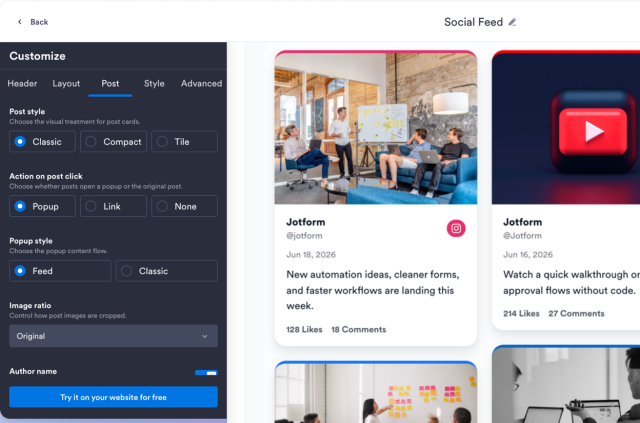
Match your site style
Customize themes, Vimeo-style accents, card colors, arrows, pagination, and custom CSS so the gallery fits your website design. Adjust the visual style while keeping the video browsing experience clear.