
In my work, email is essential but equally frustrating. Like most people, I receive far too many messages, and most of them are trash. Spam filters on traditional email clients like Outlook simply aren’t catching enough of them. The number of emails leaves me mentally overwhelmed, and sifting through them wastes my time. The worst part is that I end up making mistakes, like deleting emails that matter while attempting to cull my inbox.
I know I’m not on my own.
I’ve been exploring alternative email clients that promise to make inbox management smarter and less chaotic. In this article, I’m comparing Canary Mail vs Spark.
Canary Mail and Spark are popular email clients that work with Gmail and Outlook. Due to inbox overload and inefficient workflows, these artificial intelligence (AI) enhanced email providers are paving the way for a streamlined email experience.
In this Canary Mail vs Spark comparison, I’ll break down how these tools stack up across features, privacy, productivity, and pricing to help you find the best email client for how you actually work.
Canary Mail vs Spark — at a glance
 Canary Mail |  Spark | |
|---|---|---|
| Best for | Professionals prioritizing security and privacy | Teams and individuals needing fast, collaborative email management |
| Industry fit | Legal, healthcare, finance, consulting – any setting with regulated or confidential communications | Startups, agencies, creative teams, and cross-functional groups that use email as a collaborative workspace |
| Scalability | Well-suited for individuals or small teams who intend to grow | Designed to scale across teams, with shared drafts, delegation, collaboration, and integrations for multiple users |
| Core functionality | Secure inbox management, end-to-end encryption, offline AI summaries, and natural language search | Smart Inbox organization, shared drafts, chat-beside-email, email-to-task, and integration features |
| AI and automation | Local/offline AI summarization, priority inbox, PGP encryption support, and natural language search | AI composer for drafting and rewriting, translation features, AI-based smart categorization, and team-oriented automation |
Canary Mail: Secure email with AI and encryption
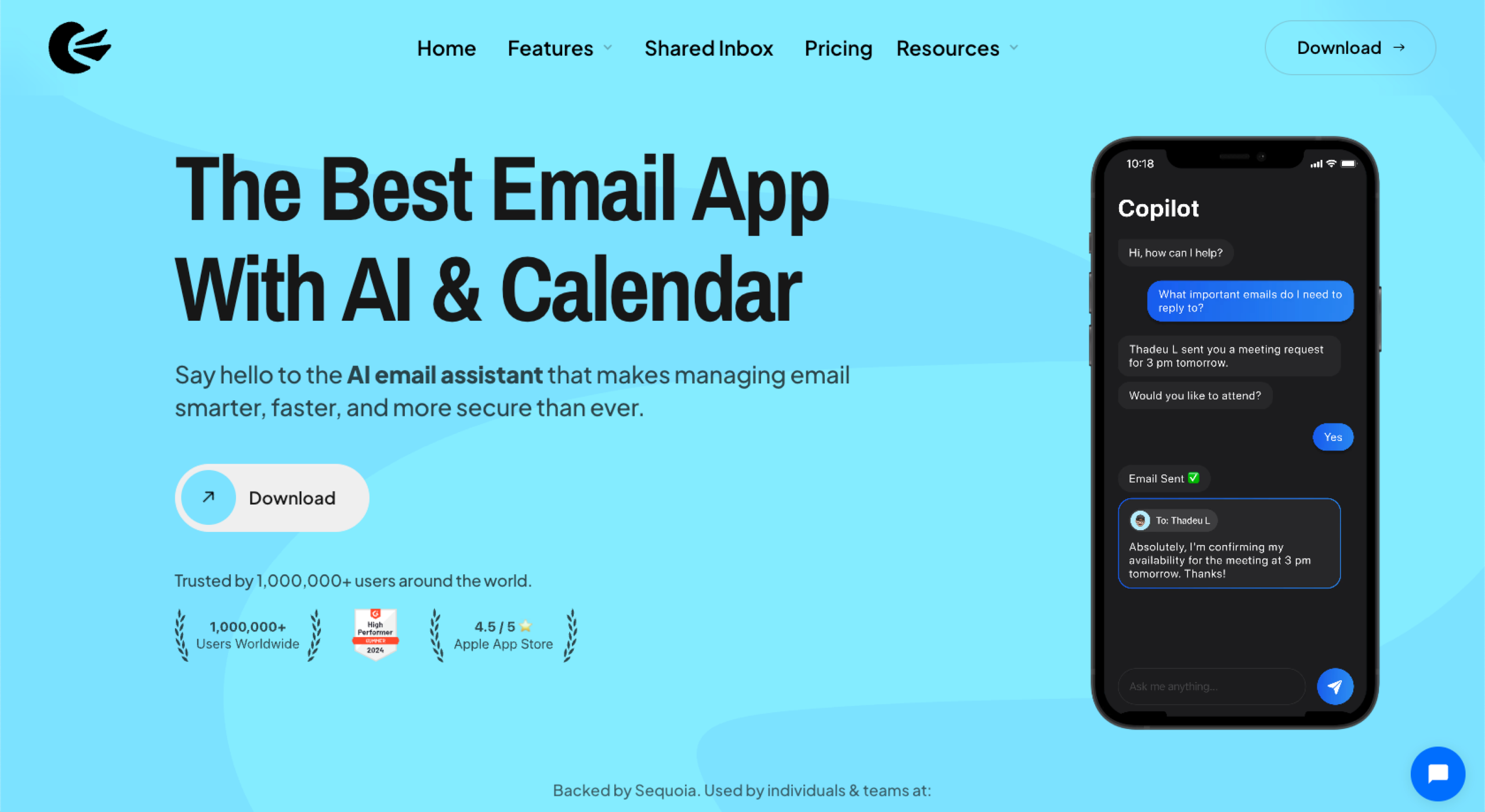
Canary Mail is the best secure email client. It offers end-to-end encryption by default, and if you want more security, you can subscribe to the Pro package, which supports PGP encryption and HIPAA compliance features.
Beyond its encryption, Canary integrates AI features to help you stay on top of your inbox. For example, you can use AI to
- Summarize and condense long threads into digestible overviews.
- Create a smart inbox that enables you to prioritize important emails.
- Use natural language search to find messages conversationally.
Like all good email clients, you can access your emails across a range of devices, including macOS, iOS, Android, and Windows.
Spark: Collaboration-first email with Smart Inbox
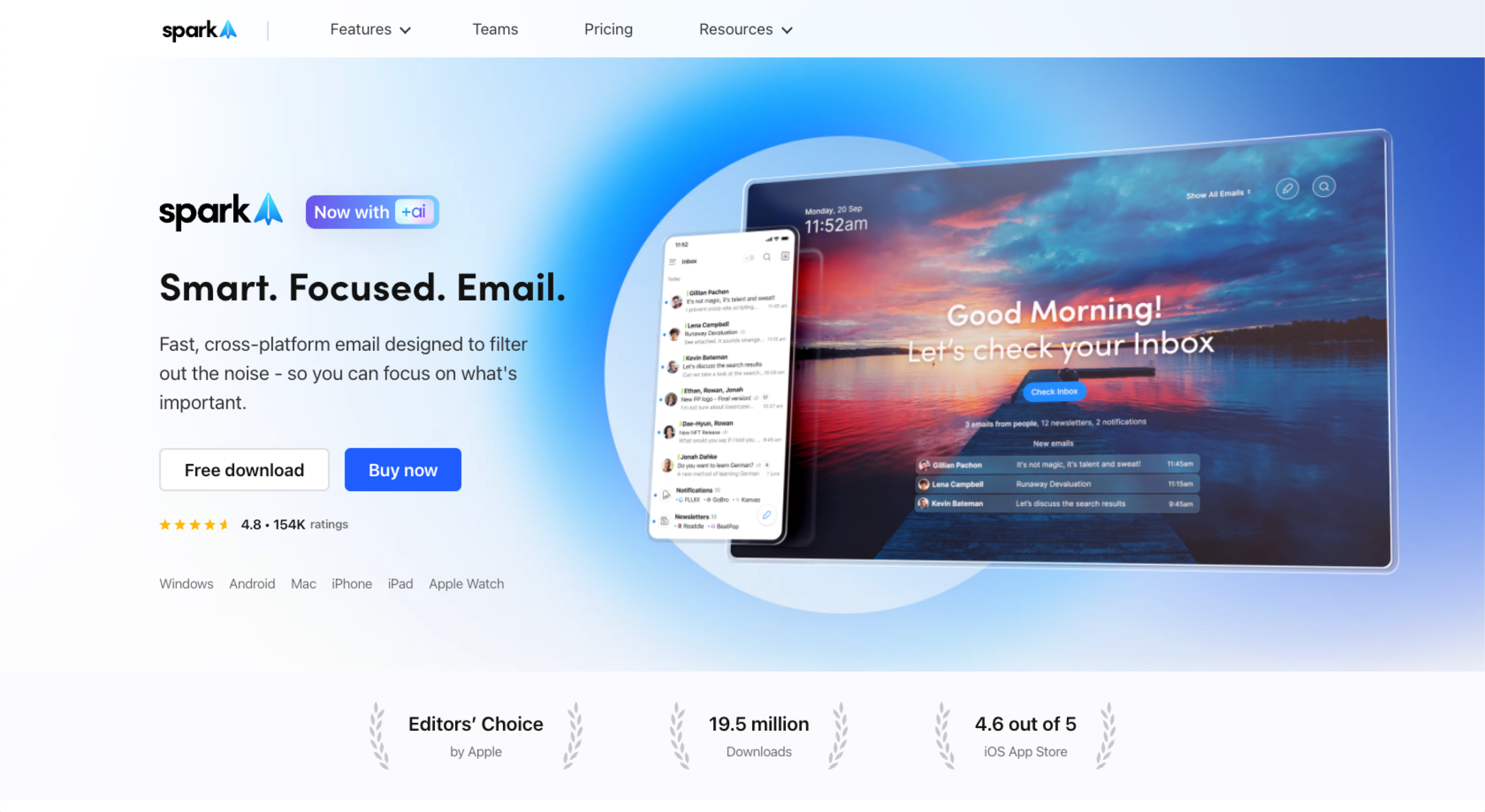
Spark’s main selling points are its sleek user interface and team features. You can invite members to collaborate on emails, share drafts with colleagues, chat privately alongside an email thread, and even assign emails to specific team members. Instead of being a traditional email client that doubles up as a solo task list, Spark is email collaboration software that turns an inbox into a shared workspace.
Its AI enhancements also help you prioritize emails and sweep your inbox faster than ever. For example, you can use AI to
- Categorize emails by priority using Smart Inbox.
- Write faster, draft replies, or rephrase messages to sound more polished and professional.
- Translate emails you receive or write.
Spark works on macOS, iOS, Android, and Windows.
Who should use Canary Mail vs Spark?
Canary Mail and Spark were worthy of comparison because they’re both excellent email productivity apps. But they have unique selling points that make them better suited for different industries and audiences.
Target audience for Canary Mail
Canary Mail is designed for professionals who value privacy as much as productivity. Its end-to-end encryption and optional PGP support make it ideal for users handling sensitive information.
This email client is best suited to
- Legal professionals who need to keep client communications confidential
- Healthcare providers who require HIPAA-friendly email solutions
- Finance and enterprise users dealing with regulated data
- Journalists and consultants who prioritize privacy and discretion in correspondence
Plus, its combination of offline AI, read receipts, snoozing, and follow-up reminders keeps you organized without compromising data protection.
Choose Canary Mail if: You want an exceptionally secure inbox enhanced by AI. There’s a reason why Canary Mail made Jotform’s shortlist of the best AI email assistants.
Target audience for Spark
Spark is built for teams and individuals who value collaboration, speed, and simplicity. Its shared drafts, real-time chat, and intuitive Smart Inbox make it a strong choice for teams looking to manage email.
This email client is best suited to
- Marketing agencies and creative teams who need to collaborate on campaigns and client communications
- Freelancers and consultants managing multiple clients or projects
- Cross-functional teams that rely on email for internal updates and quick decision-making
- Startups and small businesses looking for a productivity-focused tool that scales easily
Choose Spark if: You want your email platform to double up as a shared workspace while skipping lengthy onboarding. Spark is a collaborative tool with a lower learning curve.
Canary Mail: Standout features
Canary Mail’s features are designed to make managing a secure inbox faster and easier. Its blend of AI-driven organization and enterprise-grade encryption means you can focus on your work without worrying about data breaches or inbox overload.
Features include
- AI summaries and priority inbox: So you can condense long email threads into clear, actionable summaries and automatically highlight high-priority messages. These features help you save time and focus on what matters most.
- End-to-end encryption and PGP support on Pro plans: These features make Canary Mail one of the most secure Gmail alternatives on the market. All emails are encrypted by default, meaning no one can retrieve your email contents — even Canary Mail.
- Natural language search: This enables you to search your inbox using plain language prompts, like “emails from John about the contract.” Canary will find them instantly — a real benefit for those navigating Outlook’s notoriously poor search.
- Read receipts and follow-ups: Get notified when your messages have been read and set reminders to follow up, ensuring important conversations don’t get lost in the shuffle.
- Offline AI functionality: Canary’s AI tools, such as summaries and prioritization, work even without an internet connection — ideal for professionals who travel.
Spark: Standout features
Spark’s features are designed to make email feel collaborative, intuitive, and fast. It transforms the inbox into a shared workspace where teams can plan, draft, and communicate without endless CCs or cluttered threads.
Features include
- Smart Inbox: Groups emails by category — such as personal, notifications, or newsletters — so you can process important messages first.
- Shared drafts and private comments: These features enable you and your team to work together on the same email in real time, saving a lot of back and forth in meetings. You can edit, comment on, and finalize messages collaboratively, helping maintain accuracy and tone consistency across teams.
- AI composer: Use AI to draft and refine your replies automatically, helping you write faster while keeping your tone natural and professional. It’s a useful tool for teams that send a high volume of client or partner emails. Jotform’s roundup of the best AI email generators includes nine other email providers that have excellent email composers.
- Email delegation: Assign messages to teammates directly from your inbox, ensuring nothing gets missed or duplicated.
- Calendar and multi-account sync: Integrate calendars and accounts seamlessly, allowing you to manage multiple email addresses and schedules in a single interface.
Pro Tip
Spark’s Smart Inbox is good, but the categories are pre-set. With an email client like Superhuman, you can customize inboxes. Read about Superhuman vs Shortwave here.
Shared features
Aside from both platforms being AI email tools and compatible with Gmail and Outlook, Canary Mail and Spark share several core functionalities that make inbox management smarter and more efficient. These shared features work similarly, but some differences could help you decide between the platforms.
AI assistance for composing
Both Canary Mail and Spark use AI to help you write faster and with more clarity.
Canary’s composing AI summarizes and drafts emails for you, even when you’re offline. You can go the whole way with AI and have it write full replies ready for you to review before sending, or you can just use the auto-generated subject lines designed to improve clarity and open rates (though, unless you’re in email marketing, open rates may not be an issue). They’re generally positioned as email marketing tips, since your projects — often managed in emails — have to be completed, and you might find your email is opened regardless of the subject line.
Spark’s composing AI can write an entire email for you and edit an email to ensure the tone is consistent.
Snoozing, scheduling, and following up
Snoozing emails for later and scheduling reminders to follow up are features I use a lot. They’re relatively small actions, but I think they make a big difference when managing a heavy inbox. I use them to manage mental overwhelm when working through my emails, and it keeps me on schedule, too. They’re both ideal features if you like time blocking because you can simply snooze an email or set a reminder for the right time block.
Canary’s snooze feature is simple. You swipe on the email and select a better time.
Spark’s snooze feature works similarly, but has a keyboard shortcut (H) to access it. You can type the date or time of when you want the email to reappear in natural language.
Templates and snippets
Both tools support templates for recurring messages and work similarly. Canary’s and Spark’s shared templates help individuals or teams maintain consistency across formal or client-facing communication.
You can create templates and optionally share them with the team. For example, you can streamline the process of encouraging a recipient to book a demo by testing an email template. If it has a high conversion rate, you can share it with the team and use it more often.
Smart notifications
Both apps include smart notification controls, so you’re only alerted to messages that actually matter. This is a great feature. I don’t currently have this available in Outlook, but I would love it. I find email notifications distracting, so typically close Outlook for a few hours or use its workaround to work offline so I don’t get any notifications during my focus sessions.
Canary Mail and Spark users can stop notifications for certain emails, such as newsletters. This means the email will still appear in the inbox, but without a noise or a physical alert on the screen. You can work seamlessly without opening the inbox and breaking focus.
Canary Mail stops notifications for emails with unsubscribe links.
Spark is more customizable — you can choose the contacts you receive alerts from.
What makes each tool unique
Unique features can help you decide which tool is best for you. Here are some advantages that are particular to each tool.
Canary Mail’s unique advantages
Canary Mail focuses on privacy and control above all else. It offers
- End-to-end encryption by default, which means no one — not even Canary Mail — can see the contents of your email
- Optional PGP and HIPAA compliance features on Pro plans — great for lawyers or healthcare professionals who handle sensitive information
- Offline AI summaries and prioritization, so you can organize and process emails on the go
Spark’s unique advantages
Spark is built for team collaboration and flexibility. It offers
- Real-time shared drafts, private comments, and email delegation, making it easy to manage group communication within the inbox
- Cross-platform sync with both free and paid tiers, and many integrations with your favorite tools, such as Google Drive, Slack, or Notion
- Integrated calendar and task management, which creates a unified workspace for individuals and teams — in fact, some companies can skip other task management tools altogether when they’re using Spark
5 key areas of comparison
In this section, I’ve looked at five key areas, made a Canary Mail vs Spark comparison, and declared a winner at every stage.
1. Security and encryption
Canary Mail is built for privacy. Its focus on security is one of the primary reasons why it’s considered a Spark alternative — with end-to-end encryption by default, and optional PGP and HIPAA compliance features on Pro plans. AI processing happens locally, too, meaning no data is shared externally.
Spark, while secure, uses standard encryption protocols.
Who wins, Canary Mail or Spark? Canary Mail.
2. Collaboration and teams
Canary Mail does have collaborative functionality, and it’s available on all packages. But unlike Spark, Canary doesn’t make collaboration a big focus in its messaging. On Canary Mail, you can route emails to the right person using AI, and the software provides analytics by team member.
Spark is purpose-built for teamwork. You can share drafts, comment privately, and delegate emails within the app — making it ideal for agencies, startups, and cross-functional teams.
Who wins, Canary Mail or Spark? Spark.
3. AI features
Both tools have strong AI features.
Canary Mail’s AI can
- Write drafts in your tone and maintain a consistent brand voice.
- Summarize long email threads to cut down on review time.
- Understand a natural language search, like “where am I meeting Sarah?”, before finding the details and the email for you.
- Highlight your most important emails.
Spark’s AI can
- Write email drafts that keep a consistent brand voice.
- Summarize emails with the added benefit of choosing the summary length. You can opt for a short, detailed summary or a list of action points only.
- Translate emails you send or receive.
Who wins, Canary Mail or Spark? It’s a tie. Both emails use different AI features. If translation is particularly helpful to you, Spark is great. If you love that natural language search, Canary is better.
4. Pricing and value
Canary Mail offers a free package. It’s also highly secure on all packages, but you’ll need Pro for advanced security capabilities such as HIPAA compliance features. The collaboration features are also available on all plans.
Spark offers a free package, but collaborative team features are only available on the Premium Teams plan.
Who wins, Canary Mail or Spark? Canary Mail, since its middle package is cheaper and every package includes security and collaborative features. Find more detailed pricing breakdowns below.
Pro Tip
Did you know that there’s a third Gmail alternative? And it’s free. Jotform’s Gmail Agent is a highly secure alternative to Gmail. You can try it for free here by pasting any email from your inbox and seeing how the agent replies.
5. Cross-platform support
Both Canary Mail and Spark support macOS, iOS, Android, and Windows, meaning you can work seamlessly across devices.
Canary Mail primarily focuses on security and AI, but also offers integrations. For example, you can connect it to Todoist or Asana to convert emails into tasks.
Spark stands out with a wide range of third-party integrations. You can
- Turn emails into tasks with Asana or Trello.
- Export messages to Evernote or Notion.
- Connect storage tools like Dropbox, OneDrive, or Google Drive.
- Link meeting apps like Zoom.
Who wins, Canary Mail or Spark? Spark.
Pricing and plans
Here are the pricing packages by tool.
- Free forever
- Growth ($3 per month)
- Pro+ ($10 per month)
- Free forever
- Plus ($8.25/month per user, billed annually)
- Pro ($16.58/month per user, billed annually)
- Enterprise (Custom)
To unlock AI features in either tool, you need to choose a paid package.
Not satisfied? Try Jotform Gmail Agent instead
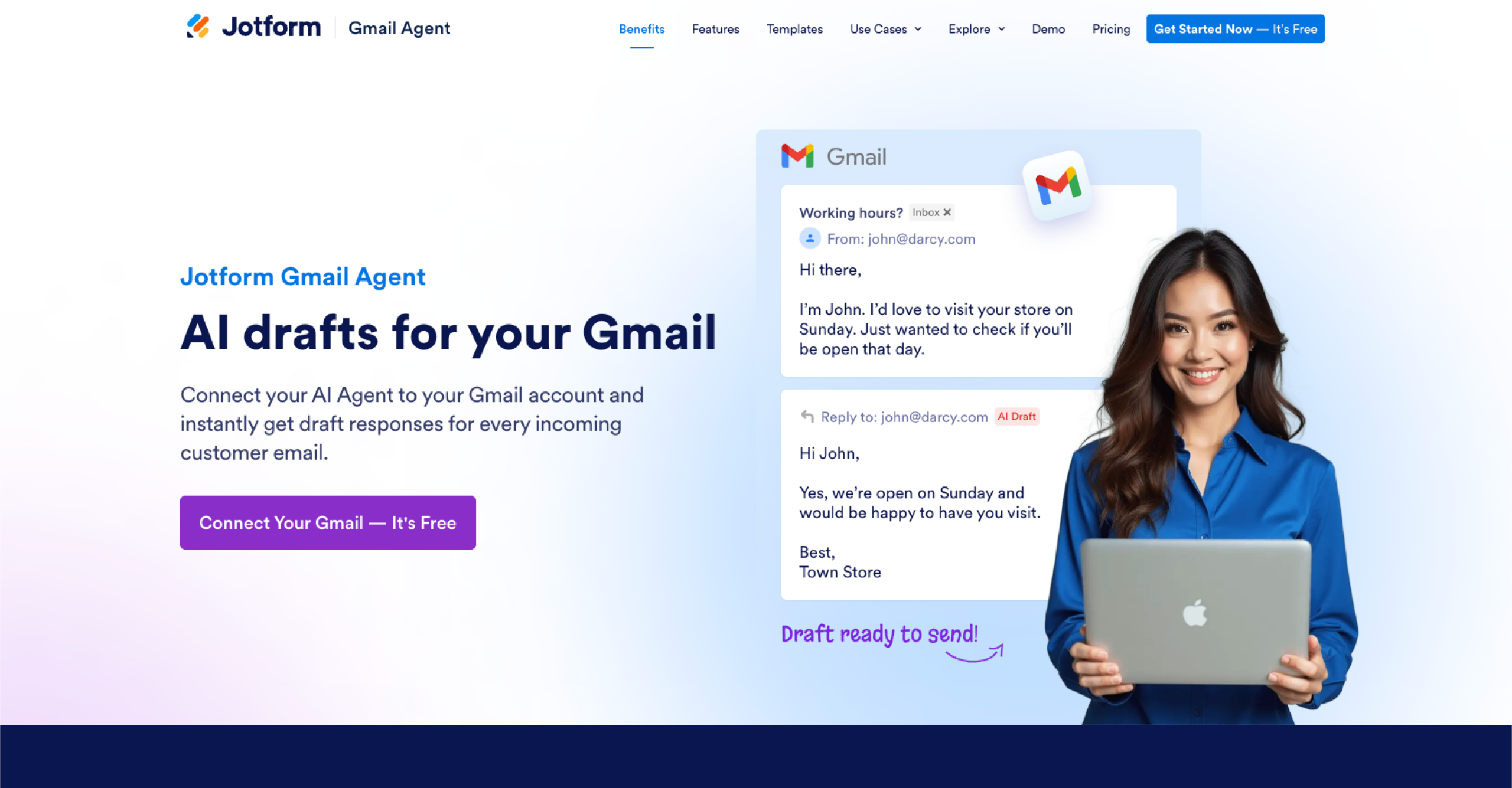
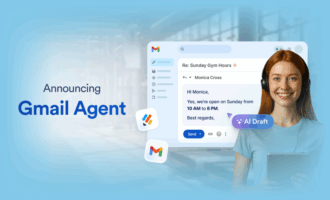
If neither Canary Mail nor Spark feels quite right, there’s another free option: Jotform’s Gmail Agent. It’s an AI-powered email assistant built for professionals who manage their workflow through Gmail.
Whether you’re in customer support, sales, IT, or healthcare, Gmail Agent saves hours by drafting smart, on-brand replies to incoming emails.
Key benefits include
- Faster email responses: Instant AI drafts help you reclaim hours of lost email time. Don’t worry, nothing sends without your approval.
- Style consistency: The AI mirrors your tone and writing style based on your past emails.
- High-end security for free: All Jotform agents have the same security features.
- Email filters and smart labels: To keep your inbox organized.
Collaboration can take place if multiple people have access to Jotform’s dashboard. Plus, the agent is tightly integrated with Jotform’s ecosystem. It works alongside any other Jotform AI Agent (there are over 7,000 templates and agent use cases), and they all pull from the same knowledge base to keep communication consistent across channels.
If you want an AI assistant that works directly in Gmail without switching to a new platform, Jotform Gmail Agent is the smarter, faster, and completely free alternative. Try it today.
Professionals, managers, and privacy-conscious users comparing secure, modern alternatives to Gmail or Apple Mail. Includes tech-forward teams, entrepreneurs, consultants, and remote workers who want automation, privacy, and collaboration.











































Send Comment: