
Canary Mail and Superhuman Mail are two of the best email productivity tools, but they excel in different ways. Canary Mail prioritizes privacy, with end-to-end encryption and advanced security features for professionals who handle sensitive information. Superhuman Mail prioritizes speed with keyboard shortcuts and split inboxes, enabling busy CEOs or consultants to sweep any inbox in minutes.
If you’re torn between these two email clients, then this comparison is a must-read. I’ve reviewed Canary Mail and Superhuman Mail and provided an in-depth analysis of each, including whom they are best suited for, their unique features, and where they overlap.
 Canary Mail |  Superhuman Mail | |
|---|---|---|
| Best for | Privacy-conscious professionals handling sensitive or regulated information (lawyers, journalists, healthcare professionals, consultants) | High-volume email users who prioritize speed and efficiency (executives, founders, marketers, sales teams) |
| Security | End-to-end encryption, Native Pretty Good Privacy (PGP), PrivacyGuard, HIPAA- & GDPR-friendly, secure file sharing | Standard provider-level security for Gmail and Outlook |
| Productive style | Smart prioritization and bulk actions | Speed-first, keyboard-driven workflows built for inbox zero |
| AI capabilities | AI for summarizing threads, drafting replies, and recommending subject lines | Keyboard shortcuts trigger AI auto-complete and smart drafting for fast composition |
| Pricing | Free tier available; paid plans from $3/month | Premium pricing from $25/user/month |
What is Canary Mail?
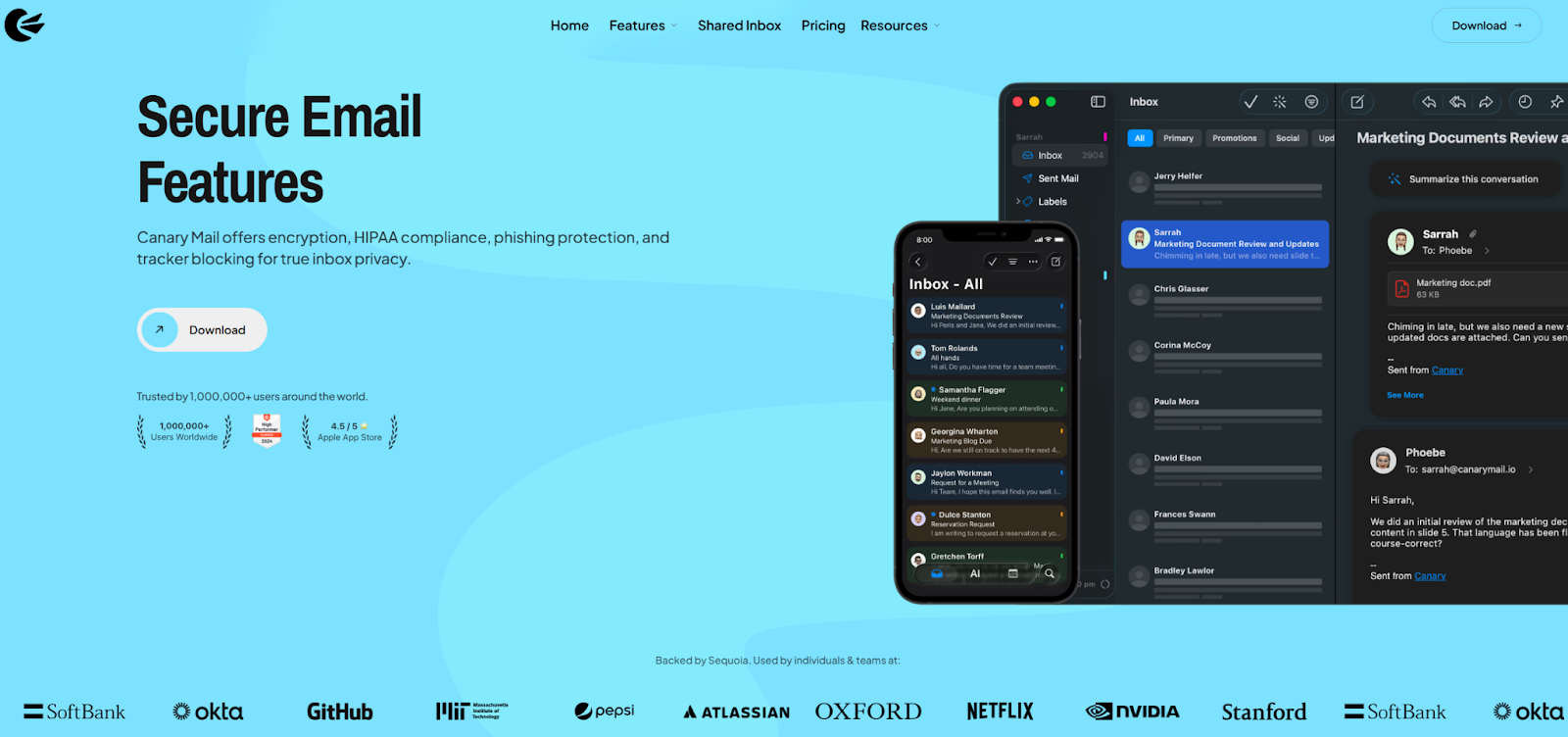
Canary Mail is a secure email client for reading, sending, and managing email, rather than a service that hosts your email address. For example, if you’re a Gmail user, you could use Canary Mail to access your emails instead of logging into Gmail.
Unlike Superhuman, Canary Mail connects to any existing inbox, including Gmail, Outlook, or a custom domain email, provided the inbox supports standard IMAP and SMTP protocols.
Canary Mail is privacy-focused and offers advanced security and productivity features, including
- End-to-end encryption: This ensures that only the sender and recipient can read email content.
- Native PGP: This enables message encryption and sender identity verification.
- Smart inbox features: Message prioritization, read receipts, and fast searches help you stay productive without sacrificing privacy.
Canary Mail is available for iOS, macOS, Windows, and Android, making it easy to maintain a secure workflow across devices.
What is Superhuman Mail?
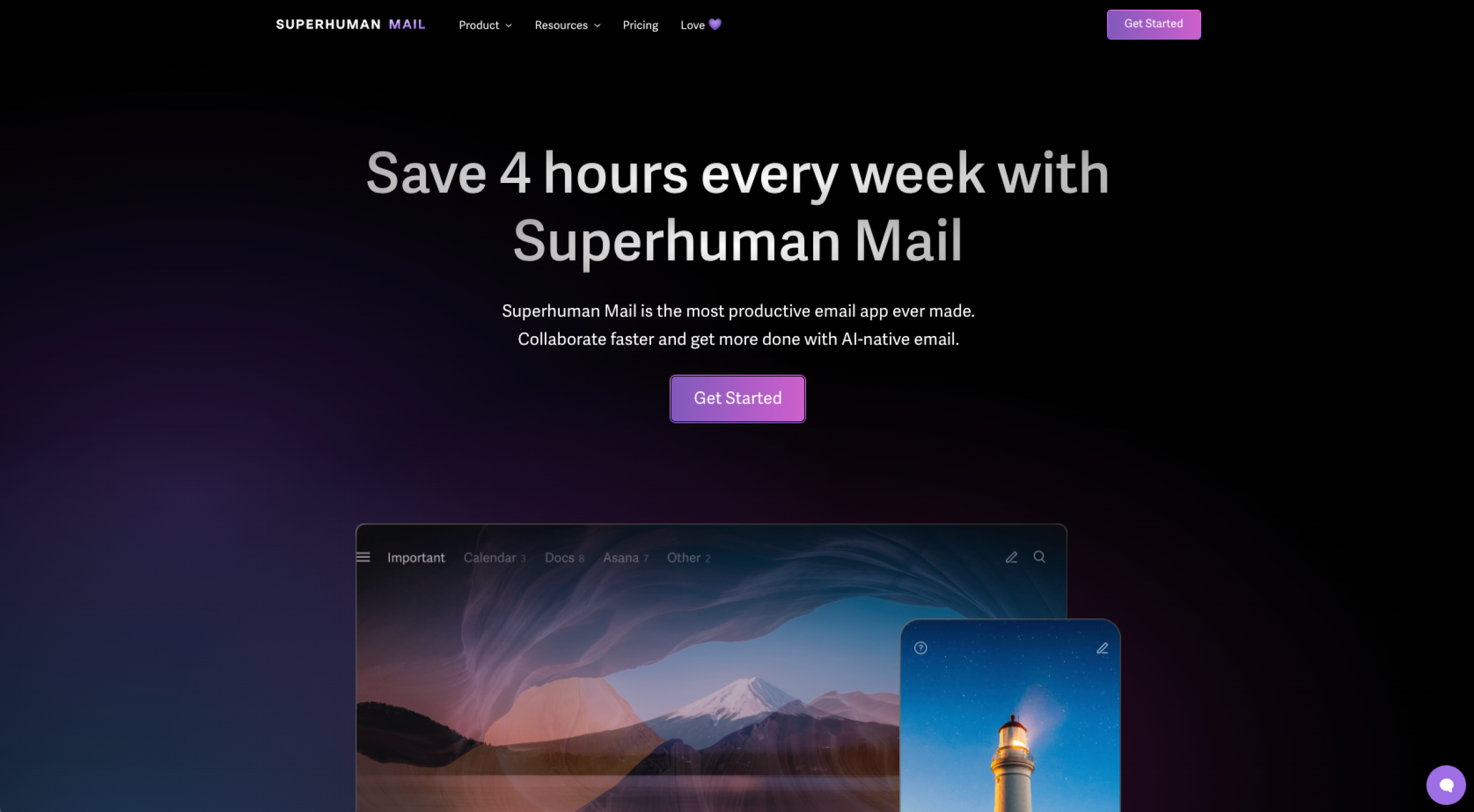
Superhuman Mail is a fast email client built for productivity. It’s ideal for users who want to move through their email as quickly as possible.
Unlike Canary Mail, Superhuman Mail works only with Gmail and Outlook accounts, including Google Workspace and Microsoft 365. It does not support custom domain email unless that domain is hosted on Google or Microsoft.
Superhuman Mail offers
- Keyboard shortcuts: They allow you to read, reply, archive, and triage messages without touching a mouse.
- Split inboxes: You can prioritize important conversations.
- AI-powered assistance: This helps you write emails faster. It can draft and refine replies, turning your prompts into polished messages that match your tone.
Superhuman Mail is available for macOS, Windows, iOS, Android, and the web.
Pro Tip
If Superhuman’s premium pricing or Gmail-only support gives you pause, check out our Superhuman alternatives roundup to compare other high-speed email tools.
Canary Mail vs Superhuman Mail: Which should you use?
Canary Mail is suitable for almost any professional. The platform is security-focused, which makes it a highly desirable choice for those who handle sensitive information, such as
- Lawyers
- Journalists
- Healthcare workers
- Consultants
Superhuman Mail is a great choice for anyone who wants the ease of keyboard shortcuts and speed. It’s popular among
- Executives
- Founders
- Consultants
- Marketers
If you regularly send contracts, medical information, internal company data, or sensitive client communications, Canary Mail’s encryption and privacy controls reduce exposure without forcing you to change how you work. It’s particularly useful for consultants and agencies that manage multiple client inboxes and need flexibility across custom domains.
Superhuman Mail, on the other hand, shines when email is a constant stream. Executives, founders, and sales teams benefit most because the keyboard-first interface and split inboxes turn email into a rapid-fire task rather than a distraction. If email volume is your bottleneck and security is already handled at the provider level, Superhuman Mail can dramatically reduce the time you spend on your inbox.
Key features of Canary Mail
To help you decide whether Canary Mail or Superhuman Mail is right for you, here are the key features for each, beginning with Canary Mail.
End-to-end encryption
Canary Mail encrypts emails so only you and the intended recipient can read them, protecting sensitive information from third parties, servers, and data breaches.
This is particularly important for professionals working across borders or industries with strict data protection requirements. Because encryption happens at the message level, sensitive information remains protected even if an email server is compromised.
Unlike provider-level security, which focuses on protecting accounts, end-to-end encryption protects the content itself. For many users, this distinction is the deciding factor when choosing Canary Mail.
PGP and SecureSend
Canary Mail has built-in PGP support for encrypted communication with other PGP users. At the same time, SecureSend allows you to send encrypted emails even to recipients who don’t use Canary Mail.
Canary Mail’s security component sets it apart as a Superhuman Mail alternative.
Smart prioritized inbox
AI-powered sorting highlights important messages and reduces noise, helping you focus on what actually matters instead of drowning in low-priority emails. Smart prioritization makes sweeping your inbox superfast. And, once prioritized, many emails can be deleted in bulk.
Read receipts
Read receipts notify you when recipients open your emails.
AI Copilot (summarizing and composing emails)
Canary’s AI Copilot summarizes long threads and helps compose clear, professional responses, which saves you time.
Key features of Superhuman Mail
Command palette
Superhuman is well-known for its keyword-driven command menu that lets you perform almost any action without touching your mouse. This lets you sweep your inbox quickly and efficiently. There is a learning curve with this, but if you’re investing in Superhuman, it’s worth doing.
Tip: Make a 10-minute commitment to learn one to five new commands per day, and you’ll be a pro before you know it. For example, here’s a list of Superhuman keyword shortcuts for Mac.
Split inbox
Split inboxes automatically categorize emails so you can process your inbox in focused batches instead of reacting to everything at once. It reduces overwhelm and helps you get into the right headspace. Plus, you’ll probably need to treat categories differently, which also speeds up your inbox sweep. For example, all your VIP contacts will likely need proper replies, but newsletters might be tagged with “read later” or simply deleted.
Snippets
Snippets are reusable text shortcuts that you can send for common replies (for example, intros, follow-ups, or sales pitches).
Read tracking
Read tracking gives you email visibility. You can see when, where, and how often your emails are opened, which helps with follow-ups, deal timing, and engagement insights.
AI autocomplete/smart drafting
AI-assisted writing suggests complete sentences and full replies in your voice, dramatically reducing the time you spend composing emails while also keeping your messages natural and on-brand.
Shared capabilities
Smart inbox
Canary Mail and Superhuman Mail both have a smart inbox feature, but they work differently.
Canary Mail offers security-focused filtering that lets you create additional inboxes based on rules, ensuring sensitive or high-priority messages are sent to specific locations. Canary Mail treats inbox organization as a way to reduce risk and mental load. Its rule-based filtering and prioritization help ensure that sensitive or time-critical emails are never buried, while low-priority messages can be handled in bulk. This is especially useful in regulated environments where missing an important message can have serious consequences.
Superhuman’s split inboxes offer a few categories. By default, you’ll see “Important” (set your VIPs to populate this), “Other” (automated emails, such as those from subscribed email lists), and “Calendar” (emails containing calendar invites and .ici files). There’s also a Split Inbox Library where you can browse and set up splits from a collection of favorites. The goal is momentum. By grouping emails into predefined categories and encouraging fast decision-making, Superhuman helps users process large volumes of email without overthinking each message.
If you prefer control and customization, Canary Mail’s approach will feel more reassuring. If you thrive on speed and structure, Superhuman’s opinionated inbox design is likely more effective.
Read receipts
Both email clients use read receipts.
Canary Mail records only the time stamp and open status and does not collect IP addresses, device types, or location data. Users can enable or disable read receipts in the Canary Mail preferences.
Superhuman Mail read receipts are detailed, sharing a history, including a real-time feed of multiple opens. This insight can help sales professionals in negotiations or when sharing proposals via email.
AI drafting
The differences in AI philosophies between Canary Mail and Superhuman are subtle but important.
Canary Mail’s AI can draft a complete reply based on context. Nothing is sent without your review, and the AI learns to construct emails in your tone. If you want to improve your open rates, as you would in email marketing, Canary Mail AI can recommend subject lines. You can also summarize and edit emails using AI.
Superhuman’s AI can draft and edit, and, in true Superhuman style, you can toggle it on with a keyboard shortcut (Cmd+J or Ctrl+J). You provide a prompt, and Superhuman’s native AI will write the email for you.
Did you know? Canary Mail is already established as one of the best AI email assistants, according to Juliet John. John Boitnott says contextual voice-matching makes Superhuman one of the best AI email generators.
Unique strengths
Both tools share modern email fundamentals, but the main differences lie in their optimization. Canary Mail is built around privacy, compliance, and secure communications, while Superhuman is engineered for speed, flow state, and high-performance email work.
What makes Canary Mail unique
- PGP encryption: Native PGP support enables true end-to-end encryption, making Canary especially well-suited for sensitive, regulated, or confidential communication.
- PrivacyGuard: This blocks tracking pixels, prevents email spying, and alerts you to potential phishing, so your inbox is secure without sacrificing usability.
- HIPAA & GDPR compliance: Canary Mail is designed with strict data protection standards in mind, making it viable for healthcare, legal, and European Union-regulated use cases.
- Secure file sharing: Encrypted attachments and secure delivery options ensure files are protected in transit and accessible only to intended recipients.
What makes Superhuman unique
- Super-fast interface: Every interaction is optimized for speed with keyboard shortcuts and a streamlined user experience (UX) so nothing breaks your flow.
- Keyboard-first UX: Powerful shortcuts and a command-driven interface let experienced users process email without ever touching a mouse.
- Premium onboarding: Training and excellent customer support (I’ve experienced their customer support) help users master workflows quickly, turning email into a competitive advantage rather than a bottleneck.
- Offline support: Full offline functionality enables reading, writing, and queuing emails without an internet connection, ideal for consultants or business professionals who are often on the go.
Key comparison areas
Last, here’s how Canary Mail and Superhuman Mail stack up across the most important factors people consider when choosing email tools.
Speed vs security
Canary Mail leans into security-first principles, prioritizing encrypted communication and safe workflows, even if that adds friction.
Superhuman Mail emphasizes speed-first performance, with lightning-fast interactions and shortcuts designed to help you process email at peak efficiency.
If speed is a priority for you, choose Superhuman Mail. If security is a priority for you, choose Canary Mail.
It’s worth noting that speed and security create different trade-offs. Security-first tools such as Canary Mail may introduce extra steps (encryption settings, confirmation prompts), which can slow things down slightly but reduce long-term risk.
Superhuman Mail removes nearly all friction, assuming trust in Gmail’s or Microsoft 365’s security model. For many users, that’s a reasonable trade-off, but for regulated industries, it may not be enough on its own
AI features & writing help
Both tools include AI-assisted drafting and summarization, but Canary Mail can reply automatically, whereas Superhuman needs your prompt first.
Cross-platform support
Consider where you work most often. Canary Mail supports major desktop and mobile platforms with a focus on consistent, secure experiences. Superhuman Mail also spans devices, often with very tight integration and real-time sync to maintain momentum across laptops and phones.
Unlike Superhuman, Canary Mail connects to any existing inbox, including Gmail, Outlook, or a custom domain email, provided the inbox supports standard IMAP and SMTP protocols.
Email client UX & design
Canary Mail’s UX centers on clarity, security cues, and intelligent organization. Superhuman’s design is hyper-optimized for keyboard navigation, minimal visual clutter, and performance-driven workflows.
Pricing & value
Pricing depends very much on your needs and priorities. Canary Mail is significantly cheaper than Superhuman, so if budget and value are important to you, Canary Mail is a no-brainer. But if you want a slick UX and an efficient email process, then paying for Superhuman is a must.
Tip: Calculate how much time (and, therefore, money) you’d save if you could sweep your emails faster than ever.
Did you know?
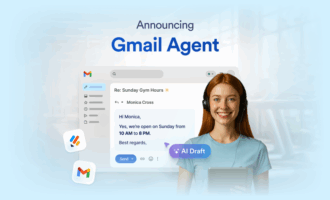
Jotform offers a free alternative to Canary Mail and Superhuman Mail. Jotform’s Gmail Agent enhances the email experience for Gmail users. You can speed up replies using AI, categorize emails with smart labels, automate with key software, and train the AI on your sent emails so the AI matches your tone. Try it for free, without signing up, here.
Pricing & plans
Sometimes decisions about which email client to use center on budgets. Here are the pricing and plans for each tool.
Canary Mail
- Growth: $3 per month
- Pro+: $10 per month
You can start using Canary Mail for free.
Superhuman
- Starter: $25 per user, per month
- Business: $33 per user, per month
If your budget is tight, it’s Canary Mail all the way. But if you’re looking for unmatched productivity and you’re willing to pay for it, choose Superhuman.
When evaluating pricing, it’s helpful to think in terms of cost per hour saved versus cost of risk avoided. Canary Mail delivers strong value for individuals and teams that need security without enterprise pricing. Superhuman’s cost is easier to justify when email speed directly affects revenue, deals, or executive productivity.
Final comparison table
Canary Mail | Superhuman | |
|---|---|---|
| Pricing | Budget-friendly; free plan is available and paid tiers start low, making it accessible for individuals and teams | Premium-only pricing aimed at professionals who value time savings over cost |
| AI features | AI for automatic replies, summarization, editing, and subject-line suggestions with a privacy-first approach | AI drafting and auto-complete focused on speed, triggered via keyboard shortcuts and user prompts |
| Security tools | End-to-end encryption, Native PGP, SecureSend, PrivacyGuard, HIPAA- & GDPR-aligned | Relies on Gmail/Outlook security; detailed read tracking and engagement visibility |
| Platforms | iOS, macOS, Windows, Android | macOS, Windows, iOS, Android, web |
| Ideal use case | Secure, compliant email for professionals handling confidential or regulated information | High-speed email processing for executives, founders, and power users managing large inbox volumes |
Need more than just filters or speed? Try Gmail Agent
If your priority is privacy and protection, Canary Mail is the clear choice. If you want maximum speed and inbox efficiency, Superhuman earns its premium.
But there’s a third option worth calling out: Jotform’s Gmail Agent. While Canary and Superhuman focus on how you manage email (safer vs faster), Gmail Agent focuses on how you respond, helping you write better replies with far less effort.
Even better news? Gmail Agent is completely free.
Gmail Agent is built for professionals who run their workflows via Gmail. It drafts smart, on-brand responses, filters out emails that don’t need replies, and keeps you fully in control; nothing is sent without your approval.
And because it integrates tightly with Jotform and Jotform AI Agents, it ensures consistent communication across forms, inboxes, and teams.
Privacy-conscious professionals and productivity-focused users comparing two distinct email clients—one built around security (Canary), the other around speed (Superhuman).









































Send Comment: