
Most businesses choose their e-commerce platforms based on the monthly fee. But then the real costs appear: integration conflicts that halt checkout at peak sales times or the need to pay developers $150 an hour to update a trivial element in the shop. Add performance bottlenecks due to poor hosting and hidden technical debt that grows every time you patch instead of rebuilding, and you find that your shop is no longer a launchpad — it’s a growth ceiling that’s limiting your potential.
This is exactly why the Magento vs WooCommerce comparison matters. Both are robust and capable platforms, but each takes a different approach. Magento is technically more complex but delivers enterprise-grade power, while WooCommerce is faster and simpler but requires careful architecture as you scale. (Note that Adobe Commerce vs WooCommerce represents the same comparison at the enterprise tier, as Adobe Commerce is the paid, managed version of Magento.)
In this article, we’ll explore the trade-offs so your shop can become a business accelerator rather than a headache to manage.
Magento vs WooCommerce at a glance
 Magento (Adobe Commerce) |  WooCommerce | |
|---|---|---|
| Best for | Mid-to-large businesses, B2B, multi-brand operations with development teams | Small-to-medium businesses, content-driven stores, WordPress users |
| Technical expertise required | High: requires developers for setup, maintenance, customization | Low-to-moderate: non-technical users can manage with plug-ins |
| Time to launch | Weeks to months (complex setup, server configuration, DevOps) | Hours to days (guided setup, one-click install) |
| Out-of-the-box features | Enterprise-grade: multi-store, marketing tools, advanced product options & more | Solid e-commerce core extended through 50,000+ plug-ins |
| Scalability | Built for high traffic & massive catalogs (1,000s of SKUs) | Scales well with optimization & proper hosting |
| Pricing model | Free (open source) + hosting costs or $22+K/yr. (Adobe Commerce) + developer costs | Free plug-in + hosting ($30–$500/mo.) + extensions |
| Typical total cost | High: enterprise hosting, developer fees, premium modules | Low-to-moderate: affordable hosting, cheaper plug-ins |
| Customization | Unlimited but requires coding expertise | Flexible via themes/plug-ins, minimal coding needed |
| Performance | Optimized for enterprise loads (with Varnish, Redis, Elasticsearch) | Fast on lightweight setups, can lag with many plug-ins |
| Content marketing | Requires blogging module | Native WordPress blogging & SEO tools included |
| Multi-store management | Built-in: manage multiple brands from one install | Requires multi-site setup or third-party solutions |
| B2B features | Advanced Magento B2B available via Adobe Commerce (quotes, company accounts, custom pricing) | Via plug-ins |
| Developer dependency | Ongoing: for updates, customization, troubleshooting | Optional: plug-ins can handle most needs |
| Ideal business size | Medium to enterprise (50+ SKUs, high GMV) | Startup to mid-market (launching to scaling) |
TL;DR: Magento vs WooCommerce — Which one should you choose?
Magento is better for mid-sized to large businesses that need enterprise-grade power, complex catalog management, and multi-store capabilities, but it does require dedicated developers for setup and maintenance.
WooCommerce is ideal for small and medium-sized businesses (SMBs) that want to launch quickly without technical overhead, especially if they’re already using WordPress or need strong content marketing tools.
The deciding factor: Do you have (or can you afford) a development team? If yes, choose Magento. Do you want to get online fast and manage it yourself? If yes, choose WooCommerce.
What is WooCommerce?
WooCommerce for WordPress is a free, open-source e-commerce plug-in that lets you turn your website into a fully functional online store. It runs on top of the WordPress content management system (CMS), using the same interface, themes, and plug-in framework. With WooCommerce, you can manage products and content from one dashboard. This duo currently powers over four million stores worldwide, making it one of the most popular e-commerce platforms on the web.
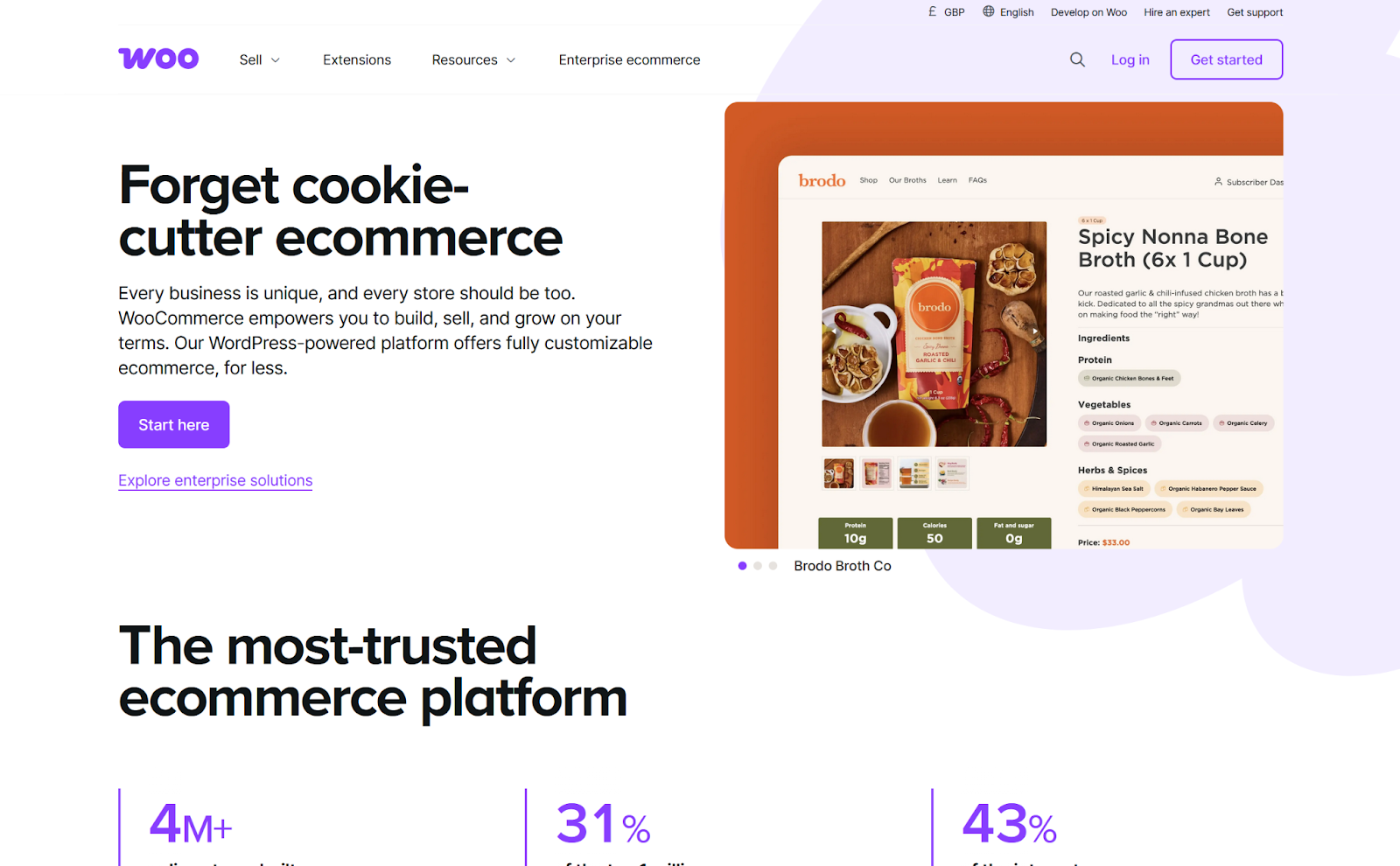
WordPress itself grew big during the blogging era as a tool to simplify publishing, saving people from having to deal with messy HTML files. Over time, it has evolved into a CMS capable of handling everything a website needs, like static and dynamic pages, media, user management, and themes for layout design. WooCommerce extends this foundation by adding e-commerce functionality in the form of product listings, checkout, and payment processing.
When I first used WooCommerce six years ago, it felt like the classic WordPress plug-in experience: You installed it, activated it, and pieced together your store through trial and error, leaving a tab open on the documentation. Today, the onboarding flow is far smoother. Guided setup takes you through each key step, from adding your first product to configuring payments and shipping, all within the familiar WordPress admin area.
WooCommerce handles the essentials right out of the box, while themes and plug-ins let you extend it in any direction, whether you’re looking for marketing automation or inventory control. That said, as your store grows, you will need to think about optimization and stability. Here are a few examples of the challenges you’ll likely face:
- Too many plug-ins can degrade performance or create conflicts that break functionality.
- Product searches get slower as your catalog grows, requiring you to optimize search for speed and relevance.
- More traffic adds complications: You’ll need more server resources to handle the increased load, as well as a content delivery network (CDN) to serve your shop fast wherever your customers are.
- Security needs require proactive management with WordPress plug-ins such as Wordfence for cyberattack protection or Jetpack for backup and restore tools, among others.
WooCommerce performs well for most small to mid-sized stores on a standard hosting setup with moderate traffic and about 2,000–5,000 products. Investing in optimization starts after this point: If you’re already at this stage with a basic setup and a hot product goes viral, the additional demand could grind your shop to a halt.
Key features of WooCommerce

- Seamless WordPress integration for content and commerce
WooCommerce provides access to the world’s most popular CMS alongside your store. Manage products, blog posts, landing pages, and media from a single dashboard. Ideal for content-driven businesses that want to combine SEO-optimized content marketing with e-commerce, WooCommerce helps you turn blog traffic directly into sales without the need to manage separate platforms. - No-code setup and management
Launch your store without writing a single line of code. WooCommerce’s guided onboarding walks you through product setup, payment configuration, and shipping options in plain language. And WordPress’s visual editors and drag-and-drop page builders let nontechnical users design storefronts, create product pages, and manage daily operations. When you need help, there’s also extensive documentation and a large community of users who’ve solved similar problems. - 50,000+ WooCommerce plug-ins for unlimited extensibility
Extend your store’s functionality using the WordPress plug-in ecosystem. Need subscription billing? There’s a plugin for that. Want advanced inventory management? There are multiple plug-in options available for that too. Most solutions offer both free and premium versions, giving you the flexibility to start lean and add features as you grow. - Flexible hosting options with full cost control
Unlike software-as-a-service (SaaS) platforms with fixed pricing tiers, WooCommerce lets you choose your hosting provider and scale resources based on your actual needs. Start with affordable shared hosting at $30 per month, then upgrade to managed hosting as traffic grows or move to enterprise infrastructure when needed. You control the performance-to-cost ratio at every stage, making it easier to manage margins as your business evolves. - Digital and physical product support out of the box
WooCommerce helps you sell physical products with inventory tracking and shipping calculations or digital products, like e-books, courses, and software, with automatic delivery. Handle both in the same store without complex configuration or separate systems. You can also add product variations (sizes, colors, etc.), set up grouped products, manage stock across locations, and configure tax rules.
Pricing and value approach of WooCommerce
Both WordPress and WooCommerce are free to use, but running a shop requires investment in hosting, payment processing, and potentially premium extensions.
In terms of hosting, avoid fully shared hosting, as that would require you to share resources with other shops, which could lead to slowdowns. For managed hosting, you can expect to pay between $30 and $500 monthly, depending on site traffic, performance features, and product catalog size.
While there are a lot of good free themes and plug-ins, you may want to pay for premium versions to unlock their entire feature sets. This can add anywhere from $200 to $2,000 annually, depending on how many plug-ins you choose to buy.
Payment processing is also handled separately, as this depends on which processor you choose. One of the most popular options is Stripe, which starts at a 2.9 percent + $0.30 fee per transaction in the US. (These rates vary by country, payment method, and card type.)
How WooCommerce connects with the Jotform AI Chatbot for WordPress
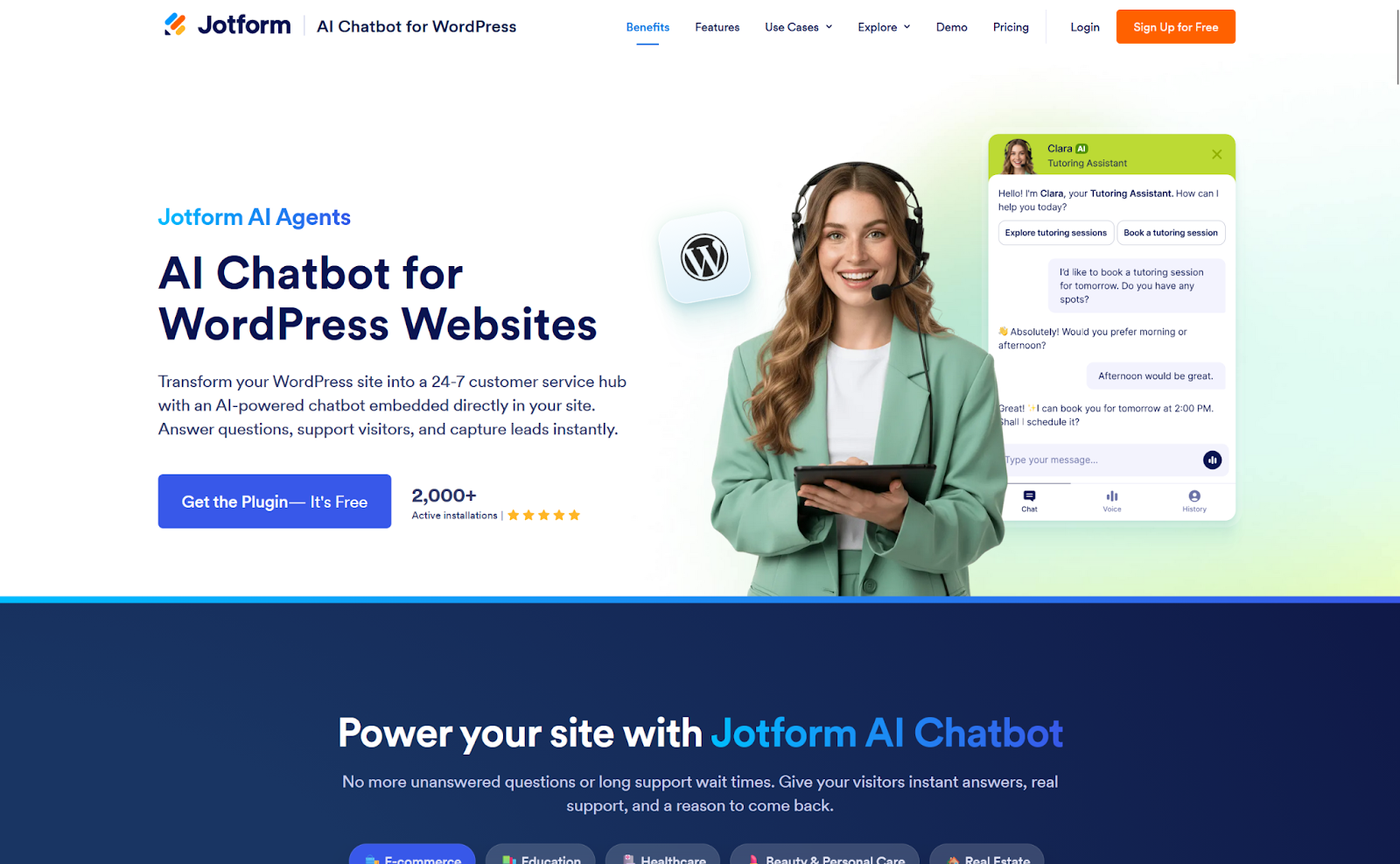
The Jotform AI Chatbot for WordPress plug-in lets you create and train a no-code chatbot directly on your WordPress site. After installing WooCommerce, the AI agent automatically trains on your content, products, and order data to answer customer questions, assist with purchases, and help convert abandoned carts.
The WP Chatbot securely accesses and trains on your shop data to provide accurate responses. All content remains stored on your WordPress site and is only routed through Jotform’s servers to generate replies. No data is shared publicly or used to train public models at any time.
Once published, your AI chatbot will appear in the bottom corner of your shop. Users can then input messages and get instant responses to their questions. And since the WP Chatbot is part of the larger Jotform AI Agents platform, you can easily integrate it with other communication channels, such as WhatsApp, Gmail, or phone.
Key capabilities of your Jotform WP Chatbot:
- Product Q&A: Answers questions about product details, availability, and variations using your live WooCommerce data
- Order assistance: Provides order status updates through secure, verified identifiers
- Cart recovery nudges and upsell suggestions: Detects abandoned carts and suggests related products to encourage checkout
- Auto-training: Continuously updates its knowledge from your shop content and FAQs, using multilingual support
Developers and shop owners use the Jotform WP Chatbot as an easy, lightweight way to add AI-powered support to WooCommerce stores without technical overhead.
What is Magento (Adobe Commerce)?
Magento is an open-source e-commerce platform built in PHP that lets businesses create fully customizable online stores. It’s available for free via the Magento Open Source edition and in a paid package via Adobe Commerce, which unlocks enterprise-grade features. With built-in tools for product management, SEO, multi-store functionality, and seamless integrations, Magento provides the scalability and control needed to build growth-ready e-commerce experiences.

Let’s get to the heart of how and why Magento is so technical: Every e-commerce feature is a module, so you can add, remove, or rewrite code to change the functionality in any way you want. All modules plug into the core infrastructure, which is optimized for this development philosophy, ensuring stability and consistency as you add more features to your store.
From a business perspective, this allows you to extend your shop in any direction as market demands evolve. Want to optimize checkout depending on the user’s device? You can build exactly what you need by extending the native checkout module or coding a new one to match your branding, user experience goals, and marketing funnels for cross-selling or up-selling opportunities.
Beyond customization, Magento keeps in mind that stores may one day manage millions of products, where speed and efficiency become critical. To meet that challenge, it includes tools that accelerate product searches, caching, and content delivery. To further improve speed and security, you can also disable modules you don’t need. When that particular code isn’t compiled and doesn’t run, it eliminates potential attack vectors that hackers could otherwise exploit.
The price to pay for this kind of power is developer-grade complexity. Magento requires a combination of software development skills to build and configure the shop and DevOps skills to spin up the servers, containers, and services that make it run smoothly. As a semi-technical user with a ChatGPT subscription, it took me about four hours to get a test version running locally on my computer. The good news? Once installed and running, the shop’s back office is a no-code environment: You can add your marketing team, and they can manage the store without having to call IT.
Key features of Magento

- Multi-store management from one installation
Run separate storefronts for different brands, regions, or customer segments, all managed from a single Magento backend. Configure unique product catalogs, pricing, currencies, and languages for each store while also sharing inventory and customer data across your entire operation. This is ideal for businesses that are managing multiple brands or expanding internationally, as it does not require multiplying infrastructure costs. - Native business-to-business (B2B) commerce capabilities
While Magento handles standard business-to-consumer (B2C) operations, its B2B module (included in Adobe Commerce) adds wholesale and enterprise sales features as well. Those features include custom pricing by customer account, quote requests and negotiations, requisition lists for repeat orders, company account hierarchies with approval workflows, and purchase order systems. This official Adobe module is well integrated into the platform’s core architecture. - Enterprise-grade scalability and performance
Magento is designed to handle massive catalogs (100,000+ SKUs) and high-traffic volumes without degradation. It includes built-in Elasticsearch support for fast product search, Varnish caching for rapid page delivery, and Redis caching for user session storage. These technologies help your store scale from startup to enterprise without migrating halfway. - Advanced product catalog management
Magento lets you create complex product relationships with configurable products (size and color variants), grouped products, product bundles, and virtual or downloadable products. You can also build deep category hierarchies, set up automated related products and cross-sells, manage customer-specific pricing rules, and handle inventory across multiple warehouses. - Flexible extensibility through modules and APIs
Extend the platform’s functionality by building custom modules, installing pre-built Magento extensions from Adobe Commerce Marketplace, or integrating with external systems via REST and GraphQL application programming interfaces (APIs). Magento’s modular architecture means you can customize every aspect of your store’s behavior without modifying the core code.
Pricing and value approach of Magento
Magento Open Source includes all core e-commerce features, and it’s free to use. Both Magento Open Source and Adobe Commerce share the same base code, but the latter adds managed hosting, enterprise support, and advanced modules like B2B capabilities.
Adobe Commerce pricing starts at $22,000 annually and can reach $125,000 or more, depending on your gross merchandise value, average order value, and infrastructure needs. Beyond the license fee, you’ll also need to budget for developer costs. If you don’t have an in-house team, this can range from $50 to $250 per hour for ongoing customization and maintenance.
The choice between Magento Open Source and Adobe Commerce depends largely on whether you already have an in-house developer team and whether you’re capable of starting at the above price point. When setting up Magento as a self-hosted e-commerce solution outside of Adobe, most small- to medium-sized stores cost between $60 and $1,000+ monthly. This is only cost-effective if you have an in-house dev team; if not, you could be looking at initial deployment costing $10,000–$100,000 and ongoing maintenance and support at $50–$100 per hour.
Magento vs WooCommerce: Which one should you choose?
Here’s what this e-commerce platform comparison boils down to.
Choose Magento if
- You manage large or complex product catalogs across multiple brands and/or locales, and you want to create multiple store views in a single install to serve each selection as needed.
- You have a B2B focus and need to set up quotes, company accounts, or custom pricing.
- You need fine-grained roles and permissions for an entire team with multistep approval flows, staged content, and advanced workflows.
- You have a dedicated technical team (in-house or agency) that can handle everything from initial setup to ongoing maintenance, security, and optimization.
- You want a headless e-commerce infrastructure. In practice, this means that Magento hosts your products, payment, and e-commerce workflows, and you can connect it to any channel you’d like to offer your store on, such as a native mobile app on iOS, a partner website, or at a point-of-sale screen in a physical shop.
- You have a generous budget to invest into your e-commerce shop.
Choose WooCommerce if
- You want to deploy an e-commerce shop quickly and without a team of developers. Both WordPress and WooCommerce are accessible to nontechnical people, with a breadth of help content to support you even if you’ve never built a website before.
- You want to combine content and commerce. WordPress is excellent for SEO and content management, making it easy to build and run a blog alongside your store, so you can capture traffic, convert it, and fulfill orders.
- You prefer a no-code, easy, plug-in–based framework where you can add, test, or remove functionality from your shop.
- You want flexible hosting options that give you control over costs, performance, and features at every point of your scaling trajectory.
- You value lower ongoing costs and simpler hosting when compared with Magento’s heavier infrastructure needs.
Magento and WooCommerce: Key similarities and differences
Both Magento and WooCommerce have rich ecosystems and are serious e-commerce solutions. The main tradeoff lies in the enterprise depth of the former versus the operational simplicity of the latter.
Where do they overlap?
Both Magento and WooCommerce
- Are extensible with modules or plug-ins, with a wide range of options available in both ecosystems
- Have a no-code back office to run your shop day to day
- Can support recurring subscriptions, discounts, promotions, and SEO
- Offer an API for custom integrations (this enables headless commerce via WordPress, though Magento is stronger in this field)
- Have broad payment processor integrations and can support multiple shipping setup options
What makes each tool unique?
Magento has a better product catalog infrastructure, with its multi-website framework and store views. It includes strong B2B sales features via Adobe Commerce, supports advanced user roles and enterprise-level workflows, and is better suited for a headless e-commerce infrastructure.
WooCommerce leverages its WordPress synergy to combine e-commerce with content and full access to the WP plug-in ecosystem. It’s faster and easier to set up, has accessible design and theme tools, and offers a direct Jotform WP Chatbot integration to provide AI-powered assistance as your customers browse your shop.
One final note about extending either of these platforms with modules or plug-ins. Magento works like LEGO, letting you replace pieces and plug them back into the main building: As long as all the dependencies fit, the structure stays robust. WooCommerce is more like a Christmas tree: Adding too many decorations (i.e., plug-ins) can burden the structure and sometimes create conflicts if they’re in the same branches.
Making the choice: Magento or WooCommerce?
Your decision comes down to three key factors: technical resources, budget, and time frame to launch. Beyond that, the best platform is the one that matches your current reality, size, and growth goals. Neither platform is weak — both power successful businesses. And if you prefer a more guarded strategy, starting with WooCommerce and migrating later to Magento is also a viable course of action.
Ready to move forward now? The easiest way to test Magento without spinning up test environments is to sign up for a demo with the Adobe Commerce team. As for WooCommerce, you can get started using a local WordPress development tool called Local WP, which is free and reasonably easy to install.
If neither platform meets your requirements, check out other WooCommerce alternatives and see what other options might be a better fit.
This articles for store owners, ecommerce managers, technical marketers, and engineering leads deciding between a highly customizable, developer-first ecommerce platform (Magento/Adobe Commerce) and a WordPress-native plugin (WooCommerce).























Send Comment: