
Top Trengo alternatives
- Jotform Gmail Agent: Best for teams that rely heavily on Gmail for customer communication
- Front: Best for advanced collaboration and automated routing
- Zendesk: Best for a full customer support suite and enterprise-grade scale
- Intercom: Best for conversational, AI-infused support and proactive engagement
- Help Scout: Best for small to midsized teams that want a simple solution
- Crisp: Best for small businesses looking for a CRM and customer support solution
- Tidio: Best for AI-powered live chat and e-commerce
- Missive: Best for internal communication
When customers shop online, they use multiple channels to connect with your brand. Over all of these channels, expectations for customer support are still high (as they should be), and brands are under pressure to deliver a top customer experience, all while maintaining budgets and staff morale.
In this environment, omnichannel communication platforms and shared inbox tools have become must-haves for many businesses. Trengo is a strong contender, but there are many alternatives.
In this guide, I’ve researched eight Trengo alternatives. The tools offer comparable (and, in some cases, more advanced) shared inbox, automation, and omnichannel communication features. I’ve detailed the best applications for these tools and their key features, pros, cons, and prices, so you can save time finding the right solution for you.
What is Trengo, and why look for alternatives?
Trengo, an omnichannel communication and shared inbox platform, helps teams manage all customer conversations from a single dashboard. It brings together channels such as email, WhatsApp, Messenger, Instagram, live chat, and SMS, allowing businesses to deliver fast, consistent support without switching between tools.
The platform is known for its collaborative workflows, which enable teams to assign conversations, add internal notes, and automate responses using rules and templates.
However, some limitations cause customer support teams to seek Trengo alternatives. For example, the pricing scales with the number of users and conversations, so as your business grows, so does the cost of Trengo (and it’s not cheap to begin with). Trengo also has limited reporting features (compared to other enterprise tools) and limited customized automation.
Key features to look for in a Trengo alternative
If you want to replace Trengo, you likely want a tool that has
- Shared inbox and omnichannel support: Bring all your communication channels into one shared inbox, so your team never misses a message.
- Team collaboration features (such as assignments and internal notes): Make light work of collaboration; ensure smooth, efficient handoffs; and provide consistent customer experiences.
- Automation and AI capabilities: Cut response times dramatically, reduce manual effort, and help teams maintain quality at scale.
- Integration breadth: Decrease time spent on administration tasks. Before committing, figure out which integrations you need (e.g., CRM, help desk, or e-commerce platform) to get the most out of your chosen tool.
- Flexible pricing and scalability: Make sure you communication tool grows with you and is affordable. Look for pricing models that stay within your budget while offering the flexibility to add users, channels, and automation features.
- Reporting and analytics depth: Make better, data-driven decisions. Determine how much data you want, and choose a tool accordingly. More robust analytical features tend to come at a higher price.
A quick glance at Trengo alternatives
| Tool | Best for | Pricing |
|---|---|---|
 Jotform Gmail Agent |
Teams using Gmail for customer communication |
Free; Packages start at $34/month |
 Front |
Interactive surveys |
Free – $83/month |
 Zendesk |
Full customer support suite and enterprise-grade scale |
Packages start at $19/month |
 Intercom |
Conversational, AI-infused support and proactive engagement |
Packages start at $29/month |
 Help Scout |
Small to midsized teams that want a simple solution |
Free; Packages start at $50/month |
 Crisp |
Small businesses looking for a CRM and customer support solution |
Free; Packages start at $45/month |
 Tidio |
AI-powered live chat and e-commerce |
Packages start at $24.17/month |
 Missive |
Internal communication |
Packages start at $14/month |
The 8 best Trengo alternatives for 2026
1. Jotform Gmail Agent: Best for teams that rely heavily on Gmail for customer communication
If your team manages customer communication through Gmail, then Jotform’s Gmail Agent is the best and most affordable solution.
And it’s completely free.
Its advanced AI features help teams handle emails faster and more efficiently, and if you train it on your tone and brand style, as well as previous emails, you won’t lose that personal touch customers expect.
Key features
- The tool’s generative AI can draft brand-consistent replies, which sit in your inbox until you’re ready to review, edit, and send them. Nothing is sent without your review. Jotform’s Gmail Agent is considered one of the best AI email generators.
- Smart Labels help you manage your inbox. You can set labels such as “Waiting for reply,” “Needs a reply,” or “Done.” I particularly like this feature, as it helps you see your emails’ statuses at a glance.
- The Priority email filter helps you handle your workload and prioritize the most important emails first.
- The Jotform Gmail Agent is protected by the same security and safeguards as all Jotform AI Agents. The tool is GDPR compliant and certified under Cloud Application Security Assessment Tier 2 and the Payment Card Industry Data Security Standard. Other security pros include two-factor authentication and HIPAA-friendly features.


Pros
- Jotform has over 7,000 templated AI agents: These templates enable you to start your agent journey quickly and easily. Explore the Jotform AI Agents directory. Use the templates, or customize them.
- The Jotform Gmail Agent integrates with the broader Jotform ecosystem: If multichannel communication is important, you can still excel with Jotform! The platform has AI agents for just about every application, including WordPress, smartphones, SMS, Facebook Messenger, Instagram, WhatsApp, and Shopify. Once you’re using Jotform’s solutions, you can manage everything from one dashboard.
- The agent is part of Jotform’s larger customer service suite: These tools include Jotform Tables CRM templates, Jotform Workflows, and the Jotform Chatbot Builder.
Cons
- HIPAA-compliance features are available only on the Gold plan.
- The free plan is Jotform branded, but you need only upgrade to the Bronze plan to remove that branding and add your own.
Plans and pricing
- Free: For up to five agents
- Bronze: $34 per month, billed annually
- Silver: $39 per month, billed annually
- Gold: $99 per user, per month, billed annually
G2 rating: 4.7/5 (over 4,500 reviews)*
Pro Tip
See this Trengo alternative in action. Test the agent with any of your emails. You don’t even have to sign up. Try it free here.
2. Front: Best for advanced collaboration and automated routing
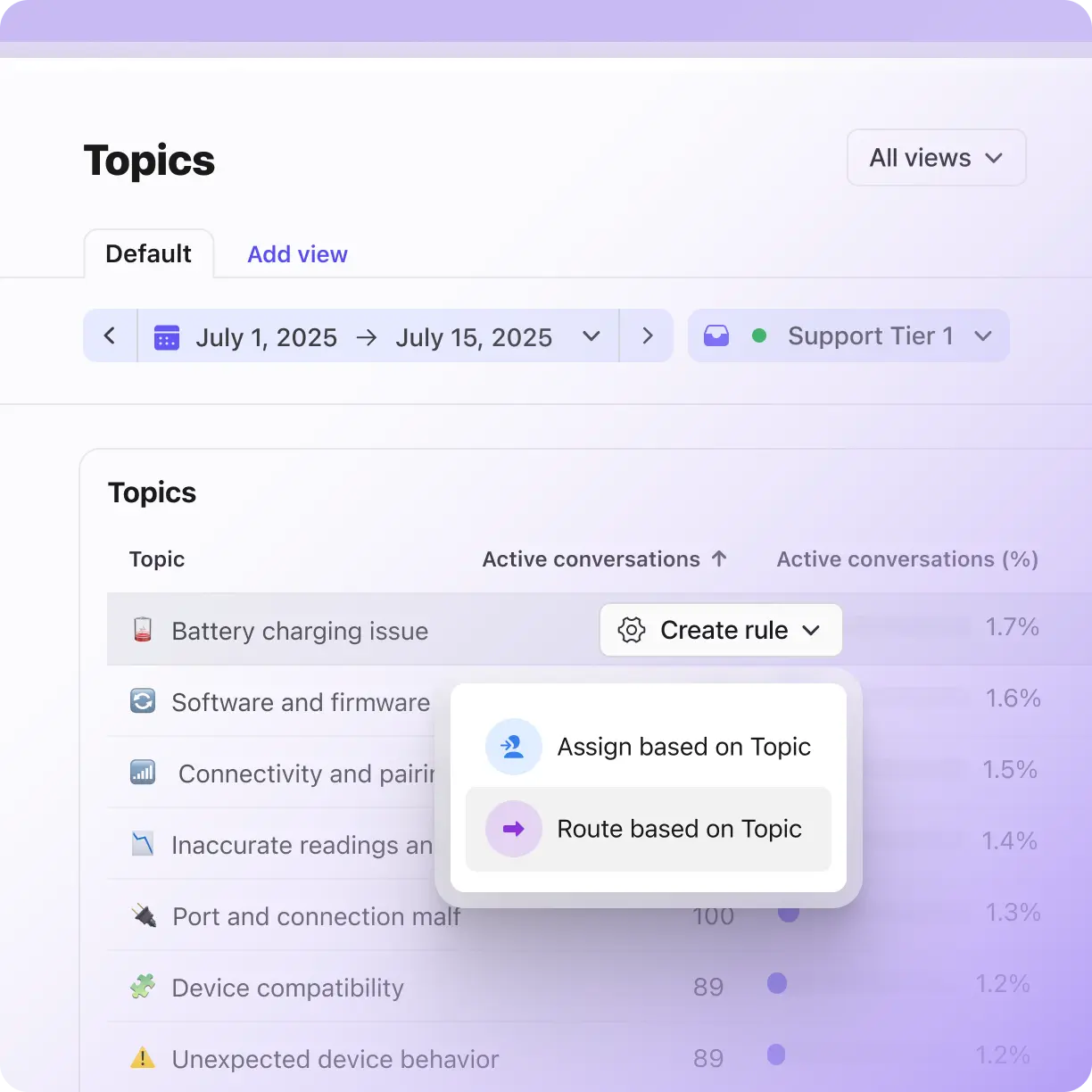
Front is one of the best shared inbox tools. It’s credited for AI and collaboration features that allow teams to work together seamlessly.
Key features
- AI topics: This feature allows you to categorize an email based on its content, so you know whom to route it to without reading the entire email. Automation tools can take on the work of routing topical emails to the right teammates.
- Co-pilot: This function drafts replies that maintain brand consistency, boost customer service, and save human agents’ time.
- Autopilot automations: You can control the settings for which clients receive automated responses.
Pros
- Shared inbox with multichannel support: You can manage email, SMS, social media, and chats in one shared inbox, so teams see everything in one place.
- Collaborative workflows: Your teamwork is enhanced with internal comments and mentions that allow you to assign threads to teammates, leave internal notes, and bring others into the conversation without interrupting the customer.
- Service-Level Agreement (SLA) and escalation management: You’ll never reply late with these features. You can define SLAs by inbox or team and trigger escalations or alerts when response times are approaching.
Cons
- Complex message threads can be frustrating to manage. Users also face challenges retracting sent messages in shared inboxes.
Plans and pricing
- Starter: $25 per seat, per month, up to 10 seats, billed annually
- Professional: $65 per seat, per month, up to 50 seats, billed annually
- Enterprise: $105 per seat, per month, billed annually
G2 rating: 4.7/5 (over 2,000 reviews)
3. Zendesk: Best for a full customer support suite and enterprise-grade scale
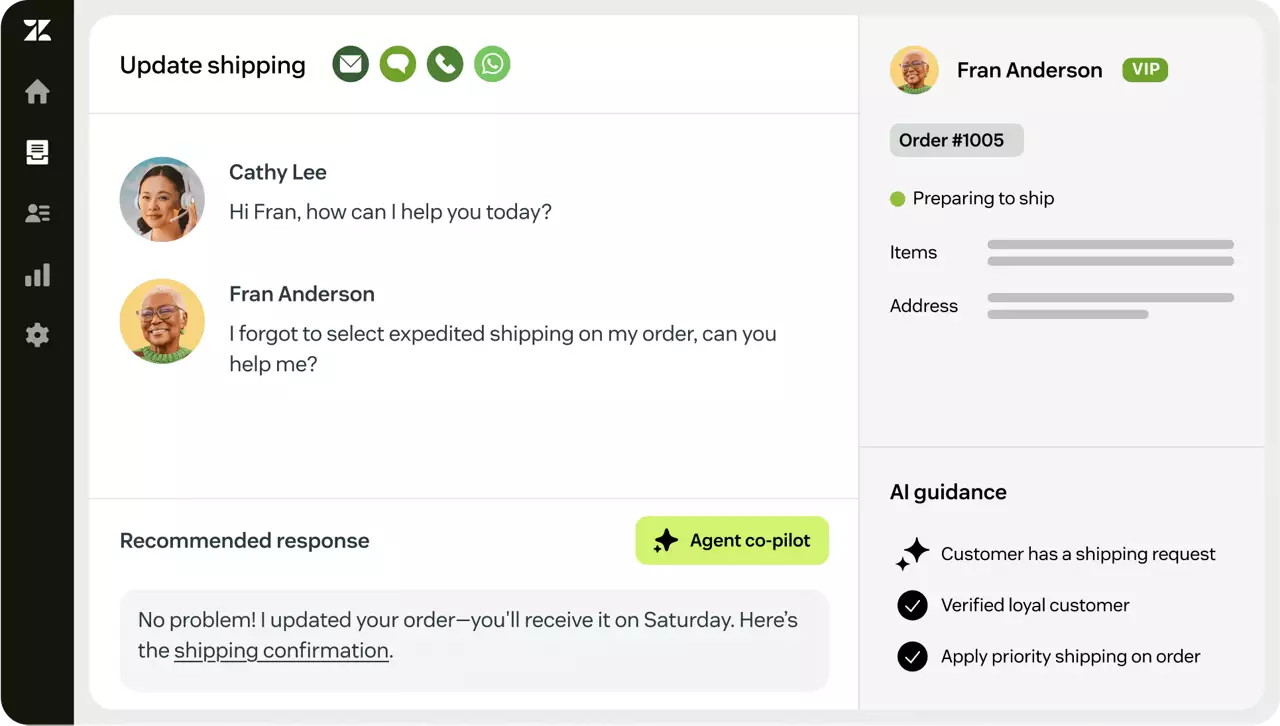
If you need more than a shared inbox, Zendesk is one of the top Trengo alternatives. This complete customer support platform combines multichannel ticketing, powerful automation, robust analytics, and scalability. It’s a favorite for midsized and enterprise support teams.
Key features
- Omnichannel ticketing for all channels is centralized into one system.
- You can set up automation and workflows using triggers, macros, routing rules, escalations, and SLA enforcement.
- Use the robust reporting and analytics in Zendesk Explore. It provides dashboards, trend analyses, custom reporting, and insights into team performance.
Cons
- AI solutions are not available on the cheaper package.
- The features may overwhelm small businesses and small teams.
Plans and pricing
- Support Team: $19 per agent, per month, billed annually
- Suite Team: $55 per agent, per month, billed annually
- Suite Professional: $115 per agent, per month, billed annually
- Suite Enterprise: $169 per agent, per month, billed annually
G2 rating: 4.3/5 (over 7,400 reviews)
4. Intercom: Best for conversational, AI-infused support and proactive engagement
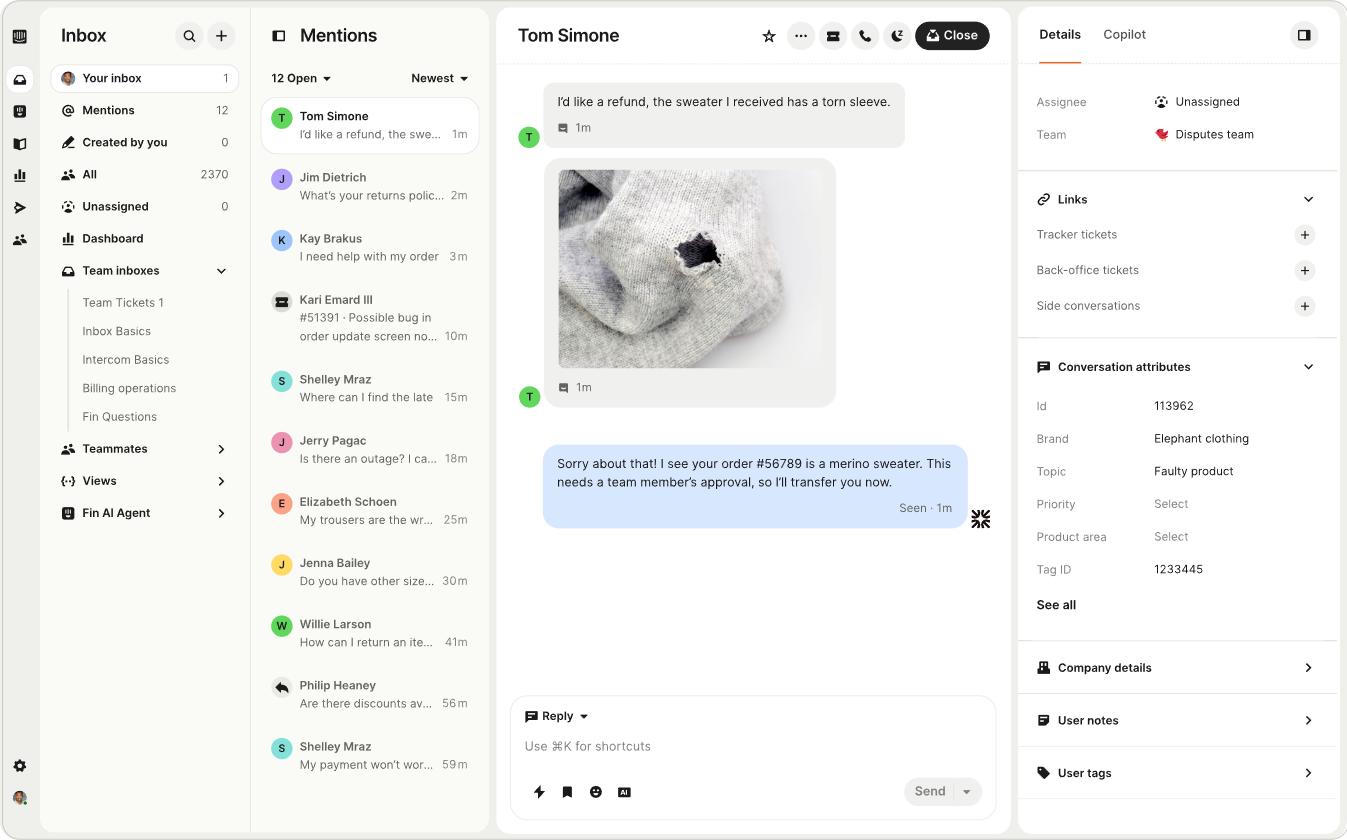
Intercom with Fin AI offers support, chat, marketing, and AI automation in one place. This tool leans heavily on conversational workflows and proactive engagement. It’s well suited for teams that want to deliver smart, contextual support, not just manage tickets.
Key features
- Draft replies with Fin AI and conversational bots: These assistants can even handle routine queries. You can still escalate complex issues to humans.
- Initiate conversations with visitors in real time: Send a live chat message, chat on your website, or send an in-app message.
- Set up mart automation and workflows: Make work simpler by using rules, message triggers, and logic flows to route conversations, follow up, and manage handoffs.
- Create product tours and onboarding flows: Help users navigate your website or learn more about your product.
Pros
- Advanced reporting: AI reporting tools help you monitor, evaluate, and improve your workflow and the customer experience.
- Scalable solution that handles more than messaging: You can manage marketing, sales, and support tools, which helps reduce the need for multiple expensive tools.
Cons
- Complex pricing model: You pay monthly for the number of seats, with additional costs varying based on Fin AI usage. The costs can rise quickly, especially as you scale.
- Steeper learning curve: It can take a while to get familiar with the range of features.
Plans and pricing
- Essential: $0.99 per Fin resolution and $29 per seat, per month, billed annually
- Advanced: $0.99 per Fin resolution and $85 per seat, per month, billed annually
- Expert: $0.99 per Fin resolution and $132 per seat, per month, billed annually
G2 rating: 4.5/5 (over 3,500 reviews)
5. Help Scout: Best for small to midsized teams that want a simple solution
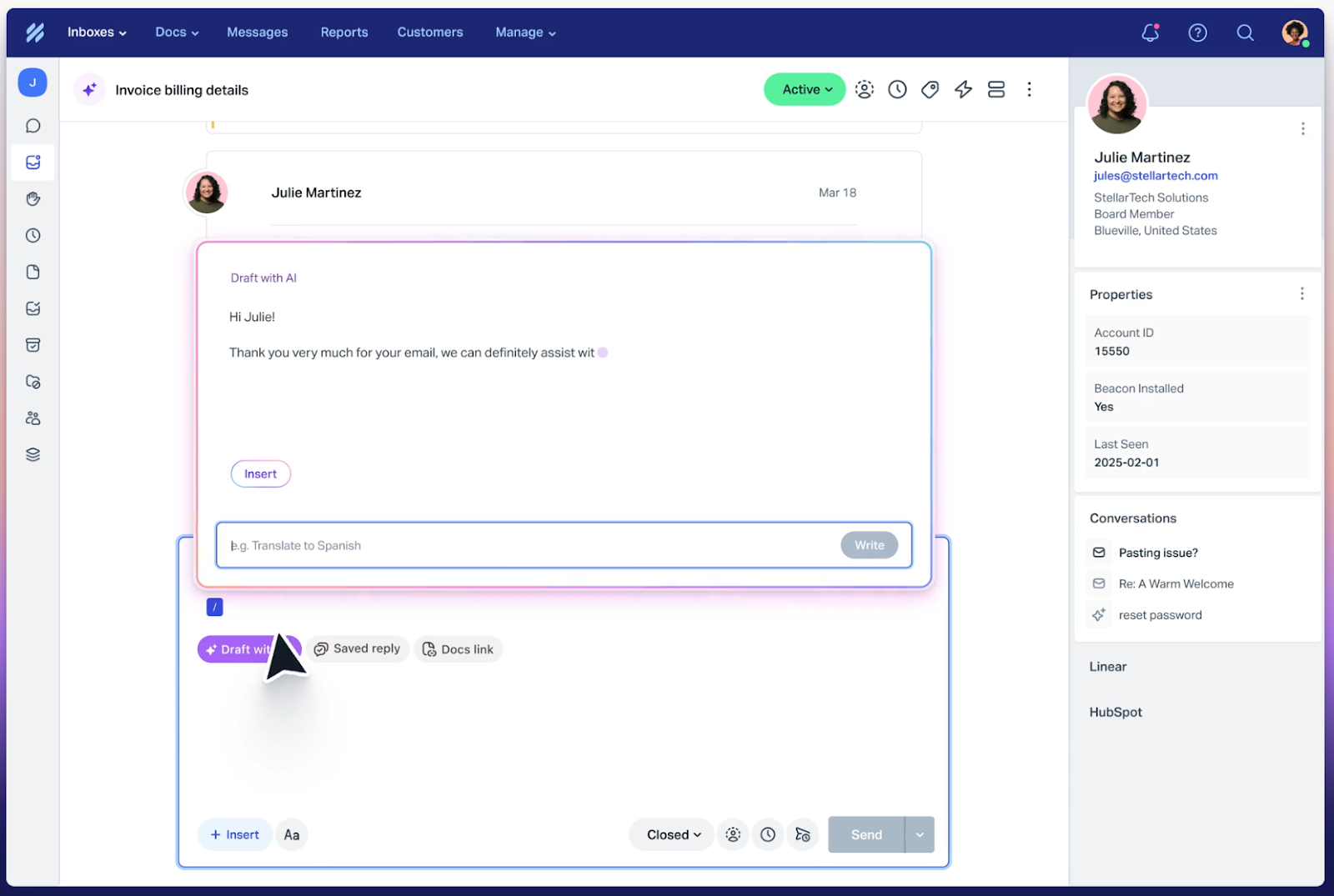
If your support team values both simplicity and customer-centric communication, Help Scout is a good Trengo alternative. It centers human-led, email-first support. With it, your team can focus more on conversations and less on managing tickets. Help Scout is credited with having a clean interface. It works well for small to midsized teams that don’t want to wrestle with overly complex tools.
Key features
- AI chatbot: This assistant can resolve queries automatically. Help Scout suggests that the AI chatbot can manage as many as 70 percent of queries.
- Automated messages: The system is trained on your tone, so you maintain your brand voice and a strong customer-centric voice.
- Integrations: The platform integrates with several day-to-day business tools, such as Slack, social media channels, and your website CMS.
Pros
- Help Scout’s friendly interface is easy to use.
- The platform offers generous packages, with no monthly bill for seats and AI usage, both of which are unlimited. You’re billed for your number of contacts.
- The tool promotes good team collaboration with shared invoices and internal notes.
- Translations are available in 50 languages, allowing customers to communicate with you wherever they are.
Cons
- Its limited advanced reporting and analytics might not be suitable for businesses that want in-depth data.
- Users report difficulty tracking the original context in long threads.
Plans and pricing
- Free: For 100 contacts
- Standard: $50 per month, with 100 contacts, billed annually
- Plus: $75 per month, with 100 contacts, billed annually
G2 rating: 4.4/5 (over 400 reviews)
6. Crisp: Best for small businesses looking for a CRM and customer support solution
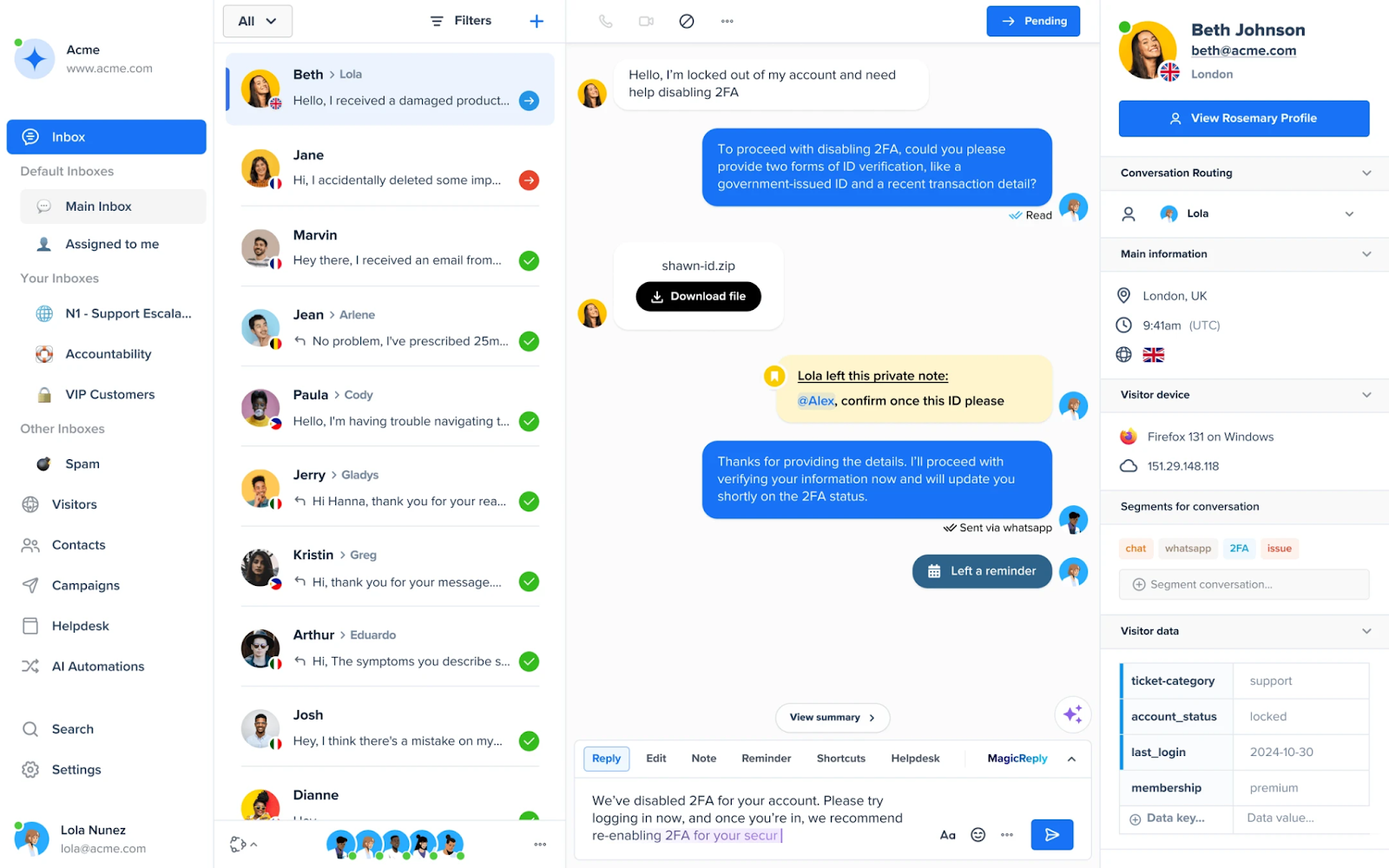
Crisp offers a customer service inbox and CRM functionality.
Key features
- Shared inbox across channels: All messages are in one place.
- AI and automation tools: You can automate responses, send predictive replies, autosummarize threads, and build no-code workflows.
- CRM and contact management features: These features enable you to track visitor profiles, histories, and other details, providing context for conversations.
- Knowledge hosting: With this function, your customers can self-serve.
Pros
- Crisp’s customer support is heavily praised.
- Features go beyond chat and customer service. If they use the Crisp CRM and knowledge base, some smaller businesses might be able to save money they would have spent on other tools.
Cons
- Features can be limited. Although Crisp has a CRM, it’s not comprehensive.
Plans and pricing: Crisp has a free plan and the following plans:
- Mini: $45 per month, per workspace, billed annually
- Essentials: $95 per month, per workspace, billed annually
- Plus: $295 per month, per workspace, billed annually
G2 rating: 4.5/5 (over 150 reviews)
7. Tidio: Best for AI-powered live chat and e-commerce
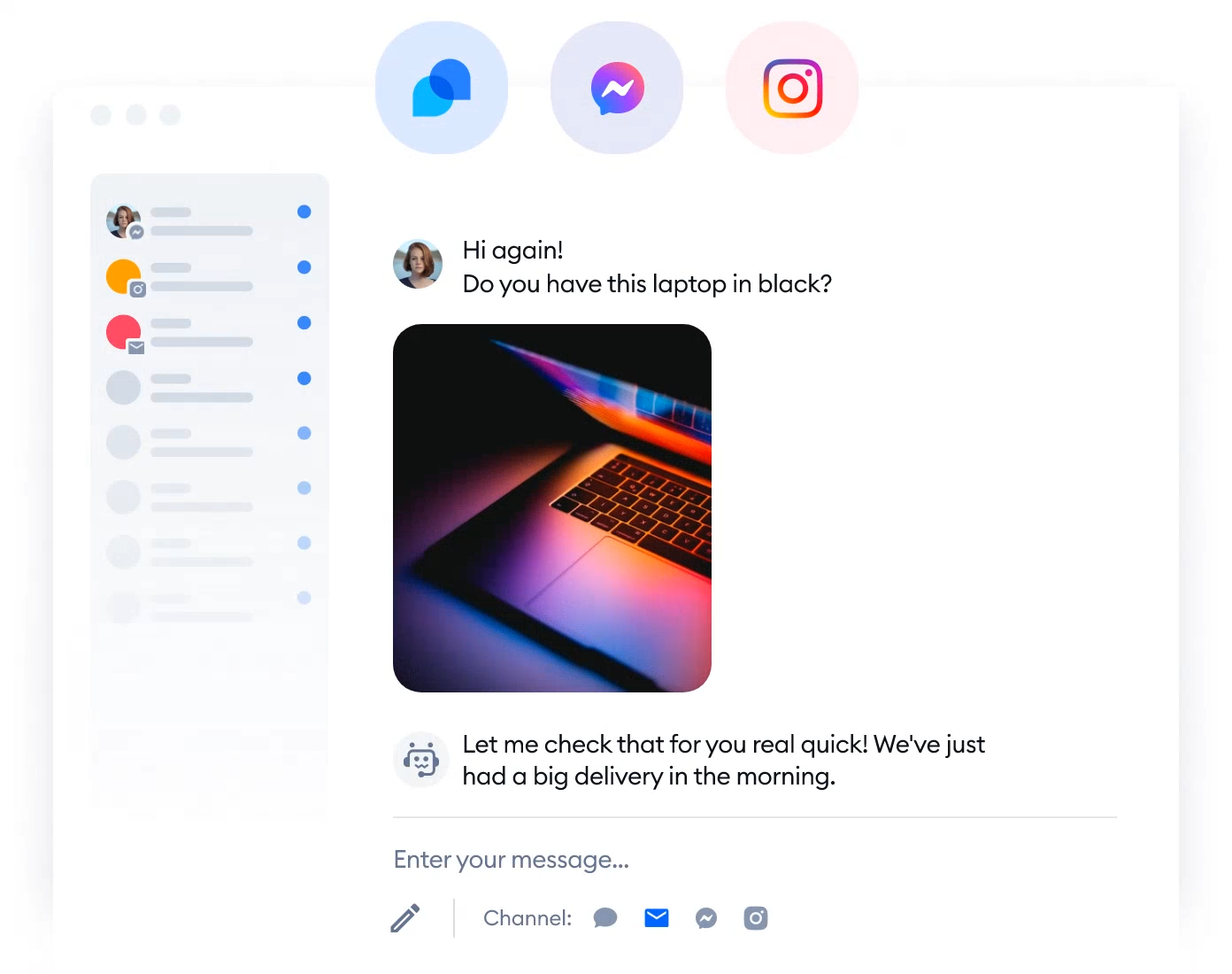
Tidio is a popular AI-powered live chat and help desk platform designed for small businesses that want to centralize customer conversations.
It helps teams manage messages across multiple channels (including live chat, Facebook Messenger, Instagram, and email), all from a unified dashboard.
Lyro AI, Tidio’s built-in conversational assistant, uses natural language processing to understand and answer questions. Together, Tidio and Lyro form a hybrid human-and-AI solution that combines automated support with the personal touch of live agents.
Key features
- AI-powered support: This assistant runs 24-7 and uses your company’s knowledge base to give customers fast, accurate answers.
- E-commerce store integration: With this function, Tidio can include context (such as a customer’s browsing or order history) in conversations.
- Multichannel inbox: Your team can manage live chats and social media messages from one dashboard.
- No-code workflow setup: These flows help keep conversations seamless and efficient. If you’re using premium Tidio, their experts can
Pros
- Product recommendations can help drive upsells during live chat interactions.
- The tool works seamlessly on mobile phones and desktops, allowing real-time responses wherever you are.
- Live visitor tracking enables you to initiate conversations proactively based on user behavior or location.
Cons
- Tidio’s pricing is quite complex, and it gets expensive fast. And if you want the AI, you have to pay separately for it.
Plans and pricing
- Lyro AI agent: $32.50 per month, with 50 AI conversations, billed annually
- Flows: $24.17 per month, from 2,000 visitors reached, billed annually
Pricing for the customer service suite:
- Starter: $24.17 per month, with 100 conversations, billed annually
- Growth: $49.17 per month, with 250 conversations, billed annually
- Plus: $749.00 per month, with 250 custom conversations, billed annually
G2 rating: 4.7/5 (over 1,800 reviews)
8. Missive: Best for internal communication
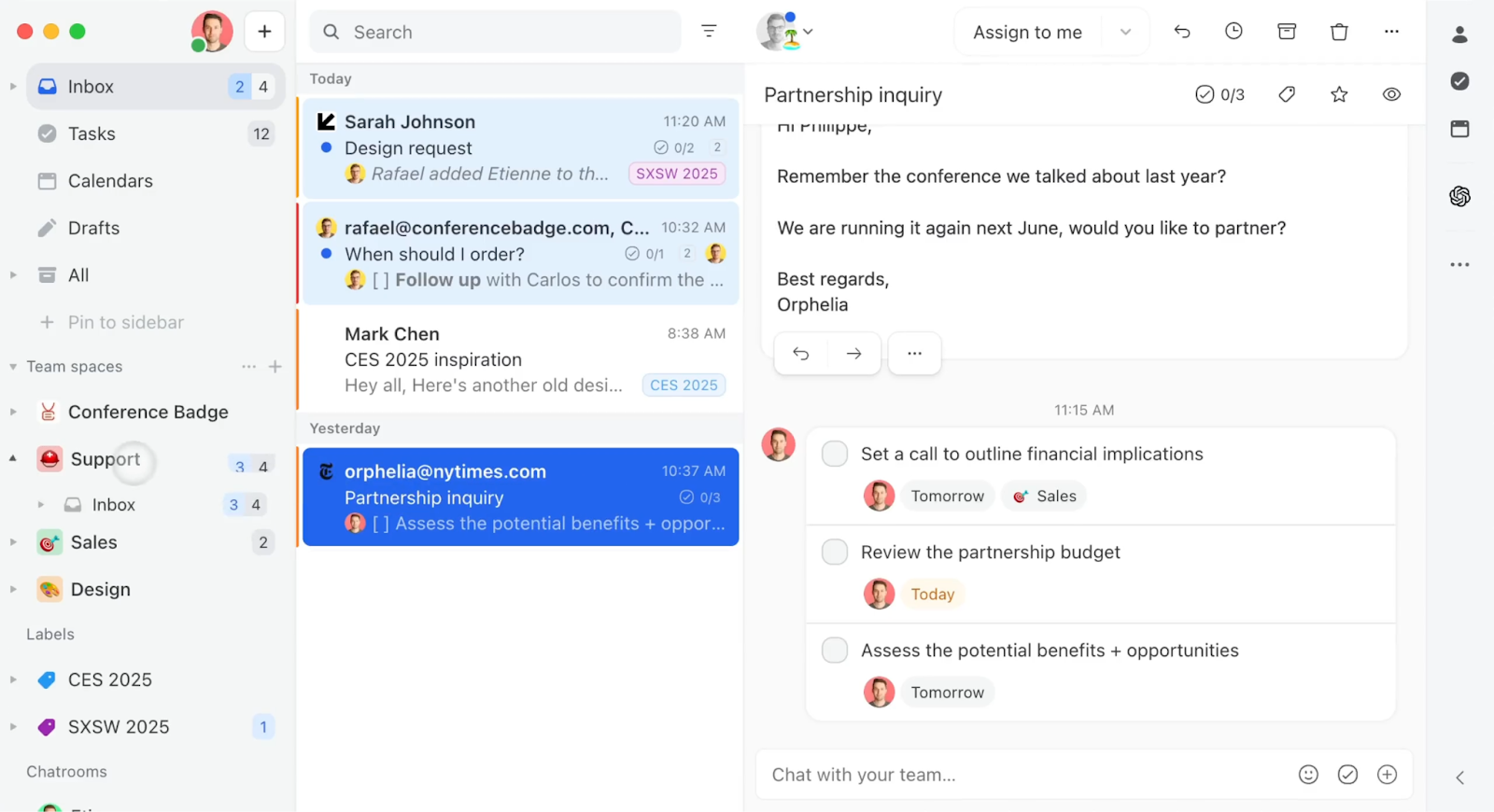
Missive is a collaborative email-first tool built around shared inboxes, internal chat messages, and rules-based workflows.
Key features
- Team inboxes and shared mailboxes: Your team can easily collaborate regarding email threads from multiple sources.
- Internal chat messages and comments: Teams can discuss an email’s context or strategy directly in the document before sending it.
- Assignments, status, and shared rules: These features make communication clear and fast. You can assign emails, set internal statuses (e.g., “In progress” or “Waiting”), and build rules to route or tag messages.
Pros
- Workflows are flexible and customizable with rules and assignments.
- Missive is commonly praised for its interface speed, fluidity, and feature integration.
Cons
- The learning curve can be an issue for some users.
Plans and pricing
- Starter: $14 per user, per month, billed annually
- Productive: $24 per user, per month, billed annually
- Business: $36 per user, per month, billed annually
G2 rating: 4.7/5 (over 600 reviews)
Build your complete support workflow with Jotform
Now that you’ve considered these Trengo competitors, you need to pick the one for you.
Some of the tools offer features beyond inbox management, such as CRM systems.
Remember, Jotform’s Trengo alternative, Jotform Gmail Agent, is part of the broader Jotform ecosystem.
If you know what AI agents you need in addition to the Gmail one, you can build broader, customized solutions. And unlike with some tools, there is no per-agent cost. The free package allows you to start with five.
You could have messaging agents across channels, including
All of these agents are managed from one dashboard, and human operators can step in at any time.
If you want a process that’s scalable, faster, smarter, and easy to scale, Jotform is the solution for you.
* Ratings reflect statistics at time of writing.
This article is for website operators, content managers, editorial teams, marketing agencies, customer support and CX leaders, and anyone who wants to evaluate Trengo alternatives—comparing features, pricing, and scalability—to choose the best shared inbox and omnichannel communication platform for 2026.













































Send Comment: