
Outgrowing your Etsy store? Etsy is a great entry to the world of e-commerce, but now you may be looking to scale your brand and enhance the customer experience. Many small businesses and entrepreneurs start their ventures on Etsy and migrate to Shopify to take their business to the next level.
Shopify offers benefits such as a custom online storefront and a powerful ecosystem of marketing tools you may want to take advantage of. So, how can you transfer your Etsy products over to Shopify? In this article, we’ll explore how to import products from Etsy to Shopify, from a one-time migration method to a fully automated sync.
Why import products from Etsy to Shopify?
Why do so many businesses wind up doing an Etsy-to-Shopify migration? One of the key reasons is Shopify offers you more control over branding — you can customize the website’s look, feel, and domain. Shopify also offers marketing tools that are ideal for scaling businesses, helping you with SEO, abandoned cart recovery, email marketing, and much more.
There are other advantages of Shopify. For businesses that want to explore omnichannel sales, Shopify lets you sell on platforms like Instagram and Facebook. This way, you can expand your customer base and reach new audiences. Plus, Shopify offers more flexible pricing options where you can determine your own margins.
Should every store import Etsy listings to Shopify? The short answer is no — making the move to Shopify is not for everyone.
However, if you’re a growing shop that wants to scale beyond a simple marketplace and reach a large consumer base, then migrating to Shopify may be right for you. It’s also ideal for store owners who are continuously adding new products and categories, and those who want to invest more in their marketing. If you want to have your own domain, then moving from Etsy to Shopify may also work better for you.
Can you automatically import products from Etsy to Shopify?
The process to transfer Etsy products to Shopify can be complex, but there are a few ways to do it. You can automate most of the process, but it is not a fully automated one, as you will have to do a few steps manually. Automation methods are reliable, but it’s still important to review all the details once the products are in the Shopify store, and to optimize products for SEO and user experience.
Here are some of the key automation options:
- Shopify Store Migration app: This native app can be accessed directly from your Shopify Admin panel. It streamlines the migration process. You will still need to manually download a CSV file of your Etsy listings, edit the file, and import the data into the app.
- Third-party apps: There are multiple third-party migration apps, such as Etsy Marketplace Integration by CedCommerce or Multichannel Importer by Nembol, that import your product data and sync inventory and prices in real time. You don’t need to deal with CSV files if you use these types of third-party apps.
- Custom automation via APIs or platforms: For those who are tech savvy or have a developer on hand, you can use Etsy’s Listings API and Shopify’s Admin API, along with automation tools like Zapier, to create custom automations to migrate and sync your products over to Shopify.
Manual method: How to import products from Etsy to Shopify
If you want to take a DIY approach and list your products on your website manually, below is the process for migrating your products from Etsy to Shopify.
Keep in mind this manual method is best for a one-time migration. Shopify recommends you try this method with just a few products first before importing your entire catalog.
- Prep the Shopify workspace: Log into your Shopify store and make sure it’s ready for you to import products from Etsy. Check out Shopify’s CSV format so you can ensure you edit your Etsy CSV file to look the same.
- Export listing data from Etsy: Download a CSV file from Settings, and save it onto your computer titled “EtsyListingsDownload.csv”.
- Edit your Listings CSV file: If your product listings have variants such as different product sizes or colors, you need to edit the CSV file so there is a separate listing (row) for each unique combination of variants. You also need to make sure all the fields on the CSV file match the fields in Shopify. Taking this step ensures your products import correctly into Shopify.
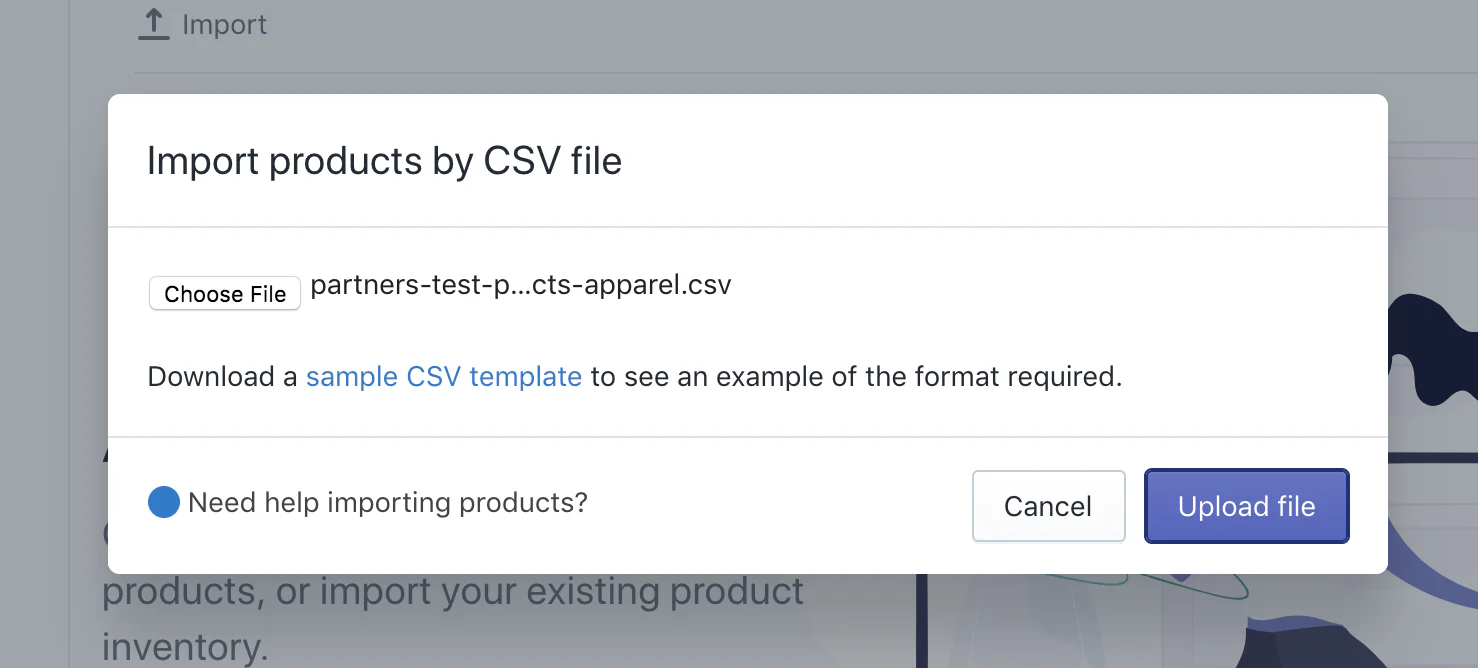
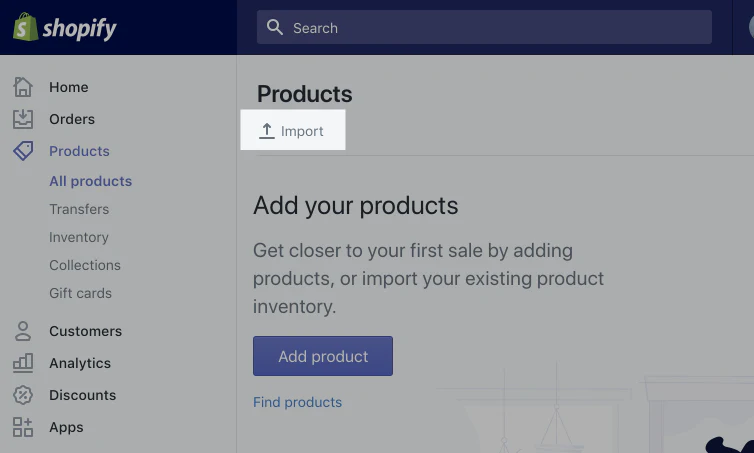
- Import your Etsy listings to Shopify: Import the CSV files from the Products section in the Shopify Admin panel. You will receive a confirmation email when this is complete.
Note that the CSV file must be less than 15 MB and have fewer than 5,000 rows.
- Verify, organize, and optimize your products: Review the product listings to confirm everything has been imported correctly. Pay special attention to details like product price, weight, and inventory.
Shopify provides detailed instructions for conducting the Etsy CSV import, along with information on how to import your customers and reviews, set up your shipping, and configure your taxes. An important part of how to sell online is testing your storefront to make sure everything works seamlessly for your customers, so be sure to place some test orders.
How to sync your Etsy products with Shopify automatically
If you want to sell on Shopify and Etsy at the same time and sync the two catalogs so they constantly update, you can set up automatic syncing. This saves you hours of manual work and you won’t have to do a full import ever again.
Automatic ongoing syncing ensures your products are aligned in real time on both platforms through a live connection. In contrast, a one-time import moves your current Etsy listings into Shopify once (and doesn’t automatically update any changes in Etsy on Shopify afterward).
There are third-party Shopify import tools that can create an Etsy product sync, such as Etsy Integration ‑ DPL and CedCommerce Importer. They save time so you don’t need to repeat imports; you can also ensure inventory counts stay accurate across both Etsy and Shopify stores.
Although automatically syncing your Etsy and Shopify stores has advantages, setup can be tricky, especially if you have custom variants in your products. Many syncing apps also require a subscription, so there is an added cost in some cases. Keep in mind, too, that some apps may only sync certain data fields and not others.
Common challenges when importing from Etsy to Shopify (and how to solve them)
Even if you’re using the right tools, importing Etsy listings into Shopify can cause issues like missing images, incorrect variants, and category mismatches. Here are common challenges you may come up against and how you can avoid them:
- Missing or broken images: Etsy’s CSV files don’t include public image URLs, but this is what Shopify needs to upload images. To solve this, add images manually into Shopify or upload image URLs into your Shopify files.
- Incorrect variants: Etsy’s product variants don’t map to Shopify’s. To avoid this, create one row per variant in your CSV file.
- Category mismatches: Etsy’s categories don’t align with Shopify’s. To avoid category mismatches, create a manual or automated collection after importing your products to map Etsy’s categories with Shopify’s tags.
- CSV file formatting issues: To avoid formatting issues, remove stray commas and quotation marks, and delete line breaks in descriptions. Be sure to clean up your CSV file before importing it into Shopify for the best results.
Jotform: An alternative option to manage imported products in Shopify
The Etsy to Shopify migration process can be stressful and complex. However, using the right tools can simplify and streamline your migration. Jotform is an ideal option for those who want more control over how their products appear before they go live on Shopify.
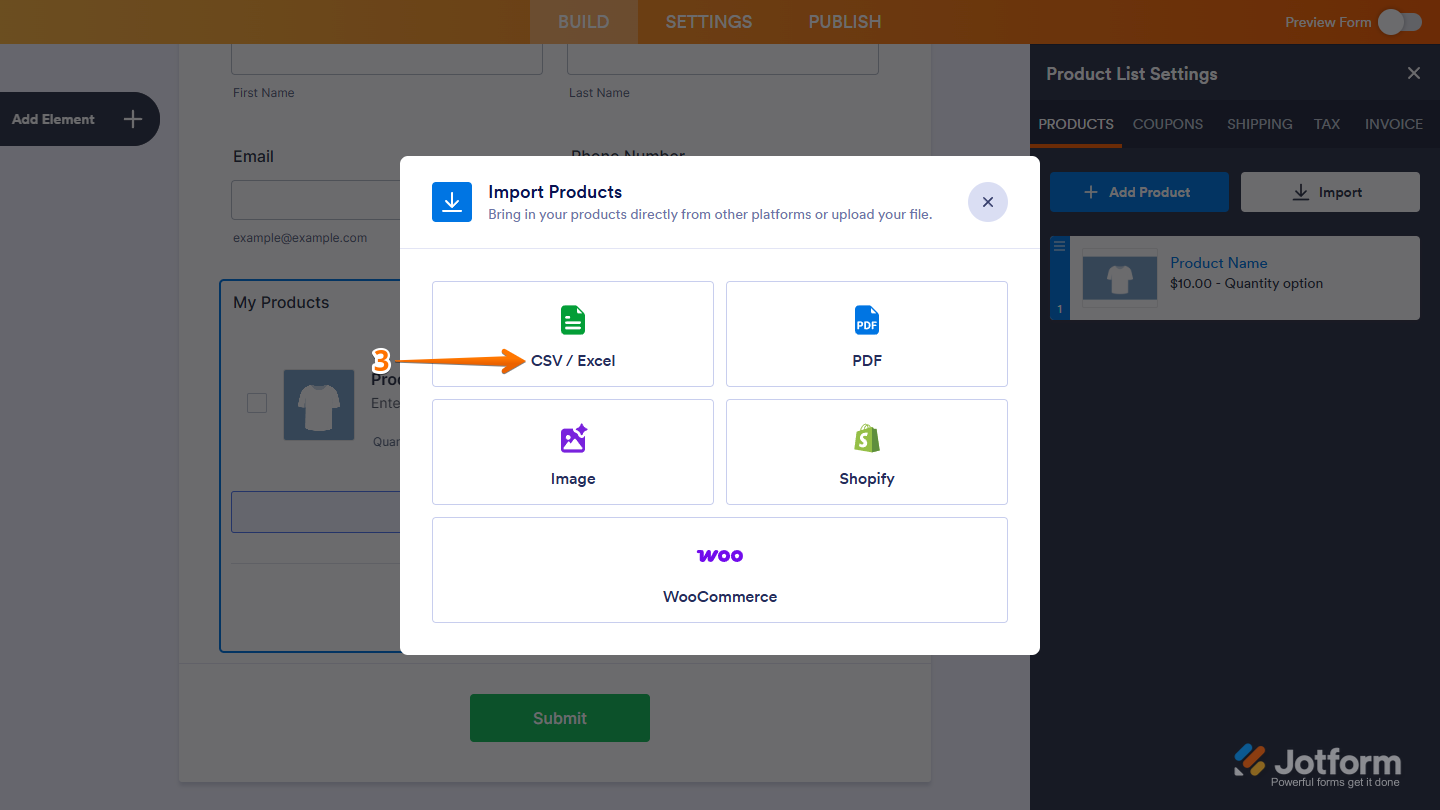
With Jotform’s Product List field, you can import items directly from a CSV or Excel file — the same format Etsy provides when you export your listings. This is especially useful for
- Creating a clean, ready-to-use CSV file: Easily clean up product names, descriptions, or prices before publishing them in Shopify.
- Customizing product order forms: Create custom product order forms for pre-orders, wholesale, or events using your CSV file.
- Saving time and effort: Manage products across multiple platforms without re-entering details.
Here’s how to make the process easier with Jotform:
- Export your Etsy listings as a CSV file.
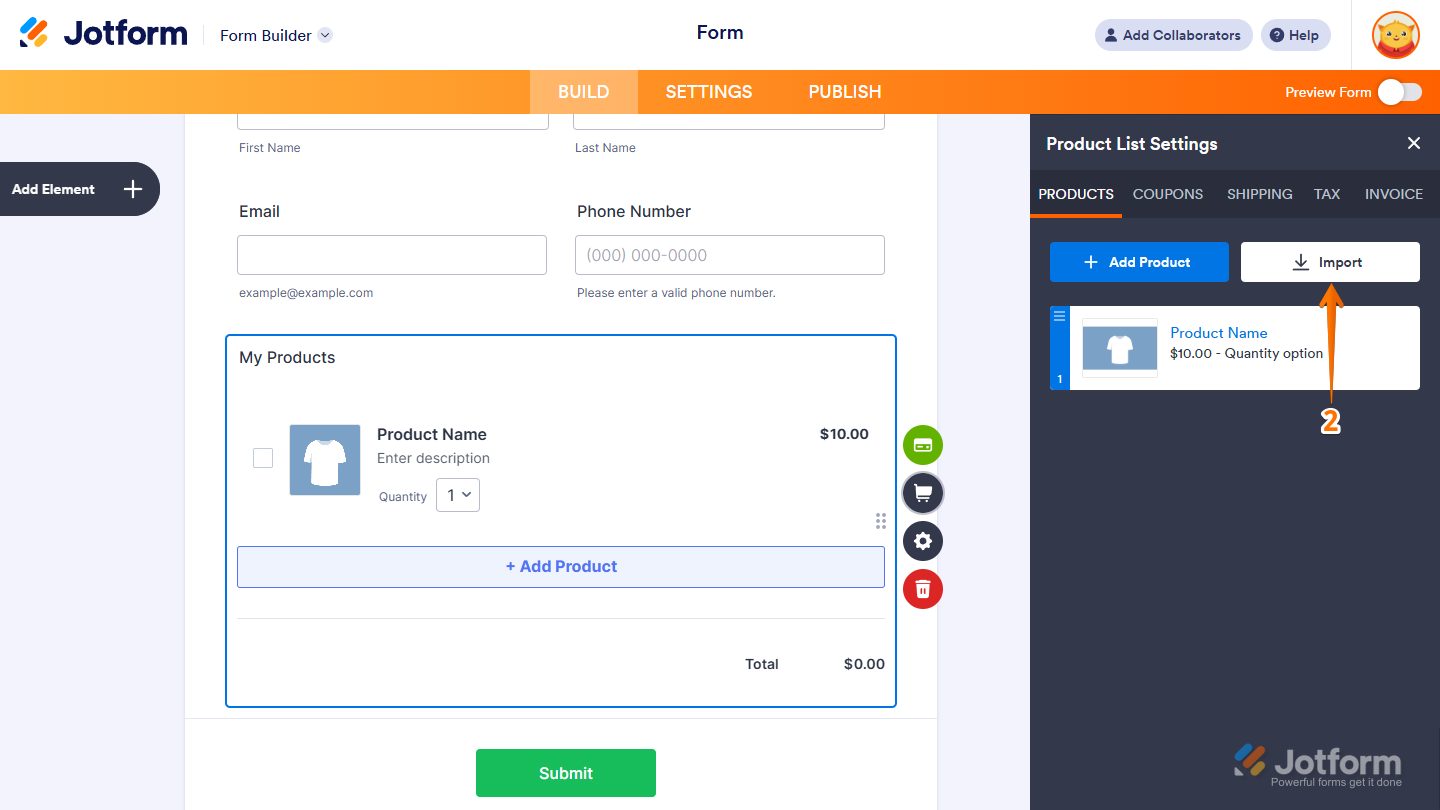
- In the Jotform Form Builder, add a Product List field and select Import.
- Upload your CSV file to Jotform. It will automatically map fields like product name, price, and SKU.
- Review, edit, and import the items into your Jotform form.
- Use your updated product catalog for Shopify import or customer-facing forms.
Jotform also supports imports from Shopify CSV exports, making it easier to keep your product data consistent across all platforms.
Explore how easy it is to use Jotform for managing your products. Learn more about how to import products into Jotform’s forms today.
FAQ: Importing products from Etsy to Shopify
Yes, you can download a CSV file of all your product data from Etsy.
No, your product reviews in Etsy will not automatically transfer to Shopify. You need to use a third-party migration app to transfer them.
Yes, you can use third-party apps to automate product, price, and order syncing between Etsy and Shopify.
This article is for eCommerce entrepreneurs, Etsy sellers transitioning to Shopify, and anyone who wants to streamline their product migration process and optimize online store management using tools.





































Send Comment: