Most, if not all, web forms gather sensitive user data. As a website/business owner, you want people who submit your forms to accept your terms before providing their information. You should never enter into an agreement with a user unless both parties fully understand the stipulations, or you at least make your best effort to provide that information.
Oftentimes, a link to the Terms and Conditions would suffice, but a fastidious business owner will want to display the actual terms on the form. To do this, you will need to implement a non-editable text that the user can scroll through to read your terms.
There are two ways to create a scrollable “Terms and Conditions” document in the Form Builder.
Using Short Scrollable Terms Widget
To add the Short Scrollable Terms widget to your form
- In Form Builder, click on Add Element on the left side of the screen.
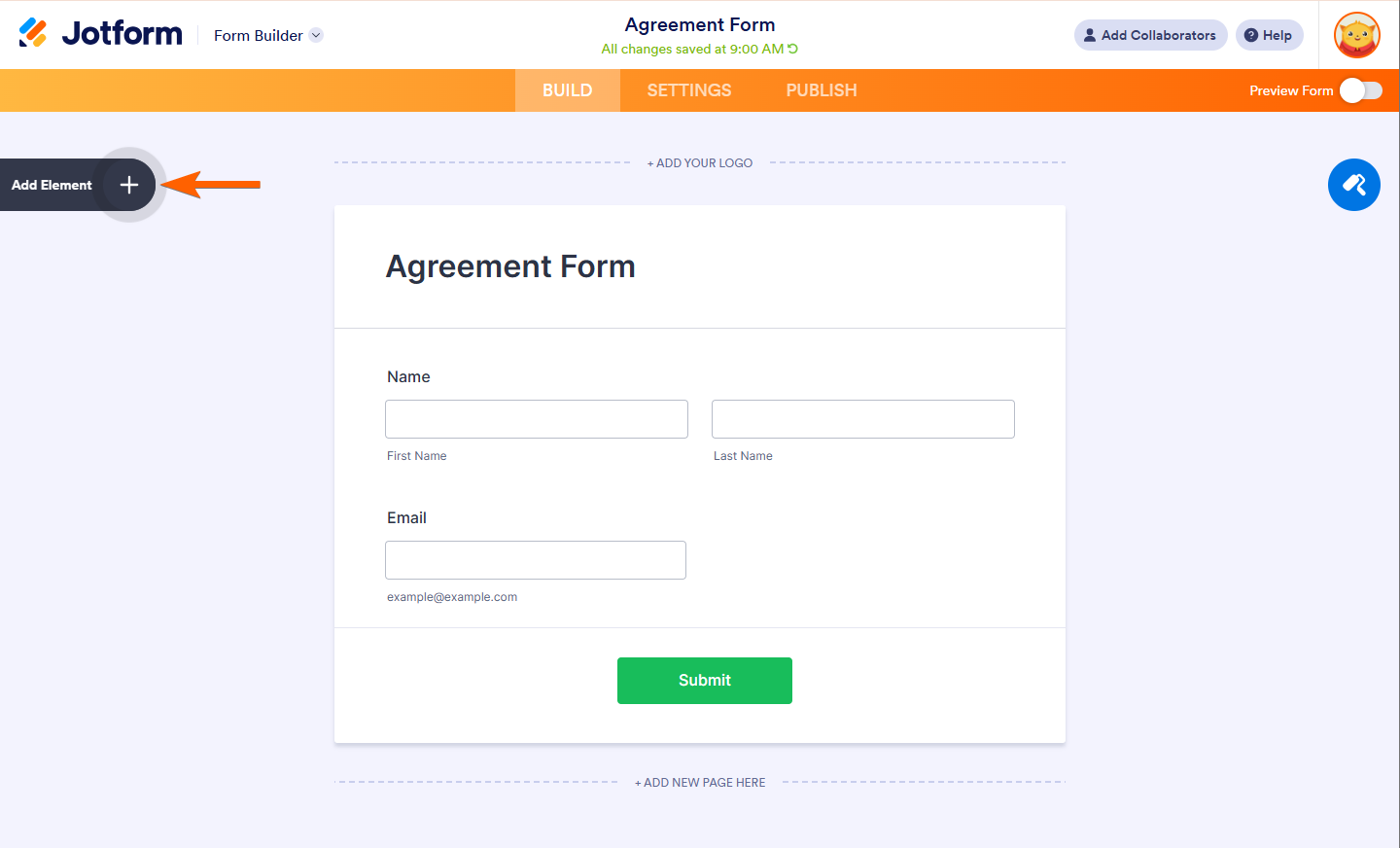
- Under the Widget tab, search for Short Scrollable Terms widget.
- Click or drag and drop the widget to add it to your form.
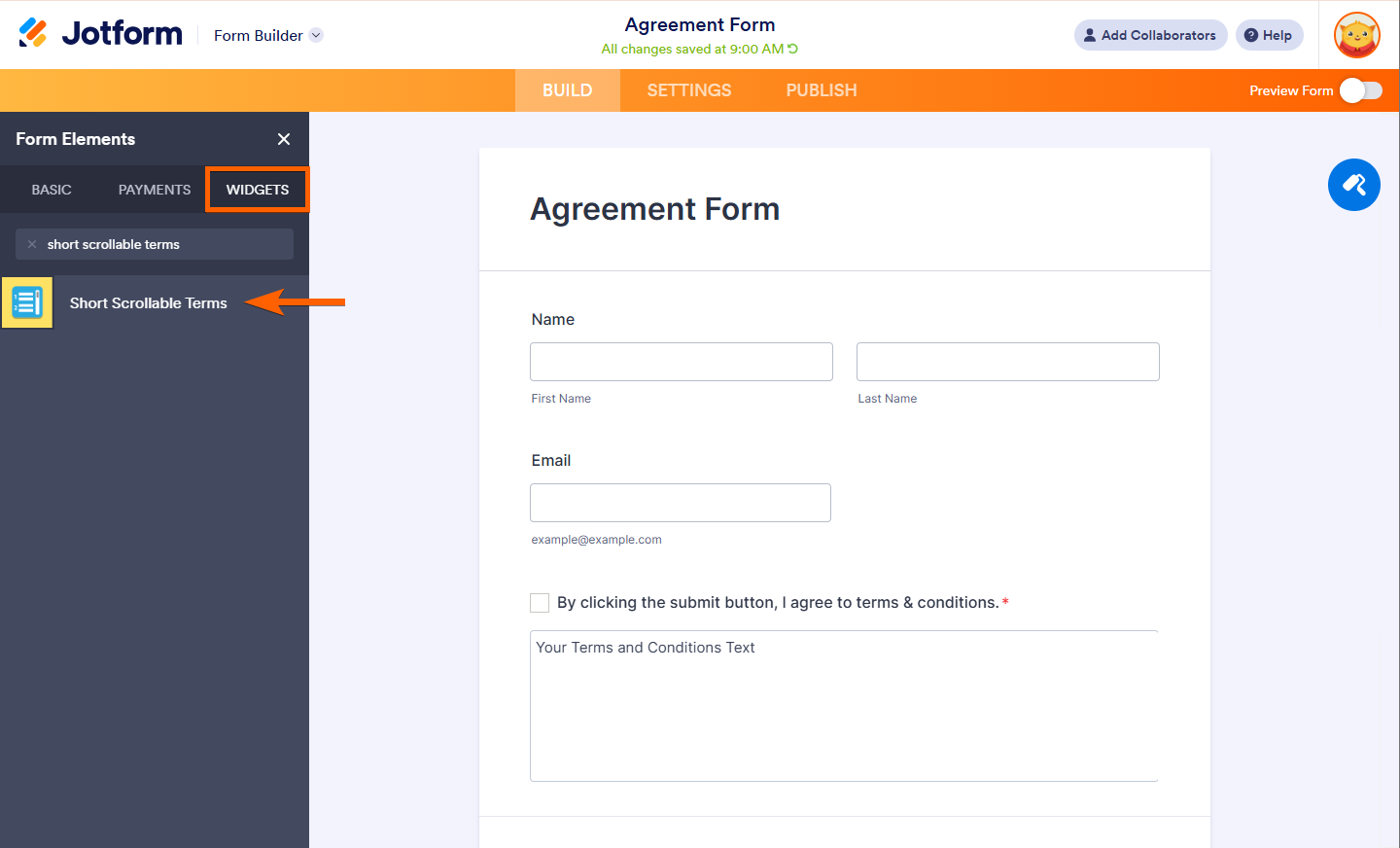
- Now, click on the Wand Icon, to open the Widget Settings.
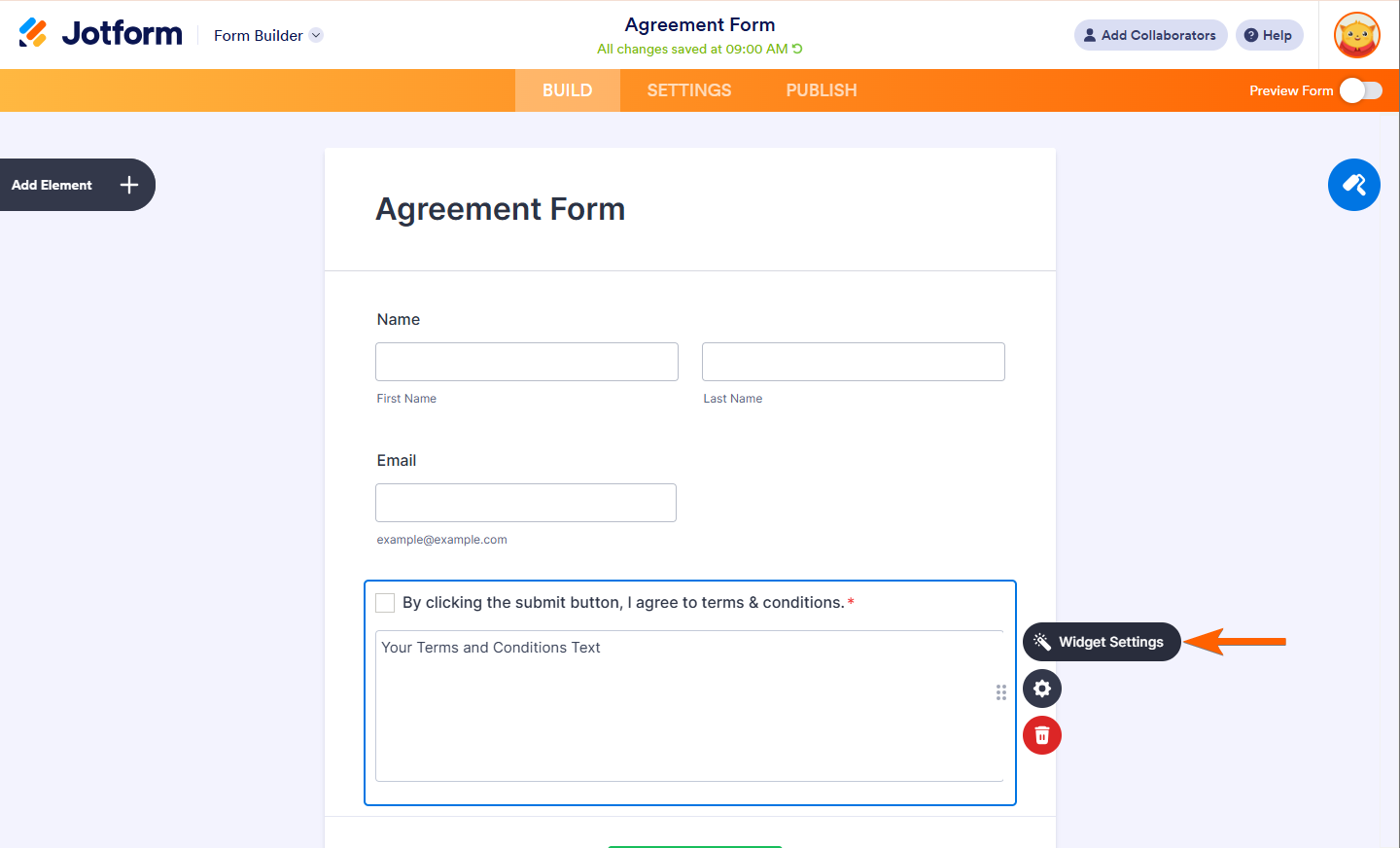
- In the Widget Settings, you need to add the following:
- Checkbox Label — The label of the whole widget.
- Content — This is your actual scrollable terms and conditions.
- Must Read all the Text — Check this option if you want users to read all the texts first before they can check the Checkbox.
- Send Content — If you want the terms to be added/included in both the notification and autoresponder emails of the form.
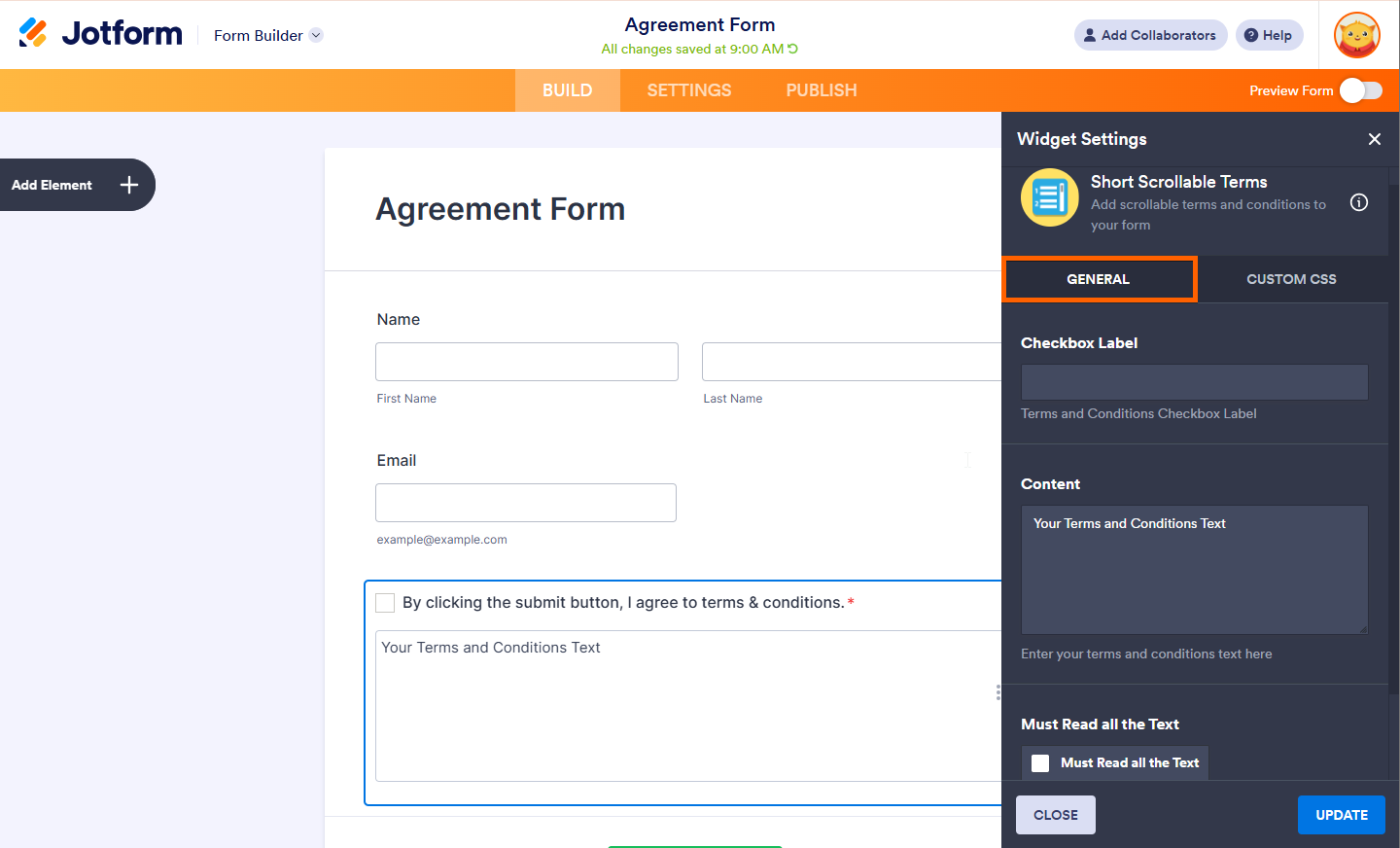
If you want to customize the design of your widget, click on the Custom CSS Tab. See How to Inject CSS Codes to Widgets for more information.
Using the Paragraph Element
If you do not want any additional script running in the form’s background, you can also use the Paragraph element and inject custom CSS codes to create the scrollbar.
- In Form Builder, click on Add Element on the left side of the screen.
- Under the Basic Tab, add the Paragraph element.
- Click on Edit Icon to open the Paragraph Editor.
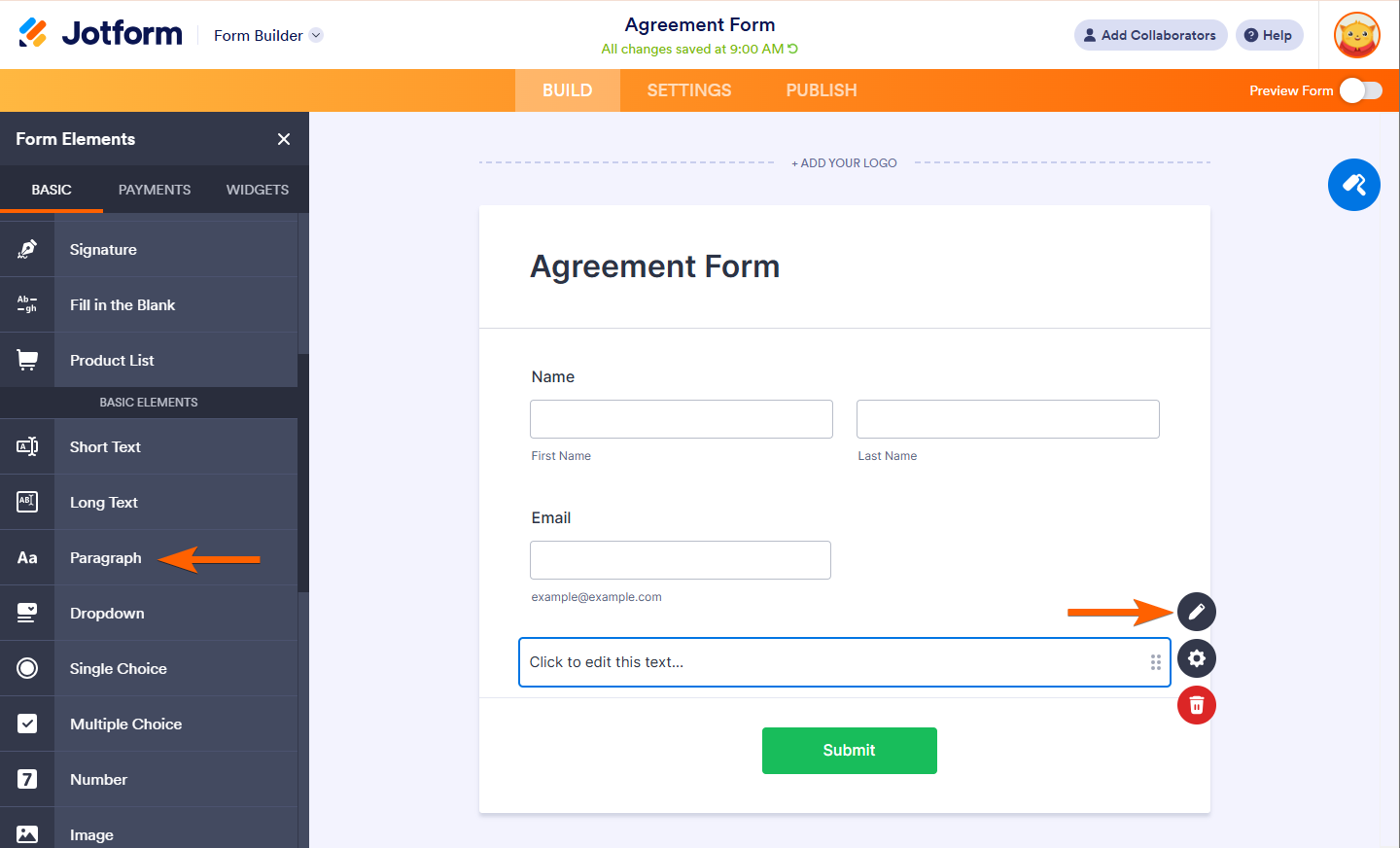
- Add or Paste your Terms and Conditions. You can format the text using the available formatting tools in the editor.
- Open the source codes editor of the Paragraph element by clicking the Source Code icon.
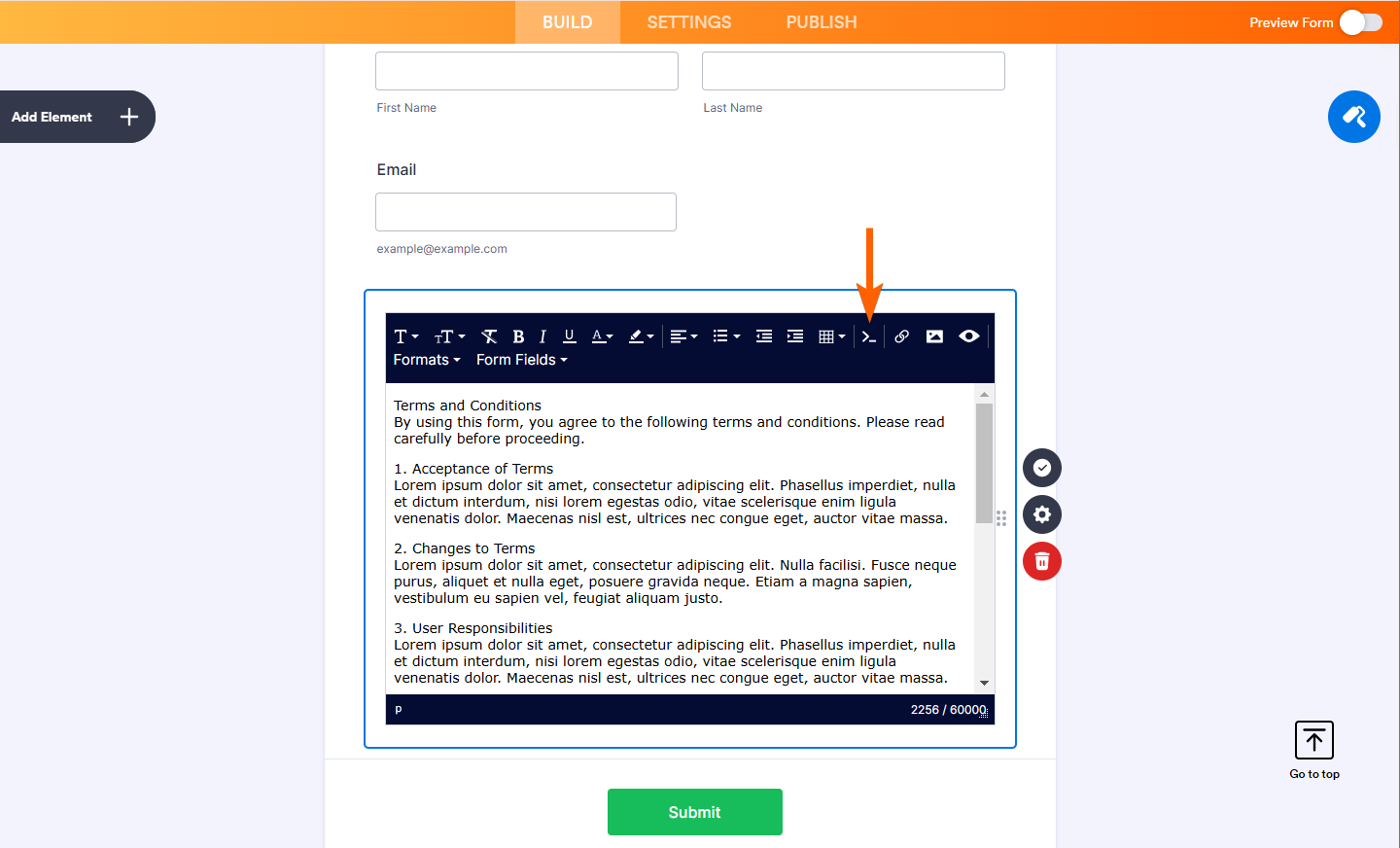
- Wrap the entire content with the following div class. Click the Ok button to save the changes.
<div class="termsx"></div>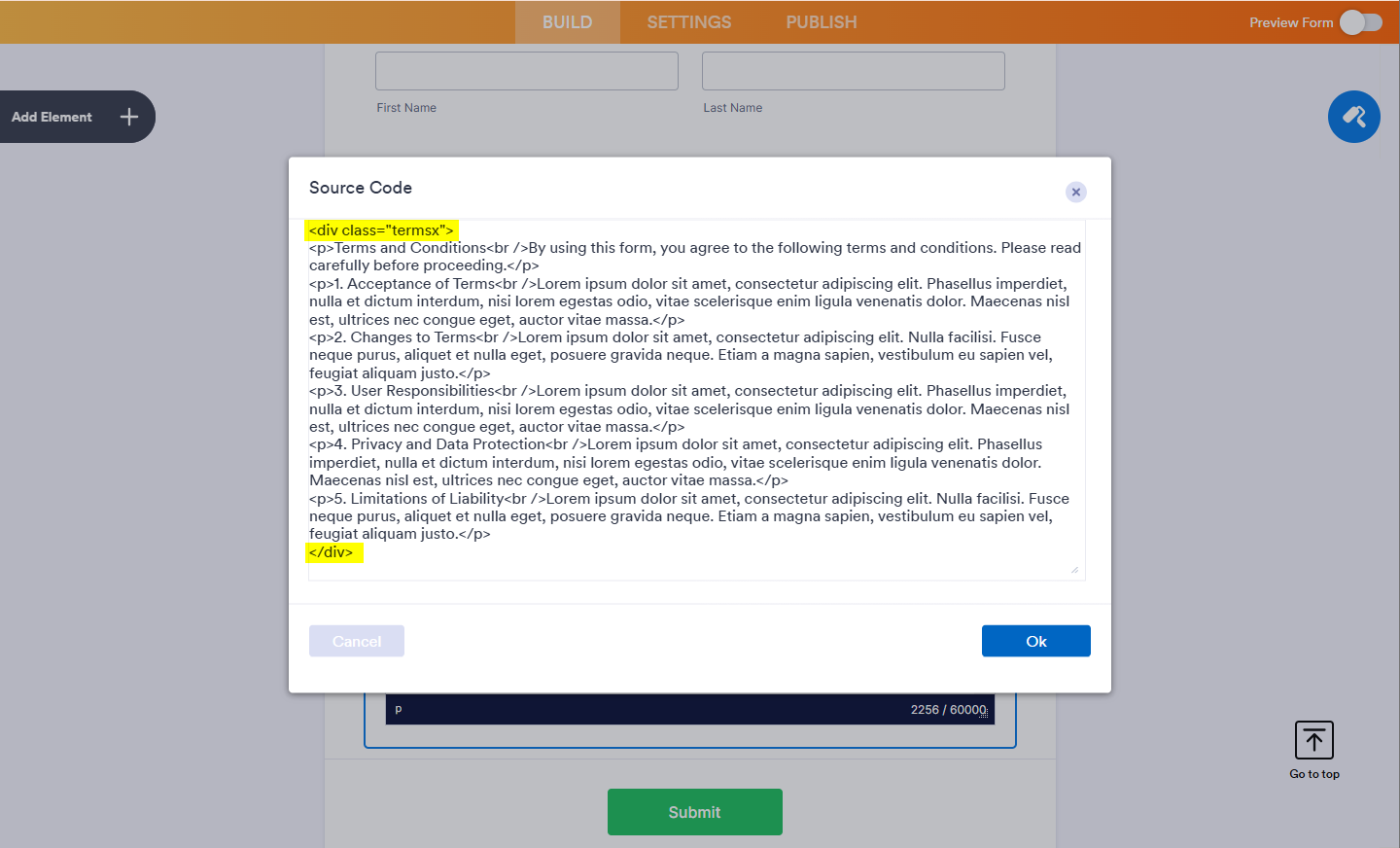
- Lastly, inject the following custom CSS Codes in the form. If you’re unsure, check out how to inject the codes.
.termsx {
  overflow-y: scroll;
  height: 350px;
  width: 100%;
  border: 1px solid #ddd;
  padding: 10px;

}
You should automatically see the changes in the Paragraph element.
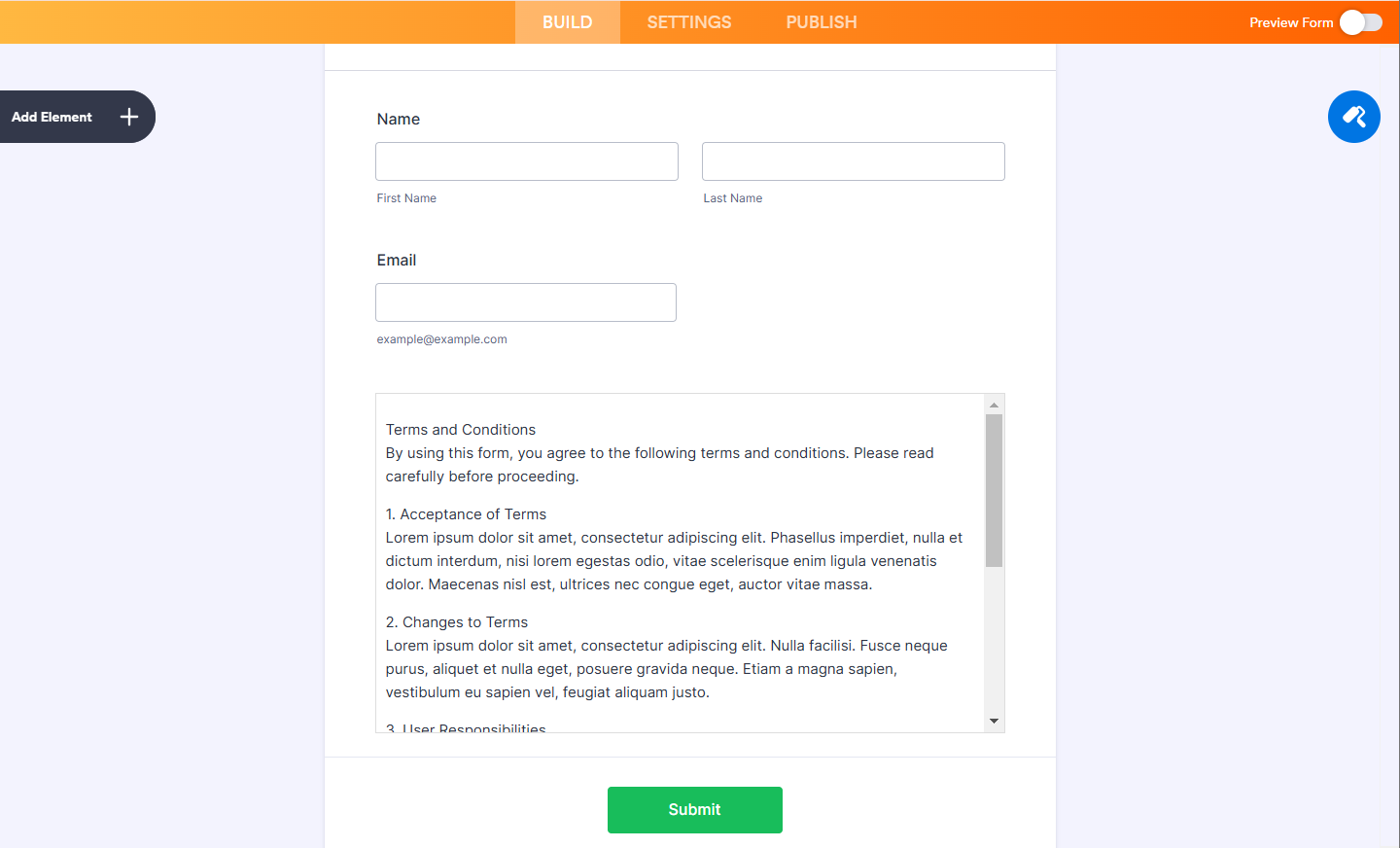
Here’s an example form: https://www.jotform.com/220823470887058.

Send Comment:
20 Comments:
March 19, 2021
How do I keep the terms and conditions on the submission form?
September 4, 2020
I'm having trouble with my terms and conditions scrollable form. I'm trying to do a COVID release of liability. Can I build it as s second form have them hit the terms and conditions go out to that form, and when they hit submit on the second form be taken back to the original to complete it.
Additionally, is there a way for them to sign by using name and address vice the smooth signature, that is very hard to use with a mouse.
July 16, 2019
After doing this, it works, but on my tablet the text within the scrollable text field is blurry. When I zoom in it gets clear again. It displays fine on an iPhone but it is slightly blurry on my lectures tablet.
September 14, 2018
We have a few gadgets for use in actualizing terms and conditions in your structures this gadget isn't constrained to a particular arrangement, all designs have no restrictions of components or gadgets the main impediments are those recorded in our site like entries, sees, space, number of structures. Men’s Biker Vintage Jacket
April 23, 2018
do you have any more quizzes to take for free playing cards.
January 26, 2018
can i have quiz in which i can win Web Design Playing Cards . so please give any quiz to win
September 22, 2017
I created a sign-up form and after added all the boxes and textbox. There is a submit button. Then I tried to click the submit button and how can I add a terms and conditions pop-up to a form that I created?
January 22, 2017
it works. thank you
May 29, 2015
Very nice,
May 28, 2015
Yes my score is %100. I’m a Web Design Guru! Just Passed a “Web Design Trends” Quiz to Get a Super #Customcarddeck >
May 27, 2015
Wow!! :)
May 27, 2015
moizuddin,
Just follow this link:
and click the "Start" button ;)
It takes only a few minutes to pass it.
Good luck!
May 27, 2015
i would like to participate in the quiz
July 5, 2014
can i and how to change text color because i have dark background.i need white text.
i do that in css?
May 19, 2014
Hi,
How do I inject the CSS code? Where do I insert it?
#termsx {
overflow-y: scroll;
height: 300px;
width: 100%;
border: 1px solid #DDD;
padding: 10px;
}
March 30, 2014
This isn't working for me on this page:
It works in the preview within my account but not on the public page. Does it have something to do with it being a secure page HTTPS?
March 18, 2014
What happen my account why i can't sign in my account ?
September 25, 2013
for some reason the code step is the only image that doesn't show. Can you repost the HTML coding to enter?
February 22, 2013
And the submit button would read I AGREE...?
So this can be used for contracts too? You put the term in the form, and the empty fields are for signatures and dates?
Can you add fields for boxes where signatories add their initials next to terms you want to verify they've read and understood?
I think I need to see a picture of these steps right on the form. can you help?
June 2, 2012
Re: How to Insert a Non-editable Text Area (For Terms of Use, Etc.)