Jotform provides a vast collection of free Form Templates for both personal and business use. Whether created by Jotform or contributed by users, these templates make form building quick and easy. You can also give back to the community by sharing your own form as a template.
How to Share Your Form Template
Sharing your Form Template is easy. Here’s how to do it:
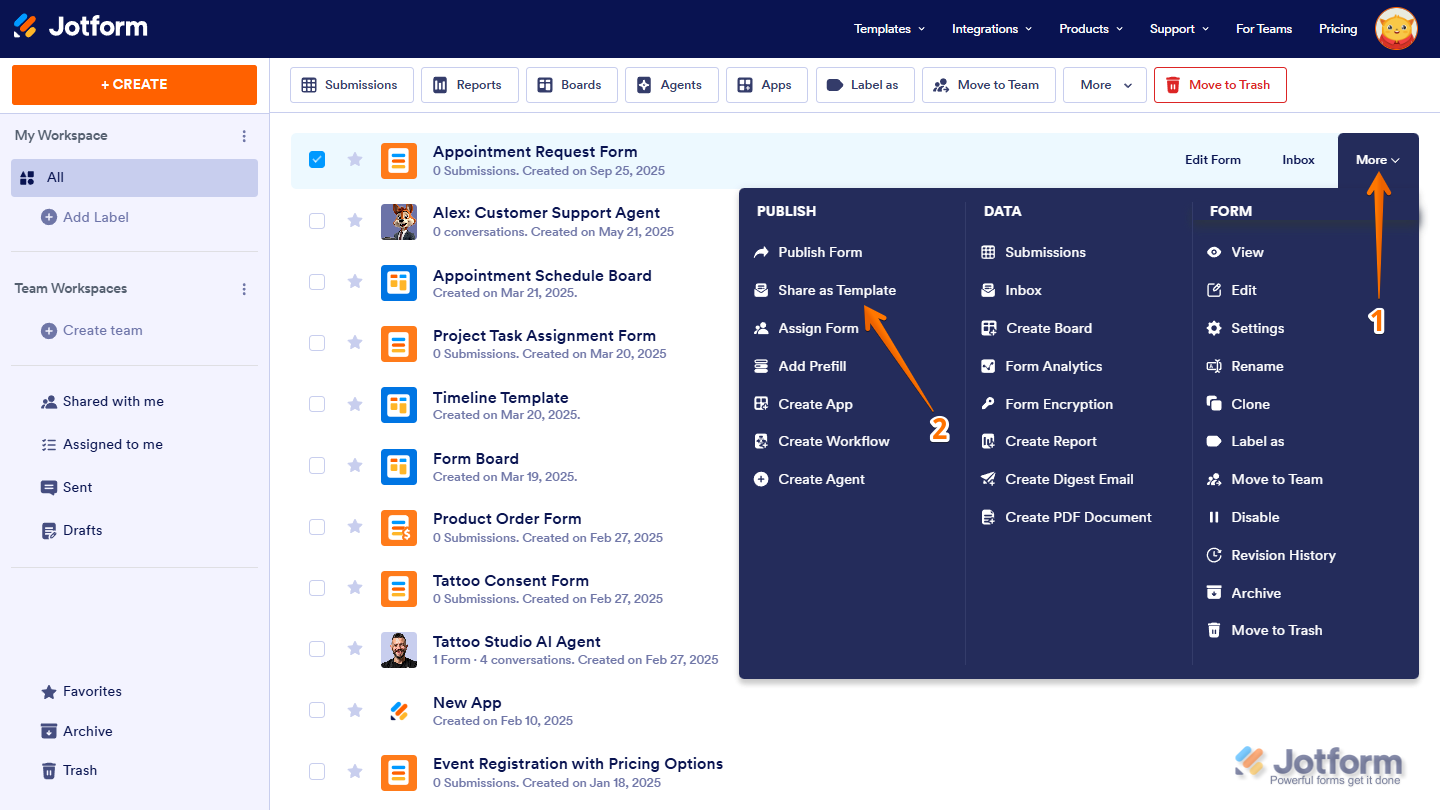
- On your My Workspace page, hover your mouse over the form and click on More on the right side of the screen.
- In the Dropdown menu that opens up, click on Share as Template.
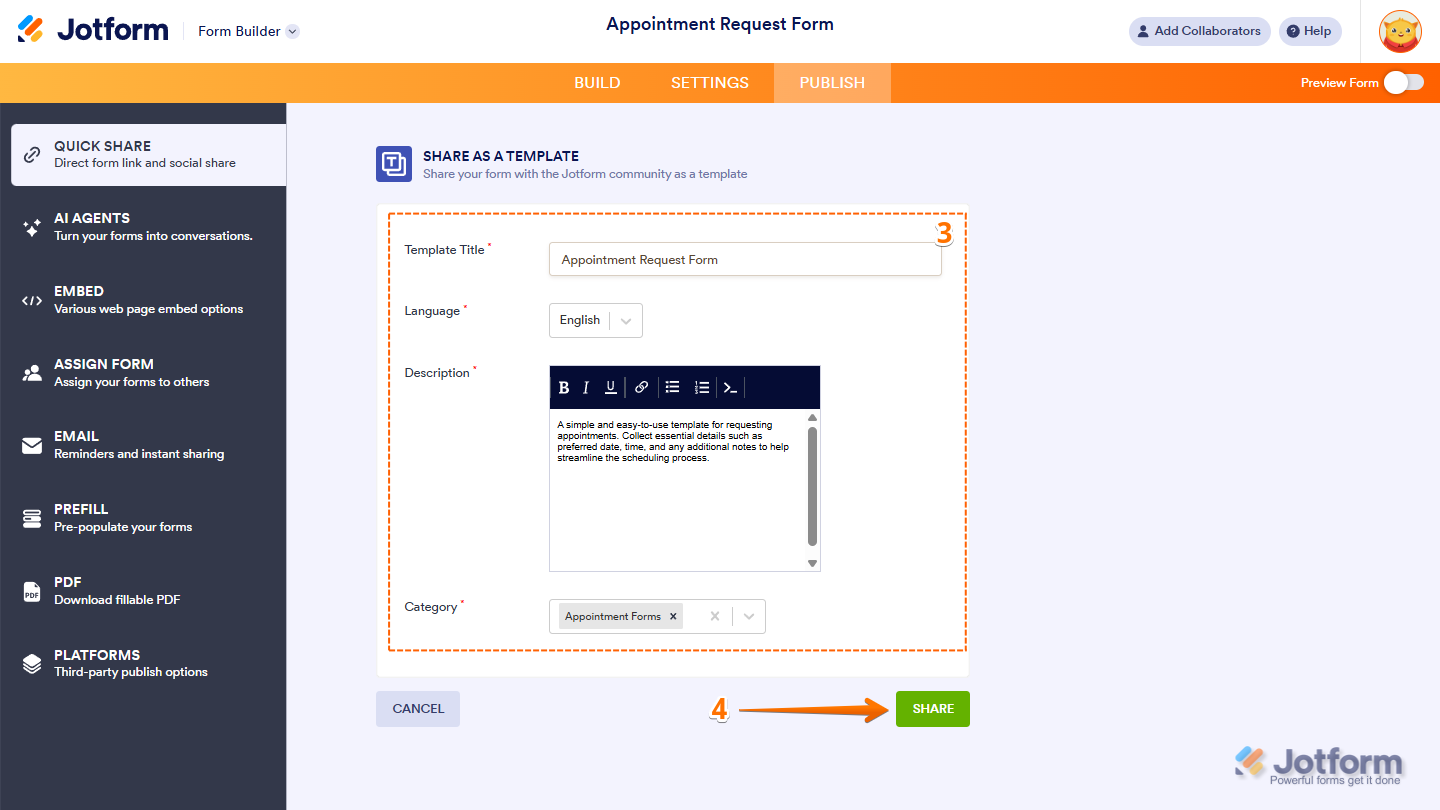
- Now, provide the following details of your template:
- Template Title — Give it a clear and descriptive name.
- Language — Select the language for it.
- Description — Provide a brief overview of what it’s for.
- Category — Choose the category that it best fits into.
- Finally, click on Share at the bottom of the page, and you’re all set.
How to View Your Shared Templates
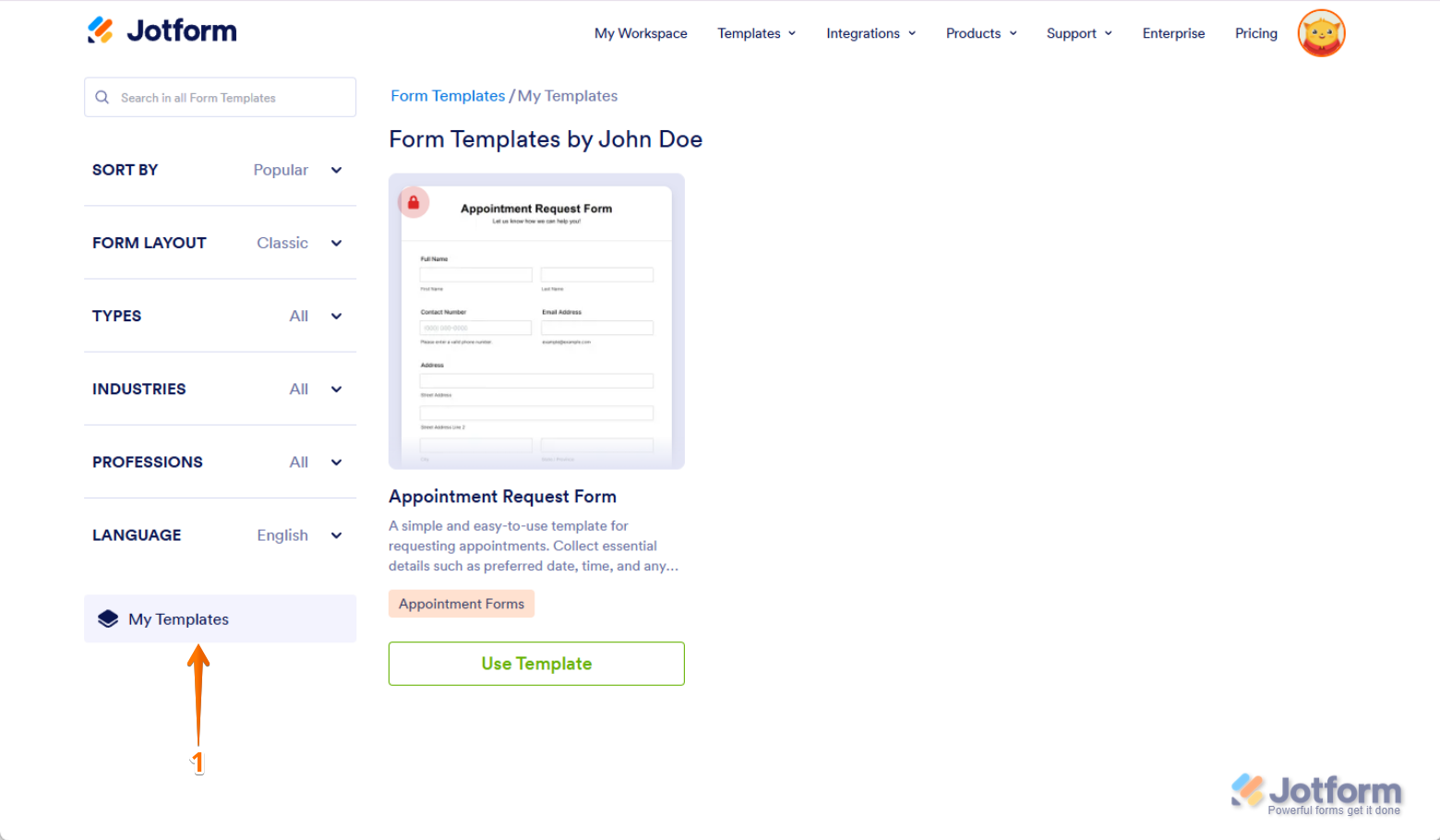
After sharing your form template, you can find it under the My Templates tab in the Templates Gallery. Here’s how:
- In the Templates Gallery, scroll down and click on the My Templates tab in the menu on the left.
Note
Shared forms go through a review process to ensure quality and relevance. A red locked icon will appear on your shared template, indicating that it’s still private. Once approved, it’ll be published and made available in the Templates Gallery for others to use.
How to Edit or Unshare Your Shared Template
If you want to edit or unshare a shared template, it’s easy to do. Here’s how:
- On your My Workspace page, hover your mouse over the form and click on More on the right side of the screen.
- In the Dropdown menu that opens up, click on Share as Template.
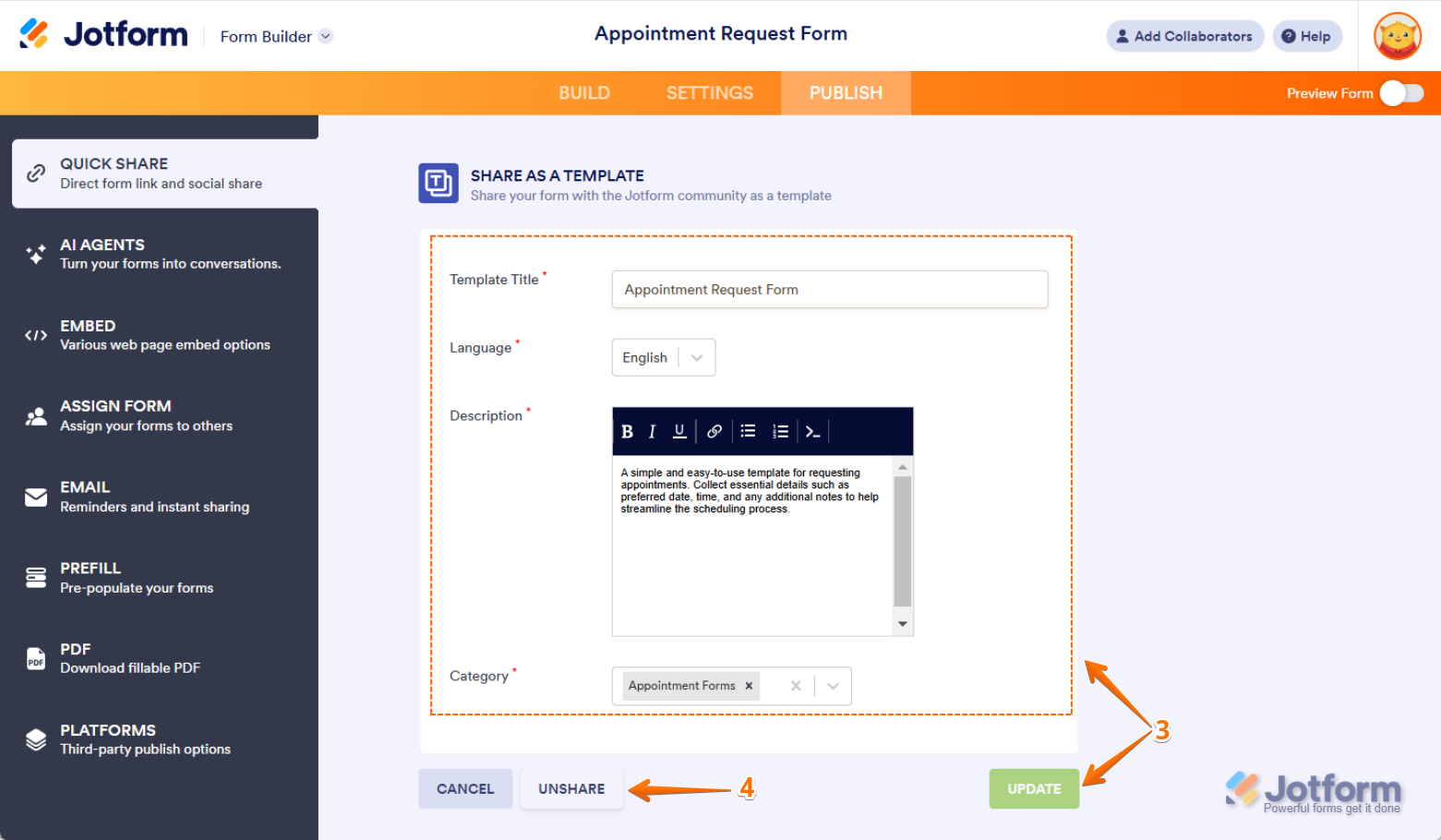
- Now, you can edit your form template details and click on Update to save the changes.
- Or, click on Unshare to remove it from the Templates Gallery.
That’s it. Your form is now shared in the Templates Gallery, making it accessible to others. You can always edit its details or unshare it whenever needed.

Send Comment:
43 Comments:
June 7, 2024
How long does the approval process take? I have previously shared a form to the gallery and it's still not there and I have received any emails with questions/concerns or declining it's inclusion. It would be really useful if in "My Templates" there was an indication whether the form was "In Review", "Published" or "Rejected".
January 16, 2024
I cannot find the template I shared in the template gallery.
October 6, 2023
I can't find the templates I've shared in the template gallery. where did they go?
May 24, 2023
I am struggling to share my form as a template. Also will it wipe details such as the email address set up to receive notifications when it becomes a template?
April 19, 2023
Hi there, I’ve created a form and a colleague would like to have a copy to adapt for her own use to avoid the manual input of creating a form for herself … please can you advise if this is possible and if so, how I would do it? Thanks
February 22, 2023
i have deleted a form that previously i have shared, and i dont know how to unshare it since i have deleted the original form
February 11, 2023
Two questions:
(1) I created a sign document on the Jotform portal. If I send the link to folks to sign the document, how can I ensure that I all signatures and fillable fields are completed on a single document?
(2) is there anyway I can send survey and redirect responses to a non-user, by using her email address?
October 11, 2022
Hi there, can you share a form template with ONE specific person rather than the whole community?
March 21, 2022
Thanks for that.
Is there a way that it can be shared without sending it to the Gallery?
February 16, 2022
I'm unable to unshare a template. Please inform.
December 1, 2021
Thank you for the comprehensive reply.
I believe that I had shared my form at one point in time...then it was unshared.
But when it was shared it carried the forwarding email addresses.
I'm receiving random submissions lately. Thx
November 2, 2021
It doesn’t have an Unshare option
April 17, 2021
hai
i need to use a jotform created by my friend for my purpose. how i can use it.
December 3, 2020
those directions do not work to unshare a template.
December 1, 2020
still not able to see unshare
November 30, 2020
Un-share button does not appear upon edit. I need to delete templates as well. please help
November 12, 2020
May I share a template I created with just one person or a small group of people? How do I do that please? Thanks!
October 5, 2020
I cannot delete a form. I didn't realize the template would be made public, I was trying it save it for myself. The "Update Form" and "Unshare Form" buttons are not there for me either.
September 25, 2020
When I follow the steps to unshare...the update and unshare button are not there. It just gives you the option to cancel or share form
September 10, 2020
I need to delete a template and when I deleted the form and purged my trash, it is still there. Please advise
August 14, 2020
I am unable to unshare my form shared as a template. Not getting Unshare option.
August 6, 2020
What do I do if the template of the form that I want to unshare, it is not part of my forms anymore?
July 8, 2020
Hi,
i am trying to share this template
but my friend cannot find the template under search.
April 16, 2020
Hi, I am having a similar problem. I am unable to unshare or update my form shared as a template.
March 19, 2020
Hi this seems to be an ongoing issue that hasn't been fixed. Like others, I am not given the option to unshare or edit a form shared as a template, even after following the steps listed in other people's answers.